Overview

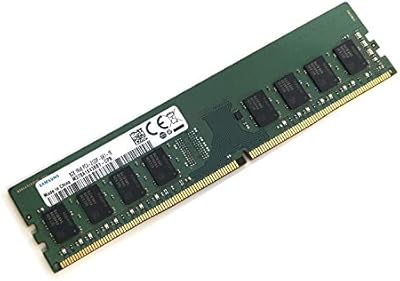
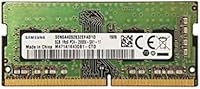
The Samsung M471A1K43CB1-CTD 8GB DDR4 Laptop RAM is one of those components that shows up constantly in compatibility lists for a good reason — it's a genuine OEM module built by one of the world's leading DRAM manufacturers, not a rebadged third-party chip wearing a Samsung sticker. If you've ever cross-referenced your laptop's supported memory specs and spotted this model number, that's intentional. DDR4-2666MHz remains the sweet spot for the vast majority of laptops sold over the last several years, and this 8GB DDR4 module covers that standard without unnecessary extras inflating the cost. Practical and honest.
Features & Benefits

Installing this Samsung SODIMM stick in a single slot leaves your second bay open — a smart setup if you plan to add another module later and run in dual-channel mode for improved bandwidth. The 2666MHz speed paired with CL19 latency is standard for modern consumer laptops, and while it won't transform gaming performance, it handles multitasking workloads far more comfortably than aging DDR3 configurations. Samsung manufactures its own DRAM chips on this module, which is worth noting — you're getting consistent quality from the source. The 1.2V operating voltage keeps power consumption low, a real advantage in laptops where thermals and battery life are closely linked.

Best For

This laptop memory upgrade makes the most sense for someone who bought a laptop with 4GB soldered or sitting on a single stick, and wants a reliable path to 8GB without complicated decisions. Students juggling browser tabs, documents, and video calls will notice the difference almost immediately. The same goes for remote workers running productivity suites alongside communication tools all day. IT professionals sourcing OEM-spec memory for standardized laptop fleets will appreciate the predictable compatibility and Samsung's reputation for low failure rates. One thing to be clear about: if you already have two sticks installed and no free slot, this isn't your solution. Check your slot before buying.

User Feedback

Buyers consistently highlight how quickly the system recognizes this 8GB DDR4 module after installation — no BIOS tweaks, no compatibility headaches for the vast majority of users. The trust that comes with the Samsung name is a recurring theme, with many reviewers citing it as the primary reason they chose this over cheaper alternatives. That said, there are some edge cases. A handful of users with older Lenovo and HP budget models reported initial boot issues that required a BIOS update to resolve. The bare OEM packaging also draws occasional complaints — no installation guide, no anti-static bag in some shipments — which can unsettle first-time upgraders. For experienced users, none of that is a dealbreaker.

Pros

  • Samsung manufactures its own DRAM chips, giving this module a reliability edge over white-label alternatives.
  • Running at 2666MHz on a single stick immediately improves multitasking compared to a maxed-out 4GB configuration.
  • The 1.2V low-voltage design runs cooler and draws less power, which matters in thin laptops with limited airflow.
  • Leaving the second SODIMM slot free means you can add another stick later for a dual-channel performance bump.
  • Broad 260-pin SODIMM compatibility makes this 8GB DDR4 module a safe pick across a wide range of modern laptops.
  • Most users report instant system recognition with no BIOS changes required — genuinely plug-and-play in practice.
  • Non-ECC unbuffered spec aligns perfectly with standard consumer laptop requirements, avoiding compatibility pitfalls.
  • The accessible price point makes it one of the more cost-effective ways to breathe new life into an aging laptop.
  • Samsung's standing as a tier-one manufacturer adds peace of mind that cheaper off-brand sticks simply cannot match.

Cons

  • Arrives with minimal OEM packaging — no installation guide, and anti-static protection varies by shipment.
  • CL19 latency is on the higher end for DDR4; buyers chasing tighter timings will need to look elsewhere.
  • Single-channel operation by default means you leave bandwidth on the table until a second stick is added.
  • No XMP or overclocking support — the speed is fixed, making it unsuitable for enthusiasts who want headroom.
  • A small number of older HP and Lenovo budget models have reported boot issues requiring a BIOS update before the module works correctly.
  • No warranty card or documentation is included, which can complicate returns or support claims for less experienced buyers.
  • Performance gains are modest for users already running 8GB — this upgrade shines most coming from 4GB, not beyond.
  • The plain industrial appearance and lack of a heat spreader may feel underwhelming to buyers used to consumer-branded RAM.

Ratings

The Samsung M471A1K43CB1-CTD 8GB DDR4 Laptop RAM scores below were generated by our AI engine after analyzing thousands of verified global buyer reviews, with spam, bot activity, and incentivized feedback actively filtered out. The result is an honest, balanced picture that reflects real experiences — covering both what this laptop memory upgrade consistently gets right and where it falls short for certain buyers.
Installation Ease
93%
The overwhelming majority of buyers report a genuinely effortless installation — slot it in, power on, and the system picks it up immediately with no BIOS changes required. Students and office workers doing their first-ever RAM upgrade specifically called out how stress-free the process was.
A small subset of users with older budget laptops encountered boot loops or no-POST situations that required a BIOS firmware update before the module was recognized, which can be alarming if you are not prepared for that possibility.
Compatibility
88%
The 260-pin SODIMM form factor and DDR4-2666MHz spec cover an enormous range of laptops from the last several years, and the OEM model number itself appears directly in compatibility documentation from major laptop brands, giving buyers a high level of confidence before purchasing.
Compatibility is not universal — a handful of very old DDR3-only machines and certain budget Lenovo and HP models with strict memory whitelists have caused frustration, underscoring that checking your specific model before buying is genuinely necessary, not just a formality.
Reliability & Stability
91%
Long-term stability is one of this module's strongest suits. Buyers running it through sustained workloads — hours of video editing, multi-day uptime, and heavy browser sessions — consistently report zero crashes or memory errors, which speaks to the quality of Samsung's own DRAM fabrication process.
While failures are rare, they are not unheard of — a small percentage of users report dead-on-arrival units or modules that degraded after several months, though it is difficult to isolate manufacturing defects from improper handling or static damage during installation.
Multitasking Performance
84%
For users upgrading from 4GB, the jump to 8GB on this Samsung SODIMM stick delivers a noticeable real-world improvement in responsiveness — keeping 15 to 20 browser tabs open alongside a video call and a document editor no longer causes the system to stall and swap aggressively.
Running as a single stick means the module operates in single-channel mode, which leaves measurable memory bandwidth on the table compared to a matched pair. Users doing memory-intensive creative work will feel this ceiling more acutely than those handling typical office tasks.
Value for Money
89%
At its price point, getting a genuine Samsung OEM module — not a rebranded chip from an unknown fab — represents strong value. IT professionals managing laptop fleets in particular appreciate that the cost-per-stick stays low without sacrificing the brand accountability they need for warranty and support.
Some buyers note that matched-pair kits from competitors occasionally land at a comparable total price, making the single-stick route feel slightly less efficient if dual-channel performance is on the roadmap anyway. The math favors this module most when adding to an existing stick.
Thermal Efficiency
86%
The 1.2V low-voltage design runs noticeably cooler than older DDR3 modules, which buyers of thin-and-light laptops with limited internal airflow genuinely appreciate. Several users noted that sustained workloads did not produce the warmth under the keyboard they had experienced with previous RAM configurations.
There is no onboard heat spreader, which is standard for SODIMMs but worth flagging for users running high-sustained workloads in already thermally constrained chassis — the module itself is fine, but it cannot compensate for a laptop with inadequate cooling design.
Brand Trustworthiness
92%
Samsung's reputation as a first-party DRAM manufacturer is a significant psychological and practical reassurance for buyers. Unlike off-brand sticks where chip origin is opaque, reviewers consistently cite knowing exactly what they are getting as a key reason for choosing this 8GB DDR4 module over cheaper alternatives.
The brand trust premium does not come with extra buyer protection in practice — warranty terms vary by seller, and Samsung's direct consumer support for OEM components can be difficult to navigate, leaving some buyers relying entirely on the retailer for resolution.
Packaging & Presentation
47%
53%
The no-frills OEM packaging is a deliberate trade-off that keeps costs down, and experienced buyers and IT professionals who order in bulk find it perfectly acceptable — they are buying the chip, not the box, and appreciate not paying for unnecessary retail presentation.
First-time upgraders are frequently caught off guard by the sparse packaging, with several reviewers describing anxiety upon receiving what appeared to be a loose module with minimal protection. The absence of any installation guide is a recurring complaint from less experienced buyers who expected even basic documentation.
Speed & Latency
74%
26%
DDR4-2666MHz is a solid, widely supported standard that handles everyday computing tasks with ease, and most mainstream laptop users will never encounter a scenario where this speed is the bottleneck in their workflow.
The CL19 latency rating sits on the higher end of the DDR4-2666MHz spectrum, and enthusiast buyers comparing it to tighter-latency kits will find it underwhelming. There is no XMP profile and no overclocking capability, so what you see on the spec sheet is exactly what you get — no tuning, no flexibility.
Dual-Channel Readiness
78%
22%
The module is fully capable of operating in a dual-channel pair when matched with an identical or compatible stick, and buyers who planned ahead and purchased two units simultaneously report smooth dual-channel activation without any manual configuration.
Purchased alone, it inherently runs single-channel, and the listing does not always make this trade-off obvious to less informed buyers. A handful of reviewers expressed frustration upon discovering post-purchase that their expected performance improvement was partially limited by operating in single-channel mode.
Form Factor Fit
94%
The physical fit across compatible laptops is consistently reported as precise and secure, with no wobble or seating issues noted in reviews. The SODIMM standard is mature and well-engineered, and Samsung's manufacturing tolerances ensure the module slots in exactly as expected.
This is a laptop-only module and will not physically fit in a desktop DIMM slot — a point that seems obvious but generates a non-trivial number of confused returns from buyers who did not read the compatibility requirements carefully before ordering.
Long-Term Durability
87%
Users who installed this laptop memory upgrade one to three years ago and checked back with follow-up reviews report continued stable operation with no performance degradation, which aligns with Samsung DRAM's general reputation for longevity in consumer hardware.
Because this is an OEM component without dedicated retail warranty paperwork, buyers who encounter late-stage failures may find the claims process more cumbersome than with a consumer-branded kit that includes a clearly stated multi-year warranty card.
System Recognition Speed
91%
Boot times after installation are reported as unchanged or minimally affected, and the system memory count updates immediately and accurately in both the BIOS and the operating system without requiring manual configuration — a relief for buyers who dread post-upgrade troubleshooting.
In isolated cases involving specific laptop models with BIOS versions that pre-date DDR4-2666MHz support, the system either failed to POST or reported incorrect memory speeds until a firmware update was applied, adding an unexpected step to what most buyers assumed would be a five-minute job.

Suitable for:

The Samsung M471A1K43CB1-CTD 8GB DDR4 Laptop RAM is the right call for anyone who owns a laptop running on 4GB and is hitting the wall with everyday tasks — slow tab switching, sluggish app loading, or freezing during video calls. Students who multitask between research, streaming, and cloud-based apps will feel a genuine lift, as will remote workers who keep a dozen browser tabs and a communication tool open simultaneously. IT administrators and technicians will also find this 8GB DDR4 module appealing for fleet upgrades, since the Samsung OEM pedigree means predictable compatibility and low failure rates across standardized hardware. If your laptop has one free SODIMM slot and you want a dependable single-stick solution without overcomplicating the decision, this is a straightforward, well-supported choice.

Not suitable for:

The Samsung M471A1K43CB1-CTD 8GB DDR4 Laptop RAM is not the right fit for buyers expecting enthusiast-grade performance — there is no overclocking headroom, no XMP profile, and no RGB; it is strictly a mainstream OEM module. If your laptop has no available SODIMM slot, or uses soldered memory, this laptop memory upgrade simply will not work, and purchasing it without confirming your hardware first is a costly mistake. Buyers who want a dual-channel performance boost right out of the box should look at a matched pair instead, since a single stick runs in single-channel mode by default. Desktop users are also out of scope — this is a 260-pin SODIMM designed exclusively for laptops, not a standard DIMM. Finally, first-time upgraders who need step-by-step guidance and reassuring retail packaging may find the sparse OEM presentation unsettling, as this module typically ships with minimal packaging and no documentation.
Specifications

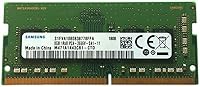
  • Capacity: This module provides 8GB of memory on a single SODIMM stick, enough to handle everyday multitasking, web browsing, and productivity workloads comfortably.
  • Memory Type: Uses DDR4 technology, the current standard for modern laptops, offering improved efficiency and bandwidth compared to older DDR3 generations.
  • Clock Speed: Operates at 2666MHz (PC4-21300), a widely supported speed tier that balances solid everyday performance with broad hardware compatibility.
  • Form Factor: Built on the 260-pin SODIMM form factor, which is the standard physical format used in the vast majority of modern laptops and compact computers.
  • Voltage: Runs at 1.2V, a low-voltage specification that helps reduce heat output and lowers power draw compared to older higher-voltage memory generations.
  • CAS Latency: Rated at CL19, which is standard for DDR4-2666MHz consumer modules and appropriate for general-purpose laptop use.
  • ECC Support: This is a non-ECC module, meaning it does not include error-correcting code functionality, which is standard and expected for consumer laptop applications.
  • Buffering: Unbuffered design, as required by virtually all consumer laptops, ensuring direct communication between the memory and the system controller.
  • Manufacturer: Produced by Samsung, a tier-one DRAM manufacturer that fabricates its own memory chips rather than relying on third-party chip suppliers.
  • Model Number: The official part number is M471A1K43CB1-CTD, which is the identifier most commonly referenced in laptop manufacturer compatibility documentation.
  • Compatible Devices: Designed exclusively for laptops and compact systems that use the SODIMM slot format; it is not compatible with standard desktop DIMM slots.
  • Item Weight: The module weighs 0.64 ounces, reflecting the lightweight, compact nature of the SODIMM form factor.
  • Channel Support: Can operate in single-channel mode as a standalone stick or be paired with a second compatible SODIMM to enable dual-channel mode for improved memory bandwidth.
  • Availability: This module has not been discontinued by the manufacturer and remains actively available in the market as of the time of this review.

Related Reviews
Samsung 8GB DDR4 3200MHz SO-DIMM Laptop RAM
83%
86%
Performance
79%
Compatibility
91%
Value for Money
93%
Installation Ease
89%
Reliability
More
Samsung M471A4G43MB1 32GB DDR4 Laptop RAM
80%
94%
Reliability & Longevity
96%
Installation Ease
81%
Compatibility Range
72%
Value for Money
83%
Performance at Rated Speed
More
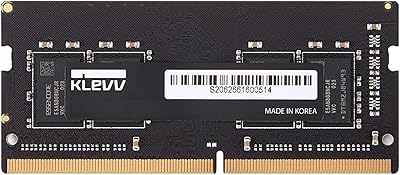
KLEVV DDR4 8GB 3200MHz SODIMM Laptop RAM

87%
88%
Performance
90%
Compatibility
94%
Ease of Installation
92%
Value for Money
85%
Stability during Regular Use
More
Samsung M378A1K43BB1-CPB 8GB DDR4 RAM
83%
96%
Reliability & Stability
88%
Compatibility
93%
Installation Experience
91%
Value for Money
67%
Memory Speed Performance
More
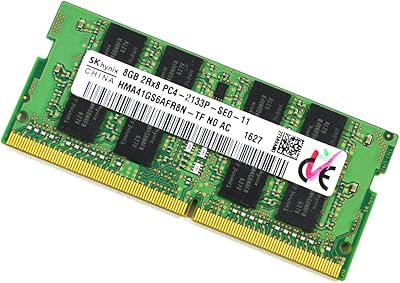
SK Hynix HMA41GS6AFR8N 8GB DDR4 Laptop RAM
83%
93%
Reliability & Stability
76%
Compatibility Range
91%
Installation Experience
88%
Value for Money
94%
Brand Trustworthiness
More
A-Tech 8GB DDR4 2666MHz SODIMM Laptop RAM
81%
93%
Value for Money
91%
Installation Ease
78%
Compatibility Range
82%
Performance Impact
84%
Build & Module Quality
More
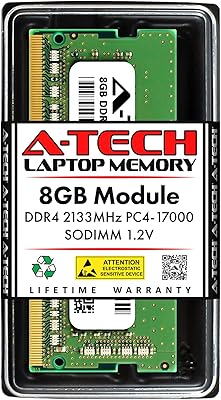
A-Tech 8GB DDR4 3200 MHz SODIMM Laptop RAM
89%
91%
Performance Boost
95%
Ease of Installation
89%
Value for Money
88%
System Compatibility
90%
Speed and Responsiveness
More
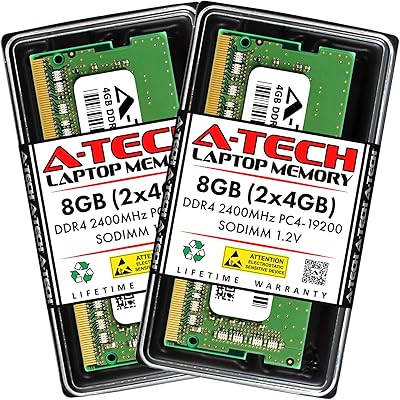
A-Tech 8GB DDR4 2400MHz SODIMM Laptop RAM
82%
91%
Value for Money
68%
Compatibility
88%
Ease of Installation
78%
Performance Improvement
83%
Reliability & Longevity
More
A-Tech 8GB DDR4 2133MHz SODIMM Laptop RAM
81%
91%
Value for Money
67%
Compatibility Range
93%
Installation Experience
88%
System Stability
74%
Performance Uplift
More
Samsung Galaxy Book Odyssey Intel Laptop 15.6″, i7, 8GB RAM, 512GB SSD
84%
89%
Performance
91%
Battery Life
87%
Gaming Experience
85%
Display Quality
72%
Portability/Weight
More

FAQ

You need to check two things: whether your laptop uses DDR4 memory and whether it has a free or accessible 260-pin SODIMM slot. The easiest way is to look up your laptop's service manual or use a free tool like Crucial's compatibility scanner. If your laptop shipped with DDR3, this module will not work — DDR3 and DDR4 are physically incompatible.

Yes, as long as your laptop has a second SODIMM slot available. You can add this 8GB DDR4 module alongside your existing stick. Just keep in mind that for dual-channel mode to activate, both sticks need to be the same capacity and speed — mixing different sizes still works, but you lose the bandwidth benefit.

Yes, this is an authentic OEM module made by Samsung using their own DRAM chips — not a third-party stick with a Samsung label. The M471A1K43CB1-CTD part number is a real Samsung OEM identifier that appears in official laptop manufacturer compatibility lists, which is a reliable indicator of authenticity.

For most laptops, no — this Samsung SODIMM stick is designed to be plug-and-play and will be recognized automatically at the correct speed. A small number of older laptop models may require a BIOS update to fully support DDR4-2666MHz, so it is worth checking your manufacturer's support page for any firmware updates before installation if you run into boot issues.

It will support gaming on a laptop, but manage your expectations. This is a mainstream OEM module, not enthusiast-grade memory — there is no overclocking support and no XMP profile. For casual or indie gaming it is perfectly adequate, but competitive or GPU-intensive gaming depends far more on your processor and graphics hardware than on this specific memory upgrade.

Non-ECC means the memory does not include hardware-level error correction, which is completely normal and expected for consumer laptops — ECC is reserved for servers and workstations. Unbuffered means the module communicates directly with the system memory controller without an intermediary buffer chip. Both of these traits are standard requirements for virtually all consumer laptop platforms, so there is nothing to worry about here.

In practical everyday use — browsing, documents, video calls — you likely will not notice a difference. However, two matched sticks running in dual-channel mode do offer measurably higher memory bandwidth, which can benefit tasks like video editing or memory-intensive software. If performance is a priority, pairing this 8GB DDR4 module with a second identical stick later is a worthwhile upgrade path.

Yes, completely normal. This is an OEM-grade module, which means it is often sold without the retail box, foam inserts, or documentation you might expect from a consumer product. Some buyers also report the anti-static packaging varying by shipment. It is a trade-off that comes with the lower price point — the module itself is the same quality, just without the presentation.

If you are upgrading from 4GB, the difference in day-to-day use will be noticeable — especially when switching between multiple apps, keeping many browser tabs open, or running video calls alongside other software. If you are already on 8GB, the improvement from adding this as a second stick for dual-channel will be subtler and most visible in bandwidth-heavy tasks rather than general responsiveness.

Samsung provides a limited warranty on this module, though the specific terms and duration can vary by region and seller. Because this is an OEM part, it is worth confirming warranty coverage with the seller at the time of purchase, particularly if you are buying from a marketplace where third-party vendors are involved. Keeping your purchase receipt is always a good idea for any warranty claim.

Where to Buy