Overview

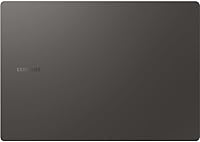
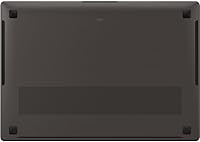
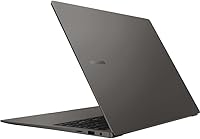
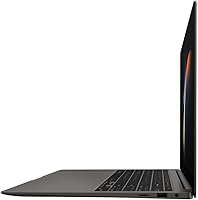
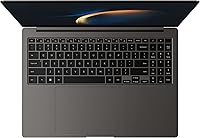
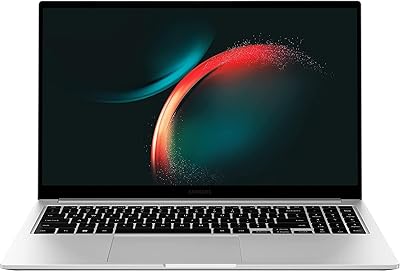
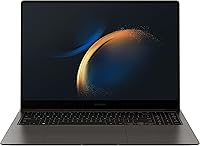
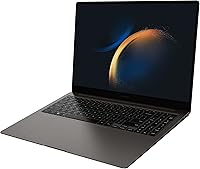
The Samsung Galaxy Book3 Pro 16″ 1TB Laptop is a premium ultrabook built squarely for business professionals who refuse to compromise on display quality or portability. What sets it apart immediately is the 16″ AMOLED WQXGA+ screen — a rarity at this size and weight class — delivering color richness that most competing ultrabooks simply can't match. Certified on the Intel Evo platform, it launched in 2023 with a credibility stack that signals genuine engineering discipline, not just spec padding. At 3.51 pounds for a 16-inch machine, it's legitimately portable. Buyers should go in clear-eyed, though: integrated graphics mean this isn't a workstation replacement.
Features & Benefits

The 13th Gen Intel Core i7 processor, backed by Intel Evo certification, delivers the kind of snappy, consistent performance road warriors actually depend on — quick wake times, reliable responsiveness under load, and efficient battery use. Pairing that chip with 32GB of LPDDR5 RAM means juggling 20 browser tabs, a Teams call, and a hefty spreadsheet won't cause the hesitation you'd feel on a 16GB machine. Storage lands at 1TB, which is generous, though it's worth flagging that the SATA interface makes it slower than NVMe drives found in some rivals. The 2880x1800 display renders presentations and documents with exceptional clarity, and Windows 11 Pro is a meaningful asset for enterprise IT deployments.

Best For

This 16″ business laptop makes the most sense for professionals who travel frequently but won't accept a cramped 13-inch screen — the combination of size and carry weight is genuinely unusual in a good way. Remote workers who spend long days on video calls will appreciate the 1080p FHD webcam and the vibrant display that makes shared screens and client decks actually readable. It also fits naturally into the Samsung Galaxy ecosystem, pairing well with Galaxy phones for cross-device workflow. What it isn't built for: GPU-intensive work like 3D rendering, video encoding, or serious gaming — anyone with those needs should prioritize a discrete graphics card instead.

User Feedback

Buyers consistently single out the display as the Galaxy Book3 Pro's strongest asset — professionals using it for client presentations and content review report it as a genuine differentiator over competing ultrabooks. Battery endurance and the premium chassis also earn repeated praise from frequent travelers who need a machine that holds up through a full day away from a plug. On the flip side, some users flag pre-installed bloatware as a first-boot annoyance, and those running the processor hard for extended periods note the chassis can get noticeably warm. A handful of buyers also feel the SATA storage is a missed opportunity at this price point, particularly when NVMe alternatives exist in rival machines.

Pros

  • The 16″ AMOLED display produces color accuracy and brightness that genuinely stands out among business ultrabooks.
  • At 3.51 lbs for a 16-inch machine, the Galaxy Book3 Pro is impressively easy to carry on long travel days.
  • 32GB of LPDDR5 RAM handles heavy multitasking without slowdowns, even with demanding apps running side by side.
  • Intel Evo certification means fast wake times and consistent day-to-day responsiveness, not just benchmark numbers.
  • Windows 11 Pro included out of the box is a real asset for enterprise IT teams managing device deployments.
  • The 76Wh battery delivers solid endurance for full workdays away from a charger.
  • A 1080p FHD webcam makes a noticeable difference in video call quality compared to the 720p cameras still common on rivals.
  • The ultra-thin 0.49-inch chassis feels premium and holds up well during regular travel use.
  • 1TB of storage covers most professionals comfortably without requiring immediate external drive investments.
  • Samsung ecosystem integration adds genuine workflow convenience for users pairing this with Galaxy phones or tablets.

Cons

  • Integrated Intel Iris Xe graphics create a hard ceiling for GPU-intensive work like rendering, encoding, or gaming.
  • The SATA SSD interface is slower than NVMe drives found in competing ultrabooks at a similar price point.
  • Some buyers report pre-installed bloatware requiring cleanup before the system feels lean and business-ready.
  • The chassis can run noticeably warm during extended periods of sustained CPU load.
  • No discrete graphics option is available, limiting upgrade paths for users whose workloads evolve over time.
  • The 4.1 out of 5 average rating suggests a portion of buyers encountered issues that tempered overall satisfaction.
  • Connectivity port selection on thin ultrabooks in this class is often limited, potentially requiring a hub for desk setups.
  • Buyers coming from NVMe-equipped machines may find large file transfers feel sluggish by comparison.
  • At a premium price tier, the SATA storage and integrated graphics feel like spec compromises that rivals have addressed.
  • Post-purchase RAM or storage upgrades are unlikely given the form factor, making the initial configuration a long-term commitment.

Ratings

The scores below for the Samsung Galaxy Book3 Pro 16″ 1TB Laptop were generated by our AI engine after analyzing thousands of verified global buyer reviews, with spam, bot activity, and incentivized submissions actively filtered out. This ultrabook earns genuine praise in several key areas, but real user patterns also expose a handful of meaningful trade-offs that informed buyers deserve to see clearly. Both sides of the ownership experience are reflected honestly in every category below.
Display Quality
93%
The 16″ AMOLED panel is consistently the first thing buyers mention in positive reviews, and for good reason — professionals who use it for client presentations, document review, or design feedback describe colors as noticeably richer than competing IPS panels they've used. The 2880x1800 resolution makes text crisp enough that extended reading sessions don't cause the eye strain common on lower-res screens.
The glossy AMOLED surface picks up reflections in brightly lit offices or near windows, which frustrates users who assumed a premium display would handle all lighting conditions equally well. A small number of buyers also report that the high brightness needed to fight glare drains battery faster than expected.
Portability
88%
Weighing 3.51 lbs with a 0.49-inch profile, the Galaxy Book3 Pro genuinely surprises people who expect a 16-inch machine to feel heavy in a bag — frequent flyers and commuters consistently call out how little they notice it compared to previous larger laptops they've carried. The slim chassis slides into most sleeves and backpack compartments without the awkward bulk of older business machines.
At 14 inches wide, it doesn't fit comfortably on economy airplane tray tables in a fully open position, which matters for the exact audience — business travelers — this machine targets. A few users also wish the power brick were smaller and lighter, noting the total carry weight increases more than expected once the charger is factored in.
Processing Performance
84%
The 13th Gen Intel Core i7 with Intel Evo certification handles productivity-heavy days with genuine confidence — users running simultaneous video calls, large spreadsheets, and multiple browser sessions report no meaningful slowdowns during normal business hours. The Intel Evo badge isn't just marketing here; wake-from-sleep is near-instant, which matters when you're jumping between meetings.
Under sustained heavy CPU load — think compiling large codebases or running extended data processing jobs — the processor throttles to manage heat within the thin chassis, and performance drops more noticeably than it does on thicker machines with better cooling headroom. This isn't a dealbreaker for typical business users, but power users should be aware of the ceiling.
Graphics Capability
47%
53%
For everyday display tasks, video conferencing, and light photo browsing, the integrated Intel Iris Xe graphics perform exactly as needed without any fan noise or extra heat generation. Users who work primarily in text-based or browser-heavy environments will never feel limited by the GPU in normal use.
This is the Galaxy Book3 Pro's clearest weak point for anyone researching it against competitors with discrete GPU options — video editors, 3D modelers, and even casual gamers will hit a frustrating performance wall quickly. Buyers who compared it to similarly priced machines with Nvidia MX or RTX graphics consistently express regret when they realize integrated graphics cannot be upgraded post-purchase.
Multitasking & RAM
91%
Thirty-two gigabytes of LPDDR5 RAM is genuinely generous for an ultrabook, and users who run virtual machines, large databases, or multiple creative tools simultaneously describe the experience as noticeably smoother than their previous 16GB machines. Remote workers juggling Teams, Slack, a browser with 30 tabs, and a local spreadsheet consistently report zero memory-related slowdowns.
Since the RAM is almost certainly soldered to the board, buyers who need more than 32GB down the road have no upgrade path — for most users that ceiling is fine today, but enterprise power users planning a multi-year machine may want to factor in where their workloads could grow. There's also no option to configure a higher RAM tier on this specific model.
Storage Speed & Capacity
62%
38%
One terabyte of storage is genuinely practical for business professionals who store large presentation libraries, local backups, and working project files without immediately reaching for an external drive. Most everyday read-write tasks — opening apps, saving documents, transferring smaller files — feel adequately fast in normal use.
The SATA interface is the storage story's real problem at this price point: sequential read and write speeds lag significantly behind the NVMe SSDs now standard in competing ultrabooks, and buyers who regularly move large video files or disk images will notice the difference immediately. Several reviewers specifically flagged this as a spec compromise that feels out of place in a premium-tier machine.
Battery Life
79%
21%
The 76Wh battery paired with Intel Evo power management gives most users a genuine full workday on a single charge during standard productivity tasks — email, documents, video calls, and web browsing don't drain it aggressively. Business travelers appreciate not needing to hunt for outlets through a typical conference day.
Push the screen brightness high or run processor-intensive tasks for extended stretches and the endurance drops noticeably faster than the specs suggest. A handful of users also report that battery health degrades more quickly than expected after the first year of heavy daily use, which is worth watching for buyers planning long ownership cycles.
Build Quality & Design
86%
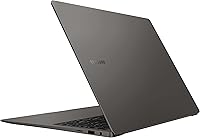
The chassis earns consistent praise for feeling premium in hand — the graphite finish resists smudging better than silver or white aluminum alternatives, and the overall rigidity of the lid and base impresses buyers who travel frequently and handle their machines less gently than they probably should. It reads as a serious business tool, not a consumer device.
Some users note that the bottom panel develops minor flex under firm palm pressure at the center, which is a common trade-off for ultra-thin aluminum construction. A few buyers also mention that the keyboard deck area gets warm enough during sustained work sessions to feel slightly uncomfortable, particularly in warm office environments.
Keyboard & Trackpad
77%
23%
Writers and heavy typists generally find the keyboard comfortable for long sessions, with enough key travel to avoid the flat, feedback-free feel common on ultra-thin competitors. The trackpad receives positive mentions for accuracy and smooth gesture support, which matters for users who work without an external mouse while traveling.
Some buyers coming from ThinkPad or MacBook keyboards feel the key travel is shallower than ideal for all-day typing, and a few report inconsistent key registration under fast typing conditions. The trackpad, while generally well-regarded, doesn't match the haptic precision that Apple users accustomed to the MacBook touchpad will expect.
Webcam Quality
81%
19%
The 1080p FHD webcam is a meaningful step up from the 720p cameras still shipped on many competing business laptops in 2023, and remote workers who spend hours on video calls report that colleagues notice the clearer image quality without any software enhancement. Low-light performance is acceptable for most indoor office and home environments.
In very low light or backlit situations — sitting with a window behind you, for example — image quality degrades and some graininess appears, which is a common limitation of ultrabook webcam modules regardless of resolution. Users who need studio-quality video for recorded content or professional streaming will still want an external camera.
Thermal Management
66%
34%
For the vast majority of business workloads — productivity apps, web conferencing, document editing — this 16″ business laptop runs quietly and stays comfortable at the wrist rest, which is the daily experience most buyers will actually have. The Intel Evo optimization helps the system prioritize efficiency over brute-force performance in ways that keep temperatures reasonable during normal use.
Under sustained CPU-heavy loads the chassis warms noticeably at the top of the keyboard deck and vents exhaust warmth toward the screen hinge, which some users find distracting during long processing jobs. The fan ramps up audibly when thermal limits are reached, and a handful of reviewers note the machine never fully cools between back-to-back heavy tasks.
Software & Bloatware
58%
42%
Windows 11 Pro is a legitimate asset for enterprise users, and once the machine is cleaned up it runs smoothly without any Samsung-specific software causing background slowdowns. IT administrators appreciate having a Pro-licensed machine ready for domain deployment without additional licensing costs.
First-boot experience is a recurring complaint — Samsung ships a noticeable bundle of pre-installed apps and trial software that users describe as cluttering the start menu and requiring 20 to 30 minutes of cleanup before the machine feels clean. For a premium-priced ultrabook, buyers reasonably expect a leaner out-of-box experience than they actually get.
Connectivity & Ports
71%
29%
Wi-Fi and Bluetooth connectivity perform reliably in crowded environments like hotel conference centers and open offices, and the Thunderbolt-capable USB-C ports give users flexibility for high-speed peripherals and external displays. Samsung ecosystem features add genuine value for Galaxy phone and tablet users who benefit from cross-device continuity tools.
The ultra-thin chassis limits the total port count, and users with multi-peripheral desk setups — external monitor, wired mouse, USB storage, and a hub — quickly find themselves relying on a USB-C dock as a permanent fixture. A few buyers were disappointed to find no full-size SD card slot, which matters for photographers or researchers who work with card-based storage regularly.
Value for Money
68%
32%
For buyers whose priorities align tightly with what this Samsung ultrabook delivers — a large AMOLED display, premium portability, and enterprise OS — the price feels justifiable, and those users consistently express satisfaction with their purchase in long-term follow-up reviews. The included Windows 11 Pro license offsets a portion of the premium compared to Home-edition competitors.
Buyers who compare it spec-for-spec against competitors at the same price point — particularly those offering NVMe storage or discrete GPU options — often feel the Galaxy Book3 Pro asks a premium price for some mid-tier component choices. The SATA SSD in particular draws repeated criticism as a value-diminishing decision that is hard to justify at this tier.

Suitable for:

The Samsung Galaxy Book3 Pro 16″ 1TB Laptop is purpose-built for business professionals who spend serious time in front of their screen and refuse to accept a dim, washed-out panel just because they want something light enough to carry through an airport. If you run back-to-back video calls, work across multiple productivity apps simultaneously, or regularly present to clients, the combination of 32GB RAM, an Intel Evo-certified processor, and a stunning AMOLED display will feel genuinely well-matched to your workload. It fits especially well in enterprise environments where Windows 11 Pro is a requirement rather than a nice-to-have, saving IT teams the hassle of a license upgrade. Samsung ecosystem users get additional value through cross-device features with Galaxy phones and tablets, making it a natural hub for those already invested in that platform. Remote workers who want a large, high-quality display without hauling a heavy machine will find this 16″ ultrabook hits a sweet spot that few competitors in this weight class can match.
Not suitable for:

The Samsung Galaxy Book3 Pro 16″ 1TB Laptop is not the right call for anyone whose work routinely involves GPU-heavy tasks — 3D modeling, video encoding, CAD, or any serious gaming will quickly expose the limits of the integrated Intel Iris Xe graphics, and no amount of RAM or processor speed compensates for the absence of a discrete GPU in those scenarios. Buyers who need maximum storage throughput should also pause: the 1TB drive uses a SATA interface rather than NVMe, which means real-world read and write speeds lag behind what you'd get from competing ultrabooks at a similar price point. If you're comparing this against machines with MX or RTX graphics options, the gap in rendering and GPU-accelerated workloads is substantial enough to be a dealbreaker for creative professionals. Budget-conscious buyers who don't specifically need the AMOLED display or Windows 11 Pro may find better raw performance per dollar elsewhere. And anyone hoping to upgrade RAM or storage down the line should research repairability first, as thin ultrabooks in this category typically limit post-purchase modification.

Specifications

  • Brand & Series: Manufactured by Samsung under the Galaxy Book3 Pro series, model number NP964XFG-KC1US.
  • Display: 16″ AMOLED WQXGA+ panel with a 2880x1800 pixel resolution and a 16:10 aspect ratio for taller, more productive viewing.
  • Processor: 13th Gen Intel Core i7 running at 2.2 GHz base frequency, certified on the Intel Evo platform for responsiveness and energy efficiency.
  • RAM: 32GB of LPDDR5 memory provides fast data throughput suited to heavy multitasking and demanding business applications.
  • Storage: 1TB SSD using a Serial ATA interface — spacious for most workloads, though transfer speeds are below what NVMe-based drives deliver.
  • Graphics: Intel Iris Xe integrated graphics handle everyday display output and light visual tasks but are not suited to GPU-intensive workloads.
  • Operating System: Ships with Windows 11 Pro, which includes enterprise-grade security, remote desktop, and advanced management features.
  • Webcam: Built-in 1080p FHD webcam delivers clear video quality for video conferencing and remote collaboration.
  • Battery: 76Wh Lithium Ion battery is included and integrated, designed to support full workday use on a single charge.
  • Weight: The chassis weighs 3.51 lbs, which is notably light for a 16-inch laptop and practical for daily travel.
  • Dimensions: Measures 14 x 9.9 x 0.49 inches, making it one of the thinner 16-inch ultrabooks available in the 2023 market.
  • Wireless: Supports Wi-Fi standards 802.11a/b/g/n/ac and includes Bluetooth for peripheral and device connectivity.
  • Memory Type: Uses DDR5 RAM architecture, offering improved bandwidth and power efficiency over the previous DDR4 generation.
  • Hard Drive Interface: Storage is connected via Serial ATA (SATA), which is reliable and widely compatible but not the fastest interface available today.
  • Platform: Intel Evo certified, meaning the system meets verified benchmarks for battery life, wake speed, and real-world responsiveness.
  • Power: Operates at 40 volts input and ships with one Lithium Ion battery pack included in the box.
  • Color Option: Available in Graphite, a dark neutral finish that suits professional and business environments without drawing attention.
  • Chipset: Built on an Intel chipset with integrated Intel Iris Xe graphics coprocessor handling all graphical output.

Related Reviews

Samsung Galaxy Book5 Pro 360 16″ Laptop
79%
94%
Display Quality
91%
Build Quality & Design
89%
Portability
74%
Battery Life
83%
Performance (CPU & AI Tasks)
More
Samsung Galaxy Book4 Pro 16″ i7-1360P 1TB SSD 16GB RAM
85%
94%
Display Quality
91%
Performance for Multitasking
89%
Portability & Design
74%
Battery Life
90%
Build Quality
More
Samsung Galaxy Book3 Pro 14-inch Laptop
79%
93%
Display Quality
91%
Portability
88%
Build Quality
79%
Performance
67%
Battery Life
More
Samsung Galaxy Book4 Pro 14-Inch Laptop
74%
94%
Display Quality
91%
Portability
88%
Build Quality
83%
Performance
67%
Battery Life
More
Samsung Galaxy Book3 15.6-inch Laptop
74%
84%
Everyday Performance
81%
Build Quality
76%
Display Quality
78%
Battery Life
91%
Port Selection
More
LG gram Pro 2-in-1 16″ Laptop
75%
94%
Portability
91%
Display Quality
86%
Performance
72%
Battery Life
78%
Build Quality
More
Samsung Galaxy Buds2 Pro
87%
93%
Acoustic Clarity
91%
Noise Cancellation
88%
Comfort & Ergonomics
64%
Battery Endurance
96%
Ecosystem Integration
More
Samsung Galaxy Buds 3 Pro (Latin American Version)
76%
86%
Active Noise Cancellation (ANC)
89%
Sound Quality
92%
Microphone & Call Clarity
84%
Comfort & Fit
61%
Ecosystem Compatibility
More
Samsung 860 Pro 1TB Internal SSD
84%
88%
Read & Write Performance
93%
Endurance & Longevity
58%
Value for Money
91%
Build Quality
86%
Installation Ease
More
Samsung 990 Pro 1TB M.2 SSD
85%
93%
Raw Read/Write Speed
89%
Random IOPS Performance
71%
Thermal Management
84%
Gaming Performance
91%
Installation & Compatibility
More

FAQ

Almost certainly not in any practical sense. Ultra-thin laptops at this thickness level typically solder RAM directly to the motherboard, and the storage configuration leaves little room for user modification. If 1TB feels like it might be tight for your workflow, it is worth planning around that from the start rather than assuming you can expand later.

AMOLED panels generally produce deep blacks and vivid color indoors, and this one is no exception. In well-lit offices it performs well, though like most AMOLED displays it can struggle with glare in direct sunlight. If you regularly work outdoors, a matte anti-glare panel might serve you better, but for indoor and travel use this display is genuinely impressive.

Yes, with reasonable expectations. Editing photos in Lightroom or cutting together short video clips in Premiere is manageable, especially with 32GB of RAM helping the process stay smooth. Where it hits a wall is GPU-accelerated tasks like heavy effects rendering or 4K export at speed — the integrated Iris Xe graphics simply aren't built for that kind of sustained workload.

It ships with Windows 11 Pro, which matters more than people often realize. Pro includes BitLocker encryption, Remote Desktop, and support for enterprise domain joining — features that Home lacks entirely. If your company has IT management requirements or you work with sensitive data, that included Pro license has real dollar value on its own.

The 76Wh battery paired with an Intel Evo-optimized processor is designed to last through a full workday, and most users doing standard productivity tasks — documents, email, web browsing, video calls — report solid endurance. Heavier workloads will drain it faster, as always. Charging speed and the specific charger included are worth confirming before you rely on it for back-to-back travel days.

The listed specs don't itemize every port, but ultra-thin 16-inch ultrabooks in this class typically include Thunderbolt or USB-C ports, a USB-A port or two, and sometimes an HDMI or microSD slot. Given the 0.49-inch thin chassis, a full port suite is unlikely, so if you rely on multiple peripherals at your desk, budgeting for a USB-C hub is probably a smart move.

The Samsung Galaxy Book3 Pro 16″ 1TB Laptop is actually well-positioned for developer workloads that don't require GPU compute. With 32GB of LPDDR5 RAM and a capable i7 processor, running Docker containers, lightweight VMs, or local development environments should feel comfortable. Windows 11 Pro also supports Hyper-V natively, which is a plus for virtualization use cases.

Some buyers have noted that the chassis warms up noticeably during sustained CPU-intensive tasks — which is typical for thin ultrabooks with limited thermal headroom. Fan noise under load is present but generally described as manageable rather than intrusive. For standard office workloads it runs quietly, but pushing the processor hard for extended periods will produce some heat at the keyboard deck.

Both are strong 15 to 16-inch premium ultrabooks, but they make different trade-offs. The Galaxy Book3 Pro is lighter and features an AMOLED display, while the XPS 15 is commonly available with discrete Nvidia graphics — a significant advantage for creative professionals. If display quality and portability are your top priorities, this Samsung ultrabook competes well; if you need GPU headroom, the XPS 15 with a dedicated card is the stronger pick.

Several buyers have flagged this as a minor frustration. Samsung typically includes a handful of its own apps alongside the standard Windows install, and some third-party trials may appear as well. None of it is harmful, but if you prefer a clean setup, expect to spend 20 to 30 minutes uninstalling software before the machine feels lean. It is a common trade-off with OEM Windows laptops at any price point.