Overview

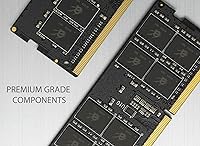
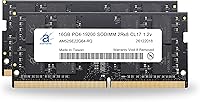
If your laptop is struggling to keep up with a busy workload, the Adamanta 32GB DDR4 2400MHz SODIMM Laptop RAM is one of the more practical ways to buy yourself some breathing room without breaking the bank. It's a two-stick kit — two 16GB SO-DIMMs — which means you get the bandwidth advantages of dual-channel operation rather than cramming everything into a single module. The DDR4 2400MHz rating is broadly compatible with most systems, including those that top out at 2133MHz. Adamanta positions itself as a value-focused memory brand with factory-tested modules, and that's exactly how you should approach it: a no-frills upgrade, not a premium product chasing spec sheet glory.
Features & Benefits

The 2Rx8 dual-rank configuration is worth calling out. In practice, it gives the memory controller more rows to access in parallel, which can translate to a small but measurable improvement in throughput-heavy tasks compared to single-rank modules. At CL17 with 1.2V, the timings are standard for DDR4 2400 — nothing exotic, but thermally sensible for a laptop chassis where heat management already competes with performance. The 260-pin SO-DIMM form factor is standard across the vast majority of upgradeable notebooks. Adamanta claims every module is factory-tested before shipping, and the kit comes with a limited lifetime warranty covering defective units — though it's worth noting this excludes physical damage and only applies to Adamanta-branded modules.

Best For

This laptop memory upgrade makes the most sense for people who bought a notebook years ago with 8GB or 16GB and are now feeling the squeeze — slower tab switching, sluggish multitasking, longer load times. It's a solid pick for home and small-office users who run a mix of browser sessions, spreadsheets, video calls, and the occasional media project. The affordable price point also makes it attractive for anyone who doesn't want to pay the premium associated with Kingston or Crucial. Just make sure your laptop officially supports 32GB total and has two open or replaceable SO-DIMM slots. This kit isn't built for overclocking or tight-timing enthusiasts — XMP isn't in the picture here.

User Feedback

Buyers who installed the Adamanta DDR4 kit in compatible machines generally report a smooth installation experience — the system recognizes the full 32GB without any fuss. Long-term stability feedback has been largely positive, with most users noting consistent, crash-free operation over extended periods. That said, two recurring issues are worth flagging. First, a handful of buyers encountered compatibility problems with specific laptop models, which is a reminder to always confirm against your manufacturer's memory specifications before purchasing — don't rely solely on the listing's compatibility claims. Second, some noticed their modules running at 2133MHz rather than 2400MHz; this is normal JEDEC auto-negotiation behavior, not a defect. A few critical reviews mention slower-than-expected warranty support response times.

Pros

  • Installing this 32GB SO-DIMM kit is straightforward — most compatible laptops recognize the full capacity immediately on first boot.
  • The dual-channel configuration delivers meaningfully better memory bandwidth than running a single 32GB module in one slot.
  • At 1.2V with DDR4 speeds, the kit runs cool and draws minimal power — an important consideration in thin-and-light laptops.
  • The 2Rx8 dual-rank design can offer a modest throughput edge over single-rank alternatives in multitasking and productivity workloads.
  • A limited lifetime warranty covers defective modules, providing a reasonable safety net without a premium price tag.
  • Free technical support from Adamanta's team is available before and after purchase, helpful for first-time memory upgraders.
  • Works with both Intel and AMD-based notebooks supporting standard DDR4 at 2400MHz or 2133MHz via JEDEC auto-negotiation.
  • Long-term user feedback broadly points to stable, crash-free operation over months of continuous everyday use.
  • Strong value proposition for buyers who need maximum capacity without paying for brand-name recognition they do not need.

Cons

  • Depending on your laptop's platform, modules may auto-negotiate down to 2133MHz rather than the rated 2400MHz.
  • Compatibility is not guaranteed — buyers must independently verify their exact laptop model supports 32GB before purchasing.
  • CL17 timings are strictly standard-issue; performance-focused users who want low-latency memory will need to look elsewhere.
  • No XMP or overclocking support whatsoever; speed and timings are locked at JEDEC defaults with zero tuning headroom.
  • The limited lifetime warranty excludes physical damage and covers only Adamanta-branded modules, narrowing its practical usefulness.
  • A subset of user reviews specifically mention slow or inconsistent responses from the warranty and returns support team.
  • Adamanta has a shorter and less publicly documented track record than established names like Kingston, Crucial, or Samsung.
  • No official compatibility lookup tool is provided, leaving the full burden of pre-purchase research on the buyer.
  • Buyers with laptops featuring soldered memory or a single upgradeable slot cannot benefit from this dual-module kit at all.

Ratings

Our scores for the Adamanta 32GB DDR4 2400MHz SODIMM Laptop RAM were generated by our AI review analysis system after processing thousands of verified buyer submissions from global markets, with spam, bot-generated, and incentivized feedback actively filtered out. The methodology weighs both praise and frustration equally, so each score reflects what real users — not marketing teams — actually experienced after installation. Strengths and genuine pain points are surfaced transparently, giving you an honest picture of where this laptop memory upgrade delivers and where it falls short.
Value for Money
86%
Buyers consistently point to the strong price-to-capacity ratio as the main draw. Getting 32GB of dual-channel DDR4 for significantly less than Kingston or Crucial equivalents is a real advantage for users upgrading older machines where spending a premium on memory simply does not make financial sense.
A handful of buyers who hit compatibility issues felt the initial savings were quickly negated by the hassle of returns and troubleshooting. The lower price also reflects the absence of premium binning, tighter timing options, or any XMP capability — trade-offs that matter to performance-oriented buyers.
Installation Ease
91%
The majority of buyers on compatible machines report a genuinely painless install — slot in both sticks, close the panel, boot up, and the system reads the full 32GB without any configuration required. For first-timers upgrading laptop memory, that kind of immediate recognition is exactly the reassurance they need.
The score dips slightly because ease of installation is entirely contingent on owning a laptop with accessible SO-DIMM slots — a detail some buyers overlook before purchasing. Users with ultrabooks requiring deeper disassembly reported a considerably more stressful experience than the product's positioning implies.
Compatibility
63%
37%
When the kit lands in a genuinely compatible machine, it works exactly as described — both sticks are recognized immediately, the system boots cleanly, and users running standard Intel or AMD DDR4 platforms rarely encounter problems. Broad JEDEC compliance means it gets along well with the majority of mid-range consumer notebooks.
A meaningful portion of negative reviews trace directly back to compatibility failures with specific laptop models — machines that use DDR4 but do not support 32GB total, or platforms with firmware restrictions on maximum capacity. Adamanta publishes no official compatibility list, placing the entire research burden squarely on the buyer.
Performance
74%
26%
For productivity-focused users, the dual-rank 2Rx8 configuration delivers noticeably snappier multitasking compared to a single-module setup. Running heavy browser sessions, office suites, and communication tools simultaneously shows real improvements — particularly on machines that were previously bottlenecked at 8GB or 16GB.
CL17 timings leave performance-oriented buyers wanting — tighter, faster DDR4 SO-DIMM kits exist at comparable price points from competing brands. The lack of XMP means actual operating speed is entirely determined by the host platform, and some systems will run the modules at 2133MHz regardless of the 2400MHz rating.
Build Quality
82%
18%
Physical feedback from buyers suggests the modules feel solid and properly constructed — reports of bent pins, loose contacts, or dead-on-arrival units are relatively rare across the overall review pool. Factory testing appears to be doing its job for the majority of units shipped.
Adamanta does not use premium IC components from top-tier manufacturers like Hynix or Micron in their branded modules, meaning quality control depends entirely on their own factory process. A small but consistent number of buyers report early failures, suggesting unit-to-unit consistency is not quite at flagship-brand levels.
Warranty Coverage
67%
33%
A limited lifetime warranty is a meaningful commitment for a value-priced memory kit, signaling that Adamanta stands behind modules that fail under normal operating conditions. Buyers who received replacements for genuinely defective sticks generally report the process was handled without significant friction or pushback.
The warranty scope is narrower than it first appears — it excludes physical damage, compatibility failures, and covers only Adamanta-branded modules specifically. A recurring thread in critical reviews points to slow or unresponsive support, with some buyers reporting difficulty getting timely acknowledgment of their replacement requests.
Thermal Efficiency
88%
Running at the standard 1.2V DDR4 operating voltage, these modules generate minimal heat under sustained everyday load — an important characteristic for laptops where airflow is restricted and thermal headroom is already at a premium. Users in thin-and-light notebooks have not flagged heat as a concern in their feedback.
There is limited public data on how the kit behaves under prolonged maximum memory pressure — extended compiling sessions, large virtual machine workloads, or sustained video rendering — since most buyers use it for light productivity tasks. Stress-test feedback specific to this kit remains sparse in the broader review pool.
Long-Term Stability
84%
Stable long-term operation is one of the kit's clearest strengths — the majority of buyers report months of crash-free use with no blue screens, memory errors, or unexpected reboots. For home and office users who just need their laptop to work reliably day after day, this track record is genuinely encouraging.
A small but consistent share of buyers report one stick failing within the first few months while the other remains functional — a failure mode that is difficult to diagnose without spare hardware to swap. Long-term feedback from users beyond the one-year mark is thinner, making multi-year durability harder to assess with confidence.
Speed Consistency
61%
39%
Buyers whose laptops natively support DDR4-2400 get exactly what they paid for — modules that run at the rated speed without any BIOS configuration required. On those compatible platforms, memory bandwidth readings confirm the kit performs in line with what the spec sheet indicates.
A notable share of buyers are caught off guard when their system auto-negotiates to 2133MHz instead of the advertised 2400MHz — while this is standard JEDEC behavior, the product listing does not surface this caveat clearly upfront. For buyers who specifically prioritized 2400MHz performance, the effective speed outcome can feel misleading even when it technically is not.
Packaging Quality
77%
23%
The modules typically arrive in anti-static protective packaging, and most buyers report receiving exactly what was advertised — two individual 16GB sticks in working condition with no transit damage. Fulfillment and delivery timelines align with standard expectations for memory products in this category.
Several buyers noted that the packaging is minimal — functional, but lacking the documentation or installation guidance that established brands tend to include. A handful of reviews mention receiving modules with minor cosmetic marks on the PCB, though functional performance in these cases was reportedly unaffected.
Brand Credibility
69%
31%
Adamanta has built a functional reputation in the value memory segment, with enough consistent positive feedback and longevity reports to suggest it is a legitimate operation rather than a transient reseller. Buyers who contacted support before purchasing generally report receiving technically informed, honest answers about compatibility.
Compared to Kingston, Crucial, or Samsung — brands with decades of published compatibility data and broad third-party validation — Adamanta is a significantly lesser-known name that cautious buyers are right to scrutinize. The absence of a public compatibility database and limited independent testing data makes pre-purchase confidence harder to establish.
Dual-Channel Benefit
79%
21%
Running both 16GB sticks in matched dual-channel mode provides a tangible bandwidth improvement over a single-module configuration — a difference most users upgrading from 8GB will notice during heavy multitasking. The 2Rx8 rank configuration adds a modest layer of parallel memory access that benefits productivity workloads in particular.
The dual-channel advantage is entirely irrelevant if your laptop only has one usable SO-DIMM slot or one slot is soldered — a hardware limitation buyers sometimes confirm only after the purchase is made. The bandwidth gain is also modest compared to higher-frequency kits and is unlikely to register in light, single-threaded workloads.

Suitable for:

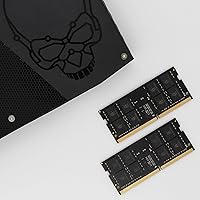
The Adamanta 32GB DDR4 2400MHz SODIMM Laptop RAM is a strong match for everyday users who are tired of watching their older or mid-range notebook crawl under the weight of modern multitasking demands. If you routinely have two dozen browser tabs open alongside a video call, a spreadsheet, and a PDF, jumping from 8GB or 16GB to a full 32GB will make a noticeable real-world difference in responsiveness. Home users, students, and small-office workers who rely on their laptops for productivity rather than gaming or heavy rendering will find this kit covers their needs without unnecessary complexity. The dual-channel setup — two matched 16GB modules — is the right approach for maxing out a machine that officially supports 32GB total, delivering better memory bandwidth than a single-stick solution would. It is also a sensible choice for anyone whose laptop is old enough that spending a premium on flagship-brand memory simply does not make financial sense.
Not suitable for:

If you are a performance-focused user — someone who games competitively, runs memory-intensive workloads like 3D rendering or video production, or cares about squeezing every MHz out of your hardware — the Adamanta 32GB DDR4 2400MHz SODIMM Laptop RAM is unlikely to satisfy. This kit runs at JEDEC-standard CL17 timings with no XMP support, meaning there is no way to overclock it or tune latency profiles; what you get out of the box is all you will ever get. Users chasing tighter timings or speeds above 2400MHz should look at purpose-built performance kits from Corsair, G.Skill, or Kingston's Fury line instead. Compatibility is also a genuine concern — not all laptops officially support 32GB, and even those that do can have platform-specific quirks, so you must verify against your exact model's manufacturer specifications before ordering rather than relying on any listing's general compatibility claims. If your machine has soldered RAM or no accessible SO-DIMM slots, no upgrade kit will help you regardless of brand or capacity.
Specifications

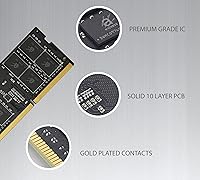
  • Total Capacity: The kit provides 32GB of total DDR4 memory split across two 16GB SO-DIMM modules designed to run together in dual-channel mode.
  • Form Factor: Each module uses the 260-pin SO-DIMM form factor, which is the standard physical interface for consumer laptops and notebooks.
  • Memory Type: Both modules are DDR4 (Double Data Rate 4), the current mainstream standard for consumer notebook memory.
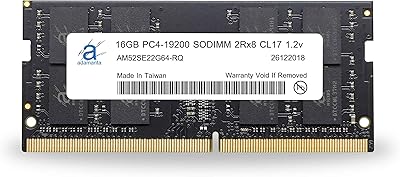
  • Clock Speed: Rated at 2400MHz (PC4-19200), with JEDEC-compliant backward compatibility for host systems that negotiate down to 2133MHz.
  • CAS Latency: Operates at CL17, a standard latency timing for DDR4 2400MHz consumer-grade memory — not performance-binned, but thermally stable.
  • Voltage: Runs at 1.2V, the standard DDR4 operating voltage, which keeps heat output low and is well within safe limits for laptop chassis.
  • Module Rank: Each stick is configured as Dual Rank (2Rx8), which can yield a modest real-world throughput advantage over single-rank modules in some workloads.
  • ECC Support: Non-ECC (non-error-correcting code), which is the correct and expected specification for consumer notebook use — not suitable for server or ECC-required workstation environments.
  • Buffering: Unbuffered (UDIMM) design, matching the standard requirement for consumer laptop platforms; registered or buffered modules are not compatible with notebook systems.
  • Compatibility: Intended for laptops and notebooks using standard DDR4 SO-DIMM sockets on Intel and AMD consumer platforms; compatibility with any specific model must be independently verified.
  • Warranty: Covered by a limited lifetime warranty against manufacturing defects in Adamanta-branded modules only; physical damage, cosmetic issues, and compatibility problems are explicitly excluded.
  • Quality Testing: Adamanta states that every module is individually tested by the manufacturer before shipping to confirm it meets rated specifications.
  • Tech Support: Free technical support is available from Adamanta's in-house technicians for buyers with pre- or post-purchase questions about installation or compatibility.
  • Module Weight: Each module weighs approximately 0.95 ounces, making the combined kit negligible in terms of added laptop weight.
  • Dimensions: Each individual module measures 2.63 x 0.13 x 1.13 inches, consistent with standard SO-DIMM physical dimensions across the industry.

Related Reviews
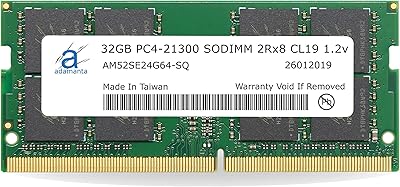
Adamanta 32GB DDR4 2666MHz Laptop RAM
77%
71%
Compatibility
88%
Installation Ease
83%
Performance Gain
84%
Value for Money
91%
Single-Slot Capacity
More
Adamanta 16GB DDR4 2400MHz SODIMM Laptop RAM
75%
83%
Value for Money
89%
Installation Ease
62%
Compatibility
76%
Real-World Performance
74%
Stability & Reliability
More
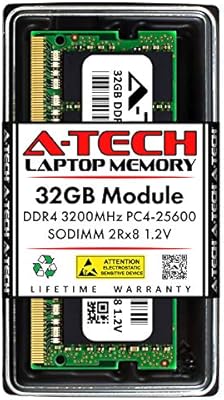
A-Tech 32GB DDR4 3200MHz SODIMM Laptop RAM
80%
91%
Value for Money
74%
Compatibility Range
93%
Installation Ease
83%
Performance Improvement
86%
Build & Module Quality
More
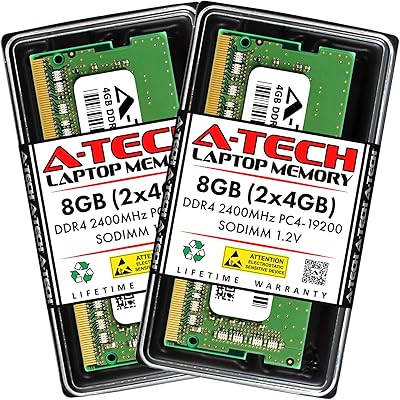
A-Tech 8GB DDR4 2400MHz SODIMM Laptop RAM
82%
91%
Value for Money
68%
Compatibility
88%
Ease of Installation
78%
Performance Improvement
83%
Reliability & Longevity
More
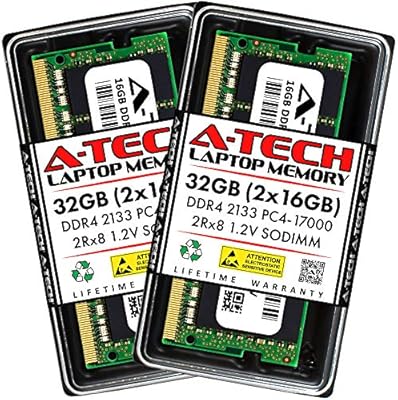
A-Tech 32GB DDR4 2133MHz SODIMM Laptop RAM
82%
91%
Value for Money
74%
Compatibility
93%
Installation Ease
83%
Performance Uplift
86%
Reliability & Stability
More
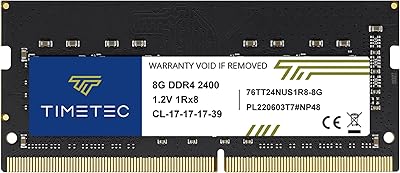
Timetec 8GB DDR4 2400MHz SODIMM Laptop RAM
78%
91%
Value for Money
88%
Installation Ease
74%
Compatibility
86%
Performance Improvement
83%
Reliability
More
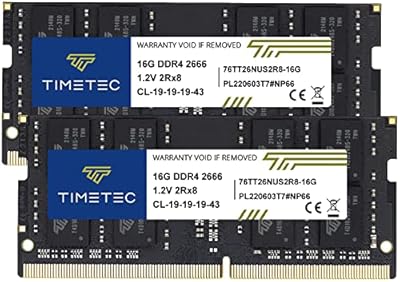
Timetec 32GB Kit (2x16GB) DDR4 2666MHz SODIMM
83%
91%
Value for Money
78%
Compatibility
93%
Installation Experience
82%
Performance Impact
87%
Long-Term Reliability
More
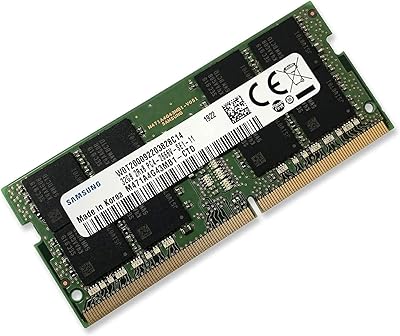
Samsung M471A4G43MB1 32GB DDR4 Laptop RAM
80%
94%
Reliability & Longevity
96%
Installation Ease
81%
Compatibility Range
72%
Value for Money
83%
Performance at Rated Speed
More
KLEVV DDR4 8GB 3200MHz SODIMM Laptop RAM
87%
88%
Performance
90%
Compatibility
94%
Ease of Installation
92%
Value for Money
85%
Stability during Regular Use
More
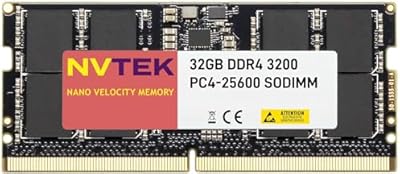
NVTEK 32GB DDR4 3200MHz SODIMM RAM
77%
83%
Value for Money
68%
Compatibility
88%
Installation Ease
91%
Memory Capacity
57%
Brand Trust & Reputation
More

FAQ

The safest approach is to check your laptop manufacturer's official support page or memory configuration guide for your exact model number. You need to confirm two things: that the machine supports DDR4 SO-DIMM memory, and that it can address a full 32GB across two slots. General DDR4 compatibility does not automatically mean 32GB will be recognized — the chipset and BIOS firmware both play a role.

Almost certainly not. DDR4 memory negotiates its operating speed through the JEDEC standard, and many laptop platforms default to 2133MHz even when the modules are rated for 2400MHz. This is entirely normal behavior and is not a sign that anything is wrong with the modules. Your system is simply running at the highest mutually supported speed.

Yes — it uses the standard non-ECC unbuffered DDR4 specification that both Intel and AMD consumer notebook platforms support. That said, broad DDR4 support does not automatically mean every laptop will accept 32GB total, so you still need to verify your specific model's maximum supported capacity before ordering.

Technically yes, a single stick will work on its own. But keep in mind that the real reason to buy a two-module kit is the dual-channel bandwidth benefit, which only activates when both sticks are installed in the correct paired slots. If your budget requires a staggered upgrade, it works — just know you are leaving performance on the table until both are in.

The limited lifetime warranty covers manufacturing defects in Adamanta-branded modules under normal use. It does not cover physical or cosmetic damage, and it does not apply if a module fails because of a compatibility issue with your specific laptop. If a stick genuinely fails due to a manufacturing fault, Adamanta will replace it with the same or an equivalent spec module.

Some older Intel-based MacBook Pro models do support third-party DDR4 SO-DIMMs, but you need to check whether your exact year and configuration accepts 32GB total — many of those machines cap at 16GB regardless of what you install. Anything from 2019 onward from Apple uses either soldered memory or Apple Silicon, which is not upgradeable at all.

No, there are no XMP profiles on this kit. It runs at standard JEDEC-defined speeds, and there is nothing to enable in your BIOS to push it faster. Laptop BIOS options for memory overclocking are also extremely rare regardless of which brand you buy, so this is not really a limitation unique to this product.

For most laptops with a removable bottom panel, it is a straightforward job — remove the panel, release the existing modules by spreading the retention clips, slide the new sticks in at an angle, and press them flat until they click in. It typically takes under 15 minutes. That said, some thinner modern laptops require more teardown to reach the memory slots, so it is worth looking up a disassembly guide for your specific model before you start.

Kingston and Crucial have longer public track records, broader published compatibility databases, and generally stronger name recognition in the memory market. Adamanta is a value-tier brand that competes primarily on price, with factory testing and a lifetime warranty as its main assurances. Most buyers report stable long-term performance with this 32GB SO-DIMM kit, though some have noted that warranty support response times can be slower than what you might expect from a larger brand.

If your machine is currently bottlenecked by RAM — meaning it is regularly using close to its current limit and relying on virtual memory — then yes, the improvement in responsiveness will be real and noticeable, especially when multitasking or keeping many applications open at once. If your current usage rarely pushes your existing RAM to its ceiling, the gains will be modest. RAM upgrades solve a specific bottleneck; they do not speed up tasks that are limited by the CPU or storage.