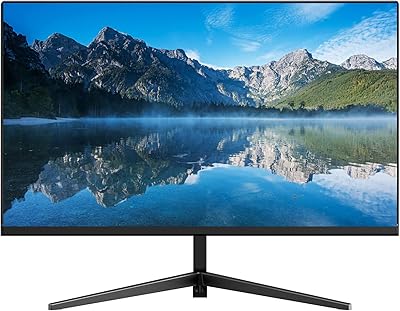
Samsung S32B304 32-Inch FHD Monitor

Overview
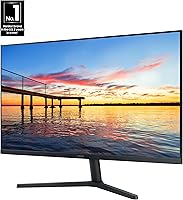
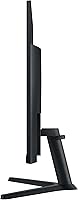
The Samsung S32B304 32-Inch FHD Monitor is Samsung's 2024 addition to its S-series lineup — a flat VA panel aimed at home office workers and casual gamers who want a large screen without overspending. At 32 inches with a three-sided borderless frame, it looks clean on any desk and pairs well in dual-monitor configurations. The honest caveat worth addressing upfront: 1080p on 32 inches yields a pixel density of roughly 69 PPI, noticeably lower than a 27-inch FHD display. Text and fine details can appear slightly soft at close range, so how far you sit from the panel matters more than usual here.
Features & Benefits
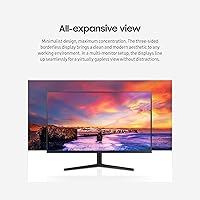
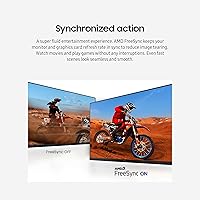
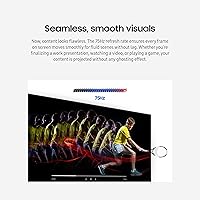
The S32B304 covers the practical bases well for its price tier. AMD FreeSync keeps things smooth when your GPU and monitor refresh rates align, eliminating the screen tearing that can be distracting during gaming or fast video. The 75Hz refresh rate is a genuine improvement over 60Hz — motion looks noticeably cleaner — though anyone chasing high frame rates in competitive titles should look elsewhere. The borderless three-sided frame makes a real difference in multi-monitor setups, where the gap between panels nearly disappears. Both HDMI and DisplayPort cables are included in the box, which is a small but appreciated practical touch.
Best For
This 32-inch monitor hits a sweet spot for a specific kind of buyer. If you work from home and log long hours at a screen, the eye care features — Flicker Free technology and Eye Saver Mode — are genuinely useful rather than just checkbox additions. Students and first-time monitor buyers get a lot of screen real estate without a painful price tag. Casual gamers who favor story-driven or slower-paced titles will find FreeSync and Game Mode more than capable. It also works particularly well in a dual-monitor setup, where the slim bezels help keep visual clutter to a minimum.
User Feedback
Across more than 837 ratings, this Samsung display holds a 4.5-star average, and the overall sentiment reads as earned rather than inflated. Buyers frequently praise the screen size for the price and the straightforward out-of-box setup. The most consistent criticism is sharpness — at close range, 1080p spread across 32 inches looks softer than some buyers anticipated, especially when reading small text. VA panel viewing angles come up too, with colors shifting noticeably off-axis. The stand draws mixed feedback: it works, but adjustability is limited. On a positive note, multiple users specifically mention the eye care modes reducing fatigue during extended work sessions, describing it as a tangible difference.
Pros
- Massive 32-inch screen gives you genuine workspace without the premium price tag.
- AMD FreeSync eliminates screen tearing effectively in supported titles and video playback.
- Three-sided borderless frame looks clean on a single desk and excels in dual-monitor arrangements.
- VA panel delivers noticeably deeper blacks and richer contrast than comparably priced IPS screens.
- Eye Saver Mode and Flicker Free technology make a real, tangible difference during long work sessions.
- Both HDMI and DisplayPort cables are included — no extra purchase needed on day one.
- 75Hz refresh rate is a visible step up from 60Hz for everyday use and casual gaming.
- Setup is quick, tool-free, and approachable even for first-time monitor buyers.
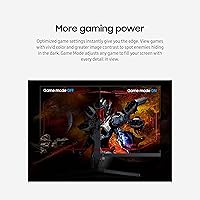
- Game Mode improves visibility in dark scenes without requiring manual calibration.
- The S32B304 holds a 4.5-star average across hundreds of verified buyers, reflecting consistent satisfaction.
Cons
- 1080p across 32 inches produces soft, low-density visuals that become noticeable at typical desk distances.
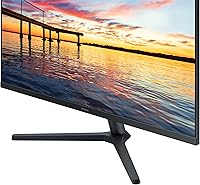
- The stand offers tilt only — no height, swivel, or pivot adjustment without a separate arm.
- Off-axis viewing causes visible color and contrast shifts, a known VA panel limitation.
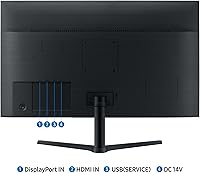
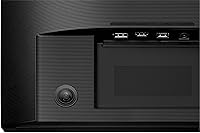
- No USB hub ports or USB-C connectivity, which limits desk cable management options.
- No built-in speakers means you need external audio for any sound output.
- Dark scene uniformity is imperfect — subtle backlight clouding can appear in near-black content.
- Default out-of-box settings run too bright and too cool for comfortable immediate use.
- Physical OSD buttons on the rear edge are awkward to locate and press without looking.
- Eye Saver Mode shifts colors visibly warm, making it unsuitable during color-sensitive tasks.
- Not viable for competitive gaming — 75Hz is a hard ceiling that limits high frame rate performance.
Ratings
The scores below for the Samsung S32B304 32-Inch FHD Monitor were generated by our AI system after analyzing verified buyer reviews from global markets, with spam, bot-submitted, and incentivized feedback actively filtered out. The result is a balanced picture that reflects what real users consistently experienced — both the genuine strengths that earned this display strong repeat recommendations and the recurring pain points that gave some buyers pause. Nothing has been softened or inflated to favor the product.
Value for Money
Image Sharpness & Resolution
Screen Size & Workspace Impact
Build Quality & Design
Stand & Ergonomics
Gaming Performance
Eye Comfort & Fatigue Reduction
Color Accuracy & Vibrancy
Connectivity & Setup
Viewing Angles
Brightness & Glare Handling
Contrast & Black Levels
Out-of-Box Experience
Suitable for:
The Samsung S32B304 32-Inch FHD Monitor is a strong match for home office workers who spend long hours at a desk and want a large, comfortable screen without a premium price tag. If your daily workload revolves around browsing, video calls, documents, spreadsheets, and general productivity, the generous screen real estate and built-in eye care features are genuinely useful perks rather than marketing fluff. Students setting up their first real workspace will get a lot of monitor for the money, especially when screen size matters more than pixel-perfect sharpness. Casual gamers who play story-driven or slower-paced titles — think RPGs, strategy games, simulation — will find AMD FreeSync and the VA panel's deep contrast more than adequate for an enjoyable experience. Anyone building a dual-monitor setup will also appreciate the three-sided borderless frame, which keeps the visual gap between panels minimal and the overall look clean and professional.
Not suitable for:
The Samsung S32B304 32-Inch FHD Monitor is not the right call for buyers who sit close to their screen and prioritize sharp, detailed visuals. At 32 inches with a 1080p resolution, the pixel density sits around 69 PPI — noticeably softer than a 27-inch FHD display, and the difference is real and persistent when reading small text or doing detail-oriented work like coding, photo editing, or graphic design. Creative professionals who need accurate color reproduction will also run into the inherent limitations of an uncalibrated VA panel, including off-axis color shift that becomes obvious when the viewing angle strays from center. Competitive gamers who rely on high frame rates should look elsewhere — the 75Hz ceiling is a hard limit that no software setting can overcome, and faster-paced titles will expose the panel's response time constraints. Finally, buyers with ergonomic requirements who need height adjustment or pivot functionality will almost certainly need to budget for a separate monitor arm, since the included stand offers tilt only.
Specifications
- Screen Size: The display measures 32 inches diagonally, providing substantial workspace for multitasking, media consumption, and casual gaming.
- Panel Type: Uses a VA (Vertical Alignment) panel, which delivers deeper blacks and higher contrast ratios compared to IPS panels at a similar price point.
- Resolution: Native resolution is 1920 x 1080 pixels (Full HD), resulting in a pixel density of approximately 69 PPI at 32 inches.
- Refresh Rate: Runs at a native 75Hz refresh rate, offering smoother motion than standard 60Hz displays for everyday use and casual gaming.
- Aspect Ratio: Standard 16:9 widescreen aspect ratio, compatible with virtually all modern content formats and operating systems.
- Display Surface: Flat panel with a matte anti-glare coating that reduces reflections under typical indoor lighting conditions.
- AMD FreeSync: Supports AMD FreeSync adaptive sync technology, which synchronizes the monitor refresh rate with a compatible GPU to reduce screen tearing.
- Connectivity: Equipped with one HDMI port and one DisplayPort input, supporting dual-source connectivity for workstations or mixed device setups.
- Cables Included: Ships with both an HDMI cable and a DisplayPort cable in the box, eliminating the need for immediate additional purchases.
- Eye Care Features: Includes Flicker Free technology and Eye Saver Mode, which reduce screen flicker and lower blue light output to minimize eye fatigue during extended sessions.
- Game Mode: A dedicated Game Mode setting automatically adjusts contrast and brightness levels to improve detail visibility in dark in-game environments.
- Bezel Design: Three-sided borderless design with ultra-thin bezels on the top and both sides, making it well-suited for side-by-side multi-monitor configurations.
- Dimensions: Assembled monitor measures 28.09 x 20.97 x 8.71 inches (W x H x D) including the stand.
- Weight: Complete unit with stand weighs 11.02 pounds, making it manageable for a single person to position and adjust on a desk.
- Stand Adjustment: The included stand supports tilt adjustment only; height, swivel, and pivot adjustments are not available without a third-party VESA mount or monitor arm.
- VESA Compatibility: The panel is VESA mount compatible, allowing the stand to be replaced with a standard third-party monitor arm for improved ergonomic positioning.
- Color: Available in black with a matte finish on both the panel bezel and the stand base.
- Voltage: Rated for 110 Volts, designed for standard North American electrical outlets.
- Model Number: Official Samsung model number is LS32B304NWNXGO, part of the S32B304 series released in 2024.
- Built-in Audio: This monitor does not include built-in speakers; external speakers or headphones are required for audio output.
Related Reviews
Samsung M50D 32-Inch FHD Smart Monitor
Samsung SR35 27-inch FHD Monitor
Samsung 32-inch S39GD Curved Monitor
Samsung 32″ UJ59 4K UHD Monitor
Samsung FT45 24-Inch FHD IPS Monitor
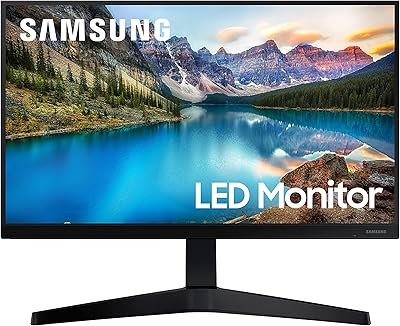
Samsung T37F 24-inch FHD IPS Monitor

Samsung S39C 32-Inch Curved Gaming Monitor
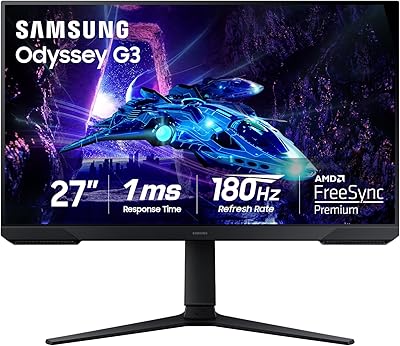
Samsung Odyssey G3 G30D 27″ Gaming Monitor
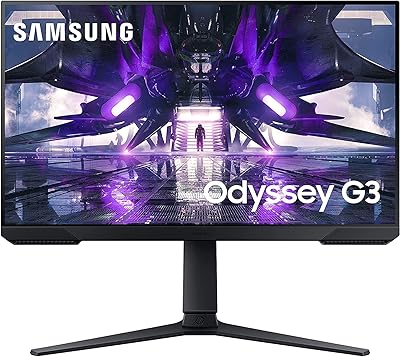
Samsung Odyssey G3 24-Inch Gaming Monitor