Overview

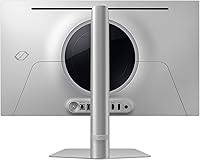
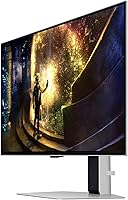
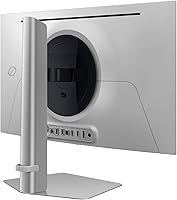
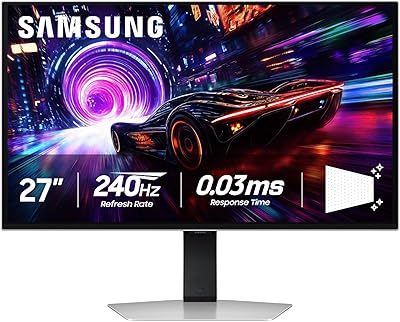
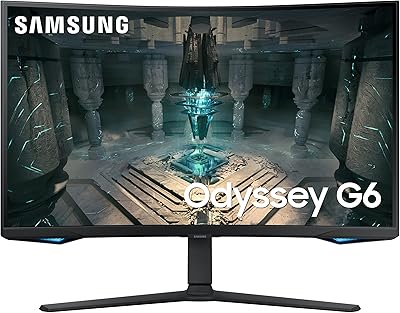
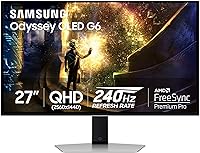
The Samsung Odyssey G6 27″ QD-OLED Gaming Monitor sits firmly in the upper tier of competitive gaming displays, earning that position through panel quality, build, and thoughtful engineering rather than pure marketing. The sleek metal chassis looks noticeably more refined than the plastic-heavy alternatives at this price point, and a 3-year warranty adds genuine peace of mind for a panel technology that still makes some buyers nervous. Connectivity is solid — HDMI, DisplayPort, and two USB 3.0 ports cover most setups without fuss. One honest caveat upfront: there are no built-in speakers, so external audio needs to be sorted before you sit down to play.
Features & Benefits

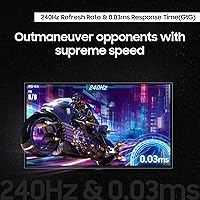
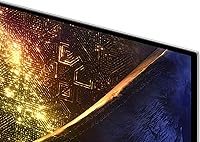
The QD-OLED panel in the G6 QD-OLED does something standard OLEDs struggle with — it adds a quantum dot layer that pushes colors noticeably further and lifts peak brightness in HDR content. In practice, fast games look genuinely vivid rather than just dark and contrasty. The 240Hz refresh rate paired with a 0.03ms response time means the display keeps up even in the most chaotic firefights, with almost no perceivable ghosting. FreeSync Premium Pro and G-Sync compatibility mean you're covered on AMD or Nvidia. At QHD on a 27-inch panel, the pixel density of 110 PPI strikes a smart balance — crisp enough to look sharp without demanding a flagship GPU to hit high frame rates.

Best For

This Odyssey OLED monitor makes the most sense for competitive FPS players and action gamers where speed actually matters — the sub-millisecond response and high refresh rate are wasted on turn-based strategy. If you're running a mid-to-high-end GPU and want to push QHD at triple-digit frame rates, this is a natural fit. It's also a solid upgrade path for anyone coming from a good IPS or VA panel who wants a visible improvement in contrast and color depth without jumping to ultrawide. The 27-inch footprint suits standard desk setups well, and if OLED burn-in has historically made you hesitant, the active protection systems built into this display address that concern more directly than most competitors do.

User Feedback

With close to 500 ratings and a 4.4-star average, this Samsung gaming display has clearly resonated with buyers. The most consistent praise centers on image quality and color — reviewers frequently mention how much better games and media look compared to their previous IPS setups, and motion handling earns positive marks across the board. On the critical side, a few buyers note that SDR brightness feels modest next to premium mini-LED displays, which is a fair observation about QD-OLED broadly. The stand's adjustability draws occasional complaints, and missing speakers are noted, though rarely treated as a dealbreaker. Longer-term owners haven't flagged widespread burn-in issues, suggesting Samsung's protection features are holding up in real-world use.

Pros

  • True black levels and rich color saturation make games and HDR content look immediately better than IPS alternatives.
  • The 240Hz refresh rate and 0.03ms response time deliver motion clarity that competitive gamers will notice in real matches.
  • QD-OLED panel adds brightness and color volume that standard OLED panels cannot match in the same scenarios.
  • Active burn-in protection — including logo detection and thermal management — addresses the biggest hesitation with OLED ownership.
  • FreeSync Premium Pro and G-Sync compatibility means the G6 QD-OLED works cleanly with both AMD and Nvidia GPU setups.
  • QHD at 27 inches hits a practical sweet spot: sharp enough to look great, forgiving enough not to need a flagship GPU.
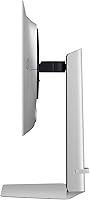
  • Metal construction and slim profile give this Odyssey OLED monitor a premium desk presence that plastic-chassis rivals lack.
  • A 3-year warranty provides meaningful long-term confidence for a panel technology some buyers still consider an investment risk.
  • Two USB 3.0 ports on the monitor reduce cable clutter and make peripheral connections more convenient at the desk.

Cons

  • SDR brightness is modest compared to mini-LED competitors, which is noticeable in bright or well-lit room conditions.
  • No built-in speakers means budgeting for external audio is a non-optional additional cost from day one.
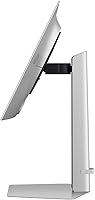
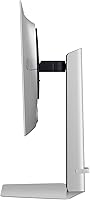
  • Stand ergonomics are limited — height adjustment range is narrow and there is no swivel or pivot option.
  • Only two video inputs restrict easy switching between multiple source devices without an external switch.
  • No USB-C or Thunderbolt port limits flexibility for users who also connect a laptop to their monitor.
  • Buyers with mid-range GPUs may not have enough horsepower to consistently use the 240Hz refresh rate at QHD.
  • Out-of-box color calibration requires manual tuning to fully realize the panel's accuracy potential.
  • The automatic taskbar and logo dimming, while protective, can feel intrusive during productivity or non-gaming use.
  • Long-term burn-in data beyond two to three years of heavy use is still limited given the product's relatively recent release.

Ratings

The Samsung Odyssey G6 27″ QD-OLED Gaming Monitor earned its scores through AI-assisted analysis of verified global buyer reviews, with spam, bot activity, and incentivized feedback actively filtered out before scoring. Ratings reflect the honest consensus of real owners across competitive gaming, everyday desktop use, and long-term ownership — strengths and frustrations alike are represented without softening either side.
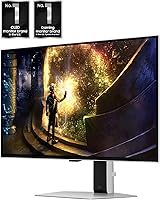
Image Quality
94%
Owners consistently describe the visual step-up from IPS and VA panels as immediately obvious — colors are richer, blacks are true black, and HDR content looks genuinely different rather than just brighter. Fast-moving scenes in games retain detail that LCD panels smear over.
SDR brightness is noticeably more restrained than what mini-LED competitors can produce, which some users notice in well-lit rooms. A small number of buyers felt the out-of-box color calibration needed manual adjustment to fully unlock the panel's potential.
Gaming Performance
96%
The 240Hz refresh paired with near-instant pixel response makes fast-paced titles like competitive shooters feel noticeably more responsive. Reviewers upgrading from 144Hz IPS monitors frequently describe the motion clarity difference as the most obvious improvement they noticed.
Realizing the full performance benefit requires a GPU capable of pushing QHD at high frame rates, which not every buyer had on hand. A handful of users reported needing to fine-tune overdrive settings to avoid any residual coronas during extreme motion.
Burn-In Protection
82%
18%
The combination of logo detection, taskbar dimming, and the thermal modulation system gives this display a more proactive approach to panel longevity than most OLED monitors offer. Long-term owners in the review pool have not reported widespread burn-in issues, which is reassuring given the typical concern.
Some buyers remain skeptical that software-based protections fully eliminate risk over a multi-year ownership period, particularly for users who leave static content on screen for extended sessions. The automatic brightness reductions on taskbars are occasionally noticed and can feel intrusive during non-gaming use.
Value for Money
78%
22%
For buyers prioritizing QD-OLED panel quality and 240Hz performance in a 27-inch form factor, most reviewers consider the price justified relative to comparable OLED monitors. The 3-year warranty adds tangible long-term value that cheaper alternatives do not offer.
At its price point, buyers expect a more fully featured package — the absence of built-in speakers and a relatively basic stand feel like compromises that competitors at similar prices don't always force. Budget-conscious shoppers can find strong IPS alternatives for significantly less.
Build Quality & Design
88%
The metal construction stands out clearly against the all-plastic competition and gives the monitor a desk presence that matches its price tier. Buyers frequently mention the slim profile and clean silver finish as reasons it photographs and sits well in premium setups.
The stand's ergonomic range draws consistent criticism — height and tilt adjustments are functional but limited, and some users wanted more flexibility for comfort over long sessions. A VESA mount is available as a workaround, though that adds cost.
Color Accuracy
91%
The quantum dot layer over the OLED base produces color saturation that professional content creators as well as gamers have praised, covering a wide gamut with impressive consistency across the screen. Games with rich, stylized art directions particularly benefit.
Out-of-box accuracy is good but not reference-grade, and users targeting precise color work found some calibration effort necessary. The matte coating, while reducing glare, can slightly dull perceived saturation compared to glossy OLED panels.
Response Time & Latency
93%
The 0.03ms GtG figure translates to real-world motion handling that owners describe as the cleanest they have experienced, with no meaningful ghosting during standard gameplay. Input latency in gaming mode is low enough that even experienced competitive players notice the difference.
The performance advantage is most apparent in demanding fast-action titles — users who primarily play slower-paced games may not perceive a meaningful benefit over a good 165Hz IPS panel in daily use.
Connectivity & Ports
81%
19%
HDMI and DisplayPort inputs alongside two USB 3.0 ports cover the practical needs of most gaming and desktop setups without requiring a hub. Buyers appreciated being able to connect a keyboard and mouse dongle directly to the monitor.
The port selection, while functional, is not particularly generous for a premium monitor — only two video inputs limits multi-device switching. There is no USB-C or Thunderbolt option, which some users working between a gaming PC and a laptop found limiting.
Stand & Ergonomics
63%
37%
The stand is sturdy enough that there is no wobble or flex during use, and the footprint is reasonably compact for a 27-inch display. Standard tilt adjustment covers most seated viewing angles adequately.
Height adjustment range is narrow and there is no pivot or swivel, which frustrated users who wanted more flexibility for different desk heights or multi-monitor arrangements. Several reviewers specifically recommended budgeting for a VESA arm to compensate.
SDR Brightness
67%
33%
For dim or controlled lighting environments — which many dedicated gaming setups use — the SDR brightness level is sufficient and comfortable over long sessions without eye fatigue.
In a bright office or near a sunny window, the SDR peak luminance falls short of what mini-LED panels can achieve, and some users found themselves squinting to maintain contrast in those conditions. This is a known QD-OLED characteristic rather than a unit defect, but it catches buyers off guard.
HDR Performance
89%
HDR gaming and video content look genuinely compelling on this panel — the combination of true black levels and the quantum dot brightness boost creates highlight pop that LCD-based HDR cannot match. Games with HDR support show a clear and immediate visual improvement.
HDR brightness still trails the absolute peak output of high-end mini-LED monitors, so those expecting FALD LCD-level highlights may find the experience slightly underwhelming in the brightest scene peaks.
Setup & Out-of-Box Experience
84%
Physical assembly is straightforward and the included DisplayPort cable means most buyers can be up and running quickly. The on-screen menu is navigable and the default picture modes are reasonable starting points for most users.
A few reviewers noted the OSD button placement requires some getting used to, and the initial driver and firmware setup process can be mildly confusing for first-time OLED monitor owners unfamiliar with the burn-in settings.
Matte Screen Coating
76%
24%
The matte finish handles reflections well and makes the monitor practical in mixed-lighting environments where a glossy OLED would produce distracting glare. For desk setups near windows, this is a meaningful practical advantage.
Compared to the glossy panels found on some competing OLED monitors, the matte coating does soften perceived sharpness and vibrancy slightly — a trade-off that divides buyers depending on their room conditions.
Long-Term Reliability
79%
21%
Early long-term owners report the panel holding up well, and the 3-year warranty provides a safety net that makes the purchase feel less risky for a technology category that still carries durability questions in many buyers minds.
The ownership base is still relatively young for multi-year conclusions to be definitive, and some buyers expressed residual uncertainty about panel longevity beyond the warranty period, particularly for heavy daily use scenarios.

Suitable for:

The Samsung Odyssey G6 27″ QD-OLED Gaming Monitor is built squarely for competitive and enthusiast PC gamers who want the best combination of speed and visual quality in a desktop-friendly size. If you're running a capable mid-to-high-end GPU and regularly play fast-paced titles — think FPS, battle royale, or action games — the 240Hz refresh rate and near-instant response time will be meaningfully felt rather than just visible on a spec sheet. Gamers who have been holding off on OLED specifically because of burn-in anxiety will find this display's active protection systems more reassuring than most alternatives in the category. It's also a strong fit for anyone upgrading from a quality IPS or VA panel who wants a visible, day-one improvement in contrast and color depth without committing to an ultrawide or oversized screen. The 27-inch footprint and clean metal design make it practical for standard desk setups where space and aesthetics both matter.
Not suitable for:

The Samsung Odyssey G6 27″ QD-OLED Gaming Monitor is a harder sell if your primary use involves bright, well-lit workspaces — QD-OLED SDR brightness trails what premium mini-LED displays can produce, and that gap becomes noticeable next to a sunny window or in an overhead-lit office. Buyers who expect a complete out-of-box package should know there are no built-in speakers, so external audio is a required addition rather than an optional one. If your GPU is mid-range or older and struggles to push QHD at high frame rates, you won't be using most of what you're paying for, and a strong 165Hz IPS panel would be a more practical choice. The stand's limited ergonomic range is a genuine limitation for users with non-standard desk heights or those who want precise monitor positioning without purchasing a separate arm. Casual users who primarily browse, stream, or play slow-paced games are also unlikely to notice enough difference over cheaper alternatives to justify the price gap.
Specifications

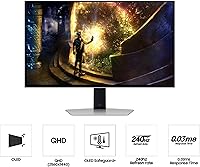
  • Panel Type: Uses a QD-OLED panel, which layers quantum dot technology over an OLED base to achieve deeper blacks, wider color coverage, and higher peak brightness than standard OLED.
  • Screen Size: 27-inch diagonal display area, sized to suit standard single-monitor desk setups without requiring an ultrawide footprint.
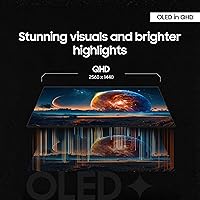
  • Resolution: Native resolution of 2560x1440 (QHD), delivering a pixel density of 110 PPI for a sharp image without the GPU demands of 4K.
  • Refresh Rate: 240Hz maximum refresh rate, enabling smoother motion rendering in fast-paced games compared to standard 144Hz or 165Hz panels.
  • Response Time: 0.03ms GtG (grey-to-grey) response time, minimizing motion blur and pixel trail artifacts during high-speed gameplay.
  • Aspect Ratio: Standard 16:9 widescreen aspect ratio, compatible with virtually all games, applications, and video content without letterboxing.
  • Screen Surface: Matte anti-glare coating reduces reflections from ambient light sources, making the panel more practical in mixed-lighting environments.
  • Adaptive Sync: Certified for both AMD FreeSync Premium Pro and G-Sync compatibility, eliminating screen tearing and stuttering across both GPU brands.
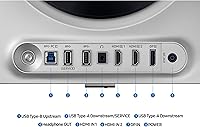
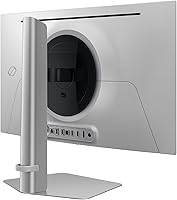
  • Connectivity: Inputs include one HDMI port and one DisplayPort, covering standard PC and console connection scenarios without requiring an adapter.
  • USB Ports: Two USB 3.0 downstream ports are built into the monitor, allowing peripherals such as keyboards, mice, or dongles to connect directly.
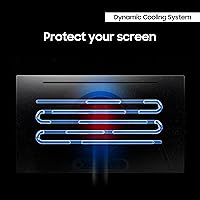
  • Burn-In Protection: Three active protection systems are included: a Dynamic Cooling System with Pulsating Heat Pipe, Thermal Modulation algorithms, and automatic Logo and Taskbar Detection dimming.
  • Speakers: No built-in speakers are included; external audio output via the connected device or a dedicated speaker or headset is required.
  • Warranty: Covered by a 3-year manufacturer warranty from Samsung, which is above average for gaming monitors in this price category.
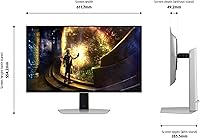
  • Dimensions: With the stand attached, the monitor measures 24.1 inches wide, 21.8 inches tall, and 10.4 inches deep.
  • Weight: Total weight with stand is 15.2 pounds, which is typical for a 27-inch monitor with a metal chassis construction.
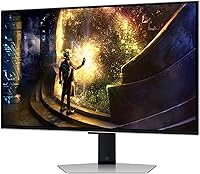
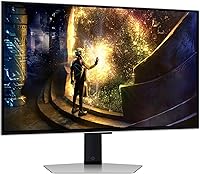
  • Color & Finish: Available in a silver colorway with a metal build that visually distinguishes it from the plastic enclosures common among competing monitors.
  • Cables Included: Package includes a power cable and a DisplayPort cable, so the monitor can be connected to a compatible PC immediately after unboxing.
  • VESA Compatibility: The stand is removable and the monitor supports standard VESA mounting, allowing third-party monitor arms to be used as an ergonomic alternative.

Related Reviews

Samsung Odyssey G81SF 27-inch Gaming Monitor
80%
96%
Image Quality
97%
Contrast & Black Levels
89%
Refresh Rate & Motion Clarity
88%
Glare Resistance & Matte Coating
91%
HDR Performance
More
Samsung 34-inch Odyssey G85SB Curved Gaming Monitor
79%
94%
Image Quality
91%
Refresh Rate & Responsiveness
93%
Panel Technology
58%
Burn-In Risk
88%
Ultrawide Format
More
Samsung 27″ Odyssey G32A Gaming Monitor
80%
91%
Gaming Performance
93%
Refresh Rate & Smoothness
84%
Response Time & Motion Clarity
88%
Adaptive Sync (FreeSync Premium)
63%
Image Sharpness & Pixel Density
More
Samsung Odyssey G50A 27-inch Gaming Monitor
80%
91%
Image Clarity
93%
Refresh Rate Performance
88%
Color Accuracy
58%
HDR Quality
89%
Response Time & Input Lag
More
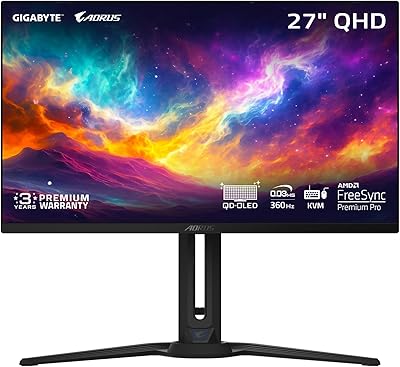
GIGABYTE AORUS FO27Q3 27″ QD OLED Gaming Monitor
88%
96%
Display Quality
92%
Performance (Gaming)
88%
Build Quality
94%
Color Accuracy
98%
Response Time
More
Samsung 27″ Odyssey G65B Curved Gaming Monitor
76%
91%
Gaming Performance
83%
Image Quality
89%
Contrast & Black Depth
67%
HDR Performance
84%
Build Quality
More
Samsung Odyssey G3 G30D 27″ Gaming Monitor
80%
91%
Gaming Performance
88%
Refresh Rate Value
93%
Ergonomics & Stand
67%
Image Clarity
84%
AMD FreeSync
More
Samsung Odyssey G50D 27-Inch Gaming Monitor
81%
88%
Image Clarity
91%
Refresh Rate Performance
86%
Response Time & Motion Handling
84%
Color Accuracy
58%
HDR Performance
More
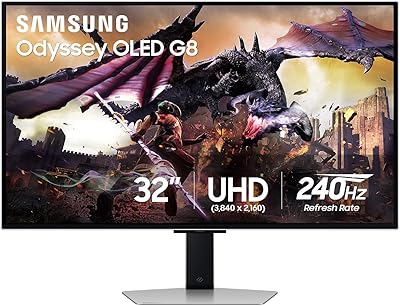
Samsung Odyssey G8 32″ OLED Gaming Monitor
77%
94%
Image Quality
92%
Gaming Performance
76%
Burn-in Protection
89%
Build Quality
61%
Value for Money
More
Samsung 27-Inch Odyssey G51C Series QHD Gaming Monitor
87%
92%
Display Quality
94%
Gaming Performance
87%
Value for Money
89%
Ergonomics & Comfort
74%
Brightness
More

FAQ

It is a legitimate concern with any OLED panel, but the G6 QD-OLED takes it more seriously than most. The combination of logo detection, taskbar brightness reduction, and the thermal management system actively works to prevent static image retention during normal gaming and desktop use. For typical gaming sessions it is a manageable risk, though users who leave static content on screen for many hours daily should still use the built-in screen saver and pixel refresh features consistently.

You do not need a flagship GPU, but a mid-to-high-end card helps considerably. To regularly hit frame rates above 144Hz at QHD resolution in demanding titles, something in the range of an RTX 3070 or RX 6800 XT or newer will serve you well. On older or entry-level cards you will still benefit from the display quality, but you may not consistently use the full 240Hz headroom the panel offers.

Yes, it connects to current-generation consoles via HDMI. Keep in mind that consoles currently output at up to 120Hz at 1080p or 4K rather than QHD at 240Hz, so you will not be using the panel's full refresh rate capability through a console — but the image quality and low response time are still beneficial for console gaming.

You have a few practical routes: a desktop speaker set connected to your PC, a USB DAC and headphones, or a gaming headset plugged into your motherboard or sound card. The monitor does pass audio through its HDMI and DisplayPort connections to your PC, so your existing audio setup should work without any changes on the monitor side.

Tilt adjustment is available and works fine for most standard seated positions, but the height range is narrower than what you get with premium stands on competing monitors. There is no swivel or pivot function. If you have a non-standard desk height or prefer precise positioning, investing in a VESA monitor arm is the most practical solution and the stand removal process is straightforward.

It handles productivity tasks well — text is sharp at QHD on 27 inches and the color accuracy is genuinely good for design and photo work. The main practical consideration for all-day office use is that some burn-in protection features, like automatic logo dimming on taskbars, will be active. For users splitting time between gaming and creative work it is a capable dual-purpose display.

Honestly, this is where the trade-off shows most clearly. QD-OLED peak brightness in HDR is impressive, but sustained SDR brightness is noticeably more restrained than what high-end mini-LED panels can maintain. If your desk gets a lot of direct natural light, you may find the image looking washed out at times. In a controlled or dim gaming environment this is rarely an issue.

A DisplayPort cable is the right choice here — the monitor includes one in the box, so you are covered immediately. HDMI 2.1 can also support 240Hz at QHD, but the included cable and most modern GPU outputs make DisplayPort the simpler and more reliable option for hitting the full refresh rate.

Physical assembly is simple and the included cable means you can be up and running in under 15 minutes. The on-screen display menu is functional, and the default game mode is a reasonable starting point. For those who want accurate colors, some manual adjustment of brightness and color temperature is worthwhile, but it does not require specialized calibration tools to get to a genuinely good result.

Yes, and it is a real trade-off worth understanding before you buy. The matte finish is better at handling reflections and ambient light, which makes it more versatile across different room setups. The downside is that compared to glossy OLED panels, perceived vibrancy and sharpness are slightly softened. For gamers in typical home setups the matte coating is generally the practical choice, but if you have a dark controlled environment and want the most vivid possible image, a glossy alternative may appeal to you.

Where to Buy