Overview

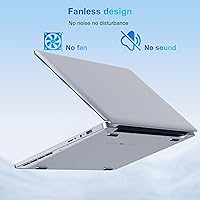
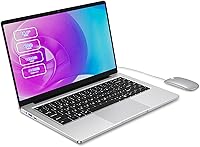
The SAINTDISE ANL5-N4000 14-inch Celeron N4000 Laptop is exactly what it looks like: a stripped-down, no-nonsense machine built for light daily use, not for pushing performance boundaries. One thing that genuinely stands out at this price point is the fanless thermal design — complete silence, no spinning fans, no distracting hum while you work or study. Before buying, though, there is a critical detail worth knowing up front: it ships with DOS, meaning you will need to install your own operating system. At under 2.64 pounds, portability is real, not just a claim. Think of this entry-level machine as a capable second laptop or a first computer for someone with modest needs — not a primary workhorse.
Features & Benefits

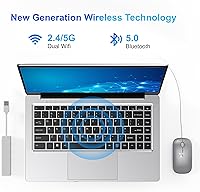
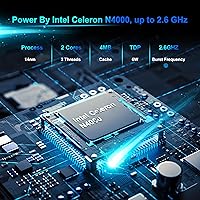
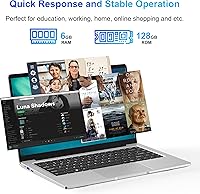
The Intel Celeron N4000 processor is not going to impress anyone running video editing software, but for browsing tabs, typing documents, and watching YouTube, it handles the basics without complaint. Pairing it with a 128GB SSD rather than a spinning hard drive makes a real difference in how responsive the machine feels day to day — boot times are quick, and switching between apps does not feel sluggish. The 14.1-inch IPS display produces decent colors and wide enough viewing angles for personal use, though brightness is modest and outdoor use is limited. Connectivity is well-rounded: dual-band Wi-Fi, Bluetooth 5.0, USB 3.0, and a bundled USB-C hub that adds flexibility without an extra purchase.

Best For

This budget laptop hits a fairly specific sweet spot. Students who need a quiet machine to take notes and look things up in class will find it practical and easy to carry. Seniors or low-demand users who spend their computer time in a browser or on video calls will not feel limited by what it offers. Frequent travelers looking for a cheap backup machine — something they will not stress over losing or damaging — get real value here. That said, it is best suited for people comfortable handling their own OS installation, whether that is Windows or Linux. Hand this to someone expecting a ready-to-use laptop straight out of the box and you will need to set it up for them first.

User Feedback

Buyers who have picked up the SAINTDISE fanless laptop tend to appreciate the quiet fanless operation and how light it feels to carry around. The screen gets generally positive marks for everyday tasks, though a handful of users flag that brightness caps out lower than expected, making it less ideal near a window or in bright rooms. The included USB-C hub earns consistent appreciation — people did not expect it to be in the box. On the downside, the roughly four-hour real-world battery life is a recurring frustration; this is not a machine you can rely on for a full day away from an outlet. Build quality feedback is mixed, with some praising the slim chassis and others noting the plastic casing feels basic.

Pros

  • Completely silent operation thanks to the fanless design — a rare perk in this price range.
  • The SSD makes the system noticeably more responsive than similarly priced HDD-based laptops.
  • At under 2.7 pounds, this budget laptop is easy to carry in a bag all day without strain.
  • Dual-band Wi-Fi and Bluetooth 5.0 handle modern connectivity without any compromise.
  • The bundled USB-C hub adds useful port flexibility without requiring a separate purchase.
  • 6GB of RAM keeps everyday multitasking — browser tabs, documents, video calls — running smoothly.
  • The 14.1-inch IPS panel offers decent viewing angles for solo use at a desk or table.
  • Slim and compact dimensions make it easy to slide into a backpack or laptop sleeve.

Cons

  • Ships with DOS only — buyers must install their own OS before the laptop is actually usable.
  • Battery life of around four hours is a real constraint for anyone away from an outlet for long stretches.
  • The display brightness is low enough to make outdoor or brightly lit room use uncomfortable.
  • The Celeron N4000 processor shows its limits quickly when more than basic tasks are loaded.
  • SAINTDISE is a lesser-known brand with limited long-term reliability data or established support track record.
  • The plastic chassis feels basic and does not inspire much confidence in long-term durability.
  • Storage at 128GB fills up faster than expected once an OS and basic applications are installed.
  • No Windows license included means an added cost if you want a legitimate copy of Windows.

Ratings

Our AI has analyzed verified buyer reviews for the SAINTDISE ANL5-N4000 14-inch Celeron N4000 Laptop from global marketplaces, actively filtering out incentivized, bot-generated, and duplicate submissions to surface what real users genuinely experienced. The scores below reflect an honest composite of those findings — strengths are credited where earned, and recurring frustrations are given equal weight. Whether this budget laptop earns your money depends heavily on how closely your needs match what it was actually built to do.
Value for Money
74%
26%
For buyers who need a basic browsing and document machine and nothing more, the price-to-function ratio holds up reasonably well. The inclusion of a USB-C hub in the box without added cost is a small but appreciated bonus that buyers consistently called out as a pleasant surprise.
The value equation shifts noticeably once you factor in the cost of purchasing a Windows license separately, since the machine ships with DOS. A few buyers felt that competing options at a similar price point offered more out-of-the-box readiness.
Performance
51%
49%
For the specific tasks this laptop targets — light web browsing, typing documents, streaming video, and video calls — the Celeron N4000 paired with 6GB of RAM gets the job done without constant stuttering. Users running a lean OS like a lightweight Linux distro reported a noticeably smoother experience.
Open more than six or seven browser tabs simultaneously and things begin to slow down in a way that becomes genuinely frustrating. Anyone trying to run a heavier application alongside a video call will feel the processor's ceiling almost immediately.
Battery Life
43%
57%
For a very short working session — a one-hour class, a quick coffee shop stint, or a brief work-from-home task — the battery is adequate enough to avoid needing the charger close by at all times.
Real-world battery life consistently lands around four hours or less, which is a hard constraint that multiple buyers flagged as disappointing. It is not a machine you can rely on for a full school day or an extended work session without access to a power outlet.
Display Quality
61%
39%
The IPS panel technology gives this budget laptop a meaningful advantage over TN displays found on some rivals, delivering wider viewing angles that make shared viewing and slightly off-center use more comfortable. Colors are acceptable for everyday content consumption like reading articles or watching videos.
Brightness is a recurring complaint — the screen washes out noticeably near windows or in sunlit rooms, making outdoor use impractical. The 1366x768 resolution, while standard for this tier, looks visibly soft compared to modern 1080p displays.
Build Quality
58%
42%
The slim 0.66-inch profile and sub-three-pound weight give the chassis a genuinely portable, carry-anywhere feel that buyers appreciated. For a budget price point, the overall dimensions and form factor feel considered rather than purely cost-cut.
The plastic casing is where the budget origins show most clearly — it flexes slightly under pressure and lacks the reassuring rigidity of even mid-range competitors. A handful of verified buyers raised concerns about long-term durability based on how the lid and keyboard deck felt after a few weeks of use.
Noise & Thermals
88%
The fanless passive cooling design is one of the genuinely standout qualities of this entry-level machine — it operates in complete silence, which buyers working in libraries, shared offices, or late-night home setups found to be a real practical benefit. Heat dissipation during light tasks is handled without any audible indication the machine is working at all.
Under sustained load, passive cooling means the chassis itself absorbs heat, and some users noted the bottom of the unit becomes warm to the touch after extended use. It is not a serious problem for the tasks this laptop is designed for, but it is worth being aware of.
Portability
83%
At 2.64 pounds and under an inch thick, this is a genuinely easy laptop to slip into a backpack or shoulder bag without adding noticeable weight to your load. Students and travelers who have carried it daily commented specifically on how unobtrusive it felt compared to heavier budget options.
The trade-off for that slim and light build is the modest battery range, which limits how far portability actually extends in practice. You get a light machine to carry, but you also need to carry the charger with it on anything longer than a short outing.
Connectivity & Ports
77%
23%
Dual-band Wi-Fi on both 2.4GHz and 5GHz bands means the SAINTDISE fanless laptop can take advantage of a faster 5GHz network when available, which makes a real difference for video calls and streaming. Bluetooth 5.0 paired reliably with wireless mice and headphones in buyer reports with minimal setup friction.
The native port selection is minimal — one USB 3.0, one USB 2.0, and a Mini HDMI — which means users with multiple peripherals will depend heavily on the bundled hub. Mini HDMI rather than full-size HDMI is an occasional inconvenience that requires an adapter for standard cables.
Setup & Out-of-Box Experience
34%
66%
For technically confident buyers who already know they want to install Linux or have a spare Windows license on hand, the bare DOS environment is a non-issue and setup is straightforward. The hardware itself is recognized cleanly by mainstream operating systems without excessive driver hunting.
For most buyers, the DOS-only situation is a genuine friction point that no amount of workaround makes smooth. Multiple reviewers expressed frustration at discovering there was no operating system ready to use after unboxing, calling it a significant and poorly communicated omission.
Keyboard & Trackpad
63%
37%
The keyboard layout is standard and adequately spaced for a 14-inch form factor, making extended typing sessions for notes or emails manageable for most users. Several students specifically mentioned that typing on it during lectures felt natural after a short adjustment period.
Key travel is on the shallow side, which some buyers found tiring during longer typing sessions. The trackpad is functional but lacks the precision and responsiveness of units found on mid-range machines, occasionally registering unintended clicks or sluggish cursor movement.
Storage Adequacy
56%
44%
The 128GB SSD is meaningfully faster than a spinning hard drive, and for users who rely primarily on browser-based tools, cloud storage, and streaming, it rarely becomes a bottleneck. The speed advantage over HDD alternatives is something buyers using the machine for quick daily tasks genuinely noticed.
Once you account for OS installation and basic applications, available storage shrinks faster than most buyers anticipate. Users who wanted to store media files, install multiple programs, or maintain offline backups found 128GB to be genuinely limiting rather than just a minor inconvenience.
Software & OS Flexibility
59%
41%
The hardware is compatible with multiple operating systems, giving technically capable users the freedom to install a lightweight Linux distribution for a fast and cost-free experience. Buyers who went the Linux route often reported better overall performance than those who installed a full Windows setup.
The absence of a pre-installed consumer OS is a dealbreaker for buyers who are not technically confident, and Windows licensing is an added cost that chips away at the price advantage. SAINTDISE provides no guidance or support for OS installation, leaving buyers to figure it out independently.
After-Sales Support
52%
48%
SAINTDISE claims a 12-hour response window for customer inquiries, and a portion of buyers reported that basic questions were answered in a reasonable timeframe. For a lesser-known brand at this price tier, the stated commitment to support is at least present.
Being a relatively unknown brand, SAINTDISE does not have an established support ecosystem or widely available service centers, which creates uncertainty around warranty claims or hardware issues. Several buyers expressed concern about what happens if something goes wrong outside a simple email exchange.

Suitable for:

The SAINTDISE ANL5-N4000 14-inch Celeron N4000 Laptop is a practical pick for a fairly defined group of buyers who know exactly what they need. Students who primarily type notes, browse research material, and access cloud-based tools will find it lightweight enough to carry between classes without a second thought. Seniors or casual home users who spend their computer time reading emails, watching videos, and making video calls get everything they need here without paying for power they would never use. Travelers who want a cheap, low-stress travel companion — something they can toss in a bag without worrying about damage or theft — will appreciate the slim, light build. It also works well in quiet shared spaces like libraries or open offices, where the completely silent fanless design is a genuine practical advantage over louder budget alternatives.
Not suitable for:

Anyone expecting a ready-to-use laptop straight out of the box should pause before purchasing, because the SAINTDISE ANL5-N4000 14-inch Celeron N4000 Laptop ships with DOS and requires the buyer to independently source and install a full operating system like Windows or Linux. Users who plan to run multiple demanding applications simultaneously — think video editing software, modern games, or heavy multitasking — will find the Celeron N4000 processor a frustrating bottleneck. The roughly four-hour real-world battery life is a hard limitation, making it a poor choice for anyone who needs to work unplugged for a full school day or workday. People who need a bright, sharp display for outdoor use or detailed creative work will find the 1366x768 panel underwhelming. This is not a primary machine for professionals, and treating it like one will lead to disappointment.
Specifications

  • Processor: Intel Celeron N4000 dual-core CPU runs at a base of 1.1GHz and bursts up to 2.6GHz, handling light computing tasks without issue.
  • RAM: 6GB of LPDDR4 memory provides enough headroom for everyday multitasking like browsing, document editing, and video calls.
  • Storage: 128GB SSD delivers faster read and write speeds than a traditional spinning hard drive, keeping the system feeling responsive.
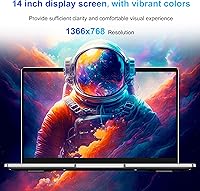
  • Display: 14.1-inch IPS panel with a 1366x768 resolution offers reasonable color accuracy and wider viewing angles than TN-based alternatives at this price.
  • Graphics: Intel UHD Graphics 600 is an integrated GPU suitable for video playback and basic visual tasks, not gaming or creative rendering.
  • Operating System: The laptop ships with DOS pre-installed; buyers must independently source and install a full operating system such as Windows or a Linux distribution.
  • Battery Life: Rated at approximately 4 hours of use, which in practice suits short work sessions rather than full-day untethered use.
  • Weight: At 2.64 pounds, this machine is light enough to carry comfortably in a bag for daily commutes or travel.
  • Dimensions: The chassis measures 13.07 x 8.23 x 0.66 inches, keeping the footprint slim and manageable for a 14-inch class laptop.
  • Wireless: Supports dual-band 802.11ac Wi-Fi on both 2.4GHz and 5GHz bands for faster, more stable wireless connections on compatible routers.
  • Bluetooth: Bluetooth 5.0 enables reliable pairing with wireless peripherals including headphones, mice, and keyboards.
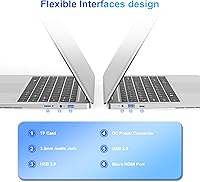
  • Ports: Connectivity includes one USB 3.0 port, one USB 2.0 port, and a Mini HDMI output for connecting to external displays.
  • USB-C Hub: A USB-C hub is included in the box, expanding connectivity options without requiring a separate accessory purchase.
  • Thermal Design: The fanless passive cooling system produces zero operational noise, making it well suited for quiet environments like classrooms and shared offices.
  • Power Input: The laptop runs on 12V DC power, using the supplied adapter rather than USB-C charging.
  • Brand & Model: Manufactured by SAINTDISE under the model designation ANL5-N4000, a budget-tier line aimed at entry-level consumer use.

Related Reviews

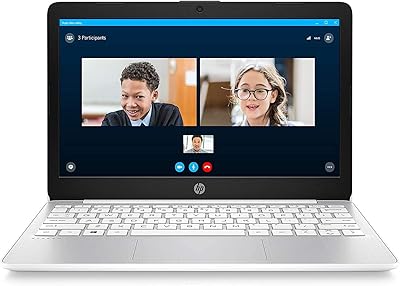
HP Stream 14-inch Laptop
65%
78%
Value for Money
84%
Battery Life
53%
Performance
41%
Storage Capacity
67%
Display Quality
More
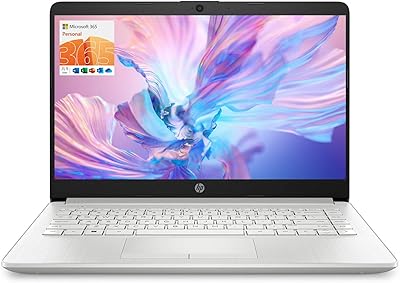
HP 14 Celeron 14-inch Touchscreen Laptop
68%
74%
Value for Money
52%
Performance
43%
Storage Adequacy
91%
Portability
61%
Display Quality
More
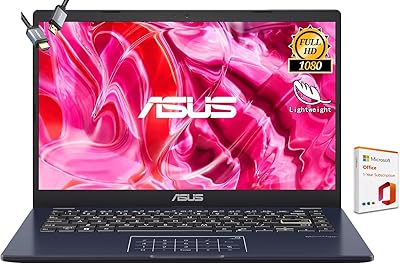
ASUS E410MA 14-Inch Celeron Laptop
63%
78%
Value for Money
47%
Performance
83%
Battery Life
89%
Portability
53%
Display Quality
More
SAINTDISE ANL5-N5095 Laptop 15.6-inch, 16GB RAM, 512GB SSD
82%
89%
Value for Money
85%
Performance for Everyday Tasks
67%
Battery Life
91%
Display Quality
87%
Fingerprint Reader Convenience
More
DUNHOO ECOBOOK 15.6-inch Laptop, Celeron N4000, 8GB RAM, 256GB SSD
82%
87%
Performance for Basic Tasks
92%
Value for Money
88%
Display Quality
90%
Portability & Weight
65%
Battery Life
More
MARGOLAI M14 S 14-inch Laptop
63%
81%
Value for Money
58%
Performance
44%
Battery Life
84%
Portability
62%
Display Quality
More
HP Stream 11 11.6-Inch Laptop
66%
83%
Value for Money
91%
Portability
88%
Battery Life
79%
Display Quality
58%
Performance
More
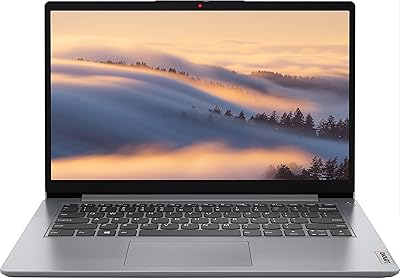
Lenovo Ideapad 1i 14-inch Laptop, Intel Celeron N4020, 4GB RAM, 64GB eMMC
77%
92%
Value for Money
88%
Battery Life
91%
Portability
75%
Performance for Basic Tasks
67%
Display Quality
More
ASUS Vivobook Go 14-inch Laptop
67%
81%
Value for Money
47%
Performance
74%
Battery Life
88%
Portability
69%
Display Quality
More
HP TPN-Q221 14″ Laptop
63%
81%
Value for Money
48%
Performance
37%
Storage Capacity
43%
Battery Life
56%
Display Quality
More

FAQ

No, it does not. The SAINTDISE ANL5-N4000 14-inch Celeron N4000 Laptop ships with DOS, which is essentially a bare command-line environment. You will need to purchase or obtain a Windows license separately and install it yourself, or opt for a free Linux distribution like Ubuntu if you are comfortable with that setup.
It depends on how you use it. Once you install an operating system and a few basic applications, you will have noticeably less than 128GB free. For users who rely on cloud storage, streaming services, and web-based tools, it is manageable. If you plan to store a large photo library or download many programs locally, you may feel the pinch fairly quickly.

Based on the hardware profile of this class of fanless budget laptop, the RAM is most likely soldered to the motherboard, meaning it cannot be upgraded after purchase. The SSD may or may not be accessible depending on the internal layout, but SAINTDISE does not officially advertise upgrade paths, so it is safest to assume what you see is what you get.

The official rating is around 4 hours, and real-world use tends to align with that figure when doing light tasks like web browsing or document editing. Do not expect it to stretch much further under typical conditions. Plan to have a charger nearby if you need to use it for more than a few hours away from an outlet.

Yes, genuinely. The fanless design means there are no moving parts generating noise, so the machine produces no fan hum whatsoever during operation. For users who work in quiet shared spaces, this is one of the most practical advantages this laptop offers at its price point.

The bundled hub expands the laptop's connectivity by adding USB-C-based ports that the machine itself does not have built in. It typically allows you to connect additional USB devices or adapt to USB-C peripherals and accessories. It is a useful addition that saves you from immediately needing to buy a separate hub.

For straightforward video calls with a standard camera feed and a single browser tab open, it handles that task adequately. Problems tend to arise if you are running the call alongside several other open applications or browser tabs simultaneously, at which point the limited processing power starts to become noticeable.

Not particularly. The screen brightness is on the lower end, which is a common trade-off on budget IPS panels. In a dim or normally lit room it looks fine, but in a bright room with direct light coming in from a window, glare and washout become real issues. Outdoor use is uncomfortable at best.

Anyone who needs a laptop ready to use straight out of the box without technical setup should look elsewhere, given the DOS-only situation. Power users, gamers, video editors, or anyone running demanding software will find the Celeron processor a constant frustration. It is also a poor choice for anyone who relies heavily on untethered, all-day battery life.

It can be, with one important caveat: someone technically comfortable will need to set it up first by installing an operating system before handing it over. Once that step is handled and a simple OS like Windows or a beginner-friendly Linux distro is installed, the lightweight build, silent operation, and easy-to-use basics make it a reasonable starter machine for low-demand users.