Overview

The ICY DOCK ToughArmor MB604SPO-B 4-Bay Enclosure occupies a genuinely narrow corner of the storage market — one where SAS compatibility, optical drive support, and a compact 5.25-inch form factor all need to coexist. This is not something you stumble onto while browsing; you come looking for it because you have a specific problem to solve. The pricing reflects professional intent — this is a component built for servers, workstations, and industrial deployments, not a casual weekend upgrade. Installing this drive cage requires some familiarity with SAS HBAs, backplane cabling, and bay alignment. Go in prepared and it rewards you; go in cold and the learning curve is real.
Features & Benefits

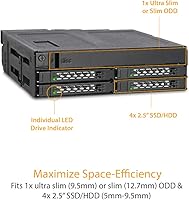
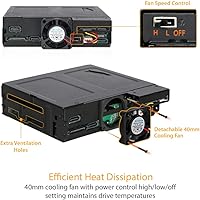
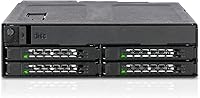
What makes the ToughArmor enclosure worth the price is how much it consolidates without compromising. Four 2.5-inch drives — SATA or SAS, anywhere from 5mm to 9.5mm tall — plus a slim or ultra-slim optical drive, all fit into a single external 5.25-inch bay. SAS 3.0 runs at 12Gbps per channel (single channel, worth noting), while SATA 3.0 handles 6Gbps duties. Dual power connectors keep the optical drive on a separate power feed from the storage drives, which genuinely reduces the kind of voltage instability that can cause random disconnects under load. The adjustable fan is a practical touch — useful in quiet office or medical environments where noise matters as much as airflow.

Best For

This 4-bay backplane earns its place in a pretty specific set of builds. Small server builders who need SAS connectivity and still want optical drive access without a second enclosure will find it hard to source a better-matched alternative. System integrators putting together ruggedized workstations for industrial, medical, or military environments will appreciate the alloy steel chassis — it is not cosmetic toughness. Home lab users repurposing a tower with open 5.25-inch bays can also get real value here, especially if they are running SAS drives alongside occasional disc-based installs. It is less compelling if you are purely SATA and never touch optical media — there are simpler, cheaper options in that case.

User Feedback

With 62 ratings and a 4.0 average, the ToughArmor enclosure lands in a place that feels honest — solid, but not without caveats. Buyers consistently praise build quality and SAS compatibility as genuine strengths, particularly those using it in professional or server contexts. The complaints that surface most often are not about the hardware itself but about the installation experience — cabling can get tight, and aligning everything cleanly in a bay takes patience. Fan noise at higher speeds comes up occasionally, worth knowing if the system will live in a quiet room. A handful of buyers also flag drive compatibility quirks with very thin 5mm drives or specific HBA cards, so verifying compatibility beforehand is advisable.

Pros

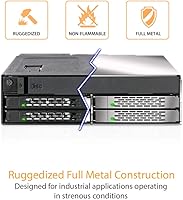
  • Alloy steel construction feels genuinely tank-like — this is not a chassis that flexes or rattles under load.
  • Fits four 2.5-inch drives plus a slim optical drive into one 5.25-inch bay, a combination that is rare to find.
  • SAS 3.0 12Gbps support makes this drive cage viable for enterprise-grade drives alongside standard SATA setups.
  • Separate power connectors for the optical drive and storage drives help prevent the instability that plagues cheaper shared-power designs.
  • Adjustable fan speed lets you tune airflow versus noise to match your environment — handy in medical or office settings.
  • Five SATA device connectors give solid cabling flexibility for different drive and ODD configurations.
  • Consistent praise from professional buyers confirms this holds up in real-world server and workstation deployments.
  • Compact enough to fit in a single external bay while genuinely replacing the need for multiple separate enclosures.
  • ICY DOCK has a strong track record in this niche, and the MB604SPO-B reflects that experience in its design choices.

Cons

  • Cabling can get tight and frustrating in smaller cases — plan your build carefully before committing to the install.
  • Requires a compatible SAS HBA to use SAS drives; no HBA means you are limited to SATA only, which narrows the value proposition.
  • Fan noise at higher speed settings is noticeable enough that buyers in quiet environments should test early and adjust accordingly.
  • Some users have reported compatibility hiccups with very thin 5mm drives, so verify your specific drive dimensions before purchasing.
  • Certain SAS HBA card pairings have caused recognition issues for a small number of buyers — cross-referencing compatibility lists is strongly advised.
  • No integrated drive locking mechanism, which may matter in environments where accidental ejection is a concern.
  • The learning curve for first-time backplane installers is steeper than typical consumer storage accessories.
  • Limited to single-channel SAS, so buyers expecting multi-channel throughput for high-demand RAID setups will hit a ceiling.
  • With only 62 ratings on Amazon, the feedback pool is smaller than ideal for drawing firm conclusions about long-term reliability.

Ratings

The ICY DOCK ToughArmor MB604SPO-B 4-Bay Enclosure scores below are generated by AI after analyzing verified global user reviews, with spam, bot activity, and incentivized feedback actively filtered out. Ratings reflect the real-world experiences of professional builders, system integrators, and home lab enthusiasts — not marketing claims. Both the standout strengths and the genuine friction points are weighted transparently into every score.
Build Quality
91%
Buyers consistently highlight the alloy steel chassis as one of the most immediately impressive aspects of this drive cage — it feels dense and solid in hand, a stark contrast to the flimsy plastic found on budget alternatives. Professionals deploying it in server racks or industrial workstations report zero flex or structural complaints even after extended use.
A small number of users noted that some edge finishing on the steel panels was rougher than expected for the price tier, with minor burrs that required careful handling during installation. This is a minor cosmetic and ergonomic gripe rather than a structural concern, but it is worth noting for buyers who expect jewelry-box fit and finish.
SAS Compatibility
88%
For users running SAS drives alongside SATA arrays, this 4-bay backplane is one of the few enclosures in its form factor that handles both protocols without compromise. IT professionals and server builders specifically call out reliable SAS 3.0 12Gbps recognition across a range of compatible HBAs as a key reason they chose this over alternatives.
The single-channel SAS limitation becomes a practical ceiling for anyone expecting multi-channel throughput in demanding RAID configurations. A handful of users also reported drive recognition issues tied to specific HBA card models, which required firmware updates or configuration changes to resolve — not a dealbreaker, but a real-world friction point.
Installation Experience
63%
37%
Experienced builders who work regularly with backplane hardware report that the physical bay fitment is precise and the documentation covers the essentials adequately. Once cabling is sorted, the enclosure slots cleanly into a 5.25″ bay and the drive slots align without forcing.
Routing five SATA data cables and two power connectors inside a standard tower chassis can become genuinely cramped, and several users flagged this as more involved than expected. First-time SAS builders in particular noted that the installation requires patience and some trial-and-error, especially when managing the separate ODD and HDD power feeds simultaneously.
Fan Noise
71%
29%
The adjustable fan speed is a meaningful feature that sets this drive cage apart from fixed-speed competitors — users in medical and office environments appreciate being able to run it at lower RPMs during light workloads, keeping the acoustic profile tolerable in quiet rooms.
At higher speed settings, the fan is noticeably audible, and a few users found even mid-range settings louder than anticipated for a desk-adjacent workstation. The fan control mechanism works, but those with strict noise budgets may find the ceiling of audible output disappointing compared to fanless or near-silent enclosure alternatives.
Drive Compatibility
74%
26%
The wide 5mm to 9.5mm height tolerance covers the vast majority of 2.5″ SSDs and HDDs on the market, and SATA drive compatibility is essentially universal across the four bays. Most buyers report plug-and-play behavior with standard-height SATA SSDs and common enterprise SAS drives.
Drives at the thinner end of the tolerance range — particularly sub-7mm SSDs — have caused seating uncertainty for some users, with a few reporting loose retention. Compatibility with very specific SAS drive models also appeared in scattered feedback, suggesting that edge-case drive pairings are worth verifying before committing.
ODD Bay Functionality
82%
18%
The dedicated slim ODD bay works reliably with both 12.7mm and 9.5mm optical drives, and buyers who specifically needed disc access in a server or workstation without a dedicated external drive found this feature genuinely valuable. The power isolation from the storage bays is a practical design choice that prevents optical drive spin-up from affecting drive stability.
The ODD bay selection requires slimline optical drives specifically, and users who tried to source compatible drives found the market narrower than expected — not all ultra-slim optical drives are easy to find locally. A small number of buyers also found the ODD insertion and retention mechanism less intuitive than the drive bays.
Value for Money
69%
31%
For the specific combination of SAS support, ODD compatibility, and industrial build quality in a single 5.25″ bay, professional buyers largely consider the pricing justified — there are almost no direct competitors offering the same feature set. System integrators working on commercial or government contracts particularly view it as a cost-effective consolidation tool.
Hobbyists or home users who only need basic SATA storage expansion will find the price hard to justify given simpler, cheaper alternatives that cover the same SATA-only use case. The premium is real, and buyers who do not actively need SAS or optical drive integration are effectively paying for features they will never use.
Thermal Management
78%
22%
With four drives running simultaneously in a dense configuration, the active cooling fan does meaningful work — users running the enclosure in workstations under sustained read/write loads report stable drive temperatures without thermal throttling. The adjustable speed gives some control over the thermal-versus-noise trade-off.
The enclosure does not include any passive thermal aids like thermal pads or heat spreaders on the drive trays, so thermal performance beyond the fan is entirely dependent on ambient airflow inside the host chassis. In poorly ventilated cases, some users noted warmer-than-ideal drive temperatures during extended heavy workloads.
Cabling & Connectivity
72%
28%
Five SATA 7-pin connectors and the dual 15-pin power setup give builders genuine flexibility in how they route connections, and experienced builders appreciate the logical separation of ODD and drive power. The connector placement is generally accessible once the enclosure is partially inserted into the bay.
Managing five data cables plus two power cables inside a typical mid-tower is where the design shows its server-chassis roots — in a consumer tower, this quickly becomes a cable management challenge. A few users also noted that the SATA data connectors sit close together, making it harder to use wider right-angle cable heads without interference.
Durability & Longevity
86%
Buyers who have run this 4-bay backplane in production server environments for multiple years report no mechanical degradation, loose connectors, or structural fatigue — a direct reflection of the all-metal construction. The design philosophy clearly prioritizes service life over cosmetic lightness.
Long-term fan bearing wear is a theoretical concern that a small number of users flagged for always-on server deployments, though documented failures in reviews are rare. Replacement fan availability has not been widely discussed, which could become a practical issue if the fan fails outside of warranty coverage.
Documentation & Setup Support
61%
39%
The included documentation covers the physical installation steps adequately for users who already understand backplane hardware and SAS connectivity. ICY DOCK also maintains product pages with supplementary resources for buyers who dig into the support ecosystem.
First-time SAS builders frequently found the documentation insufficient for navigating HBA configuration, cable selection, and drive recognition troubleshooting. The manual assumes a baseline of technical knowledge that casual builders may not have, and online community resources for this specific model are thinner than for more mainstream consumer products.
Form Factor Efficiency
87%
Consolidating four 2.5″ drives and an optical drive into one 5.25″ bay is the core value proposition of the ToughArmor enclosure, and it delivers on that promise without requiring modifications to the host chassis. Builders with limited available bays specifically praise how much storage density it unlocks.
The enclosure only occupies one 5.25″ bay but requires multiple internal cable runs that consume routing space, which can be an issue in compact or semi-modular cases with limited cable channels. Users in very small form factor builds occasionally found the cable volume as problematic as adding a second enclosure would have been.
Professional Use Suitability
89%
System integrators and IT professionals deploying this in medical, industrial, and commercial workstations consistently validate it as a purpose-fit component — rugged enough to handle vibration and thermal stress, and reliable enough to trust in environments where downtime is costly. The industrial design DNA is not just marketing; it shows in real-world deployment feedback.
Its professional positioning also means it is slightly over-engineered for straightforward home lab use, and buyers coming from consumer-grade storage products sometimes find the learning curve and setup time disproportionate to their needs. It rewards professionals but asks more from enthusiast-tier users than comparable consumer products would.

Suitable for:

The ICY DOCK ToughArmor MB604SPO-B 4-Bay Enclosure is purpose-built for builders and integrators who need to pack serious storage density into a single 5.25-inch bay without giving up optical drive access. It earns its keep in professional workstations, small server builds, and ruggedized systems destined for demanding environments — think medical imaging stations, industrial control computers, or military-adjacent deployments where flimsy plastic enclosures simply are not an option. Home lab enthusiasts with an open 5.25-inch bay and a mix of SAS and SATA drives will also find this drive cage genuinely useful, particularly if they want to avoid bolting on a separate external optical drive. IT professionals repurposing older tower workstations for denser storage layouts get a clean, consolidated solution that keeps cabling manageable. If your build involves a SAS HBA and you still need occasional disc access, there are very few alternatives on the market that check both boxes at this build quality level.
Not suitable for:

The ToughArmor enclosure is not the right call for buyers who are purely in the SATA world and never touch optical media — at that point you are paying a professional premium for features you will never use, and simpler, less expensive caddies will do the job just fine. Builders new to SAS ecosystems should also think carefully before committing; this 4-bay backplane assumes you already have or plan to source a compatible SAS HBA, and getting that pairing wrong means the drives simply will not show up. The installation process involves managing multiple SATA data and power cables in a confined space, which can be genuinely frustrating without prior experience working inside server-class hardware. Noise-sensitive environments running the fan at full speed may find the acoustic profile less than ideal, so anyone prioritizing near-silent operation should factor that in. Finally, buyers on a tight budget looking for basic extra storage should look elsewhere — the price reflects industrial intent, not everyday consumer value.

Specifications

  • Model Number: The unit carries the official model designation MB604SPO-B, manufactured by ICY DOCK.
  • Drive Bays: Accommodates four 2.5″ SAS or SATA solid-state or hard drives simultaneously within the enclosure.
  • Drive Height: Compatible with 2.5″ drives ranging from 5mm to 9.5mm in height, covering the most common SSD and HDD form factors.
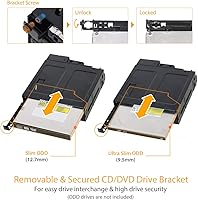
  • ODD Support: Accepts one Slim (12.7mm) or Ultra-Slim (9.5mm) optical disk drive in a dedicated bay separate from the storage drive slots.
  • Host Interface: Supports SATA 3.0 at up to 6Gbps and SAS 3.0 at up to 12Gbps operating in single-channel mode.
  • Form Factor: Designed to occupy one external 5.25″ drive bay in a desktop tower, workstation, or compatible industrial chassis.
  • Data Connectors: Equipped with five SATA 7-pin device connectors to link drives and the optical unit to the host system.
  • Power Connectors: Uses two SATA 15-pin power connectors, with separate feeds for the optical drive and the storage drive array.
  • Cooling: Includes a built-in cooling fan with adjustable speed control to balance airflow and acoustic output based on environment.
  • Construction: Built from heavy-duty alloy steel, designed to meet the physical demands of industrial, medical, and server-rack deployments.
  • Dimensions: The enclosure measures 6.7 x 6.1 x 2.17 inches (L x W x H), sized to fit a standard single 5.25″ external bay.
  • Weight: The unit weighs approximately 1.61 pounds (731.5 grams), reflecting its all-metal construction.
  • Target Use: Intended for servers, workstations, and ruggedized systems used in commercial, industrial, medical, and military environments.
  • User Rating: Holds a 4.0 out of 5 stars rating based on 62 customer reviews on Amazon as of the time of writing.
  • Availability: The MB604SPO-B is not discontinued and remains actively available through authorized retailers and ICY DOCK distribution channels.
  • Release Date: This model was first made available for purchase in April 2019, giving it a multi-year track record in the field.

Related Reviews

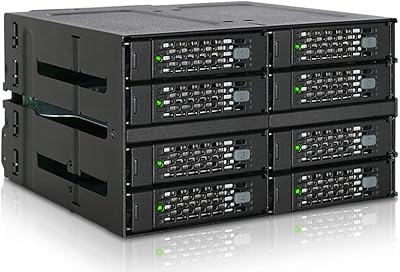
ICY DOCK ToughArmor MB998SP-B 8-Bay 2.5” SATA/SAS HDD/SSD Mobile Rack Enclosure for 5.25″ Bay
87%
91%
Performance
88%
Cooling Efficiency
89%
Build Quality
93%
Ease of Installation
72%
Noise Level
More
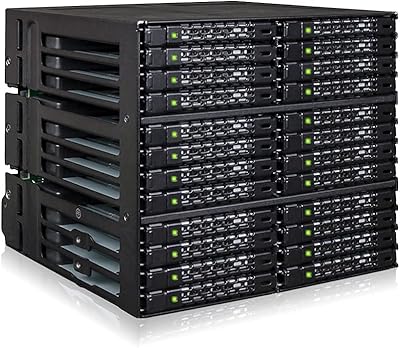
ICY DOCK ToughArmor MB508SP-B 8-Bay Drive Enclosure
76%
93%
Build Quality
91%
Hot-Swap Reliability
89%
Drive Compatibility
58%
Installation Experience
74%
Thermal Management
More
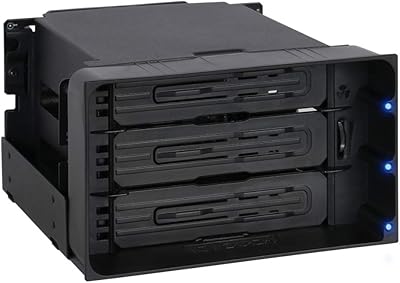
ICY DOCK MB924IP-B 24-Bay 2.5″ SAS/SATA Mobile Rack Enclosure
79%
91%
Build Quality
94%
Drive Density
88%
SAS/SATA Compatibility
86%
Hot-Swap Reliability
74%
Cooling Performance
More
ICY DOCK flexiDOCK MB830SP-B 3-Bay 3.5 Inch SATA/SAS HDD Docking Enclosure
83%
93%
Ease of Installation
88%
Build Quality
87%
Performance & Speed
79%
Cooling Efficiency
65%
Noise Levels
More
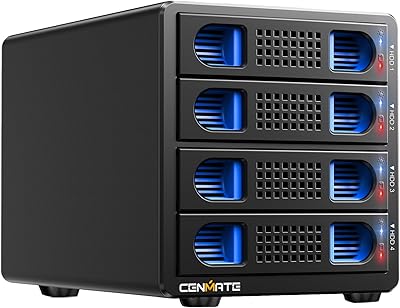
Cenmate 4-Bay RAID Enclosure 80TB
73%
83%
Build Quality
78%
RAID Functionality
71%
Cooling & Thermal Management
47%
Mac Compatibility
89%
Windows Compatibility
More
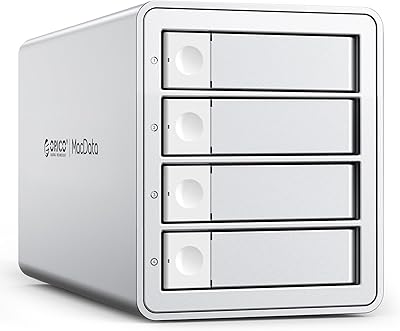
Yottamaster PS400C3 4-Bay External Hard Drive Enclosure
73%
83%
Build Quality
78%
Thermal Management
66%
Transfer Speed
88%
Drive Compatibility
63%
Ease of Setup
More
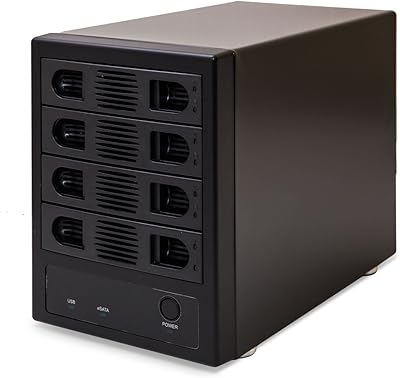
ORICO 9948C3 4-Bay 3.5-inch HDD Enclosure
76%
88%
Build Quality
84%
Transfer Speed
79%
Daisy-Chain Functionality
73%
Cooling & Thermal Management
86%
Hot-Swap Usability
More
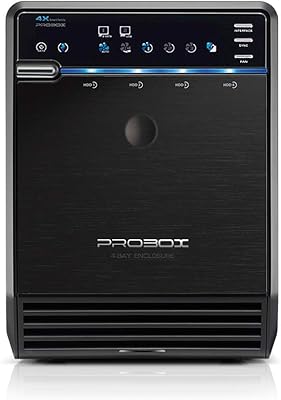
Mediasonic ProBox HF2-SU3S3 4-Bay DAS Enclosure
76%
88%
Ease of Setup
82%
Build Quality
76%
Cooling & Fan Performance
91%
Drive Compatibility
67%
Transfer Speed (Real-World)
More
MAIWO M.2 NVMe 4-Bay SSD Cloner Dock
72%
88%
Offline Clone Functionality
61%
Clone Architecture Clarity
83%
Build Quality
69%
Clone Speed
81%
Compatibility Range
More
Syba SY-ENC50104 4-Bay 3.5” SATA III HDD Enclosure
85%
88%
Build Quality & Durability
91%
Ease of Setup & Installation
83%
Cooling Efficiency
72%
Noise Level
89%
Storage Capacity & Expansion
More

FAQ

Yes, if you plan to use SAS drives, you will need a compatible SAS HBA (host bus adapter) installed in your system — your standard motherboard SATA ports will not recognize SAS drives. SATA drives, on the other hand, connect just fine without any additional controller. Make sure to cross-reference your HBA model with known compatible configurations before buying.

Yes, you can populate the four bays with a mix of SATA and SAS drives simultaneously, provided your host controller supports both. Just keep in mind that the SAS channels require a SAS-capable HBA — SATA-only controllers will only see the SATA drives.

Yes, 9.5mm is the maximum supported drive height, so a standard 9.5mm 2.5″ laptop HDD or SSD fits without issue. Drives thinner than 5mm are not officially supported and may not seat securely, so check your drive's exact height spec before installing.

The ODD slot accepts both Slim optical drives at 12.7mm and Ultra-Slim drives at 9.5mm — the two most common form factors found in laptop-style DVD and Blu-ray drives. Standard desktop 5.25″ full-height optical drives will not fit; you specifically need the slimline variants.

At lower fan speed settings it is reasonably quiet, but at full speed the fan is audible in a quiet room. The adjustable speed control is genuinely useful here — you can dial it back if noise is a concern and only ramp it up under sustained heavy load. If near-silent operation is a hard requirement, it is worth factoring this into your decision.

It is manageable, but there is a learning curve if SAS is new territory for you. The physical installation into a 5.25″ bay is straightforward, but routing five SATA data cables and two power cables cleanly in a tight space takes planning. Budget extra time, read the manual carefully, and make sure you have your HBA and compatible cables ready before you start.

No, this enclosure is designed exclusively for SATA and SAS drives — it does not support NVMe. If you need NVMe, you would be looking at a different product category entirely, typically using PCIe-based adapters or enclosures.

No, and this is actually one of the more thoughtful design choices in this drive cage — the two SATA 15-pin power connectors are split so that the optical drive draws from a separate feed than the storage drives. This reduces the risk of power instability affecting your drives when the optical unit spins up.

It is designed to fit any chassis with an available external 5.25″ drive bay, which includes both tower workstations and rack-mounted server cases that feature front-accessible 5.25″ bays. Rackmount compatibility will depend on your specific case design, so verify bay availability in your enclosure before ordering.

The MB604SPO-B is a backplane-style enclosure but is not designed as a hot-swap solution in the traditional enterprise sense — it does not include the toolless tray-locking or dedicated hot-swap circuitry you would find on dedicated hot-swap cages. Swapping drives with the system powered on is not recommended unless your HBA and OS explicitly support it.