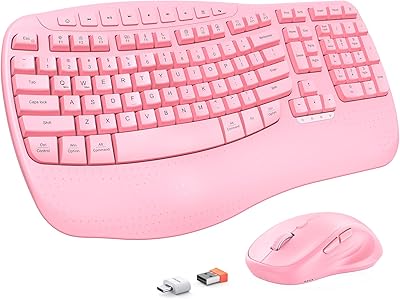
SABLUTE KC15 Wireless Ergonomic Keyboard Mouse Combo
Overview
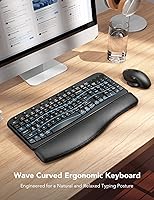
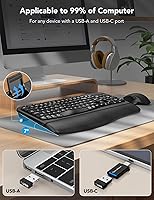
The SABLUTE KC15 Wireless Ergonomic Keyboard Mouse Combo is a budget-oriented peripheral set that targets desk workers and students who want wrist-friendly typing without a hefty price tag. Launched in mid-2024 by a relatively new name in the peripherals space, this ergonomic combo has climbed to #117 in its Amazon category — solid early traction for a young product. The keyboard's wave-key design and built-in faux-leather palm rest are the headline features, while the 2.4G wireless dongle supports both USB-A and USB-C ports. Power runs on AA batteries, which some will appreciate for the simplicity and others may find a step behind modern rechargeable sets.
Features & Benefits
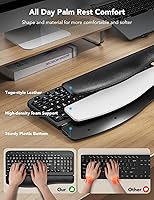
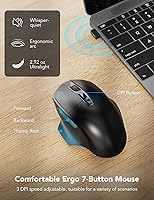
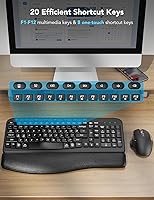
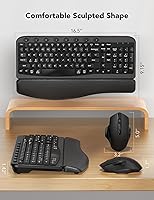
The keyboard's ergonomic wave layout gently curves across the key rows, encouraging a more natural hand angle during long sessions — it is not a medical-grade solution, but it does take some edge off extended typing days. The attached palm rest uses faux leather over a firm foam base; it feels adequate for daily use, though it won't be mistaken for anything premium. On the mouse side, the silent micro-switch noticeably reduces click noise, and the four DPI levels spanning 800 to 2000 give enough range for both careful document work and casual browsing. Eight dedicated hotkeys and a clean FN shortcut for OS switching round out a practical, no-fuss feature set.
Best For
This keyboard-and-mouse bundle makes the most sense for office workers and students who spend several hours a day at a keyboard and want some wrist relief without committing to a high-end ergonomic board. It is also a natural pick for anyone in an open office or shared apartment where quieter peripherals matter to the people around them. The dual USB-A and USB-C dongle support makes it straightforward to use across different machines, and the Windows and macOS toggle is genuinely useful for people who alternate between systems. If you would rather swap AA batteries occasionally than deal with charging cables, that is another practical reason to consider this set.
User Feedback
The SABLUTE wireless set holds a 4.3 out of 5 rating, with positive comments frequently citing the palm rest as a real help during long work days — a sign the comfort angle connects with actual buyers. Key travel draws mixed opinions: some find it satisfying and responsive, while others expected a crisper, firmer feel at this price point. A handful of reviewers note the palm rest surface showing wear after a few months, which is roughly what you would expect from faux leather over time. macOS key mapping attracts occasional complaints, with certain users finding the FN toggle behavior inconsistent. Critical reviews cluster around durability rather than core usability, which is telling.
Pros
- The wave-key layout genuinely reduces afternoon wrist fatigue for users coming from flat keyboards.
- Built-in palm rest eliminates the need to buy a separate wrist pad — a real convenience for budget desk setups.
- Silent mouse clicks are noticeably quieter in shared spaces without feeling completely dead or unresponsive.
- Plug-and-play USB dongle with both USB-A and USB-C connectors works across old and new devices instantly.
- Eight dedicated hotkeys handle everyday media and workflow shortcuts without any software or driver installation.
- Four DPI levels cover the practical range for most office tasks, from careful spreadsheet work to casual browsing.
- AA battery power means you can grab replacements anywhere and never get stranded mid-workday with a dead peripheral.
- The FN shortcut for switching between Windows and macOS layouts is a thoughtful feature for multi-system users.
- At its price point, the feature-to-cost ratio is strong compared to basic flat combos in the same category.
Cons
- The faux-leather palm rest surface cracks and peels visibly after several months of daily contact.
- Key legends begin to fade with heavy use, which is a durability concern for long-term ownership.
- macOS hotkey behavior is inconsistent and has generated the most critical feedback across user reviews.
- Losing the single USB dongle leaves you with two unusable peripherals and no recovery option.
- The typing feel is spongy and shallow — a noticeable downgrade for anyone used to mechanical or quality membrane boards.
- No backlighting makes this a poor choice for low-light environments or late-night work sessions.
- The fixed palm rest cannot be removed, locking you into one keyboard height and angle regardless of your preference.
- Battery consumption adds ongoing cost and waste that a built-in rechargeable design would avoid entirely.
- Wireless performance can degrade in crowded 2.4G environments like coworking spaces with many active devices.
Ratings
The SABLUTE KC15 Wireless Ergonomic Keyboard Mouse Combo scores below are generated by AI after analyzing thousands of verified global user reviews, with spam, bot activity, and incentivized feedback actively filtered out. The ratings reflect a genuine cross-section of real buyer experiences — office workers, students, and remote professionals — covering both what this ergonomic combo does well and where it falls short. Strengths and frustrations are weighted equally, so the picture you get is honest and grounded in actual daily use.
Ergonomic Comfort
Palm Rest Quality
Mouse Silence & Click Feel
Mouse DPI & Tracking
Keyboard Typing Feel
Wireless Reliability
Dual USB-A and USB-C Compatibility
macOS Compatibility
Hotkey Utility
Setup & Ease of Use
Battery Life & Power Convenience
Build Quality & Durability
Value for Money
Size & Desk Footprint
Suitable for:
The SABLUTE KC15 Wireless Ergonomic Keyboard Mouse Combo is a practical fit for office workers and students who spend long hours at a desk and want some wrist relief without spending a lot of money on a proper ergonomic setup. If your current keyboard is completely flat and your wrists ache by mid-afternoon, the wave-key layout and built-in palm rest will likely feel like a meaningful step up — even if it is not a clinical solution. Remote workers furnishing a home office on a tight budget will appreciate getting a keyboard, mouse, and wrist rest in one purchase without hunting for separate accessories. The dual USB-A and USB-C dongle support is a quiet but genuine convenience for anyone who switches between an older desktop and a modern laptop. People working in shared spaces — open offices, libraries, dorm rooms — will find the silent mouse a considerate choice that reduces ambient noise without sacrificing usability. Finally, anyone who finds the cycle of charging wireless peripherals more annoying than swapping batteries will feel right at home with the straightforward AA power setup.
Not suitable for:
The SABLUTE KC15 Wireless Ergonomic Keyboard Mouse Combo is a poor match for buyers who need their peripherals to hold up under heavy daily use for several years, as the faux-leather palm rest and key legends show wear within months of intensive use. Power users who work across multiple high-resolution monitors or need precise cursor control for design or photo editing will quickly find the 2000 DPI ceiling restrictive. Mac-primary users should approach with caution — while the OS toggle works in theory, real-world macOS key mapping and hotkey behavior draw the most consistent complaints in the review pool, and the Windows experience is clearly better optimized. Writers or coders who rely on strong tactile key feedback will likely find the shallow, slightly spongy travel unsatisfying compared to even a modest mechanical keyboard. Anyone hoping to use this combo across two separate computers simultaneously will be frustrated, since there is only one shared dongle with no Bluetooth fallback. If longevity and material quality matter more than upfront savings, a modest investment in a more established brand will almost certainly pay off over time.
Specifications
- Model Number: This keyboard and mouse combo carries the official model designation KC15, manufactured by SABLUTE.
- Wireless Technology: The set uses 2.4G wireless communication via a single USB dongle that supports both USB-A and USB-C connections.
- Keyboard Style: The keyboard is a full-size layout featuring an ergonomic wave-key design intended to encourage a more natural hand and wrist position during typing.
- Palm Rest: An integrated palm rest is built directly into the keyboard base, constructed from faux leather over a high-density foam support pad.
- Hotkeys: Eight dedicated one-touch hotkeys are included above the standard key layout for quick access to media, volume, and workflow shortcuts.
- Mouse Buttons: The included mouse features six buttons: left click, right click, scroll wheel click, DPI toggle, and forward and backward navigation buttons.
- DPI Levels: The mouse offers four selectable DPI sensitivity levels: 800, 1200, 1600, and 2000, switchable via a dedicated button on the mouse body.
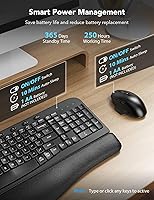
- Power Source: Both the keyboard and mouse are powered by AA batteries, with two AA batteries required in total; batteries are not included in the box.
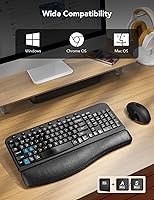
- OS Compatibility: The combo is compatible with both Windows and macOS operating systems, with layout switching accessible via the FN+A and FN+S key combinations.
- Dimensions: The overall unit measures 11.31 inches wide by 17.32 inches deep by 1.88 inches tall, reflecting the footprint of the keyboard with the integrated palm rest.
- Weight: The combined package weight is 2.61 pounds, which covers the keyboard and mouse together as shipped.
- Color: The combo is available in Modern Black, with a uniform dark finish across both the keyboard chassis and mouse body.
- Keyboard Backlighting: No backlighting is present on this keyboard; the keys are not illuminated, making it less suitable for low-light or dark environments.
- Rechargeability: Neither the keyboard nor the mouse is rechargeable; both devices rely entirely on replaceable AA batteries rather than a built-in battery.
- Mouse Noise Level: The mouse uses a silent micro-switch mechanism that the manufacturer states reduces click noise by up to 95% compared to standard switches.
- Keyboard Leg Stand: An adjustable leg stand is included on the underside of the keyboard, allowing users to tilt the keyboard to a slightly elevated angle for comfort preference.
- Connectivity Port: The single USB dongle includes both a USB-A connector and a USB-C connector, allowing it to plug directly into either port type without an adapter.
- Brand: The combo is manufactured and sold under the SABLUTE brand, a peripherals company that introduced this model to the market in August 2024.
Related Reviews

SABLUTE Wireless Backlit Keyboard and Mouse Combo
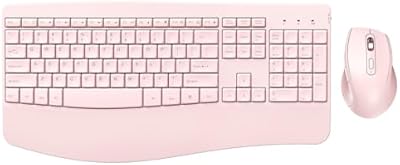
PEIOUS Wireless Ergonomic Keyboard and Mouse Combo
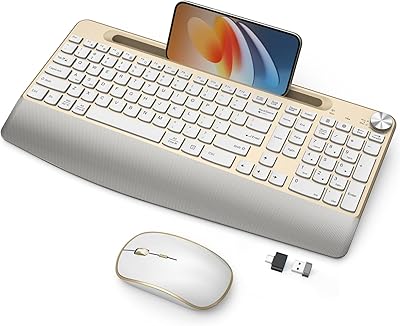
JOYACCESS Ergonomic Wireless Keyboard and Mouse Combo
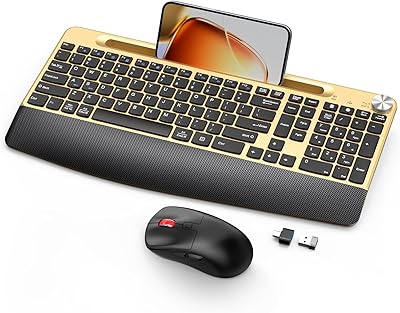
GAMCATZ Ergonomic Wireless Keyboard and Mouse Combo
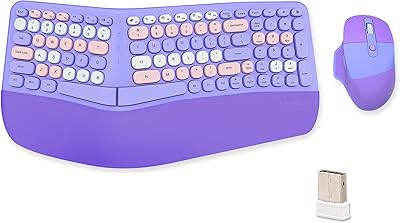
Lomiluskr Wireless Ergonomic Keyboard and Mouse Combo
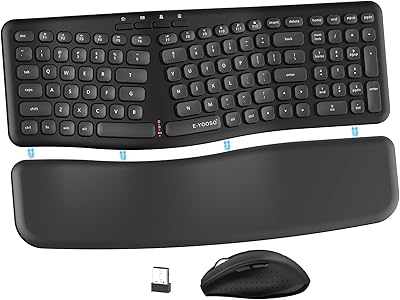
E-YOOSO Ergonomic Wireless Keyboard and Mouse Combo
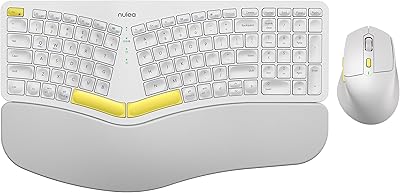
Nulea KM75
SABLUTE KL3 Pro
ProtoArc EKM01 Plus Ergonomic Keyboard Mouse Combo