Overview

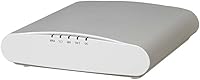
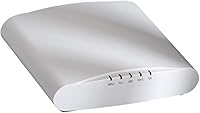
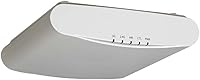
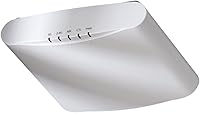
The Ruckus ZoneFlex R510 Wireless Access Point is an enterprise-grade unit that has quietly built a loyal following among home lab enthusiasts, IT-savvy homeowners, and small-business owners who want real infrastructure without the overhead of enterprise licensing. It runs on Unleashed firmware — Ruckus's controller-free management model that lets you configure and monitor everything through an app, no cloud subscription or dedicated hardware controller required. That distinction matters more than it might seem. Released in 2016, the R510 is admittedly aging, but in the refurbished and used market it remains a compelling option for buyers who prioritize long-term stability over chasing the newest spec sheet.
Features & Benefits

The standout here is BeamFlex+ antenna technology, which sounds like marketing speak until you understand what it actually does. Rather than broadcasting in a fixed pattern, the R510 continuously selects from 64 unique antenna configurations to find the cleanest path to each connected device — a real advantage in environments cluttered with neighboring networks or dense building materials. Add dual-band concurrent 802.11ac across 2.4 GHz and 5 GHz, plus MU-MIMO support (which lets multiple devices receive data simultaneously rather than taking turns), and this enterprise-grade AP handles crowded device environments well. One thing to know upfront: it runs on 802.3af PoE, meaning power travels through the network cable — tidy, but no adapter or injector comes in the box.

Best For

This Ruckus access point is squarely aimed at people who know what they are buying. If you are an IT professional setting up a home office, a small business owner tired of rebooting consumer routers, or someone building a proper home network, this is hardware that rewards you with years of reliable operation. That said, it is not for everyone. You will need a PoE switch or injector — purchased separately — to power it, so factor that into the total. And if you want Wi-Fi 6 speeds or a simple plug-and-play setup, look elsewhere. For dense device environments like conference rooms or open-plan offices where dozens of devices compete for bandwidth, though, the R510 genuinely earns its keep.

User Feedback

Owners tend to land in one of two camps. The majority praise its signal stability and range, consistently describing it as a clear step above anything consumer-grade they previously used. A number run multiple units across larger properties and report that roaming under Unleashed works reliably without drops. On the other side, the setup process draws complaints — the firmware has a learning curve, especially for buyers who are not networking professionals. The most consistent gripe is the missing power adapter: many buyers do not realize they need a PoE injector until the box is open. There is also lingering uncertainty around long-term support, given Ruckus's ownership changes post-acquisition — a fair concern for anyone planning a multi-year deployment.

Pros

  • BeamFlex+ adaptive antenna technology delivers noticeably more stable signals in RF-congested environments like apartment buildings and shared offices.
  • MU-MIMO support keeps performance steady when 20 or more devices are connected and active simultaneously.
  • Unleashed firmware requires no cloud subscription, no controller hardware, and no recurring licensing fees.
  • Single-cable PoE installation makes ceiling mounting clean and professional with no outlet needed at the AP.
  • Multi-AP roaming under Unleashed is reliable — phones and laptops hand off between units without dropping connections.
  • The R510 handles heavy sustained loads without the random reboots and slowdowns common in consumer-grade hardware.
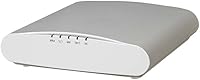
  • Compact, low-profile disc form factor blends into office ceilings without looking out of place.
  • Strong resale and refurbished market means units are widely available and hold up well across multiple deployments.
  • Guest SSID with client isolation is supported natively, keeping visitor traffic separate from your internal network.

Cons

  • No power adapter or PoE injector is included — an extra purchase most buyers do not expect until the box is already open.
  • Setup requires genuine networking knowledge; total beginners will likely find the Unleashed firmware confusing and poorly approachable.
  • Wi-Fi 6 is completely absent, which is a real limitation for anyone planning a network infrastructure meant to last beyond the near term.
  • Firmware update frequency has slowed considerably, raising legitimate questions about long-term security patch support.
  • Ruckus's post-acquisition ownership changes have left some buyers uncertain about the product roadmap and support continuity.
  • A single unit may not adequately cover large or structurally complex buildings, requiring additional APs and added cost.
  • The mounting bracket feels noticeably less robust than the unit itself, particularly in ceiling tile environments.
  • The BeamFlex+ performance advantage is minimal in low-interference environments, making the premium harder to justify for rural users.
  • USB port guest portal functionality exists in theory but is complex enough in practice that most users never successfully implement it.

Ratings

The Ruckus ZoneFlex R510 Wireless Access Point earned its scores through AI analysis of verified global buyer reviews, with spam, bot-submitted, and incentivized feedback actively filtered out before scoring. What you see here reflects the honest range of experiences — from IT professionals who rely on this enterprise-grade AP daily to first-time prosumer buyers who hit unexpected setup walls. Both the genuine strengths and the recurring frustrations are reflected transparently in every category below.
Signal Stability & Range
91%
Users consistently single out rock-solid signal consistency as the R510's defining strength. In open-plan offices and multi-room homes alike, owners report fewer dropped connections and far less interference-related slowdown compared to consumer-grade routers they replaced. The BeamFlex+ antenna system earns specific praise for maintaining strong signals through walls and in RF-congested environments.
A handful of users in extremely large or structurally complex buildings note that a single unit still leaves dead zones, requiring a second AP to fill gaps. Range expectations should be calibrated to the building type — concrete-heavy construction limits any single access point, this one included.
Setup & Configuration
53%
47%
For buyers with a networking background, the Unleashed firmware setup is logical and reasonably well-documented. Experienced IT professionals report getting the unit provisioned and operational within 20 to 30 minutes, appreciating the browser-based interface that requires no cloud account or external controller hardware.
Non-technical users frequently describe the initial setup as confusing and frustrating. The Unleashed firmware assumes familiarity with concepts like SSIDs, VLANs, and IP addressing that consumer router users have never had to think about. This is probably the single most common complaint across all reviews and it is a genuine barrier for the uninitiated.
BeamFlex+ Antenna Performance
88%
The adaptive antenna system is not just a marketing claim — users in dense Wi-Fi environments, like apartment buildings or shared office spaces, consistently note cleaner, more stable connections than competing fixed-antenna APs at similar price points. The ability to dynamically select from dozens of antenna patterns per client device makes a measurable real-world difference.
The performance advantage of BeamFlex+ is harder to perceive in low-interference rural or suburban environments with few competing networks. Some buyers feel the technology is somewhat wasted in simpler deployments and that the premium it commands is only justified in genuinely congested RF environments.
Multi-Device Performance (MU-MIMO)
84%
In conference rooms and coworking spaces where 20 or more devices connect simultaneously, users report noticeably smoother performance compared to single-user MIMO alternatives. Video calls, file transfers, and general browsing hold up well under load, which is exactly the scenario MU-MIMO is designed for.
The MU-MIMO benefit is essentially invisible in households with only a handful of connected devices. Buyers using this in a low-density home environment should not expect performance gains from this specific feature — its value is concentrated in genuinely multi-device scenarios.
Power Setup (PoE)
61%
39%
Running power over an Ethernet cable is genuinely elegant once the infrastructure is in place. Users who already own a PoE-capable switch love the clean single-cable installation — no power outlet needed at the ceiling mount point, no extra adapter cluttering the space.
The missing power adapter catches a meaningful number of buyers off guard, and this frustration appears repeatedly across reviews. Buyers who do not own a PoE switch or injector face an additional unexpected purchase just to get the unit running. The listing could be clearer about this requirement upfront.
Firmware & Software (Unleashed)
72%
28%
The controller-free Unleashed model is genuinely well-suited to small offices and home deployments that cannot justify a dedicated network controller. Owners running two or three units in larger spaces praise the way Unleashed handles roaming between APs without requiring manual client reconnection.
Firmware update cadence has slowed noticeably given the product's age and Ruckus's post-acquisition ownership changes, which leaves some users uncertain about long-term support. A few users report minor bugs that persist across firmware versions without resolution timelines.
Build Quality & Hardware Design
82%
18%
The R510 has a solid, professional feel to it — nothing like the plasticky consumer routers it often replaces. The compact disc-shaped form factor sits unobtrusively on a ceiling or wall mount, and several users comment that it blends into office environments far better than box-shaped alternatives.
There are no status LED controls beyond a basic indicator, which some IT users find limiting for quick diagnostics. The unit also runs noticeably warm during sustained heavy load, though no users report hardware failures attributed to heat in the reviews analyzed.
Value for Money
74%
26%
Relative to enterprise APs from Cisco Meraki or Ubiquiti at comparable performance tiers, the R510 — particularly in the used and refurbished market — offers a compelling cost-per-performance ratio. Buyers who understand what they are getting consistently describe it as solid value for enterprise-grade reliability.
Factoring in the separately required PoE injector or switch, the real entry cost is higher than the unit price suggests. Buyers comparing it directly to consumer Wi-Fi routers on sticker price alone tend to feel underwhelmed, since the value proposition only materializes when the full networking context is considered.
Roaming & Multi-AP Deployment
86%
Users running two or more units across a larger property specifically call out seamless client roaming as a highlight. Laptops and phones transition between APs without noticeable drops, which is a meaningful operational improvement over cobbled-together consumer setups using multiple routers.
Multi-AP roaming performance under Unleashed, while generally praised, does require some initial configuration effort to tune properly. A few users report that default settings did not produce optimal roaming behavior and that tweaking band steering parameters was necessary to get ideal results.
Compatibility & Standards
77%
23%
Standard 802.3af PoE compatibility means the R510 plays well with a wide range of existing switches and injectors from any manufacturer. 802.11ac support covers the vast majority of client devices in use today, so compatibility headaches are rare in practice.
The lack of Wi-Fi 6 (802.11ax) is the most significant technical limitation for forward-looking buyers. As newer client devices increasingly support Wi-Fi 6 features, the R510 cannot take advantage of them — a real concern for anyone planning a network that needs to stay relevant for the next five or more years.
Installation & Mounting
79%
21%
The physical mounting process is straightforward — the unit ships with a ceiling mount bracket, and users report the hardware installation itself taking under ten minutes. The low-profile design makes it suitable for a variety of ceiling types without looking out of place.
The mounting hardware, while functional, feels slightly underdeveloped compared to the unit itself. A few users note that the bracket feels less premium than expected, and ceiling tile installations in particular require some improvisation to feel fully secure.
Guest Network & Access Control
68%
32%
The Unleashed firmware does support guest SSID configuration with client isolation, which is genuinely useful for small offices that need to separate visitor traffic from internal networks. Users who set this up describe it as working reliably once configured.
Setting up a proper guest portal or captive authentication requires more effort than most consumer setups and is not well-documented for non-technical users. The USB port exists as a potential portal hosting option but practical implementation is complex enough that most users skip it entirely.
Long-Term Firmware Support
51%
49%
The unit has received firmware updates beyond what many expected given its 2016 launch date, which is a credit to Ruckus's engineering. Buyers who purchased early units several years ago report the firmware has improved meaningfully over time.
With Ruckus having changed ownership since the product launched, the long-term roadmap for Unleashed support on the R510 is genuinely unclear. Users planning five-plus year deployments have legitimate reason to question whether security patches and bug fixes will continue at an acceptable pace.

Suitable for:

The Ruckus ZoneFlex R510 Wireless Access Point is built for buyers who have outgrown consumer networking gear and know exactly what they want from enterprise-class infrastructure. IT professionals setting up a home lab or small office will feel immediately at home with the Unleashed firmware — a controller-free management system that gives you real configuration depth without requiring a dedicated appliance or cloud subscription. Small business owners running open-plan offices, coworking spaces, or conference rooms will appreciate how the R510 handles dense, multi-device environments where a consumer router would buckle under the simultaneous load. If you already have a PoE-capable switch in your rack — or are willing to add an injector — the clean single-cable ceiling installation is genuinely satisfying. Buyers comfortable buying refurbished or used hardware will also find this a particularly strong value pick, as the unit's enterprise build quality means it holds up well across multiple owners and deployment cycles.
Not suitable for:

The Ruckus ZoneFlex R510 Wireless Access Point is not the right purchase for everyone, and being honest about that matters more than making a sale. If you are a non-technical user who expects to plug something in, download an app, and be done in five minutes, this will frustrate you — the Unleashed firmware has real depth, and that depth comes with a learning curve that consumer-grade mesh systems simply do not have. Anyone who needs Wi-Fi 6 (802.11ax) performance — whether for future-proofing reasons or for the specific throughput and latency improvements it delivers with newer client devices — should look at more recent hardware, because the R510 tops out at Wi-Fi 5 (802.11ac). The missing power adapter is also a genuine practical issue: if you do not own a PoE switch or injector, you cannot power this unit at all without an additional purchase. Finally, buyers in straightforward low-device home environments who are simply looking for better coverage should honestly consider whether a modern consumer mesh system might serve their needs at a lower total cost and with far less setup friction.
Specifications

  • Wireless Standard: The R510 operates on 802.11ac (Wi-Fi 5), supporting concurrent dual-band transmission across both 2.4 GHz and 5 GHz frequency bands simultaneously.
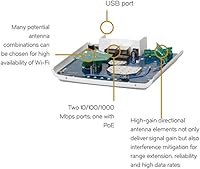
  • Antenna System: Internal BeamFlex+ (PD-MRC) adaptive antenna with 64 unique radiation patterns, dynamically selected per connected client to optimize signal quality and reduce interference.
  • MIMO Technology: MU-MIMO (Multi-User Multiple Input Multiple Output) is supported, allowing multiple client devices to receive data streams concurrently rather than sequentially.
  • Power Input: Powered exclusively via standard 802.3af Power over Ethernet (PoE); no power adapter or PoE injector is included in the box.
  • Ethernet Port: One 10/100/1000 Mbps Gigabit Ethernet port is used for both network connectivity and PoE power delivery via a single cable.
  • USB Port: One USB 2.0 port is present, supporting limited peripheral functions such as guest portal hosting or external storage integration.
  • Dimensions: The unit measures 6.5 x 6.61 x 1.61 inches (L x W x H), with a low-profile disc form factor designed for ceiling or wall mounting.
  • Weight: The R510 weighs 12.3 ounces, light enough for standard ceiling tile and drywall ceiling mount installations without structural reinforcement.
  • Firmware: Ships with Ruckus Unleashed firmware, a controller-free management platform that is configured and monitored via a local browser-based interface or mobile app.
  • Operating System: The unit runs ZyNOS, Ruckus's embedded network operating system, which underpins the Unleashed firmware environment.
  • Special Features: Supported modes include dedicated Access Point Mode and WPS (Wi-Fi Protected Setup) for simplified client device pairing where needed.
  • Color & Finish: The unit ships in white with a smooth plastic housing designed to blend unobtrusively into standard commercial and residential ceiling environments.
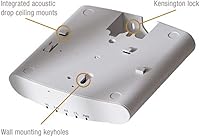
  • Mounting Type: Designed for indoor ceiling or wall mounting; a mounting bracket is included, compatible with standard junction boxes and ceiling tile grid systems.
  • Model Number: The official model identifier is 9U1-R510-US00 for the US variant, marketed under the ZoneFlex R510 Unleashed product line by RUCKUS WIRELESS, INC.
  • First Available: The R510 was first listed for sale in August 2016, making it a mature platform with a multi-year track record in both enterprise and prosumer deployments.
  • Frequency Bands: Concurrent dual-band operation covers both the 2.4 GHz band (longer range, higher interference) and the 5 GHz band (shorter range, faster throughput, less congestion).
  • Compatibility: Compatible with any 802.11a/b/g/n/ac wireless client device, including laptops, smartphones, tablets, and IoT devices that support standard Wi-Fi protocols.

Related Reviews
Ubiquiti U6+
Ubiquiti U6+
80%
88%
Wireless Performance
54%
Setup & Configuration
84%
Range & Coverage
82%
Build Quality & Design
91%
PoE+ Implementation
More
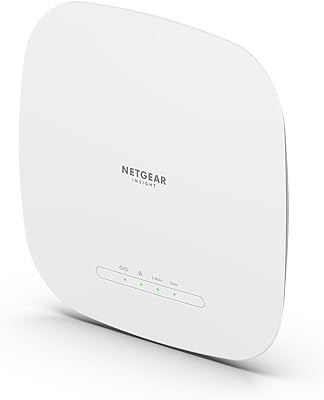
NETGEAR WAX615 Wireless Access Point
86%
91%
Performance
88%
Ease of Setup & Installation
93%
Coverage & Range
89%
Security Features
87%
App & Remote Management
More
BrosTrend AC1200 Dual-Band WiFi Access Point
76%
88%
Ease of Setup
71%
WiFi Signal Strength
74%
Connection Stability
81%
Build Quality & Design
76%
Dual-Band Performance
More
TP-Link EAP653 Wi-Fi 6 Access Point
83%
88%
Wireless Performance
79%
Setup & Installation
83%
Omada App & Controller Experience
91%
Build Quality & Design
84%
Range & Coverage
More
Cisco WAP4410N Wireless-N Access Point
86%
87%
Performance
92%
Setup and Installation
78%
Wireless Range
88%
Build Quality
94%
Security Features
More
EnGenius EAP350 N300 Wireless Access Point
82%
88%
Range & Coverage
81%
Ease of Setup
92%
Value for Money
85%
Reliability
87%
Signal Stability
More
TP-Link TL-WA1201 AC1200 Wireless Access Point
75%
88%
Value for Money
81%
Wi-Fi Coverage & Range
83%
Ease of Setup
86%
Multi-Mode Flexibility
58%
PoE Implementation
More
Ubiquiti airCube AC Wireless Access Point
79%
93%
Ecosystem Integration
91%
PoE Passthrough
74%
Wireless Coverage
78%
Setup & Installation
82%
Build Quality
More
TP-Link Omada EAP720 WiFi 7 Access Point
81%
88%
Wireless Performance
91%
Value for Money
83%
Setup & Installation
79%
Build Quality & Design
86%
Omada Ecosystem Integration
More
Zyxel NWA130BE WiFi 7 Access Point
77%
83%
Wireless Performance
74%
Setup & Initial Configuration
67%
Nebula Cloud Management
81%
Build Quality & Hardware Design
89%
PoE+ Implementation
More

FAQ

Yes, and this is the most important thing to know before you order. The R510 is powered through its Ethernet cable using a standard called 802.3af PoE — which means you either need a PoE-capable network switch or a standalone PoE injector (a small adapter that sits between your router and the AP). Neither is included in the box. Budget for one if you do not already own one.

Most Ruckus access points require a separate hardware or cloud controller to manage them, which adds cost and complexity. Unleashed is Ruckus's controller-free firmware that lets one AP in your network act as the master, managing the others through a browser-based interface or app — no subscription, no extra hardware. It is a smart middle ground between fully managed enterprise systems and basic consumer setups.

No, it is a pure access point, not a router. You still need a separate router or firewall handling DHCP, NAT, and your internet connection. The R510 plugs into that router's network and provides the wireless coverage — think of it as the Wi-Fi radio in your network, not the brain of it.

Honestly, it is not beginner-friendly. If you have never configured a VLAN, set up SSIDs manually, or accessed a device through its IP address in a browser, expect a learning curve. There are community guides and YouTube walkthroughs that help, but this is not a plug-and-play device in the way a consumer mesh router is. If you are comfortable with basic networking concepts, it is manageable — just not trivial.

Yes, and this is actually one of the stronger use cases for Unleashed firmware. You can cluster multiple units and they will handle client roaming between them automatically — phones and laptops transition between APs without dropping connections. Most users running two or three units in larger homes or offices report the roaming behavior works reliably with default settings, though some band-steering tuning can help in edge cases.

Updates have continued beyond what many expected for a 2016 product, but the pace has slowed. Ruckus has changed ownership since the R510 launched, and while support has not been officially ended, buyers planning deployments that need reliable security patches for five or more years should factor in that long-term support continuity is not guaranteed.

In most cases, yes. As long as your existing router has a spare Ethernet port (or you have a switch to expand), you can connect the R510 to your network. You will just need to make sure the AP gets a valid IP address from your router's DHCP server, which happens automatically in most home network setups.

It is a real technology, not just branding. Standard Wi-Fi antennas broadcast in a fixed pattern, similar to a light bulb illuminating a whole room evenly. BeamFlex+ dynamically selects among 64 antenna configurations per client device to find the cleanest signal path, reducing interference from neighboring networks or obstacles like concrete walls. In crowded Wi-Fi environments — apartment buildings, dense offices — the practical difference in stability is noticeable. In low-interference rural settings, the benefit is less obvious.

No. The R510 is an 802.11ac (Wi-Fi 5) device. Wi-Fi 6 (802.11ax) and Wi-Fi 6E are not supported. If you are buying for a network that needs to stay current with newer client devices over the next several years, or if you want the latency and efficiency improvements that Wi-Fi 6 brings in dense environments, you should look at newer hardware.

In an open-plan environment with standard drywall construction, a single R510 can comfortably cover roughly 3,000 to 4,000 square feet, though real-world results vary significantly with building materials, layout, and RF interference levels. Concrete construction, metal partitions, or heavily cluttered spaces will reduce that range. Ruckus's BeamFlex+ helps push usable range further than many competing APs, but for large or multi-floor buildings, plan for at least two units.

Where to Buy