Overview

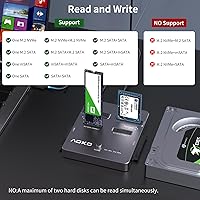
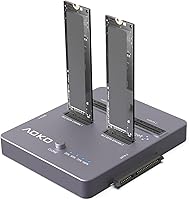
The AOKO 4-in-1 M.2 NVMe Hard Drive Duplicator is a standalone cloning dock that works entirely without a computer — plug in your drives, hold a button, and the copy process begins on its own. It handles four drive formats: NVMe, M.2 SATA, mSATA, and both 2.5″ and 3.5″ SATA, making it genuinely useful for anyone managing a mixed storage environment. The aluminum alloy shell feels solid and substantial despite its compact footprint. One thing to be clear about upfront: same-protocol cloning only. NVMe clones to NVMe; SATA clones to SATA variants. It cannot convert between protocols, and misunderstanding that limitation accounts for a fair share of buyer disappointment.
Features & Benefits

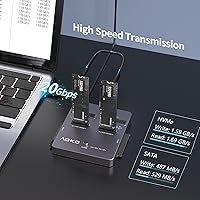
The centerpiece of this drive cloner is its offline one-button operation — hold the clone button for a few seconds and the process runs independently, no laptop, no software, no fuss. Ten distinct cloning modes cover the major same-protocol pairings, from NVMe-to-NVMe to various SATA and mSATA combinations. When connected to a host via USB 3.2 Gen 2×2, it also functions as a high-speed reader, with bandwidth headroom that keeps large transfers feeling brisk. The aluminum casing passively dissipates heat during extended sessions, and LED status indicators show exactly where the clone stands without requiring any screen or companion app.

Best For

This standalone cloning dock fits best in the hands of people who regularly deal with multiple drive types — IT technicians and sysadmins refreshing workstations, small businesses swapping aging spinning drives for SSDs, or home power users who have accumulated a drawer full of mixed-format storage. It is also a practical choice for field work; the compact body and self-contained operation mean you can bring it on-site without hauling a laptop just for cloning. If you routinely juggle both legacy 3.5″ HDDs and modern NVMe SSDs, this dock consolidates what would otherwise require multiple separate tools into one relatively tidy workflow.

User Feedback

With roughly 85 ratings and a four-star average, the AOKO duplicator has enough real-world feedback to be informative, though not yet enough to be considered definitive. Buyers most often praise the broad drive compatibility, the straightforward cloning process, and the build quality relative to the price tier. Where friction appears is the same-protocol restriction — a notable share of buyers expected cross-format cloning and were caught off guard at checkout or during setup. A smaller number mention occasional drive detection issues with certain form factors. Brand support responsiveness gets favorable mentions in several reviews. Treat the overall picture as cautiously positive; reliability conclusions are best reserved until the review pool grows larger.

Pros

  • Clones drives entirely offline — no laptop, no software, no cables beyond the power adapter needed.
  • Covers four drive types in one unit: NVMe, M.2 SATA, mSATA, and both 2.5″ and 3.5″ SATA.
  • NVMe-to-NVMe cloning is genuinely fast, completing a 1TB job in roughly the time of a short break.
  • Ten cloning modes give IT professionals flexible options across same-protocol drive pairings.
  • Aluminum alloy construction feels durable and helps passively manage heat during normal sessions.
  • LED progress indicators let you monitor clone status at a glance without being tethered to the dock.
  • Anti-slip silicone base keeps the unit planted on a workbench or desk during operation.
  • The two-year replacement warranty offers more post-purchase coverage than many competing docks.
  • Compact enough to fit in a laptop bag for on-site field work without adding significant bulk.
  • Functions as a high-speed USB reader when connected to a host, adding everyday utility beyond cloning.

Cons

  • Same-protocol-only cloning is a hard limitation that catches a meaningful number of buyers off guard.
  • No companion app or error log makes diagnosing a failed clone a frustrating guessing exercise.
  • The power brick must travel with the unit, undermining portability in locations without a wall outlet.
  • Drive detection issues with certain less-common NVMe brands and the longer 22110 M.2 form factor appear in user reports.
  • LED feedback is too basic to distinguish between a stalled clone and a simply slow one.
  • The review pool is still small, so long-term reliability data is limited and conclusions should be cautious.
  • Sustained back-to-back cloning sessions can push the chassis to uncomfortably warm temperatures.
  • Mode selection for less obvious drive pairings is poorly documented, with thin instructions included in the box.
  • Some users report the barrel connector on the power adapter feels inconsistent under extended use.
  • Buyers on tight budgets may find the value proposition weakens once the protocol restriction becomes clear.

Ratings

The AOKO 4-in-1 M.2 NVMe Hard Drive Duplicator earned an overall four-star average across its growing pool of verified buyer reviews, and our AI-driven scoring system has analyzed that feedback worldwide — actively filtering out incentivized, bot-generated, and duplicate submissions — to surface what real users actually experience. The scores below reflect both the genuine strengths and the recurring frustrations that show up consistently across independent purchases. Nothing has been smoothed over; categories where buyers run into trouble are scored accordingly.
Ease of Use
88%
Most buyers — including those with limited technical backgrounds — report getting through their first clone without consulting any documentation. The single-button initiation is hard to misuse, and the LED indicators remove any guesswork about whether the process is running or stalled.
A handful of users note the initial setup can be confusing when inserting drives of different thicknesses simultaneously, and the button-hold timing (3 to 5 seconds) occasionally triggers unintended mode selections if not done deliberately.
Drive Compatibility
83%
Covering NVMe PCIe Gen3 and Gen4, M.2 SATA in B+M Key configurations, mSATA in both common sizes, plus 2.5″ and 3.5″ SATA, this dock handles a remarkably wide range of drives for a single unit. IT technicians with mixed hardware fleets consistently highlight this as the main reason they chose it over single-format alternatives.
The same-protocol restriction is a genuine compatibility wall that surprises a notable share of buyers. Users expecting to clone an NVMe source onto a SATA destination — or vice versa — are simply out of luck, and this limitation is not always clearly communicated before purchase.
Cloning Speed
86%
For NVMe-to-NVMe jobs, the throughput is fast enough that a 1TB drive completes in roughly the time it takes to drink a coffee. Users running batch migrations across multiple drives in a workday notice a real difference compared to software-based cloning tied to a single host machine.
SATA cloning speeds are naturally capped by the SATA protocol itself, not the dock, but some buyers expect uniform fast speeds across all modes and feel let down when spinning HDD clones take significantly longer. The distinction between interface headroom and actual drive speed is not always intuitive.
Offline Cloning Reliability
74%
26%
When the drives are correctly matched in protocol and the source fits within the destination capacity, the cloning process completes successfully for the majority of users. Several IT professionals mention using it routinely for workstation refreshes without incident.
With only around 85 reviews, reliability patterns are still forming, and a non-trivial cluster of users reports failed or incomplete clones — particularly with certain NVMe drives from less common manufacturers. Drive detection hiccups with specific M.2 form factors (notably the longer 22110 size) also appear occasionally in feedback.
Build Quality
81%
19%
The aluminum alloy enclosure feels noticeably more substantial than the plastic shells common on budget docks in this category. At roughly 13 ounces it has enough heft to stay planted during operation, and the anti-slip silicone base does its job on both desk surfaces and workbench tops.
A few users note that the drive slots — while functional — feel slightly loose with certain M.2 card lengths, which raises minor concerns about long-term connector wear. The unit is compact, which is a plus for portability, but it also means the power cable exits at an angle that can feel awkward on a cluttered bench.
Thermal Management
77%
23%
The aluminum body acts as a passive heatsink, and in typical single-clone sessions it manages heat well enough that drives exit the process at reasonable temperatures. Users running back-to-back clones in an IT deployment scenario appreciate that the unit does not throttle noticeably during the first few cycles.
Extended multi-hour sessions — think cloning five or more drives consecutively — can cause the chassis to become uncomfortably warm to the touch. There is no active cooling, so in hot ambient environments or under heavy sustained workloads, thermal performance becomes a real constraint rather than a theoretical one.
Reader Mode Performance
79%
21%
Connected to a modern host via its USB 3.2 Gen 2x2 interface, this standalone cloning dock also functions as a high-bandwidth multi-drive reader. Users pulling data off old HDDs or benchmarking SSDs find the transfer headroom more than adequate for everyday read/write tasks.
Reader mode performance is ultimately constrained by the host system's USB controller, and some users on older laptops with USB 3.1 Gen 1 ports see speeds well below what the dock is capable of delivering. It also cannot read two NVMe drives simultaneously in reader mode, which limits its utility for certain parallel workflows.
LED Status Indicators
72%
28%
The progress LEDs serve their core purpose: you can glance at the dock from across the room and know whether the clone is still running or has completed. For users who start a clone and walk away to handle other tasks, this is genuinely useful feedback without needing a connected screen.
The LED readout is fairly rudimentary — it shows progress and completion but does not indicate errors with much granularity. Several users mention that distinguishing between a stalled clone and a slow one requires waiting rather than reading the indicator, which is frustrating when something quietly goes wrong.
Value for Money
71%
29%
For a dock that consolidates four drive formats into one unit with offline cloning capability and a respectable build, the price sits in a range that IT professionals can justify without a lengthy procurement argument. Compared to buying separate readers and a dedicated software-based cloner, the consolidated cost holds up reasonably well.
Buyers who later discover the same-protocol limitation — especially after purchasing extra drives to test cross-format cloning — feel the price is harder to justify. At this price tier, some competing docks offer more polished firmware and better error reporting, making the value calculation less clear-cut than it appears on the listing page.
Software & Firmware
58%
42%
The fact that no software is required for cloning is itself a meaningful advantage — there is nothing to install, update, or license. For users who just want to press a button and walk away, the absence of a software dependency is a genuine plus.
The flip side of that simplicity is that when something goes wrong, there is no diagnostic interface, no log file, and no firmware update path that buyers can easily access. Users who encounter cloning failures are largely left guessing whether the issue is a drive incompatibility, a firmware limitation, or a hardware defect.
Power Delivery Stability
76%
24%
The bundled 12V/3A adapter provides enough headroom to spin up a 3.5″ HDD — historically the most power-hungry drive type in any dock — alongside a second drive without obvious voltage sag. Users running large HDD-to-HDD clones report stable operation through the full duration.
A small number of users report that the power adapter runs warm after extended sessions, and one or two mention intermittent connection issues with the barrel connector under sustained load. Losing power mid-clone is a data-integrity risk, so any adapter instability is more consequential here than it would be for a simple reader.
Portability
82%
18%
At under four inches on its longest side and weighing less than a pound, the dock slides easily into a laptop bag or tool kit. Field technicians who need a self-contained cloning station without hauling additional equipment find the form factor genuinely practical for on-site work.
Portability is somewhat undermined by the requirement to carry the 12V power brick alongside the unit — USB bus power is not an option for cloning. In situations where a standard outlet is not readily available, the dock becomes considerably less useful in the field.
Documentation & Setup
63%
37%
The physical setup is intuitive enough that most technically inclined users can figure out drive insertion and mode selection without the manual. The ten cloning modes are logically organized for anyone already familiar with drive protocols.
The included documentation is thin, and the mode-selection process for less obvious combinations (such as M.2 SATA to 2.5″ SATA) is not well explained. The same-protocol restriction in particular needs clearer documentation — several negative reviews trace directly back to buyers who could not find a plain explanation of this constraint before purchasing.
After-Sales Support
69%
31%
Multiple reviewers cite positive interactions with customer service, and the two-year replacement warranty is a stronger commitment than many competitors at this price point offer. The brand's stated manufacturing background in storage peripherals lends some credibility to long-term support expectations.
With a relatively small review pool, the support track record is still limited in scope. A few users mention delays in receiving responses despite the advertised 24-hour reply window, and warranty claims requiring physical replacement add shipping friction that can slow resolution significantly.

Suitable for:

The AOKO 4-in-1 M.2 NVMe Hard Drive Duplicator is purpose-built for technically minded users who regularly deal with multiple drive formats and need a self-contained cloning solution that does not depend on a host computer. IT technicians and sysadmins refreshing workstation fleets will get the most out of it — the ability to kick off a clone, walk away, and return to a finished job is a genuine productivity advantage when you are processing several machines in a day. Small businesses swapping out aging spinning drives for modern SSDs will also find it fits neatly into the workflow without tying up a laptop or requiring cloning software licenses. Home power users who have accumulated a mix of old mSATA drives, 2.5″ laptop SSDs, and newer NVMe cards will appreciate having one dock that handles all of them rather than juggling multiple adapters. Anyone doing field work — on-site data migrations, repair shop drive copies, or IT support calls — benefits from the compact form factor and standalone operation, as long as a standard power outlet is available.
Not suitable for:

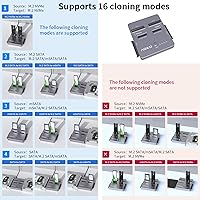
The AOKO 4-in-1 M.2 NVMe Hard Drive Duplicator is the wrong tool if your goal involves cloning across different storage protocols — this dock strictly requires source and destination to match, meaning NVMe to NVMe, SATA to SATA variants, and nothing in between. Buyers hoping to migrate an older SATA SSD onto a new NVMe drive — arguably one of the most common upgrade scenarios today — will need a different solution entirely, and purchasing this dock for that purpose will end in a return. Users who need detailed error reporting or firmware-level diagnostics when a clone fails will find the experience frustratingly opaque, since there is no companion app and the LED indicators offer limited fault information. If your workload involves running back-to-back clones for hours in a warm environment, the passive-only cooling approach may become a constraint before your session is done. Finally, casual users who only need to clone a single drive once or twice a year are unlikely to get enough use from this standalone cloning dock to justify its price tier — a software-based solution paired with a basic USB adapter would serve that need at a fraction of the cost.
Specifications

  • Interface: Connects to a host computer via USB 3.2 Gen 2×2, providing up to 20 Gbps of bandwidth when used in reader mode.
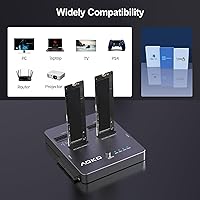
  • Supported Slots: Accommodates M.2 NVMe, M.2 SATA (B+M Key), mSATA, 2.5″ SATA, and 3.5″ SATA drives across its four physical bays.
  • NVMe Compatibility: Supports NVMe drives running on PCIe Gen3 and Gen4 protocols; PCIe Gen5 drives are not officially listed as compatible.
  • M.2 Form Factors: Accepts M.2 cards in 2230, 2242, 2260, 2280, and 22110 lengths, covering virtually all standard M.2 sizes currently in circulation.
  • mSATA Form Factors: Compatible with mSATA drives in both 30×30 mm and 51×30 mm footprints, covering the two most common mSATA card sizes.
  • Cloning Modes: Offers 10 distinct offline cloning mode combinations, all strictly same-protocol: NVMe to NVMe, mSATA to mSATA, and various M.2 SATA and 2.5″/3.5″ SATA pairings.
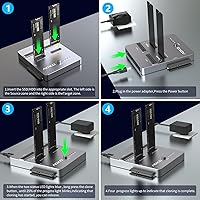
  • Offline Cloning: Operates fully without a connected computer in cloning mode; a simple button-hold sequence initiates the duplication process independently.
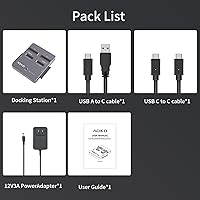
  • Power Supply: Powered by an included 12V/3A DC adapter, which provides enough headroom to spin up power-hungry 3.5″ HDDs reliably during cloning.
  • Casing Material: Enclosure is machined from aluminum alloy, which serves dual purposes as structural protection and a passive thermal management surface.
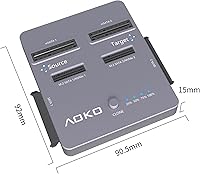
  • Dimensions: Measures 3.56 × 3.62 × 0.59 inches, making it compact enough to fit in a laptop bag or standard tool kit.
  • Weight: Weighs approximately 13.4 oz (around 0.38 kg), which gives it a solid, quality feel without adding meaningful bulk to a travel kit.
  • LED Indicators: Integrated LED progress lights provide real-time cloning status updates, including a completion signal, without requiring a screen or software interface.
  • Base Design: Features an anti-slip silicone base on the underside to reduce vibration transfer and keep the unit stable on smooth desk or workbench surfaces.
  • Warranty: Backed by a 2-year replacement warranty, with customer support advertised as available around the clock and targeting responses within 24 hours.
  • Manufacturer Background: Produced by QS under the AOKO brand, a manufacturer with approximately 16 years of stated experience in storage peripheral development.
  • Item Model: Listed under the model identifier NVMe Duplicator or SATA 3-in-1 Cloner, reflecting its dual positioning across NVMe and SATA use cases.

Related Reviews
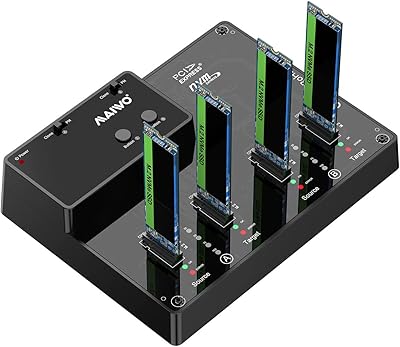
MAIWO M.2 NVMe SSD Cloner Duplicator 4 Bay Docking Station
86%
89%
Cloning Speed
92%
Ease of Setup
87%
Build Quality
90%
Heat Dissipation
93%
Compatibility with M.2 Sizes
More
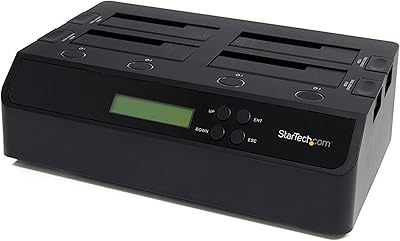
StarTech SATDUP11IMG Standalone Hard Drive Duplicator
79%
88%
Build Quality
74%
Cloning Speed
91%
Image Library Management
62%
LCD Interface & Usability
86%
Drive Compatibility
More
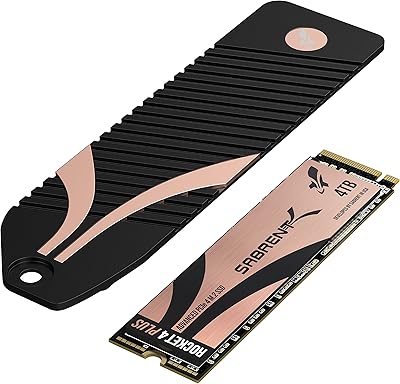
Sabrent 4TB Rocket 4 Plus NVMe 4.0 Gen4 PCIe M.2 SSD
87%
95%
Performance
89%
Thermals & Cooling
93%
PS5 Compatibility
85%
Value for Money
91%
Build Quality & Durability
More
TerraMaster D4-320
TerraMaster D4-320
80%
93%
Ease of Setup
86%
Transfer Speed
71%
Build Quality
88%
Noise Level
82%
Thermal Management
More
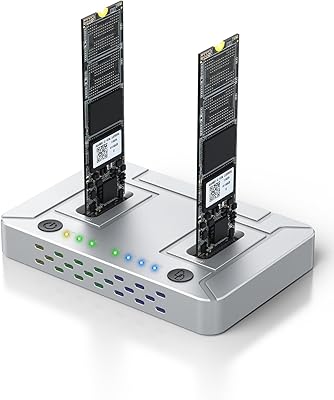
ACASIS M03 NVMe M.2 Dual-Bay Duplicator
78%
93%
Ease of Use
84%
Clone Reliability
81%
Transfer Speed
78%
Build Quality
62%
Heat Management
More
Coolpie CR220 Dual-Bay M.2 NVMe SSD Cloner
82%
93%
Ease of Use
88%
Offline Cloning Reliability
76%
Transfer Speed (NVMe)
61%
Protocol Compatibility
91%
Form Factor Support
More
KOOTION 2TB NVMe SSD PCIe 4.0 M.2
86%
88%
Performance
72%
Setup & Installation
94%
Compatibility
85%
Thermal Management
89%
Reliability
More
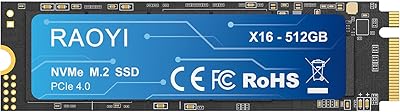
RAOYI 512GB NVMe M.2 PCIe 4.0 SSD
87%
92%
Performance
89%
Compatibility
93%
Ease of Installation
90%
Read Speed
88%
Write Speed
More
StarTech.com SATDOCK4U3RE 4-Bay Hard Drive Duplicator and Eraser
87%
91%
Cloning Speed
95%
Standalone Functionality
84%
Ease of Use
88%
Secure Erasure (NIST SP 800-88)
89%
Build Quality
More
Kingston KC3000 4TB PCIe 4.0 NVMe M.2 SSD
88%
96%
Performance
95%
Speed (Read/Write)
80%
Thermal Management
88%
Installation Ease
91%
Compatibility (PS5/PC)
More

FAQ

No, and this is the single most important thing to understand before buying. The dock only supports same-protocol cloning — NVMe must go to NVMe, and SATA-based drives must clone to other SATA-based drives. If your goal is to migrate data from a SATA SSD onto a new NVMe drive, this dock cannot do that, and you will need a different solution.

Not at all. In standalone cloning mode, you simply insert both drives, hold the clone button for a few seconds to select your mode, and the process runs on its own. No drivers, no apps, and no connected computer required. Software only becomes relevant if you are using the dock as a USB reader attached to your PC.

For NVMe-to-NVMe jobs, a 1TB drive typically completes in roughly 20 minutes under good conditions. SATA cloning is slower by nature — not because of the dock itself, but because SATA protocol throughput is lower than NVMe. Expect HDD-to-HDD clones to take considerably longer depending on drive capacity and condition.

Officially, the dock lists support for PCIe Gen3 and Gen4 NVMe drives. PCIe Gen5 compatibility is not confirmed by the manufacturer, so if you are working with a Gen5 drive, it would be worth confirming with AOKO support before purchasing rather than assuming it will work.

Yes — cloning to a larger destination drive is generally fine and is actually the most common upgrade scenario. What this drive cloner cannot do is clone to a destination that is smaller than the used data on the source, so make sure your target drive has enough capacity before you start.

Your source drive should remain completely untouched regardless of what happens to the destination — the process reads from the source and writes to the target, not the other way around. That said, always back up critical data before any cloning operation as a precaution. The dock does not provide detailed error feedback if something goes wrong, so diagnosing a failed clone may take some troubleshooting.

Yes, in reader mode you can plug it into a computer via USB and access your drives as external storage, transfer files, or run benchmarks. Just keep in mind that in this mode it functions as a reader, not a writer that clones — the cloning process only works in standalone offline mode with the drives inserted and no USB data connection to a host.

The M.2 SATA slot is designed for B+M Key cards, which is the standard keying for M.2 SATA drives. Pure M-Key slots are typically found only on NVMe drives, and those are handled by the dedicated NVMe bay. If you are unsure which key type your drive uses, check the physical notch on the edge connector — B+M Key cards have two notches, while M-Key cards have one.

Under normal single-clone use, the aluminum body stays warm but manageable. If you are running back-to-back clones over an extended period — like refreshing a stack of drives in one sitting — the chassis can get noticeably hot. There is no active fan, so in a warm room or under heavy sustained workloads, it is worth giving the unit a short rest between jobs.

Based on available user feedback, the support team is generally responsive, and the two-year replacement warranty is a stronger commitment than many competitors at this price point offer. A few users mention that response times can occasionally lag behind the advertised 24-hour window, and warranty claims requiring physical replacement naturally involve shipping logistics. Contacting support with a clear description of the issue and your purchase details tends to move things along faster.