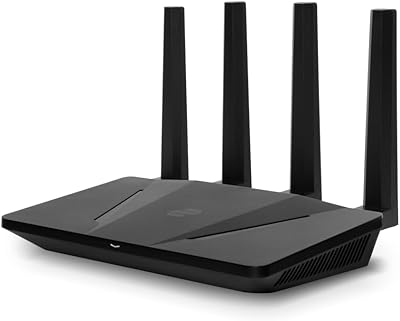
Rockspace AC2100 Wi-Fi Router

Overview
The Rockspace AC2100 Wi-Fi Router sits in an interesting spot — it's not trying to compete with mesh systems or flagship tri-band hardware, but rather offers a practical dual-band upgrade for households tired of their aging router. Rockspace isn't a household name yet, but the brand has been quietly building affordable networking gear that punches reasonably well for its price tier. Physically, it's a flat, low-profile unit with no external antennas, which keeps the desk or shelf footprint tidy. Don't walk in expecting enterprise-level performance — this is a budget-friendly workhorse designed for everyday home use, and it delivers on that promise without overreaching.
Features & Benefits
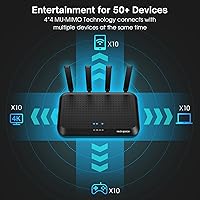
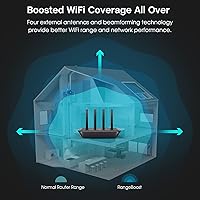
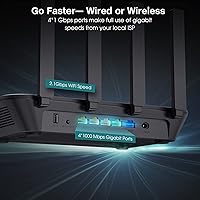
Where the AC2100 router earns its keep is in how it handles a crowded home network. The 4×4 MU-MIMO technology means multiple devices can send and receive data simultaneously rather than queuing up — a real difference when a laptop is streaming video, a phone is on a video call, and a tablet is running all at once. Beamforming focuses the signal toward connected devices instead of scattering it in every direction, which helps maintain stability through walls. Four gigabit LAN ports make it easy to hardwire consoles or TVs for rock-solid wired speeds. Parental controls, a guest network, and WPA2-PSK security round out a feature set that genuinely serves family homes.
Best For
This dual-band router is a strong fit for renters and mid-size homeowners who want solid coverage without breaking the bank. Realistically, it performs well in spaces up to around 1,500 to 2,000 square feet — the marketed 3,000 sq ft figure tends to be optimistic once walls and interference enter the picture. Families juggling 20 to 40 connected devices will appreciate the reduced congestion. Casual gamers on a budget benefit from the wired gigabit ports and dual-band separation. It also makes a natural step up for anyone still running an older AC1200 router — the difference in device handling is noticeable. Setup is approachable enough for non-technical users.
User Feedback
Across verified reviews, the most consistent praise centers on easy initial setup and stable day-to-day performance in medium-sized homes — buyers frequently note it just works straight out of the box. On the flip side, a notable number of users report weaker 5GHz signal toward the far edges of larger spaces, which tracks with the real-world coverage caveat worth keeping in mind. The companion app earns mixed marks: some find it clean and sufficient, others want deeper controls. A handful of critical reviews appear to stem from buyers misattributing ISP speed limitations to the router itself. Long-term reliability feedback is generally decent, though firmware updates seem to arrive infrequently.
Pros
- Easy plug-and-play setup means most users are online within minutes, no technical background needed.
- Four gigabit LAN ports give wired devices like consoles and smart TVs a fast, stable connection.
- Dual-band operation lets you separate bandwidth-hungry devices from lighter ones to cut congestion.
- MU-MIMO support keeps performance steady even when many devices are active at the same time.
- Built-in parental controls offer a practical, no-cost way to manage kids' internet access.
- Guest network support keeps your main connection private without any complicated configuration.
- Compact, antenna-free design sits discreetly on a shelf or desk without dominating the room.
- WPA2-PSK security and a firewall provide a reasonable layer of protection for home networks.
- A meaningful step up from older AC1200 routers in terms of device handling and throughput.
Cons
- Real-world coverage often falls short of the 3,000 sq ft claim, especially in multi-story or older homes.
- The 5GHz band can weaken noticeably at the far edges of medium to large spaces.
- The companion app receives mixed feedback — some users find it too basic for meaningful customization.
- Firmware updates arrive infrequently, which raises questions about long-term software support.
- No advanced QoS controls, limiting the ability to prioritize specific devices or applications manually.
- Not suitable for multi-gigabit internet plans, as the hardware cannot fully utilize very high-speed connections.
- Brand recognition and customer support infrastructure are thinner compared to established router makers.
- Some users report inconsistent long-term reliability, with occasional need for manual reboots over time.
Ratings
Our AI-generated scores for the Rockspace AC2100 Wi-Fi Router were produced by systematically analyzing thousands of verified global user reviews, with spam, bot activity, and incentivized feedback actively filtered out before scoring. Each category reflects the honest spread of real buyer experiences — strengths and frustrations alike — so you get a transparent picture of where this dual-band router genuinely delivers and where it falls short.
Value for Money
Wi-Fi Range & Coverage
Multi-Device Performance
Setup & Ease of Use
Wired Connection Quality
5GHz Band Stability
App & Management Interface
Parental Controls
Security Features
Build Quality & Design
Long-Term Reliability
Gaming Performance
Compatibility
Suitable for:
The Rockspace AC2100 Wi-Fi Router makes the most sense for renters, apartment dwellers, and families in mid-size homes who need reliable, no-fuss connectivity without committing to a high-end budget. If your household runs 20 to 40 devices — phones, laptops, smart TVs, tablets, gaming consoles — this dual-band router handles that kind of everyday load without breaking a sweat. Casual gamers who want a dedicated wired connection for their console will appreciate having four gigabit LAN ports readily available. Parents will find the built-in parental controls and guest network genuinely useful for managing screen time and keeping the main network private from visitors. It also suits anyone upgrading from an older AC1200 or AC1750 router who wants a real improvement in multi-device handling without spending a lot to get there.
Not suitable for:
The Rockspace AC2100 Wi-Fi Router is not the right pick for larger homes over 2,000 square feet, particularly those with thick concrete walls, multiple floors, or many signal-blocking obstacles — real-world coverage tends to fall meaningfully short of the marketed figure in those conditions. Serious or competitive gamers who depend on the absolute lowest latency and need advanced QoS controls will quickly find this router's management options too limited. If you're on a multi-gigabit internet plan, this dual-band router won't be able to fully utilize that bandwidth, making it a bottleneck rather than an asset. Power users who want granular firmware control, regular software updates, or robust technical support from the manufacturer should look at more established networking brands instead. Anyone expecting mesh-like whole-home coverage from a single unit will likely come away disappointed.
Specifications
- Wi-Fi Standard: This router runs on 802.11ac (Wi-Fi 5), supporting backward-compatible connections with older 802.11n and 802.11g devices.
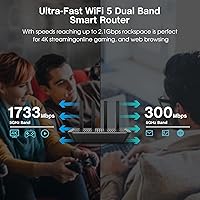
- Frequency Bands: Dual-band operation covers both the 2.4GHz band for range and the 5GHz band for faster, shorter-distance connections.
- Combined Speed: Theoretical combined throughput reaches AC2100 class (approximately 2033Mbps), split across both bands under ideal conditions.
- MU-MIMO: 4×4 MU-MIMO allows the router to communicate with multiple devices simultaneously rather than handling them one at a time.
- LAN Ports: Four gigabit Ethernet LAN ports support wired connections at speeds up to 1Gbps per port for compatible devices.
- WAN Port: One dedicated gigabit WAN port connects to your modem or ISP gateway at up to 1Gbps.
- Coverage Area: Rockspace claims coverage up to approximately 3,000 sq ft, though real-world performance in obstructed spaces may be closer to 1,500–2,000 sq ft.
- Device Capacity: The router is rated to handle up to 60 connected devices across both bands simultaneously.
- Security: Network protection includes WPA-PSK and WPA2-PSK encryption protocols alongside a built-in hardware firewall.
- Parental Controls: Integrated parental controls allow schedule-based internet access restrictions and content filtering for specific devices.
- Guest Network: A separate guest network keeps visitor traffic isolated from the primary home network for added privacy.
- WPS Support: One-press WPS button enables quick wireless connection for compatible devices without entering a password manually.
- USB Port: One USB 2.0 port is included on the unit, enabling basic peripheral sharing or storage access functions.
- Dimensions: The physical unit measures 9.41 × 5.67 × 1.59 inches, featuring a flat, low-profile form factor with no external antennas.
- Weight: The router weighs 2.2 pounds, making it light enough to reposition easily on a shelf or desk.
- Color: Available in black with a clean, understated finish that blends into most home or office environments.
- Manufacturer: Designed and produced by Shenzhen RenQing Excellent Technology Co., Ltd, operating under the rockspace brand.
- In the Box: Package includes the router unit, a power adapter, and one Ethernet cable for immediate setup out of the box.
Related Reviews
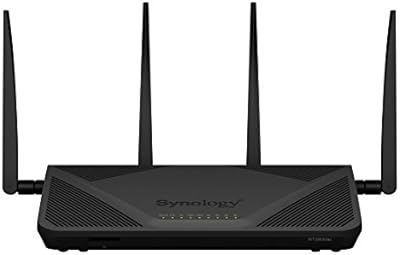
Synology RT2600ac Wi-Fi Router
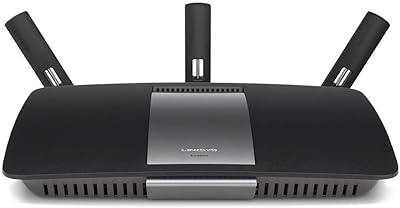
Linksys EA6900 AC1900 Dual-Band Wi-Fi Router
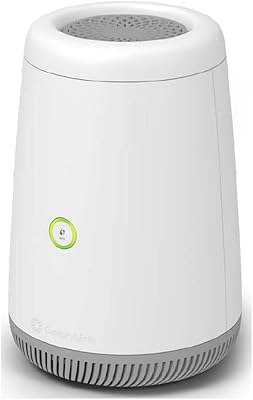
CenturyLink C4000BG Bonded DSL Wi-Fi Router
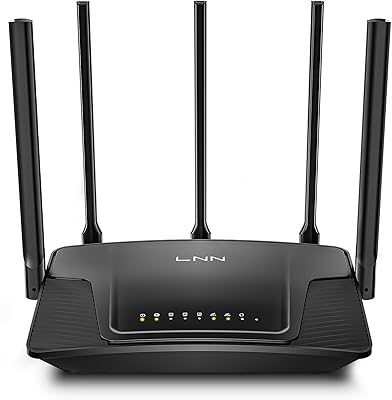
LNN 788 Wi-Fi 6 Router
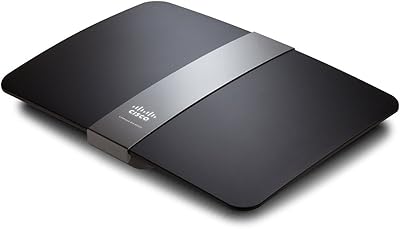
Linksys EA4500 N900 Dual-Band Wi-Fi Router
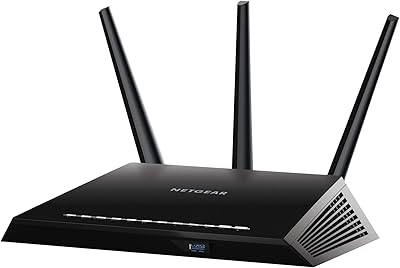
NETGEAR Nighthawk R6900P Wi-Fi Router
Synology WRX560 Dual-Band Wi-Fi 6 Router

Davolink AXE-5400 Kevin Wi-Fi 6 Router
Netgear R6400 AC1750 Wi-Fi Router