Overview

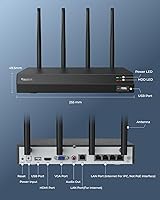
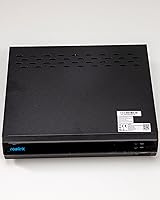
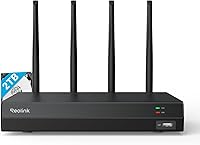
The Reolink RLN12W 2TB Wi-Fi 6 NVR arrived in late 2023 as a wireless alternative for homeowners who want serious multi-camera coverage without pulling cable through walls. This Wi-Fi NVR supports up to 16 cameras across both 2.4GHz and 5GHz bands, comes with a 2TB hard drive already installed, and stores everything locally — no subscription required. One thing buyers absolutely must understand before purchasing: it only works with Reolink cameras. That is not a hidden footnote; it is a hard lock. If you already own cameras from another brand, this recorder is simply not compatible.
Features & Benefits

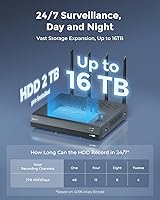
Wi-Fi 6 support is the headline here, and it does make a practical difference — less network congestion and more stable video streams compared to older 802.11ac recorders, especially if your home already has several Wi-Fi devices competing for bandwidth. The WPA3 security protocol adds real protection at the network level, which matters when your cameras are watching your property. Output tops out at 4K via HDMI, and the 16-channel capacity means you can grow your system over time without replacing the recorder itself. Storage is expandable to 16TB. Worth noting: plug-in Wi-Fi cameras require a temporary Ethernet connection during initial setup.

Best For

This 16-channel NVR fits best in the hands of existing Reolink users who want to consolidate cameras under one local recording system. It also makes sense for homeowners who want broad property coverage but cannot or do not want to run PoE cabling through their walls. People who dislike paying cloud storage fees month after month will appreciate that everything saves locally. However, buyers should be comfortable with a setup process that is not entirely plug-and-play — connecting plug-in cameras initially requires Ethernet, and battery-powered cameras need firmware updates on both the camera and the recorder before they will pair correctly.

User Feedback

With a 3.9-star average across 163 ratings, the Reolink wireless recorder sits slightly below the top performers in its category — not a red flag, but worth understanding. Buyers who are happy tend to highlight the no-fee local storage and the relatively straightforward Wi-Fi pairing once setup is complete. The friction points are predictable: some users are caught off guard by the Reolink-only compatibility, others run into issues pairing battery cameras before updating firmware. A smaller number report dropped connections or inconsistent remote access, though it is unclear how much of that reflects home network issues versus the recorder itself. Honest expectations going in make a real difference.

Pros

  • No monthly fees whatsoever — all footage is stored locally on the pre-installed 2TB drive.
  • Wi-Fi 6 dual-band support keeps streams more stable in homes with congested networks.
  • Supports up to 16 cameras, giving serious room to expand without replacing the recorder.
  • WPA3 encryption is a meaningful security upgrade over what most competing recorders in this tier offer.
  • Storage is expandable up to 16TB, so recording capacity can grow alongside your camera count.
  • 4K HDMI output lets you connect to a large monitor for sharp, detailed live viewing.
  • The Reolink app handles live view and playback on iOS and Android without extra software purchases.
  • A broad range of Reolink camera resolutions are supported, from 4MP up to 16MP.
  • Local recording continues 24/7 without any dependence on internet connectivity or cloud services.

Cons

  • Hard-locked to Reolink cameras only — any non-Reolink hardware you own becomes immediately incompatible.
  • Initial setup for plug-in Wi-Fi cameras requires a wired Ethernet connection, which surprises many buyers.
  • Battery-powered cameras need firmware updates on both devices before pairing will work at all.
  • Only one internal drive bay means you replace storage rather than add to it.
  • Remote access reliability is inconsistent — fine for casual check-ins but unreliable for active monitoring.
  • Wi-Fi range limitations can cause dropped connections for cameras at the far edges of larger properties.
  • No built-in power backup means any outage immediately interrupts recording with no failsafe.
  • The on-screen navigation interface feels dated compared to newer NVR platforms at similar price points.

Ratings

The scores below for the Reolink RLN12W 2TB Wi-Fi 6 NVR were generated by AI after analyzing verified buyer reviews from multiple global markets, with spam, incentivized, and bot-flagged submissions actively filtered out. The result is a balanced picture that reflects both what users genuinely appreciate and where real frustrations surface. Nothing here is sugarcoated — the strengths and the pain points are weighted equally.

Wireless Connectivity
78%
22%
Most users find that the Wi-Fi 6 dual-band support noticeably stabilizes streams compared to older NVR systems they had used before, particularly in homes with crowded 2.4GHz networks. Switching cameras to the 5GHz band in close-range installations is a practical option that experienced users take advantage of quickly.
Some buyers report intermittent dropped connections, especially with cameras positioned at the far edges of their property. It is not a universal issue, but range limitations in larger homes or properties with thick walls come up often enough to warrant caution before assuming full coverage.
Setup & Installation
63%
37%
For users who are already in the Reolink ecosystem, the overall pairing process is relatively straightforward once the initial hurdles are cleared. The mobile app guides you through the steps clearly, and most plug-in cameras connect without needing to touch a router settings page.
The requirement to use an Ethernet cable during initial setup catches a surprising number of buyers off guard — the product is marketed as wireless, so this wired step feels inconsistent. Battery-powered cameras add another layer of friction, requiring firmware updates on both the camera and the recorder before they will pair at all.
Camera Compatibility
51%
49%
Within the Reolink lineup, compatibility is broad — it supports cameras ranging from 4MP all the way up to 16MP, and most current Reolink models connect without issue. For someone already running several Reolink cameras around their home, this recorder genuinely centralizes everything cleanly.
The hard lock to Reolink-only cameras is the single biggest source of buyer regret in the reviews. Anyone coming from a mixed-brand setup or hoping to reuse existing cameras from another manufacturer will find this recorder completely unusable for that purpose — and that detail is easy to miss before purchasing.
Local Storage & Recording
88%
The pre-installed 2TB drive handles continuous 24/7 recording across multiple cameras without filling up alarmingly fast, and the fact that everything stays local resonates strongly with privacy-conscious buyers. No subscription fees whatsoever is a genuinely meaningful advantage for households tired of paying monthly for cloud access.
The single internal drive bay means you are capped at one physical drive, and while 16TB expansion is supported, you have to replace the existing drive rather than add to it. A few users also note that if the drive fails, local footage is gone — there is no built-in redundancy.
Video Quality & Resolution
84%
The 4K HDMI output paired with high-resolution Reolink cameras produces impressively sharp live view and playback footage when displayed on a compatible monitor. Users running 8MP or 12MP cameras in particular report that license plate and facial detail holds up well during playback.
Resolution performance is only as good as the cameras attached, and lower-end Reolink models in the lineup can look noticeably underwhelming on the same system. A small number of users also report that simultaneous 4K streams from multiple cameras can occasionally cause the interface to lag.
Remote Access & App Experience
71%
29%
The Reolink app works across iOS and Android and gives users live view, playback, and basic camera controls from anywhere with a data connection. Most buyers find day-to-day remote checking straightforward once the account is configured.
Remote access reliability gets mixed marks — some users report consistent performance while others describe delays, failed connections, or the app dropping the feed during longer viewing sessions. It is not a deal-breaker for casual check-ins, but anyone relying on it for active monitoring may find it inconsistent.
Build Quality & Hardware
76%
24%
The unit feels solidly constructed for its price tier — not premium, but nothing about it feels fragile or cheap either. At just over five pounds with a pre-installed drive, it has enough physical substance to feel like a serious piece of hardware.
The chassis design is fairly utilitarian, with no standout build features worth noting. A handful of buyers mention that ventilation around the drive bay feels limited, raising mild concerns about long-term heat management in warmer environments or enclosed cabinet installations.
Value for Money
82%
18%
For a Wi-Fi 6 NVR with a 2TB drive pre-installed and no recurring fees, the price point lands in a reasonable range relative to what the hardware actually delivers. Buyers who fully commit to the Reolink ecosystem tend to feel they got fair value, especially compared to cloud-subscription alternatives.
For someone who needs to buy compatible cameras on top of the recorder, the total system cost adds up quickly. The value calculation also weakens if you later want to migrate to a different camera brand — the recorder has no resale flexibility for mixed setups.
Network Security
86%
WPA3 support is a meaningful upgrade over what most competing NVRs in this tier offer, and technically informed buyers specifically call it out as a reason they chose this recorder over alternatives. Local storage with no cloud dependency also means your footage is not sitting on a third-party server.
While WPA3 is present, some users note that the default network configuration options in the interface are not particularly advanced, limiting fine-grained control for more security-conscious setups. Those wanting VLAN isolation or advanced firewall rules will need to manage that entirely at the router level.
Multi-Camera Management
79%
21%
Managing up to 16 cameras from a single interface — whether on the local monitor or through the app — is genuinely practical for larger properties. Users with six or more cameras report that the layout and channel organization in the interface holds up without becoming unwieldy.
At full 16-camera capacity, some users report that the interface becomes slower to navigate and that switching between live feeds introduces noticeable delays. The system handles modest setups well, but pushing it toward its ceiling reveals performance trade-offs.
Power & Energy Efficiency
73%
27%
The DC 12V/2A power draw is modest for a 16-channel recording device, and users running it continuously report that it does not add meaningfully to their electricity bill. The low power profile also means it runs quietly without generating excessive heat under normal loads.
There is no built-in UPS or battery backup, so a power outage will interrupt recording immediately. This is standard for the category, but buyers in areas with unreliable power should factor in the cost of an external UPS to avoid losing footage during outages.
Display Output
81%
19%
The 4K HDMI output at 3840x2160 is a genuine asset for users who want to connect the recorder to a large TV or monitor for live monitoring. The additional VGA output is a practical legacy option that some users with older monitors actively appreciate.
Display performance is tied entirely to monitor quality, and the interface itself is not particularly polished visually. A few users note that on-screen navigation feels dated compared to more modern NVR interfaces from competing brands at similar price points.
Scalability
83%
Starting with a handful of cameras and expanding over time without replacing the central recorder is a realistic path with this 16-channel NVR. The storage expansion path to 16TB also gives room to grow the recording capacity as more cameras are added.
Scalability is ultimately bounded by Reolink's own camera lineup and the single internal drive bay. You cannot diversify camera brands as your needs evolve, which means long-term flexibility is more limited than the channel count alone might suggest.

Suitable for:

The Reolink RLN12W 2TB Wi-Fi 6 NVR is a strong fit for homeowners who are already invested in the Reolink camera ecosystem and want a central hub that brings all their cameras together under one local recording system. It makes particular sense for people who have resisted cloud-based security systems on principle — whether for privacy reasons or simply because paying a monthly fee indefinitely does not appeal to them. Properties where running PoE cabling is impractical or too disruptive are another natural use case, since this Wi-Fi NVR removes that cabling requirement almost entirely. Buyers who want room to grow their system gradually will also find the 16-channel capacity and expandable storage useful, since neither the recorder nor the storage infrastructure needs to be replaced as more cameras are added. Small business owners or landlords managing a single site with moderate camera counts and a preference for on-site storage over cloud dependency will find this 16-channel NVR fits that brief well.
Not suitable for:

The Reolink RLN12W 2TB Wi-Fi 6 NVR is simply not the right tool if you already own cameras from another brand — the recorder is hardware-locked to Reolink cameras only, with no workaround. Buyers who assumed they could mix in cameras from Hikvision, Dahua, Amcrest, or any other manufacturer will be forced to start their camera setup from scratch, which changes the cost calculation entirely. Anyone expecting a completely wire-free unboxing experience should also temper expectations: plug-in Wi-Fi cameras require a temporary Ethernet connection to complete initial pairing, and battery-powered cameras require firmware updates on both the camera and the recorder before they will work together. If you need rock-solid remote access reliability for active off-site monitoring — rather than occasional check-ins — the mixed user feedback on app consistency is worth taking seriously before committing. Finally, buyers who want advanced network configuration options or integration with third-party NVR software like Blue Iris or iSpy will find this Reolink wireless recorder too closed a system for those purposes.

Specifications

  • Channels: This recorder supports up to 16 simultaneous camera channels, allowing for broad property coverage without requiring a second unit.
  • Pre-installed HDD: A 2TB hard drive comes factory-installed, providing immediate 24/7 recording capacity straight out of the box.
  • Max Storage: The internal drive bay supports a single HDD of up to 16TB, allowing for a significant storage upgrade as your camera count grows.
  • Wi-Fi Standard: Wireless connectivity runs on Wi-Fi 6 (802.11ax), offering improved throughput and reduced network congestion compared to older 802.11ac recorders.
  • Frequency Bands: Dual-band operation covers both 2.4GHz and 5GHz, giving users flexibility to assign cameras based on range needs and network conditions.
  • Security Protocol: WPA3 encryption is used for wireless network protection, a step above the WPA2 standard found on most competing NVRs in this price range.
  • HDMI Output: The HDMI port supports display output up to 3840x2160 (4K UHD), suitable for connection to a large 4K monitor or television.
  • VGA Output: A VGA output is also included, supporting resolutions up to 1920x1080 for compatibility with older monitors.
  • Ethernet Ports: Four 10/100Mbps Ethernet ports are available for wired camera connections, plus one dedicated 10/100Mbps port for LAN or WAN network access.
  • Camera Resolution: Compatible Reolink cameras ranging from 4MP up to 16MP are supported, with live view and playback up to 7680x2160 resolution.
  • Compatible Devices: This recorder works exclusively with Reolink-brand cameras; all current Reolink models are supported except those using 4G LTE connectivity.
  • Power Supply: The unit is powered via a DC 12V/2A adapter, which is included in the box and contributes to a relatively low continuous power draw.
  • Network Protocols: Supported network protocols include HTTP, TCP/IP, UDP, DHCP, P2P, RTSP, RTMP, SMTP, SSL/TLS, DNS, DDNS, NTP, and FTP.
  • OS Support: The system is compatible with Windows and Mac OS on desktop, and iOS and Android on mobile, with browser support for Chrome, Firefox, Edge, and Safari.
  • Dimensions: The unit measures 15.59 x 12.6 x 3.46 inches, giving it a relatively slim profile suitable for shelf or rack placement.
  • Weight: At 5.61 pounds with the pre-installed hard drive, the recorder is substantial enough to feel solid without being difficult to reposition during installation.
  • Live View Resolution: The maximum simultaneous live view resolution across all channels is 7680x2160, depending on the cameras connected and the monitor in use.
  • Two-Way Audio: Two-way audio is not built into the recorder itself and requires a separately connected external speaker to function.

Related Reviews
LNN 788 Wi-Fi 6 Router
74%
91%
Ease of Setup
78%
Wi-Fi Speed Performance
67%
Coverage & Range
82%
Multi-Device Handling
79%
Gaming & Streaming Quality
More
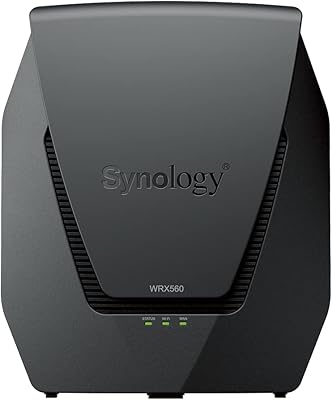
Synology WRX560 Dual-Band Wi-Fi 6 Router
77%
91%
Network Security
88%
Software & Firmware
86%
VLAN & Network Segmentation
83%
Wired Connectivity
71%
Wireless Performance
More
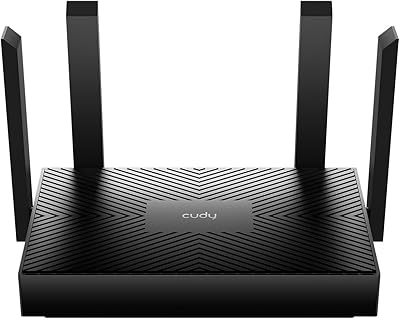
Cudy AX1500 Wi-Fi 6 Router WR1500
83%
92%
Value for Money
88%
Wi-Fi Performance (5GHz)
79%
Wi-Fi Performance (2.4GHz)
74%
Range and Coverage
93%
Ease of Setup
More
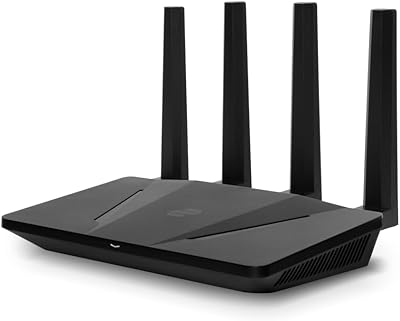
ExpressVPN Aircove Wi-Fi 6 VPN Router
75%
91%
Ease of Setup
78%
VPN Performance
93%
Device Grouping
69%
Wi-Fi Coverage
54%
Value for Money
More
Netgear Nighthawk AX4 RAX40 Wi-Fi 6 Router
84%
92%
Wi-Fi Speed & Performance
88%
Ease of Setup & Installation
85%
Coverage Range
78%
App Usability
90%
Stability for Gaming & Streaming
More
TP-Link RE705X Wi-Fi 6 Range Extender
84%
89%
Performance
87%
Wi-Fi Coverage Range
93%
Ease of Setup
85%
Connectivity Reliability
70%
App Experience
More
Ubiquiti Dream Router Wi-Fi 6 Router

79%
93%
Network Stability & Reliability
54%
Setup & Initial Configuration
78%
Wi-Fi 6 Performance
91%
UniFi Controller Integration
74%
Value for Money
More
Cudy RE3000 AX3000 Wi-Fi 6 Extender
74%
88%
Setup & Ease of Use
76%
Wi-Fi Coverage
67%
5 GHz Band Performance
81%
2.4 GHz Band Reliability
63%
Real-World Speed Throughput
More
EnGenius EWS276-FIT Wi-Fi 6 Access Point
85%
88%
Performance
91%
Setup & Installation
86%
Wi-Fi Speed & Range
89%
Ease of Use (App/Cloud Management)
84%
Reliability
More
TP-Link Archer AX55
TP-Link Archer AX55
76%
83%
Wireless Performance
74%
Coverage & Range
86%
Device Handling & Congestion
91%
Setup & Ease of Use
78%
Build Quality & Design
More

FAQ

No — this Wi-Fi NVR is locked to Reolink cameras only. It will not recognize or pair with cameras from Hikvision, Dahua, Amcrest, or any other manufacturer. If you have existing non-Reolink cameras, you would need to replace them entirely to use this system.

Yes, for plug-in Wi-Fi cameras the initial configuration requires a temporary Ethernet connection between the camera and the recorder. Once that first-time setup is complete, the cable can be removed and the camera operates wirelessly. It is a one-time step, but it does catch people off guard given the product is marketed as wireless.

They can, but not immediately out of the box. Both the battery camera and the recorder need to be running the latest firmware before pairing will work. Make sure to update both devices through the Reolink app before attempting to connect them, otherwise the system simply will not recognize the camera.

None at all. Remote viewing through the Reolink app is included at no extra cost, and all recordings are stored locally on the internal hard drive. You are never pushed toward a subscription to access your own footage.

It depends on how many cameras you have running and at what resolution, but for a typical four-to-six camera setup recording continuously at 5MP, two weeks of footage before overwriting is a reasonable expectation. Fewer cameras or lower resolution settings will extend that window considerably. If retention time matters a lot to you, upgrading to a larger drive is straightforward.

You can upgrade the internal drive up to 16TB, but the recorder only has one internal drive bay — so you replace the existing 2TB drive rather than adding a second one alongside it. There is no RAID or multi-drive option here.

No. Local recording runs entirely on the internal hard drive and does not depend on an active internet connection. You only need internet access if you want to use remote viewing through the app or receive push notifications on your phone.

That depends heavily on your home layout and router placement, but 5GHz works best for cameras within relatively close range of the recorder — roughly within 30 to 50 feet without walls in between. Cameras farther away or separated by multiple walls are generally better assigned to the 2.4GHz band for more reliable signal penetration.

Yes, but it requires extra hardware. Reolink states that PoE cameras can be connected using a Reolink PoE switch or by running a network cable with a separate power adapter to the camera. It is not as plug-and-play as a dedicated PoE NVR, but it is technically possible for users who want to mix camera types within the Reolink lineup.

Recording stops immediately during a power outage since there is no built-in battery backup. Any footage up to the moment of the outage is preserved on the hard drive, but nothing is captured while the power is down. If you are in an area with unreliable power, connecting the recorder to an external UPS is worth the investment.

Where to Buy