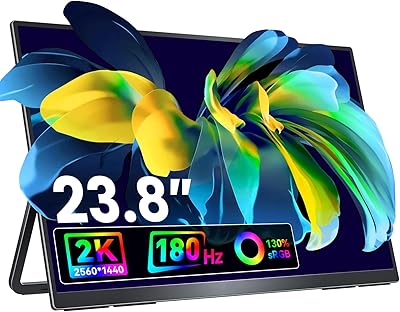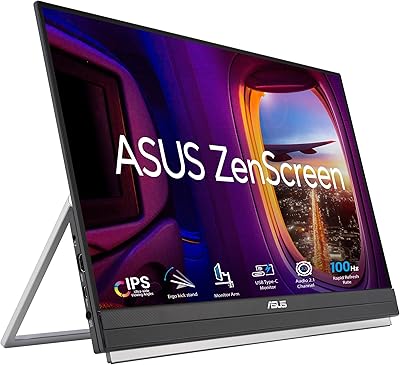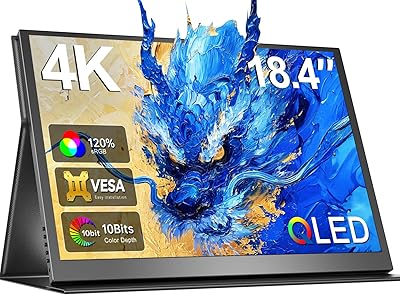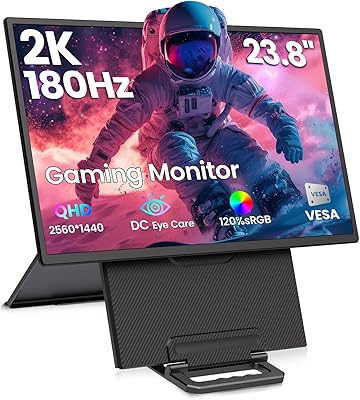
Overview

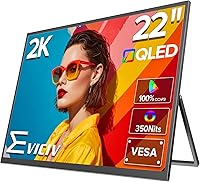
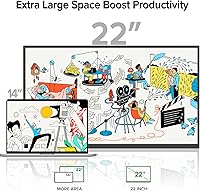
The EVICIV 22-inch QLED 2K Portable Monitor stands out in a category dominated by 15- to 17-inch panels, offering significantly more screen real estate for remote workers, content creators, and on-the-go gamers. At its mid-to-premium price point, you're essentially paying for a bigger, more capable display without the bulk of a traditional desktop monitor. The QLED panel and dual connectivity via USB-C and HDMI are two immediate selling points, but it's the built-in adjustable kickstand that makes daily use feel genuinely practical. This is a display built for people who need a serious secondary screen away from their desk — not just something that barely gets the job done.

Features & Benefits

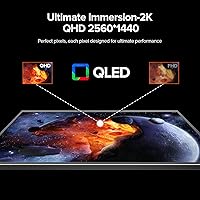
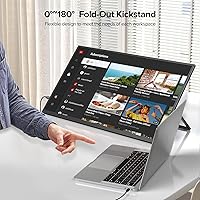
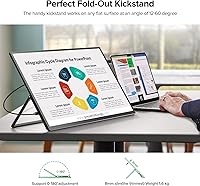
The QLED panel is where this portable monitor genuinely earns attention. Running at 2560x1440 across a 22-inch matte surface, the pixel density is sharp enough for detailed design layouts, spreadsheets, or video timelines — things that look noticeably cramped on lower-resolution portables. Color accuracy is a real highlight: 100% DCI-P3 coverage means reds, greens, and blues render with a richness that standard IPS panels simply cannot match at equivalent brightness. The built-in 180-degree kickstand handles most desk and surface scenarios well, and VESA compatibility is a welcome addition if you ever want a fixed mount. FreeSync rounds out the spec sheet for gamers pairing this with an AMD-powered machine.

Best For

Frequent travelers who rely on a laptop as their only workstation will probably get the most value from this large travel screen — the jump from a built-in 15-inch display to 22 inches of dedicated workspace makes a real difference for multitasking. It is equally well-suited for portable gaming setups, whether that is a gaming laptop or a handheld console that benefits from a bigger panel. Photo and video editors working remotely will appreciate the color fidelity on a screen this size. Even home office users who want a flexible dual-monitor setup without permanent hardware will find the kickstand-and-VESA combination genuinely useful. It is less ideal for ultra-light packers who count every ounce.

User Feedback

Buyers tend to praise the color vibrancy and the convenience of having such a large portable screen that connects in seconds — the plug-and-play experience via USB-C gets frequent mentions, which matters when you are setting up in a hotel room or a coffee shop. On the flip side, the weight at around 3.5 pounds is a recurring talking point for those accustomed to lighter portables; it is noticeable in a bag over a long day. A few users note the kickstand feels less secure at steep downward angles, which aligns with the manufacturer's own guidance. Overall satisfaction trends positive, particularly among semi-stationary users, though dedicated travelers occasionally wish it were a touch lighter.

Pros

  • The 22-inch screen size gives a genuinely noticeable workspace advantage over the 15-inch portables most people compare it against.
  • QLED color performance is visibly richer than standard IPS panels, particularly for photo editing and vibrant game visuals.
  • 2560x1440 resolution keeps text and fine detail sharp at this screen size, which matters for long work sessions.
  • The built-in kickstand handles a wide range of angles and works reliably on flat surfaces without needing an extra stand.
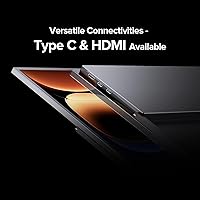
  • USB-C and HDMI connectivity means compatibility with laptops, MacBooks, game consoles, and handhelds without adapters.
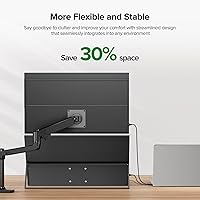
  • VESA mount support makes it easy to fix this portable monitor to a wall or monitor arm for a semi-permanent setup.
  • FreeSync reduces tearing noticeably in gaming scenarios when paired with an AMD GPU.
  • The matte screen surface cuts glare effectively in mixed-light environments like offices and coffee shops.
  • Plug-and-play USB-C setup is fast and fuss-free, which users consistently praise when setting up in unfamiliar spaces.

Cons

  • At roughly 3.5 pounds, this large travel screen is heavier than most ultra-slim portable monitor competitors.
  • The kickstand can feel less secure at steep downward angles, which limits some ergonomic configurations.
  • QLED improvements are most apparent in color-critical tasks; general productivity users may not notice a clear difference over IPS.
  • The 22-inch footprint is too large for genuinely compact travel setups like economy airline tray tables.
  • No touchscreen support limits its appeal for users who work with annotation apps or tablet-style workflows.
  • The safety advisory around tilt angles, while practical, signals that the stand mechanism has real mechanical limits.
  • At this price tier, buyers expecting a higher peak brightness for very bright outdoor or sunlit environments may be disappointed.

Ratings

The scores below for the EVICIV 22-inch QLED 2K Portable Monitor were generated by our AI rating engine after analyzing verified global buyer reviews, with spam, bot activity, and incentivized feedback actively filtered out. Each category reflects honest aggregated sentiment — strengths are credited where earned, and recurring pain points are surfaced without sugarcoating. The result is a transparent, balanced picture of how this large-format portable display actually performs in real-world use.

Color Accuracy
91%
Buyers working in photo editing and video color grading consistently single out the QLED panel as a genuine upgrade over IPS portables they had used before. At full brightness, reds and blues appear richer and more saturated without looking oversaturated in normal content consumption.
Users who primarily run productivity apps — documents, spreadsheets, browser tabs — report that the color improvement over a good IPS panel is subtle at best in those contexts. The QLED advantage is real, but it is most visible to people who already have a trained eye for color.
Screen Size & Workspace
93%
The jump to 22 inches from a typical 15-inch laptop screen is immediately impactful for multitaskers — buyers describe being able to comfortably run two document windows side by side without any squinting. For travelers used to cramped laptop displays, this is consistently one of the most praised aspects.
The large footprint that makes it great for desk use becomes a liability in tight spaces like economy airline trays or small cafe tables. A handful of users note that 22 inches is simply too wide to use comfortably in certain mobile scenarios.
Portability & Weight
67%
33%
Most buyers acknowledge that fitting a 22-inch display into a laptop bag at all is genuinely impressive, and for semi-regular travelers — people taking occasional business trips rather than daily commuters — the weight feels acceptable given the screen size.
At roughly 3.5 lb, this large travel screen is noticeably heavier than the slim 15-inch portables many buyers were upgrading from, and daily commuters who already carry a full laptop setup report that it adds up quickly. Ultralight packers looking to keep their bag under a certain weight threshold will feel the difference.
Kickstand & Ergonomics
72%
28%
The built-in 180-degree adjustable kickstand removes the need for a separate stand accessory, which buyers on the move appreciate for reducing the number of items they need to carry. On a solid flat surface, most users find a comfortable viewing angle with minimal adjustment.
Several users note that the kickstand feels less secure when pushed toward extreme angles, and the manufacturer's own advisory about avoiding steep downward tilts reinforces that this is a known limitation. On soft or uneven surfaces, stability is a recurring complaint.
Image Sharpness
88%
At 2K resolution across a 22-inch panel, text and fine UI details render cleanly without the softness that affects lower-resolution portables scaled up to this size. Designers and developers who spend hours looking at code or detailed layouts consistently praise how comfortable the image is to work with.
At this screen size, 2K resolution is solid but not exceptional — buyers who use 4K desktop monitors at home occasionally note the step down in pixel density when switching to this portable screen for extended sessions.
Connectivity
86%
USB-C and HDMI coverage handles the vast majority of modern devices without needing adapters, and plug-and-play reliability is frequently praised in buyer feedback. The single-cable USB-C setup for both power and video is particularly appreciated by MacBook and gaming laptop users.
There is no DisplayPort input, which matters to a small subset of buyers with older workstations or specific docking station setups. Some users also wish for a second USB-C port for added flexibility.
Glare & Reflections
83%
The matte screen surface earns consistent positive mentions from buyers using this portable monitor in mixed-light environments like hotel lobbies, co-working spaces, and near windows. It handles overhead office lighting particularly well compared to glossy portable screens.
In very bright outdoor environments, the matte coating alone is not sufficient to maintain visibility at 350 nits, and a few buyers who hoped to use it near windows in direct sunlight found the brightness insufficient. It is firmly an indoor display.
Gaming Performance
78%
22%
FreeSync support makes a tangible difference for AMD GPU users who play fast-paced titles, with buyers noting reduced screen tearing compared to non-adaptive-sync portables. For casual and mid-paced gaming on a laptop or Steam Deck, the display performs reliably well.
The 60Hz refresh rate limits its appeal for competitive gamers who play at high frame rates, and buyers coming from 144Hz desktop monitors will feel the constraint immediately. It is a capable casual gaming screen, not a performance gaming monitor.
Build Quality
79%
21%
The slim chassis feels premium for a portable display at this price tier, and buyers report that the overall construction inspires confidence for regular travel use. The matte panel surface resists fingerprints reasonably well compared to glossy alternatives.
The kickstand mechanism draws the most criticism in terms of build, with a subset of users questioning its long-term durability under frequent adjustment. A few buyers also mention that the bezels, while slim, show fingerprints and smudges around the edges with daily handling.
Setup & Ease of Use
89%
The vast majority of buyers report a genuinely fast first-time setup — plug in a USB-C cable and the display is recognized immediately on both Mac and Windows without any driver installation. Frequent travelers particularly value this frictionless experience when setting up in a new location.
A small number of users report intermittent compatibility issues with specific USB-C hubs or docking stations, which required switching to a direct connection to resolve. The on-screen display menu is functional but not the most intuitive to navigate for first-time users.
Brightness & HDR
71%
29%
At 350 nits, indoor brightness is sufficient for most working environments, and the QLED panel makes the most of that brightness level by maintaining accurate colors even at higher output settings. For evening work sessions and darker environments, the display looks particularly good.
There is no true HDR certification, so buyers expecting HDR performance comparable to a high-end desktop monitor will be disappointed. The brightness ceiling also means that in any setting with strong ambient light, screen visibility becomes a genuine issue.
Value for Money
74%
26%
For buyers who specifically need a large, color-accurate portable display, the combination of 22 inches, QLED, and 2K resolution at this price is difficult to replicate with competing products. The VESA compatibility and kickstand add real versatility that would otherwise require purchasing accessories separately.
Buyers who do not prioritize color accuracy or large screen size will find the pricing harder to justify against lighter, cheaper 15-inch portables that cover basic productivity needs. The weight and size trade-offs make the value equation very use-case dependent.
VESA Mount Compatibility
82%
18%
Having VESA support on a portable monitor is an underappreciated feature that buyers with home offices genuinely take advantage of — mounting this large travel screen on an adjustable arm creates a flexible secondary display that can be stowed or repositioned easily. It adds meaningful longevity to the purchase.
The M4 screw size is smaller than standard VESA mounts, so buyers need to verify their bracket or arm supports M4 hardware before purchasing. Some universal arms require an adapter plate, which is an extra step that catches buyers off guard.

Suitable for:

The EVICIV 22-inch QLED 2K Portable Monitor is a strong match for professionals who regularly work away from a fixed desk and find a laptop screen alone genuinely limiting. If you spend time in hotels, co-working spaces, or client offices and need a proper secondary display for spreadsheets, design tools, or video editing, this portable monitor delivers the screen size and color accuracy to actually support that work. Creative freelancers who care about color fidelity — photographers culling shoots on the road, for instance — will notice a real difference compared to a generic IPS portable. It also suits gamers who travel with a laptop or handheld console and want a larger panel without hauling a traditional monitor. Home office users looking for a flexible dual-screen setup that can be packed away when guests arrive will find the adjustable kickstand and VESA compatibility cover both scenarios well.

Not suitable for:

The EVICIV 22-inch QLED 2K Portable Monitor is not the right call if minimizing carry weight is your top priority. At around 3.5 pounds, it is noticeably heavier than the slim 15- or 16-inch portables that ultralight travelers tend to prefer, and combined with its physical footprint, it demands real bag space. Buyers who only need a screen occasionally — a light Zoom call here and there — will likely find the size and weight hard to justify. The kickstand has a practical range of motion, but users who prefer extreme downward tilt angles may find it less accommodating, and the manufacturer's own guidance reinforces that limitation. If you are strictly budget-focused and color accuracy is not a priority, there are lighter and cheaper portable monitors that will handle basic productivity tasks without the premium QLED pricing. And if you need a touchscreen for annotation or tablet-style interaction, this display does not offer that.

Specifications

  • Screen Size: The display measures 22 inches diagonally, offering substantially more workspace than the 15- to 17-inch portable monitors that dominate this category.
  • Resolution: Native resolution is 2560x1440 pixels (2K QHD), delivering sharp, detailed imagery well-suited for design work, video editing, and general productivity.
  • Panel Type: Uses QLED technology, which produces a wider color volume and more saturated hues compared to conventional IPS panels at similar brightness levels.
  • Color Gamut: Covers 100% of the DCI-P3 color space, making it appropriate for color-sensitive workflows such as photo retouching and video grading.
  • Brightness: Peak brightness is rated at 350 nits, which is adequate for indoor and mixed-light environments but not optimized for direct sunlight use.
  • Screen Surface: The matte anti-glare coating diffuses ambient light effectively, reducing reflections in office, hotel, and cafe settings.
  • Aspect Ratio: Standard 16:9 widescreen aspect ratio, compatible with all common video formats and productivity layouts without letterboxing.
  • Dimensions: The panel body measures approximately 16.54 x 9.84 x 0.07 inches, making it slim enough to slide into most laptop bags alongside a 15-inch notebook.
  • Weight: Weighs approximately 3.5 lb, which is heavier than ultra-slim portable monitors but manageable for semi-regular travel use.
  • Connectivity: Equipped with one USB-C port and one HDMI port, covering the majority of modern laptops, game consoles, and handheld gaming devices.
  • Adaptive Sync: Supports AMD FreeSync, which synchronizes the display refresh rate with compatible GPU output to reduce screen tearing during gaming.
  • Kickstand: Features a built-in kickstand with up to 180 degrees of adjustability, allowing a range of viewing angles on flat surfaces without an external stand.
  • VESA Mount: VESA-compatible at M4 x 4mm spacing, enabling the monitor to be mounted on a wall bracket or adjustable monitor arm for fixed installations.
  • Power Input: Operates at 5 volts, and can typically be powered directly via a USB-C connection from a compatible laptop or power bank with sufficient output.
  • Refresh Rate: Standard 60Hz refresh rate is suitable for productivity and casual gaming, though not intended for high-frame-rate competitive play.
  • Best Sellers Rank: Ranked #223 in Computer Monitors on Amazon, reflecting a strong and sustained level of buyer interest since its August 2024 launch.

Related Reviews
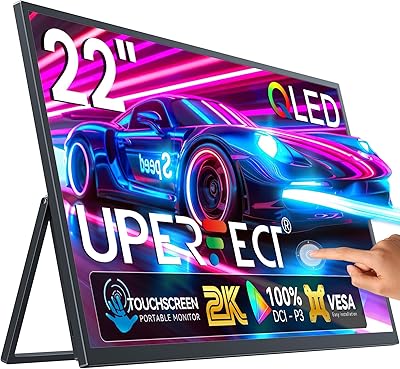
UPERFECT 22″ 2K QLED Portable Touchscreen Monitor
73%
93%
Display Quality
91%
Color Accuracy
58%
Portability
67%
Touchscreen Performance
86%
Build Quality
More
Eyoyo EM12-2K 12-inch 2K Portable Monitor
75%
88%
Image Sharpness
79%
Color Accuracy
83%
Build Quality
91%
Portability
67%
Stand & Mounting Versatility
More
KEEPTIME 14-inch 2K Portable Monitor
84%
89%
Display Quality
94%
Portability
87%
Connectivity Options
91%
Ease of Setup
62%
Audio Performance
More
ViewSonic VG1656-2K 16-inch Portable Monitor
86%
94%
Portability & Weight
90%
Display Quality & Resolution
85%
Setup & Installation
88%
Build Quality & Durability
72%
Gaming Performance
More
ASUS ZenScreen MB229CF 22-inch Portable Monitor
79%
88%
Display Quality
63%
Portability
91%
Mounting Versatility
84%
Connectivity
67%
Built-in Audio
More
VisionOwl 23.8-Inch 2K Portable Monitor
87%
94%
Gaming Performance
92%
Display Quality
88%
Portability
90%
Build Quality
81%
Setup & Installation
More
ViewSonic TD1656-2K 16-inch Touchscreen Portable Monitor
80%
93%
Display Sharpness
74%
Touch Responsiveness
91%
USB-C Connectivity
88%
Portability
86%
Build Quality
More
Redalf 23.8-inch 2K 180Hz Portable Monitor
86%
88%
Display Quality
92%
Portability
90%
Gaming Performance
85%
Compatibility
91%
Ease of Setup
More
Newsoul 18.4-inch 4K QLED Portable Monitor
86%
91%
Display Quality
87%
Portability
93%
Color Accuracy
84%
Build Quality
88%
Connectivity Options
More
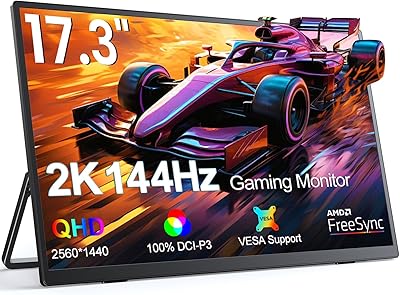
UPERFECT 17.3-inch 2K 144Hz Portable Gaming Monitor
86%
91%
Display Quality
95%
Portability
90%
Gaming Performance
88%
Ease of Setup
83%
Build Quality
More

FAQ

Yes, in most cases a single USB-C cable handles both video signal and power delivery simultaneously, provided your MacBook supports DisplayPort Alt Mode over USB-C — which most modern MacBooks do. It is always worth confirming your specific model supports video output via USB-C before assuming a one-cable setup will work.

The Steam Deck works well via USB-C when docked or using a compatible hub. The Nintendo Switch connects cleanly through HDMI when docked. Neither connection requires additional drivers, so setup is straightforward in both cases.

That depends on your bag and how far you walk with it. For commuters or people who move between offices, 3.5 lb adds up over a full day alongside a laptop and accessories. If weight is a top concern, it is worth comparing against lighter 15-inch portable options before committing.

The kickstand is designed for flat, hard surfaces like desks and tables, and it performs best there. On softer or uneven surfaces it can be less stable, particularly at shallower angles. A small flat book or tray underneath helps considerably in those situations.

Matte coatings do slightly reduce perceived contrast compared to glossy screens in very controlled lighting, but in real-world mixed-light environments the tradeoff is worth it. The QLED panel compensates with strong color saturation, so the overall image still looks vibrant rather than dull.

This portable monitor draws power via USB-C from your laptop or a USB-C power bank, so a separate power adapter is typically not required. Keep in mind that powering the display will draw on your laptop battery, which is worth factoring in for long sessions away from an outlet.

The kickstand adjusts across a wide range of angles rather than locking into a single fixed position, which gives you real flexibility on a desk. That said, the manufacturer does advise against pushing it to extreme downward angles, as this can stress the mechanism — a reasonable caution for a built-in stand of this type.

Yes, the VESA compatibility with M4 x 4mm spacing means it works with standard monitor arms and wall mounts. This is a genuinely useful option if you want a more permanent or height-adjustable setup at a home desk.

For color-critical work like photo editing or color grading, the QLED panel with full DCI-P3 coverage delivers a noticeable improvement over a standard IPS portable — colors are more saturated and accurate at higher brightness. For everyday productivity tasks like documents and browsing, most users will not notice a dramatic visual difference between the two panel types.

The product listing does not confirm built-in speakers, so it is safest to assume audio would need to be handled through your laptop, an external Bluetooth speaker, or headphones. If onboard audio is important to your use case, verify this with the seller before purchasing.