Overview

The Eyoyo EM12-2K 12-inch 2K Portable Monitor sits in an interesting spot — not a budget throwaway, but not a name-brand premium either. It has been around since mid-2020 and carved out a steady niche among remote workers, security technicians, and gamers who need a reliable small screen without hauling something bulky. What genuinely distinguishes it in a crowded field is the 3:2 aspect ratio, which you almost never see at this size and price. While widescreen formats dominate, 3:2 delivers noticeably more vertical real estate — useful when reading documents, writing code, or scrolling through spreadsheets on the go.
Features & Benefits

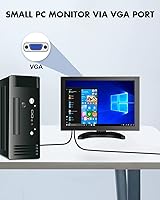
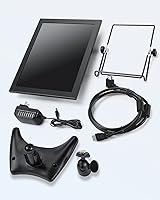
The IPS panel here punches above its size. At 2160x1440 on a 12-inch screen, the pixel density is high enough that text and fine details look crisp — something you notice immediately coming from a typical 1080p portable. The 178-degree viewing angle is legitimately useful, not just a spec-box checkbox; colors hold up well even when the screen is not directly in front of you. Brightness at 400 cd/m² handles most indoor conditions comfortably, though direct sunlight will be a challenge. The dual-input setup — HDMI for modern devices and VGA for older hardware like legacy industrial equipment or certain CCTV systems — is a practical decision that widens its appeal considerably. Three mounting options round things out nicely.

Best For

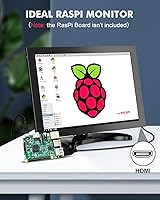
This portable IPS display makes the most sense for people who need a second screen but cannot — or do not want to — carry anything larger. Laptop users working from hotels, coffee shops, or client sites will appreciate how little desk space it takes up. Gamers with a Switch or PS4 will find the sharp display a genuine upgrade over a TV across the room. Security and AV technicians who regularly test CCTV setups in the field have been a surprisingly strong audience for this monitor, and the VGA input is a big reason why. Raspberry Pi enthusiasts also benefit from the plug-and-play setup — no driver installation needed, it just works.

User Feedback

Owners of the Eyoyo 12-inch screen are generally positive, with image sharpness and the compact build drawing the most consistent praise. The metal housing surprises buyers who expected something flimsier at this price point — it feels sturdier than the weight suggests. That said, stand stability gets flagged fairly often; the crescent base can wobble on uneven surfaces, and cable routing near it is not the tidiest. A handful of buyers mention that the 3:2 ratio required minor adjustments in their OS display settings, though most came to prefer it for reading and productivity tasks. Setup really is as advertised — plug in, display works.

Pros

  • The sharp 2K IPS panel makes text and detail noticeably crisper than typical 1080p portable monitors.
  • At 1.6 pounds, this portable IPS display fits into a laptop bag without adding meaningful weight.
  • The metal chassis feels genuinely sturdy — well above what the price tag might lead you to expect.
  • Plug-and-play setup works reliably across Windows, Raspberry Pi, and major game consoles without driver installation.
  • Both HDMI and VGA inputs cover a wide range of devices, including legacy hardware that most rivals no longer support.
  • The 3:2 aspect ratio gives measurably more vertical space for documents, code, and productivity apps.
  • Three mounting options — portable rack, crescent base, and VESA — make it adaptable to very different setups.
  • The wide 178-degree viewing angle means colors stay accurate even when the screen is not directly in front of you.
  • Security technicians get a compact, field-ready testing display that connects to older CCTV systems without adapters.

Cons

  • The glossy panel reflects heavily near windows or under direct overhead lighting, making bright environments frustrating.
  • Neither included stand is particularly stable — the crescent base wobbles on uneven surfaces with minimal provocation.
  • No USB-C input is a real omission for users with modern ultrabooks that lack a full-size HDMI port.
  • The monitor requires external power, so cable clutter is a genuine issue when using it portably.
  • Color accuracy needs manual calibration out of the box; the default warm tint is noticeable on neutral backgrounds.
  • Widescreen video content displays with side bars, which gets old quickly if media consumption is a regular use case.
  • Post-purchase support from the OEM has been slow for some buyers, which adds risk if a hardware issue arises.
  • No carrying case or protective sleeve is included, leaving buyers to source their own solution for travel.
  • Competitive gamers will notice input lag in fast-paced titles — this is not a display built around gaming responsiveness.

Ratings

The Eyoyo EM12-2K 12-inch 2K Portable Monitor has been scored below using AI analysis of verified global buyer reviews, with spam, bot activity, and incentivized feedback actively filtered out. Scores reflect the honest consensus across thousands of real-world use cases — from field security work to travel productivity setups. Both the standout strengths and the friction points buyers actually encountered are reflected here without sugarcoating.
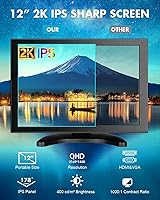
Image Sharpness
88%
Users consistently praise how crisp text and fine details look on this compact IPS display, especially those coming from 1080p portable alternatives. At this screen size, the pixel density makes a noticeable difference when reading documents, reviewing code, or monitoring CCTV feeds where detail matters.
A small number of buyers noted that achieving the sharpest output required manually adjusting scaling settings in Windows, which was not immediately obvious. Those using it with older VGA-only sources reported a visible quality drop compared to the HDMI connection.
Color Accuracy
79%
21%
The IPS panel holds colors reasonably well across viewing angles, and buyers doing light photo editing or design work on the go found the 99% sRGB coverage adequate for non-critical tasks. Colors look natural rather than washed out, which is not always a given at this price tier.
This portable IPS display is not factory-calibrated, and buyers with color-critical workflows noticed a warm tint out of the box that needed manual correction. It falls short of what professionals working in print or precise digital color grading would need.
Build Quality
83%
The metal housing genuinely surprises buyers who expected something that felt more disposable. Several reviewers noted it held up well through regular travel — tossed in bags, placed on job sites — without developing cracks or flex in the chassis that cheaper plastic-bodied rivals often show.
While the main body feels solid, the included stands attracted criticism. The crescent base in particular wobbles on slightly uneven desks, and some buyers found the hinge tension on the metal rack loosened faster than expected with daily adjustments.
Portability
91%
At 1.6 pounds and just over an inch thick, this compact 2K monitor slides into most laptop bags without demanding much space. Remote workers and technicians who carry it between sites regularly cite the size-to-screen-quality ratio as one of its clearest advantages over larger portable options.
There is no included carrying case or sleeve, which means buyers need to source their own protection. A few users also flagged that the power cable adds bulk when packing, since the monitor requires external power rather than drawing solely from a USB connection.
Stand & Mounting Versatility
67%
33%
Having three distinct setup options — the portable rack, the crescent base, and a 75x75 VESA pattern — gives users real flexibility. The VESA mount in particular was well-received by security installers and Raspberry Pi builders who wall-mount or rack-mount their displays permanently.
The two included freestanding options drew mixed reactions, with stability being the recurring complaint. Neither stand inspires much confidence on a vibrating surface like a train tray table or an uneven workbench, and the adjustable angle range is limited compared to aftermarket options.
Connectivity & Input Options
74%
26%
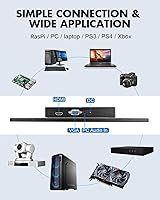
Having both HDMI and VGA on a monitor this small is genuinely useful for a specific group of buyers. Security technicians testing older analog CCTV systems, industrial equipment operators, and users with legacy laptops benefit directly from not needing a separate adapter just to get a picture.
For buyers who only need HDMI, the VGA port adds no value and arguably represents a cost trade-off that could have gone toward USB-C compatibility instead. The absence of USB-C or DisplayPort is a real limitation for users with modern ultrabooks that lack full-size HDMI.
Brightness & Glare Handling
63%
37%
Indoors and in controlled lighting, the 400 cd/m² output is sufficient for comfortable extended use. Office environments and dimly lit workspaces are where the Eyoyo 12-inch screen performs best, and buyers in those conditions rarely raised brightness as an issue.
The glossy panel surface causes noticeable reflections in brighter environments — near windows or under direct overhead lighting. Outdoor or bright cafe use is genuinely difficult, and a few buyers specifically mentioned returning to a matte-screen alternative because of this.
Plug-and-Play Setup
87%
The no-driver experience holds up in practice. Raspberry Pi users, Switch gamers, and PC users across Windows 7, 8, and 10 consistently report the monitor was recognized immediately without any software installation. This matters most when you are in the field or setting up quickly at a client site.
A handful of buyers using specific Linux distributions or older Windows builds encountered resolution detection issues that required manual configuration. These cases appear to be edge cases rather than a systematic flaw, but they are worth flagging for less technical users.
Aspect Ratio Usability
77%
23%
Once buyers adjusted to the 3:2 format, many reported they actively preferred it for productivity tasks. Reading long documents, browsing code files, and working in spreadsheets all benefit from the added vertical height that widescreen monitors cut off. It is a real workflow difference, not just a spec curiosity.
For gaming and video content, the 3:2 ratio is a clear drawback — most media is mastered for 16:9, meaning black bars appear on the sides. Some buyers found this distracting enough that it shifted how they used the monitor, relegating it purely to productivity rather than mixed use.
Gaming Performance
61%
39%
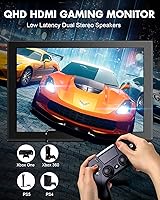
Casual gaming on a PS4 or Nintendo Switch works without obvious picture problems, and the monitor handles standard frame rates without tearing issues under normal conditions. For players using it as a compact secondary gaming display in a dorm or small desk setup, it does the job.
Response time and refresh rate specs are not prominently disclosed, and competitive gamers noticed input lag in fast-paced titles. This is clearly not a gaming-first display, and buyers who purchased it primarily for action gaming reported disappointment relative to monitors specifically built for that use case.
Eye Comfort During Extended Use
72%
28%
Users working long sessions — writers, analysts, developers — generally found the IPS panel easier on their eyes than TN alternatives in a similar price range. The reduced flicker and the blue light reduction feature were appreciated by buyers sensitive to eye fatigue, though results naturally vary.
The blue light filter visibly warms the color tone, and some buyers found the trade-off between eye comfort and color neutrality frustrating for tasks that require accurate whites. It is a functional feature, but buyers expecting it to work invisibly may be disappointed.
Value for Money
76%
24%
For what it delivers — a sharp IPS panel, metal build, and versatile inputs in a compact form — most buyers felt the price was fair relative to comparable options. The consistent sales rank since 2020 suggests real repeat-buyer confidence rather than a flash-in-the-pan launch.
At this price point, buyers start comparing against well-known brands with better warranty support and factory calibration. A few noted that post-purchase support from the OEM was slow or difficult to navigate, which erodes some of the value when something goes wrong.
Cable Management
54%
46%
The port placement on the side of the display is accessible and does not force awkward cable bends for most desktop setups. Buyers using it in a fixed workstation configuration generally had no serious complaints about reaching the connections.
When using the portable stand options, hanging cables create clutter and can pull the lighter crescent base out of position. Multiple buyers specifically called out the lack of any cable routing solution or clip system as a noticeable omission for a display marketed toward on-the-go users.
Compatibility Range
84%
The broad device compatibility is one of the most frequently praised aspects across buyer reviews. From PS5 to Raspberry Pi 3B+, from Windows 10 PCs to car audio systems, the monitor works across a wider range of hardware than most alternatives in its category, which is genuinely useful for multi-device users.
A few niche compatibility issues surfaced with certain older Android-based media devices that did not handshake cleanly over HDMI. These are relatively obscure use cases, but buyers with non-standard source devices should test within the return window rather than assuming universal compatibility.

Suitable for:

The Eyoyo EM12-2K 12-inch 2K Portable Monitor is a well-matched pick for anyone who needs a sharp, compact secondary display without committing to something heavy or expensive. Remote workers and frequent travelers who want a real second screen experience in a hotel room or co-working space will find the size and weight genuinely practical. Security and AV technicians who regularly test or configure CCTV equipment in the field get real utility from the VGA input, which most competing portable monitors have quietly dropped. Raspberry Pi hobbyists and embedded system developers will appreciate the no-driver plug-and-play setup — it just connects and works, which matters when you are in the middle of a project. The 3:2 aspect ratio is a legitimate productivity asset for writers, coders, and spreadsheet users who benefit from extra vertical screen height. Casual gamers looking for a compact display to hook up a Switch or PS4 in a small space will get a sharp, clean picture without needing a television.
Not suitable for:

Buyers who primarily want a display for fast-paced competitive gaming should look elsewhere — the Eyoyo EM12-2K 12-inch 2K Portable Monitor does not disclose response time or refresh rate specs, and users in action-heavy titles noticed enough input lag to matter. Content creators or photographers who need reliably calibrated color output will find the lack of factory calibration and the warm color cast frustrating, even if it can be manually corrected. If you watch a lot of video content or use media-editing software designed around 16:9, the 3:2 aspect ratio will feel like a constant compromise — black bars on the sides of widescreen video are a real day-to-day annoyance. Anyone expecting to use this outdoors or in brightly lit spaces should be aware that the glossy panel reflects aggressively, making the image hard to see comfortably. Users with modern ultrabooks that only have USB-C or Thunderbolt outputs will need an adapter, since there is no USB-C input on this monitor. Finally, buyers who value strong post-purchase warranty support may find the OEM support experience slower and less reassuring than what established brands provide.

Specifications

  • Screen Size: The display measures 12 inches diagonally, making it one of the more compact options in the portable secondary monitor category.
  • Resolution: Native resolution is 2160x1440 pixels (QHD 2K), delivering a pixel density that produces noticeably sharp text and fine image detail on a small panel.
  • Panel Type: Uses an IPS (In-Plane Switching) panel, which provides consistent color reproduction and wide viewing angles compared to TN alternatives.
  • Aspect Ratio: The 3:2 aspect ratio offers more vertical screen space than the standard 16:9 widescreen format, benefiting document and productivity workflows.
  • Color Gamut: Covers 99% of the sRGB color space, making it adequate for general content creation, web design review, and light photo editing tasks.
  • Brightness: Rated at 400 cd/m² (candela per square meter), which is sufficient for indoor and controlled-light environments but limiting in direct sunlight.
  • Contrast Ratio: Specified at 1000:1, providing a reasonable separation between dark and bright areas for everyday productivity and casual viewing use cases.
  • Viewing Angle: The IPS panel supports up to 178 degrees of viewing angle horizontally and vertically, maintaining color accuracy from most off-axis positions.
  • Inputs: Equipped with one full-size HDMI port and one VGA port, enabling connection to both modern devices and legacy hardware without requiring external adapters.
  • VESA Mount: Compatible with the 75x75mm VESA wall mount standard, allowing permanent installation on monitor arms, walls, or rack enclosures.
  • Dimensions: Physical dimensions are 11.5 x 8 x 1.2 inches (width x height x depth), keeping the footprint compact enough to fit in most standard laptop bags.
  • Weight: The unit weighs 1.6 pounds (approximately 726 grams), making it light enough for daily travel without adding significant load to a carry bag.
  • Housing Material: The outer chassis is constructed from metal, providing better rigidity and resistance to minor impacts compared to all-plastic portable monitor alternatives.
  • Power Input: Operates at 12 volts DC and requires external power via the included adapter; it does not draw power solely from an HDMI or USB connection.
  • Driver Requirement: No drivers or additional software are required for setup — the monitor is recognized automatically by Windows 7, 8, and 10, as well as Raspberry Pi OS.
  • Compatibility: Officially compatible with PC, PS4, PS5, Xbox, Nintendo Switch, Raspberry Pi 4B, 3B+, and 3B, as well as industrial and CCTV equipment with standard video outputs.
  • Included Stands: Ships with two freestanding options — a portable metal rack and a crescent-shaped base — giving users flexibility in how they position the display on a desk.
  • Surface Finish: The screen uses a glossy surface treatment, which enhances color vibrancy but increases reflectivity in bright or high-ambient-light environments.
  • Model Number: The official manufacturer model number is EM12-2K, used to identify this specific variant when contacting support or sourcing replacement accessories.
  • Eye-Care Features: Includes a low blue light emission mode and a flicker-reduction implementation intended to reduce eye fatigue during extended viewing sessions.

Related Reviews
Eyoyo EM12B 12-Inch Portable Monitor
76%
91%
Input Versatility
86%
Value for Money
88%
Image Flip Function
78%
Build Quality
62%
Display Resolution
More
KEEPTIME 14-inch 2K Portable Monitor
84%
89%
Display Quality
94%
Portability
87%
Connectivity Options
91%
Ease of Setup
62%
Audio Performance
More
Prechen 12.3 Inch Touchscreen Portable Monitor
84%
88%
Display Quality
93%
Portability & Size
79%
Touchscreen Responsiveness
84%
Build Quality
91%
Ease of Setup
More
ViewSonic VG1656-2K 16-inch Portable Monitor
86%
94%
Portability & Weight
90%
Display Quality & Resolution
85%
Setup & Installation
88%
Build Quality & Durability
72%
Gaming Performance
More
VisionOwl 23.8-Inch 2K Portable Monitor
87%
94%
Gaming Performance
92%
Display Quality
88%
Portability
90%
Build Quality
81%
Setup & Installation
More
Redalf 23.8-inch 2K 180Hz Portable Monitor
86%
88%
Display Quality
92%
Portability
90%
Gaming Performance
85%
Compatibility
91%
Ease of Setup
More
ViewSonic TD1656-2K 16-inch Touchscreen Portable Monitor
80%
93%
Display Sharpness
74%
Touch Responsiveness
91%
USB-C Connectivity
88%
Portability
86%
Build Quality
More
UPERFECT 17.3-inch 2K 144Hz Portable Gaming Monitor
86%
91%
Display Quality
95%
Portability
90%
Gaming Performance
88%
Ease of Setup
83%
Build Quality
More
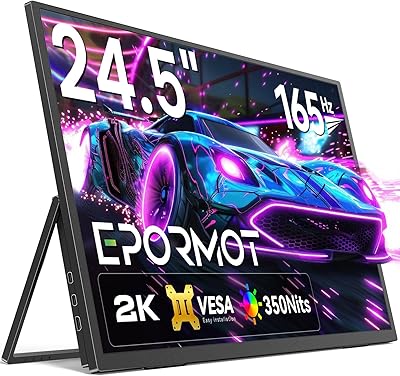
EPORMOT 24.5-inch 165Hz 2K Portable Gaming Monitor
83%
89%
Display Quality
92%
Portability
90%
Gaming Performance
85%
Ease of Use
78%
Build Quality
More
G-STORY 15.6-inch 2K 120Hz Portable Monitor
84%
89%
Display Quality
92%
Gaming Performance
88%
Portability
85%
Setup & Compatibility
72%
Sound Quality
More

FAQ

Yes, it does. Connect the Switch dock to the HDMI port, power on the monitor, and it detects the signal automatically — no settings adjustments needed in most cases. The screen resolution and aspect ratio will display the Switch output with small letterboxed bars on the sides due to the 3:2 format, but gameplay itself looks sharp and clean.

No drivers are required. If your MacBook has a full-size HDMI output, plug in and go. If you only have USB-C or Thunderbolt ports, you will need a USB-C to HDMI adapter, which is not included. Once connected via HDMI, macOS recognizes the display without any additional software.

It depends entirely on how you use it. For productivity tasks — reading documents, writing, coding, working in spreadsheets — the extra vertical height is genuinely useful and many users end up preferring it. For watching videos or gaming, most content is mastered for 16:9, so you will see vertical black bars on the sides. If your primary use is media consumption, 3:2 will feel like a compromise. If you work with text and documents, it is a real benefit.

Honestly, the stands are the weakest part of the package. The crescent base in particular is not great on uneven surfaces and can be knocked off balance with moderate contact. If stability matters to your setup, the 75x75 VESA mount pattern is your better option — pair it with an inexpensive aftermarket monitor arm and you will have a much more solid result.

In most cases, yes. Connect the Pi to the HDMI port and it is typically detected at the correct resolution without editing config files. A small number of users on specific Raspberry Pi OS builds have needed to manually set the resolution in the display settings, but this is the exception rather than the rule and takes about two minutes to fix.

Not comfortably. The glossy screen surface reflects ambient light aggressively, and while the 400 cd/m² brightness is fine indoors, it struggles to compete with strong overhead lighting or direct sunlight. If you frequently work near windows or outside, a matte-screen portable monitor will serve you significantly better.

More than you might expect in certain industries. Security technicians testing analog CCTV systems, users with older industrial or medical equipment, and people connecting legacy desktop PCs without HDMI outputs all benefit directly from it. For most everyday users with a modern laptop or game console, though, VGA adds nothing practical — HDMI is the connection you will use.

The metal housing holds up well to regular travel based on consistent buyer reports. It does not flex or creak the way plastic-bodied portable monitors often do. That said, there is no included protective sleeve or case, so you will want to wrap it or buy a sleeve separately before tossing it in a bag — the glossy screen scratches if it rubs against other items.

The IPS panel is easier on the eyes than TN panels for extended use, and the blue light filter mode does reduce some of the harsher high-frequency light. The trade-off is a warmer, yellower color tone when the filter is active, which some people find just as distracting. It is a reasonable feature for evening work sessions, but do not expect it to feel invisible — you will notice the color shift.

Yes, the 75x75mm VESA pattern on the back makes this straightforward with any compatible wall mount bracket or arm. It is a clean solution for permanent installations where desk space is limited, and the metal build means it holds up well in fixed-use environments. Just make sure the power cable can reach your outlet cleanly before committing to a mounting position.