Overview

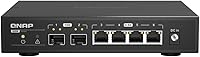
The QNAP QSW-2104-2S Unmanaged Network Switch sits in an interesting middle ground — it brings 2.5GbE copper ports and 10G SFP+ uplinks into a single compact box, without demanding you become a network engineer to use it. For years, home lab builders and small office users were stuck choosing between affordable gigabit and expensive 10G infrastructure. This QNAP switch bridges that gap nicely. It runs completely silent thanks to fanless passive cooling, making it a natural fit for a home office shelf or media room rack. QNAP is best known for NAS hardware, but their push into networking feels considered rather than opportunistic — this is a product that clearly knows its audience.
Features & Benefits

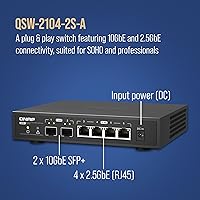
The four 2.5GbE RJ45 ports handle standard twisted pair cables up to 100 meters, so you won't need to rewire anything if your existing Cat5e or Cat6 runs are already in place. The real headline, though, is the pair of 10G SFP+ uplink ports — ideal for connecting directly to a NAS with a 10G card or tying into a higher-speed backbone switch. Worth being clear: the copper ports top out at 2.5Gbps each; the 10G speed is SFP+ only. Despite being unmanaged, this QNAP switch includes a surprisingly capable Layer 2 feature set — IGMP snooping, port mirroring, and spanning tree come baked in. Zero configuration needed. Power it on, plug in your devices, and you're done.

Best For

This 2.5G switch is a natural fit for home lab users who've outgrown gigabit but don't need — or want to pay for — a fully managed 10G setup. If you're running a QNAP or Synology NAS with a 10G card, connecting it via SFP+ to the QSW-2104-2S while your workstations ride the copper ports is exactly the workflow this hardware was built around. Small video editing setups benefit noticeably too; moving large files at 2.5 times gigabit speed makes a real difference in daily workflow. Gamers and home streamers who care about low-latency local transfers will appreciate it, and anyone placing this in a bedroom or living room won't have to think about fan noise once.

User Feedback

With a 4.2-star average across more than 100 ratings, the QSW-2104-2S earns its marks without much controversy. Buyers consistently call out ease of setup and the immediate, tangible speed jump compared to their old gigabit switches. The fanless operation gets mentioned a lot — people appreciate that it just sits there, warm but silent. On the flip side, a handful of users have flagged heat buildup during sustained high-throughput transfers; the chassis does get warm to the touch, which is normal for fanless designs but worth knowing before you stack hardware on top of it. SFP+ module compatibility with third-party optics has come up occasionally too. For most buyers, though, sentiment leans positive — especially given that managed 2.5G alternatives typically cost significantly more.

Pros

  • Zero configuration needed — plug it in and every device on the network is instantly connected.
  • The 10G SFP+ uplinks make it a natural companion for NAS units with 10G network cards.
  • Fanless operation means it runs completely silent, day and night.
  • Four 2.5GbE copper ports work with existing Cat5e or Cat6 cable runs up to 100 meters.
  • Layer 2 features like IGMP snooping and port mirroring are rare at this price point for an unmanaged switch.
  • Compact and lightweight at 2.31 pounds, so it fits easily on a desk or small shelf.
  • Power draw is minimal at 1 Amp, keeping long-term operating costs low.
  • Buyers consistently report a noticeable, real-world speed improvement over their previous gigabit switches.
  • The QSW-2104-2S holds a solid 4.2-star average from over 100 real-world buyers.
  • Build quality feels appropriate for the price tier — solid enough for home lab or small office use.

Cons

  • Only four RJ45 ports total — growing networks will hit this ceiling quickly.
  • Third-party SFP+ module compatibility is inconsistent; budget optics may not be recognized.
  • The chassis gets noticeably warm under sustained high-throughput workloads, which may concern some users.
  • No web interface, app, or management software of any kind — troubleshooting is limited to indicator lights.
  • 10G is SFP+ only; buyers expecting 10G over copper RJ45 will need to look elsewhere.
  • No wall-mount slots or rack ears included, limiting clean installation options.
  • Relatively few ports means it won't scale if your device count grows beyond four wired connections.
  • No link aggregation support, which some NAS users would find useful for maximizing throughput.

Ratings

The scores below for the QNAP QSW-2104-2S Unmanaged Network Switch were generated by our AI system after analyzing verified buyer reviews from multiple global markets, with spam, bot activity, and incentivized feedback actively filtered out. The result is a grounded, transparent picture of where this switch genuinely excels and where real users have run into friction. Both the strengths and the trade-offs are reflected honestly across each category.
Ease of Setup
96%
Buyers consistently describe setup as taking under two minutes — unbox it, connect the cables, plug in the power, and everything works. There is nothing to configure, no app to download, and no account to create. For home lab users and small office admins who just want networking to work, this is exactly the experience they paid for.
The simplicity is by design, but it does mean there is no feedback mechanism if something isn't working correctly. No status dashboard, no logs, and no web interface to consult means troubleshooting relies entirely on physical LED indicators, which can be limiting for less experienced users.
Network Performance
88%
Users moving from gigabit switches to this 2.5G switch report immediately noticeable improvements in local file transfer speeds, particularly when copying large media files to and from a NAS. Real-world transfers between 2.5GbE-equipped machines regularly hit the 250–280 MB/s range, which is a tangible daily quality-of-life improvement.
The 10G speed is locked to the SFP+ ports only, which catches some buyers off guard who expected 10G over copper. If your devices only have standard RJ45 ports, you are capped at 2.5Gbps regardless, and the marketing around the 10G label can create inflated expectations before reading the fine print.
Build Quality
79%
21%
The all-metal chassis feels solid and appropriately dense for a fanless design that relies on the body itself to dissipate heat. At just over two pounds, it doesn't feel cheap or hollow, and the port connectors seat firmly without wobble. Most users report no rattles or flexing after months of continuous use.
The exterior finish shows fingerprints and light scratches with regular handling, and the unit lacks rubber feet on some configurations, which causes minor sliding on smooth desk surfaces. A few buyers noted that the build feels functional rather than premium compared to higher-end managed switches in nearby price tiers.
Thermal Management
67%
33%
For typical home and small office workloads — a NAS, two or three workstations, and light sustained traffic — the fanless chassis handles heat without issue. The passive design means there are genuinely zero noise complaints, and many users report stable temperatures during everyday mixed-use scenarios with no performance degradation.
Under prolonged, high-throughput loads — such as extended large file migrations or continuous backup operations across multiple ports — the chassis gets notably warm to the touch. Users in poorly ventilated spaces or enclosed cabinets have flagged heat buildup as a concern, and stacking other hardware directly on top of the unit is inadvisable.
Port Count & Density
61%
39%
For its intended use case — connecting a NAS, one or two workstations, and a router uplink — six total ports is a practical starting point. The combination of four copper and two SFP+ ports covers the most common mixed-speed home lab topology without forcing users to pay for ports they won't use.
Six ports is a hard ceiling, and home labs grow quickly. Several users report outgrowing the switch within a year as they added more devices. There are no expansion options on an unmanaged switch, meaning you'd need to replace the unit entirely or add a secondary switch rather than simply upgrading capacity.
SFP+ Compatibility
63%
37%
With QNAP-branded SFP+ modules and well-known third-party options from established brands, compatibility is generally reliable. Users connecting this switch directly to a QNAP or Synology NAS via a matched DAC cable or official module report clean 10G link establishment with no issues.
A recurring frustration involves budget or off-brand SFP+ modules going unrecognized by the switch. This is a known issue across many unmanaged switches at this tier, but it still catches buyers by surprise. QNAP does not publish an exhaustive compatibility list, which adds friction for users trying to minimize costs on optics.
Noise Level
97%
Completely silent operation is one of the most universally praised aspects of this QNAP switch among buyers. Users who previously tolerated a faint hum from a fanless or low-fan switch report appreciating the total absence of sound, especially in bedroom home offices or living room media setups where ambient noise matters.
There are genuinely no user complaints about noise — silence is one area where this switch delivers without reservation. The only adjacent concern is that the absence of a fan means heat has nowhere to go actively, which is a thermal trade-off rather than a noise criticism per se.
Value for Money
82%
18%
Buyers evaluating this switch against managed 2.5G alternatives consistently note the meaningful cost difference. Getting four 2.5GbE ports and two 10G SFP+ uplinks with Layer 2 features like IGMP snooping at this price point is genuinely competitive in the current multi-gig switch market, especially for users who don't need management features.
Compared to a basic gigabit switch, the price gap requires justification — buyers who don't have at least one or two multi-gig devices in their setup are paying a premium for speed they can't yet use. A small number of reviewers felt the four-port copper limit made the price harder to justify versus similar-cost alternatives with more ports.
Management Features
44%
56%
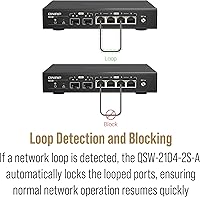
For users who genuinely want plug-and-play networking with no ongoing administration, the unmanaged design is a deliberate fit. IGMP snooping and spanning tree work silently in the background to prevent network loops and manage multicast traffic, providing a modest layer of automatic network hygiene without user intervention.
Anyone needing VLANs, QoS, port-based authentication, or traffic monitoring will hit a hard wall here — none of those features exist. Network admins evaluating this unit for even a small business with basic segmentation requirements will find it unsuitable, and there is no firmware upgrade path that can unlock management capabilities after purchase.
Compatibility
84%
The copper RJ45 ports are backward compatible with gigabit and 100Mbps devices, so mixing older and newer hardware on the same switch works without issue. Users with heterogeneous device fleets — a mix of older laptops, modern NAS units, and gaming consoles — report clean connectivity across all connected devices.
Devices with only standard gigabit ports will not benefit from the 2.5G capability, which limits the switch's value in mixed-age environments. Additionally, the 10G SFP+ ports require users to independently source compatible modules, adding a secondary purchase and compatibility research step that some buyers find inconvenient.
Physical Footprint
77%
23%
At 13″ by 8″ by 3″, the QSW-2104-2S fits comfortably on most desks or open shelves without demanding dedicated rack space. Its weight and compact profile make repositioning easy, which home lab users who frequently reorganize their setups tend to appreciate.
Despite its modest size, the unit is wider than some desktop switches in the same port-count category, which can make placement awkward in tight desk corners or small media consoles. The lack of included mounting accessories means clean wall or rack installation requires sourcing third-party brackets.
LED Indicators
71%
29%
Each port has clear link and activity LEDs that give immediate visual confirmation of connection status and live traffic. For an unmanaged switch where the LED panel is the only diagnostic tool available, users report that the indicators are bright enough to read across a room in typical office lighting conditions.
The LED feedback is limited to link and activity status — there is no speed indicator distinguishing a 1G connection from a 2.5G one without testing actual throughput. Users who want to confirm that a device is genuinely negotiating at 2.5G rather than falling back to 1G have no visual shortcut available on the unit itself.
Long-Term Reliability
81%
19%
Fanless switches with no moving parts tend to age better than equivalents with cooling fans, and the QSW-2104-2S follows this pattern based on user reports. Buyers running the switch continuously for over a year report no port failures, no unexpected reboots, and stable link speeds throughout.
The relatively short time the product has been on the market — available since late 2022 — means long-term data beyond two to three years is limited. A small number of users have reported link instability on specific ports after extended use, though these reports are infrequent and may reflect cable or NIC issues rather than switch failures.

Suitable for:

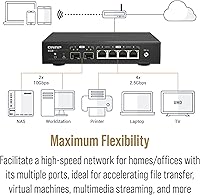
The QNAP QSW-2104-2S Unmanaged Network Switch is a strong fit for anyone who has outgrown gigabit networking but doesn't want the cost or complexity of a fully managed 10G setup. It's especially well-matched to NAS enthusiasts running QNAP or Synology units with 10G cards, since the SFP+ uplinks let you feed that NAS at full speed while the 2.5GbE copper ports serve the surrounding workstations. Home lab builders who want a meaningful speed upgrade without touching a command line will appreciate the zero-configuration setup — plug it in and it works. Small creative teams or video editors sharing large files locally will notice real throughput gains compared to a standard gigabit switch. And because it runs completely fanless, anyone placing networking hardware in a living room, bedroom, or quiet office environment won't have to compromise on noise levels.
Not suitable for:

The QNAP QSW-2104-2S Unmanaged Network Switch is not the right choice for network administrators or power users who need VLANs, QoS policies, port-based access control, or any traffic segmentation features — it simply has no management interface to configure any of that. If you're running a business environment where network isolation between departments or devices is a security requirement, an unmanaged switch is a non-starter regardless of its speed. Buyers expecting all-copper 10G ports will also be disappointed; the RJ45 ports top out at 2.5Gbps, and the 10G capability is exclusively through the SFP+ slots, which require compatible fiber or DAC modules. With only four copper ports and two SFP+ uplinks, it's also a tight fit if you need to connect more than a handful of devices. Finally, anyone concerned about heat in a poorly ventilated space should take note — fanless designs rely on ambient airflow, and this switch does run warm under sustained heavy loads.
Specifications

  • Brand: Manufactured by QNAP Systems, a company primarily known for NAS hardware that has expanded into purpose-built networking equipment.
  • Model Number: The unit's official model designation is QSW-2104-2S-A-US, with the -A-US suffix indicating the North American market variant.
  • RJ45 Ports: Equipped with four 2.5GbE RJ45 copper ports, each capable of sustained throughput up to 2.5 Gigabits per second.
  • SFP+ Ports: Includes two 10G SFP+ uplink ports for high-bandwidth fiber or DAC cable connections to compatible NAS units or core switches.
  • Management Type: Fully unmanaged — no web interface, CLI, or configuration software; the switch operates automatically without any user setup.
  • Layer 2 Features: Despite being unmanaged, the switch supports IGMP snooping, port mirroring, and spanning tree protocol for basic network stability and multicast control.
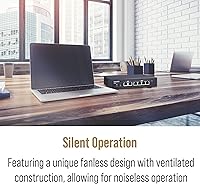
  • Cooling System: Uses completely passive fanless cooling with no moving parts, relying on the metal chassis to dissipate heat into the surrounding air.
  • Dimensions: The unit measures 13″ long by 8″ wide by 3″ high, suitable for desktop placement or a small open-frame shelf.
  • Weight: Weighs 2.31 pounds, making it easy to reposition or mount without specialized hardware support.
  • Power Draw: Rated at 1 Amp current draw, reflecting the energy-efficient design expected of a low-port-count unmanaged switch.
  • Cable Support: Compatible with standard twisted pair cables (Cat5e or better) at lengths up to 100 meters per run.
  • Data Rate: Maximum data transfer rate reaches up to 10 Gbps, achievable exclusively through the SFP+ uplink ports using appropriate modules.
  • Min Temperature: Rated for operation at a minimum ambient temperature of 32°F (0°C), consistent with standard indoor networking equipment.
  • Compatible Devices: Works with laptops, desktop computers, gaming consoles, routers, and NAS units that have matching 2.5GbE or 10G SFP+ interfaces.
  • Release Date: First made available for purchase in September 2022, positioning it as a current-generation 2.5GbE product.
  • UPC: The product's Universal Product Code is 885022024032, useful for verifying authenticity or cross-referencing retail listings.

Related Reviews
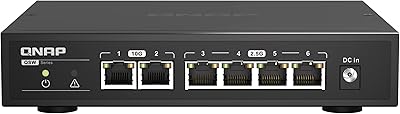
QNAP QSW-2104-2T Unmanaged Network Switch
84%
96%
Ease of Setup
88%
Port Configuration & Versatility
97%
Noise Level
63%
Thermal Performance
84%
Build Quality
More
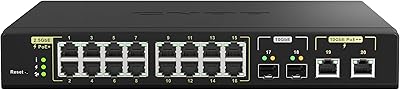
QNAP QSW-M2116P-2T2S 20-Port Managed Network Switch

78%
91%
Port Density & Speed Mix
88%
PoE Power Delivery
83%
Web Management Interface
79%
Value for Money
51%
Fan Noise & Acoustics
More
VIMIN 6-Port 2.5G Unmanaged Network Switch
83%
88%
Throughput Performance
84%
Build Quality
93%
Setup & Ease of Use
67%
SFP+ Port Usability
96%
Fanless Noise Level
More
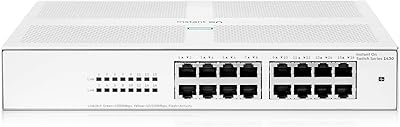
HPE Instant On 1430 8G Unmanaged Switch
83%
96%
Ease of Setup
93%
Reliability & Uptime
97%
Noise & Acoustic Performance
88%
Port Performance & Speed
84%
Value for Money
More
HPE Networking Instant On 1430 16-Port Gb Unmanaged Layer 2 Ethernet Switch
85%
92%
Setup and Installation
88%
Performance and Reliability
94%
Silent Operation
89%
Energy Efficiency
85%
Build Quality and Durability
More
Cisco CBS110-24T Unmanaged Network Switch
84%
96%
Ease of Setup
88%
Build Quality
91%
Port Performance
97%
Noise Level
78%
Value for Money
More
Cisco CBS110-16T 16-Port Unmanaged Network Switch
84%
96%
Ease of Setup
88%
Network Performance
74%
Build Quality
67%
Value for Money
97%
Noise Level
More
Davuaz Da-K6402W 2.5G Ethernet Switch
79%
93%
Value for Money
88%
Throughput Performance
96%
Noise Level
74%
Build Quality
61%
SFP Compatibility
More
MikroTik CRS305-1G-4S+IN Network Switch
81%
93%
Build Quality
91%
10G Throughput Performance
96%
Noise & Thermal Management
88%
Value for Money
58%
Ease of Setup
More
Cisco CBS110-8T-D 8-Port Unmanaged Network Switch
84%
96%
Ease of Setup
83%
Build Quality
91%
Network Performance
88%
Value for Money
97%
Noise Level
More

FAQ

No, there is nothing to configure at all. Plug in the power, connect your devices with Ethernet cables, and the switch handles everything automatically. It has no management interface by design.

Yes, standard Cat5e and Cat6 cables work perfectly with all four copper ports. You don't need to replace any existing cabling as long as your runs are under 100 meters.

Compatibility with third-party SFP+ modules is not guaranteed. QNAP-branded or well-known brand modules tend to work reliably, but some budget or off-brand optics have been reported as unrecognized by a handful of users. When in doubt, check QNAP's compatibility list before purchasing third-party modules.

Yes, it runs without any fan, so there is no audible noise whatsoever during normal operation. The chassis does get warm to the touch under heavy use, but it produces no sound at all — it's a safe choice for any noise-sensitive room.

Unfortunately, no. The 10G capability on this switch is limited to the SFP+ ports only; the four copper RJ45 ports max out at 2.5Gbps. To use 10G between this switch and your NAS, you would need a 10G SFP+ card in the NAS and a compatible DAC cable or fiber module.

You can connect up to six devices simultaneously — four via the 2.5GbE RJ45 ports and two via the SFP+ ports. If you need to connect more than six devices, you would need a larger switch or a secondary switch daisy-chained off one of the ports.

No, it does not. As an unmanaged switch, there is no VLAN configuration, QoS, or traffic shaping of any kind. If you need those features for network segmentation or prioritizing certain devices, you would need a managed switch instead.

It's worth being mindful of placement. The switch uses its metal body to passively shed heat, which works well in open, ventilated spaces. Avoid stacking other equipment directly on top of it or enclosing it in a tight cabinet without airflow. Under normal home or small office use, heat has not been a widely reported problem.

Yes, the ports on this switch are backward compatible with gigabit and even 100Mbps devices. Your console or TV will connect just fine; it simply won't operate above its own maximum link speed, which is not a limitation of the switch itself.

If all your devices are limited to 1Gbps — older laptops, basic routers, entry-level NAS units — then the 2.5G switch won't help much. But if you have even one or two devices with 2.5GbE or 10G ports, like a newer NAS, a modern motherboard with a multi-gig port, or a gaming PC, the real-world transfer speed difference is significant and tangible. For NAS-heavy setups in particular, the jump from 1Gbps to 2.5Gbps is one of the most cost-effective network upgrades you can make right now.

Where to Buy