Overview

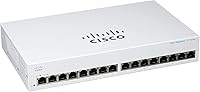
The Cisco CBS110-16T 16-Port Unmanaged Network Switch is Cisco's answer to a question many small business owners ask: can I get reliable, brand-name networking gear without paying for features I'll never use? Sitting in the entry tier of Cisco's Business line, it targets offices, retail floors, and classrooms rather than data centers or IT-heavy environments. Sixteen gigabit ports cover most growing teams comfortably — enough for workstations, a NAS, a few IP phones, and still have ports to spare. The fanless, compact plastic chassis keeps things quiet and unobtrusive. You pay a modest premium over no-name alternatives, but you get known reliability and a meaningful warranty in return.
Features & Benefits

Every port on this 16-port gigabit switch runs at full gigabit speed, so there is no traffic shaping or port-speed lottery happening in the background. Because it is completely unmanaged, there is no web interface to log into, no CLI to learn — plug in a cable and it works. That said, it is not entirely brainless: built-in QoS quietly prioritizes time-sensitive traffic like VoIP calls and video conferencing without any configuration on your end. The switch also complies with IEEE 802.3az Energy Efficient Ethernet, which trims power draw on inactive ports automatically. With no fan to wear out, there is one less mechanical failure point to worry about over years of use.

Best For

The CBS110-16T is a natural fit for small business owners who want a dependable wired network without needing someone to configure it. Retail stores, open-plan offices, and classrooms are exactly the environments this switch was designed for — places where it sits on a desk or mounts in a shallow rack and runs quietly. It also makes sense for home lab users who have outgrown their 8-port consumer switch and want something more robust. One honest caveat: if you ever need to segment traffic with VLANs or control bandwidth per device, this Cisco unmanaged switch will not do that — you would need a managed alternative.

User Feedback

With a 4.5-star average across over 120 ratings and a strong category rank, the CBS110-16T earns its praise mostly through ease of setup and long-term reliability. Buyers frequently mention getting it running in under five minutes, often alongside NAS devices, VoIP systems, and access points. Build quality gets positive marks overall, though a handful of reviewers note the plastic chassis feels less substantial than the price might suggest. A few users question the value relative to competing unmanaged switches at similar price points. The included mounting hardware draws mostly favorable comments, while the power adapter earns a mixed mention or two. The satisfaction trend leans clearly positive.

Pros

  • All 16 ports run at full gigabit speed with no bandwidth sharing or port-speed tiers to worry about.
  • Truly plug-and-play setup — most buyers report being up and running in under five minutes.
  • Built-in QoS prioritizes VoIP and video traffic automatically, with zero configuration required.
  • The fanless design means complete silence, which matters in offices, classrooms, and retail floors.
  • Energy Efficient Ethernet compliance trims power draw on inactive ports without any manual adjustment.
  • Limited lifetime warranty with return-to-factory replacement is a strong commitment for a business-class device.
  • Compact footprint supports both desktop placement and rackmounting, with hardware included in the box.
  • Cisco brand reliability and one year of included technical support add real value for non-IT buyers.
  • Cable diagnostics and loop detection offer basic network protection that many rival unmanaged switches skip.
  • A 4.5-star average rating from over 120 verified buyers reflects consistently positive long-term ownership experiences.

Cons

  • No PoE on any port means a separate power source is required for IP cameras, phones, or access points.
  • The plastic chassis feels less premium than the price tag might lead buyers to expect.
  • No VLAN, QoS customization, or traffic isolation features — network segmentation is simply not possible here.
  • A handful of buyers report the power adapter feels cheap relative to the overall unit quality.
  • Priced noticeably higher than comparable unmanaged gigabit switches from competing brands offering similar port counts.
  • Only one year of technical support is included, despite the lifetime hardware warranty on the switch itself.
  • No web interface or mobile app means there is no visibility into port activity, traffic load, or device connections.
  • Buyers who later need managed features will have to replace the unit entirely rather than upgrade it.

Ratings

The scores below reflect an AI-driven analysis of verified global buyer reviews for the Cisco CBS110-16T 16-Port Unmanaged Network Switch, with spam, bot-generated, and incentivized feedback actively filtered out before scoring. Each category is weighted against real-world usage patterns reported by actual owners — from small business deployments to home lab setups — so both the standout strengths and the genuine frustrations are represented honestly.

Ease of Setup
96%
Buyers consistently describe unboxing-to-working in under five minutes, often with zero technical background. Office managers and retail owners report plugging it in behind a counter and walking away — no instructions needed. That kind of friction-free experience is rare even among unmanaged switches.
A small number of buyers with more complex networks were initially confused by the lack of any interface or status dashboard, expecting at least a basic web UI. For genuinely plug-and-play users this is not a problem, but it can feel like a black box when troubleshooting a connectivity issue.
Network Performance
88%
Full gigabit throughput on all 16 ports means large file transfers to a NAS or between workstations happen at wire speed without contention. Users running VoIP phones alongside regular workstations report noticeably cleaner call quality thanks to the automatic QoS prioritization built into the hardware.
Because the switch is unmanaged, there is no way to monitor actual port utilization or identify which device is saturating the network. In busier offices with many simultaneous users, the absence of any traffic visibility becomes a real limitation rather than just a theoretical one.
Build Quality
74%
26%
The unit feels solid enough for desk or rack use, and buyers who have run it continuously for a year or more generally report no physical degradation or port failures. The fanless design removes the most common hardware failure point found in comparable switches.
The all-plastic chassis is the most polarizing aspect of the physical build — several buyers note it feels underwhelming for a business-class Cisco product at this price. Port labeling is adequate but not backlit, which makes cable management in dimly lit server closets more awkward than it needs to be.
Value for Money
67%
33%
For buyers who specifically want the Cisco name, a lifetime warranty, and reliable long-term operation, the pricing feels reasonable when amortized across several years of use. The included technical support and return-to-factory replacement add tangible value that cheaper alternatives simply do not offer.
Compared to similarly specced 16-port unmanaged gigabit switches from competing brands, the price premium is real and not universally felt to be justified by the hardware alone. Buyers who do not prioritize brand warranty or support coverage will find better per-port value elsewhere without a meaningful performance trade-off.
Noise Level
97%
The completely fanless design is one of the most consistently praised aspects across all buyer segments. Teachers, retail managers, and open-plan office workers all specifically call out the silence as a deciding factor — particularly those who had previously dealt with the constant hum of fan-cooled switches.
A very small number of buyers in warm climates or poorly ventilated spaces report the chassis running noticeably warm under sustained heavy load. Passive cooling works well in typical office conditions, but there is no fan to kick in if ambient temperatures rise significantly above normal room temperature.
Port Count & Layout
84%
Sixteen ports hits a sweet spot for teams that have outgrown an 8-port switch but do not need the bulk of a 24-port rackmount unit. The physical port spacing is comfortable for standard patch cables without adjacent plugs blocking each other, which is a practical detail that gets overlooked until it is a problem.
The four SFP uplink ports are a nice addition on paper, but buyers have noted that the cost of SFP modules makes them impractical for basic office deployments. There is also no dedicated uplink port labeled separately from the standard ports, which can cause brief confusion during initial cable runs.
Energy Efficiency
89%
IEEE 802.3az compliance means the switch automatically dials back power consumption on ports that are idle or connected to sleeping devices, which adds up meaningfully in a 16-port deployment running around the clock. Several buyers managing small office energy costs specifically mentioned this as a differentiating factor over older switch models.
There is no onboard power consumption display or reporting tool, so actual energy savings are impossible to verify without external metering equipment. Buyers who want to quantify efficiency gains for reporting or sustainability audits will have to rely on Cisco's published figures rather than real-time data.
Warranty & Support
91%
A limited lifetime hardware warranty with return-to-factory replacement is a genuinely meaningful commitment for a business-critical piece of infrastructure. Buyers who have dealt with failed consumer-grade switches mid-business-day appreciate knowing there is a formal replacement process backed by a recognizable brand.
The included technical support is capped at one year, after which buyers are on their own unless they purchase an extended plan. Some users found Cisco's support process slower than expected, particularly for straightforward replacement requests that required documentation and multiple contact points.
Mounting & Installation
82%
18%
The inclusion of both desktop feet and rackmount hardware in the box is a practical touch that eliminates a separate accessory purchase. Rack installation is straightforward for anyone comfortable with standard 1U equipment, and the unit sits stably on a desk without sliding.
A handful of buyers report the included mounting screws feel cheap relative to the switch itself, with one or two noting slight stripping during installation. The rackmount ears are functional but not as robust as those found on higher-tier Cisco hardware, which is a minor but noticeable quality gap.
Compatibility
93%
This 16-port gigabit switch works with any router, modem, or network device that uses standard Ethernet — buyers report zero compatibility issues connecting it to equipment from Ubiquiti, Netgear, TP-Link, and various NAS and VoIP vendors. Auto-negotiation on every port handles speed and duplex matching automatically.
The lack of PoE means buyers who later add IP cameras, wireless access points, or PoE phones discover they need additional hardware that was not originally budgeted. This is an inherent design choice rather than a defect, but it catches buyers off guard who assumed PoE was standard at this price and port count.
Thermal Management
71%
29%
For typical small office environments with reasonable ambient temperatures, passive cooling keeps the unit running without any thermal issues over extended periods. Buyers in air-conditioned offices report the chassis remaining only slightly warm to the touch even during sustained transfers.
Users who place the switch in enclosed cabinets, small server closets without airflow, or warmer climates report the unit running hot enough to raise reliability concerns over the long term. Without a fan, there is no dynamic response to heat spikes, which is a genuine trade-off in thermally challenging environments.
Indicator Lights
77%
23%
Per-port LED activity lights make it easy to confirm a cable is live and traffic is flowing without any software tools. For non-technical users troubleshooting a dead connection, the simple link and activity LEDs are immediately helpful and require no interpretation.
The LEDs provide only basic link and activity status — there is no speed indicator to confirm whether a port has negotiated at 1 Gbps or dropped to 100 Mbps. In environments where cable quality is inconsistent, this missing detail makes diagnosing degraded connections more time-consuming than it should be.
Long-Term Reliability
86%
Buyers who have owned the CBS110-16T for two or more years consistently report uninterrupted operation with no port failures or unexpected reboots, which aligns with Cisco's broader reputation for consistent hardware longevity. The fanless construction removes the most common mechanical failure point in this class of switch.
The sample of long-term reviews is still relatively limited given the product's 2020 release date, so multi-year reliability data is not yet as extensive as for older switch lines. A small number of units have reported early failures, though the return-to-factory warranty process addressed these adequately for most affected buyers.

Suitable for:

The Cisco CBS110-16T 16-Port Unmanaged Network Switch is an excellent choice for small business owners, office managers, and retail operators who need a dependable wired network backbone without the complexity of managed networking. If your setup involves connecting a dozen or so workstations, a shared NAS, a few VoIP handsets, and maybe an access point or two, this 16-port gigabit switch covers that comfortably with ports to spare. It is particularly well-suited to environments where silence matters — classrooms, open-plan offices, or customer-facing spaces benefit from the completely fanless operation. Home lab enthusiasts who have outgrown consumer-grade 8-port switches will also find the step up to a business-class Cisco unit worthwhile for its build quality and warranty backing. Teams that simply need reliable, fast wired connectivity and have no appetite for network administration will get exactly what they need here.

Not suitable for:

The Cisco CBS110-16T 16-Port Unmanaged Network Switch is not the right call for anyone who anticipates needing traffic segmentation, VLAN configuration, or per-port bandwidth controls — none of those features exist on an unmanaged switch, and no firmware update will change that. Growing businesses that plan to separate guest Wi-Fi traffic, isolate a point-of-sale system, or enforce network policies will quickly hit a wall and need to replace this unit with a managed alternative. Organizations with more than 16 wired devices, or those expecting significant expansion in the near term, should either size up now or plan for an additional switch. PoE-dependent deployments — think IP cameras, wireless access points, or PoE phones — will need a separate power injector or a different switch model entirely, since this unit has no PoE capability. If your budget is tight and brand prestige is not a priority, comparable unmanaged gigabit switches from other vendors offer similar throughput at a noticeably lower price point.

Specifications

  • Port Count: The switch provides 16 x 10/100/1000 Mbps Gigabit Ethernet RJ45 ports, each capable of full 1 Gbps throughput.
  • Uplink Ports: Four 1G SFP uplink slots are included, allowing fiber or copper SFP module connections for flexible network expansion.
  • Management Type: The switch is fully unmanaged, requiring no configuration, login interface, or command-line access to operate.
  • PoE Support: This switch has no Power over Ethernet capability on any port; external power injectors are required for PoE devices.
  • Network Features: Built-in features include automatic QoS traffic prioritization, loop detection, and cable diagnostics across all ports.
  • Energy Standard: The switch complies with IEEE 802.3az Energy Efficient Ethernet, automatically reducing power on inactive or idle ports.
  • Cooling System: All CBS110 models including this unit are completely fanless, using passive cooling with no moving parts.
  • Power Supply: Power is delivered via an internal power supply; a power cord or adapter is included in the box.
  • Dimensions: The unit measures 11″ long by 6.69″ wide by 1.75″ high, fitting neatly in a standard 1U rack slot or on a desktop.
  • Weight: The switch weighs 5.7 pounds, making it straightforward to mount or reposition without additional assistance.
  • Case Material: The chassis is constructed from plastic, keeping the unit lightweight while maintaining a compact, low-profile form factor.
  • Mounting Options: Desktop placement and rackmounting are both supported, with all necessary mounting hardware included in the package.
  • Security Slot: A Kensington security slot is built into the chassis, allowing the unit to be physically locked to a surface or rack.
  • Warranty: Cisco provides a limited lifetime warranty on this switch, with return-to-factory hardware replacement covered for the product's lifespan.
  • Technical Support: One year of Cisco technical support is included with purchase, covering configuration guidance and troubleshooting assistance.
  • In-Box Contents: The package includes the switch unit, a power cord or adapter, mounting hardware, and a Quick Start Guide.
  • Category Rank: The switch holds a top-500 ranking in the Computer Networking Switches category on Amazon, reflecting strong and sustained buyer demand.
  • Average Rating: Across over 120 verified ratings, the switch maintains a 4.5 out of 5 star average, indicating high overall buyer satisfaction.

Related Reviews
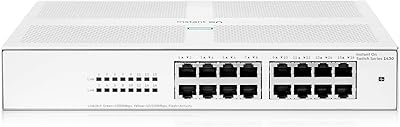
HPE Networking Instant On 1430 16-Port Gb Unmanaged Layer 2 Ethernet Switch
85%
92%
Setup and Installation
88%
Performance and Reliability
94%
Silent Operation
89%
Energy Efficiency
85%
Build Quality and Durability
More
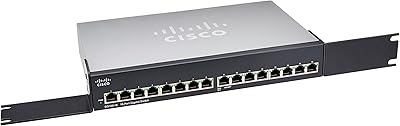
Cisco SG100-16 16-Port Gigabit Network Switch
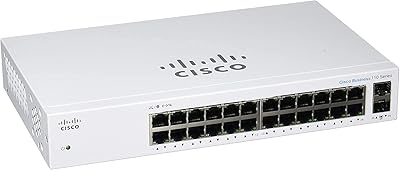
72%
91%
Ease of Setup
54%
Build Quality
83%
Port Performance
49%
Value for Money
47%
Long-Term Reliability
More
Cisco CBS110-24T Unmanaged Network Switch
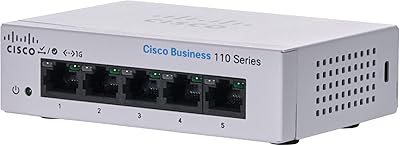
84%
96%
Ease of Setup
88%
Build Quality
91%
Port Performance
97%
Noise Level
78%
Value for Money
More
Cisco CBS110-5T-D 5-Port Unmanaged Switch
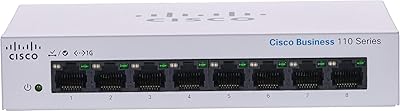
84%
97%
Ease of Setup
91%
Network Performance & Speed
96%
Noise Level
72%
Build Quality & Materials
83%
Value for Money
More
Cisco CBS110-8T-D 8-Port Unmanaged Network Switch

84%
96%
Ease of Setup
83%
Build Quality
91%
Network Performance
88%
Value for Money
97%
Noise Level
More
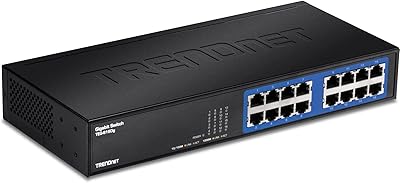
TRENDnet TEG-S16DG 16-Port Gigabit Switch
84%
96%
Ease of Setup
91%
Build Quality
89%
Network Performance
97%
Noise Level
84%
Value for Money
More
VIMIN 6-Port 2.5G Unmanaged Network Switch
83%
88%
Throughput Performance
84%
Build Quality
93%
Setup & Ease of Use
67%
SFP+ Port Usability
96%
Fanless Noise Level
More
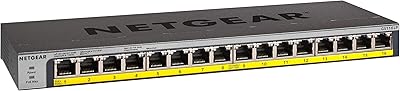
NETGEAR GS116LP 16-Port Unmanaged PoE+ Switch
86%
97%
Ease of Setup
93%
PoE Port Coverage
62%
PoE Power Budget
96%
Silent Operation
88%
Build Quality
More
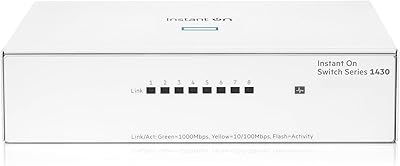
HPE Networking Instant On 1430 8-Port Gb Unmanaged Ethernet Switch
86%
92%
Ease of Setup
89%
Performance
85%
Build Quality
90%
Energy Efficiency
87%
Value for Money
More
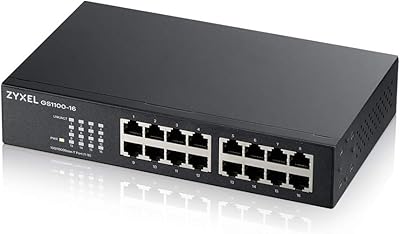
Zyxel GS1100-16 16-Port Gigabit Ethernet Switch
85%
88%
Performance
94%
Ease of Setup
91%
Energy Efficiency
85%
Build Quality
92%
Noise Levels
More

FAQ

No, nothing at all. This is a true plug-and-play device — connect your router or modem to one port, plug your devices into the remaining ports, and the switch handles everything automatically. There is no software to install, no web interface to log into, and no settings to adjust.

It does not. Because the CBS110-16T is unmanaged, it has no VLAN support, port isolation, or traffic control features. If you need to separate guest traffic from internal traffic, or isolate a point-of-sale system, you will need a managed switch instead.

No, the Cisco CBS110-16T 16-Port Unmanaged Network Switch has no PoE capability on any of its ports. To power PoE devices, you would need either a separate PoE injector for each device or a different switch model that includes PoE support.

Not at all — this unit is completely fanless, which means it runs in total silence. There are no fans or moving parts, making it a practical choice for open-plan offices, classrooms, retail counters, or any space where noise is a concern.

The 16 standard ports accept regular Ethernet cables with RJ45 connectors, which is what most devices use. The four SFP ports are designed for small form-factor pluggable modules, which let you connect the switch via fiber optic cable or long-distance copper links — useful if you need to connect across buildings or floors without signal loss.

Yes, it works with any standard router. You connect your router to one of the 16 ports, and the remaining ports become available for your wired devices. The switch does not replace your router — it just expands the number of wired devices your network can accommodate.

The switch uses automatic QoS, which means it identifies latency-sensitive traffic types — like VoIP calls or video conferencing — and gives them priority without you lifting a finger. It is not customizable, but for most small office environments it does a reasonable job of keeping calls and video clear even when the network is busy.

Both options are supported. The box includes mounting hardware for standard rackmounting, and the unit is also stable on a desktop surface. At 1.75″ high it fits neatly in a 1U rack space if you prefer a cleaner cable setup.

Cisco covers the hardware for the lifetime of the product under a limited lifetime warranty, which means if the switch fails due to a manufacturing defect, you can request a return-to-factory replacement. One year of technical support is also included separately. Keep your proof of purchase, as Cisco will likely require it when processing any claim.

For most small office or home lab setups, yes. The jump to 16 ports gives you significantly more room to grow, and moving from a consumer-grade unit to a business-line Cisco switch generally means better build consistency and a proper warranty. The caveat is that this 16-port gigabit switch is still unmanaged, so if you were hoping to gain network control features as part of the upgrade, you would need to look at a managed model instead.

Where to Buy