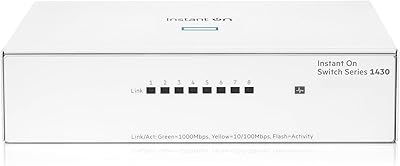
MikroTik CRS305-1G-4S+IN Network Switch
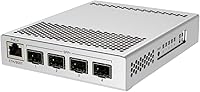
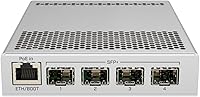
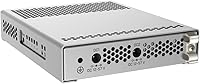
Overview
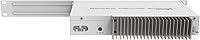
The MikroTik CRS305-1G-4S+IN Network Switch occupies a sweet spot in the market: a genuinely compact, fanless 10G switch built for prosumers and small businesses who want real throughput without paying enterprise prices. The all-metal chassis is slim enough to sit on a shelf or slip into a small rack, and it runs completely silent — no fans, no vibration, no noise. What sets it apart from simpler switches is the dual-boot OS option: buyers can run RouterOS for full Layer 3 control or SwOS for a stripped-back switching interface. It holds a Best Sellers Rank of #153 in its category, which says something in a niche dominated by technically demanding buyers. Fair warning — this is a managed switch, and it rewards people who already know their way around a network config.
Features & Benefits
The CRS305 packs four SFP+ ports capable of 10 Gbit per port — connect a NAS, a hypervisor host, a workstation, and still have a port to spare. A dedicated 1G copper RJ45 port handles management traffic separately, so your data lanes stay clean. The dual DC power inputs are a quiet but meaningful detail: redundant power at this price tier is uncommon, and it genuinely matters for always-on environments. Under the hood, an 800 MHz CPU paired with 512 MB RAM handles VLANs, QoS rules, and firewall policies without breaking a sweat. And since there are no moving parts, passive cooling keeps thermals in check while contributing to a longer expected hardware lifespan.
Best For
This compact 10G switch is a natural fit for home lab builders connecting a NAS and servers over 10G fiber or DAC cables, where silent operation in a living space or small office actually matters. It also works well in small business environments where you need managed switching features — VLANs, traffic shaping, access control — without committing to a full enterprise budget. Network admins already in the MikroTik ecosystem will feel at home right away. That said, if you are coming from a consumer switch background and need PoE output for access points or cameras, look elsewhere — PoE here is input only, used exclusively to power the device itself, not distribute power to downstream gear.
User Feedback
With over 1,100 ratings and a 4.6-star average, this MikroTik switch has earned its standing in a category where buyers tend to be unforgiving. Most praise centers on build quality and longevity — reviewers frequently mention running the unit continuously for years without a single hiccup. The fanless design gets consistent positive mentions, particularly from users who deployed it in noise-sensitive spaces. On the critical side, the RouterOS learning curve is the most common complaint, especially from buyers who underestimated what a managed switch actually demands to configure properly. A recurring source of confusion involves the PoE spec: this switch accepts PoE input to power itself but does not pass PoE through to connected devices — worth confirming before purchase.
Pros
- Four SFP+ ports each capable of 10 Gbps give you genuine high-speed backbone capacity for demanding workloads.
- The fanless design means zero noise — a real advantage in home offices, living spaces, or quiet server rooms.
- Dual DC power inputs add redundancy that is rare and genuinely useful at this price point.
- The all-metal chassis feels solid and well-built, not like budget networking gear.
- RouterOS unlocks advanced features — VLANs, routing, QoS, firewall rules — that far exceed what the hardware cost implies.
- SwOS provides a simpler alternative for admins who just need clean, reliable Layer 2 switching.
- A dedicated management port keeps admin traffic completely separate from your 10G data links.
- Over 1,100 user ratings with a 4.6-star average reflects consistent real-world satisfaction in a technically critical niche.
- Many users report years of continuous stable operation — longevity feedback is notably strong for this class of device.
- The compact footprint fits comfortably on a shelf, desktop, or in a small rack without wasting space.
Cons
- RouterOS has a steep learning curve for anyone new to MikroTik — expect to invest real time before feeling comfortable.
- All data ports are SFP+ only, so you will need to budget separately for transceivers or DAC cables.
- PoE support is input only; this switch cannot power downstream devices like access points or cameras.
- Only one copper RJ45 port is included, limiting direct copper connections to management traffic alone.
- SwOS, while simpler, offers limited flexibility if your needs ever grow beyond basic switching tasks.
- No built-in web dashboard that non-technical users would find intuitive — configuration assumes prior CLI or MikroTik experience.
- Firmware updates and feature additions depend on MikroTik release cycles, which can lag behind user requests.
- The absence of a console port may complicate recovery scenarios for admins who prefer out-of-band access.
Ratings
The scores below were generated by AI after analyzing thousands of verified global user reviews for the MikroTik CRS305-1G-4S+IN Network Switch, with spam, incentivized, and bot-flagged submissions actively filtered out. Our model weighs both enthusiastic praise and recurring frustrations equally, so the numbers you see reflect the honest distribution of real buyer experiences — not a curated highlight reel. Strong performers and genuine pain points are represented transparently across every category.
Build Quality
10G Throughput Performance
Noise & Thermal Management
Value for Money
Ease of Setup
RouterOS Functionality
SwOS Usability
Port Configuration & Flexibility
Power Redundancy
Hardware Longevity
PoE Clarity & Expectations
Physical Footprint & Portability
Community & Documentation Support
Suitable for:
The MikroTik CRS305-1G-4S+IN Network Switch is a strong match for anyone building a serious 10G infrastructure on a realistic budget — think home lab operators who want to link a NAS, a virtualization server, and a high-performance workstation over DAC cables or fiber without the noise penalty of a fan-cooled unit. Network admins who already work within the MikroTik ecosystem will find the transition effortless, since RouterOS here behaves exactly as it does on their other gear. Small businesses that need managed switching features like VLANs, QoS policies, or per-port access controls — but cannot justify an enterprise-grade price tag — will get substantial value here. The dual-boot OS option is genuinely practical: shops that only need clean Layer 2 switching can run SwOS and keep things simple, while those who want routing or firewall capabilities can switch to RouterOS without buying different hardware. If silent, always-on operation in a shared office or living space is a priority, the fanless all-metal chassis delivers exactly that.
Not suitable for:
The MikroTik CRS305-1G-4S+IN Network Switch is not the right tool for buyers expecting a consumer-grade, out-of-the-box experience. If your networking knowledge stops at plugging in a cable and opening a browser, RouterOS will feel like a wall — it is a real operating system that expects you to know what you are configuring. Anyone who needs PoE output to power wireless access points, IP cameras, or VoIP phones should look elsewhere immediately; this unit accepts PoE input only to power itself, and it passes nothing downstream. The four ports are all SFP+, which means you will need transceivers or DAC cables — buyers expecting to plug in standard RJ45 patch cables to all ports will be disappointed. With only one copper port available for management, it is not suited for environments where multiple copper-connected devices need to coexist on the same switch.
Specifications
- SFP+ Ports: The switch includes four SFP+ ports, each supporting data rates of up to 10 Gbps for use with fiber transceivers or direct-attach copper cables.
- Management Port: One dedicated 1G copper RJ45 Ethernet port is provided exclusively for out-of-band management access, keeping data traffic lanes uncontested.
- CPU: An 800 MHz processor handles packet processing, routing rules, and switch configuration tasks without becoming a throughput bottleneck under normal loads.
- RAM: 512 MB of onboard RAM provides sufficient working memory for complex RouterOS rule sets, VLANs, and active routing tables.
- Storage: 16 MB of onboard flash storage holds the operating system and configuration data for both RouterOS and SwOS.
- Dimensions: The unit measures 141 x 115 x 28 mm, making it compact enough for a shelf, desktop, or shallow rack installation.
- Weight: The switch weighs approximately 1 pound, reflecting its dense all-metal construction despite its small footprint.
- Chassis Material: The enclosure is constructed from metal, contributing to heat dissipation, structural rigidity, and overall durability.
- Cooling: Passive fanless cooling is used exclusively, with no moving parts, resulting in completely silent operation under all normal workloads.
- Power Inputs: Two DC power jacks are included to support redundant power supply connections, reducing the risk of downtime from a single power source failure.
- PoE Support: The switch accepts 802.3af/at PoE input at 57V to power the device itself; it does not provide PoE output to connected devices.
- Operating System: A dual-boot architecture allows the unit to run either MikroTik RouterOS for full Layer 3 functionality or SwOS for simplified Layer 2 switching.
- Interface Type: All high-speed data ports use the SFP+ interface standard, requiring compatible transceivers or DAC cables for connectivity.
- Max Data Rate: Each SFP+ port supports a maximum data transfer rate of 10 Gbps, enabling high-throughput connections between servers, NAS units, and workstations.
- Voltage Rating: The device is rated to operate at 57V when powered via PoE input, or via direct DC connection through either of the two power jacks.
- OS Boot Control: The active operating system can be selected from within RouterOS, SwOS, or directly through the RouterBOOT loader for recovery or preference switching.
Related Reviews
HPE Networking Instant On 1830 24-Port Switch
MikroTik CCR2116-12G-4S+ Cloud Core Router
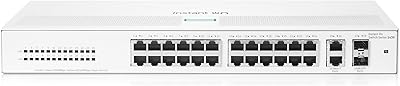
HPE Networking Instant On 1430 26-Port Switch
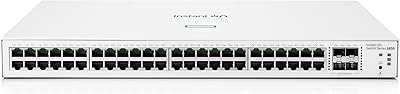
HPE Instant On 1830 48G 4SFP Switch
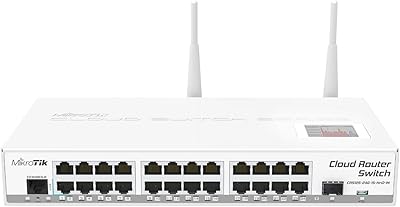
MikroTik CRS125-24G-1S-2HnD-IN Layer 3 Gigabit Switch

VIMIN 6-Port 2.5G Unmanaged Network Switch

MikroTik CSS326-24G-2S+RM Managed Ethernet Switch
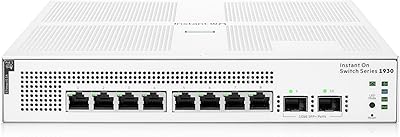
HPE Instant On 1930 8-Port PoE Switch
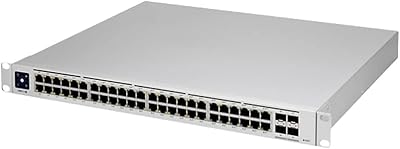
Ubiquiti UniFi USW-PRO-48-POE Gen2 Network Switch