Overview

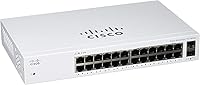
The Cisco CBS110-24T Unmanaged Network Switch is Cisco's answer to small businesses and non-technical teams that just need reliable wired connectivity without the headache of configuration. Plug it in, connect your devices, and you're done — no IT department required. The compact, fanless metal chassis keeps things quiet enough to sit on a desk in a retail store or open-plan office without anyone noticing it's there. Cisco backs it with a limited lifetime warranty, which is a meaningful assurance at this price point. Just be clear on what it is: a straightforward switching tool, not a managed or smart switch with VLANs or remote monitoring.
Features & Benefits

The CBS110-24T packs 24 full gigabit ports across the board — no mixing of slower 10/100 speeds — plus two SFP uplinks for fiber runs or stacking to another switch. Shared uplinks mean the SFP slots and two of the copper ports are tied together, so you use one or the other, not both simultaneously. The fanless design isn't just a spec bullet; in a classroom or quiet office, the absence of fan noise actually matters. Built-in QoS gives priority to time-sensitive traffic like VoIP calls, and the loop detection feature quietly guards against broadcast storms that could choke an entire network. Energy Efficient Ethernet further trims power draw during idle periods.

Best For

This unmanaged gigabit switch hits a sweet spot for small businesses and home offices that need dependable wired connections without anyone actively managing them. If you're running VoIP phones, a few NAS drives, and a handful of workstations across a single location, the CBS110-24T handles it cleanly. IT pros will also find it useful as a simple edge switch — drop it in, walk away, done. Teams still on older 10/100 hardware will notice an immediate lift moving to full gigabit speeds. It's not the right fit if you need VLANs, port monitoring, or PoE for access points, but for plain connectivity with Cisco's long-term warranty behind it, it's hard to argue against.

User Feedback

Buyers consistently highlight easy out-of-the-box setup as the standout experience — most describe connecting it and having it work within minutes, no configuration screens, no surprises. Build quality gets solid marks too; the metal chassis feels durable rather than cheap. A few reviewers mention it runs warm under sustained load, but without a fan there's no active heat dissipation, and no one reports actual failure from it. The shared SFP uplinks do trip up some buyers who expect all 26 ports to be fully independent — worth reading the specs carefully before purchasing. Against competing no-name switches, most buyers feel the Cisco name justifies the cost for long-term reliability and warranty support.

Pros

  • Plug-and-play setup requires zero configuration — most buyers are fully connected within minutes of unboxing.
  • All 24 ports run at true gigabit speed, delivering a real performance jump over older 10/100 infrastructure.
  • Completely fanless operation keeps the unit silent, making it a natural fit for customer-facing or quiet work environments.
  • The lifetime hardware warranty is rare at this price tier and provides genuine peace of mind for business deployments.
  • Built-in loop detection automatically protects the network from broadcast storms without any user involvement.
  • Solid metal chassis feels durable and has held up reliably for buyers running it continuously over extended periods.
  • Flexible mounting options — desktop or rackmount — are both supported with included hardware, no extra purchases needed.
  • Energy Efficient Ethernet trims power draw during low-traffic periods, a useful ongoing saving in always-on installations.
  • The CBS110-24T interoperates cleanly with any brand of router, NAS, or access point right out of the box.
  • Passive QoS keeps VoIP call quality stable even when other devices are transferring large files simultaneously.

Cons

  • No PoE support at all — IP cameras, wireless access points, and VoIP handsets need separate power injectors or a different switch entirely.
  • The shared SFP uplink design means you lose two copper ports whenever fiber uplinks are in use, reducing effective port count.
  • No web interface or management console means troubleshooting a connectivity issue requires physical inspection and guesswork.
  • VLAN segmentation is completely absent, which is a hard blocker for environments with guest networks or traffic isolation requirements.
  • The unit runs warm under sustained load, and in poorly ventilated spaces thermal buildup becomes a genuine concern.
  • Technical support coverage drops to hardware-only after the first year, leaving buyers without a direct support line for operational questions.
  • No link aggregation support caps throughput to a NAS or server at a single gigabit connection per device.
  • The price premium over no-name alternatives is hard to justify purely on specs for home users who do not need the warranty backstop.
  • No activity LEDs per port that clearly distinguish speed versus link status, which makes quick visual diagnostics less intuitive.
  • Buyers in warmer climates or rack-dense environments may need to actively plan airflow around the unit to avoid thermal issues.

Ratings

The Cisco CBS110-24T Unmanaged Network Switch earns its scores from AI-driven analysis of verified global buyer reviews, with spam, bot activity, and incentivized feedback actively filtered out before any score is calculated. The ratings below reflect what real small business owners, IT technicians, and office managers experienced after extended use — strengths and frustrations included. Nothing is glossed over.

Ease of Setup
96%
Buyers overwhelmingly describe the setup experience in a single word: instant. Plug in the power, connect the cables, and the switch starts forwarding traffic with zero configuration screens, login portals, or driver installs. For non-technical staff or busy office managers, this is genuinely appreciated.
A small number of users with more complex environments felt the lack of any setup interface was limiting rather than freeing. There is simply no fallback — if something does not work, there is no dashboard to help diagnose it.
Build Quality
88%
The metal chassis feels substantially sturdier than plastic alternatives at a similar price point. Several reviewers noted it held up well after months of continuous operation in tight server closets or retail back rooms, with no flex or sign of wear on the port labels.
The chassis runs noticeably warm under heavy sustained load, which some users found concerning even though no failures were reported. A few buyers felt the port labels could be more durable against repeated cable swaps over time.
Port Performance
91%
All 24 ports deliver true gigabit throughput, and buyers upgrading from older 10/100 switches report an immediately noticeable improvement in file transfers, NAS access speeds, and general network responsiveness. No port throttling or inconsistency was raised in feedback.
The shared SFP uplinks confused a meaningful portion of buyers who expected all 26 ports to function simultaneously and independently. Once understood, the limitation is manageable, but the product listing does not make this restriction obvious enough upfront.
Noise Level
97%
Completely fanless operation means this switch produces zero audible noise under any load. Buyers in classrooms, open-plan offices, and customer-facing retail counters specifically called this out as a deciding factor, saying it blends into the environment without any hum or whir.
The trade-off for fanless design is passive-only heat dissipation. In poorly ventilated spaces or stacked installations, thermal buildup is a legitimate concern — a handful of reviewers recommended leaving clearance around the unit for this reason.
Value for Money
78%
22%
Buyers who prioritize brand trust and long-term reliability consistently feel the price is fair for a Cisco product with a lifetime warranty. For business deployments where downtime is costly, the warranty alone justifies the premium over cheaper no-name alternatives.
Compared to unbranded or budget-tier 24-port gigabit switches that cost significantly less, some home users and cost-sensitive buyers felt the CBS110-24T was hard to justify purely on specs. The Cisco name carries weight, but not everyone needs that assurance.
Thermal Management
67%
33%
Under typical office workloads — a mix of file sharing, web traffic, and VoIP — the switch maintains stable temperatures without any noticeable performance degradation. Most buyers in standard office environments reported no thermal issues whatsoever.
In warmer climates or enclosed rack installations without airflow, some buyers reported the unit getting uncomfortably hot to the touch. No failures were cited, but the absence of active cooling leaves some users uneasy during peak summer months.
QoS Effectiveness
82%
18%
Buyers running VoIP phone systems alongside regular data traffic noted that call quality remained stable even during periods of heavy file uploads or video conferencing. The built-in QoS works passively without requiring any user configuration, which aligns perfectly with this product's audience.
Because QoS settings cannot be customized, network administrators with specific traffic prioritization requirements will hit a ceiling quickly. There is no way to define custom rules or fine-tune behavior — you take what Cisco ships.
Loop Detection
84%
Several IT buyers specifically mentioned loop detection as a standout safety feature for an unmanaged switch. In small office environments where a non-technical employee might accidentally create a loop, the automatic protection prevents a network outage without anyone needing to intervene.
Since the feature is completely automatic and transparent, there is no log or alert to tell an administrator when a loop was detected and blocked. For troubleshooting purposes, the lack of any feedback mechanism is a minor but real limitation.
Energy Efficiency
86%
Compliance with IEEE 802.3az Energy Efficient Ethernet means the switch actively reduces power consumption on ports with low or no traffic. Buyers managing multiple switches in an always-on environment appreciated the lower electricity draw compared to older generation hardware.
The power savings are incremental rather than dramatic, and most buyers in smaller deployments would not notice a meaningful difference on their electricity bill. It is a positive feature, but it rarely influences a purchase decision at this scale.
Mounting Flexibility
81%
19%
Included mounting hardware for both desktop and rackmount configurations is a practical touch that buyers appreciate, especially when plans change mid-deployment. Switching from a desktop setup in a retail counter to a proper rack install requires no additional purchases.
A few buyers noted the included rack ear quality felt slightly below the standard of the switch itself. The fit was functional but not as refined as the main chassis, which surprised some users given the overall build quality of the unit.
SFP Uplink Usability
62%
38%
For buyers who understand the shared uplink architecture, the two SFP slots provide useful flexibility for fiber runs to a core switch or connecting two buildings without running long copper cables. When used correctly, they work reliably without issue.
The shared design — where SFP ports and their corresponding copper ports cannot be active simultaneously — trips up buyers regularly. This is a notable architectural limitation that should be front and center in purchase guidance, and it meaningfully caps the usable port count in some configurations.
Warranty & Support
93%
A limited lifetime warranty with return-to-factory replacement is genuinely uncommon at this price tier, and buyers treat it as a meaningful safety net for business-critical deployments. The included one year of technical support also gives non-technical buyers a direct line if something goes wrong early on.
After the first year, phone and chat support drops away, leaving only the hardware warranty. Buyers who encounter complex configuration questions — even basic ones — after year one are largely on their own through community forums.
Compatibility & Interoperability
89%
As a standards-compliant gigabit switch, the CBS110-24T works with essentially any brand of router, access point, NAS, or networked printer without any configuration. Buyers integrating it into mixed-vendor environments reported zero compatibility headaches.
There is no LACP or link aggregation support, which limits throughput between this switch and a NAS or server to a single gigabit link per connection. For high-throughput storage scenarios, this is a tangible ceiling that buyers should evaluate carefully.
Physical Footprint
85%
At just under 11 inches long and under 2 inches tall, the CBS110-24T fits comfortably in tight spaces where a full 1U rackmount unit would be overkill. Buyers in small retail environments and classrooms praised the ability to tuck it out of sight without a full rack enclosure.
The unit is slightly heavier than some buyers expected for its size, which makes desk-mounting with adhesive solutions impractical. It really needs either a flat surface or proper rack rails for stable, long-term placement.

Suitable for:

The Cisco CBS110-24T Unmanaged Network Switch is purpose-built for buyers who need dependable wired connectivity without any of the complexity that comes with managed networking gear. Small business owners, office managers, and retail operators who just want devices connected and working will find it fits that brief cleanly — plug it in, and it does its job from the first minute. Classrooms and open-plan offices benefit particularly from the fanless design, since there is no fan hum to contend with in quiet environments. IT professionals who regularly deploy simple edge switches will appreciate the zero-touch setup, which cuts installation time dramatically when rolling out across multiple locations. It also makes a strong case for anyone upgrading an aging 10/100 network, since every port runs at full gigabit speed and the lifetime warranty means the hardware investment is protected for the long run.

Not suitable for:

The Cisco CBS110-24T Unmanaged Network Switch is the wrong tool for anyone who needs granular control over their network traffic. If VLANs, port mirroring, SNMP monitoring, or access control lists are part of your requirements, this switch simply cannot deliver them — there is no management interface at all, not even a basic web GUI. Network administrators supporting larger or more complex environments will quickly find the lack of visibility frustrating; when something goes wrong, there is no diagnostic dashboard to consult. Buyers hoping to power PoE devices like IP cameras, wireless access points, or VoIP phones directly from the switch will need to look elsewhere, since this model carries no PoE budget whatsoever. Similarly, anyone expecting all 26 ports to operate fully and independently will be caught off guard by the shared SFP uplink architecture, which ties two copper ports to the fiber slots in a mutually exclusive arrangement.

Specifications

  • Switch Ports: The switch provides 24 x 10/100/1000 Mbps Gigabit Ethernet RJ45 ports, all capable of full gigabit throughput simultaneously.
  • Uplink Ports: Two 1G SFP slots are included for fiber or additional copper connections, shared with two of the 24 RJ45 ports in a mutually exclusive arrangement.
  • Management Type: Fully unmanaged and plug-and-play with no web interface, CLI, or SNMP support of any kind.
  • PoE Support: This model carries no Power over Ethernet capability; devices requiring PoE must use separate power injectors or a different switch model.
  • QoS: Integrated Quality of Service intelligence prioritizes delay-sensitive traffic such as VoIP and video streaming automatically, without user configuration.
  • Loop Detection: Built-in loop detection identifies and mitigates network loops to prevent broadcast storms from disrupting connectivity.
  • Energy Standard: Compliant with IEEE 802.3az Energy Efficient Ethernet, which reduces power consumption on ports with low or inactive traffic.
  • Cooling System: Fanless passive cooling across all CBS110 models ensures completely silent operation under normal working conditions.
  • Chassis Material: The enclosure is constructed from metal, providing structural rigidity and durability suited for continuous business use.
  • Dimensions: The unit measures 11″ in length, 7″ in width, and 1.73″ in height, making it compatible with standard 1U rack installations.
  • Weight: The switch weighs 2.75 kg (6.05 lbs), reflecting the solid metal chassis construction.
  • Power Supply: An internal power supply is integrated into the unit; no external power brick is required.
  • Mounting Options: Supports both desktop and 19″ rackmount installation, with all required mounting hardware included in the box.
  • Security Slot: A Kensington security slot is present on the chassis for physical lock attachment in shared or public environments.
  • Switching Capacity: The CBS110-24T supports a switching fabric of 48 Gbps, providing non-blocking performance across all ports under full load.
  • Warranty: Cisco provides a limited lifetime warranty covering return-to-factory hardware replacement for the duration of the product's supported life.
  • Technical Support: One year of Cisco technical support is included from the date of purchase, covering phone and online assistance for setup and operational questions.
  • In the Box: Package includes the CBS110-24T-NA switch unit, a power cord or adapter, rack-mounting hardware, and a printed Quick Start Guide.
  • MAC Address Table: The switch supports a MAC address table of up to 8,000 entries, suitable for small to mid-sized office deployments.
  • Standards Compliance: The unit complies with IEEE 802.3, 802.3u, 802.3ab, 802.3z, and 802.3az networking standards.

Related Reviews
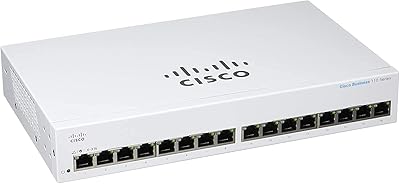
Cisco CBS110-16T 16-Port Unmanaged Network Switch
84%
96%
Ease of Setup
88%
Network Performance
74%
Build Quality
67%
Value for Money
97%
Noise Level
More
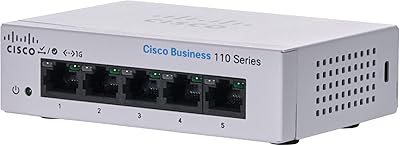
Cisco CBS110-5T-D 5-Port Unmanaged Switch
84%
97%
Ease of Setup
91%
Network Performance & Speed
96%
Noise Level
72%
Build Quality & Materials
83%
Value for Money
More
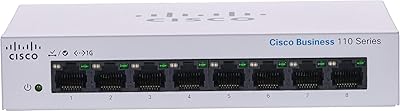
Cisco CBS110-8T-D 8-Port Unmanaged Network Switch
84%
96%
Ease of Setup
83%
Build Quality
91%
Network Performance
88%
Value for Money
97%
Noise Level
More
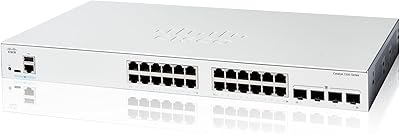
Cisco Catalyst C1200-24T-4G 24-Port Smart Switch

83%
78%
Ease of Setup
84%
Build Quality
91%
Network Performance
76%
Management Interface
88%
Security Features
More
VIMIN 6-Port 2.5G Unmanaged Network Switch
83%
88%
Throughput Performance
84%
Build Quality
93%
Setup & Ease of Use
67%
SFP+ Port Usability
96%
Fanless Noise Level
More
HPE Networking Instant On 1430 8-Port Gb Unmanaged Ethernet Switch
86%
92%
Ease of Setup
89%
Performance
85%
Build Quality
90%
Energy Efficiency
87%
Value for Money
More
HPE Networking Instant On 1430 16-Port Gb Unmanaged Layer 2 Ethernet Switch
85%
92%
Setup and Installation
88%
Performance and Reliability
94%
Silent Operation
89%
Energy Efficiency
85%
Build Quality and Durability
More
Cisco Catalyst C1300-24XTS Managed Network Switch
78%
91%
Port Performance
78%
Value for Money
74%
Ease of Setup
88%
Build Quality
93%
Security Features
More
MikroTik CRS305-1G-4S+IN Network Switch
85%
92%
Value for Money
88%
Performance
93%
Build Quality & Durability
80%
Ease of Setup
91%
Fanless Design
More
Cisco CBS220-24P-4G Smart Switch
87%
89%
Ease of Setup
92%
Reliability
87%
PoE Power Efficiency
90%
Network Speed/Performance
85%
Security Features
More

FAQ

Not at all. The Cisco CBS110-24T Unmanaged Network Switch is entirely plug-and-play — connect your devices with standard Ethernet cables, plug in the power, and it starts working immediately. There is no setup wizard, no web interface, and no app required.

Not simultaneously on the shared pairs. The two SFP uplink ports share physical connections with two of the copper RJ45 ports, meaning you can use either the SFP slot or the corresponding copper port, but not both at once. In practice, this means your maximum active port count is 24, not 26.

No, this model does not include any PoE capability. If you need to power devices like wireless access points, IP phones, or security cameras directly through the network cable, you will need a PoE switch or separate PoE injectors. Cisco offers other CBS110 variants with PoE if that is a requirement.

Unfortunately, no. This is a fully unmanaged switch with no configuration options at all, which means VLANs, port isolation, and traffic segmentation are not possible. If you need any of those features, you would need to step up to a smart or managed switch model.

Completely silent. The CBS110-24T uses passive fanless cooling, so there are no moving parts and no noise whatsoever. That makes it a comfortable choice for quiet environments like classrooms, small offices, or customer-facing retail spaces.

The unit does run warm under heavy sustained use, which is normal for fanless hardware. As long as you give it reasonable airflow — do not stack things on top of it or seal it in an enclosed cabinet without ventilation — it should operate stably. Most buyers in standard office environments report no thermal problems after extended continuous use.

The switch applies QoS automatically in the background based on traffic type. It prioritizes time-sensitive data like VoIP calls or video streams over general file transfers without any input from you. It is a coarse but effective approach for typical small office environments.

Both options are supported and the hardware for both is included in the box. You can sit it flat on a desk or shelf, or mount it in a standard 19″ rack using the included rack ears. No extra purchases are needed for either installation method.

Cisco's limited lifetime warranty covers hardware defects with a return-to-factory replacement process for as long as the product remains in Cisco's supported portfolio. You ship the faulty unit back and receive a replacement. Keep in mind that the one year of included technical support is separate — after year one, you still have the hardware warranty, but direct phone or chat support is no longer included.

Yes, without any issues. This unmanaged gigabit switch is fully standards-compliant and works with any router, modem, NAS, or networked device regardless of brand. There is nothing to configure on either end — just connect the switch to your router with an Ethernet cable and start plugging in devices.

Where to Buy