Overview

The Cisco CBS110-5T-D 5-Port Unmanaged Switch is Cisco's straightforward answer for anyone who needs to expand wired connections without IT complexity. This Cisco desktop switch is built for environments where simplicity matters — think small retail counters, classroom corners, or a home office desk where nobody wants to read a manual. You plug it in, connect your devices, and it works. The compact plastic housing fits easily on a desk or shelf, and because there is no fan, it runs completely silently. A limited lifetime warranty rounds things out, giving buyers real confidence that Cisco stands behind the hardware long-term.
Features & Benefits

All five ports on this five-port switch run at full Gigabit speed, which means even large file transfers across a local network finish quickly. The fanless design is a genuine practical advantage — in a reception area, studio, or quiet classroom, the last thing you want is a buzzing appliance sitting on the desk. Built-in QoS helps prioritize sensitive traffic automatically, so video calls stay stable even when someone else is pulling files across the network. Loop detection and cable diagnostics are small touches that save real troubleshooting time, and Energy Efficient Ethernet compliance means the switch backs off power draw when traffic is light.

Best For

This Cisco desktop switch hits its sweet spot with users who need reliable wired connections without managing anything. If you are setting up a small office, a shop counter, or a classroom with a few shared computers, this is exactly the kind of hardware you install once and forget. It is also a solid choice for home users who have run out of router ports and do not want flimsy consumer-grade gear. That said, if you need VLANs, port mirroring, or traffic monitoring, you will need a managed switch — this one is strictly plug-and-play by design, and that boundary is worth understanding before buying.

User Feedback

Buyers consistently highlight two things: how fast setup is and how dependable the connection feels day to day. Most people are up and running in under a minute. The Cisco brand reputation also carries real weight here — there is a level of trust that cheaper no-name alternatives simply do not offer. On the downside, some users are not thrilled about the external power adapter, which adds a bit of desk clutter compared to switches with internal supplies. A handful of reviewers also wish the unit offered managed features, which is worth flagging — but for buyers who simply want a rock-solid, no-fuss connection, feedback is overwhelmingly positive.

Pros

  • Plug-and-play setup takes under a minute with zero configuration required.
  • All five ports run at true Gigabit speeds, handling large local file transfers with ease.
  • Completely fanless operation keeps the switch silent in offices, classrooms, and retail spaces.
  • A limited lifetime warranty is rare at this price tier and provides genuine long-term peace of mind.
  • Built-in QoS helps keep video calls and VoIP stable without any manual tuning.
  • The CBS110-5T-D is compact enough to fit behind a monitor or on a narrow shelf without issue.
  • Energy Efficient Ethernet compliance keeps idle power draw low for always-on installations.
  • Cisco brand reliability gives small business buyers confidence that no-name alternatives simply cannot match.
  • Loop detection and cable diagnostics save real troubleshooting time when something goes wrong.
  • One year of included technical support gives new buyers a safety net during initial deployment.

Cons

  • The external power adapter adds desk clutter and occupies an extra outlet unnecessarily.
  • Only one year of technical support is included despite the lifetime hardware warranty.
  • The plastic casing feels lightweight and does not match the build quality Cisco is known for in its enterprise range.
  • Five ports fill up quickly — adding a sixth device immediately requires purchasing additional hardware.
  • No visual indication distinguishes between 1Gbps and 100Mbps link speeds on the status LEDs.
  • Buyers in warm or poorly ventilated rooms may notice the chassis running quite warm without active cooling.
  • The brand premium over comparable no-name Gigabit switches may be hard to justify for strictly budget-conscious buyers.
  • No mounting ears or rack compatibility makes structured cabling installations awkward without creative workarounds.

Ratings

The Cisco CBS110-5T-D 5-Port Unmanaged Switch earns its strong reputation across thousands of verified buyer reviews worldwide — and these scores reflect exactly that collective experience, with AI filtering applied to remove incentivized, bot-generated, and outlier feedback. What emerges is an honest picture: this five-port switch genuinely delivers where it matters most for non-technical users, though a few real-world trade-offs are worth knowing before you buy. Both the highlights and the frustrations are represented transparently below.

Ease of Setup
97%
Buyers consistently describe setup as one of the fastest they have ever experienced with any networking device. There are no apps, no accounts, no configuration menus — just cables in and traffic flowing. Small business owners and home users who dread tech setup particularly appreciate this.
Because there is zero configuration interface, users who later want to do something more advanced — like isolating a device on its own segment — quickly discover there is simply no way to do it. The simplicity that is a strength for most buyers is a hard ceiling for others.
Network Performance & Speed
91%
All five ports operate at true Gigabit speeds, and buyers transferring large files across a local network notice the difference immediately compared to older 100Mbps switches. Day-to-day tasks like shared printer access, NAS streaming, and video calls run without hiccups.
A small number of buyers in dense network environments noted occasional slowdowns under heavy simultaneous load across all ports, which is expected behavior for an unmanaged device with no traffic prioritization controls beyond the built-in QoS defaults.
Noise Level
96%
The fanless design is one of the most praised aspects across buyer feedback. Users who place this switch on a desk in a quiet home office, at a reception counter, or in a classroom report hearing absolutely nothing from it, even after hours of continuous use.
A tiny fraction of buyers in warm climates or poorly ventilated rooms expressed concern about long-term heat buildup without active cooling, though no widespread reports of heat-related failures were found among verified purchases.
Build Quality & Materials
72%
28%
The unit feels solid enough for desktop use and has maintained reliable operation for the majority of long-term buyers. Several reviewers who have owned the CBS110-5T-D for two or more years report no issues with port integrity or housing wear.
The plastic casing does feel noticeably lightweight, and a few buyers who handle a lot of hardware felt it did not match the robustness they associate with the Cisco brand. It is functional, but the chassis does not inspire the same confidence as Cisco's metal-bodied enterprise gear.
Value for Money
83%
For a branded Cisco product with a lifetime warranty, buyers generally feel the pricing is fair rather than inflated. Home users upgrading from an unbranded budget switch consistently mention they feel more confident in long-term reliability for the price difference.
Some buyers compared it to generic five-port Gigabit switches available at significantly lower prices and questioned whether the brand premium is fully justified for an unmanaged device with no advanced features. For price-sensitive buyers, the value calculation is close.
Port Count & Layout
78%
22%
Five ports cover most home office and small retail scenarios neatly, and buyers adding two or three devices to an existing router connection find the port count just right. The physical port spacing is comfortable and accommodates standard Ethernet plugs without crowding.
Several buyers mentioned wishing for a six or eight-port version at a similar price, particularly when they needed to add one extra device and found themselves already at capacity. Moving up to the eight-port CBS110 model means a noticeable jump in cost.
Power Supply Design
61%
39%
The switch powers on immediately and maintains a stable connection even through prolonged use, so the external adapter does its job reliably. Buyers in fixed desktop installations rarely mention it as a daily annoyance once cables are tidied away.
The external power brick is the most consistently mentioned complaint across reviews. In tight desk setups or installations behind counters, the separate adapter adds cable clutter and occupies an additional outlet. Several buyers felt an internal power supply would have been a cleaner solution at this price point.
Warranty & Support
88%
A limited lifetime warranty with return-to-factory replacement is genuinely unusual at this price level, and long-term buyers cite it as a key reason they chose Cisco over cheaper alternatives. Knowing the hardware is covered indefinitely removes a real concern for set-it-and-forget-it deployments.
The included technical support is only one year, which means after the first year buyers are reliant on community forums or paid support for anything beyond hardware replacement. A handful of reviewers found Cisco's support response slower than expected during that covered window.
Energy Efficiency
89%
Buyers who monitor their power consumption — particularly those with multiple network devices running continuously — appreciated that the switch draws minimal power during low-traffic periods. The IEEE 802.3az compliance is not just a spec; users notice it in always-on home setups.
Energy savings are marginal in absolute terms for a five-port desktop switch, and buyers looking at the spec expecting dramatic power reductions may find the real-world difference underwhelming unless they are running many units simultaneously.
Physical Footprint & Portability
86%
The compact dimensions make this Cisco desktop switch genuinely easy to tuck into tight spaces — behind a monitor stand, on a narrow shelf, or inside a small AV cabinet. Buyers appreciate that it does not demand dedicated rack space or a large surface area.
The lightweight build, while convenient for placement, means the unit can slide or shift when cables are pulled. A few buyers added adhesive feet or used the included mounting hardware to keep it stable, which should arguably be unnecessary out of the box.
Compatibility
93%
The CBS110-5T-D works with essentially any wired device out of the box — laptops, desktops, NAS drives, IP cameras, smart TVs — without any configuration. Buyers mixing older and newer devices on the same switch report no compatibility headaches.
Because the switch is strictly unmanaged, devices that require network isolation or VLAN tagging for proper security operation cannot be accommodated. IT-aware buyers setting up more structured environments will hit this limitation quickly.
Thermal Management
81%
19%
In real-world use across typical office and home temperatures, the fanless switch stays warm but never alarmingly hot. Long-term buyers in temperate climates report no heat-related dropouts or port failures after extended ownership.
In poorly ventilated spaces or warmer climates, the chassis does get noticeably warm to the touch during peak usage. While this has not translated into widespread failures, buyers in hot environments should ensure adequate airflow around the unit.
Indicator Lights & Status Visibility
74%
26%
The port activity LEDs are clear and responsive, giving users an immediate visual confirmation that each connected device is active and linked at the correct speed. For non-technical users, this simple feedback is genuinely useful during initial setup.
The LED indicators provide only basic link and activity status — there is no way to distinguish between 1G and 100Mbps connections at a glance on this model. A few buyers who wanted quick speed confirmation found this limiting compared to switches with differentiated speed indicators.
Brand Trust & Reputation
92%
Cisco carries decades of networking credibility, and buyers purchasing this five-port switch specifically mention that brand trust factored heavily in their decision. For small businesses putting networking hardware in a customer-facing space, having a recognizable brand on the label matters.
Some buyers acknowledged paying a small premium over comparable hardware purely for the Cisco name, and a few felt the plastic consumer-tier build did not fully reflect the brand image they expected. The gap between Cisco's enterprise and entry-level product feel is noticeable in person.

Suitable for:

The Cisco CBS110-5T-D 5-Port Unmanaged Switch is a natural fit for anyone who needs to add wired connections to a space without the headache of configuration or ongoing maintenance. Home office workers who have run out of router ports will find this a reliable, quiet solution that simply works from the moment it is plugged in. Small retail shops, reception desks, and classrooms are ideal environments — the fanless design keeps things silent, and the compact footprint means it tucks away without demanding attention. It suits non-technical buyers particularly well: there are no menus to navigate, no firmware to configure, and no IT support required to get up and running. Anyone upgrading from a slow or aging switch who wants the reassurance of a recognized brand behind their hardware will also feel right at home with the CBS110-5T-D.

Not suitable for:

The Cisco CBS110-5T-D 5-Port Unmanaged Switch is the wrong tool if your network needs any degree of control or segmentation. IT managers or advanced home lab users who need VLANs, port mirroring, traffic monitoring, or access control lists will hit a hard wall immediately — none of those features exist here by design. Businesses that need to isolate guest Wi-Fi traffic, separate POS systems from general office computers, or enforce security policies at the switch level should look at a managed switch instead. The external power adapter is also worth considering if desk space or outlet count is tight, since it adds cable bulk that an internal supply would eliminate. And if five ports sounds like just enough today, factor in future growth — adding a sixth device means buying additional hardware, since there is no room to expand within this unit.

Specifications

  • Port Count: The switch provides 5 x Gigabit Ethernet (10/100/1000 Mbps) ports, each capable of delivering up to 1 Gbps of wired throughput.
  • Management Type: Fully unmanaged with plug-and-play operation, requiring no software, login interface, or configuration of any kind.
  • Form Factor: Desktop form factor designed for placement on a desk, shelf, or countertop without requiring rack space or wall mounting.
  • Dimensions: The unit measures 4.33″ in length, 2.95″ in width, and 1.18″ in height, making it one of the more compact switches in its class.
  • Weight: The switch weighs 1.15 pounds, keeping it lightweight enough to reposition easily without tools.
  • Cooling System: Completely fanless thermal design with no moving parts, relying on passive heat dissipation to maintain safe operating temperatures.
  • Power Supply: Powered via an included external power adapter supplying 12V DC, which connects to a dedicated power port on the unit.
  • Energy Standard: Compliant with IEEE 802.3az Energy Efficient Ethernet, allowing the switch to reduce power consumption automatically during periods of low network activity.
  • Network Features: Includes built-in Quality of Service (QoS), loop detection, and cable diagnostics to support reliable operation without manual configuration.
  • Case Material: The housing is constructed from plastic, giving the unit a lightweight profile suited to desktop and countertop environments.
  • Security Slot: Equipped with a Kensington security lock slot, allowing the unit to be physically secured to a desk or fixture in shared spaces.
  • Data Transfer Rate: Supports a maximum switching capacity consistent with 5 Gigabit Ethernet ports operating at full duplex across all connections simultaneously.
  • Warranty: Backed by a limited lifetime warranty with return-to-factory hardware replacement, covering the unit for as long as the original buyer owns it.
  • Technical Support: Cisco includes one year of technical support from the date of purchase, covering configuration guidance and troubleshooting assistance.
  • Series: Part of the Cisco Business CBS110 series, which ranges from 5 to 24 ports and includes models with Power over Ethernet options.
  • Compatibility: Works with any standard wired Ethernet device including computers, NAS drives, IP cameras, printers, and smart TVs without driver installation.
  • In the Box: Package includes the CBS110-5T-D switch unit, a power cord or adapter, mounting hardware, and a Quick Start Guide.
  • Manufacturer: Designed and sold by Cisco Systems, one of the most established names in commercial and enterprise networking hardware worldwide.

Related Reviews
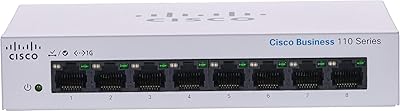
Cisco CBS110-8T-D 8-Port Unmanaged Network Switch
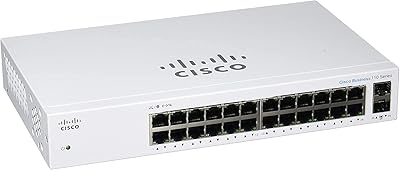
84%
96%
Ease of Setup
83%
Build Quality
91%
Network Performance
88%
Value for Money
97%
Noise Level
More
Cisco CBS110-24T Unmanaged Network Switch
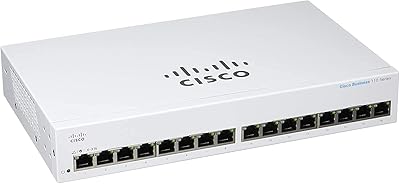
84%
96%
Ease of Setup
88%
Build Quality
91%
Port Performance
97%
Noise Level
78%
Value for Money
More
Cisco CBS110-16T 16-Port Unmanaged Network Switch
84%
96%
Ease of Setup
88%
Network Performance
74%
Build Quality
67%
Value for Money
97%
Noise Level
More
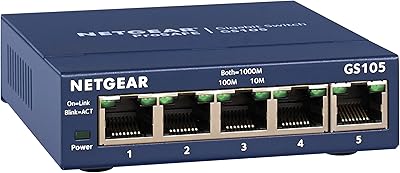
NETGEAR GS105NA 5-Port Gigabit Unmanaged Switch
85%
97%
Ease of Setup
93%
Network Performance
88%
Build Quality
96%
Noise Level
91%
Value for Money
More
TRENDnet TEG-S350 5-Port 2.5G Network Switch
78%
88%
Value for Money
91%
Network Performance
94%
Ease of Setup
86%
Build Quality
97%
Noise Level
More
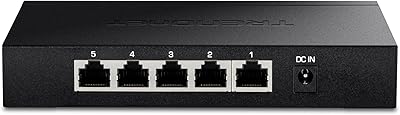
D-Link DGS-1005G 5-Port Gigabit Ethernet Switch
77%
94%
Ease of Setup
58%
Reliability & Longevity
87%
Network Performance
97%
Noise Level
76%
Value for Money
More
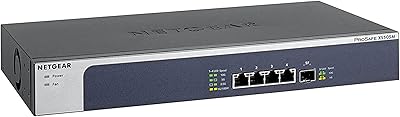
NETGEAR XS505M 5-Port 10G Multi-Gigabit Ethernet Unmanaged Switch
87%
91%
Performance
94%
Setup and Installation
88%
Build Quality
85%
Energy Efficiency
93%
Fanless Operation (Noise Level)
More
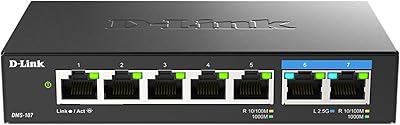
D-Link DGS-1100-05PDV2 5-Port Gigabit PoE Managed Switch
82%
92%
Value for Money
88%
Ease of Setup
90%
Quiet Operation
85%
PoE Functionality
87%
Energy Efficiency
More
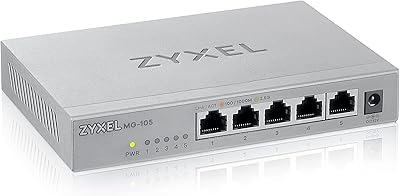
Zyxel MG-105 5-Port 2.5G Unmanaged Switch
80%
93%
Network Performance
97%
Ease of Setup
89%
Value for Money
62%
Build Quality
98%
Noise Level
More
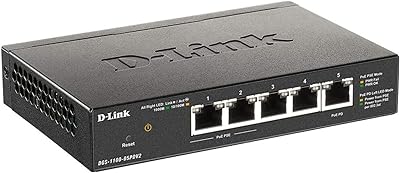
D-Link DMS-107 7-Port 2.5G Unmanaged Switch
83%
96%
Ease of Setup
71%
Port Configuration Value
89%
Build Quality
97%
Noise Level
66%
Thermal Management
More

FAQ

Not at all. This is a fully unmanaged switch, which means there is no app, no web interface, and no account required. You plug in the power adapter, connect your devices with Ethernet cables, and the switch handles everything automatically from that point on.

Yes, it is compatible with any standard router regardless of brand. Simply connect one port on the switch to an available LAN port on your router, and the remaining four ports on the switch become usable network connections for your other devices.

No, and this is an important limitation to understand before buying. Because the CBS110-5T-D is unmanaged, it has no VLAN support, no port isolation, and no traffic segmentation capabilities. All connected devices share the same network. If you need that kind of separation, you would need a managed switch.

Completely silent. There is no fan in this unit at all, so there are no moving parts and no noise under any load. This makes it a particularly good choice for quiet environments like home offices, classrooms, or customer-facing spaces where a noisy device would be disruptive.

It does get warm to the touch during extended use, which is normal for any fanless device. In a well-ventilated room at typical office temperatures, this has not been reported as a problem by long-term users. If you plan to install it in a confined, poorly ventilated space, just make sure there is some airflow around the unit.

The limited lifetime warranty covers hardware defects and includes return-to-factory replacement, meaning Cisco will replace a faulty unit rather than just repair it. Note that it is tied to the original purchaser and does not cover damage from misuse or power surges. Technical support is only included for the first year.

No, this particular model does not support Power over Ethernet. If you need to power devices through the cable, you would need to look at one of the PoE-capable models in the CBS110 series, such as the CBS110-8PP-D.

The included adapter is rated for specific voltage, so international compatibility would depend on the adapter specifications included in your region. For permanent desktop installations, the external adapter is mainly a minor cable management consideration rather than a functional problem.

Mounting hardware is included in the box, which allows for basic surface mounting if you prefer to keep it off the desk. It is not rack-mountable, but the included hardware gives you some flexibility for a cleaner installation in a fixed location.

The core switching function is similar — you get Gigabit speeds either way. Where the CBS110-5T-D differentiates itself is in build consistency, the lifetime warranty, Cisco's quality control standards, and features like QoS and loop detection that cheaper units often omit entirely. For a permanent installation where reliability matters, the brand assurance is worth the price difference for most buyers.

Where to Buy