ProtoArc KM100-A Bluetooth Keyboard and Mouse Combo

Overview
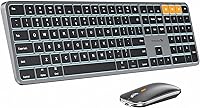
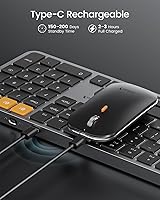
The ProtoArc KM100-A Bluetooth Keyboard and Mouse Combo is a Mac-focused peripheral set that punches above its price point with a clean, muted Space Gray aesthetic that sits comfortably alongside Apple hardware. What immediately stands out is the full-size layout with numpad — a genuine rarity among wireless Mac keyboards at this price, where compact tenkeyless designs tend to dominate. It connects purely via Bluetooth, so there's no USB dongle to misplace or burn a port on. That keeps your desk clean, though it does mean setup depends on your device's Bluetooth reliability. The combo is clearly aimed at Mac home users, students, and remote workers who want a practical rechargeable daily driver without the Apple premium.
Features & Benefits
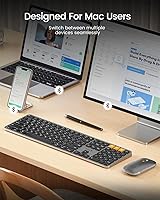
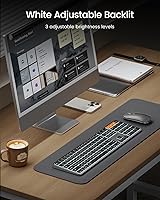
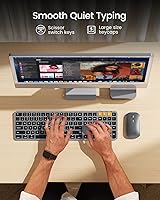
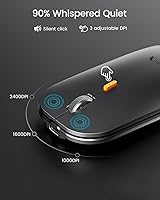
The KM100-A supports three Bluetooth channels, letting you hop between a Mac, iPad, and iPhone with a dedicated mode button — genuinely useful if you work across devices at the same desk. The white LED backlighting has three brightness settings: understated but functional, enough for a dark room without feeling garish. Scissor-switch keys have shallow key travel and a quiet, muffled feel that most people find comfortable for extended typing without disturbing others nearby. The mouse covers three DPI levels, which handles both careful detail work and everyday scrolling adequately. Worth noting: the backlighting resets after the keyboard wakes from sleep, so you'll find yourself toggling it back on more than you'd expect.
Best For
This Mac keyboard combo makes the most sense for Mac desktop users who want a numpad — useful for spreadsheet-heavy work — without paying for Apple's own accessories. It's also a natural fit for anyone who regularly bounces between a MacBook, an iPad, and an iPhone at the same desk, since multi-device switching is one of its stronger practical features. Low-light workers will find the backlit keys genuinely useful rather than decorative. One important caveat: if you plan to use this with a Windows machine, skip it. The media and function keys won't work on Windows at all, and that detail catches buyers off guard more often than it should.
User Feedback
Buyers of this wireless Mac set are generally positive, with pairing reliability and quiet key feel coming up most often in praise — particularly among users in shared or open-plan workspaces. Value for the price is another consistent highlight. On the downside, the mouse battery draws complaints; its smaller capacity means charging it more frequently than you might want. A few reviewers also flag that the build feels lightweight in hand, especially the mouse. The flat keyboard design divides opinion over longer sessions: some find it comfortable for their wrists, while others miss having any tilt adjustment. None of these are dealbreakers for the intended audience, but they're worth knowing before buying.
Pros
- Full-size layout with a numpad — rare in wireless Mac keyboards at this price point.
- Bluetooth multi-device switching lets you hop between Mac, iPad, and iPhone without re-pairing.
- Quiet scissor-switch keys are comfortable for shared offices, bedrooms, and library study sessions.
- White LED backlighting with three brightness levels is genuinely useful in dim environments.
- USB-C charging on both devices means one less cable type cluttering your desk.
- The Space Gray finish blends naturally with Apple hardware without looking out of place.
- Stable Bluetooth 5.1 pairing with minimal dropout in typical home and office environments.
- All Mac media keys and function keys work correctly out of the box — no drivers needed.
- The keyboard battery holds up well across a normal workweek under moderate daily use.
- Solid value for buyers who want a complete rechargeable Mac desk set without overspending.
Cons
- The mouse battery needs charging frequently — its small capacity is a real daily inconvenience.
- Backlighting resets after every sleep cycle, requiring a manual toggle at the start of each session.
- The mouse feels lightweight and hollow in hand, which raises questions about long-term durability.
- No tilt adjustment means users who prefer a raised keyboard angle have no options here.
- Windows users will find media and function keys completely non-functional — a hard dealbreaker.
- Keycap legends may show visible wear after several months of heavy daily typing.
- No battery level indicator means you only find out the keyboard is low when it dies mid-session.
- The full-size width demands meaningful desk space that compact setups simply may not have.
- No USB dongle fallback means Bluetooth interference in busy environments has no workaround.
- The mouse is average enough that dedicated Mac power users will want to replace it fairly quickly.
Ratings
The ProtoArc KM100-A Bluetooth Keyboard and Mouse Combo scores below are generated by AI after analyzing thousands of verified global user reviews, with spam, bot submissions, and incentivized feedback actively filtered out. The ratings transparently reflect both what buyers genuinely love and where this wireless Mac set falls short in real daily use. Strengths and pain points are weighted equally so you get an honest picture before committing.
Value for Money
Typing Experience
Multi-Device Connectivity
Backlighting
Build Quality
Mouse Performance
Mouse Battery Life
Keyboard Battery Life
Mac OS Compatibility
Windows Compatibility
Ergonomics & Comfort
Setup & Ease of Use
Noise Level
Design & Aesthetics
Desk Footprint
Suitable for:
The ProtoArc KM100-A Bluetooth Keyboard and Mouse Combo is a strong fit for Mac users who want a full desktop setup without the Apple accessory price tag. It makes particular sense for iMac or Mac Mini owners who need a numpad for spreadsheets, data entry, or accounting work — that full-size layout is genuinely hard to find in wireless Mac peripherals at this price. Students and remote workers who split their time between a MacBook, an iPad, and an iPhone at the same desk will get real daily value from the three-device Bluetooth switching. If your workspace gets dim in the evenings or you work in a low-light room, the backlit keys add practical usability rather than just looking nice. Anyone who has grown tired of buying AA batteries will also appreciate the USB-C rechargeable setup on both the keyboard and mouse.
Not suitable for:
If you use Windows — even occasionally — the KM100-A is the wrong choice. Media keys and function keys are simply non-functional on Windows, and that is not something a firmware update is likely to fix; it is a deliberate Mac-first design. Power users who spend six or more hours a day typing intensively may find the flat, no-tilt keyboard fatiguing over time, especially without a wrist rest, since there is no height adjustment to customize the angle. Designers, illustrators, or anyone doing precision creative work on a Mac will likely find the bundled mouse underwhelming and will want something more capable alongside it. If desk space is already tight, the full-size footprint — wider than most wireless Mac keyboards — may create real positioning problems, particularly when sharing a desk with a drawing tablet or a second monitor. Finally, buyers expecting the backlight to stay on passively throughout the day should know it resets each time the keyboard wakes from sleep, which is a recurring source of mild frustration.
Specifications
- Connection Type: Connects exclusively via Bluetooth 5.1, supporting up to three paired devices simultaneously with no USB dongle required or included.
- Compatible OS: Designed for macOS 10.12 and later; media keys and function keys are non-functional on Windows.
- Compatible Devices: Works with MacBook, MacBook Pro, MacBook Air, iMac, Mac Mini, iPad, and iPhone supporting Bluetooth 5.1 or above.
- Key Count: Full-size 109-key layout including a dedicated numeric keypad on the right side.
- Switch Type: Low-profile scissor switches designed for quiet actuation and shallow key travel across all 109 keys.
- Keyboard Dimensions: Measures 16.7″ wide by 4.7″ deep, with a flat, zero-tilt profile and no adjustable height feet.
- Keyboard Battery: Built-in 1200mAh lithium-ion battery rechargeable via USB-C, with auto-sleep activating after 60 minutes of inactivity.
- Mouse Battery: Built-in 300mAh lithium-ion battery rechargeable via USB-C; smaller capacity relative to the keyboard.
- Backlighting: Single-color white LED backlighting with three manually adjustable brightness levels; backlight state resets after sleep mode.
- Mouse DPI: Three switchable sensitivity levels at 1000, 1600, and 2400 DPI to suit different task types and surface preferences.
- Item Weight: Combined set weighs 13.8 ounces, making the keyboard notably lightweight relative to its full-size footprint.
- Color: Available in Space Gray, designed to complement Apple hardware aesthetics on a typical Mac desk setup.
- Auto-Sleep: Keyboard enters sleep mode automatically after 60 minutes without input and wakes instantly on any keypress.
- Charging Port: Both the keyboard and mouse use USB-C for recharging, with no proprietary cable or AA batteries required.
- Wireless Range: Standard Bluetooth operating range applies; optimal performance is expected within approximately 10 meters of the connected device.
- Numeric Keypad: Dedicated numpad is included in the full-size layout, positioned on the right side in standard desktop keyboard arrangement.
- Media Keys: Mac-specific media and function keys are fully supported on macOS but do not function on Windows operating systems.
- Device Switching: A dedicated mode switch button cycles between three Bluetooth channels, allowing fast switching between paired devices without re-pairing.
Related Reviews
Arteck HB086 Bluetooth Keyboard Mouse Combo
VssoPlor Bluetooth Keyboard Mouse Combo
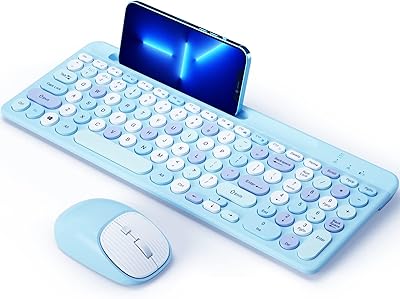
ASLDPUO Bluetooth Keyboard and Mouse Combo
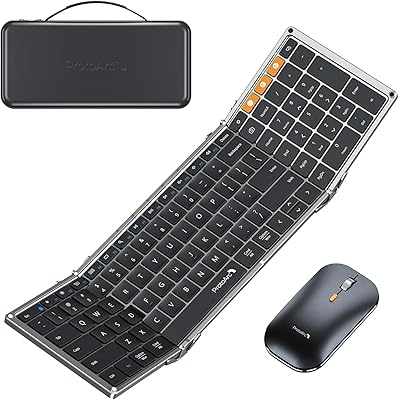
ProtoArc XKM01 Foldable Keyboard Mouse Combo
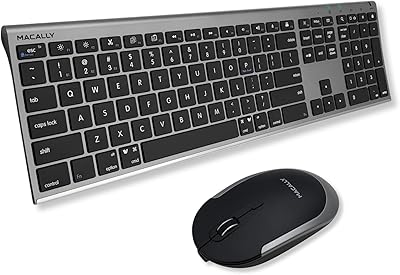
Macally Premium Bluetooth Keyboard and Mouse Combo
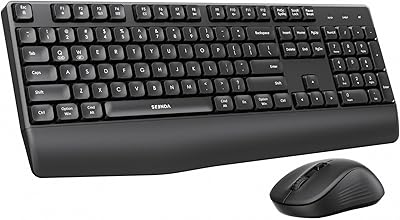
seenda COE200 Bluetooth Keyboard and Mouse Combo
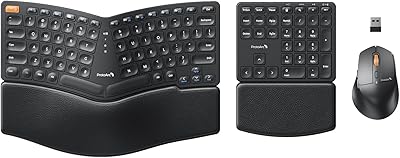
ProtoArc EKM04 Ergonomic Wireless Keyboard Mouse Combo
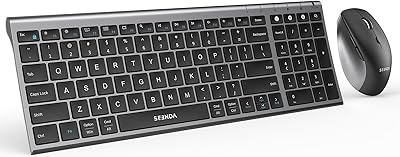
seenda COE401 Bluetooth Keyboard and Mouse Combo
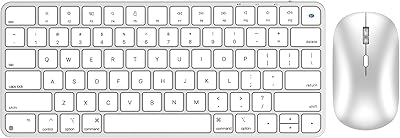
ULSOU KM599 Wireless Keyboard and Mouse Combo
