Overview

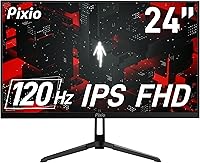
The Pixio PX246 Wave 24-inch Gaming Monitor sits squarely in the competitive sub-$150 display market, targeting first-time PC gamers and casual players who want a meaningful upgrade without a major investment. Pixio has built a reputation for punching above its price class, and this 24-inch IPS panel continues that trend with a slim, modern profile that looks at home whether it's anchoring a gaming rig or sitting on a student's desk. It won't challenge premium 144Hz or 4K screens, but as an everyday gaming display, it delivers a solid, honest package that's genuinely hard to dismiss at this price point.
Features & Benefits

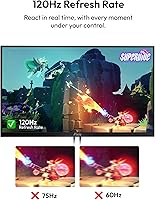
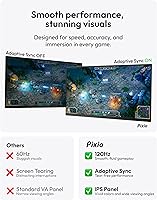
The 120Hz refresh rate is where the PX246 Wave makes its clearest argument. Going from a standard 60Hz panel to this one is a noticeable jump — scrolling feels tighter, and motion in games like racing titles or action RPGs is visibly more fluid. The 4ms GTG response keeps ghosting in check during casual play, and Adaptive Sync pairs well with mid-range GPUs to cut out screen tearing without needing a premium setup. Color coverage is a real strength too — over 115% sRGB and nearly 91% DCI-P3 means images look punchy and vivid out of the box. Built-in speakers work in a pinch, but treat them as a backup. VESA support adds useful mounting flexibility.

Best For

This Pixio monitor is a natural fit for anyone stepping up from a basic 60Hz TV or an entry-level display for the first time. Students who split screen time between coursework and evening gaming will find the 24-inch footprint practical for smaller desks, and the dual-purpose IPS display handles spreadsheets just as capably as it handles open-world games. Competitive FPS players chasing 240Hz or 1440p should look elsewhere — this panel is built for value, not records. For MOBAs, RPGs, indie titles, or anyone who simply wants a clean, capable monitor without overthinking the purchase, it hits the mark comfortably.

User Feedback

Buyers tend to respond well to this 24-inch IPS panel, with most praise landing on color quality and value. The image vibrancy surprises people expecting a flat, washed-out budget screen. Setup also gets frequent positive mentions — it's reportedly quick to unbox, connect via HDMI, and start using without driver headaches. On the downside, the stand draws consistent criticism; it offers tilt but no height adjustment, which frustrates users who prioritize ergonomics. Some also report mild IPS glow in dark scenes — typical for this panel type, but worth knowing if you game in a dim room. The speakers get used, but nobody raves about them.

Pros

  • The IPS panel delivers surprisingly vibrant, punchy colors that outperform what you'd expect at this price point.
  • 120Hz refresh rate makes a real, visible difference coming from any standard 60Hz display.
  • Adaptive Sync effectively eliminates screen tearing without requiring a high-end GPU.
  • Wide color gamut coverage — over 115% sRGB — makes this 24-inch IPS panel genuinely enjoyable for media and casual creative work.
  • Setup is quick and straightforward, with most users up and running through HDMI in minutes.
  • Slim, clean design fits naturally into both gaming setups and professional desk environments.
  • VESA mount support gives users the flexibility to use an arm for better positioning.
  • Built-in speakers provide basic audio output without needing external accessories.
  • The 24-inch size strikes a comfortable balance for single-monitor desks without feeling cramped or oversized.
  • Competitive pricing makes it one of the more complete entry-level IPS monitors available today.

Cons

  • The stand only tilts — no height adjustment or swivel means ergonomic flexibility is limited.
  • IPS glow can be noticeable in dark scenes, which may bother users gaming in low-light rooms.
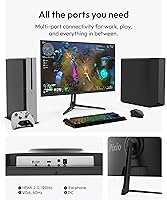
  • A single HDMI 2.0 port restricts multi-device connectivity without a switch or hub.
  • The VGA port signals budget positioning and is not useful for most modern GPU setups.
  • Built-in speakers are functional but thin-sounding — not a real substitute for even basic external speakers.
  • 1080p resolution, while sharp at 24 inches, will feel limiting to anyone coming from a 1440p or 4K display.
  • No height-adjustable stand means users with non-standard desk setups may need to purchase a monitor arm separately.
  • 300 nits of brightness can struggle in very bright rooms or near windows with direct sunlight.
  • No USB hub functionality, which is increasingly common even on competing budget monitors.

Ratings

The Pixio PX246 Wave 24-inch Gaming Monitor has been evaluated by our AI rating system after analyzing thousands of verified global user reviews, with spam, bot-submitted, and incentivized feedback actively filtered out. The scores below reflect an honest, balanced synthesis of real buyer experiences — strengths and frustrations alike — so you can make a genuinely informed decision before purchasing.
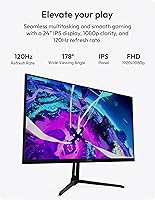
Image Quality
83%
Users consistently praise the color vibrancy coming from this IPS panel, often noting it looks far richer than competing monitors at a similar price. The wide color gamut coverage translates into punchy, saturated tones in games and streaming content that genuinely impress first-time IPS buyers.
Some users report that out-of-box calibration skews slightly warm, requiring manual adjustment to get accurate whites. Dark scene reproduction also draws criticism, as the 1000:1 contrast ratio limits shadow detail compared to VA panel alternatives.
Refresh Rate Performance
78%
22%
The step from 60Hz to 120Hz is something most buyers feel immediately — scrolling, menu navigation, and in-game motion all feel tighter and more fluid. For casual and mid-paced gaming genres like RPGs and MOBAs, the refresh rate comfortably delivers a smooth experience.
In 2025, 120Hz sits below the 144Hz and 165Hz options widely available in the same price bracket, which some buyers only realize after purchasing. Competitive FPS players find the ceiling noticeably limiting once they have experienced higher refresh rate displays.
Value for Money
91%
Across hundreds of reviews, the consensus is that this 24-inch IPS panel simply delivers more than expected at its price point — especially when buyers factor in the color gamut coverage, Adaptive Sync support, and the included VESA adapter. First-time monitor buyers frequently describe it as a surprisingly complete package.
The value narrative weakens slightly for buyers who stretch their budget to include a monitor arm or external speakers, since the stand limitations and thin audio output add indirect costs. A handful of users also feel that competing brands now offer 1440p at comparable pricing.
Adaptive Sync
82%
18%
Screen tearing is effectively eliminated during gaming sessions on compatible AMD and Nvidia hardware, which is a meaningful quality-of-life improvement that buyers at this price tier don't always expect. Users report noticeably smoother gameplay in titles with variable frame rates.
Adaptive Sync is delivered exclusively over HDMI on this panel, which means VGA users and some older setups cannot benefit from it at all. A small number of users report minor sync artifacts at very low frame rates, which is a known limitation of FreeSync at the lower end of the variable range.
Color Accuracy
74%
26%
The DCI-P3 coverage above 90% is a genuine differentiator for this price class, making the PX246 Wave appealing to hobbyist photo editors and content creators who want better-than-average color without spending more. Most casual users find the default color profile satisfying right out of the box.
Factory calibration is inconsistent across units, and without an ICC profile or hardware colorimeter, achieving accurate results requires effort. Professional color work is out of reach — this panel is not suitable for print production or broadcast-grade color grading tasks.
Ergonomics & Adjustability
48%
52%
The included stand is stable enough on flat surfaces and the tilt range handles basic desk positioning reasonably well for users at a standard chair height. The VESA compatibility at least provides an upgrade path for buyers willing to invest in a monitor arm separately.
The lack of height adjustment, swivel, or pivot is the single most recurring complaint across user reviews, and it's a significant drawback for anyone with non-standard desk setups or multiple monitor configurations. Taller users in particular consistently report discomfort during extended sessions without an arm.
Build Quality
71%
29%
The slim bezels and matte black finish give the PX246 Wave a cleaner, more modern appearance than budget monitors from previous generations. The overall chassis feels solid enough for everyday stationary use and the panel itself shows no flex under normal handling.
The plastic construction feels noticeably cost-reduced compared to mid-range alternatives, and some users report minor creaking around the stand joint over time. Port placement on the rear is slightly awkward for cable management in tight desk configurations.
Setup & Installation
88%
Assembly is consistently described as quick and painless — the stand attaches without tools and the monitor is ready to use in minutes. HDMI plug-and-play functionality means most buyers are up and running without installing drivers or navigating complex display settings.
The physical port labeling on the rear panel is small and difficult to read in low light, which catches some users off guard during initial setup. A few reviewers noted that the OSD button layout takes a session or two to get familiar with.
IPS Glow & Uniformity
62%
38%
Under normal room lighting and for the majority of gaming and productivity content, backlight uniformity is acceptable and IPS glow stays in the background. Users who primarily game in well-lit spaces rarely raise this as a concern in their feedback.
IPS glow in the corners becomes clearly visible during dark loading screens or night-time gaming in a dim room, and this is a recurring mention across reviews. A subset of buyers report panel-to-panel variance in glow intensity, suggesting quality control is not perfectly consistent.
Built-in Speakers
44%
56%
The presence of any integrated audio at this price point gives the monitor a convenience edge for light use cases like video calls, casual YouTube browsing, or temporary setups where external speakers aren't available yet. They function reliably and produce intelligible sound for spoken content.
Audio quality is consistently described as thin, lacking bass, and unsatisfying for music or cinematic game soundtracks. Most users migrate to headphones or an external speaker within days of setup, making the built-in speakers a rarely used feature rather than a genuine selling point.
Response Time & Motion Clarity
76%
24%
The 4ms GTG rating translates to clean, ghost-free visuals in the types of games this monitor is built for — RPGs, strategy titles, platformers, and casual shooters all look crisp without obvious trailing artifacts. For the intended audience, it comfortably clears the bar.
Competitive FPS players pushing the monitor to its limits in fast-paced scenarios may notice residual blur that a faster 1ms panel would eliminate. The 4ms rating is measured under optimal conditions, and real-world performance in darker scenes can show slightly more smearing.
Connectivity
58%
42%
The HDMI 2.0 port covers the needs of most modern devices — PC, laptop via adapter, PS5, Xbox Series — at full 120Hz without any compromise. The inclusion of VGA is a thoughtful nod to users with older hardware who haven't yet upgraded their GPU or system.
A single HDMI port is a real limitation for users who want to connect two devices and switch between them without unplugging cables. The VGA port signals the budget tier clearly and is capped at 60Hz, making it a fallback option rather than a usable primary connection.
Viewing Angles
84%
The 178-degree horizontal and vertical viewing angles deliver on the core promise of IPS technology — colors hold up well when viewing from the side, which matters for shared screens during co-op gaming or group work sessions. Off-axis accuracy is noticeably better than TN alternatives in the same category.
While the rated angles are wide, some color shift is still perceptible at extreme off-axis positions, particularly in color-sensitive content. This is a typical IPS characteristic rather than a defect, but buyers expecting perfect uniformity at all angles may be mildly disappointed.
Brightness & Glare Resistance
69%
31%
The matte screen coating does solid work reducing reflections in moderately lit rooms, making daytime use comfortable without constant glare management. For the typical indoor gaming or study environment, 300 nits of peak brightness is adequate for extended use.
Bright sunlit rooms or desks placed near windows can expose the 300-nit ceiling as a limitation, with the image appearing washed out under direct ambient light. HDR content is not officially supported, and buyers expecting any meaningful high dynamic range performance will be disappointed.

Suitable for:

The Pixio PX246 Wave 24-inch Gaming Monitor is a strong fit for anyone entering PC gaming without wanting to spend a lot of money upfront. Students who need a display that handles both coursework during the day and casual gaming in the evening will find the IPS panel's color accuracy and 24-inch size genuinely practical. Console players looking to replace a bulky TV with something desk-appropriate will appreciate the compact footprint and the step up in motion clarity that 120Hz delivers over a standard 60Hz screen. Remote workers on a budget who want a second monitor with decent color reproduction for creative or media tasks will also find real value here. The VESA compatibility is a thoughtful addition for anyone who wants to free up desk space with an arm mount, and the inclusion of a VGA port means older hardware doesn't get left behind.
Not suitable for:

The Pixio PX246 Wave 24-inch Gaming Monitor is not the right call for competitive gamers who depend on 144Hz or higher refresh rates to stay sharp in fast-paced FPS titles — 120Hz is a noticeable improvement over 60Hz, but it won't satisfy players used to 165Hz or 240Hz panels. Anyone prioritizing ergonomics will likely find the stand frustrating, as it only tilts and offers no height or swivel adjustment. Photographers, video editors, or creative professionals who need accurate color output calibrated to industry standards should invest in a purpose-built display rather than relying on this budget IPS panel. Those sensitive to IPS glow will want to test carefully, particularly if their workspace or gaming environment is dimly lit. If 1440p or 4K resolution is on your wishlist, this panel simply doesn't go there.
Specifications

  • Panel Type: Uses an IPS (In-Plane Switching) panel, which provides consistent colors and wide viewing angles compared to TN alternatives.
  • Screen Size: The display measures 24 inches diagonally, making it a practical size for single-monitor desk setups.
  • Resolution: Native resolution is 1920x1080 (Full HD), offering sharp detail at the 24-inch screen size.
  • Refresh Rate: Runs at 120Hz, delivering noticeably smoother motion than standard 60Hz displays during gaming and video playback.
  • Response Time: Rated at 4ms gray-to-gray (GTG), which is sufficient to minimize ghosting in casual and mid-paced gaming scenarios.
  • Brightness: Maximum brightness is 300 nits, suitable for moderately lit rooms but may appear dim in very bright environments.
  • Contrast Ratio: Native contrast ratio is 1000:1, typical for IPS panels and adequate for most gaming and productivity tasks.
  • Color Gamut: Covers 115.44% sRGB and 90.82% DCI-P3, resulting in vivid, punchy color reproduction for both gaming and media consumption.
  • Viewing Angles: Horizontal and vertical viewing angles reach 178 degrees (CR greater than 10), allowing accurate color from nearly any seated position.
  • Adaptive Sync: Supports Adaptive Sync over HDMI, which synchronizes the monitor's refresh rate with compatible GPUs to reduce screen tearing.
  • Connectivity: Includes one HDMI 2.0 port (supporting up to 120Hz) and one VGA port (limited to 60Hz) for legacy device compatibility.
  • Built-in Speakers: Features integrated speakers, providing basic audio output without requiring an external sound device for light use.
  • VESA Mount: Supports 75x75mm VESA mounting natively, and includes an adapter for 100x100mm compatibility with standard monitor arms.
  • Aspect Ratio: Standard 16:9 widescreen aspect ratio, compatible with all modern games, operating systems, and video formats.
  • Dimensions (with stand): With the stand attached, the monitor measures approximately 21.34″ wide, 16.86″ tall, and 7.2″ deep.
  • Weight: The complete unit with stand weighs 9.98 pounds, making it manageable for single-person setup and repositioning.
  • Stand Adjustability: The included stand supports tilt adjustment only, with no height, swivel, or pivot functionality built in.
  • Surface Finish: The screen uses a matte anti-glare coating, which helps reduce reflections from ambient light sources.
  • Power Input: Operates at 12 volts, and the monitor is designed for standard household power supply compatibility.
  • Release Date: The PX246 Wave first became available in February 2025, making it a relatively recent addition to Pixio's monitor lineup.

Related Reviews
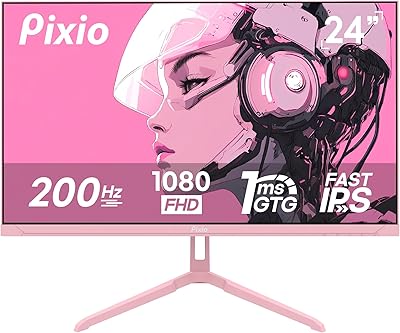
Pixio PX248 Wave Pink 24-inch 200Hz Gaming Monitor
83%
91%
Gaming Performance
88%
Display Quality
84%
Build Quality
86%
Ease of Setup
83%
Connectivity
More
Pixio PX278 Wave 27-inch Gaming Monitor
77%
88%
Image Quality
91%
Refresh Rate
87%
Response Time
83%
Color Accuracy
89%
Value for Money
More
Pixio PX24Q Pro 24-inch Gaming Monitor
75%
91%
Value for Money
88%
Image Sharpness
86%
Refresh Rate Performance
83%
Color Accuracy
79%
Response Time
More
Pixio PX279 Wave 27-inch Gaming Monitor
76%
91%
Gaming Performance
84%
Panel & Image Quality
88%
Response Time & Motion Clarity
82%
Color Accuracy
79%
Build Quality & Design
More
Pixio PX27U 27-inch 4K Gaming Monitor
71%
88%
Image Quality
84%
Color Accuracy
79%
Refresh Rate Performance
54%
HDR Experience
82%
Response Time & Motion
More
Pixio PX248 Prime V2 24-inch Gaming Monitor
73%
91%
Gaming Performance
83%
Color Accuracy
89%
Refresh Rate & Smoothness
74%
Panel Uniformity
86%
Adaptive Sync
More
Pixio PX275 Wave 27-inch 100Hz QHD IPS Gaming Monitor
87%
91%
Value for Money
88%
Display Quality
93%
Color Accuracy
85%
Gaming Performance
89%
Ease of Setup
More
STGAubron LCD2401 24-Inch Gaming Monitor
71%
83%
Value for Money
76%
Image Quality
79%
Color Accuracy
47%
Gaming Performance
43%
Screen Glare & Reflections
More
AOC 24G4 24-inch Gaming Monitor
76%
93%
Refresh Rate Performance
78%
IPS Color Quality
84%
Motion Clarity
91%
Value for Money
87%
Adaptive-Sync Implementation
More
Sceptre E248W-FW100T 24-inch Gaming Monitor
76%
91%
Value for Money
74%
Image Quality
78%
Gaming Performance
82%
Refresh Rate & Sync
67%
Response Time & Motion
More

FAQ

Yes, it connects to modern consoles via HDMI. Just note that the HDMI 2.0 port supports up to 120Hz at 1080p, so PS5 and Xbox Series X users can take full advantage of that refresh rate where supported by their games.

You can. It supports 75x75mm VESA mounting out of the box, and Pixio includes an adapter in the box for 100x100mm arms, which is the more common standard. That covers the vast majority of third-party monitor arms on the market.

It really is, especially if you are coming from a TV or an older office monitor. Scrolling, cursor movement, and in-game motion all feel smoother and more responsive. It won't blow you away the way a 240Hz display might, but the upgrade from 60Hz is one most people notice immediately.

Adaptive Sync is delivered over HDMI and is generally compatible with both AMD FreeSync-capable GPUs and Nvidia cards that support G-Sync Compatible mode. That said, always verify your specific GPU model supports adaptive sync over HDMI, as some older Nvidia cards have limitations.

IPS glow is present, as it is on virtually all IPS monitors in this price range. It's most visible in dark scenes or when viewing dark content in a dimly lit room. For everyday gaming and bright-scene content, most users won't find it distracting, but if you're sensitive to it or frequently game in a completely dark room, it's worth being aware of.

Unfortunately, no. The included stand only supports tilt adjustment. If you need height or swivel control, you will want to pick up a compatible monitor arm separately and use the included VESA adapter.

They're serviceable for system sounds, YouTube, or background music at a low volume, but they sound thin and lack bass. If audio quality matters at all to you, even a basic desktop speaker set or a decent headset will be a significant step up.

Yes, 1080p at 24 inches hits a pixel density sweet spot where content looks crisp and detailed without needing to scale the interface. Text is readable, games look sharp, and you won't notice individual pixels under normal use.

You need an HDMI cable to reach 120Hz, since the VGA port on this panel only runs at 60Hz. Pixio typically includes an HDMI cable in the box, but it's always good practice to check your package contents and have a spare HDMI 2.0 cable handy just in case.

It's a reasonable dual-purpose option for casual photo work, especially given its wide color gamut coverage. That said, it is not factory calibrated, so serious color work may require manual calibration. For hobbyists editing personal photos, it will be more than adequate; for professional color-critical work, a dedicated display is the better investment.

Where to Buy