Overview

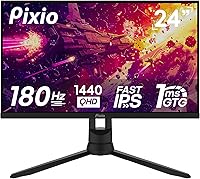
The Pixio PX24Q Pro 24-inch Gaming Monitor is Pixio's answer to a real gap in the market: a QHD display that doesn't demand a flagship budget. Pixio has built a reputation for squeezing competitive specs into affordable packages, and this 24-inch QHD display continues that tradition. The Fast IPS panel is a meaningful upgrade over older TN options at a similar price — you get decent colors and wide viewing angles without sacrificing speed. That said, strong specs on paper don't always translate perfectly to real-world use, and it's worth going in with calibrated expectations.
Features & Benefits

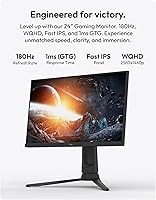
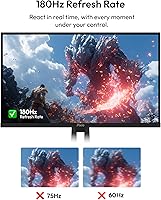
Running at up to 180Hz over DisplayPort, the PX24Q Pro keeps motion crisp in fast-paced shooters and racing titles. One thing worth knowing: if you're connecting via HDMI — say, from a console or a secondary PC — the refresh rate tops out at 144Hz. Still respectable, but not the headline number. The 1ms GTG response time does a solid job keeping ghosting in check during quick camera sweeps. Color coverage is genuinely impressive for a gaming display, hovering near full DCI-P3, which makes colors pop in vibrant open-world games. Built-in speakers and a headphone jack are handy bonuses, and VESA mounting support means you're not stuck with the included stand.

Best For

This Pixio monitor makes the most sense for PC gamers moving up from a 1080p display who want noticeably sharper visuals without a big spend. It pairs particularly well with mid-range GPUs like the RTX 4060 or RX 7600 — cards that can actually push 1440p at high frame rates without breaking a sweat. The 24-inch size keeps pixel density high, which most users appreciate, though it can feel tight on Windows scaling for some. Those prioritizing competitive low-latency play — think FPS or sim racing — will get real value here. It also suits anyone with a smaller desk who finds 27-inch panels too dominant.

User Feedback

Buyers generally respond well to this 24-inch QHD display, with color vibrancy and sharpness drawing the most consistent praise relative to what they paid. The Fast IPS panel genuinely impresses people coming from older TN screens. On the flip side, some users flag the stand's limited adjustability — height and tilt range can feel restrictive compared to pricier options. IPS glow in very dark scenes gets a mention from a handful of buyers, as it often does with panels at this tier. OSD navigation earns mixed remarks; the button placement isn't intuitive at first. Overall, buyer satisfaction trends positive, with most recommending it as a strong value pick.

Pros

  • QHD 1440p resolution delivers noticeably sharper visuals compared to a typical 1080p gaming monitor
  • Fast IPS panel provides wide viewing angles and vibrant colors without the slow response of standard IPS
  • High refresh rate via DisplayPort keeps gameplay fluid and responsive in competitive titles
  • Near-complete DCI-P3 color coverage is a genuine bonus for a display in this price bracket
  • Built-in speakers and headphone jack reduce the need for extra peripherals on a tidy desk
  • VESA 100x100mm compatibility lets you mount it on any standard arm or wall bracket
  • Matte screen surface handles ambient light well and reduces distracting glare
  • The 24-inch size keeps pixel density high, making text and fine detail look crisp
  • Dual HDMI ports allow easy switching between a PC and a secondary device
  • Overall buyer satisfaction is strong, with most users finding it punches above its price

Cons

  • HDMI connectivity caps at 144Hz, so console or multi-device users miss out on the full refresh rate
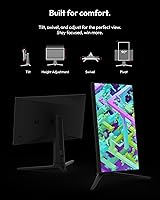
  • Stand offers limited ergonomic adjustment, which can be frustrating during long sessions
  • IPS glow is noticeable in dark scenes, particularly in dim room conditions
  • OSD button placement has a learning curve and isn't intuitive straight out of the box
  • The high pixel density on a 24-inch screen can cause Windows scaling issues for some users
  • Contrast ratio is average for IPS, meaning dark scenes lack depth compared to VA or OLED alternatives
  • No USB hub functionality limits desk connectivity options
  • At 13.77 pounds, the monitor is on the heavier side for its size class

Ratings

The Pixio PX24Q Pro 24-inch Gaming Monitor has been evaluated by our AI rating system after analyzing verified buyer reviews from global markets, with spam, bot-submitted, and incentivized feedback actively filtered out. The scores below reflect a transparent picture of where this 24-inch QHD display genuinely delivers and where real buyers have run into frustration. Both the standout strengths and the honest trade-offs are represented so you can make a confident, informed decision.
Value for Money
91%
Buyers consistently describe this Pixio monitor as one of the better deals they've found in the QHD gaming space — a Fast IPS panel with near-full DCI-P3 color coverage at this price tier is genuinely uncommon. Most users feel they got more display than their budget would typically afford, which drives a strong satisfaction rate among first-time 1440p buyers.
A small subset of users feel the value proposition softens once you factor in needing to purchase a separate monitor arm to compensate for the limited stand. If the stand met ergonomic expectations out of the box, the value score would be even harder to argue with.
Image Sharpness
88%
Jumping from 1080p to QHD on a 24-inch screen is a genuinely eye-opening upgrade, and buyers frequently highlight how noticeably crisp text, game textures, and fine UI elements appear on the PX24Q Pro. The high pixel density makes everything feel tighter and more detailed without needing to sit unusually close.
Windows scaling at this pixel density doesn't always behave cleanly with older or poorly optimized applications, and a handful of users report needing to tinker with DPI settings before their desktop felt comfortable. It's not a panel flaw, but it does add a small setup friction that less tech-savvy buyers find annoying.
Refresh Rate Performance
86%
At maximum speed over DisplayPort, gameplay in competitive shooters and racing titles feels noticeably smoother compared to typical 60Hz or 144Hz displays, and buyers who made the jump from lower refresh rates describe the difference as immediately apparent. Fast camera pans and high-speed action sequences benefit the most from the headroom this panel provides.
The 180Hz ceiling is only accessible through DisplayPort, and HDMI connections are limited to 144Hz — a distinction that catches some buyers off guard, particularly those using multi-device setups or connecting a console as a secondary input. It's not a dealbreaker, but it does require planning your cable setup in advance.
Color Accuracy
83%
For a gaming-primary display, the color coverage is a genuine highlight — vibrant, saturated hues come through in open-world environments and visually rich titles in a way that cheaper IPS panels at this size don't quite match. Casual content watchers also appreciate the richer palette when streaming movies or browsing photo-heavy content.
This is not a panel for serious color-critical work like photo editing or video grading — out-of-box calibration is decent but not precise, and there is no hardware calibration support. Users expecting professional-grade accuracy will need to look at purpose-built display options at a significantly higher price point.
Response Time
79%
21%
In everyday competitive gaming — think fast FPS titles or racing sims — the pixel response holds up well enough that most users report no distracting ghosting under normal settings. The Fast IPS panel genuinely performs better than standard IPS in this regard, and buyers upgrading from older IPS screens tend to notice the improvement right away.
The 1ms GTG figure reflects an optimistic best-case measurement, and some users notice mild trailing on the very fastest transitions if overdrive settings aren't tuned carefully. A few buyers using the monitor in high-contrast dark scenes also report subtle inverse ghosting when overdrive is pushed too aggressively.
Build Quality
71%
29%
The panel housing itself feels solid and doesn't flex noticeably during normal use, and the matte finish holds up well without attracting fingerprints or smudges during handling. For a value-tier display, the front-facing construction is unlikely to disappoint most buyers.
The stand is a common point of criticism — it feels lighter and less substantial than the rest of the monitor, and the limited adjustment range becomes apparent quickly for taller users or those with specific desk ergonomic setups. Several buyers describe it as functional but clearly the area where cost-cutting is most visible.
Ergonomics & Adjustability
58%
42%
Basic tilt adjustment is available and works fine for a flat desk setup where the monitor sits directly in front of you at a typical seating height. For users whose needs are simple, the included stand covers the essentials without any fuss.
Height adjustment, swivel, and pivot are absent, which is a meaningful limitation for users who share the monitor between different seating positions or need precise alignment for long daily sessions. This is probably the most frequently mentioned disappointment in buyer reviews, and it pushes many users toward purchasing a separate arm as a near-necessity.
OSD & Controls
62%
38%
The on-screen display covers all the key settings you'd want to adjust — refresh rate confirmation, overdrive modes, brightness, and color presets are all accessible once you get familiar with the button layout. Users who spend a few minutes learning the controls generally stop thinking about it.
The physical OSD buttons are positioned in a way that feels unintuitive at first, and it takes a few accidental presses before most users get a feel for the layout. Several reviewers mention that navigating to specific settings takes longer than it should, particularly when compared to monitors with joystick-style OSD navigation.
Brightness & Glare Handling
77%
23%
The matte screen coating handles reflections well in normally lit rooms and offices, and daytime gaming sessions with windows nearby are comfortable without needing to crank brightness. Most buyers in moderately lit environments report no meaningful distractions from ambient light.
At peak brightness, this 24-inch QHD display doesn't quite hit levels suited for very bright or sun-drenched environments, and HDR content — while technically supported — doesn't produce the dramatic highlights buyers might expect from a proper HDR-capable panel. It's a daytime monitor, not a wide-dynamic-range powerhouse.
Contrast & Black Levels
63%
37%
For a standard IPS panel, contrast performance is about what experienced buyers would expect — colors stay accurate and punchy across a wide brightness range, and mid-tone gradients look clean during most gaming and streaming scenarios.
Dark scenes in atmospheric games or horror titles reveal the IPS panel's inherent contrast limitations, with black areas appearing more like a dark gray rather than true black. IPS glow in the corners is also noticeable in pitch-dark scenes, which is a recurring theme in user feedback from buyers gaming in dim or unlit rooms.
Connectivity
81%
19%
Having two HDMI ports alongside a DisplayPort input gives this Pixio monitor genuine flexibility for users juggling a gaming PC and a secondary device without needing a switch or extra adapters. The headphone jack is a small but appreciated touch for users who don't have a separate DAC or audio setup.
The absence of a USB hub means no convenient pass-through for keyboards, mice, or USB drives directly from the monitor — a feature that's increasingly common on competing displays at a similar price. Buyers who rely on monitor-side USB connectivity for cable management will notice the omission.
Built-in Speakers
49%
51%
Having any integrated audio output at this price point is convenient for basic tasks — system alerts, casual YouTube browsing, or video calls don't strictly require a separate speaker. The speakers do produce usable sound in a quiet room.
Volume output is limited, bass is nearly absent, and audio clarity thins out quickly at higher volumes. Most buyers treat the built-in speakers as an emergency fallback rather than a usable daily audio solution, and the consensus is clear: plug in headphones or use external speakers for anything beyond background noise.
Setup & Out-of-Box Experience
74%
26%
Assembly is straightforward — the stand clicks into place without tools, and the monitor is ready to use within a few minutes of unboxing. Most buyers report a plug-and-play experience on Windows without needing to hunt for additional drivers.
The included cable selection is basic, and buyers aiming for the full 180Hz experience need to ensure they have a compatible DisplayPort cable on hand, as the bundled options may not always support the maximum bandwidth. The OSD learning curve also slightly dampens the otherwise smooth first-use experience.
Viewing Angles
82%
18%
The near-180-degree viewing angles are one of the clearest advantages the Fast IPS panel has over TN alternatives in this price range — colors and contrast stay consistent even when viewing the screen from noticeably off to the side. This makes the display practical for shared viewing or setups where the monitor isn't perfectly centered.
While viewing angle performance is strong for the price, extreme off-axis positions do introduce minor color shifts that purists will notice, though this is typical of IPS technology at any tier. Direct head-on viewing is where the panel looks its absolute best.

Suitable for:

The Pixio PX24Q Pro 24-inch Gaming Monitor is a strong fit for PC gamers who are ready to leave 1080p behind but aren't prepared to spend big on a premium display. If you're running a mid-range GPU like an RTX 4060 or RX 7600, this is the kind of panel those cards were practically made for — enough resolution to look sharp, and a refresh rate high enough to stay competitive. Competitive FPS and racing game players in particular will appreciate the combination of fast pixel response and smooth high-framerate output via DisplayPort. It also works well in smaller desk setups where a 27-inch panel would feel overwhelming, and the VESA mount compatibility gives you flexibility if you ever want to ditch the included stand. Casual content consumers who want better-than-average colors without paying content-creator prices will find the wide color gamut a welcome bonus.
Not suitable for:

The Pixio PX24Q Pro 24-inch Gaming Monitor is not the right call for everyone, and it's worth being honest about where it falls short. Console gamers should know upfront that HDMI connections max out at 144Hz, so the headline refresh rate is only accessible through DisplayPort on a PC. Anyone who needs precise ergonomic control — think multiple hours of daily use with specific height or pivot preferences — will likely find the stand limiting and may need to budget for a separate monitor arm. Users who demand deep blacks and high contrast for cinematic or dark-room gaming will be let down by the standard IPS contrast ratio, which won't compete with VA panels or OLEDs at any price. It's also not suitable for professional color work; while the color coverage is impressive for a gaming display, it lacks the hardware calibration and accuracy guarantees that photo or video editors need. Finally, anyone who finds 24 inches too small for desktop productivity or prefers a more expansive field of view should look at larger screen options.
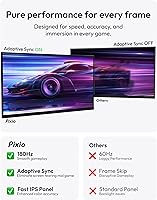
Specifications

  • Panel Type: The display uses a Fast IPS panel, which delivers wide viewing angles and accurate colors while maintaining the quick pixel transitions competitive gaming demands.
  • Screen Size: The active display area measures 24 inches diagonally, making it a compact but high-density option for gaming desks with limited space.
  • Resolution: Native resolution is 2560x1440 (QHD), offering significantly more detail and sharpness than a standard 1080p display of the same size.
  • Refresh Rate: The panel runs at up to 180Hz when connected via DisplayPort 1.4, and up to 144Hz over HDMI 2.0.
  • Response Time: Rated at 1ms GTG (gray-to-gray), which helps minimize motion blur and ghosting during fast-paced gameplay.
  • Brightness: Peak brightness reaches 350 nits, suitable for well-lit rooms but not designed for HDR-intensive workflows.
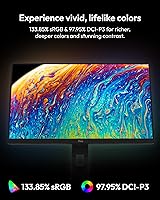
  • Color Gamut: Covers approximately 98% of the DCI-P3 color space and over 133% of sRGB, delivering rich, vivid colors for a display in this category.
  • Contrast Ratio: Static contrast ratio is 1000:1, which is standard for IPS technology but will not produce the deep blacks of VA or OLED panels.
  • Viewing Angles: Horizontal and vertical viewing angles both reach 178 degrees, allowing comfortable off-axis viewing with minimal color shift.
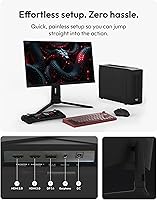
  • Connectivity: Includes one DisplayPort 1.4, two HDMI 2.0 ports, and a 3.5mm earphone jack for direct headphone connection.
  • Built-in Audio: The monitor includes integrated speakers, providing basic audio output without requiring a separate sound device.
  • VESA Mounting: Supports the standard 100x100mm VESA mount pattern using M4 screws, compatible with most third-party monitor arms and wall mounts.
  • Dimensions: With the stand attached, the monitor measures approximately 21.33″ wide, 19.44″ tall, and 10.46″ deep.
  • Weight: The complete unit with stand weighs 13.77 pounds, which is on the heavier end for a 24-inch display.
  • Screen Surface: The matte anti-glare coating reduces reflections from ambient light sources, making it more comfortable in brightly lit environments.
  • Aspect Ratio: Uses a standard 16:9 widescreen aspect ratio, compatible with all modern gaming and media content.
  • Power Input: Operates at 19 volts DC, with a power adapter included in the box.
  • Release Date: The PX24Q Pro became available in April 2025, making it one of Pixio's newer QHD gaming display releases.

Related Reviews
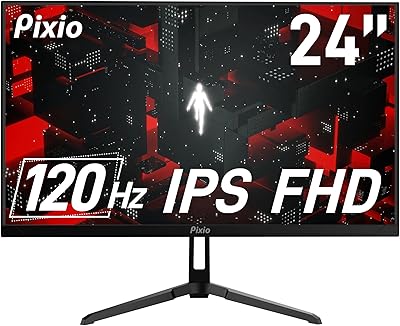
Pixio PX246 Wave 24-inch Gaming Monitor
72%
83%
Image Quality
78%
Refresh Rate Performance
91%
Value for Money
82%
Adaptive Sync
74%
Color Accuracy
More
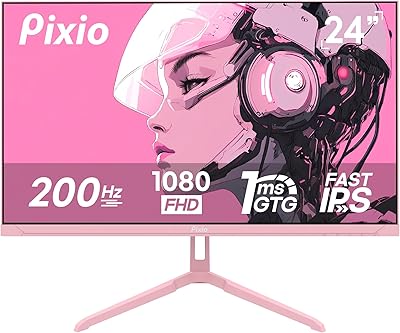
Pixio PX248 Wave Pink 24-inch 200Hz Gaming Monitor
83%
91%
Gaming Performance
88%
Display Quality
84%
Build Quality
86%
Ease of Setup
83%
Connectivity
More
Pixio PX248 Prime V2 24-inch Gaming Monitor
73%
91%
Gaming Performance
83%
Color Accuracy
89%
Refresh Rate & Smoothness
74%
Panel Uniformity
86%
Adaptive Sync
More
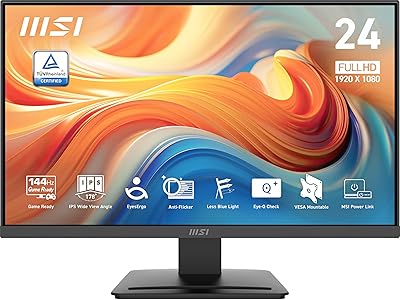
MSI PRO MP243L E14 24-inch Monitor
73%
91%
Value for Money
88%
Refresh Rate Performance
79%
Eye Care Effectiveness
76%
Image Quality
67%
Build Quality
More
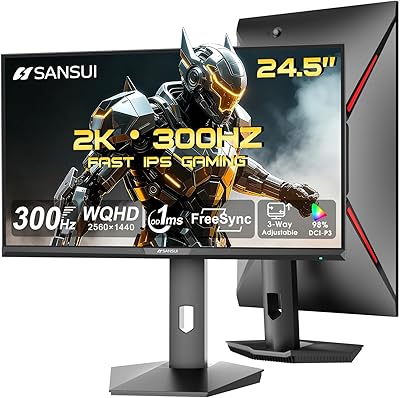
SANSUI ES-G25F6Q Pro 24.5-inch QHD Gaming Monitor
78%
91%
Refresh Rate Performance
88%
Image Sharpness
79%
Color Accuracy
93%
Value for Money
76%
Motion Clarity
More
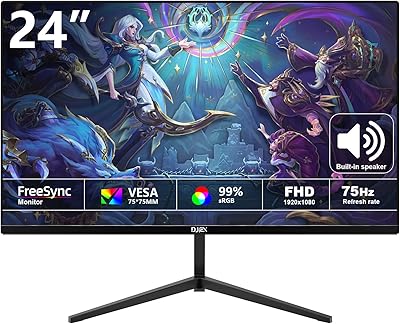
DJiEX Z24B12 24-inch Gaming Monitor
84%
92%
Value for Money
87%
Display Quality
85%
Ergonomics and Comfort
89%
Color Accuracy
80%
Connectivity Options
More
Sceptre E248W-FW100T 24-inch Gaming Monitor
76%
91%
Value for Money
74%
Image Quality
78%
Gaming Performance
82%
Refresh Rate & Sync
67%
Response Time & Motion
More
ViewSonic XG2431 24-Inch Gaming Monitor
86%
92%
Gaming Performance
88%
Display Quality
93%
Response Time
85%
Ergonomics and Comfort
89%
Visual Clarity
More
AOC G2490VXS 24″ Gaming Monitor
80%
88%
Gaming Performance
83%
Color Quality
86%
Contrast & Black Levels
91%
Refresh Rate & Smoothness
74%
Build Quality
More
AOC 24G4 24-inch Gaming Monitor
76%
93%
Refresh Rate Performance
78%
IPS Color Quality
84%
Motion Clarity
91%
Value for Money
87%
Adaptive-Sync Implementation
More

FAQ

Yes — you need to use the DisplayPort 1.4 connection to reach 180Hz. If you connect via HDMI, the monitor caps out at 144Hz, which is still smooth but not the top speed. Most gaming PCs include a DisplayPort output, but double-check your GPU before assuming.

You can connect a console using one of the HDMI ports, but consoles currently max out at 144Hz over HDMI anyway, so you won't be missing the 180Hz ceiling. The 1440p resolution is supported on Xbox Series X natively; the PS5 does not officially support 1440p output, so it will likely display at 1080p instead.

The PX24Q Pro supports adaptive sync, which works with AMD FreeSync-compatible setups. Nvidia GPU users can often enable G-Sync Compatible mode through the Nvidia Control Panel, though this depends on your specific driver version and GPU model.

The included stand offers tilt adjustment but has limited ergonomic range compared to monitors with full height, swivel, and pivot adjustment. If you need precise positioning for long sessions, a third-party VESA arm is a practical upgrade since the monitor supports the standard 100x100mm mount pattern.

At 24 inches with a QHD resolution, the pixel density is noticeably high. Most users find text and visuals look crisp, but some people run into scaling quirks in Windows — particularly with older applications that don't handle high-DPI well. Running Windows display scaling at 125% usually resolves most issues.

They're adequate for casual background audio or system sounds, but don't expect much bass or volume range. If audio quality matters to you, a headset plugged into the 3.5mm jack or dedicated desktop speakers will be a significant improvement.

Like most IPS panels, this 24-inch QHD display does exhibit some IPS glow in dark or near-black scenes, particularly in the corners. It's not unusually bad for its class, but if you game primarily in a pitch-dark room and want deep blacks, a VA panel or OLED would handle that scenario better.

Mid-range cards like the Nvidia RTX 4060 or AMD RX 7600 are a natural match — they can push 1440p at high frame rates in most modern titles without being bottlenecked. Higher-end GPUs will obviously perform even better, but the performance-per-dollar sweet spot sits in that mid-range category.

The on-screen display works fine once you get used to it, but the button layout isn't immediately intuitive — a common complaint with monitors in this price range. Give yourself a few minutes to map out the controls after unboxing and it becomes second nature fairly quickly.

The PX24Q Pro is primarily designed as a single-source gaming display, and Pixio does not prominently advertise PiP or PbP functionality for this model. If multi-source display splitting is important to your setup, verify this directly with Pixio support before purchasing.

Where to Buy