Overview
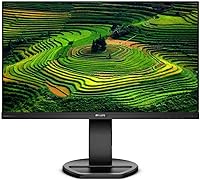
The Philips 241B8QJEB 24″ IPS Monitor is Philips’ answer to the modern office worker who needs a dependable, comfortable display without overspending. Part of the B-series lineup — designed around productivity rather than gaming or creative production — it comes with a frameless design and one of the most adjustable stands you’ll find at this price. Connectivity is surprisingly broad: four video inputs is not something you commonly see here. That said, it’s a 60Hz, 1080p panel, so keep expectations grounded. This is a workhorse built for spreadsheets, documents, and video calls — not high-refresh gaming or color-critical design work.
Features & Benefits
The IPS panel delivers wide viewing angles and covers 103.8% of the sRGB color space, which means colors stay consistent whether you’re centered or glancing from the side — handy in shared workspaces. Flicker-free backlighting and Low Blue mode genuinely help during marathon screen sessions; it’s not just marketing copy. The stand is where this Philips business monitor truly stands apart: 150mm of height adjustment, a full 90-degree pivot for portrait orientation, and 175-degree swivel — a feature set most rivals charge noticeably more to match. The built-in USB 3.0 hub with four ports reduces cable clutter and makes switching peripherals between devices nearly effortless.
Best For
This 24-inch IPS display is an ideal fit for anyone logging long hours at a desk — remote workers, stretched office teams, or people who’ve been tolerating a fixed-height monitor for too long. It handles multi-device setups well; four video inputs make switching between a laptop and a desktop surprisingly painless. IT buyers and small business owners will find the mix of build quality and price hard to argue with when outfitting multiple workstations. If you want high refresh rates or wide-gamut color for photo editing, look elsewhere. But if daily comfort and adjustability top your list, this Philips business monitor delivers where it counts.
User Feedback
With a 4.3-star average across a modest number of ratings, the overall picture is cautiously positive. Buyers consistently single out the ergonomic stand as a highlight — many say it’s the main reason they chose the 241B8QJEB over comparable Dell or LG options. Eye comfort during extended work sessions earns genuine praise as well. On the flip side, the glossy screen surface has caused real frustration for users in sunlit or brightly lit rooms, where reflections become a genuine nuisance. Built-in speakers are the most frequently criticized element — functional, but barely. The USB hub, though, quietly earns consistent appreciation for making cable management noticeably tidier.
Pros
- The ergonomic stand offers 150mm of height adjustment, portrait pivot, and full swivel — rare at this price.
- IPS panel delivers consistent colors and wide viewing angles, making shared-screen collaboration easy.
- Flicker-free backlighting and Low Blue mode provide real, noticeable relief during long working days.
- Four video inputs cover both legacy and modern systems, so you can connect older and newer hardware without adapters.
- The built-in USB hub turns the 241B8QJEB into a practical desk connectivity center with four ports total.
- Frameless design keeps the desk looking tidy and works well in dual-monitor configurations.
- AdaptiveSync support adds a small but welcome layer of smoothness even at 60Hz.
- VESA compatibility gives you the flexibility to wall-mount or use a third-party arm if the stand ever feels like too much.
- Build quality feels solid and well-considered for a monitor in this price category.
- One USB 3.0 port supports fast charging, which is a small but appreciated convenience for keeping devices topped up.
Cons
- The glossy screen surface causes noticeable reflections in bright rooms or near windows.
- Built-in speakers are barely functional — anyone who uses audio regularly will need external ones.
- 60Hz refresh rate makes this a non-starter for anyone who games or works with motion-heavy video.
- 1080p resolution on a 24-inch panel is adequate but starts to feel limiting on complex multi-window workflows.
- The rating pool is still relatively small, so the current review consensus may shift as more buyers weigh in.
- At nearly 11 pounds, this Philips business monitor is not the easiest to reposition or move between rooms.
- No built-in camera or microphone, which increasingly matters for remote workers on video calls all day.
- Color gamut coverage, while decent for office use, is not sufficient for professional photo or video editing.
Ratings
Our scores for the Philips 241B8QJEB 24″ IPS Monitor are generated by AI after systematically analyzing verified purchase reviews from buyers worldwide, with spam, bot-submitted, and incentivized feedback actively filtered out. The ratings reflect a genuine cross-section of real-world experiences — from remote workers logging ten-hour days to IT managers deploying multiple units across an office. Both the standout strengths and the honest frustrations are transparently baked into every score below.
Ergonomic Stand
Eye Comfort
Connectivity
USB Hub Utility
Image Quality
Build Quality
Glare & Reflections
Speaker Quality
Value for Money
Setup & Installation
Color Accuracy
Adjustability Range
Gaming Performance
VESA & Mount Compatibility
Suitable for:
The Philips 241B8QJEB 24″ IPS Monitor was clearly built with the desk-bound professional in mind, and it shows. Remote workers or office employees who routinely spend six to ten hours a day in front of a screen will appreciate the flicker-free backlight and Low Blue mode, which meaningfully reduce the eye fatigue that accumulates over long sessions. The fully adjustable stand — offering height, swivel, tilt, and a 90-degree portrait pivot — makes it easy to dial in a posture-friendly setup, which is something many budget monitors simply cannot offer. People managing two machines from one desk will find the four video inputs and four-port USB hub genuinely useful for cutting down cable clutter. IT managers and small business owners looking to equip multiple workstations consistently will find the build quality and connectivity range difficult to beat at this price point.
Not suitable for:
Anyone expecting a visually rich multimedia experience or competitive gaming performance should look elsewhere before committing to the 241B8QJEB. The 60Hz refresh rate and 1080p resolution are perfectly adequate for office tasks, but they fall short for fast-paced gaming or high-resolution video work. The glossy screen surface is a genuine concern for anyone working near windows or in brightly lit rooms — reflections can become distracting enough to undermine productivity, which is the one thing this Philips business monitor is supposed to protect. Photographers, video editors, or anyone who needs accurate wide-gamut color reproduction will want a panel with better coverage of the DCI-P3 or Adobe RGB spaces. And if you care about audio quality, the built-in speakers will likely frustrate you; they handle the occasional video call notification, but not much more.
Specifications
- Panel Type: The display uses an IPS (In-Plane Switching) panel, which provides consistent color and brightness across a wide range of viewing angles.
- Screen Size: The viewable screen area measures 23.8 inches diagonally, housed in a frameless enclosure.
- Resolution: Native resolution is 1920x1080 (Full HD), delivering a pixel density suitable for standard office and productivity work.
- Refresh Rate: The panel runs at 60Hz, which is standard for business-class monitors and adequate for everyday computing tasks.
- Response Time: Typical gray-to-gray response time is 4ms, reducing ghosting on moving content during normal office use.
- Color Gamut: Coverage spans 103.8% of the sRGB color space and 89.8% of NTSC, producing accurate, saturated colors for document and web-based work.
- Contrast Ratio: Philips rates SmartContrast at 50,000,000:1, a dynamic figure that adjusts backlight intensity based on on-screen content.
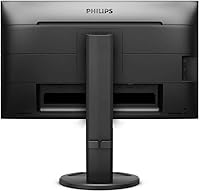
- Video Inputs: Connectivity includes HDMI 1.4, DisplayPort 1.2, DVI-D (digital, HDCP), and VGA (analog), supporting both legacy and current-generation systems.
- USB Hub: An integrated USB hub provides two USB 3.0 ports (one with fast-charging support) and two USB 2.0 ports for connecting peripherals directly to the monitor.
- Stand Adjustment: The SmartErgoBase stand supports 150mm of height adjustment, 90-degree portrait pivot, 175-degree left and right swivel, and -5 to 30 degrees of tilt.
- VESA Compatibility: The monitor supports standard 100x100mm VESA mounting, allowing use with third-party monitor arms or wall mounts.
- Eye Care: Flicker-free backlight technology and a software-selectable Low Blue mode are included to reduce visual fatigue during extended use.
- Adaptive Sync: AdaptiveSync is supported over DisplayPort, which helps reduce minor screen tearing during everyday tasks.
- Audio: Built-in stereo speakers and a headphone output jack are included, providing basic audio output without requiring external speakers.
- Screen Surface: The panel surface is glossy, which enhances color vibrancy but may produce reflections in bright or window-facing environments.
- Dimensions: The monitor measures 21.3 x 12.7 x 2 inches (width x height x depth) without accounting for the stand base footprint.
- Weight: Total unit weight including the stand is approximately 10.9 pounds, making repositioning manageable for one person.
- Display Colors: The panel is capable of rendering 16.7 million colors, consistent with standard 8-bit IPS display output.
Related Reviews
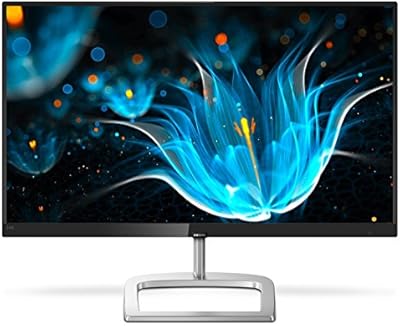
Philips 246E9QDSB 24-inch IPS Monitor
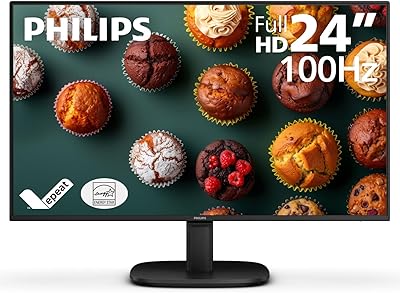
Philips 24B2N2100 24-inch Full HD Monitor

ViewSonic VG2448A 24-inch IPS Monitor
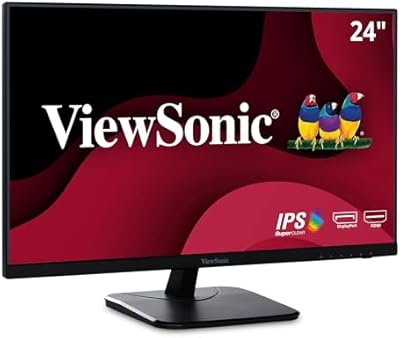
ViewSonic VA2456-MHD 24-inch IPS Monitor
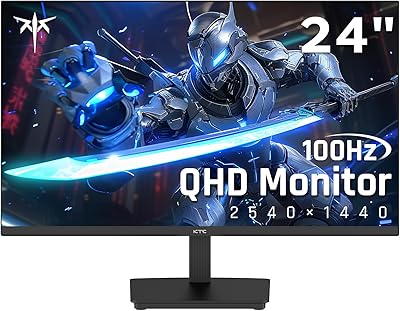
KTC H24T27 24-inch QHD Gaming Monitor
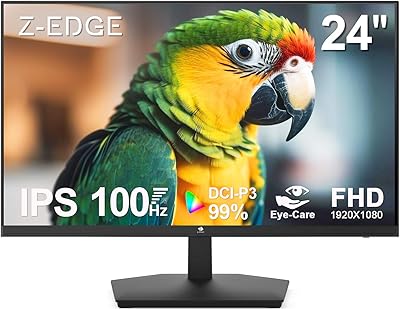
Z-Edge U24I 24-inch IPS Monitor

Dell E2420H 24-inch FHD IPS Monitor

Dell P2419H 24-Inch IPS Monitor

ViewSonic VP2468a 24-Inch IPS Monitor
