Overview

The Patriot P300 512GB M.2 NVMe SSD sits squarely in the budget tier, but that does not mean it cuts corners where it counts. Running on the SMI 2263XT controller with NVMe 1.3, it delivers sequential reads up to 1,700 MB/s — roughly three times faster than a typical SATA SSD. For everyday tasks like booting Windows, launching apps, or moving files around, that gap is immediately noticeable. The standard 2280 form factor means it fits into virtually any modern motherboard or laptop without fuss. Topping it off, a 5-year warranty on a drive at this price point is genuinely reassuring and not something every budget brand bothers to include.

Features & Benefits

What keeps the P300 trustworthy over time is the combination of error-correction technologies working quietly in the background. LDPC error correction catches and fixes read errors before they become real problems, while NANDXtend ECC actively works to extend the lifespan of the flash memory itself — useful when you are writing and rewriting data daily. End-to-end data path protection adds another layer, catching corruption before it silently reaches your files. This Patriot NVMe drive also throttles its speed when temperatures climb, which sounds like a limitation but actually protects the hardware during longer sustained transfers. Its low power draw makes it a natural fit for thin laptops or compact builds where heat and battery life both matter.

Best For

This budget M.2 SSD shines brightest as a primary boot drive for a first build — it is fast enough to make Windows feel genuinely snappy without pushing you over budget. If you are replacing a spinning hard drive in an older laptop or desktop, the speed difference will feel dramatic. Students and office workers who live inside a browser, email client, and a handful of apps will find 512GB surprisingly comfortable. Gamers can use it as a secondary storage drive for less demanding titles or large game libraries, though it is not the right pick as the sole drive in a high-performance rig. Power-conscious compact builds also benefit from its efficient footprint.

User Feedback

With a 4.6-star average across nearly 4,700 reviews, the P300 has clearly built a solid following among buyers who understand the value trade-off. The most consistent praise centers on easy installation and the noticeable speed jump compared to aging hard drives, with the 5-year warranty cited repeatedly as a trust builder. On the critical side, some users with write-heavy workloads have run into slower sustained speeds — a common characteristic of DRAM-less drives that lean on SLC caching, which can fill up under pressure. A handful also mention the drive running noticeably warm during extended use. Neither issue is a dealbreaker at this price, but both are worth factoring into your decision.

Pros

  • Massive real-world speed jump over hard drives and older SATA SSDs, felt immediately on boot and app launches.
  • Five-year warranty is genuinely above average for a drive at this price tier.
  • Standard M.2 2280 form factor fits virtually every modern motherboard and compatible laptop without adapters.
  • LDPC error correction and NANDXtend ECC quietly protect data integrity over years of daily use.
  • Low power consumption makes the P300 a smart pick for laptops, HTPCs, and fanless builds.
  • Nearly 4,700 verified reviews back up its reputation as a dependable budget storage option.
  • End-to-end data path protection reduces the risk of silent file corruption during transfers.
  • Thermal throttling provides a hardware-level safeguard against sustained-heat damage in tighter builds.
  • Easy plug-and-play installation on Windows 10 and 11 with no driver setup required.
  • 512GB capacity hits a practical sweet spot for everyday users who are not storing massive media libraries.

Cons

  • No DRAM cache means sustained write speeds can crater when moving large files in one session.
  • No dedicated SSD management utility — health monitoring requires third-party tools.
  • Drive runs noticeably warm under load in compact or poorly ventilated enclosures.
  • SLC cache saturation during back-to-back large transfers produces inconsistent, unpredictable throughput.
  • No heatsink or thermal pad included, leaving buyers in warm environments to source their own solution.
  • Warranty claim process has drawn criticism for slow response times in certain regions.
  • 512GB fills up faster than expected for users who store games, video projects, or large software suites.
  • Performance ceiling drops as the drive approaches full capacity, affecting everyday responsiveness over time.

Ratings

The Patriot P300 512GB M.2 NVMe SSD earned its scores through AI-assisted analysis of verified global buyer reviews, with spam, bot-generated, and incentivized feedback actively filtered out before any scoring was applied. Across nearly 4,700 real-world ratings, both the genuine strengths and the honest frustrations of this budget NVMe drive are reflected below — no glossing over the rough edges.

Value for Money
93%
For buyers working within a tight build budget, the P300 consistently over-delivers on perceived worth. Users frequently note that the price-to-performance ratio is difficult to beat at this storage tier, especially given the NVMe speeds and the 5-year warranty that comes bundled with it.
A small number of buyers feel that slightly spending more unlocks drives with DRAM cache and noticeably better sustained performance, making the value case feel less clear-cut for users who push the drive harder than basic daily tasks.
Read Speed Performance
88%
In everyday use — booting Windows, opening large project folders, loading browsers with dozens of tabs — the P300 feels genuinely fast. Users upgrading from SATA SSDs or old hard drives consistently report that the difference is immediately apparent from day one.
The quoted 1,700 MB/s sequential read is a ceiling, not a guarantee. A subset of users running benchmark tools note that real-world sustained reads occasionally fall short of peak figures, especially as the drive fills up past the 70% capacity mark.
Write Speed & Sustained Performance
61%
39%
For light writing tasks — saving documents, installing apps, downloading files — the P300 handles the job without any noticeable lag. Casual users transferring moderate amounts of data rarely encounter any slowdown in normal working conditions.
The absence of a dedicated DRAM cache is this drive's most discussed limitation. During large sequential writes — moving big video files, copying full game installs, or running write-heavy backup jobs — speeds can drop sharply once the SLC cache is saturated, frustrating users who expected consistent throughput.
Installation & Compatibility
94%
The standard M.2 2280 form factor slides into virtually every modern motherboard and compatible laptop slot without any adapter or modification. First-time builders consistently highlight how straightforward the physical installation is, with many describing it as a confidence booster for their first build.
A small number of users with older systems running BIOS rather than UEFI encountered minor recognition issues out of the box. This is mostly a platform-side limitation, but it caught a few buyers off guard who assumed plug-and-play compatibility across all hardware generations.
Reliability & Longevity
84%
The combination of LDPC error correction, NANDXtend ECC, and end-to-end data protection gives long-term users measurable confidence. Several buyers who have run the drive for two or more years report zero errors or unexpected failures, which is meaningful for a budget-tier product.
A handful of users flagged early failures within the first year, though these represent a small minority of the total feedback pool. It is worth noting that no budget NAND drive carries the same long-term endurance track record as premium enterprise-grade alternatives.
Thermal Management
71%
29%
Thermal throttling kicks in automatically during sustained workloads, which at least prevents the drive from reaching temperatures that could cause data loss or permanent damage. Users in well-ventilated mid-tower cases rarely report heat as a practical problem during normal use.
In compact builds — mini-ITX cases, slim laptops, or enclosed NAS enclosures — multiple users report the drive running noticeably warm under load. Without an M.2 heatsink, sustained transfers in tight spaces can trigger throttling that visibly reduces transfer speeds.
Power Efficiency
86%
Users running the P300 in laptops consistently note that it does not create a measurable drain on battery life compared to other NVMe options they have tried. For thin-and-light builds and HTPCs where passive cooling is preferred, the low power profile is a practical, real-world benefit.
While power consumption is low by NVMe standards, it still draws more than a comparable SATA SSD in idle states. For ultra-portable devices where every milliwatt matters across a full workday, this distinction can occasionally be relevant.
Build Quality & Form Factor
82%
18%
The P300 is compact and solidly constructed for its class. The 2280 stick format is consistent with industry standard dimensions, and users handling the drive before installation generally comment that it feels well-made relative to what they paid for it.
There is no integrated heatspreader or thermal pad included in the package, which some users building in smaller cases feel is a missed opportunity at this price. The bare PCB design means buyers in warmer environments may need to source their own thermal solution.
Software & Ecosystem Support
58%
42%
The drive works immediately on Windows 10 and 11 without any driver installation — plug it in, format it, and it is ready. For users who want a no-fuss experience without managing proprietary software, the P300 fits that preference well.
Patriot does not offer a dedicated SSD management utility comparable to Samsung Magician or Crucial Storage Executive. Users who want granular health monitoring, firmware update tools, or drive diagnostics will need to rely on third-party applications, which feels like a gap at any price tier.
Warranty & After-Sales Support
79%
21%
A 5-year warranty on a budget NVMe drive is genuinely above average for this segment, and many buyers cite it directly as a reason they chose the P300 over cheaper competitors. The coverage period adds meaningful peace of mind for students and casual users building on a budget.
Several users who attempted to navigate warranty claims reported that the process was slower and less streamlined than they expected from a recognizable brand. Response time and resolution speed appear to vary depending on region, which tempers the otherwise positive warranty story.
Gaming Load Times
72%
28%
As a secondary game storage drive, the P300 handles loading screens and asset streaming for less demanding titles without any obvious bottleneck. Casual gamers storing their libraries on it generally report satisfactory experience for the price paid.
For high-frequency open-world games that constantly stream assets from storage, the lack of DRAM cache can introduce occasional micro-stutters during rapid data requests. Serious gamers who plan to use it as their sole drive for AAA titles may find the inconsistency frustrating.
Capacity Practicality
83%
At 512GB, the drive hits a comfortable middle ground for most everyday users — enough room for Windows, a suite of applications, a handful of games, and a reasonable media library without feeling constantly squeezed. Most light users report never filling it past 60% in regular use.
Power users, content creators, or anyone storing large video projects will find 512GB runs out faster than expected. Buyers in that category who chose this capacity for cost reasons often find themselves managing storage more actively than they anticipated.
OS & Platform Compatibility
89%
Support spans Windows 7 through 11, which covers the vast majority of active PC users. Buyers repurposing older machines on Windows 8 or 10 report clean detection and smooth operation without any manual driver work or BIOS adjustments on mainstream hardware.
Official Linux support is not listed in Patriot's documentation, which causes uncertainty among a small but vocal group of Linux users in the review pool. Most report it working fine in practice, but the lack of official confirmation leaves some buyers in ambiguity.

Suitable for:

The Patriot P300 512GB M.2 NVMe SSD is a strong match for first-time PC builders who need a reliable, fast boot drive without stretching their budget past the breaking point. Students running everyday apps — browsers, office suites, video calls, light photo editing — will find the speed improvement over a hard drive immediately noticeable and the 512GB capacity more than sufficient for their workflow. Anyone upgrading an older laptop or desktop that still runs a spinning hard drive or a dated SATA SSD will experience a genuine, day-one improvement in how responsive their machine feels. It also works well as a secondary storage drive in a gaming rig, handling game libraries and media files while a faster primary drive manages the most demanding titles. Budget home theater PC and HTPC builders benefit from its low power draw and compact footprint, making it easy to tuck into space-constrained enclosures without adding heat or noise concerns.

Not suitable for:

The Patriot P300 512GB M.2 NVMe SSD is not the right tool for buyers who regularly move large volumes of data — think video editors exporting footage, photographers batch-processing RAW files, or anyone running continuous backup jobs to external drives. The drive lacks a dedicated DRAM cache, which means sustained write performance can drop noticeably once its SLC cache fills up, and that limitation shows up in real workflows rather than just benchmarks. Competitive gamers who want their primary drive to handle every AAA title with the fastest possible asset streaming should look at a step-up option with more consistent throughput under load. Builders working in very compact or poorly ventilated enclosures may also run into thermal throttling more frequently than they would like, especially without an aftermarket M.2 heatsink. Finally, buyers who value a polished software ecosystem — including manufacturer-provided health monitoring tools and easy firmware update utilities — will find Patriot's support offerings thinner than what brands like Samsung or Crucial provide.

Specifications

  • Capacity: The drive offers 512GB of usable storage, suitable for an operating system, core applications, and a moderate media or game library.
  • Interface: It connects via PCIe Gen 3 x4 using the NVMe 1.3 protocol, delivering significantly faster data throughput than SATA-based drives.
  • Form Factor: The 2280 M.2 form factor measures 0.15 x 3.15 x 0.87 inches, fitting the standard slot found on the vast majority of modern motherboards and laptops.
  • Controller: Powered by the Silicon Motion SMI 2263XT controller, which manages read and write operations and coordinates the drive's onboard error-correction functions.
  • Sequential Read: Peak sequential read speed reaches up to 1,700 MB/s, roughly three times faster than a typical SATA SSD under optimal conditions.
  • Sequential Write: Peak sequential write speed reaches up to 1,100 MB/s, though real-world sustained write performance may vary due to the DRAM-less design.
  • Random Write: 4K aligned random write performance is rated at up to 260,000 IOPs, which supports snappy multitasking and fast application launches.
  • Error Correction: The drive uses a combination of LDPC (Low Density Parity Check) and NANDXtend ECC technologies to detect and correct read errors and extend flash memory lifespan.
  • Data Protection: End-to-end data path protection monitors data integrity from the host interface through to the NAND, reducing the risk of silent corruption.
  • Thermal Control: Built-in thermal throttling automatically reduces drive speed when operating temperatures climb, protecting hardware during prolonged or intensive workloads.
  • Power Profile: Designed with a low-power consumption profile, making it well-suited for battery-dependent laptops, compact HTPCs, and fanless system builds.
  • Weight: The drive weighs just 0.317 ounces, reflecting the minimal physical footprint expected of M.2 NVMe storage modules.
  • OS Support: Compatible with Windows 7, 8.0, 8.1, 10, and 11, covering the full range of currently active Microsoft operating system versions.
  • Warranty: Patriot backs the drive with a 5-year limited warranty, which is above average for a storage product at this price tier.
  • Color: The drive has a black PCB finish with no integrated heatspreader or heatsink included in the retail package.
  • NAND Type: The drive uses QLC or TLC NAND flash memory managed by the SMI 2263XT controller, without a dedicated DRAM cache module.
  • Installation Type: Designed for internal installation, fitting directly into any M.2 slot that supports PCIe Gen 3 x4 or PCIe Gen 4 (backward-compatible) connections.

Related Reviews
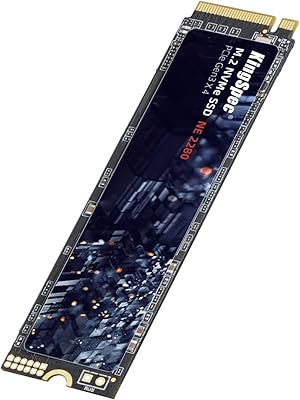
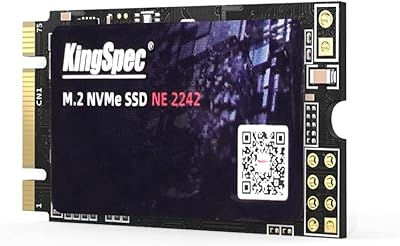
KingSpec NE-512 2242 512GB M.2 NVMe SSD
77%
88%
Value for Money
79%
Read Performance
71%
Write Performance
93%
Installation Ease
91%
Form Factor Compatibility
More
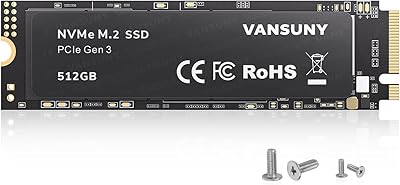
Vansuny X15 512GB NVMe M.2 SSD
75%
88%
Value for Money
74%
Read/Write Performance
91%
Installation Ease
69%
Build Quality
62%
Long-Term Reliability
More
ORICO M.2 NVMe SSD 512GB with Heatsink
86%
89%
Performance
92%
Cooling Efficiency
85%
Installation Ease
90%
Read/Write Speeds
88%
Capacity for Gaming & Everyday Use
More
KingSpec NE 512GB M.2 NVMe SSD
74%
91%
Value for Money
83%
Read/Write Speed
94%
Installation Ease
88%
Compatibility
41%
NAND Transparency
More
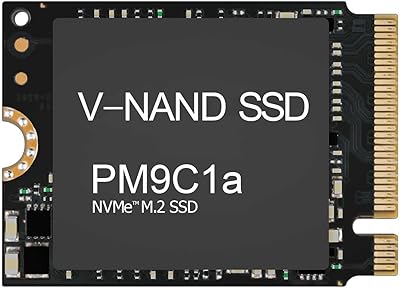
Samsung PM9C1A 512GB M.2 2230 NVMe SSD
87%
94%
Performance
92%
Speed
89%
Value for Money
88%
Ease of Installation
90%
Compatibility
More
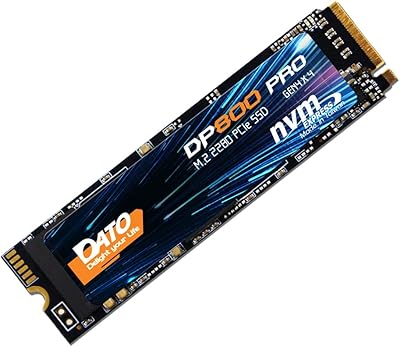
DATO DP800 Pro 512GB M.2 NVMe SSD
90%
94%
Performance
95%
Speed/Read-Write Performance
87%
Installation Ease
90%
Power Efficiency
88%
Durability (Shock Resistance)
More
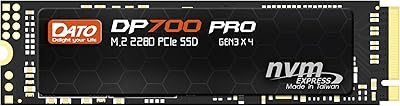
DATO DP700Pro 512GB M.2 NVMe SSD
77%
83%
Read/Write Performance
91%
Value for Money
94%
Installation Ease
61%
Thermal Management
67%
Brand Trust & Reliability
More
Kioxia BG4 512GB M.2 2230 NVMe SSD
87%
91%
Performance Speed
87%
Compatibility with Devices
88%
Build Quality & Durability
85%
Ease of Installation
93%
Size & Form Factor
More
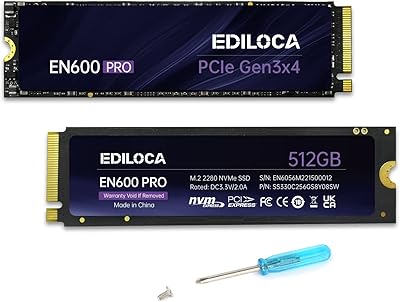
Ediloca EN600 PRO 512GB NVMe M.2 SSD
85%
91%
Performance
88%
Speed for Gaming
83%
Thermal Management
65%
Compatibility with Older Systems
90%
Build Quality
More
KingSpec NX Series 512GB NVMe M.2 SSD
72%
83%
Read Speed Performance
47%
Write Speed Transparency
91%
Value for Money
72%
Build & Reliability
88%
Compatibility
More

FAQ

In most cases, yes. The P300 uses the standard M.2 2280 form factor, which is the most common slot size found in modern laptops and desktop motherboards. Just make sure your board or laptop has an M.2 slot that supports PCIe NVMe — not all M.2 slots are NVMe-compatible, so it is worth a quick check in your device specs before buying.

Yes, it will work. PCIe Gen 4 slots are backward compatible with Gen 3 drives, so the P300 will install and run without any issues. You just will not get Gen 4 speeds — the drive will operate at its own Gen 3 x4 ceiling, which is still fast enough for everyday use.

Absolutely. It handles Windows 11 boot times and everyday app launches with ease. Most users report that their system feels noticeably more responsive after switching from a hard drive or older SATA SSD to this Patriot NVMe drive, and 512GB gives you enough room for the OS and a solid collection of software.

A DRAM cache acts as a fast temporary buffer for write operations. Without one, the P300 relies on a portion of the NAND flash itself to handle that role, which works fine for typical tasks. Where it can show its limits is during sustained large file transfers — moving dozens of gigabytes in one go — where speeds may drop once that cache fills up. For most everyday users this is rarely a real problem, but it is worth knowing if your workflow involves frequent large data movements.

Under light to moderate workloads it stays within normal operating temperatures, and the built-in thermal throttling kicks in automatically if things get too hot. In compact or poorly ventilated builds — like small form factor cases or enclosed laptop chassis — some users do report the drive running warm during sustained transfers. If your case has limited airflow, adding an inexpensive M.2 heatsink is a smart precaution.

It works well as a secondary game storage drive or as the primary drive in a budget gaming build. Loading screens and in-game asset streaming feel noticeably faster compared to a hard drive. That said, for a high-end gaming rig where you want the absolute best performance across all AAA titles, a DRAM-equipped drive from a step-up tier would serve you better.

Not a dedicated utility, unfortunately. Patriot does not provide a proprietary SSD management app for the P300. For health monitoring, temperature tracking, and firmware updates, you will need to rely on third-party tools like CrystalDiskInfo — which is free and does the job well — or your motherboard's built-in storage management software.

The drive comes with a 5-year limited warranty, which is a genuinely strong offering at this price point. The claims process through Patriot Memory is functional, though some buyers in certain regions have noted that response times can be slower than expected. It is worth registering your purchase and keeping your receipt so the process is smoother if you ever need it.

For the majority of everyday users — students, remote workers, casual gamers — 512GB is a comfortable amount. You can fit Windows, your core apps, a handful of games, and still have breathing room. Where people tend to run into trouble is storing large video libraries, recording footage, or maintaining a broad gaming catalog with multiple AAA installs. If that sounds like you, consider stepping up to a 1TB option instead.

Patriot officially lists Windows 7 through 11 as supported operating systems. In practice, many Linux users report the budget M.2 SSD working without any issues, as the NVMe protocol is natively supported in modern Linux kernels. macOS compatibility depends on whether you are installing it in a compatible Mac model with an accessible M.2 slot, which applies to a very limited range of machines. For anything outside Windows, it is worth doing a quick compatibility check for your specific setup.

Where to Buy