Overview

The Patriot Memory P320 256GB M.2 NVMe SSD is a straightforward entry point into NVMe storage for anyone building or upgrading a desktop on a tight budget. Patriot Memory has been a fixture in the value storage market for years — not the most glamorous brand, but one with a track record of delivering functional hardware at accessible prices. The drive slots into an M.2 2280 slot using a PCIe Gen 3x4 interface, which covers the vast majority of desktop motherboards made in the last several years. At 256GB, it is best thought of as an OS and core applications drive rather than a catch-all storage solution. Over 1,000 buyers have rated it, landing at a consistent 4.6 stars.

Features & Benefits

The P320 256GB hits read speeds up to 2200MB/s and write speeds up to 1200MB/s — figures that translate to noticeably faster boot times and quicker application launches compared to any SATA drive. The NVMe 1.3 protocol handles everyday workloads without breaking a sweat, and the PCIe Gen 3x4 connection means it will work in older boards that lack Gen 4 slots, no adapter needed. One thing worth knowing: this Patriot SSD lacks a DRAM cache. For casual use — booting Windows, loading Office, storing a game or two — that is a non-issue. If you are moving large files repeatedly or doing heavy write-intensive work, the absence of cache can cause sustained write speeds to dip noticeably over time.

Best For

This budget NVMe drive is a natural fit for anyone still running a spinning hard drive who wants a real speed bump without spending much. Plug it into a free M.2 slot on a mid-range or older desktop motherboard, and Windows feels like a different machine almost immediately. It also makes sense as a secondary storage drive — install a handful of games or your most-used apps and leave your main drive for bulk storage. Students and first-time builders will appreciate that it requires zero configuration out of the box. It is also a solid pick for refurbished office machines where there is no budget for premium hardware but some appetite for a meaningful performance upgrade.

User Feedback

Across the reviews, a few themes surface quickly. The most consistent praise is for the painless install process — buyers report it showing up as expected in BIOS with no driver drama, and the speed jump from an old HDD makes an immediate impression. Value perception is strong at this price tier, and most reviewers seem to be sizing it up fairly against its category. The gripes are predictable: 256GB goes fast if Windows, a few games, and regular app installs all pile on the same drive. A small number of long-term users flag write endurance concerns for heavier workloads. Still, the majority using this budget NVMe drive as a dedicated OS boot drive or light-use storage report no regrets.

Pros

  • Boots Windows noticeably faster than any traditional spinning hard drive right out of the box.
  • PCIe Gen 3x4 interface is backward compatible, fitting most desktop motherboards from the last several years.
  • The M.2 2280 form factor installs in minutes with minimal tools required.
  • Read speeds up to 2200MB/s make everyday tasks like launching applications feel genuinely snappy.
  • Plug-and-play Windows firmware means no driver headaches or manual configuration for first-time builders.
  • Sits at the accessible end of the NVMe market, making the entry cost easy to justify.
  • Over 1,000 buyers have rated the P320 256GB at 4.6 stars, a reassuring signal at this price tier.
  • Works reliably as a secondary drive for application or game storage alongside a larger primary drive.
  • Small and light enough to handle comfortably during installation, even in tight cases.

Cons

  • No DRAM cache means sustained write speeds can dip significantly during prolonged or heavy file transfers.
  • 256GB fills up fast if Windows, multiple games, and daily applications all share the same drive.
  • Does not approach PCIe Gen 4 performance, so it offers limited runway for future-oriented builds.
  • A portion of long-term buyers have flagged endurance concerns under write-intensive, repeated workloads.
  • Only officially optimized for Windows, leaving Linux and Mac users to verify compatibility independently.
  • No bundled cloning or migration software, which can add friction for users moving from an existing drive.
  • Not a realistic standalone storage solution for anyone managing a large media collection or game library.

Ratings

The scores below reflect our AI-assisted analysis of thousands of verified global purchases of the Patriot Memory P320 256GB M.2 NVMe SSD, with spam, incentivized reviews, and bot-generated feedback actively filtered out before scoring. Each category is graded on a 0–100 scale to give you an honest picture of where this budget NVMe drive genuinely performs and where it has real limitations. Both the strengths that keep buyers satisfied and the recurring pain points that surface in honest long-term feedback are transparently represented here.

Value for Money
92%
This is the single strongest aspect the P320 256GB has going for it, and buyers say so consistently. At its price point, landing NVMe Gen 3 speeds — rather than a slower SATA drive — represents a genuine step up in what your money buys in this storage tier.
Value perception does shift if you were hoping for a larger capacity drive, since 256GB requires more careful space management than most casual buyers anticipate. A small number of reviewers feel the no-DRAM trade-off softens the value argument for anything beyond light daily use.
Boot & Launch Speed
88%
The speed jump over a mechanical hard drive is what most buyers talk about first, and for good reason. Windows loads in a fraction of the time, frequently under 15 seconds on a mid-range desktop, and standard applications open with barely any perceptible delay.
The improvement over a SATA SSD is real but less dramatic — buyers upgrading from an older SATA drive rather than an HDD tend to report a more modest difference in everyday feel. The gap narrows further on systems where the CPU or RAM is the actual bottleneck.
Sequential Read Performance
83%
Read speeds up to 2200MB/s are solid for a Gen 3 drive and hold up well for large file access, game level loading, and OS responsiveness. Buyers using the P320 256GB as a boot drive report a consistently snappy feel that aligns with what the spec sheet promises.
It is worth being clear that Gen 3 read speeds are not class-leading by current standards — Gen 4 drives at a modest price premium can more than double these figures. For general use this does not matter, but performance-focused builders will feel the ceiling.
Sustained Write Performance
57%
43%
For short bursts — saving documents, installing an app, copying a folder of photos — write performance is adequate and most buyers never notice any issue. Casual workloads simply do not push this drive into territory where the lack of DRAM cache becomes a problem.
This is the most frequently cited technical limitation in critical reviews. Without a DRAM cache buffer, prolonged write sessions — moving a large batch of video files, installing a big game, or running backup software — can see speeds drop to levels that feel noticeably sluggish compared to the rated figures.
Installation Experience
94%
Installation consistently earns the highest praise in user reviews, regardless of buyer experience level. The drive seats into a standard M.2 2280 slot in under five minutes, and Windows detects it without any driver installation or manual configuration needed.
There is no bundled cloning or migration utility included, which adds a small friction point for users who want to carry over an existing Windows installation rather than doing a fresh setup. Buyers who are not familiar with cloning software have to source a solution separately.
Compatibility
87%
The PCIe Gen 3x4 interface with backward compatibility means the vast majority of desktop motherboards released in the past eight or so years will accept this drive without any issue. Buyers with older hardware report a particularly smooth experience since they do not need to worry about Gen 4-only slot restrictions.
Official OS support is limited to Windows, which leaves Linux and Mac users without guaranteed firmware support, even if the hardware often works in practice. Users with M.2 slots that only support SATA — not NVMe — will find the drive incompatible, and this trips up some first-time buyers.
Storage Capacity
61%
39%
For a dedicated Windows boot drive paired with secondary storage elsewhere, 256GB covers the OS, core productivity apps, and a handful of lighter titles comfortably. Buyers using it in a dual-drive setup consistently report no capacity frustrations.
As a solo drive for a general-purpose PC, 256GB fills up faster than most buyers expect. Modern AAA games routinely consume 80 to 100GB each, and once Windows, a few apps, and two or three titles are installed, usable space becomes genuinely tight with no room to grow.
Build & Physical Quality
76%
24%
The drive feels adequately constructed for its price tier, with a clean PCB and a compact M.2 2280 frame that seats securely in the slot. Buyers handling it during installation note it feels solid enough and behaves like any well-made entry-level SSD should.
There is no heatsink or thermal pad included, which is par for the course at this price but worth knowing if your M.2 slot is in a thermally restricted area of the case. The overall construction does not inspire the same confidence as drives from premium tiers.
Long-term Reliability
68%
32%
The majority of buyers using this Patriot SSD for everyday tasks — web browsing, office work, casual gaming — report no issues over extended periods. The drive behaves predictably for its intended use case, which is reflected in the strong overall rating across a large buyer pool.
A recurring theme in more detailed long-term reviews involves write endurance under sustained heavy use, particularly in workloads the drive was not designed for. The absence of DRAM also introduces more theoretical wear on the NAND during certain caching operations compared to buffered alternatives.
Thermal Management
72%
28%
Under typical daily use — booting the system, running applications, moderate file transfers — the drive operates at acceptable temperatures without any active cooling. Buyers in standard mid-tower cases with decent airflow rarely report any thermal concerns.
Sustained workloads can cause temperatures to climb noticeably, and without a heatsink the drive relies entirely on passive airflow from the case. Users with ITX builds or densely packed cases may want to monitor temperatures during heavy use sessions.
Software & Ecosystem
64%
36%
The Windows firmware is well-optimized and requires zero setup effort after installation — the system simply recognizes the drive and it is ready to use. For buyers who just want plug-and-go storage without fussing over companion apps, this straightforward approach works fine.
There is no dedicated drive management utility, health monitoring tool, or cloning software in the package. Buyers who want to track drive health over time, manage firmware updates, or migrate data from an existing drive have to turn to third-party tools entirely on their own.
Random Read/Write (IOPS)
69%
31%
For the everyday random I/O that defines responsiveness during normal computing — opening files, switching between apps, loading a browser session — the drive performs well enough that casual users will not feel any friction in their workflows.
IOPS performance on DRAM-less drives tends to lag behind cached alternatives, especially under queue depth stress. Users running virtual machines, development environments, or database applications will notice the ceiling sooner than someone doing standard daily tasks.
Power Efficiency
81%
19%
As an NVMe M.2 drive without a large external enclosure, power draw is minimal and well within the envelope of any standard motherboard M.2 slot. Desktop users in particular will see no meaningful impact on overall system power consumption.
In laptop applications — where the drive technically fits in many 2280 NVMe slots — NVMe drives as a category draw more power than SATA alternatives, which can affect battery life marginally compared to a SATA SSD in the same slot.
Packaging & Unboxing
74%
26%
The packaging is minimal and functional, which keeps costs down and aligns with the value positioning of the drive. The drive arrives protected and ready to install with no unnecessary bulk in the box.
Beyond the drive itself, there is very little included — no mounting screw, no documentation beyond the basics, and no accessories of any kind. Buyers who do not already have an M.2 mounting screw from their motherboard kit may need to source one separately.

Suitable for:

The Patriot Memory P320 256GB M.2 NVMe SSD is a practical fit for desktop owners who are still running a mechanical hard drive and want a straightforward, low-cost speed upgrade without any installation complexity. If your primary goal is simply getting Windows to boot faster and your core apps to open without delay, this drive delivers exactly that. It suits first-time builders, students, and anyone assembling a basic office or home machine on a lean budget who does not want to overspend on storage. Older systems with a free PCIe Gen 3 M.2 slot get the most out of it, since the backward-compatible interface means no motherboard upgrades are required. It also works well as a secondary drive for someone who already has a larger storage option and just needs a dedicated, fast home for their operating system or most-used applications.

Not suitable for:

The Patriot Memory P320 256GB M.2 NVMe SSD is not the right call if your workload involves anything beyond casual, everyday computing. Content creators who regularly move large video files, developers running virtual machines, or gamers who want to store a modern library of titles will run into trouble on two fronts: 256GB disappears surprisingly fast, and the absence of a DRAM cache means sustained write performance can degrade noticeably under heavy, prolonged use. Power users chasing Gen 4 NVMe speeds for professional or creative work will find this drive falls well short of that class. The Windows-only firmware optimization also means Mac or Linux users should verify compatibility before committing. If long-term endurance under intensive workloads is a genuine requirement, investing more in a DRAM-equipped drive from a performance-tier brand is the more sensible path.

Specifications

  • Storage Capacity: The drive provides 256GB of usable NVMe storage, suited to operating system installations and a core set of frequently used applications.
  • Interface: It connects via a PCIe Gen 3x4 interface, delivering a four-lane PCIe 3.0 connection that moves data far faster than any SATA-based drive can manage.
  • Protocol: The drive operates on the NVMe 1.3 protocol, which reduces command latency and improves queue depth efficiency compared to the older AHCI standard.
  • Form Factor: Built to the M.2 2280 standard, the drive is 80mm long and fits the most common M.2 slot found on modern desktop and many laptop motherboards.
  • Sequential Read: Sequential read speeds are rated at up to 2200MB/s, which translates to fast OS boot times and quick application loading under typical workloads.
  • Sequential Write: Sequential write speeds reach up to 1200MB/s under optimal conditions, though sustained write performance may taper during prolonged heavy use due to the lack of a DRAM cache.
  • DRAM Cache: This drive does not include a dedicated DRAM cache, a common trade-off at the entry-level price tier that primarily affects sustained, write-intensive workloads rather than everyday use.
  • Backward Compatibility: The drive is backward compatible with PCIe Gen 2 and Gen 1 M.2 slots, where it will operate at proportionally reduced speeds relative to those interfaces.
  • Compatible OS: The firmware is officially optimized for Windows, and the drive is listed as compatible with Windows operating systems out of the box without additional driver installation.
  • Compatible Devices: The drive is designed primarily for internal desktop installation, though its M.2 2280 form factor also fits many laptops that support PCIe NVMe M.2 slots.
  • Installation Type: This is an internal storage device that requires physical seating into an available M.2 slot on the host motherboard and securing with a single retaining screw.
  • Dimensions: The drive measures 1.97 x 1.57 x 0.79 inches, reflecting the compact, card-like profile standard to M.2 2280 solid-state drives.
  • Weight: The unit weighs 3.53 ounces, light enough to handle comfortably during installation with no meaningful contribution to overall system mass.
  • Color: The drive features a black PCB finish that sits unobtrusively within most desktop motherboard layouts.
  • Model Number: The official model identifier is P320P256GM28, useful for warranty registration, technical support requests, and compatibility verification.

Related Reviews
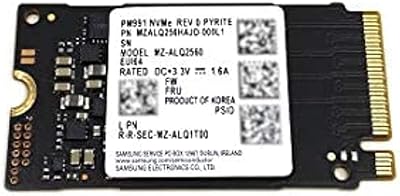
Samsung PM991 256GB M.2 2242 NVMe SSD

78%
94%
Form Factor Fit
78%
Read/Write Performance
88%
Build Reliability
83%
Value for Money
91%
Installation Ease
More
KOOTION 256GB NVMe M.2 Internal SSD
77%
88%
Value for Money
82%
Sequential Performance
71%
Real-World Speed
93%
Installation Ease
86%
Compatibility
More
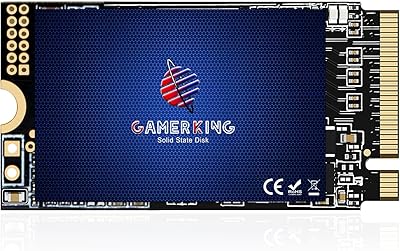
GAMERKING 256GB M.2 2242 NVMe SSD
79%
93%
Form Factor Compatibility
88%
Value for Money
74%
Read/Write Performance
86%
Installation Experience
76%
Warranty & Support
More
ORICO J10-2242 256GB M.2 NVMe SSD
78%
88%
Value for Money
83%
Read Performance
67%
Write Performance
93%
Form Factor Compatibility
76%
Thermal Management
More
WD SN740 256GB 2230 NVMe SSD
80%
94%
Form Factor Compatibility
88%
NVMe Read/Write Speed
86%
Value for Money
83%
OEM Hardware Authenticity
89%
Thermal Performance
More
Samsung PM9B1 256GB M.2 NVMe SSD
77%
91%
Value for Money
84%
Read Speed Performance
67%
Write Speed & Sustained Performance
88%
Authenticity & Build Quality
82%
Compatibility
More
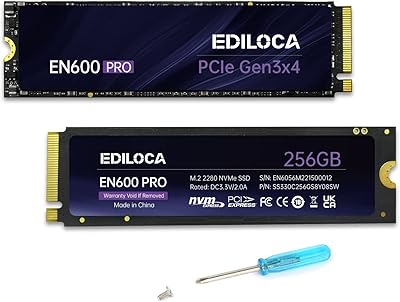
Ediloca EN600 Pro 256GB NVMe M.2 SSD
77%
93%
Value for Money
94%
Installation Experience
83%
Read Performance
57%
Sustained Write Speed
87%
Compatibility
More
Verbatim Vi3000 256GB NVMe M.2 SSD
74%
88%
Value for Money
83%
Read Performance
74%
Write Performance
91%
Ease of Installation
58%
Storage Capacity
More
Timetec 256GB SSD NVMe PCIe Gen3x4 M.2 2280
85%
88%
Performance
90%
Speed (Read/Write)
85%
Installation Ease
91%
Compatibility
89%
Reliability (MTBF)
More
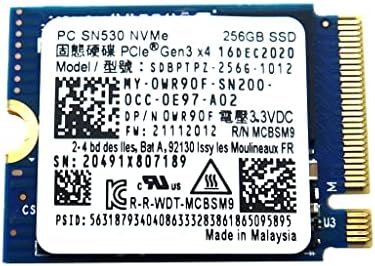
Western Digital PC SN530 256GB NVMe SSD
74%
93%
Form Factor Accuracy
78%
NVMe Read/Write Speed
86%
Installation Ease
84%
Value for Money
76%
Device Compatibility
More

FAQ

Most modern desktop motherboards should accept it without any issue. The M.2 2280 form factor is the most common M.2 size by a wide margin, so the physical fit is rarely a problem. The one thing to verify is that your M.2 slot supports PCIe NVMe — some older boards have M.2 slots that only support SATA, and they look identical from the outside but are not interchangeable.

Just a small Phillips-head screwdriver to seat and secure the drive. On Windows, the system picks it up automatically — no driver installation needed. If you want to migrate your existing OS rather than do a fresh install, you will need a third-party cloning tool, since no migration software comes bundled with the drive.

For a dedicated gaming library, probably not — a single modern AAA title can consume 80 to 100GB on its own. The P320 256GB makes the most sense as an OS and applications drive, ideally paired with a larger secondary drive where you store your games. Used that way, it performs the role it was designed for really well.

For most home and office tasks — booting Windows, launching a browser, running Office apps — you will not notice the difference at all. Where it can show up is during long, sustained file transfers or heavy write operations, where a cached drive would hold its peak speed more consistently. If your workload is light to moderate, the trade-off is rarely noticeable in practice.

Potentially, yes — the M.2 2280 form factor is common in laptops as well as desktops. Before buying, check your laptop manual to confirm it uses an M.2 2280-length slot and that the slot supports PCIe NVMe rather than SATA-only. Some laptops use shorter M.2 sizes like 2242 or 2260, which would make this drive physically incompatible.

Yes, without any issues. PCIe Gen 4 M.2 slots are backward compatible with Gen 3 drives. The drive will simply run at its Gen 3 rated speeds rather than Gen 4 speeds, which is exactly what you would expect. There is no risk of incompatibility or damage.

The difference is dramatic and immediately obvious. Windows boot times on a spinning hard drive can run 60 to 90 seconds or more; on this budget NVMe drive, most users land under 20 seconds. Application launches feel near-instant by comparison. If you have never used an SSD before, the upgrade is one of the most noticeable improvements you can make to an older system.

Officially, Patriot lists Windows as the supported OS, so Linux is not guaranteed. In practice, most mainstream Linux distributions recognize NVMe drives automatically through the kernel, so it will likely function fine. That said, if Linux compatibility is essential to your build, it is worth checking community feedback for your specific distribution before committing.

For typical home, student, or office use, several years of reliable operation is a reasonable expectation. The endurance concerns mentioned in some reviews are mostly relevant to users doing continuous heavy writes — think video editing or large database operations. For everyday computing, the write workload never gets close to the limits that would stress an entry-level drive like this.

Patriot Memory provides warranty coverage on their storage products, but specific terms and duration can vary by region. It is worth visiting Patriot's official support site and registering the drive using the model number P320P256GM28 shortly after purchase. Keeping your proof of purchase on hand makes any future warranty claim much easier to process.

Where to Buy