
Overview
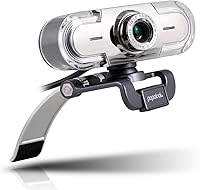
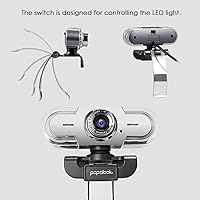
The papalook PA452 1080p Webcam has been quietly carving out space in the budget webcam market since 2017 — a long run that speaks to its staying power. It connects via USB with no driver installation needed, which genuinely matters when you just need to jump on a call without any setup headaches. The clip mount is compact and light enough, at under 4 ounces, that it barely registers on top of a monitor or laptop screen. For anyone tired of the grainy, washed-out look of a built-in camera, this USB camera offers a solid step up without a big price commitment.
Features & Benefits
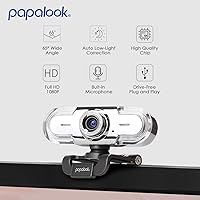
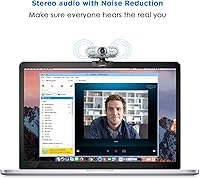
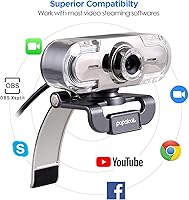
The PA452 captures video at a full 1920x1080p resolution and 30 frames per second, which translates to smooth, sharp footage during calls rather than the choppy or soft video common in cheaper options. The manual focus ring is a genuine differentiator at this price — adjust it once for your desk distance and you can mostly forget about it. The built-in microphone does a reasonable job reducing ambient sound, letting you skip the headset for most calls. Compatibility is broad: it works out of the box with Zoom, Teams, Google Meet, and OBS across both Windows and Mac with zero software setup required.
Best For
This webcam hits a sweet spot for a fairly specific kind of buyer. Students moving between online classes, remote workers grinding through daily video calls, and anyone who wants clearer video without dealing with complex hardware will find it fits naturally into their day. It also works well as a starter streaming camera for content creators who want to test the waters before committing to more serious gear. If you need autofocus, 4K, or studio-quality audio, look elsewhere — but for reliable everyday video calls with minimal fuss, the PA452 consistently does what it promises.
User Feedback
With over 6,000 ratings averaging 4.3 stars, the PA452 has earned a track record that is genuinely hard to ignore. Most buyers highlight the same strengths: setup is painless, and the image quality improvement over a built-in laptop camera is noticeable right away. That said, the picture is not entirely rosy. Several reviewers note the microphone struggles in noisy environments — a running fan or busy household can undercut clarity noticeably. Low-light performance is another real limitation, with footage softening in dim rooms. For well-lit, quiet setups, though, the long-term reliability reported across thousands of reviews is reassuring.
Pros
- Plug-and-play setup works instantly — no drivers, no configuration, no wasted time.
- Full 1080p video at 30fps delivers a clear, immediate upgrade over most built-in laptop cameras.
- Broadly compatible with Zoom, Teams, Google Meet, OBS, and most other major platforms.
- Works across Windows 7 through 11 and Mac OS without any extra software.
- The manual focus ring holds its setting reliably once adjusted for your desk distance.
- Lightweight clip mount fits most flat-panel monitors and laptop screens without accessories.
- Over 6,000 verified ratings averaging 4.3 stars reflects sustained real-world satisfaction.
- Compact enough to toss in a laptop bag for users who work across multiple locations.
- Driverless operation makes it practical in corporate environments with restricted software installs.
- Long market presence since 2017 suggests the design is stable and parts are not being quietly changed.
Cons
- Low-light image quality drops off sharply — dim rooms produce soft, flat, grainy footage.
- The built-in microphone struggles with background noise in busy or open-plan environments.
- Manual focus requires readjustment whenever the camera position or desk layout changes.
- Hardwired USB cable cannot be replaced if damaged — a broken cord means replacing the whole unit.
- No autofocus means the camera cannot compensate for movement or changes in subject distance.
- Field of view limits usefulness for multi-person setups or whiteboard-style presentations.
- Plastic construction raises durability questions for users who travel frequently with their gear.
- No low-light enhancement or exposure controls available for users in variable lighting conditions.
- Linux and Chrome OS compatibility is undocumented and inconsistent in practice.
Ratings
The papalook PA452 1080p Webcam earns its place as one of the more consistently rated budget webcams on the market, and these scores reflect exactly that — generated by AI after analyzing thousands of verified global buyer reviews, with spam, bot activity, and incentivized feedback actively filtered out. The ratings below capture the full picture, including where this USB camera genuinely delivers and where real users have run into friction.
Image Quality
Ease of Setup
Microphone Quality
Low-Light Performance
Value for Money
Build Quality
Software Compatibility
Field of View
Focus Accuracy
Mounting & Stability
Compatibility Across OS
Cable & Connectivity
Portability
Longevity & Reliability
Suitable for:
The papalook PA452 1080p Webcam is a strong fit for anyone who needs a reliable video call upgrade without overcomplicating their setup or overspending. Students attending online classes are an ideal match — the plug-and-play connection means no IT support needed, and the image quality jump over a built-in camera is immediately noticeable on screen. Remote workers who spend their days on Zoom or Teams calls in a reasonably well-lit home office will find this USB camera handles the job cleanly and consistently. It also works well for first-time streamers or casual content creators who want to test the waters with an external camera before committing to more advanced gear. Home office users in managed IT environments where software installation is restricted will appreciate that the driverless operation sidesteps those barriers entirely. If your primary goal is looking clearer on video calls without a steep learning curve or a premium price tag, this webcam hits that mark reliably.
Not suitable for:
The papalook PA452 1080p Webcam has clear limits, and being honest about them will save some buyers a frustrating return. Anyone working in a dimly lit room should look elsewhere — the camera's low-light performance is a genuine weak point, and no amount of software tweaking fully compensates for it. Professional streamers, YouTubers, or video producers who need sharp, broadcast-quality footage will quickly outgrow what the PA452 can deliver, particularly when it comes to dynamic range and detail in challenging lighting. The manual focus design, while functional, becomes a recurring inconvenience for users who frequently shift between different working positions or switch the camera between devices. Those who need to capture more than one person in frame — small team huddles, classroom-style setups, or whiteboard presentations — may find the field of view too narrow for their needs. And if you are working in a noisy environment and were hoping the built-in mic would replace a dedicated headset, temper those expectations; it copes in quiet rooms but struggles when background noise is a real factor.
Specifications
- Resolution: Captures video at 1920x1080p Full HD, delivering clear and detailed footage for video calls and recordings.
- Frame Rate: Records and streams at 30 frames per second, producing smooth motion without stuttering during live calls.
- Sensor Type: Uses a CMOS image sensor, which is the standard technology in webcams at this price tier.
- Focus Type: Manual focus only, adjusted via a physical ring on the camera body that holds its position once set.
- Field of View: Offers a 65° to 90° horizontal field of view, well-suited for framing a single person at a typical desk distance.
- Microphone: Equipped with a single built-in noise-reducing microphone designed to reduce ambient background sounds during calls.
- Connection: Connects via a fixed USB cable with plug-and-play functionality — no driver installation required on supported systems.
- Compatibility: Fully supported on Windows 7, 8, 10, and 11, as well as Mac OS, without additional software setup.
- Supported Platforms: Works with Zoom, Microsoft Teams, Google Meet, OBS, YouTube, Facebook Live, XSplit, and most other major streaming and conferencing platforms.
- Video Format: Records and outputs video in MP4 format, compatible with standard editing and playback software.
- Dimensions: Measures 4.33 x 3.54 x 2.36 inches, making it compact enough to sit unobtrusively on top of most monitors.
- Weight: Weighs 3.52 ounces, light enough that the clip mount holds it securely without tipping or straining the monitor bezel.
- Mount Type: Includes a built-in clip mount designed to attach to flat-panel monitors and laptop screen bezels without additional hardware.
- Audio Format: Supports standard digital audio formats, compatible with the audio input pipelines of all major conferencing and recording applications.
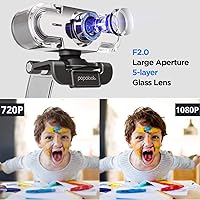
- Aperture: Maximum aperture of f/2, which allows a moderate amount of light to reach the sensor under normal desk lighting conditions.
- Model Number: Officially designated as the PA452, manufactured by papalook and first made available in March 2017.
- ASIN: Amazon Standard Identification Number for this product is B01GYFOXK2, useful for confirming you are purchasing the correct variant.
- Body Material: Constructed with a plastic housing, keeping the unit lightweight but requiring reasonable care during transport and handling.
Related Reviews

HuddleCamHD HC-WEBCAM-94


ZIQIAN 1080P USB-C Webcam
Maciebelle CP008
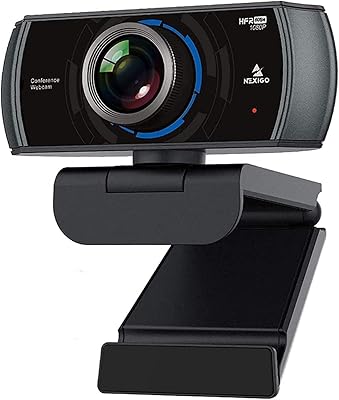
NexiGo N980P
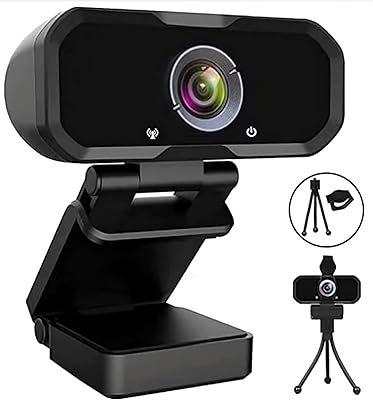
Svcouok pT011 1080p Webcam
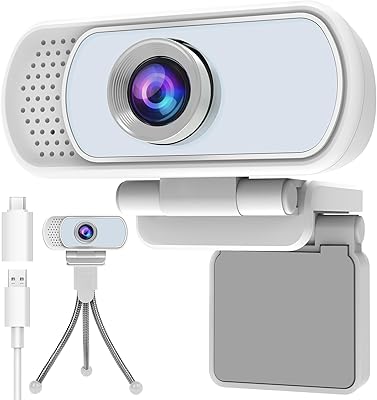
Hrayzan WN5 1080p USB Webcam
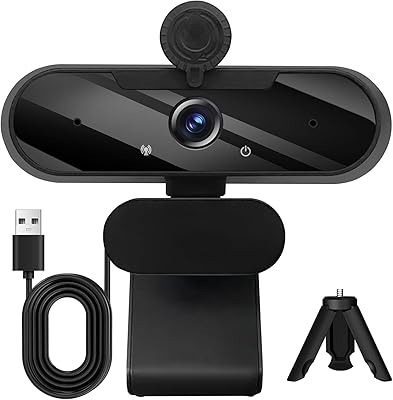
MTORED TWC-25 1080p Webcam
Angetube PC 1080P Webcam