Overview

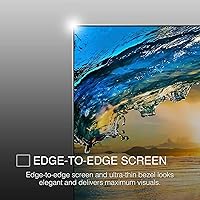
The Packard Bell airFrame 27″ FHD Monitor enters a crowded budget category with a simple pitch: a large screen that won't drain your wallet. Packard Bell, now sold under Southern Telecom, has staked its position firmly in the value monitor segment rather than chasing premium buyers. The airFrame 27 keeps things unpretentious — a slim bezel, a lightweight 5-pound build, and both HDMI and VGA ports, which cover modern and legacy connections alike. It's not aimed at color professionals or serious gamers. It's for people who need more desk real estate and a reliable daily driver without stretching their budget thin.
Features & Benefits

At 27 inches running 1080p, pixel density lands around 82 PPI — not bad from a normal sitting distance, but if you work close to the screen, the image can look a little soft. The 75Hz refresh rate and 5ms response time are honest entry-level specs: capable enough for casual gaming and everyday computing, but this budget 27-inch display isn't built for fast-paced competitive play. The 178-degree viewing angle is a genuine advantage in shared or side-by-side setups. VESA mount support lets you skip the built-in stand entirely and pair it with a monitor arm, which is a real ergonomic upgrade. Indoor brightness at 250 nits is acceptable, though it loses ground in rooms with strong natural light.

Best For

This Packard Bell monitor is a solid pick for students, remote workers, and anyone furnishing a home office on a budget. If you're moving up from a smaller screen and mostly care about having more workspace — spreadsheets, browser tabs, video calls — it fits the bill. Casual console gamers connecting an Xbox or PS5 through HDMI will find it adequate for laid-back play. It also works particularly well as a second screen alongside a higher-quality primary display. Where it doesn't belong is in any workflow that depends on color accuracy, contrast depth, or high-refresh performance. Know what you're buying and it'll meet your expectations comfortably.

User Feedback

Buyer sentiment around the airFrame 27 follows a pretty clear pattern. People appreciate the value and the straightforward setup — most report having it out of the box and running within minutes. That goodwill gets tested, though, when users spend more time with the image. Several buyers note the colors feel a bit muted and washed out, which tracks with a 250-nit panel that doesn't have a lot of brightness reserve. The pixel softness at 27 inches also comes up among users who sit close to their screen. Stand wobble gets flagged occasionally — the lightweight chassis isn't the most rigid. Most buyers frame it as a capable secondary display or starter screen, rather than a long-term workstation centerpiece.

Pros

  • Large 27-inch screen at a price point that leaves most of the budget intact for other gear.
  • VESA mount compatibility means you can ditch the stand and use a monitor arm for a cleaner, more ergonomic setup.
  • Dual HDMI and VGA connectivity works with both modern laptops and older desktop machines without needing adapters.
  • The slim bezel keeps the footprint tidy and makes side-by-side dual-monitor setups look reasonably clean.
  • At just 5 pounds, the airFrame 27 is easy to move, reposition, or carry between rooms.
  • 178-degree viewing angle holds up well when multiple people are looking at the screen at once.
  • Setup is straightforward — most users report being up and running within minutes of unboxing.
  • Tilt adjustment, though limited, covers the basic range needed for comfortable daily use at a desk.
  • Works as a plug-and-play display for PS5 and Xbox via HDMI with no configuration headaches.
  • For a secondary screen role, this budget 27-inch display delivers solid value without overcomplicating the buying decision.

Cons

  • Color accuracy is mediocre — muted, slightly washed-out tones make it a poor fit for anything color-sensitive.
  • At 250 nits, brightness struggles in rooms with windows or overhead lighting behind you.
  • 1080p spread across 27 inches produces a lower pixel density that some users find visibly soft up close.
  • The stand feels less solid than expected — lightweight construction can mean noticeable wobble from desk vibrations.
  • No height adjustment on the stand limits ergonomic flexibility unless you invest in a separate monitor arm.
  • 75Hz puts a ceiling on gaming smoothness that anyone upgrading from a higher-refresh display will feel right away.
  • Contrast ratio of 1000:1 is standard at best — dark scenes in games or films lack real depth.
  • Long-term use as a primary workstation monitor may expose its image quality limitations more than occasional use would.

Ratings

Our AI scoring model evaluated the Packard Bell airFrame 27″ FHD Monitor by processing verified purchase reviews across global markets, actively filtering out incentivized, bot-generated, and outlier feedback to surface what everyday buyers genuinely experience. The scores below reflect an honest, unvarnished synthesis — strengths are credited where earned, and recurring frustrations are weighted fairly. Whether this budget 27-inch display earns a place on your desk depends on what you actually need from it, and these ratings are designed to help you figure that out.
Value for Money
83%
For buyers working within a tight budget, the airFrame 27 punches above its weight simply by offering 27 inches of screen at a price most competitors reserve for 24-inch panels. Students and remote workers consistently call it one of the more sensible purchases in its category, especially when used as a primary productivity display.
The value calculation shifts if you need anything beyond basic display duties — the panel limitations mean you may end up replacing it sooner than you'd like, which erodes the initial savings. Buyers who later upgraded to a better monitor sometimes felt the money would have been better spent on a mid-range screen from the start.
Image Quality
61%
39%
For everyday tasks — web browsing, video streaming, and document work — the 1080p image is clean enough at a normal desk distance. Colors are serviceable for general use, and most users watching YouTube or working in Google Docs don't find the image distracting.
Push it toward anything visually demanding and the cracks show quickly. Colors appear muted and slightly washed out compared to even modestly more expensive panels, and the 250-nit brightness ceiling makes the picture look flat in rooms with any significant ambient light. Users who sit close to the screen also notice the reduced pixel density at this size.
Gaming Performance
58%
42%
The 75Hz refresh rate gives casual console and PC gamers a smoother experience than a standard 60Hz panel, and plug-and-play HDMI compatibility with PS5 and Xbox makes setup genuinely effortless. For slower-paced genres like RPGs, strategy titles, and platformers, the screen holds its own.
Competitive or fast-paced gaming exposes the monitor's ceiling fast — the 5ms response time and 75Hz cap make fast motion look less crisp than what dedicated gaming monitors deliver. Anyone accustomed to 144Hz will find this display frustratingly sluggish in comparison, and there is no adaptive sync to help with screen tearing.
Build Quality
64%
36%
The slim bezel and lightweight chassis give the airFrame 27 a cleaner, more modern look than you might expect at this price. At just 5 pounds it's easy to reposition, and the overall assembly feels tidy enough for a home office or student desk.
The stand wobbles more than it should — light vibrations from typing or bumping the desk transfer visibly to the screen, which gets annoying quickly. The plastic materials feel appropriately budget-grade, and the lack of rigidity in the stand is the most common physical complaint across buyer reviews.
Ergonomics
55%
45%
Basic tilt adjustment covers the most common sitting positions, and VESA compatibility is a genuine saving grace — pairing this monitor with a third-party arm transforms the ergonomic story entirely. For buyers already planning to use a monitor arm, the built-in stand limitations become largely irrelevant.
Without a monitor arm, the ergonomic options are limited: tilt only, no height adjustment, no swivel. For taller users or anyone with a non-standard chair and desk combination, finding a comfortable viewing position using only the built-in stand requires some creative workarounds like books or risers.
Brightness & Glare
52%
48%
In a dim bedroom, basement office, or evening work session, the 250-nit output is adequate and doesn't cause eye fatigue in controlled conditions. Users who work primarily in low-light environments report the brightness feels comfortable for extended sessions.
Put it in a room with a window or overhead fluorescent lighting and the display looks noticeably washed out. At 250 nits there is very little headroom against glare, and the flat screen surface doesn't help — reflections become a real distraction in bright environments, which limits where this monitor works well.
Connectivity
79%
21%
Having both HDMI and VGA ports covers a wide range of devices — from the latest laptops and consoles to older desktop towers that lack modern outputs. Most users can plug in without hunting for adapters, which is a practical advantage that competitors at this price don't always offer.
There is no DisplayPort, USB-C, or audio passthrough, which feels like an omission for users who want to connect multiple devices or route headphone audio through the monitor. For multi-device setups, the two-port selection means manual cable swapping rather than any switching convenience.
Setup & Ease of Use
88%
Assembly takes minutes — attach the stand, plug in the cable, power it on, and you're done. No drivers, no software, no finicky calibration steps required out of the box. The on-screen menu controls are simple and clearly labeled, which buyers consistently appreciate.
The on-screen menu navigation relies on physical buttons that some users find stiff and awkwardly placed. Beyond basic brightness and contrast, the calibration options are limited, so buyers looking to fine-tune color performance will hit a ceiling quickly.
Viewing Angles
76%
24%
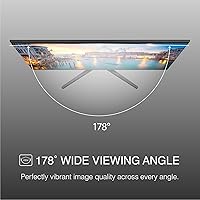
The 178-degree viewing angle holds the image well across a wide horizontal and vertical range, making this a solid choice for shared desks or small meeting setups where multiple people look at the screen from different positions. Colors and contrast stay reasonably consistent when viewed off-axis.
While the wide angle spec is accurate, the panel's inherently modest color saturation means that even when viewed straight on, the image isn't particularly vivid — so the wide angles mostly preserve a picture that was already not exceptional rather than maintaining a great one.
Screen Real Estate
84%
Going from a typical laptop display or 22-inch monitor to this 27-inch screen feels like a meaningful upgrade for anyone who multitasks. Side-by-side windows, reference documents next to active work, and video call layouts with room to spare — the extra space genuinely changes how you work day to day.
The 1080p resolution spread across 27 inches means you aren't getting extra pixel detail along with that extra space. Some content that looks sharp on a smaller 1080p screen starts to look softer here, so the size upgrade comes with a mild image quality trade-off that is worth knowing before you buy.
VESA & Mounting
86%
VESA compatibility is one of this monitor's most quietly useful features — buyers who mount it on a monitor arm gain full height, swivel, and tilt control that the built-in stand simply cannot provide. It dramatically extends the monitor's ergonomic range without any extra cost beyond the arm itself.
The VESA mounting hardware itself is not included in the box, so buyers planning to use an arm need to source the appropriate screws separately. While that's a minor inconvenience, it's an extra step that first-time monitor arm users sometimes don't anticipate until the moment of setup.
Design & Aesthetics
72%
28%
The slim bezel gives this budget 27-inch display a more contemporary look than older thick-framed monitors, and the clean matte black finish blends into most desk setups without drawing attention. It looks presentable in a home office or student room without appearing cheap at a glance.
Up close, the plastic finish shows its cost origins — there's a lightweight feel to the chassis that doesn't convey the same solidity as monitors at higher price points. The stand design in particular looks utilitarian rather than refined, which may matter to buyers who care about desk aesthetics.
Compatibility
91%
Works with PC, Mac, PS5, Xbox, and most other HDMI-capable devices right out of the box with no configuration needed. The inclusion of VGA expands compatibility to older hardware that many budget-focused buyers still rely on for light computing tasks.
The monitor does not support USB-C or Thunderbolt input, which is an increasingly common expectation among laptop users. Buyers with a newer MacBook or thin-and-light Windows laptop that lacks a full-size HDMI port will need a separate adapter to connect.

Suitable for:

The Packard Bell airFrame 27″ FHD Monitor makes the most sense for buyers who need more screen without overspending — students setting up their first real desk, remote workers who want room to multitask across a few browser windows and a video call, and anyone furnishing a secondary workstation on a tight budget. If your daily computing involves documents, spreadsheets, light photo browsing, or streaming video, the 27-inch panel gives you a noticeably roomier experience than a typical laptop display or smaller monitor without demanding a premium price in return. Console gamers who want a simple HDMI hookup for casual Xbox or PS5 sessions will find it gets the job done without fuss. It also pairs well as a second screen alongside a higher-quality primary monitor, where its size and port flexibility matter more than its color performance. For buyers who prioritize screen real estate and ease of setup over image fidelity, this budget 27-inch display checks the right boxes.
Not suitable for:

The Packard Bell airFrame 27″ FHD Monitor is a harder sell the moment your work starts depending on what the screen actually looks like. Graphic designers, photo editors, and video creators need better color accuracy, wider color gamut coverage, and more reliable brightness than this panel offers — 250 nits in a well-lit room simply isn't enough, and the color reproduction won't hold up to critical work. Competitive or fast-paced gamers should also look elsewhere: 75Hz is functional, but anyone accustomed to 144Hz or higher will feel the difference immediately, and the 5ms response time isn't optimized for low-latency play. If you plan to sit close to a 27-inch screen for extended periods, 1080p resolution at that size can look noticeably soft, which gets tiring over a long workday. This is not the monitor for anyone who expects to use it as their sole high-performance workstation display for years to come.
Specifications

  • Screen Size: The panel measures 27 inches diagonally, offering a noticeably spacious viewing area for everyday computing and casual use.
  • Resolution: Native resolution is 1920x1080 (Full HD), delivering standard definition clarity suited to general productivity and streaming.
  • Refresh Rate: The display runs at 75Hz, providing a modest step above the standard 60Hz baseline for smoother everyday motion.
  • Response Time: Rated at 5ms, the response time is adequate for casual use but falls short of the 1ms panels found in dedicated gaming monitors.
  • Brightness: Peak brightness is 250 nits, which is functional in controlled indoor lighting but can appear dim in bright or sunlit rooms.
  • Contrast Ratio: A 1000:1 static contrast ratio delivers acceptable depth for general content, though dark scenes may lack richness.
  • Viewing Angle: The panel supports up to 178 degrees of horizontal and vertical viewing, keeping the image consistent across wide off-axis positions.
  • Aspect Ratio: Standard 16:9 widescreen format, compatible with virtually all modern video, gaming, and productivity content.
  • Connectivity: The monitor includes one HDMI port and one VGA port, supporting both modern and legacy source devices without the need for adapters.
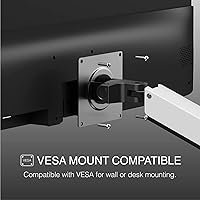
  • VESA Compatibility: The rear panel is VESA mount compatible, allowing installation on standard wall mounts or third-party monitor arms.
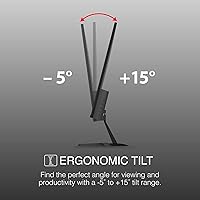
  • Tilt Adjustment: The built-in stand supports 5 degrees of forward tilt and 15 degrees of backward tilt for basic viewing angle adjustment.
  • Surface Type: The screen uses a flat panel with no significant curvature, keeping reflections predictable and the image geometry consistent.
  • Dimensions: With the stand attached, the monitor measures approximately 24.2 inches wide, 14.2 inches tall, and 1.77 inches deep.
  • Weight: The full unit weighs 5 pounds, making it one of the lighter options in the 27-inch monitor category.
  • Model Number: The official model identifier for this unit is M27200, as listed by manufacturer Southern Telecom.
  • Manufacturer: This monitor is produced by Southern Telecom, Inc., the company that currently holds and distributes the Packard Bell brand in North America.
  • Panel Type: The exact panel technology is not officially disclosed by the manufacturer, which is typical for monitors at this price tier.
  • Compatibility: The monitor is confirmed compatible with PC, Xbox, and PS5 via its HDMI input, requiring no special drivers or settings adjustments.

Related Reviews
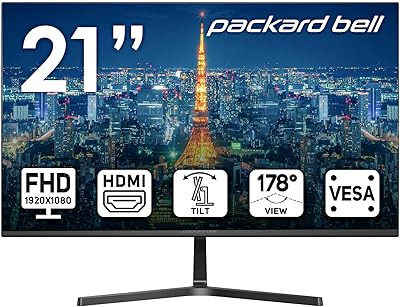
Packard Bell airFrame 21.5″ FHD Monitor
69%
83%
Value for Money
76%
Image Clarity
51%
Brightness
71%
Refresh Rate & Smoothness
43%
Stand & Ergonomics
More
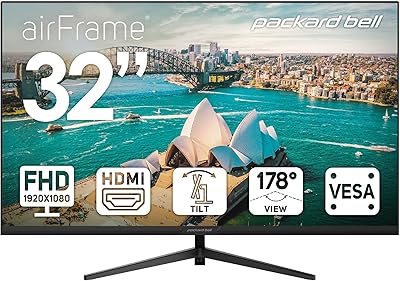
Packard Bell airFrame 32″ FHD Monitor
84%
92%
Value for Money
89%
Display Quality
78%
Build Quality
83%
Performance for Casual Gaming
94%
Setup and Installation
More
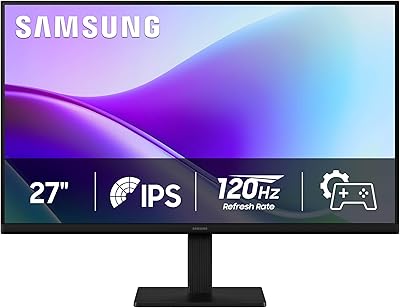
Samsung S30GD 27″ FHD IPS Monitor
75%
78%
Image Quality
74%
Color Accuracy
81%
Refresh Rate & Smoothness
83%
Eye Comfort
69%
Build Quality
More
ArcticPro AD27EF2 27-inch Gaming Monitor
73%
88%
Value for Money
83%
Image Quality
91%
Refresh Rate & Motion
74%
Color Accuracy
67%
Build Quality
More
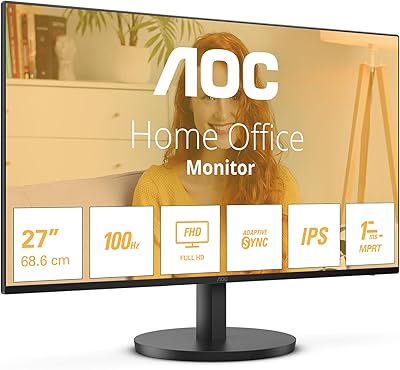
AOC 27B3HA2 27-Inch FHD Monitor
82%
92%
Value for Money
88%
Display Quality
85%
Matte Finish Performance
90%
Ease of Setup
84%
Build Quality
More
Samsung SR35 27-Inch FHD Monitor
86%
89%
Display Quality
92%
Eye Comfort Features
80%
Build Quality
94%
Ease of Setup
91%
Value for Money
More
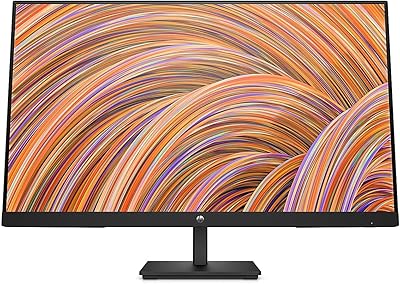
HP V27i 27-inch FHD Monitor
85%
92%
Display Quality
89%
Eye Comfort
91%
Value for Money
85%
Build Quality
78%
Ergonomics
More
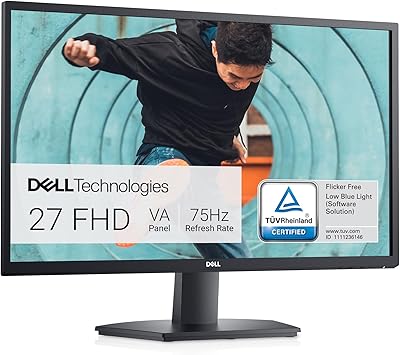
Dell SE2722HX 27-inch FHD Monitor
84%
91%
Value for Money
87%
Display Quality
83%
Build Quality
88%
Ease of Setup
85%
Ergonomics & Comfort
More
Samsung 27″ S32GF FHD IPS Monitor
76%
82%
Image Quality
76%
Refresh Rate Performance
88%
Eye Comfort
91%
Value for Money
53%
Stand & Ergonomics
More
BenQ GW2791 27-inch FHD IPS Monitor
84%
89%
Display Quality
91%
Eye-Care Features
85%
Design & Build
88%
Ease of Setup
90%
Color Accuracy
More

FAQ

Honestly, it depends on what kind of gaming you have in mind. The 75Hz refresh rate is a step up from 60Hz and handles casual gaming fine — think indie games, RPGs, or console titles. But if you play fast-paced shooters or racing games competitively, you will notice the limitations compared to a proper 144Hz gaming monitor. Think of it as a capable all-rounder, not a dedicated gaming display.

It won't look pixelated in the traditional sense, but pixel density at this size is lower than on a 24-inch 1080p monitor, so fine text and detailed images can appear slightly soft — especially if you sit close to the screen. For web browsing, video streaming, and spreadsheets from a normal desk distance, most users find it perfectly acceptable.

Yes, both consoles connect via HDMI and work without any additional configuration. Keep in mind the monitor caps at 75Hz and 1080p, so you won't get the 4K or 120Hz output those consoles are capable of — but for casual console gaming at this price, it gets the job done cleanly.

It does. The rear panel is VESA compatible, which means you can remove the stand entirely and attach it to any standard monitor arm or wall bracket. This is actually one of the better reasons to buy this model if you want a cleaner desk setup or need more ergonomic height control than the fixed stand allows.

This is one of the areas where the airFrame 27 shows its budget roots. At 250 nits, it holds up reasonably well in a dim or controlled-light environment, but in a bright room with sunlight coming in, the image can look washed out. If your workspace gets a lot of natural light, you may want to look for something rated at 300 nits or higher.

The monitor comes with HDMI and VGA ports. HDMI covers essentially all modern laptops, desktops, and consoles. VGA is there for older machines that lack HDMI output, which is a thoughtful inclusion at this price. Most users won't need any adapters out of the box.

The stand only supports tilt adjustment — 5 degrees forward and 15 degrees backward. There is no height adjustment or swivel built in. If that range doesn't work for your setup, the VESA compatibility means you can swap the stand out for a monitor arm that gives you full positional control.

Not really, and it's worth being upfront about that. Color accuracy and brightness at this level aren't sufficient for work that depends on how the final output actually looks. If you're editing photos professionally or grading video, this monitor would be a frustrating tool. For casual personal use — sorting vacation photos, watching YouTube — it's fine.

Setup is minimal. The stand attaches to the monitor with a couple of screws, and from there you just plug in your cable and power. Most buyers report the whole process taking under ten minutes. The controls are straightforward and don't require any software installation.

It can be. The lightweight build that makes this monitor easy to move around also means the stand isn't the most rigid structure out there. On a stable desk it's generally fine, but if your desk vibrates from typing or you bump it occasionally, you may notice some wobble. If that bothers you, attaching it to a monitor arm completely solves the problem.

Where to Buy