Overview

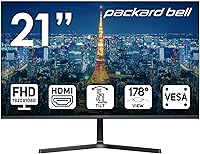
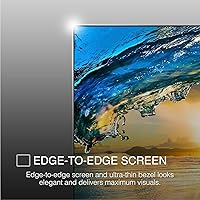
The Packard Bell airFrame 21.5″ FHD Monitor is a no-frills display that sits firmly at the lower end of the market without pretending otherwise. Packard Bell is a name PC veterans will recognize from the 1990s, but today the brand operates under a licensing arrangement, with hardware manufactured by Southern Telecom — context worth knowing before you buy. It's a competitively priced panel aimed squarely at people who need a functional, clean-looking screen without overspending on features they won't use. The slim bezel gives it a tidier look than most at this tier, and full HD resolution at 75Hz is a solid starting point for everyday computing and light gaming.
Features & Benefits

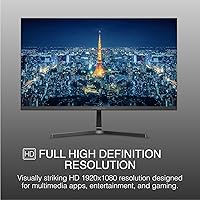
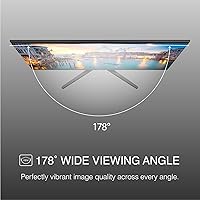
The 1920x1080 resolution holds up well for text-heavy work, video calls, and general browsing. Wide 178-degree viewing angles mean a colleague leaning in to review your screen won't notice much color shift — genuinely useful in shared spaces. The 75Hz refresh rate won't impress competitive gamers, but compared to a standard 60Hz panel, scrolling is noticeably smoother and casual gaming feels more comfortable. A 5ms response time is adequate for non-competitive play. The dual HDMI and VGA ports is a practical touch, letting you connect modern devices alongside older rigs. VESA mounting support adds real flexibility for wall mounts or monitor arms, which is rarely guaranteed at this price.

Best For

This 21.5-inch monitor is a natural fit for students assembling a study desk, remote workers who need a dedicated work display without a major investment, and anyone upgrading from a worn-out older screen. If you play RPGs, strategy games, or indie titles where split-second reaction time isn't critical, the airFrame display handles those comfortably. It's also worth considering as a budget console screen — the HDMI port connects directly to a PS5 or Xbox, making it a practical bedroom or dorm alternative to a TV. Color-critical design work and competitive multiplayer gaming are the two areas where you'd genuinely be better served by something else.

User Feedback

Buyers broadly agree on the positives: setup is quick, the image looks clean and sharp for the price, and the lightweight build makes repositioning easy. Where sentiment splits is brightness — at 249 nits, the airFrame display can look washed out in brightly lit rooms or near a window. The stand draws consistent criticism too; it tilts, but offers no height or swivel adjustment and feels somewhat flimsy for the size. Some buyers were also caught off guard by the Southern Telecom manufacturing origin. Those who buy with clear expectations tend to walk away satisfied; those expecting more than an entry-level screen often don't.

Pros

  • Full HD 1920x1080 resolution delivers a sharp, clean image for everyday tasks and casual entertainment.
  • The 75Hz refresh rate makes scrolling and casual gaming noticeably smoother than standard 60Hz panels.
  • VESA mount compatibility gives you real flexibility to use a wall mount or monitor arm without extra hassle.
  • Dual HDMI and VGA ports let you connect both modern and older devices without needing an adapter.
  • Wide 178-degree viewing angles make the screen easy to share in classrooms or collaborative workspaces.
  • The slim bezel keeps the desk looking tidy and works well in compact or dual-monitor setups.
  • At just 5 pounds, this 21.5-inch monitor is light enough to reposition or move without effort.
  • Setup is quick and straightforward — most buyers report being up and running within minutes.
  • Compatible with PC, Xbox, and PS5, making it a flexible option across different use cases.
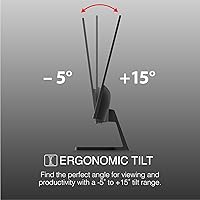
  • Tilt adjustment covers the basics for finding a comfortable viewing angle at a standard desk height.

Cons

  • At 249 nits, brightness is low enough to cause noticeable washout in well-lit rooms or near windows.
  • The stand offers tilt only — no height, swivel, or pivot adjustment limits long-term ergonomic comfort.
  • Stand build quality feels basic and slightly flimsy relative to the size of the panel it supports.
  • Color vibrancy is average at best, and some units show backlight uniformity issues in darker scenes.
  • The airFrame display is manufactured by Southern Telecom, not a traditional monitor brand, which raises questions for some buyers about long-term support.
  • No built-in speakers mean you will need external audio for any media consumption or calls.
  • 75Hz is the ceiling — there is no headroom for competitive gaming or high-frame-rate content.
  • Color accuracy is insufficient for any design, photo editing, or content creation work.
  • The VGA port, while useful for legacy devices, signals cost-cutting that shows up elsewhere in the build.
  • Buyers expecting premium panel consistency may encounter variation between units in color temperature and uniformity.

Ratings

Our scores for the Packard Bell airFrame 21.5″ FHD Monitor are generated by AI after analyzing thousands of verified global user reviews, with spam, bot-generated, and incentivized feedback actively filtered out. Each category reflects the honest balance of what real buyers appreciated and where they ran into friction — nothing is glossed over. From image quality to stand ergonomics, the scorecards below give you a transparent, ground-level picture of how this entry-level screen actually performs in everyday use.
Value for Money
83%
Most buyers feel they got a fair deal relative to what they paid. For students and first-time monitor buyers, getting a full HD panel with 75Hz, VESA compatibility, and dual connectivity at this price point genuinely overdelivers on paper expectations.
A handful of buyers noted that similarly priced competitors offer better brightness or more ergonomic stands, which slightly undercuts the value argument. Those who needed color accuracy or height adjustment found themselves spending more on supplements like a monitor arm.
Image Clarity
76%
24%
At 1920x1080, text is sharp and web content looks clean for everyday work and streaming. Users switching from older 720p or lower-resolution panels consistently reported a meaningful upgrade in visual comfort during long work sessions.
Color vibrancy falls short of more refined panels — some users described the image as slightly flat or cool-toned out of the box. Those accustomed to better-calibrated screens will notice the difference immediately, particularly in photos and video content.
Brightness
51%
49%
In a controlled or dim environment — a basement office, a bedroom desk, or an evening gaming setup — 249 nits delivers a perfectly watchable image without causing eye strain.
This is one of the most consistent complaints across buyer reviews. Users in bright offices or rooms with large windows found the airFrame display washed out during daytime hours, sometimes requiring screen repositioning entirely. It is a real limitation for anyone working in naturally lit spaces.
Refresh Rate & Smoothness
71%
29%
Upgraders coming from 60Hz displays consistently noticed the difference — scrolling through web pages and documents feels more fluid, and casual games run with less visual stutter. For everyday computing, 75Hz is a tangible quality-of-life improvement.
Gamers familiar with 144Hz or higher panels will find 75Hz underwhelming for fast-paced titles. The step up from 60Hz is real, but the ceiling is low enough that anyone with competitive gaming ambitions will outgrow this entry-level screen quickly.
Stand & Ergonomics
43%
57%
The tilt range — from 5 degrees forward to 15 degrees backward — covers the basics for users sitting at a standard desk height. For buyers who plan to use a VESA monitor arm, the stand becomes irrelevant, which sidesteps the issue entirely.
This is the most criticized aspect of the monitor. No height adjustment, no swivel, and no pivot means the stand simply does not adapt to different users or workstation setups. Several buyers described it as wobbly and plasticky, particularly when typing firmly or bumping the desk.
Build Quality
62%
38%
The slim bezel and clean matte finish give the monitor a more polished look than its price would suggest. At 5 pounds, the lightweight construction makes repositioning easy, and the overall form factor feels tidy on a compact desk.
Beyond the visual finish, the physical construction reveals its budget origins. The stand feels thin and under-engineered, and the back housing has some flex to it. It does not feel fragile, but it also does not inspire confidence in terms of longevity under heavy daily use.
Color Accuracy
48%
52%
For casual consumption — YouTube, Netflix, general web browsing — colors are acceptable and the image does not look overtly wrong to an untrained eye. Most home users watching standard content will not find anything actively offensive about the palette.
Anyone doing photo editing, graphic design, or even serious video production should avoid this panel. Backlight uniformity inconsistencies were reported by multiple buyers, and out-of-box color temperature tends to run cool, which requires manual adjustment that not all users are comfortable making.
Viewing Angles
78%
22%
The 178-degree horizontal and vertical viewing angles hold up well in practice. Sharing a screen with a colleague or classmate sitting beside you works without the color or contrast shift that narrower panels produce, which is genuinely useful in educational or collaborative settings.
At extreme side angles, some color degradation does appear — consistent with most non-premium panels. This is not a major issue for single-user desk setups but can be a minor annoyance in presentations or shared viewing situations with more than two people.
Connectivity
81%
19%
Having both HDMI and VGA on an entry-level screen is a practical advantage. The HDMI port handles modern consoles and laptops cleanly, while VGA provides a lifeline for legacy desktop rigs — a combination that is less common at this price than you might expect.
Two ports is the full extent of the connectivity story. There is no DisplayPort, no USB hub, and no audio jack on the monitor itself, which means users routing audio through the display will be out of luck and will need to manage cabling directly from their source device.
Setup & Installation
88%
Out-of-box setup is one of the most consistently praised aspects. The stand attaches with minimal effort, the HDMI cable plugs in, and the monitor powers on with working visuals almost immediately. Even less technically confident buyers reported no issues getting up and running.
The included documentation is minimal, which can leave some users uncertain about OSD menu navigation or initial calibration. There is no automatic display optimization prompt on first use, so default settings — particularly brightness and color temperature — may need manual tweaking.
Gaming Performance
64%
36%
For casual titles — RPGs, strategy games, indie platformers, or console exclusives — the airFrame display performs adequately. Motion in slower-paced games looks smooth enough at 75Hz, and the 5ms response time does not cause visible ghosting in these scenarios.
Fast-twitch gaming reveals the panel's limitations quickly. Response time and refresh rate are both insufficient for competitive shooters or battle royale titles where frame timing directly affects performance. The low brightness also becomes a problem in darker in-game environments.
Response Time
67%
33%
At 5ms, the panel avoids obvious ghosting in most everyday and casual gaming use cases. For the target audience of students and home office users, response time is rarely a practical concern, and the spec holds up adequately for the intended use cases.
Five milliseconds is a middle-of-the-road figure that competitive gamers will recognize as insufficient. Panels offering 1ms or 2ms response times exist at comparable price points, so this is not best-in-class even within the budget segment.
Brand & Support Confidence
54%
46%
The Packard Bell name carries enough legacy recognition that buyers approach it with some initial confidence. For buyers purely focused on the hardware at the price, the branding question becomes secondary to whether the screen performs as described.
The Southern Telecom manufacturing reality caught a number of buyers off guard, and post-purchase support feedback is mixed. Some buyers reported difficulty getting timely responses to warranty or technical queries, which is a meaningful risk for a product expected to last several years.
Bezel & Aesthetics
79%
21%
The slim three-sided bezel is a genuine visual asset at this price. Buyers who set it up alongside other monitors noted that it blended into a dual-display arrangement more neatly than bulkier-framed budget alternatives, giving the desk a cleaner overall look.
The bottom chin is noticeably thicker than the three slim sides, which is a common compromise in this category but slightly disrupts the otherwise clean aesthetic. The matte plastic finish also attracts dust and fingerprints, requiring regular wiping to maintain a tidy appearance.
Weight & Portability
84%
At 5 pounds, this 21.5-inch monitor is light enough that a single person can easily reposition or transport it without any assistance. Students who move between dorms, classrooms, or shared living spaces found this particularly practical.
The lightweight build is partly a function of the cost-optimized construction, so portability and build solidity are in some tension. The lightness of the stand contributes to the wobble issue — a slightly heavier base would have improved stability at the cost of some convenience.

Suitable for:

The Packard Bell airFrame 21.5″ FHD Monitor makes the most sense for buyers whose needs are straightforward and whose budget is firm. Students setting up a dorm or bedroom desk will find it covers all the bases — word processing, video streaming, and light gaming — without requiring a significant financial commitment. Remote workers who need a dedicated screen for video calls, spreadsheets, and document work will also get solid daily mileage out of this entry-level screen, especially if their workspace is not flooded with natural light. Casual console gamers connecting an Xbox or PS5 to a desktop display rather than a TV will appreciate the HDMI port and the 75Hz refresh rate, which is a genuine step up from the sluggish feel of a 60Hz panel. Anyone still running older hardware with a VGA output will value the dual-port setup, which is increasingly rare at this price point.
Not suitable for:

The Packard Bell airFrame 21.5″ FHD Monitor has clear boundaries, and pushing past them leads to disappointment. Graphic designers, photographers, or anyone whose work depends on accurate color reproduction should look elsewhere — this display is not built for color-critical tasks, and backlight uniformity can be inconsistent. Competitive gamers who play fast-paced shooters or battle royale titles will find the 75Hz ceiling and 5ms response time limiting compared to 144Hz or 165Hz panels available for a modest additional spend. Buyers who work in bright rooms or near windows will run into the 249-nit brightness ceiling fairly quickly, as the screen can wash out noticeably under strong ambient light. The stand offers tilt only — no height adjustment, no swivel, no pivot — so users with specific ergonomic requirements will need to factor in the cost of a VESA arm from the start. Finally, those expecting a recognized consumer electronics brand with established support infrastructure may be caught off guard by the Southern Telecom manufacturing reality behind the Packard Bell name.
Specifications

  • Screen Size: The panel measures 21.5 inches diagonally, offering a practical viewing area for both desk work and casual gaming.
  • Resolution: Native resolution is 1920x1080 pixels (Full HD), delivering a pixel density suitable for standard office and multimedia use at this screen size.
  • Refresh Rate: The display runs at 75Hz, providing a modest but noticeable improvement over standard 60Hz monitors for everyday use.
  • Response Time: Rated at 5ms response time, which is adequate for casual gaming and general use but not optimized for fast-paced competitive titles.
  • Brightness: Peak brightness is rated at 249 nits, which is on the lower side and may appear washed out in brightly lit environments.
  • Contrast Ratio: The panel carries a 1000:1 contrast ratio, a standard figure for entry-level flat monitors at this price tier.
  • Viewing Angle: Horizontal and vertical viewing angles reach up to 178 degrees, meaning color and brightness hold up well when viewed from off-center positions.
  • Aspect Ratio: The screen uses a standard 16:9 widescreen aspect ratio, compatible with the vast majority of video content and operating system layouts.
  • Panel Surface: The screen surface is flat with no curvature, which is typical for monitors in this size and price range.
  • Ports: Connectivity includes one HDMI port and one VGA port, supporting both modern digital sources and older analog devices.
  • VESA Mount: The monitor is VESA mount compatible, allowing it to be fitted to a wall bracket or third-party monitor arm using standard mounting hardware.
  • Tilt Adjustment: The included stand supports tilt adjustment from 5 degrees forward to 15 degrees backward, but does not offer height, swivel, or pivot adjustments.
  • Dimensions: Overall dimensions with stand measure 13.2 x 21 x 15 inches (H x W x D), making it a compact footprint for most standard desks.
  • Weight: The unit weighs 5 pounds including the stand, making it easy to reposition or transport without assistance.
  • Compatibility: The monitor is confirmed compatible with PC, Xbox, and PS5 via HDMI, and with legacy PCs via the VGA port.
  • Manufacturer: Hardware is manufactured by Southern Telecom, which holds a licensing agreement to produce monitors under the Packard Bell brand name.
  • Model Number: The official model number is M21500, which can be used to identify the correct unit when seeking support or spare parts.
  • Bezel Design: The monitor features a slim bezel on three sides, reducing the visual border around the screen and giving the unit a cleaner appearance on a desk.
  • Power: The unit draws power via a standard AC adapter; no internal battery is present, as expected for a desktop display.
  • Availability: The monitor was first made available in September 2022 and is confirmed as currently in production, not discontinued by the manufacturer.

Related Reviews
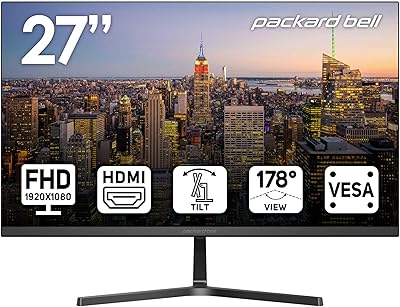
Packard Bell airFrame 27″ FHD Monitor
73%
83%
Value for Money
61%
Image Quality
58%
Gaming Performance
64%
Build Quality
55%
Ergonomics
More
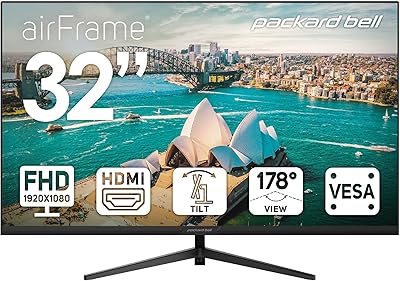
Packard Bell airFrame 32″ FHD Monitor
84%
92%
Value for Money
89%
Display Quality
78%
Build Quality
83%
Performance for Casual Gaming
94%
Setup and Installation
More
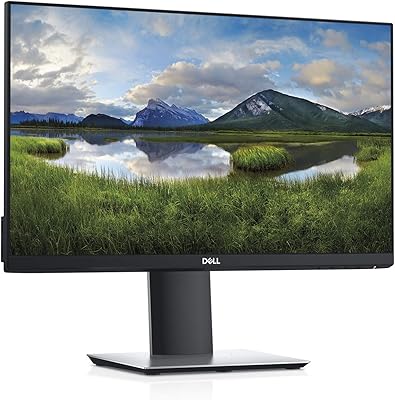
Dell Professional P2217H 21.5″ FHD Monitor
87%
91%
Display Quality
88%
Ergonomics & Adjustability
92%
Value for Money
87%
Design & Build Quality
90%
Ease of Setup
More
Dell P2219H 21.5-inch FHD Monitor
87%
91%
Display Quality
88%
Ergonomics & Flexibility
85%
Value for Money
87%
Eye Comfort
90%
Build Quality
More
Lenovo D22e-20 21.5-inch FHD Monitor
84%
89%
Display Quality
91%
Value for Money
87%
Ergonomics
74%
Brightness
93%
Setup and Installation
More
HP 22uh 21.5″ Monitor
84%
88%
Display Clarity
85%
Color Accuracy
79%
Build Quality
92%
Ease of Setup
87%
Connectivity Options
More
KEEPTIME 21.5″ Portable Monitor
85%
89%
Display Quality
91%
Portability & Design
88%
Gaming Performance
78%
Connectivity & Compatibility
84%
Setup & Installation
More
Pisichen HD-215TS 21.5-inch Touchscreen Monitor
69%
74%
Touch Responsiveness
79%
Display Clarity
51%
Viewing Angle
88%
Setup & Plug-and-Play
62%
Build Quality
More
ASUS VP229Q 21.5-inch IPS Monitor
76%
83%
Image Quality
88%
Viewing Angles
86%
Eye Comfort & Fatigue Reduction
74%
Refresh Rate & Smoothness
87%
Connectivity & Port Variety
More
ASUS VP228HE 21.5-inch Gaming Monitor
84%
91%
Display Quality
89%
Gaming Performance
92%
Value for Money
85%
Build Quality
88%
Response Time
More

FAQ

Yes, it does. Both consoles connect via HDMI, and the airFrame display has a standard HDMI port that handles the connection without any adapters. Keep in mind the monitor caps out at 75Hz at 1080p, so you won't be getting high-frame-rate output, but for most single-player or casual gaming it works just fine.

Absolutely. The monitor supports VESA mounting, so any standard VESA-compatible arm or wall bracket will fit. This is actually one of the better reasons to buy it — the included stand only tilts, so a monitor arm gives you the height and swivel flexibility the stand lacks.

For typical home office tasks like email, video calls, and document work, it holds up well. The 1080p resolution keeps text sharp and the wide viewing angle means you won't notice color shifts as you move around. The main caveat is brightness — if your desk gets a lot of direct sunlight, 249 nits may feel dim during the day.

It's mainly useful if you're connecting an older desktop PC or laptop that doesn't have HDMI output. For most modern devices you'll use HDMI, but having VGA there saves you from needing an adapter if you're running older hardware alongside a newer machine.

The stand is functional but not particularly impressive. It holds the screen steady under normal conditions, but it does have a bit of flex to it — if you type firmly or bump the desk, you'll notice some movement. It's one of the more frequently mentioned criticisms from buyers, and it's worth considering a monitor arm if stability matters to you.

Packard Bell is a legacy brand that no longer operates independently. The hardware is manufactured by Southern Telecom, a company that licenses the Packard Bell name. Southern Telecom also manufactures products under other licensed brands. It's worth knowing this upfront, particularly if post-purchase support is important to you.

Honestly, it's a weak spot. At 249 nits of peak brightness, the airFrame display can struggle in rooms with strong ambient light or direct sunlight. If your workspace is well-lit, you may find yourself squinting at a washed-out image. It performs much better in dimmer or controlled lighting environments.

For casual gaming, yes — the difference is real and most people can feel it in smoother scrolling and slightly less motion blur. That said, it won't satisfy competitive gamers who are used to 144Hz or higher. Think of 75Hz as a decent entry point, not a gaming-focused feature.

No, this entry-level screen does not include built-in speakers. You will need external speakers or headphones for any audio output. If you are using it with a console or laptop, just make sure your audio is routed through the connected device or a separate speaker setup.

It works well as a secondary display for most laptop setups. The slim bezel keeps things visually clean side by side, and the HDMI connection is straightforward. Just confirm your laptop has an HDMI output — if it only has USB-C or DisplayPort, you will need the appropriate adapter, as neither of those ports is included on this monitor.

Where to Buy