Overview

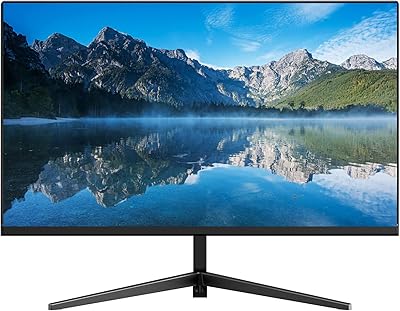
The Packard Bell airFrame 32-inch FHD Monitor is a budget-friendly display that brings genuine screen real estate to home offices and casual setups without demanding a premium price. Packard Bell — a name many associate with 1990s PCs — is now a licensed brand distributed by Southern Telecom, so temper any nostalgic expectations accordingly. What you're actually getting is a slim-bezel design that sits neatly on a desk without dominating the space. Launched in early 2023, it has climbed to a respectable #219 ranking in Computer Monitors on Amazon, suggesting solid real-world demand. It's not flashy, but it delivers size and simplicity at an honest price.
Features & Benefits

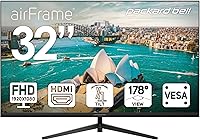
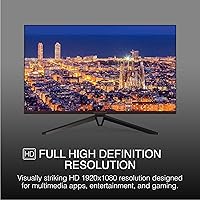
The 32-inch panel runs at 1920x1080 FHD — which is worth thinking about carefully. At this screen size, the pixel density is noticeably lower than on a 24-inch FHD monitor, meaning text and fine details can look slightly soft if you sit close. For casual browsing, spreadsheets, or video watching from a normal viewing distance, it's perfectly fine. The 75Hz refresh rate and 5ms response time handle everyday multitasking and light gaming without issue, though competitive gamers will want something faster. A 178-degree viewing angle keeps colors consistent across wide angles, useful for shared workspaces. The airFrame display also supports VESA mounting, and HDMI plus VGA connectivity covers both current and older machines — though the lack of DisplayPort is worth noting.

Best For

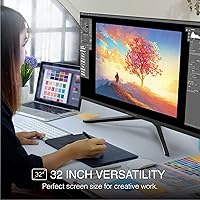
This 32-inch monitor fits a pretty specific type of buyer, and knowing who that is helps set realistic expectations. If you're working from home and spend most of your day in documents, browser tabs, or spreadsheets, the large screen footprint genuinely helps productivity — you can tile two windows side by side without squinting. Casual gamers who want a bigger screen for console or PC play on a tight budget will get solid value here. It also works well as a secondary display in a dual-monitor setup, where pixel sharpness matters less. Students sharing content in a dorm or small workspace benefit from the wide viewing angles. If you're upgrading from an older VGA-only monitor, this Packard Bell screen handles that transition smoothly without forcing a GPU upgrade.

User Feedback

Buyers who have put this Packard Bell screen through real use tend to agree on a few things. The screen size relative to cost is the most frequently praised aspect — people are genuinely happy to get 32 inches without spending significantly more. Setup is quick and the slim design earns compliments. On the other side, buyers who sit close or come from a sharper display sometimes find the image quality underwhelming — the 250 cd/m² brightness is average and can feel dim in sun-lit rooms. Some note the stand feels less sturdy than expected. Buyers comparing it to IPS or 1440p options at nearby price points occasionally feel the color depth falls short. The brand itself gets mixed reactions — skepticism from some, pleasant surprise from others.

Pros

  • 32 inches of screen space at this price point is genuinely hard to beat.
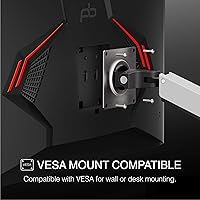
  • VESA mount support makes it easy to free up desk space with a monitor arm.
  • Dual HDMI and VGA ports cover both modern machines and older legacy hardware without adapters.
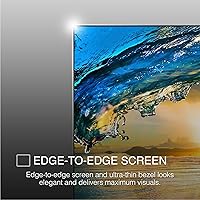
  • The slim bezel keeps the overall desk setup looking clean and uncluttered.
  • Setup is straightforward — most buyers report having it running within minutes of unboxing.
  • Wide 178-degree viewing angles hold up well for side-by-side or shared-screen situations.
  • 75Hz refresh rate handles everyday tasks and casual gaming without any noticeable lag.
  • At under 5 pounds, the airFrame display is easy to reposition or move between rooms.
  • Strong sales rankings reflect solid real-world buyer confidence and active community feedback.
  • The flat panel and slim profile fit comfortably in tighter home office or dorm desk setups.

Cons

  • Pixel density at 32 inches with a 1080p panel is lower than on smaller FHD screens — text softness is noticeable up close.
  • Users who sit within arm's reach of the screen will likely notice a lack of sharpness in fine details.
  • The stand offers tilt only — no height, swivel, or pivot adjustment limits ergonomic flexibility considerably.
  • No DisplayPort connection excludes users with modern GPUs or docking stations that depend on it.
  • At 250 cd/m², brightness is average and falls short in sun-facing or brightly lit rooms.
  • Color depth and accuracy disappoint buyers coming from IPS panels or expecting sharper visual output.
  • The stand has been reported by multiple buyers to feel less solid than expected at this screen size.
  • Packard Bell is a licensed legacy brand, making long-term reliability and post-purchase support harder to gauge.
  • The 75Hz ceiling makes this a non-starter for competitive or serious gaming setups.
  • Comparable IPS panels with meaningfully better color accuracy exist at similar price points and are worth comparing.

Ratings

The scores below are generated by AI after analyzing thousands of verified global buyer reviews for the Packard Bell airFrame 32-inch FHD Monitor, with spam, bot-generated, and incentivized feedback actively filtered out to protect accuracy. Each category reflects real patterns in what buyers consistently praise or flag, weighted by frequency and sentiment depth across confirmed purchase experiences. Both the genuine strengths and the recurring pain points are represented transparently so you can make a properly informed decision.

Value for Money
78%
22%
For home office workers and students on a budget, getting 32 inches of usable screen space without a significant financial stretch is the core appeal here. Most buyers feel the size-to-price ratio is competitive compared to smaller monitors that cost a similar amount, making it a sensible pick when screen real estate is the priority.
Where value perception dips is when buyers compare it to IPS or 1440p alternatives at similar prices — the color depth and sharpness gap can feel meaningful. Some buyers also note that the average brightness and lightweight stand make the package feel less complete than the price tag might suggest.
Image Quality
61%
39%
From a comfortable desk distance — say, two or three feet back — the 1080p image is perfectly watchable for movies, everyday browsing, and day-to-day tasks. Colors are stable and the flat panel handles standard web content and document work without any glaring issues that would disrupt a normal workday.
The core limitation is pixel density — 1080p across 32 inches works out to roughly 69 PPI, noticeably softer than a 24-inch FHD panel. Buyers who sit close consistently report that text edges look slightly blurred and fine UI details lack crispness, making this a real trade-off for close-proximity desk use.
Screen Size & Real Estate
86%
Thirty-two inches is a meaningful jump from the 24-inch or 27-inch displays most buyers are upgrading from, and the extra horizontal space changes how you work daily — document writers and spreadsheet users consistently mention being able to keep two full windows open side by side. For the price, this screen footprint is the most frequently cited strength in buyer feedback.
The flip side of a large panel at 1080p is that you notice the resolution ceiling more as screen size grows — what looks fine on a 27-inch feels more stretched at 32. For buyers expecting the visual richness of a larger screen to match their experience on a sharper smaller monitor, the size alone is not enough compensation.
Refresh Rate & Gaming
67%
33%
For casual gaming on consoles or PC — think open-world RPGs, sports titles, or strategy games at 60fps — the 75Hz panel is smooth enough and noticeably better than a 60Hz display. It handles everyday gameplay without motion blur complaints and is more than adequate for anyone who games occasionally rather than competitively.
75Hz is a hard ceiling, and competitive or fast-paced multiplayer gamers will feel the limitation quickly — fast-action titles like first-person shooters demand 144Hz or higher for competitive play, and this panel simply cannot deliver that. The 5ms response time is also entry-level, meaning ghost trails in rapid motion sequences are a realistic concern for anyone gaming seriously.
Text Clarity
57%
43%
For users sitting 24 to 30 inches back and viewing large-format content — full-page documents, presentations, or streaming video — text rendering is adequate and most do not flag it as a daily frustration. Normal center-screen viewing at a standard desk distance is where the display handles text best.
Close-proximity users — developers reading long code files, writers working in small-font documents, or anyone with the monitor closer than 20 inches — consistently report that character edges look soft and slightly blurred at small font sizes. This is a direct consequence of the resolution-to-screen-size ratio and is not a fixable issue through display settings alone.
Build Quality
62%
38%
The monitor is lighter than many buyers expect at 5 pounds, which makes initial setup and repositioning straightforward without assistance. The slim bezel gives the overall look a clean, modern feel that holds up well in home office or dorm setups, and buyers consistently note that the unboxing and assembly experience is hassle-free.
Several buyers flag the stand as the weakest physical component — it can wobble slightly with desk vibrations, which feels less than reassuring on a 32-inch panel. The overall plastic construction, while expected at this price, can feel thin and flex-prone under pressure, and a few users note that the hinge mechanism lacks the firm resistance they hoped for.
Ergonomics & Adjustability
44%
56%
The tilt range of -5 to +15 degrees is enough for most seated users to find a workable viewing angle, and the basic stand is quick to position straight out of the box. For buyers who plan to use a VESA monitor arm from day one, the stand's limitations are essentially a non-issue.
No height adjustment, swivel, or pivot means the stand is genuinely limiting for anyone with ergonomic needs beyond basic tilt — taller users often cannot raise the screen to a comfortable eye level without adding risers or a separate arm. This is the most frequently criticized hardware aspect, with many buyers recommending a VESA arm as an essential companion purchase.
Connectivity
59%
41%
Having both HDMI and VGA inputs covers the widest range of devices — from modern laptops and consoles to older desktop towers that still output via VGA. For buyers upgrading from legacy hardware, this dual-port setup is a genuine convenience that removes the need for adapters in most scenarios.
The omission of DisplayPort is the main friction point — modern GPUs, high-end docking stations, and many productivity laptops now treat DisplayPort as their primary output, and having to use an adapter adds unnecessary friction. The two-port total also limits flexibility for anyone wanting to switch quickly between multiple source devices without unplugging cables.
Brightness & Contrast
54%
46%
In a controlled indoor environment with moderate ambient lighting — an office with overhead fixtures but no direct sunlight — the 250 cd/m² output is workable, and the 1000:1 contrast ratio produces acceptable shadow detail for everyday media and document viewing. Most buyers in standard desk setups do not report brightness as a daily dealbreaker.
Users in sun-facing rooms or spaces with skylights frequently note that 250 cd/m² is not bright enough to compete with natural light, making the screen feel dim and washed out during daytime hours. The contrast performance also trails behind IPS panels at similar prices, meaning dark scenes in games or films can look flat rather than rich.
Viewing Angles
82%
18%
The 178-degree viewing angle is one of the monitor's strongest technical attributes — in shared workspaces, study rooms, or dorm setups where multiple people look at the same screen, image quality stays consistent and colors do not shift noticeably. This is a clear practical advantage over budget monitors with narrower viewing cones, where off-angle quality degrades quickly.
While the wide viewing angle is solid, buyers note that brightness and color saturation still dip slightly toward the extreme edges of that range — adequate for shared desk viewing, but not quite reference-level at the outer limits. A few users also point out that the benefit is most apparent in typical side-by-side desk scenarios rather than steep off-axis positions.
Setup & Ease of Use
88%
First-time monitor buyers and non-technical users consistently single out the setup experience as one of the best aspects of owning this Packard Bell screen — stand assembly takes a few minutes, and plug-and-play functionality means most users are up and running without any driver installation. The clear port labeling and minimal cable management demands make the out-of-box experience genuinely pleasant.
The on-screen display menu for adjusting brightness, contrast, and input selection is functional but basic — navigation can feel slightly unintuitive at first, particularly for users switching between inputs frequently. A small number of buyers also mention that the included documentation is sparse, which causes confusion during first-time setups involving VGA connections.
Design & Aesthetics
77%
23%
The slim bezel design is a genuine visual strength — it keeps the desk setup looking clean and uncluttered without the chunky plastic border common on older budget monitors. Most buyers describe the overall look as unassuming and professional, blending comfortably into both home office and student desk environments.
The rear panel shows more basic plastic construction than the clean front-facing design suggests, and buyers who inspect the back describe it as feeling utilitarian up close. The stand design also draws mild criticism for looking more dated than the slim front bezel implies.
Color Accuracy
53%
47%
For standard office tasks, casual browsing, and everyday video streaming, color rendering is sufficient and unlikely to cause frustration — the image looks natural and not overly washed out in typical indoor viewing conditions. Users who are not doing color-sensitive work tend to rate this aspect as acceptable without significant complaint.
Buyers who come from IPS-panel monitors — even budget IPS options — regularly notice that color depth, vibrancy, and cross-panel consistency are noticeably weaker here. Creative professionals, photographers, or anyone doing design work will find the color output falls meaningfully short of usable accuracy, and color gamut coverage is neither specified nor certified for professional use.
Brand Reliability
58%
42%
For buyers who approach this as a budget purchase from a distributed brand and calibrate expectations accordingly, real-world satisfaction is often higher than the Packard Bell name might initially suggest. Sales volume and rankings indicate enough units have shipped to generate meaningful community feedback, which provides a useful baseline of real-world reliability data.
Packard Bell is a licensed legacy name under Southern Telecom — not a manufacturer with a direct engineering or quality-control heritage behind this specific product — which creates genuine uncertainty around long-term durability, warranty support, and replacement part availability. Buyers who value established brand accountability tend to feel uneasy about committing to a display with limited after-sale support infrastructure.
VESA & Mounting
84%
VESA compatibility at this price point is a notable practical strength — it opens up the option to use any standard wall bracket or monitor arm, which can dramatically improve ergonomics beyond what the basic stand allows. Buyers who already own a monitor arm report that this is the upgrade path that makes the airFrame display genuinely comfortable for extended work sessions.
The specific VESA pattern and hole dimensions are not prominently documented in the product listing, which has caused a small number of buyers to order incompatible mounts and deal with return delays. It is always worth confirming the VESA dimensions before purchasing a third-party arm or bracket to avoid that frustration.

Suitable for:

The Packard Bell airFrame 32-inch FHD Monitor is a strong pick for home office workers who value generous screen space over pixel-perfect sharpness — spreadsheet managers, writers, and anyone who tiles multiple windows side by side will feel the size benefit immediately. Students in shared dorms or study spaces get practical value from the 178-degree viewing angle, which keeps the image readable even when a classmate leans in from the side. Casual console or PC gamers on a tight budget gain a noticeably larger display than most options in this range without needing to invest in a higher-end GPU. The VESA compatibility makes it a natural fit for anyone building a wall-mounted or monitor-arm setup looking to reclaim desk space. It also works well as a secondary display in a dual-monitor workstation, handling email, reference documents, or chat windows without complaint. Those upgrading from an older VGA-only screen will appreciate that both HDMI and VGA inputs are present, making the transition smooth without forcing any additional hardware purchases.
Not suitable for:

Anyone who sits close to their screen and values crisp, sharp text should think twice before buying the Packard Bell airFrame 32-inch FHD Monitor — at 32 inches with a 1080p panel, pixel density is noticeably lower than on a smaller FHD screen, and fine details can appear soft at typical arm's-length desk distances. Graphic designers, photo editors, and color-critical professionals will likely find the color depth underwhelming compared to IPS alternatives available at nearby price points. Competitive or serious gamers should look elsewhere entirely, as 75Hz is a hard ceiling that simply cannot keep up with fast-paced titles where high refresh rates matter. Ergonomics-focused users will run into a real wall with the stand — tilt is the only adjustment available, with no height, swivel, or pivot controls, which is a meaningful limitation for taller users or those managing posture-related discomfort. The 250 cd/m² brightness also makes it a poor choice for sun-facing rooms or brightly lit environments. Finally, if your workstation relies on DisplayPort — common in modern GPUs and docking stations — this screen simply lacks that connection.
Specifications

  • Screen Size: The display measures 32 inches diagonally, providing a wide viewing area suited to multi-window work, media consumption, and casual gaming.
  • Resolution: Native resolution is 1920x1080 (Full HD), delivering standard 1080p output across the full 32″ panel.
  • Refresh Rate: The panel operates at a 75Hz refresh rate, providing a smoother experience than standard 60Hz displays for everyday tasks and casual gaming.
  • Response Time: Response time is rated at 5ms, adequate for general productivity use and light gaming but not optimized for fast-paced competitive play.
  • Aspect Ratio: The screen uses a standard 16:9 widescreen aspect ratio, compatible with virtually all modern content, consoles, and software.
  • Brightness: Peak brightness is rated at 250 cd/m², which is an average figure for this monitor class and may feel limiting in bright or sun-facing rooms.
  • Contrast Ratio: The static contrast ratio is 1000:1, providing a reasonable distinction between dark and bright areas for everyday content.
  • Viewing Angle: Horizontal and vertical viewing angles extend up to 178 degrees, keeping the image consistent and usable from a wide range of off-axis positions.
  • Panel Surface: The screen features a flat panel surface with no curvature, using a matte-style finish that reduces direct glare from overhead lighting.
  • Connectivity: Input options include one HDMI port and one VGA port, covering both modern and legacy source devices; DisplayPort is not included.
  • VESA Mount: The monitor is VESA mount compatible, allowing attachment to a wall bracket or a standard third-party monitor arm for flexible ergonomic positioning.
  • Tilt Range: The included stand supports tilt adjustment from -5 degrees forward to +15 degrees backward; height adjustment, swivel, and pivot are not available.
  • Dimensions: With the stand attached, the unit measures approximately 28 x 20 x 1 inches, fitting most standard desks without an excessive footprint.
  • Weight: The total unit weight is approximately 5 pounds, making it manageable for a single person to handle, reposition, or mount.
  • Model Info: The model number is M32000, distributed by Southern Telecom under the licensed Packard Bell brand, with a market launch date of February 2023.

Related Reviews
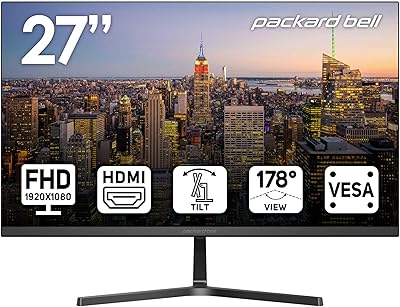
Packard Bell airFrame 27″ FHD Monitor
73%
83%
Value for Money
61%
Image Quality
58%
Gaming Performance
64%
Build Quality
55%
Ergonomics
More
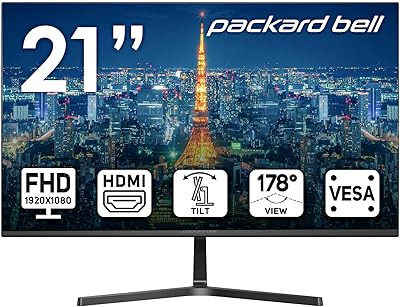
Packard Bell airFrame 21.5″ FHD Monitor
69%
83%
Value for Money
76%
Image Clarity
51%
Brightness
71%
Refresh Rate & Smoothness
43%
Stand & Ergonomics
More
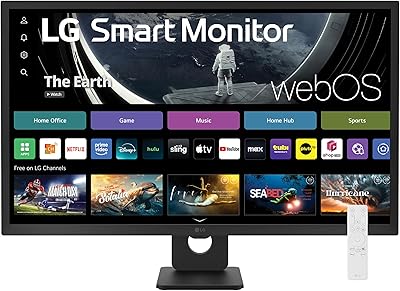
LG 32SR50F-B 32-inch Smart Monitor
72%
88%
Smart Platform (webOS)
77%
Picture Quality
82%
Value for Money
91%
Apple Ecosystem Integration
86%
Setup & Ease of Use
More
Real HD LED-32A 32-inch Security Monitor
75%
88%
Image Clarity
91%
Connectivity & Compatibility
74%
Build Quality
86%
24/7 Continuous Operation
92%
Ease of Setup
More
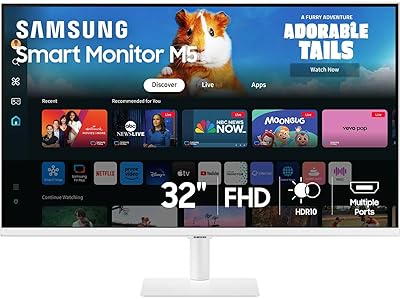
Samsung M50D 32-Inch FHD Smart Monitor
74%
88%
Smart TV Experience
58%
Image Sharpness
91%
Setup & Ease of Use
73%
Gaming Hub Value
83%
Samsung Ecosystem Integration
More
Thinlerain T-101-1200 10.1-Inch Mini Monitor
67%
73%
Value for Money
58%
Display Quality
81%
Input Versatility
52%
Build Quality
54%
Brightness & Visibility
More
CUNPU 32-inch 4K UHD Computer Monitor
64%
88%
Image Sharpness
74%
Color Accuracy
83%
Contrast & Black Levels
53%
Brightness
41%
HDR Performance
More
Dell SE2722HX 27-inch FHD Monitor
84%
91%
Value for Money
87%
Display Quality
83%
Build Quality
88%
Ease of Setup
85%
Ergonomics & Comfort
More
Viewedge USC2412FDA-P 24-inch FHD 144Hz Gaming Monitor
71%
83%
Value for Money
79%
Gaming Performance
76%
Image Quality
81%
Eye Comfort
63%
Build Quality
More
Sealan Z24B1A 24-inch Monitor

72%
82%
Image Quality
84%
Color Accuracy
71%
Refresh Rate & Motion
58%
Brightness & Contrast
62%
Build Quality
More

FAQ

Yes, both PS5 and Xbox Series consoles connect via HDMI, and this 32-inch monitor has an HDMI port that handles that connection without issue. One thing to keep in mind is that the panel is capped at 75Hz, so high-framerate modes available on those consoles will not be fully utilized. For casual gaming sessions and standard 60fps play, it works perfectly well.

For typical home office work — documents, spreadsheets, email, and video calls — it holds up fine in practice. The one honest caveat is that 1080p across a 32-inch panel means lower pixel density than a smaller FHD screen, so text can look a touch soft at very close distances. At a normal seated desk distance of around two feet or more, most people adapt quickly and find it comfortable.

Yes, the airFrame display is VESA mount compatible, which means it works with standard wall brackets and third-party monitor arms. This is genuinely one of its more useful features at this price — a monitor arm can make up for the stand's limited adjustability and give you much better ergonomic control over height and positioning.

Only tilt is supported — the stand adjusts from 5 degrees forward to 15 degrees backward, and that is the full range of movement. There is no height adjustment, swivel, or pivot built in. If proper ergonomics matter to you, pairing this screen with a VESA monitor arm is the most practical solution.

It is a reasonable option for casual and entry-level gaming — the 75Hz refresh rate and 5ms response time are fine for story-driven games, RPGs, and everyday console or PC play. Competitive multiplayer or fast-paced esports titles are a different matter, and serious gamers will want a 144Hz or faster display. Think of this as a screen that handles gaming comfortably on the side rather than a purpose-built gaming monitor.

The product listing does not explicitly confirm which cables are bundled, so it is worth checking with the retailer or verifying the box contents at the point of purchase. The monitor has both HDMI and VGA inputs, so whichever connection your device uses, you have options — you may just need to supply your own cable if one is not included.

The 250 cd/m² brightness rating is on the modest side, and in a room with strong natural light or a window facing the screen, the image can feel washed out or dim. If your workspace gets a lot of sunlight, it is worth either looking at a higher-brightness option or positioning this Packard Bell screen away from direct light sources. In a moderately lit or controlled indoor environment, brightness is generally not a complaint.

The difference is real, especially at close range — a 1440p panel delivers meaningfully sharper text and finer image detail than 1080p at 32 inches. The gap shows up most clearly in dense text work and in games with detailed textures or fine on-screen elements. Whether that difference justifies spending more comes down to how close you sit and how much image sharpness matters to your workflow.

Yes, the VGA port is included specifically for legacy compatibility, so you can connect directly to older desktops or laptops that lack HDMI without needing an adapter. This makes it a practical upgrade path for anyone moving off an older monitor without wanting to change the rest of their setup at the same time.

Assembly is straightforward — the stand attaches with minimal steps, ports are clearly accessible, and no special drivers are needed for basic plug-and-play use. Most buyers describe the full unboxing-to-working process as taking under ten minutes. The on-screen menu for brightness and input switching is functional, if not the most polished, but it gets the job done without any real frustration.