


Overview

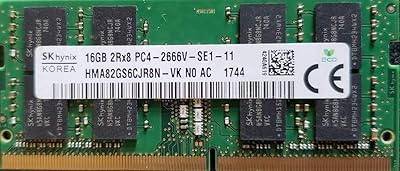
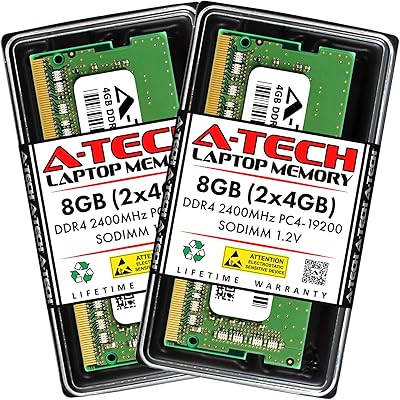
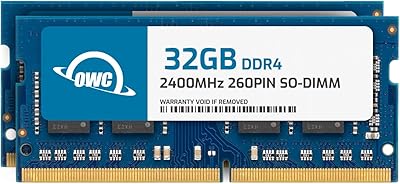
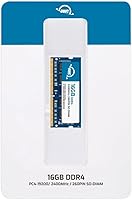
The OWC 16GB DDR4 2400MHz Laptop RAM comes from Other World Computing, a brand that has built genuine credibility over decades supplying memory upgrades to Mac and PC users alike. This is a single 260-pin SODIMM module — the kind of drop-in upgrade that doubles RAM in most user-accessible laptops and mini PCs. Priced in the mid-range, it sits above no-name budget sticks but roughly in line with established names like Crucial and Kingston. It meets JEDEC standard specifications and carries RoHS certification, which are baseline quality markers rather than premium differentiators. Go in expecting reliable compatibility and stable performance, not a dramatic speed transformation.

Features & Benefits

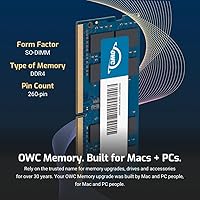
At 2400MHz with CL17 latency, this SODIMM upgrade handles browser-heavy multitasking, spreadsheets, and moderate photo editing without strain — though serious video editors or gamers would want faster DDR4 at higher clock speeds. The 1.2V operating voltage draws less power than older DDR3 modules, which matters if battery life is already a concern on aging hardware. Its 2RX8 dual-rank layout lets the system access memory across two banks simultaneously, delivering slightly better bandwidth than a single-rank stick of the same capacity. It also runs comfortably in 2133MHz systems, so buyers unsure of their exact supported speed do not need to worry about incompatibility.

Best For

This 16GB DDR4 stick makes the most sense for laptop or mini PC owners already feeling the pinch of 8GB — sluggish browser sessions, slow application switching, that sort of thing. OWC has a well-documented history of testing compatibility with Apple hardware specifically, so Mac mini and older MacBook Pro users tend to be a natural fit. Small business owners running POS terminals or NAS devices will also appreciate the lifetime warranty and Advanced Replacement Program for peace of mind. One important caveat: if your laptop has soldered RAM, no SODIMM upgrade will work regardless of brand. Confirm your device has an accessible slot before purchasing.

User Feedback

With a 4.5-star average from around 111 buyers, the picture is cautiously positive — though the sample is small enough that a handful of negative experiences could shift things noticeably. Buyers frequently highlight how painlessly the module installs and that their systems recognized it without any fuss. Several reviewers mention using it in MacBooks and ThinkPads specifically, which adds useful real-world context beyond the spec sheet. On the downside, some shoppers flag the price as higher than comparable modules from Crucial or Kingston — a fair point, since those brands offer similar lifetime coverage. OWC's support reputation does come up favorably, but strictly budget-conscious buyers may not find the premium justified.

Pros

  • Installs without driver changes or BIOS adjustments on most compatible laptops and mini PCs.
  • Backward compatible with 2133MHz systems, so buyers unsure of their board speed have a safety net.
  • The 2RX8 dual-rank design offers a modest but real bandwidth advantage over single-rank alternatives.
  • Low 1.2V operating voltage puts less strain on aging laptop batteries compared to older DDR3 memory.
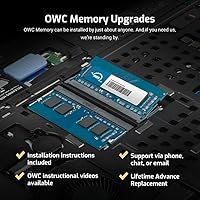
  • OWC includes free tech support — useful for less experienced users tackling their first RAM swap.
  • Lifetime warranty with an Advanced Replacement Program means you get a new module before returning the faulty one.
  • JEDEC-compliant and RoHS certified, providing baseline assurance of build quality and safety standards.
  • Broad compatibility across laptops, mini desktops, NAS units, and POS terminals makes it versatile for mixed-device households or small offices.
  • OWC has decades of documented compatibility testing with Apple hardware, reducing guesswork for Mac users.
  • Reviewers consistently report smooth system recognition with no configuration needed after installation.

Cons

  • Priced higher than comparable modules from Crucial or Kingston, which offer similar warranty coverage for less.
  • 2400MHz is a mid-tier DDR4 speed — not the right choice for performance-intensive workloads like gaming or 4K editing.
  • The 111-rating review pool is relatively small, making it harder to assess long-term reliability with full confidence.
  • No ECC support eliminates it from consideration for home servers or workstations requiring error-correcting memory.
  • Useless on any laptop with soldered RAM — a growing category that buyers must rule out before purchasing.
  • Free tech support, while a nice inclusion, is only as valuable as your willingness to contact and wait on a support team.
  • Single-module configuration means you are not running in dual-channel mode unless a second matching stick is also installed.
  • Compatibility with very recent or niche laptop models may not be thoroughly documented compared to mainstream brands.

Ratings

Our scores for the OWC 16GB DDR4 2400MHz Laptop RAM are generated by AI after systematically analyzing verified global buyer reviews, with spam, bot activity, and incentivized feedback actively filtered out. Each category reflects the honest distribution of real-world experiences — strengths and frustrations weighted equally. Where buyers consistently praised or flagged specific aspects, those signals are directly mirrored in the scores below.

Installation Ease
93%
Buyers across skill levels — from first-time upgraders to seasoned IT staff — consistently report that the module slots in cleanly and the system recognizes it immediately on the next boot without any configuration. Several reviewers specifically mentioned completing the swap in under ten minutes on a ThinkPad or Mac mini.
A small number of users encountered resistance when seating the module, which turned out to be a tight slot tolerance on specific older laptop chassis rather than a defect. First-time DIYers occasionally expressed frustration before realizing the module needs to be inserted at a precise angle before pressing flat.
Compatibility
88%
The broad DDR4 SODIMM standard covers an enormous range of devices, and OWC's documented testing history — particularly with Apple hardware — gives buyers more confidence than unbranded alternatives. Reviewers using Mac minis and older MacBook Pros repeatedly confirmed clean compatibility without needing BIOS adjustments.
A handful of users reported compatibility issues with niche or less common laptop models that were not explicitly listed in OWC's database. The module also cannot be used in any machine with soldered RAM, which eliminates a growing portion of modern thin laptops — a caveat that catches some buyers off guard.
System Performance Boost
84%
For users upgrading from 8GB, the real-world difference is tangible: browser-heavy workflows, multiple open applications, and video calls running simultaneously become noticeably smoother. Home office users who multitask on older business laptops described the upgrade as bringing an aging machine back to a genuinely usable state.
At 2400MHz DDR4, this is a mainstream speed tier — not a performance module. Users coming from faster DDR4 systems or those expecting gaming or video editing improvements are likely to be underwhelmed, as the gains are most pronounced for everyday productivity rather than compute-intensive tasks.
Value for Money
71%
29%
The combination of a lifetime warranty, Advanced Replacement Program, and included tech support adds tangible value beyond the bare hardware — particularly for small business owners who cannot afford extended downtime. Buyers who had previously purchased no-name RAM that failed within a year found the OWC pricing easier to justify in hindsight.
Price-sensitive buyers frequently note that Crucial and Kingston offer 16GB DDR4 SODIMM modules at a lower cost with comparable lifetime warranty terms, making the OWC premium harder to rationalize on hardware specs alone. For buyers who simply want reliable RAM and have no special attachment to the OWC ecosystem, the price gap is a recurring point of hesitation.
Warranty & Support
91%
OWC's Advanced Replacement Program stands out because they dispatch a replacement unit before receiving the defective one back, which dramatically reduces downtime for people using the upgraded machine as a daily driver. Reviewers who contacted OWC tech support reported knowledgeable, responsive agents — a meaningful contrast to the non-existent support behind cheaper no-name modules.
While the warranty terms are strong, Crucial and Kingston offer similarly structured lifetime warranties, so the coverage is not unique to OWC. A small number of reviewers noted that initiating a warranty claim required more back-and-forth verification than expected before the replacement shipment was authorized.
Build & Module Quality
86%
The module feels solid in hand — consistent PCB quality, correctly aligned pins, and no cosmetic defects reported across the review pool. JEDEC compliance and RoHS certification confirm that the components meet established industry standards for both electrical performance and material safety.
There is no heatspreader or any form of thermal management on this stick, which is standard for laptop SODIMMs but worth noting for buyers upgrading thermally constrained mini PCs or NAS enclosures. A few reviewers working in warmer ambient environments mentioned slightly elevated system temperatures after the upgrade, though no failures were reported.
Power Efficiency
82%
18%
Running at 1.2V, this SODIMM draws meaningfully less power than DDR3 modules, which matters for laptop users sensitive to battery runtime. Several buyers upgrading older DDR3-equipped machines to newer DDR4 platforms specifically cited the lower voltage as a factor in their decision.
Within the DDR4 ecosystem specifically, 1.2V is simply the standard operating voltage — there is no exceptional efficiency advantage over competing DDR4 modules. Buyers should not expect a noticeable battery life improvement if they are replacing an existing DDR4 stick rather than upgrading from DDR3.
Packaging & Delivery
79%
21%
The module arrives in protective anti-static packaging appropriate for sensitive electronics, and most buyers reported receiving it in perfect condition with no shipping damage. OWC generally fulfills orders reliably, with reviewers noting consistent delivery times in line with stated estimates.
The packaging is functional but minimal — there are no installation accessories, instruction leaflets, or even a static wrist strap included, which budget-conscious first-timers might expect given the mid-range price. Buyers who wanted a more guided unboxing experience found themselves relying entirely on the separately linked OWC installation video.
Dual-Rank Performance
77%
23%
The 2RX8 dual-rank configuration gives the memory controller access to two banks of chips in an interleaved fashion, offering a modest but measurable bandwidth advantage over single-rank alternatives at the same frequency. Power users running memory-intensive applications like large spreadsheets or virtual machines reported slightly snappier response compared to their previous single-rank module.
The real-world benefit of dual-rank over single-rank at this speed tier is subtle enough that most everyday users will never notice the difference in practice. It is also worth knowing that mixing this dual-rank module with a single-rank stick in a dual-slot system can occasionally cause the memory controller to default to a more conservative operating mode.
Backward Compatibility
88%
The ability to run correctly in 2133MHz systems removes a common point of anxiety for buyers who are unsure of their motherboard's exact supported speed. This is a practical safeguard that several reviewers specifically mentioned as the reason they chose this module over a fixed-spec alternative.
Backward compatibility means the module will silently downclock to 2133MHz on older boards, and buyers sometimes only realize this after checking system diagnostics post-installation. There is no notification or configuration prompt — the system simply runs at the lower speed, which can feel anticlimactic when the expected 2400MHz figure never appears in system info.
Brand Reliability
89%
OWC has been supplying memory upgrades since the early 1990s and has accumulated a reputation for standing behind their products — a credibility signal that carries weight when buying hardware that will live inside your machine for years. Longtime Mac users in particular have built genuine loyalty to the brand based on repeated positive experiences.
OWC is not as universally recognized outside the Apple upgrade community, and buyers coming from a Windows-first background occasionally expressed surprise at the price positioning compared to Crucial or Kingston modules they had used before without issue. The brand premium is real, and whether it is justified depends heavily on how much the warranty and support infrastructure matter to the individual buyer.
User Review Confidence
67%
33%
The 4.5-star average signals a predominantly positive buyer experience, and the specific praise themes — clean system recognition, stable long-term performance, straightforward installation — are consistent enough across reviews to suggest genuine satisfaction rather than a cluster of outlier experiences.
With only 111 ratings at the time of analysis, the sample size is modest enough that a handful of negative or five-star outlier reviews carry disproportionate statistical weight. Buyers who rely heavily on review volume as a confidence signal may want to cross-reference with third-party benchmark data or community forums before committing.

Suitable for:

The OWC 16GB DDR4 2400MHz Laptop RAM is a strong fit for anyone running an older laptop or mini PC on 8GB who wants a meaningful, low-risk performance boost for everyday computing. If your machine slows to a crawl with a dozen browser tabs open, video calls running, and a spreadsheet in the background, doubling your RAM is usually the single most impactful upgrade you can make — and this module handles that job reliably. OWC has a particularly solid track record with Apple hardware, making it a sensible choice for Mac mini and older MacBook Pro owners who want a tested, compatible option rather than a gamble on an unbranded stick. Small business operators upgrading POS terminals, home NAS boxes, or office workhorses will also appreciate the lifetime warranty and Advanced Replacement Program, which provide real recourse if something goes wrong. This is equally suited to DIY-confident buyers who are comfortable removing a bottom panel and swapping a module — the installation itself is genuinely straightforward on most user-serviceable machines.

Not suitable for:

The OWC 16GB DDR4 2400MHz Laptop RAM is not the right call if your laptop has soldered RAM, which is increasingly common on thin ultrabooks and newer MacBooks — no SODIMM upgrade of any brand will help you there, so check your device specs before spending anything. Buyers chasing maximum memory performance for gaming, 4K video editing, or heavy virtualization work should also look elsewhere, since 2400MHz DDR4 is a mainstream speed tier and faster DDR4 options at 3200MHz or beyond will serve those workloads better. If budget is the primary concern, comparable 16GB DDR4 SODIMM modules from Crucial or Kingston can often be found for noticeably less, and both offer similar lifetime warranty terms — so the OWC price premium needs to be justified by brand preference or specific compatibility confidence. This module also lacks ECC support, ruling it out for anyone building a small server or workstation where error-correcting memory is a requirement.

Specifications

  • Capacity: This module provides 16GB of DDR4 SDRAM in a single stick, doubling the RAM of most laptops currently running 8GB.
  • Memory Type: Uses DDR4 SDRAM technology, the current mainstream standard for laptops and mini desktops released in the past decade.
  • Speed: Operates at 2400MHz (PC4-19200), a mid-range DDR4 frequency suited for everyday productivity and general-purpose computing.
  • CAS Latency: Rated at CL17, meaning the memory takes 17 clock cycles to respond to a request, which is typical for DDR4 at this speed tier.
  • Form Factor: Built in the 260-pin SODIMM format, the compact layout used in laptops, mini PCs, and small-form-factor desktops.
  • Voltage: Runs at 1.2V, which is lower than older DDR3 modules and contributes to reduced heat output and marginally better battery efficiency.
  • Rank Config: Configured as 2RX8 dual-rank, allowing the memory controller to access two banks of chips alternately for slightly improved throughput.
  • ECC Support: This is a Non-ECC module, meaning it does not include error-correcting code functionality and is not suitable for servers requiring memory fault tolerance.
  • Compliance: Meets JEDEC industry-standard specifications and carries RoHS certification, confirming it is free from restricted hazardous substances.
  • Backward Compat.: Compatible with both 2400MHz and 2133MHz systems, so it will run correctly even if your motherboard only supports the older 2133MHz standard.
  • Device Support: Designed for use in laptops, notebooks, mini desktops, micro servers, NAS systems, and POS terminals with accessible SODIMM slots.
  • Warranty: Backed by a limited lifetime warranty that includes OWC's Advanced Replacement Program, which ships a replacement before you return the defective unit.
  • Tech Support: Free technical support is included and provided directly by Other World Computing staff for the life of the product.
  • Module Weight: The module weighs 1.06 oz, consistent with a standard single SODIMM stick with no heatspreader.
  • Manufacturer: Made by Other World Computing (OWC), a US-based company with over three decades of experience in Mac and PC memory upgrades.

Related Reviews
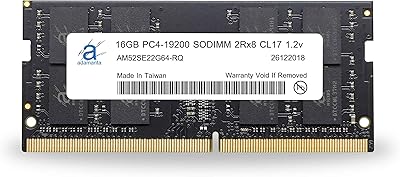
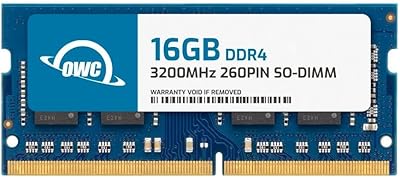
Adamanta 16GB DDR4 2400MHz SODIMM Laptop RAM
75%
83%
Value for Money
89%
Installation Ease
62%
Compatibility
76%
Real-World Performance
74%
Stability & Reliability
More
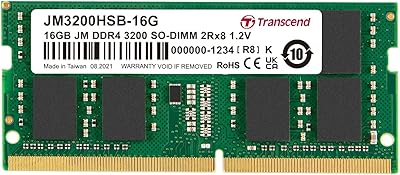
OWC 16GB DDR4 3200MHz SODIMM Laptop RAM
84%
93%
Installation Experience
84%
Multitasking Performance
71%
Compatibility Range
96%
Warranty & Support
74%
Value for Money
More
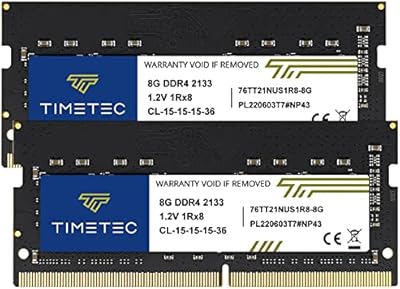
Transcend JM3200HSB-16G 16GB DDR4 Laptop RAM
83%
88%
Value for Money
84%
Compatibility
92%
Installation Ease
86%
Performance Improvement
91%
Stability & Reliability
More
SK hynix HMA82GS6CJR8N-VK 16GB Laptop RAM
78%
88%
Compatibility
91%
Authenticity & Sourcing
84%
Value for Money
86%
Installation Experience
78%
Everyday Performance
More
A-Tech 16GB DDR4 3200MHz SODIMM Laptop RAM
78%
83%
Compatibility
91%
Installation Ease
78%
Performance Uplift
86%
Value for Money
74%
Build Quality
More
Timetec 16GB DDR4 2133MHz Laptop RAM Kit

80%
93%
Value for Money
71%
Compatibility
88%
Ease of Installation
79%
Performance Impact
86%
Stability & Reliability
More
Adamanta 32GB DDR4 2400MHz SODIMM Laptop RAM
77%
86%
Value for Money
91%
Installation Ease
63%
Compatibility
74%
Performance
82%
Build Quality
More
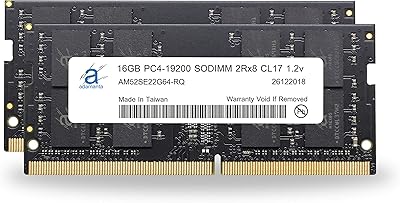
A-Tech 8GB DDR4 2400MHz SODIMM Laptop RAM
82%
91%
Value for Money
68%
Compatibility
88%
Ease of Installation
78%
Performance Improvement
83%
Reliability & Longevity
More
OWC 64GB DDR4 2400MHz SO-DIMM RAM Kit
81%
93%
Mac Compatibility
88%
Installation Experience
91%
System Stability
89%
Warranty & Support
84%
Performance Impact
More
Motoeagle 16GB DDR4 2133MHz Desktop RAM
74%
88%
Value for Money
91%
Installation Ease
71%
Compatibility
78%
Reliability & Stability
86%
Warranty & Support
More

FAQ

The most reliable approach is to check your laptop manufacturer's support page or use a free tool like Crucial's compatibility scanner to confirm your model accepts 260-pin DDR4 SODIMMs. OWC also maintains a compatibility database on their website where you can search by device. If your machine is listed, you can proceed with confidence.

That depends on how many SODIMM slots your laptop has. If it has two slots and one is empty, you can add this stick alongside the existing 8GB module for a total of 24GB — though for best performance, matching modules in pairs is ideal. If your machine has only one slot, you would need to replace the existing 8GB stick entirely.

OWC has a long history of testing specifically for Apple hardware, and many Mac mini and pre-2019 MacBook Pro models with user-accessible RAM slots are well-supported. That said, Apple silicon Macs and most MacBooks from 2019 onward have soldered memory and cannot be upgraded with any SODIMM module, so confirm your exact model year before purchasing.

Yes, it will. The module is backward compatible with 2133MHz systems, so it will automatically downclock to match your board's maximum supported speed. You will not see 2400MHz performance on a 2133MHz system, but the module will run stably without any manual configuration.

Dual-rank means the module contains two independent sets of memory chips that the controller can switch between, similar to how a store with two open checkout lanes moves faster than one. In practice, the difference over a single-rank stick is modest for typical tasks like web browsing or office work, but it can offer a small edge in memory-intensive workflows.

Unlike a standard warranty where you send the defective item back and wait, OWC ships a replacement unit to you first upon confirming the issue. Once you receive the new module, you then return the faulty one. This approach minimizes downtime, which matters if the machine in question is used for work.

Honestly, the core hardware performance at this speed tier is very similar across reputable brands — all three are JEDEC-compliant and offer lifetime warranties. The OWC premium is less about raw specs and more about the brand's Apple-specific compatibility testing, its Advanced Replacement Program, and included tech support. If you have no Apple hardware and purely want the lowest cost from a trusted name, Crucial or Kingston are fair alternatives worth considering.

For most laptops with a removable bottom panel, yes — the process typically involves unscrewing a panel, locating the SODIMM slot, pressing the old module out at an angle, and sliding the new one in until it clicks. OWC provides a basic installation video as well. That said, if your laptop requires heat gun removal of adhesive panels or has a very cramped interior, professional installation may be worth the peace of mind.

It is compatible with NAS systems and micro servers that use standard DDR4 SODIMM slots, which covers many popular home NAS units. However, it is a Non-ECC module, so it is not appropriate for server environments where memory error correction is a safety or reliability requirement. For a home media or backup NAS running consumer-grade software, Non-ECC is generally acceptable.

Search your exact laptop model number followed by words like RAM upgrade or memory upgrade, and check whether forums or the manufacturer's specs page list it as user-upgradeable. iFixit also maintains teardown guides for hundreds of laptop models that clearly show whether the RAM is socketed or soldered. Spending five minutes on this check before purchasing can save you a return trip.