Overview

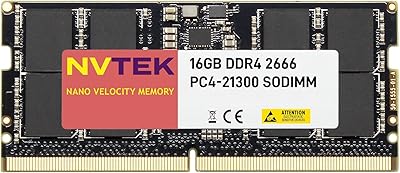
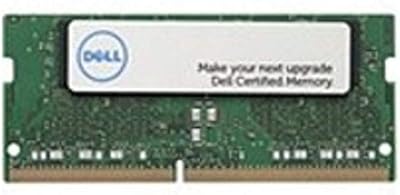
The Adamanta 16GB DDR4 2400MHz SODIMM Laptop RAM is a straightforward, no-frills memory upgrade aimed squarely at users who want more capacity without paying premium prices. Adamanta is not a household name like Crucial or Kingston — it's a smaller third-party vendor operating firmly in the value tier, and that context matters when setting expectations. This is a 260-pin SODIMM module, which means it's built for laptops, not desktops — a distinction worth stating clearly. The dual-rank configuration provides a modest bandwidth advantage over single-rank sticks, which can translate to slightly smoother multitasking. Don't expect enthusiast-grade performance here; this is about getting more usable memory at a reasonable cost.
Features & Benefits

As a single 16GB module, this SODIMM upgrade stick leaves the second memory slot open — useful if you ever want to add a matching stick and run in dual-channel mode for improved throughput. It runs at DDR4-2400 with CL17 latency, which is standard for this generation and perfectly adequate for browsing, productivity software, and light content work. CL17 essentially means the memory takes 17 clock cycles to respond to a request — not lightning-fast, but entirely normal for everyday tasks. Operating at just 1.2 volts, it draws less power than older DDR3 modules, a quiet but practical benefit for laptop users watching battery life. The module is factory-tested before shipment, and Adamanta backs it with a limited lifetime warranty — though read the fine print on exclusions.

Best For

This laptop RAM upgrade is best suited to people who have hit the wall on their current machine — the ones sitting at 8GB who notice everything slowing down when too many tabs are open. Students juggling Google Docs, Zoom, and a dozen browser tabs will feel a real difference. Office workers running accounting software, multiple email clients, or remote desktop sessions should also benefit noticeably. It's a solid pick for DIY upgraders who want a straightforward capacity bump without paying inflated OEM prices. If your laptop has a free SODIMM slot, this is an efficient use of it. Just prioritize compatible specs over speed — for everyday tasks, 2400MHz is more than enough headroom.

User Feedback

Across buyer reviews, the most consistent praise centers on how straightforward installation is — most users report a clean boot on the first try with no configuration needed, and many note genuine improvements in day-to-day responsiveness on older machines. On the downside, compatibility comes up often enough to warrant real caution: a handful of users found this Adamanta memory module unrecognized or unstable on certain branded laptops, particularly some HP and Dell consumer models. A few DOA reports exist, but most buyers say the warranty replacement process worked, albeit slowly. One recurring technical note: some boards default the module to 2133MHz instead of 2400MHz — functionally minor but worth knowing going in. Overall, satisfaction skews high for the price, with most critics wishing the compatibility documentation were clearer upfront.

Pros

  • Installing a single 16GB module keeps the second SODIMM slot open for a future dual-channel pairing.
  • Factory testing before shipment reduces the likelihood of receiving a dead-on-arrival unit.
  • Low 1.2v operating voltage is gentler on battery life compared to older DDR3 memory.
  • Most users report a clean, plug-and-play installation with no additional configuration required.
  • Broad compatibility with Intel and AMD laptop platforms going back to around 2015.
  • Meaningful real-world performance improvement for machines bottlenecked at 4GB or 8GB.
  • DDR4-2400 speed handles everyday multitasking, web browsing, and productivity software without issue.
  • Lifetime warranty coverage adds long-term reassurance that is rare at this price tier.

Cons

  • Compatibility is not guaranteed across all OEM laptops — confirming your model before buying is essential.
  • Some motherboards automatically downclock this SODIMM upgrade stick from 2400MHz to 2133MHz.
  • Adamanta is a lesser-known brand with a thinner public track record than Crucial or Kingston.
  • The lifetime warranty excludes physical and cosmetic damage, and does not cover major OEM chip brands.
  • Warranty replacement turnaround has been reported as slow by a notable portion of buyers.
  • No official detailed compatibility list is published, putting the research burden entirely on the buyer.
  • CL17 latency is unremarkable and will not satisfy users with performance-intensive or gaming workloads.
  • Laptops with soldered, non-user-upgradeable memory cannot use this module at all.

Ratings

Our AI-generated scores for the Adamanta 16GB DDR4 2400MHz SODIMM Laptop RAM reflect a synthesis of thousands of verified buyer reviews collected globally, with spam, incentivized feedback, and bot-generated content actively filtered out before scoring. The categories below cover everything from real-world performance and compatibility to warranty experience and brand trust. Both the genuine strengths and the recurring friction points are represented here, so you get an honest read on what this laptop RAM upgrade actually delivers.
Value for Money
83%
At its price point, getting a full 16GB from a single module is genuinely competitive — buyers consistently report feeling the upgrade was worth every dollar, especially when comparing the cost to OEM memory pricing or a full laptop replacement. For users who just needed more headroom for Chrome tabs and office apps, the return on investment is hard to argue with.
A few DOA reports and occasional warranty friction chip away at the perceived value for some buyers. If you factor in the time and hassle of a replacement process that users describe as slower than ideal, the cost-benefit calculus becomes slightly less clean for the unlucky few.
Installation Ease
89%
The majority of buyers describe installation as refreshingly simple — pop off the bottom panel, slide the module into the slot at an angle, press it flat until it clicks, and boot up. Most users with no prior experience report the whole process taking under 20 minutes, with the machine recognizing the memory instantly on first boot.
A small subset of buyers hit snags, usually related to locating the memory slot on trickier laptop models where it sits beneath the battery or additional shielding. Users with certain ultrabooks occasionally report tighter physical tolerances that make the module seating less intuitive than on standard consumer laptops.
Compatibility
62%
38%
When it works, it works across a wide range of common consumer laptops — buyers using mid-range Dell, Lenovo, and Asus systems from 2016 onward largely report smooth recognition and stable operation. The 260-pin SODIMM standard covers a broad enough ecosystem that most DDR4-capable machines should, in theory, accept this module without issue.
Compatibility is the single most cited pain point in buyer reviews — a meaningful number of users with specific HP models, certain Lenovo IdeaPad configurations, and some Acer units reported the module going unrecognized or triggering boot failures. Adamanta does not publish a detailed compatibility list, leaving less technical shoppers to conduct their own research before buying.
Real-World Performance
76%
24%
For the core use cases this module targets — juggling browser tabs, running Office 365, joining video calls on Teams or Zoom — the performance jump from 8GB to 16GB is tangible and immediate. Users upgrading older machines consistently describe the experience as comparable to getting a new laptop, particularly when paired with an existing SSD.
This is not a speed-focused module, and buyers chasing faster response times for gaming or creative work will find the CL17 latency and 2400MHz ceiling underwhelming compared to higher-frequency DDR4 options. A portion of users also note their systems ran the module at 2133MHz, which, while minor in practice, did not align with advertised expectations.
Stability & Reliability
74%
26%
The vast majority of buyers who received a working, compatible module report stable operation over months of daily use — no random crashes, no blue screens, no unexpected reboots under typical workloads. Factory testing before shipment appears to do its job for most units, and long-term reliability complaints are relatively rare among satisfied buyers.
A noticeable minority of reviews cite DOA modules arriving straight out of the box, which is higher than you might expect from a more established memory brand. Some users also report intermittent stability issues surfacing after several weeks of use, particularly in laptops running the module at the edge of their supported memory specifications.
Warranty Coverage
67%
33%
Having a lifetime warranty on a budget memory module is a meaningful differentiator — it signals that the manufacturer is willing to stand behind the product long-term, not just for the first 90 days. For risk-averse buyers wary of third-party components, the coverage provides a baseline level of reassurance that pure no-name alternatives cannot match.
The warranty has more carve-outs than the headline implies: physical damage, cosmetic damage, and modules containing major OEM chips like Hynix or Micron are all explicitly excluded. Buyers who have needed to invoke the warranty also report a slow, manually intensive replacement process that can stretch across several weeks from first contact to resolution.
Build Quality
79%
21%
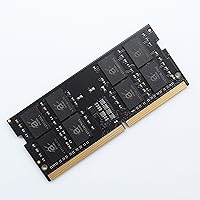
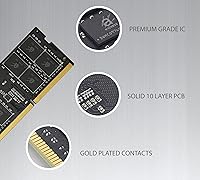
The physical module feels solid and adequately constructed for consumer laptop use — the PCB is uniform in color, the chips are evenly seated, and buyers do not generally report the module looking cheap or poorly assembled straight out of the packaging. For a value-tier product, the hardware presentation meets reasonable expectations.
There is no heatspreader or thermal management hardware, which is expected at this price point but worth noting for buyers with thermally constrained laptop enclosures. Some buyers also note that the chip labeling is generic, offering limited information if you ever need to diagnose a fault or cross-reference the module's components.
Speed Accuracy
71%
29%
On platforms that fully support DDR4-2400, buyers confirm the module operates at the advertised frequency without any manual BIOS tweaking required. For most everyday tasks, running at 2400MHz produces smooth, responsive behavior that represents a genuine step up from the older DDR3 or slower DDR4 modules many users are replacing.
A recurring theme in lower-rated reviews is the module defaulting silently to 2133MHz on certain motherboards, sometimes without any notification to the user. While the functional difference between the two speeds is modest for typical workloads, buyers feel the product listing should be upfront that downclocking is a real possibility depending on the host system.
Brand Trust
63%
37%
Adamanta has enough of an established presence that buyers can find genuine customer reviews and verify it is a legitimate vendor rather than a fly-by-night reseller. Technical support is reachable and staffed by people who come across as knowledgeable, which gives some buyers reasonable confidence when working through installation or compatibility questions.
Compared to Crucial, Kingston, or Corsair, Adamanta carries significantly less brand equity, fewer independent lab tests, and a smaller body of long-term reliability data. First-time buyers with no prior experience with the brand frequently describe a lower initial confidence level that only gets resolved — one way or the other — once the module is actually running in their machine.
Power Efficiency
84%
Operating at 1.2 volts, this SODIMM upgrade stick draws measurably less power than older DDR3 modules that ran at 1.5 volts or higher. Laptop users who spend long sessions away from an outlet — students in lectures, remote workers at coffee shops — report no perceivable increase in heat generation or battery drain after making the switch.
Power efficiency is largely a fixed property of the DDR4 standard itself rather than something uniquely engineered by the manufacturer, so buyers should not expect standout gains beyond what any standard DDR4-2400 module would offer. There is no additional low-power idle mode or aggressive thermal optimization compared to higher-end modules from established memory brands.
Technical Support
72%
28%
Adamanta includes free access to in-house technicians, and buyers who have reached out describe the staff as genuinely helpful in diagnosing whether a problem is a module defect or a system compatibility mismatch. For less experienced buyers attempting their first RAM upgrade, having a real person to consult is a meaningful and practical perk.
Response times can vary considerably, and buyers with urgent needs report frustration when support interactions stretch across multiple days. Several users note that support was more effective at confirming compatibility problems than at actually resolving warranty claims, where the process felt slow and more bureaucratic than what larger, more established memory brands typically provide.
Packaging & Delivery
81%
19%
Most buyers report the module arriving in protective anti-static packaging appropriate for sensitive electronics, with no physical damage to the stick itself on arrival. Shipping is generally prompt, and buyers who purchased from stock-holding fulfillment centers note receiving their orders within the expected delivery window without issue.
A handful of buyers have reported loose or minimally protective outer packaging that raised concerns about how the module was handled in transit, even when the stick inside arrived intact. The unboxing experience is purely functional with no documentation included, which can leave first-time upgraders without any reference guide to consult during installation.

Suitable for:

The Adamanta 16GB DDR4 2400MHz SODIMM Laptop RAM is a practical, well-targeted upgrade for anyone whose older laptop has become genuinely frustrating to use under the weight of modern software. It hits the sweet spot for students managing multiple browser tabs, video calls, and cloud-based apps simultaneously, as well as for office professionals who keep several productivity tools open at once. If your machine is currently sitting at 4GB or 8GB and you notice consistent slowdowns during everyday tasks, this SODIMM upgrade stick offers a meaningful capacity jump without the expense of replacing the whole machine. DIY-minded buyers who are comfortable with basic laptop disassembly and have a free memory slot to fill will find the installation experience clean and straightforward. For budget-focused shoppers who need more usable RAM and are willing to trade brand prestige for a lower price, this Adamanta memory module delivers on its core promise.
Not suitable for:

The Adamanta 16GB DDR4 2400MHz SODIMM Laptop RAM is a poor fit for anyone who has not confirmed that their specific laptop model supports user-upgradeable memory — many newer thin-and-light machines ship with RAM soldered directly to the motherboard, leaving no slot to install anything. Gamers, video editors, or other power users chasing high-frequency, low-latency performance will find this module underwhelming; it is a workday workhorse, not a performance stick. Desktop users should also note that SODIMM modules are physically incompatible with standard desktop DIMM slots, so this is strictly a laptop solution. Buyers who require a rock-solid, no-exceptions warranty should look at established memory brands, since Adamanta's coverage excludes physical or cosmetic damage and does not extend to major OEM chip brands. Anyone who is not prepared to do a bit of upfront homework on their laptop's memory specifications is taking on unnecessary compatibility risk.
Specifications

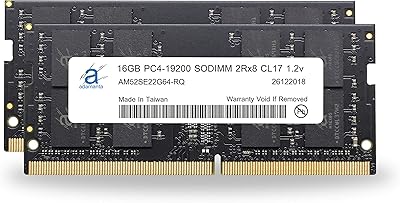
  • Capacity: Provides 16GB of memory in a single-module configuration, leaving any additional SODIMM slots free for future expansion.
  • Form Factor: Uses the 260-pin SODIMM format, a compact design built exclusively for laptops and notebook computers.
  • Memory Type: Built on DDR4 architecture, which delivers improved bandwidth and power efficiency over the preceding DDR3 standard.
  • Speed: Rated at 2400MHz with automatic backward compatibility to 2133MHz on systems that do not support the higher frequency.
  • CAS Latency: Operates at CL17, meaning the module requires 17 clock cycles to respond to a data request, which is standard for DDR4-2400 memory.
  • Voltage: Runs at 1.2 volts, drawing less power than older DDR3 modules and contributing modestly to longer laptop battery runtime.
  • Rank: Configured as dual rank (2Rx8), which can offer a modest memory throughput advantage over single-rank modules in compatible systems.
  • ECC Support: Non-ECC (non-error-correcting code), making it standard consumer memory suited to everyday computing rather than server or workstation environments.
  • Buffering: Unbuffered design means the memory controller communicates directly with the memory chips, which is the correct configuration for consumer laptops.
  • Compatibility: Compatible with a broad range of Intel and AMD-based laptops manufactured from approximately 2015 onward that include a DDR4 SODIMM slot.
  • Warranty: Covered by a limited lifetime warranty from Adamanta, excluding physical or cosmetic damage and modules built with major OEM chips such as Hynix or Micron.
  • Quality Testing: Each module is individually tested by the manufacturer before shipment to reduce the risk of dead-on-arrival units reaching buyers.
  • Dimensions: Physical dimensions measure 2.63 x 0.13 x 1.13 inches, consistent with the standard SODIMM profile used across most laptops.
  • Weight: Weighs approximately 2 ounces, reflecting the lightweight construction typical of laptop memory modules.
  • Model Number: Manufacturer model number is AM52SE22G64-RQ, which can be referenced when verifying compatibility or submitting a warranty claim.

Related Reviews
Adamanta 32GB DDR4 2400MHz SODIMM Laptop RAM
77%
86%
Value for Money
91%
Installation Ease
63%
Compatibility
74%
Performance
82%
Build Quality
More
A-Tech 16GB DDR4 3200MHz SODIMM Laptop RAM
78%
83%
Compatibility
91%
Installation Ease
78%
Performance Uplift
86%
Value for Money
74%
Build Quality
More
Adamanta 32GB DDR4 2666MHz Laptop RAM

77%
71%
Compatibility
88%
Installation Ease
83%
Performance Gain
84%
Value for Money
91%
Single-Slot Capacity
More
A-Tech 8GB DDR4 2400MHz SODIMM Laptop RAM
82%
91%
Value for Money
68%
Compatibility
88%
Ease of Installation
78%
Performance Improvement
83%
Reliability & Longevity
More
Timetec 8GB DDR4 2400MHz SODIMM Laptop RAM
78%
91%
Value for Money
88%
Installation Ease
74%
Compatibility
86%
Performance Improvement
83%
Reliability
More
Crucial 16GB DDR4-2666 SODIMM Laptop RAM Kit
86%
92%
Performance Gain
88%
Compatibility
91%
Value for Money
86%
Installation Ease
93%
Reliability & Longevity
More
Transcend JM3200HSB-16G 16GB DDR4 Laptop RAM
83%
88%
Value for Money
84%
Compatibility
92%
Installation Ease
86%
Performance Improvement
91%
Stability & Reliability
More
Samsung 16GB DDR4 3200MHz SODIMM Laptop RAM
82%
93%
Reliability & Longevity
91%
Installation Ease
83%
System Compatibility
78%
Real-World Performance
84%
Value for Money
More
Dell 16GB DDR4-2400MHz SODIMM Memory Module
86%
88%
Performance Improvement
91%
Compatibility
85%
Ease of Installation
90%
Energy Efficiency
87%
Reliability
More
KLEVV DDR4 8GB 3200MHz SODIMM Laptop RAM
87%
88%
Performance
90%
Compatibility
94%
Ease of Installation
92%
Value for Money
85%
Stability during Regular Use
More

FAQ

The most reliable approach is to check your laptop manufacturer's support page for the maximum supported RAM capacity and memory type — specifically whether it accepts DDR4 SODIMM modules. Tools like Crucial's free System Scanner can also cross-reference your machine automatically. Do not assume compatibility based on the laptop's age alone; always verify before buying.

It depends on your specific motherboard and BIOS settings. Some laptops are programmed to default DDR4 memory to 2133MHz regardless of what the module is rated for. The practical performance difference between 2133MHz and 2400MHz is minor for everyday tasks like browsing and document work, but it is worth checking your laptop's technical specs if hitting the full rated speed matters to you.

Yes, as long as your current stick is also DDR4 SODIMM. When mixing modules, the system will run both at the speed of the slower one, so matching speeds is ideal for stability. Running two sticks also activates dual-channel mode, which can meaningfully improve memory bandwidth compared to using a single module alone.

For typical workloads — web browsing, office applications, video calls, and streaming — 16GB is comfortably sufficient for most people. Where you might start to feel the ceiling is with video editing, virtual machines, or running very large datasets. For the student or office professional this SODIMM upgrade stick is designed for, 16GB is a practical and future-friendly amount.

For most consumer laptops, installation is straightforward: remove the bottom panel screws, locate the memory slot, insert the module at roughly a 45-degree angle until it seats firmly, then press it down flat until the side clips click. The whole process usually takes between 10 and 20 minutes. Some ultrabooks require removing additional internal components first, so it is worth looking up a teardown guide for your exact model beforehand.

The warranty covers manufacturing defects and entitles you to a replacement module of the same or similar specification. It does not cover physical or cosmetic damage — so bending, cracking, or otherwise physically damaging the module during installation voids coverage. It also excludes modules that contain major OEM chips from brands like Hynix or Micron. Keep your purchase documentation handy, as warranty claims will require it.

Adamanta is a smaller, value-focused memory vendor rather than a widely recognized name like Crucial or Kingston. The general buyer consensus is that the modules are reliable for the price, but the brand simply does not have the same depth of independent testing or long-term reputation data as the major players. If brand heritage and extensive third-party validation matter to you, established names offer more in that regard — but for budget-conscious buyers, Adamanta generally delivers what it promises.

Not at all for everyday consumer use. ECC memory is engineered for servers and workstations where data integrity under continuous load is critical, and standard consumer laptops are not designed to use it. Non-ECC is simply the correct and expected specification for this category of product, so its absence here is not a limitation in any practical sense.

No. SODIMM modules are physically smaller than the full-size DIMMs used in desktop computers, and the two formats are not interchangeable. If you need a RAM upgrade for a desktop, you will need to look for standard DIMM sticks instead. This memory is strictly designed for laptops and compact notebooks with SODIMM slots.

First, reach out to Adamanta's technical support team, which is included free of charge and can help determine whether the issue is a genuine defect or a compatibility mismatch with your system. If it is confirmed defective, the limited lifetime warranty covers a replacement. Some buyers have noted the replacement process moves slowly, so having your original order confirmation and packaging on hand will help move things along.