



Overview

The OWC 16GB DDR4 3200MHz SODIMM Laptop RAM comes from Other World Computing, a brand that has spent decades earning trust in the Mac and PC upgrade market. It's a single 16GB module aimed at laptop and compact PC owners who need a straightforward performance boost without spending a fortune. What makes this OWC memory module stand out from generic alternatives is a lifetime warranty, free tech support, and components that meet JEDEC standards and RoHS certification. For anyone whose laptop is straining under everyday workloads, RAM remains one of the most cost-effective upgrades available — and this option backs that value with real accountability.

Features & Benefits

Running at 3200MHz with CL22 timing, this SO-DIMM upgrade hits a practical sweet spot for everyday laptop use. CL22 is slightly looser than what you'd find on premium desktop kits, but for tab-heavy browsing, app switching, or running a lightweight virtual machine, the gap rarely shows in practice. The single-rank 1RX8 design draws just 1.2 volts, keeping heat and power consumption low — a genuine plus in thin-and-light machines. OWC also includes a lifetime warranty with free tech support, and their Advanced Replacement Program ships a new unit before you even return the faulty one. It's available in 8GB, 16GB, and 32GB capacities.

Best For

This SO-DIMM upgrade makes the most sense for users who already feel their laptop dragging — particularly those running 8GB who jump between a browser, a video call, and several productivity apps at once. It's also a reasonable fit for mini PC and all-in-one owners, provided they've confirmed DDR4 SO-DIMM compatibility for their specific board. Always verify compatibility before ordering; OWC's tech team can help if you're unsure. Installation guides and walkthrough videos lower the barrier for first-time upgraders considerably. If rock-bottom pricing is the priority, cheaper no-name options exist — but the OWC 16GB stick is the better call when post-purchase support matters.

User Feedback

With a 4.4-star average across more than 100 ratings, sentiment is broadly positive. The most consistent praise centers on straightforward installation — buyers report the module is recognized by BIOS immediately after seating, with no fiddling required. Many note a clear improvement in day-to-day responsiveness, especially when multitasking. On the critical side, a handful of users flagged compatibility issues with specific laptop models, reinforcing the need to check your machine's specs before ordering. A few buyers also found the CL22 timing modest compared to higher-end alternatives. OWC's customer support earns occasional praise, but it's the plug-and-play experience that dominates feedback. Its #118 ranking in Computer Memory reflects real, sustained demand.

Pros

  • Lifetime warranty is a genuine commitment — most budget RAM brands offer far less coverage.
  • The Advanced Replacement Program ships a new unit before you return the faulty one, minimizing downtime.
  • BIOS recognition is consistently reported as immediate, with no tweaking required after installation.
  • Free in-house tech support from OWC is a real resource, not just a marketing claim.
  • Available in 8GB, 16GB, and 32GB, so you can match the upgrade to your actual workload needs.
  • This SO-DIMM upgrade visibly reduces multitasking lag for users jumping between memory-hungry applications.
  • JEDEC compliance and RoHS certification confirm the module meets established quality and safety standards.
  • OWC's installation guides make this approachable for first-time RAM upgraders.
  • At 1.2V operation, the module runs efficiently without adding meaningful heat to compact laptop chassis.
  • Ranks in the top 120 in Computer Memory on Amazon, reflecting consistent and sustained buyer demand.

Cons

  • CL22 latency is looser than premium kits — not a practical issue for most, but worth knowing.
  • Compatibility is not guaranteed across all DDR4 laptops; buyers must verify their specific model first.
  • No compatibility lookup tool is built into the product listing, putting the research burden on the buyer.
  • A small number of users have reported compatibility issues with certain laptop models despite DDR4 support.
  • The OWC 16GB stick carries a price premium over generic alternatives that offer similar raw specs.
  • No RGB or aesthetic features, which matters to buyers building visible or custom small-form-factor systems.
  • Single-module purchase means dual-channel setups require buying a second stick separately.
  • Return logistics, while covered by warranty, still require direct engagement with OWC's support process.
  • Not useful if your laptop has soldered or non-upgradeable memory — a growing limitation in newer ultrabooks.
  • Some buyers reported expectations of faster real-world performance than CL22-rated DDR4 actually delivers.

Ratings

The scores below for the OWC 16GB DDR4 3200MHz SODIMM Laptop RAM were generated by our AI engine after analyzing verified buyer reviews collected globally, with spam, bot-submitted, and incentivized feedback actively filtered out. Both the consistent praise and the recurring frustrations are reflected honestly — nothing has been smoothed over to make the product look better than it is. Where buyers disagreed, the scores reflect that tension rather than defaulting to the average.

Installation Experience
93%
Buyers across skill levels consistently describe the installation as refreshingly uncomplicated — seat the module, press it flat, power on, and the system recognizes it immediately. For first-timers, OWC's video walkthrough removes most of the anxiety, and the fact that BIOS recognition is nearly always instant means there is no troubleshooting marathon waiting on the other side.
A minority of users found that their specific laptop model required removing several components just to access the RAM slot, which the product itself cannot control but still affected their experience. A small handful reported that OWC's video guides, while helpful, did not always match their exact machine's layout.
Multitasking Performance
84%
Users who upgraded from 8GB report a clear and immediate difference when running multiple browser tabs, a video call, and a productivity app simultaneously — the kind of real-world stack that used to cause noticeable slowdowns. The 3200MHz speed holds up well under sustained load for everyday office and research workflows.
Buyers expecting dramatic gaming or rendering improvements were sometimes disappointed, which reflects a misunderstanding of what RAM upgrades can and cannot fix. The CL22 latency is also a step behind tighter-timed kits, and users running memory-latency-sensitive workloads may find the gap occasionally perceptible in benchmarks if not in everyday use.
Compatibility Range
71%
29%
The 260-pin DDR4 SO-DIMM form factor covers a wide swath of consumer laptops and compact desktops manufactured over the past several years, and most buyers report smooth compatibility with mainstream Intel and AMD-based systems. The availability of OWC's free tech support before purchase helps buyers avoid ordering the wrong module.
A recurring thread in negative reviews involves compatibility issues with specific laptop models that technically use DDR4 but have firmware or slot configuration quirks. There is no integrated compatibility checker on the product page itself, which means the research burden falls entirely on the buyer — a friction point that a number of users flagged explicitly.
Warranty & Support
96%
The lifetime warranty combined with OWC's Advanced Replacement Program — where a working unit ships before the defective one is returned — is genuinely rare in the consumer RAM market and comes up repeatedly in positive reviews as a deciding factor. Buyers who had to actually use the warranty described the process as straightforward and responsive.
A small number of users noted that initiating a warranty claim required going through OWC's support system rather than a simple online portal, which added a step some found slightly inconvenient. Outside North America, support response times were occasionally cited as slower than expected.
Value for Money
74%
26%
For buyers who factor in the lifetime warranty and Advanced Replacement Program, the price premium over generic alternatives feels justified — they are not just paying for DRAM, but for accountability and post-purchase peace of mind. Users who have dealt with failed no-name modules in the past tend to rate this aspect particularly highly.
Pure price-to-spec shoppers will find cheaper DDR4 16GB SO-DIMMs from Crucial and Kingston that offer nearly identical raw performance at a lower cost. If warranty coverage and brand reliability are not priorities, this OWC memory module is objectively not the most aggressive price-per-gigabyte option available.
Speed & Latency
78%
22%
Running at PC4-25600 3200MHz, this SO-DIMM upgrade sits at the upper end of what most consumer DDR4 laptops can actually use, meaning buyers are not leaving headroom on the table. For web browsing, document editing, and media consumption, the speed feels appropriately matched to the use case.
The CL22 rating is notably higher than enthusiast-grade kits that offer CL16 or CL18 at comparable speeds, and users who benchmark their systems sometimes note this gap in latency-sensitive tests. In practice this rarely translates to a felt difference, but it does place the module below the top tier on paper.
Build & Component Quality
88%
JEDEC compliance and RoHS certification signal that this is not a recycled or remarked chip situation — buyers report consistent performance across temperature ranges typical of laptop use, and there are very few reports of early failures in the review pool. The module feels solidly constructed for a component that will rarely be touched after installation.
There is no heat spreader, which is standard for SO-DIMMs and not a real concern in a laptop chassis, but buyers used to desktop RAM aesthetics occasionally note its absence. A very small number of units arrived with physical defects, though OWC's warranty process addressed those cases.
BIOS Recognition
91%
The overwhelming majority of buyers report that the module is detected correctly at the rated speed on the first boot, with no need to enter BIOS settings or manually configure anything. This plug-and-play reliability is one of the most consistently praised aspects across the entire review pool.
Edge cases exist — a handful of users found that their laptop defaulted to a lower speed profile and required a BIOS visit to set the correct frequency. These instances appear tied to specific laptop firmware versions rather than the module itself.
Power Efficiency
86%
At 1.2V, this SO-DIMM upgrade operates within the standard DDR4 power envelope, and users of thin-and-light laptops report no meaningful change in battery life or chassis warmth after installation. For systems where thermal headroom is tight, the low voltage operation is a quiet but practical advantage.
There is no low-power LPDDR variant of this specific module, so buyers with systems that support LPDDR4X — which draws even less power — will not get the same efficiency ceiling. This is a product category limitation rather than a flaw, but it is worth understanding.
Packaging & Delivery
82%
18%
Buyers generally report that the module arrives in protective, professional packaging that prevents static damage and physical stress during shipping. The presentation feels consistent with a brand-name product rather than a loose module in a padded envelope.
A few users noted that the outer packaging was occasionally damaged in transit, though the module inside was unaffected in nearly all reported cases. There are no bundled accessories such as an antistatic wrist strap, which some first-time installers would have appreciated.
Scalability Options
79%
21%
The availability of 8GB, 16GB, and 32GB versions in the same product family means buyers can right-size their upgrade now and know what to reach for if their needs grow. Users who started with the 16GB version and later wanted more capacity appreciated being able to stay within the same trusted product line.
There is no 64GB single-stick option for users with power-hungry workloads who want maximum capacity in a single slot, though this is a DDR4 SO-DIMM market limitation that no consumer brand has solved. Dual-channel configurations require purchasing a second module separately at additional cost.
DIY Friendliness
87%
OWC's installation video library and the availability of free pre-purchase tech support make this a genuinely accessible upgrade for non-technical buyers. Users who had never opened a laptop before describe completing the installation successfully with the help of OWC's resources.
The experience varies significantly depending on the laptop model — some machines require removing the battery, keyboard, or multiple panels to reach the SO-DIMM slot, and OWC's generic videos do not always prepare buyers for those scenarios. A model-specific compatibility and difficulty guide would meaningfully improve this aspect.

Suitable for:

The OWC 16GB DDR4 3200MHz SODIMM Laptop RAM is a strong pick for anyone whose laptop shipped with 8GB and has started to show its limits under everyday multitasking — think a dozen browser tabs open alongside a video call and a spreadsheet. It's equally well-suited to students, remote workers, and light creative users who want a real, tangible performance improvement without rebuilding their entire machine. Mini PC and all-in-one owners with a 260-pin DDR4 SO-DIMM slot will also find this a practical fit, provided they've confirmed compatibility beforehand. DIY upgraders who have never installed RAM before will appreciate OWC's installation video guides and the availability of free tech support — that combination removes a lot of the anxiety that typically surrounds hardware upgrades. Buyers who place value on post-purchase accountability will find the lifetime warranty and Advanced Replacement Program particularly reassuring.

Not suitable for:

The OWC 16GB DDR4 3200MHz SODIMM Laptop RAM is not the right call if your machine uses DDR3, DDR5, or soldered memory — and with an increasing number of ultrabooks shipping with RAM soldered directly to the board, confirming your laptop has an accessible SO-DIMM slot is essential before ordering. Performance enthusiasts chasing the lowest possible latency figures will notice that CL22 sits a step below tighter-timed kits, so if you're benchmarking or running workloads genuinely sensitive to memory timing, more specialized options may serve you better. This module also won't help users whose bottleneck is a slow storage drive or an underpowered processor — RAM alone can't fix every sluggishness problem. Budget shoppers who are comfortable with no-name modules and have no concern for warranty coverage will likely find comparable specs at a lower price point elsewhere. Finally, anyone needing ECC memory for server or workstation applications should look elsewhere, as this is strictly a non-ECC consumer module.

Specifications

  • Capacity: This module provides 16GB of DDR4 SDRAM, enough to handle demanding multitasking, browser-heavy workflows, and light creative applications on a laptop.
  • Memory Type: Uses DDR4 SDRAM technology, which is the standard for laptops manufactured roughly between 2016 and 2022.
  • Speed: Operates at 3200MHz, corresponding to the PC4-25600 specification, which is among the faster DDR4 speeds available for consumer laptops.
  • CAS Latency: Rated at CL22, which is slightly looser than tighter-timed premium kits but has no meaningful impact on typical everyday computing tasks.
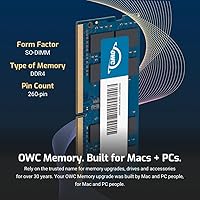
  • Form Factor: Built as a 260-pin SO-DIMM, the standard compact format used in laptops, mini PCs, and all-in-one desktops.
  • Module Rank: Single-rank (1RX8) configuration, which offers broad compatibility with mainstream consumer laptops and compact systems.
  • Voltage: Draws 1.2 volts during operation, consistent with DDR4 standards and conducive to efficient power use in battery-powered devices.
  • ECC Support: Non-ECC module, meaning it is designed for consumer and prosumer use rather than server or workstation error-correction applications.
  • Compliance: Meets JEDEC standard specifications and is RoHS compliant, confirming it adheres to established industry quality and environmental safety benchmarks.
  • Warranty: Backed by a limited lifetime warranty from Other World Computing, covering defects for the life of the product.
  • Replacement Program: OWC's Advanced Replacement Program ships a replacement unit to the buyer before the defective module needs to be returned.
  • Tech Support: Free in-house technical support is included, accessible directly through Other World Computing for installation and compatibility questions.
  • Available Sizes: The same module family is offered in 8GB, 16GB, and 32GB capacities to suit different upgrade requirements.
  • Compatible Devices: Designed for use in laptops, mini PCs, all-in-one computers, and POS systems that support DDR4 SO-DIMM memory.
  • Weight: The module weighs 1.13 ounces, reflecting its compact SO-DIMM form factor and standard construction.
  • Package Dimensions: Ships in packaging measuring approximately 6.89 x 4.96 x 0.47 inches, suitable for safe transit and storage.
  • Brand: Manufactured by Other World Computing (OWC), a company with decades of experience producing memory and storage upgrades for Mac and PC systems.
  • Release Date: This specific module was first made available in July 2023, placing it within the current generation of DDR4 consumer memory products.

Related Reviews

A-Tech 16GB DDR4 3200MHz SODIMM Laptop RAM
78%
83%
Compatibility
91%
Installation Ease
78%
Performance Uplift
86%
Value for Money
74%
Build Quality
More
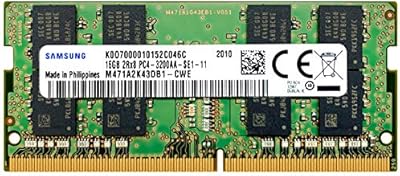
Samsung 16GB DDR4 3200MHz SODIMM Laptop RAM
82%
93%
Reliability & Longevity
91%
Installation Ease
83%
System Compatibility
78%
Real-World Performance
84%
Value for Money
More
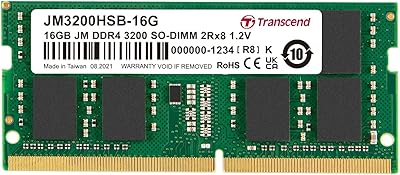
Transcend JM3200HSB-16G 16GB DDR4 Laptop RAM
83%
88%
Value for Money
84%
Compatibility
92%
Installation Ease
86%
Performance Improvement
91%
Stability & Reliability
More
DATO 16GB DDR4 3200MHz SODIMM Laptop Memory
88%
94%
Performance
89%
Energy Efficiency
92%
Ease of Installation
85%
Compatibility
90%
Reliability
More
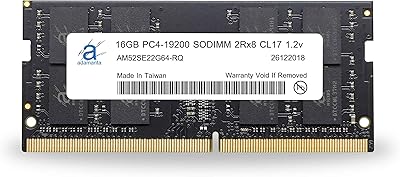
Adamanta 16GB DDR4 2400MHz SODIMM Laptop RAM
75%
83%
Value for Money
89%
Installation Ease
62%
Compatibility
76%
Real-World Performance
74%
Stability & Reliability
More
KLEVV DDR4 8GB 3200MHz SODIMM Laptop RAM
87%
88%
Performance
90%
Compatibility
94%
Ease of Installation
92%
Value for Money
85%
Stability during Regular Use
More
Fanxiang SODIMM DDR4 RAM 32GB (2 x 16GB) 3200MHz
88%
91%
Performance for Gaming
88%
Multitasking Efficiency
93%
Ease of Installation
89%
Compatibility with Intel Laptops
87%
Compatibility with AMD Laptops
More
DATO DDR4 Extreme 16GB Desktop RAM Kit
80%
91%
Value for Money
93%
Installation Ease
78%
Performance at Rated Speed
74%
Thermal Management
81%
Build Quality
More
Crucial 16GB DDR4-2666 SODIMM Laptop RAM Kit
86%
92%
Performance Gain
88%
Compatibility
91%
Value for Money
86%
Installation Ease
93%
Reliability & Longevity
More
Crucial 16GB DDR4 3200MHz Desktop RAM
78%
93%
Ease of Installation
88%
Compatibility Range
79%
Real-World Performance
91%
Long-Term Reliability
74%
Value for Money
More

FAQ

The safest approach is to check your laptop's official specifications page or use OWC's compatibility tool on their website before ordering. The key things to confirm are that your machine uses DDR4 memory, has a 260-pin SO-DIMM slot, and supports speeds up to 3200MHz. If you are unsure, OWC's free tech support team can help you verify compatibility before you buy.

That depends on how many SO-DIMM slots your laptop has and what is currently installed. If you have a free slot, you can add this OWC memory module alongside your existing one for a dual-channel setup. If your laptop has only one slot, you would need to replace the existing module. Running two matched sticks in dual-channel mode can offer a modest performance advantage over a single stick, so it is worth checking your laptop's slot count.

For most laptops, yes — RAM installation is one of the more approachable DIY hardware upgrades. OWC provides installation walkthrough videos specifically for this purpose, and their free tech support is available if something is unclear. The main steps are powering down the machine, removing the access panel, seating the module at an angle, and pressing it flat until it clicks. That said, some laptops make the process harder by burying the RAM slot under other components, so checking a teardown guide for your specific model first is a good idea.

Almost certainly yes. DDR4 memory is backward compatible, meaning a 3200MHz module will run at the lower speed your system supports — in this case, 2666MHz. You will not lose functionality; you simply will not be running at the full 3200MHz. This is standard behavior across all DDR4 memory, regardless of brand.

OWC's Advanced Replacement Program is notably buyer-friendly: they ship you a replacement before you even send the defective unit back, so you are not stuck waiting without RAM. The lifetime warranty covers manufacturing defects for the life of the product. You would contact OWC's support team to initiate the process, and their in-house team handles it directly rather than routing you through a third party.

This SO-DIMM upgrade is built to JEDEC specifications and is rated at its 3200MHz speed without requiring XMP profiles. Most consumer laptops do not support XMP or manual memory overclocking anyway, as those features are primarily found on desktop motherboards. For laptop use, JEDEC-standard DDR4 at 3200MHz is effectively the ceiling you will realistically reach.

OWC has a long history of supporting Mac upgrades, but this is an important question to get right. Older Intel-based MacBooks with user-accessible RAM slots can support DDR4 SO-DIMM modules — but you need to confirm your specific model's slot accessibility and speed requirements. Apple Silicon Macs (M1 and later) use unified memory that is soldered to the chip and cannot be upgraded at all. Always verify your Mac model before ordering.

For most people — daily web browsing, video calls, document editing, and light photo work — 16GB is a comfortable and future-resistant amount. If you regularly run virtual machines, work with large video files, or keep dozens of browser tabs open alongside resource-heavy apps, 32GB may be worth considering. OWC offers a 32GB version in the same module family if you want the headroom.

All three brands are reputable and produce DDR4 SO-DIMMs that perform similarly in everyday use. The most practical difference comes down to warranty support and post-purchase experience. OWC's Advanced Replacement Program is a genuine differentiator — Crucial and Kingston typically require you to return the faulty unit before a replacement is sent. If that kind of support matters to you, the OWC 16GB stick has an edge; if you prioritize the lowest possible price, Crucial and Kingston frequently undercut it.

It depends on where your current bottleneck is. If your laptop has only 8GB and you are gaming with background apps open, jumping to 16GB can reduce stuttering and improve frame consistency in memory-hungry titles. However, if your GPU or CPU is the limiting factor, this SO-DIMM upgrade alone will not dramatically change your gaming experience. RAM is one piece of the puzzle, not the whole picture.