Overview

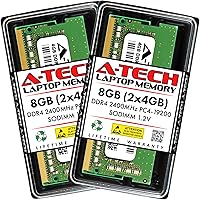
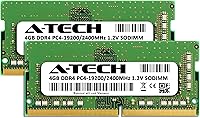
The A-Tech 8GB DDR4 2400MHz SODIMM Laptop RAM is a straightforward, no-drama memory upgrade aimed squarely at everyday laptop users who want more breathing room without breaking the bank. The kit ships as two 4GB modules — running as a pair rather than a single stick can help with memory bandwidth in systems that support dual-channel operation. A-Tech has been around long enough to build a solid reputation as a trustworthy third-party memory brand, and the lifetime warranty adds meaningful peace of mind. Compatible with laptops, mini PCs, and all-in-one systems using 260-pin DDR4 SODIMM slots, this memory upgrade has held a top-30 ranking in its Amazon category for years, which says something real about consistent buyer confidence.
Features & Benefits

Running as two separate 4GB sticks rather than one single module means systems with dual-channel support can move data more efficiently — a practical perk that often goes unmentioned at this price point. The DDR4 standard operates at 1.2V, which runs cooler and draws less power than older DDR3 memory, a quiet but real advantage for laptops where thermals matter. You won't need to dig into BIOS settings either — these SODIMM modules follow the JEDEC standard, so they boot at rated speed automatically. Non-ECC unbuffered simply means they're designed for consumer systems, not servers; every modern laptop expects exactly this type. And if something goes wrong, A-Tech's support team is widely described as responsive and easy to reach.

Best For

This RAM kit makes the most sense for a specific kind of buyer. If your laptop pauses noticeably every time you open a few browser tabs, switch between apps, or run a video call alongside anything else, adding RAM is usually the highest-impact fix available. Students, home office workers, and anyone refreshing a mid-range or older laptop will get the most mileage here. It also works well in mini PC and all-in-one builds that use standard DDR4 SODIMM slots. If you're expecting overclocking headroom or enterprise-grade reliability features, look elsewhere — these SODIMM modules are built for practical everyday performance, not enthusiast benchmarks.

User Feedback

With a 4.7-star average across close to 2,000 purchases, buyer sentiment leans strongly positive — but it's worth understanding why some reviews land in the lower tiers. Most buyers describe easy, immediate installation with their system recognizing the modules at the correct speed right away, alongside a tangible improvement in everyday responsiveness. The criticism that surfaces repeatedly isn't about the modules themselves but about compatibility — buyers who skipped verifying their laptop's supported memory specs sometimes found the kit wasn't a fit. A smaller number reported dead-on-arrival units, though the warranty replacement process is consistently called hassle-free. Do the compatibility homework first, and the experience is largely trouble-free.

Pros

  • Ships as two separate 4GB sticks, enabling dual-channel operation on compatible laptops for better memory bandwidth.
  • Runs at a low 1.2V, which keeps heat output modest — a real consideration in compact laptop chassis.
  • JEDEC-compliant design means no BIOS tinkering required; modules boot at rated speed right out of the box.
  • The lifetime warranty gives first-time upgraders a meaningful safety net if something goes wrong.
  • Nearly 2,000 buyer reviews and a top-30 category rank reflect years of consistent, real-world purchase confidence.
  • Installation is straightforward enough for beginners — no special tools or technical background needed.
  • A-Tech's customer support team is regularly praised in reviews for being accessible and helpful post-purchase.
  • Compatible across laptops, mini PCs, and all-in-one systems using standard 260-pin DDR4 SODIMM slots.

Cons

  • 2400MHz is an entry-level DDR4 speed; buyers wanting performance headroom will find faster kits for not much more.
  • Compatibility is not guaranteed across all laptops — skipping the manual check is the number-one source of negative reviews.
  • A small but consistent share of buyers report receiving dead-on-arrival units, even if replacements are handled well.
  • Not compatible with ultrabooks or thin-and-light laptops that use soldered, non-upgradeable memory.
  • CL17 latency is on the looser end for DDR4, which can matter in latency-sensitive tasks.
  • Single-rank configuration may limit performance ceilings compared to dual-rank alternatives in some system pairings.
  • No XMP profile means there is no easy path to running these SODIMM modules above their rated 2400MHz speed.
  • Buyers in regions with limited A-Tech distribution may face slower warranty service turnaround times.

Ratings

The A-Tech 8GB DDR4 2400MHz SODIMM Laptop RAM has been evaluated by our AI system after processing verified global buyer reviews, with spam, bot-generated feedback, and incentivized responses actively filtered out. Scores reflect the full picture — where this memory upgrade genuinely delivers and where real buyers have run into friction. Both strengths and legitimate pain points are represented transparently across every category below.
Value for Money
91%
For buyers on a tight budget, this RAM kit consistently lands as one of the most cost-efficient ways to breathe life into a sluggish laptop. Reviewers frequently note that the performance improvement relative to what they paid felt disproportionately large, especially when upgrading from 4GB factory configurations.
A small number of buyers found that marginally pricier kits with faster speeds were available for only a few dollars more, making the value case feel slightly less clear-cut for users who did their homework on alternatives.
Compatibility
68%
32%
When buyers verify their laptop model before ordering, these SODIMM modules slot in cleanly and are recognized at the correct speed on first boot in the vast majority of cases. The wide DDR4 SODIMM standard covers a broad range of laptops, mini PCs, and all-in-one systems.
Compatibility mismatches are the single most cited source of negative reviews, driven almost entirely by buyers who did not confirm their system specs beforehand. Certain laptop models with proprietary memory configurations or soldered RAM are simply incompatible, and this catches unprepared buyers off guard.
Ease of Installation
88%
The installation experience is consistently praised as one of the most painless parts of the upgrade process. Users with no prior hardware experience describe opening their laptop's memory bay, pressing the module in until it clicks, and booting up successfully within minutes — often with zero BIOS intervention needed.
A subset of users found that accessing the memory slot on their particular laptop model required more disassembly than expected, with some bottom panels secured by hidden screws or fragile clips. This is a laptop design issue rather than a module issue, but it does affect the overall install experience.
Performance Improvement
78%
22%
Buyers upgrading from 4GB to 8GB report noticeable gains in everyday responsiveness — tabs stop crashing, apps switch faster, and video calls no longer tank the rest of the system. For mainstream tasks like document editing, web browsing, and light media consumption, the improvement is real and tangible.
Users expecting dramatic speed gains from the 2400MHz frequency specifically will be underwhelmed — this is a standard, entry-level DDR4 speed and not suited for memory-intensive workloads like video rendering or serious gaming. The gains are about capacity, not raw throughput.
Reliability & Longevity
83%
The majority of long-term buyers report that these modules have run without issue for years after installation, with no degradation in stability or system behavior. Consistent operation over extended periods is one of the more quietly positive threads across the review pool.
A recurring minority of reviews report dead-on-arrival units that failed to boot or were recognized as faulty on first install. While the rate appears low relative to total purchase volume, it is present enough to be a statistically notable pattern rather than an isolated anomaly.
Warranty & Support
89%
A-Tech's lifetime warranty is one of the more meaningful differentiators at this price point, and the support team earns specific, unsolicited praise in reviews for being genuinely responsive. Buyers who dealt with faulty units describe the replacement process as low-friction compared to typical third-party memory brands.
A few international buyers noted slower response times or more limited support options depending on their region, suggesting that the warranty experience is not perfectly consistent across all geographies.
Boot & Detection Speed
86%
JEDEC compliance means the modules are recognized and initialized at 2400MHz automatically, with no need to enter the BIOS or configure anything manually. Most buyers report that their system simply detected the new RAM and booted normally on the first attempt.
A small number of users required a BIOS update on older laptop models before the modules were recognized correctly, which added an unexpected step to what most buyers assumed would be a completely hands-off process.
Dual-Channel Functionality
74%
26%
Buyers with compatible dual-channel systems benefit from installing both 4GB modules together rather than using a single 8GB stick, with some reporting smoother multitasking and slightly better overall system bandwidth as a result.
Not all laptops support dual-channel memory operation, and A-Tech provides no clear guidance in the product listing to help buyers determine whether their specific system will benefit from this configuration or simply treat the two modules as a single pool.
Thermal Performance
82%
18%
Operating at 1.2V puts these modules among the cooler-running consumer memory options available, which is a genuine practical advantage inside compact laptop chassis where airflow is limited and thermal headroom is tight.
There is no active cooling on these modules, which is standard for SODIMM RAM, but users running sustained heavy workloads in poorly ventilated laptops occasionally noted that overall system temperatures still crept up — though this is attributable to the platform rather than the modules themselves.
Build & Physical Quality
77%
23%
The modules feel solid and well-manufactured, with contacts that seat cleanly into SODIMM slots without requiring excessive force. Buyers handling the hardware for the first time generally express confidence in the physical quality relative to the asking price.
There is no heatspreader or any physical branding flourish — these are bare, functional modules. That is completely appropriate for a SODIMM intended to sit inside a laptop, but buyers used to desktop RAM aesthetics may find them underwhelming at first glance.
Packaging & Delivery
79%
21%
Modules arrive in protective anti-static packaging that is appropriate for sensitive electronics, and the majority of buyers report receiving their order in good physical condition with both sticks accounted for.
The packaging itself is purely functional — there is no documentation, installation guide, or compatibility reference included in the box, which leaves first-time upgraders relying entirely on external resources to complete the process.
Speed Rating Accuracy
81%
19%
Buyers who benchmarked their system after installation confirm that the modules run at or very close to the rated 2400MHz speed without requiring manual intervention, which aligns well with A-Tech's JEDEC compliance claims.
In systems that officially support only 2133MHz, the modules downclock automatically to match the platform ceiling, meaning the 2400MHz rating is effectively unused. This is not a product defect, but buyers who purchased expecting to run at rated speed in these systems were occasionally surprised.
Brand Trustworthiness
84%
A-Tech has accumulated a significant volume of verified purchases and maintains a consistently high average rating over several years on the market, which provides meaningful reassurance for buyers unfamiliar with third-party memory brands.
A-Tech lacks the immediate name recognition of established memory brands like Kingston or Crucial, which causes some hesitation among first-time buyers who are cautious about purchasing from a less prominent manufacturer despite the strong review history.

Suitable for:

The A-Tech 8GB DDR4 2400MHz SODIMM Laptop RAM is a strong fit for anyone who wants a low-risk, practical memory upgrade without spending a lot or getting into technical weeds. It suits students working across multiple browser tabs and documents, home office users who multitask between video calls and productivity apps, and anyone whose laptop has started feeling sluggish on tasks that used to feel instant. Mini PC and all-in-one owners running compatible DDR4 SODIMM slots will find this memory upgrade a clean, straightforward addition. First-time DIY upgraders in particular benefit from the combination of plug-and-play JEDEC compliance and a lifetime warranty that removes most of the financial risk from the equation. If your current machine shipped with 4GB and you are constantly waiting on it, doubling up with this RAM kit is one of the most cost-effective improvements you can make.
Not suitable for:

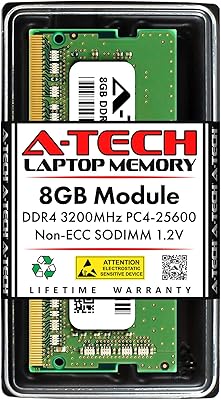
The A-Tech 8GB DDR4 2400MHz SODIMM Laptop RAM is not the right pick for buyers chasing high-performance memory speeds — 2400MHz is a mainstream, entry-level DDR4 frequency, and users running memory-intensive workloads like video editing, 3D rendering, or heavy virtual machines will likely want faster kits with tighter timings. It is also not suitable for anyone whose laptop does not support user-upgradeable RAM, which includes many ultrabooks and thin-and-light models with soldered memory. Gamers who want to push frame rates through faster memory bandwidth should look at 3200MHz or higher options instead. These SODIMM modules are consumer-grade by design, so server builds or workstations requiring ECC memory for error-corrected computation are definitively out of scope. And buyers who skip the step of confirming their specific laptop model supports DDR4 SODIMM at this speed are setting themselves up for a frustrating return, regardless of how solid the modules themselves are.

Specifications

  • Total Capacity: The kit provides 8GB of total RAM, split across two 4GB DDR4 SODIMM modules.
  • Memory Type: Uses DDR4 SDRAM technology, the current standard for consumer laptops and compact desktops.
  • Form Factor: SODIMM 260-pin configuration, the standard slot type found in laptops, mini PCs, and all-in-one systems.
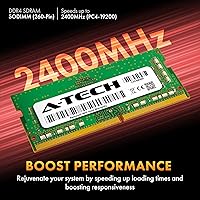
  • Clock Speed: Operates at 2400MHz (also labeled PC4-19200 or PC4-2400T), a mainstream DDR4 frequency for everyday computing.
  • Latency: Rated at CL17 (CAS Latency 17), which is typical for DDR4 modules operating at this speed tier.
  • Voltage: Runs at the JEDEC standard 1.2V, which is lower than older DDR3 memory and contributes to cooler, more efficient operation.
  • ECC Type: Non-ECC Unbuffered, meaning it is designed for standard consumer systems rather than servers or workstations requiring error correction.
  • Memory Rank: Single rank per module (1Rx8 or 1Rx16 depending on production batch), which is the typical configuration for this capacity tier.
  • Compliance: Fully JEDEC DDR4 compliant, so modules initialize at rated speed without requiring any manual BIOS or XMP configuration.
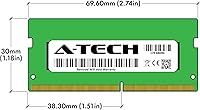
  • Module Dimensions: Each module measures 2.74 x 1.18 x 0.15 inches, fitting standard laptop SODIMM bays without clearance issues.
  • Module Weight: Each module weighs approximately 0.634 ounces, making the full kit negligibly light for portable system builds.
  • Compatible Systems: Designed for laptops, notebook computers, mini PCs, and all-in-one systems that accept 260-pin DDR4 SODIMM modules.
  • Kit Configuration: Ships as a matched pair of two 4GB modules, which can enable dual-channel memory operation on compatible motherboards.
  • Warranty: Covered by A-Tech's lifetime warranty, with customer support available both before and after purchase.
  • Manufacturer: Produced by A-Tech Components, a third-party memory specialist with an established track record in the consumer RAM market.
  • Market Rank: Holds a top-30 position in the Amazon Computer Memory category, reflecting sustained buyer volume and positive reception over time.
  • Release Date: First made available in November 2018, indicating several years of market presence and iterative quality validation.
  • Channel Support: When both modules are installed together in a compatible system, they can operate in dual-channel mode for improved memory bandwidth.

Related Reviews

A-Tech 8GB DDR4 2666MHz SODIMM Laptop RAM
81%
93%
Value for Money
91%
Installation Ease
78%
Compatibility Range
82%
Performance Impact
84%
Build & Module Quality
More
A-Tech 8GB DDR4 2133MHz SODIMM Laptop RAM
81%
91%
Value for Money
67%
Compatibility Range
93%
Installation Experience
88%
System Stability
74%
Performance Uplift
More
A-Tech 8GB DDR4 3200 MHz SODIMM Laptop RAM
89%
91%
Performance Boost
95%
Ease of Installation
89%
Value for Money
88%
System Compatibility
90%
Speed and Responsiveness
More
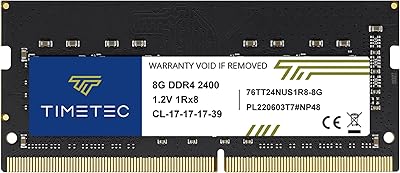
Timetec 8GB DDR4 2400MHz SODIMM Laptop RAM


78%
91%
Value for Money
88%
Installation Ease
74%
Compatibility
86%
Performance Improvement
83%
Reliability
More
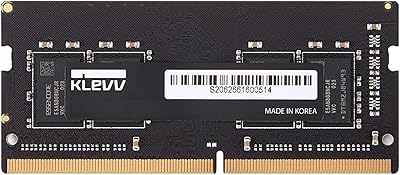
KLEVV DDR4 8GB 3200MHz SODIMM Laptop RAM
87%
88%
Performance
90%
Compatibility
94%
Ease of Installation
92%
Value for Money
85%
Stability during Regular Use
More
A-Tech 16GB DDR4 3200MHz SODIMM Laptop RAM
78%
83%
Compatibility
91%
Installation Ease
78%
Performance Uplift
86%
Value for Money
74%
Build Quality
More
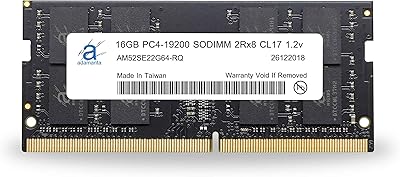
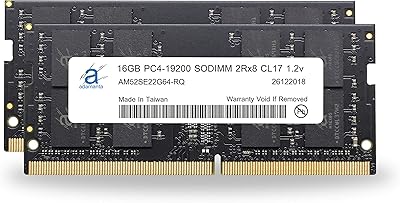
Adamanta 16GB DDR4 2400MHz SODIMM Laptop RAM

75%
83%
Value for Money
89%
Installation Ease
62%
Compatibility
76%
Real-World Performance
74%
Stability & Reliability
More
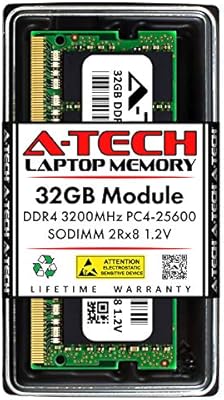
A-Tech 32GB DDR4 3200MHz SODIMM Laptop RAM
80%
91%
Value for Money
74%
Compatibility Range
93%
Installation Ease
83%
Performance Improvement
86%
Build & Module Quality
More
Adamanta 32GB DDR4 2400MHz SODIMM Laptop RAM
77%
86%
Value for Money
91%
Installation Ease
63%
Compatibility
74%
Performance
82%
Build Quality
More
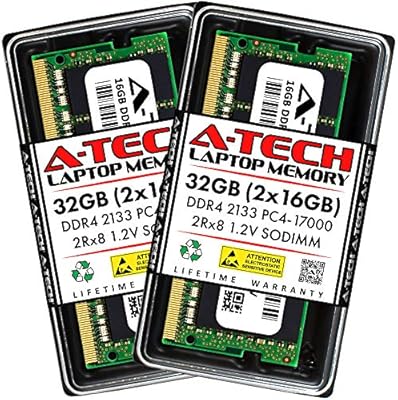
A-Tech 32GB DDR4 2133MHz SODIMM Laptop RAM
82%
91%
Value for Money
74%
Compatibility
93%
Installation Ease
83%
Performance Uplift
86%
Reliability & Stability
More

FAQ

The safest approach is to check your laptop's user manual or manufacturer website for the supported memory type and maximum capacity. Look for confirmation that your system accepts DDR4 SODIMM modules at 2400MHz or higher. Tools like Crucial's online compatibility scanner can also cross-reference your exact model. Skipping this step is the most common reason buyers run into issues, so it is worth five minutes of checking before ordering.

Yes, you can install a single 4GB module if your laptop only has one available slot or if you want to keep an existing stick in place. That said, installing both modules together in a dual-channel compatible system typically gives you better memory bandwidth, so using the pair as intended is the better option when possible.

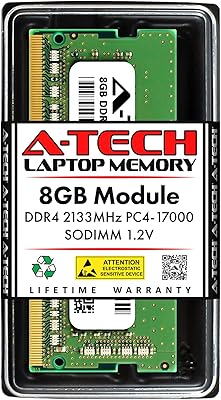
In most cases, yes. DDR4 memory is backward compatible, and the modules will typically downclock to match the speed your system supports. Your laptop will simply run the memory at 2133MHz rather than 2400MHz, with no instability or harm to the hardware. Performance will be effectively identical to a native 2133MHz kit in that scenario.

No manual configuration is needed. These SODIMM modules follow the JEDEC DDR4 standard, which means your system will automatically detect and run them at 2400MHz on first boot. There are no XMP profiles to activate or voltage settings to adjust.

Not necessarily. Many modern ultrabooks and thin-and-light laptops have memory soldered directly to the motherboard, which means it cannot be upgraded at all. Check your model's specifications or look for a service manual online before purchasing any upgrade kit. If your RAM is soldered, no aftermarket memory module will help.

It simply means these are standard consumer-grade memory modules, which is exactly what virtually every laptop on the market expects. ECC memory is used in servers to detect and correct data errors in real time, but it is not compatible with typical consumer laptops and adds cost that makes no practical sense for home or office use. Non-ECC unbuffered is the correct choice here.

The improvement depends heavily on where your current system is bottlenecked. If you are running 4GB of RAM today, you will likely notice a meaningful difference in day-to-day tasks like browser multitasking, switching between apps, and general responsiveness. However, 2400MHz is a mainstream speed, not a high-performance one, so do not expect dramatic gains in CPU-heavy or GPU-intensive workloads.

A-Tech covers these SODIMM modules with a lifetime warranty, and their support team is consistently described in buyer reviews as approachable and responsive. Reaching out directly to A-Tech is the recommended path for warranty claims, and the replacement process is generally straightforward based on reported user experiences.

For most laptops with an accessible memory compartment, installation is genuinely simple. You typically need a small Phillips-head screwdriver to open the bottom panel, then slide the old module out and press the new one in at a slight angle until it clicks flat. There are many model-specific tutorial videos online if you want a visual walkthrough before you start.

Technically it can work, but mixing modules from different brands, speeds, or capacities is not ideal and can sometimes cause instability or force both sticks to run at the slower speed. For the best and most predictable result, it is worth using the matched pair together and removing any existing mismatched module rather than mixing them.