Overview

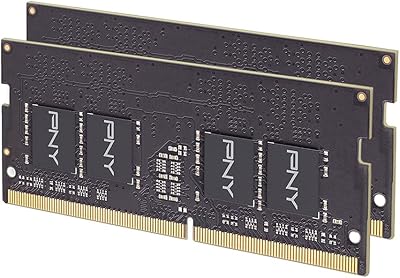
The Timetec 16GB DDR4 2133MHz Laptop RAM Kit is a straightforward, well-priced memory upgrade aimed at laptop users who need more headroom without spending a lot. Timetec has carved out a solid niche as a value-focused memory brand, and this kit reflects that positioning well. Rather than a single 16GB stick, it ships as two 8GB modules, which means your laptop runs them in dual-channel mode — a real-world throughput advantage over a lone stick of the same total capacity. The DDR4 2133MHz speed sits at the entry level of the DDR4 range, perfectly adequate for everyday computing tasks. Backing the whole package is a lifetime warranty, which is genuinely reassuring for anyone spending carefully.
Features & Benefits

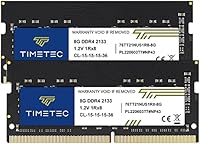
Running at DDR4 2133MHz with CL15 latency, this memory upgrade hits a sensible middle ground — fast enough for multitasking, browsing, and office work, without the premium price of higher-speed kits. The 1.2V operating voltage is worth noting: lower voltage means the modules run cooler and draw less power, which can have a small but real effect on battery life during a long work session. The 260-pin SODIMM form factor is laptop-specific, so it will not fit a desktop motherboard — double-check before ordering. The single-rank 1Rx8 design works with the vast majority of consumer laptops, and the non-ECC unbuffered configuration is exactly what standard notebooks expect. Free US-based technical support rounds out the package nicely.

Best For

This RAM kit is a natural fit for laptop owners stuck at 8GB who want a practical, budget-friendly path to 16GB without overthinking it. Students juggling multiple browser tabs, spreadsheets, and video calls will notice the difference right away. Home users with aging DDR4 notebooks that shipped with the bare minimum of memory will get the most out of this memory upgrade. It also works well in compatible mini PCs and all-in-one systems — just verify SODIMM compatibility before buying, since not every compact device uses the same slot type. Anyone who prefers a brand-name kit with a real warranty over a mystery module from an unknown seller will find this an easy, low-risk choice.

User Feedback

With a 4.7-star rating built across more than 1,700 reviews, the Timetec DDR4 kit has clearly earned its reputation. Most buyers report that installation is straightforward — modules seat properly, BIOS detects them on first boot, and day-to-day stability holds up well over time. Users running everyday workloads consistently describe a noticeable reduction in sluggishness after upgrading. That said, a minority of reviewers have run into compatibility issues with specific laptop models or firmware versions, so checking your machine against the compatibility list before purchasing is genuinely important. A handful of buyers mention contacting support, with most reporting a responsive experience — which makes the lifetime warranty feel like a real safety net rather than a footnote.

Pros

  • Dual-channel 2x8GB setup delivers noticeably better bandwidth than a single 16GB stick in the same laptop.
  • Lifetime warranty from purchase date is a genuine long-term safety net, not just fine print.
  • 1.2V low-voltage operation helps keep thermals in check and has a modest positive effect on battery draw.
  • At #144 in Computer Memory on Amazon, this memory upgrade has a proven track record with a massive review base.
  • BIOS recognition on first boot is consistently reported — no fiddling with XMP profiles or manual configuration needed.
  • Free US-based technical support is available if installation or compatibility questions come up.
  • The kit works across laptops, mini PCs, and all-in-one devices, giving it solid versatility within its form factor.
  • A 4.7-star average across more than 1,700 ratings reflects stable, reliable everyday performance for most buyers.
  • Non-ECC unbuffered configuration matches what the vast majority of consumer laptops expect out of the box.

Cons

  • 2133MHz is entry-level DDR4 speed — users with DDR4 2400MHz or faster slots may not be running at their system's full potential.
  • Single-rank 1Rx8 configuration can occasionally cause compatibility friction with certain older or less common laptop motherboards.
  • No included installation guide or tools, which can leave first-time upgraders without clear direction.
  • Compatibility is not guaranteed across all DDR4 laptops — buyers must do their own model verification before ordering.
  • A small number of reviewers report modules that were not recognized on first boot, requiring reseating or BIOS updates.
  • The 2133MHz speed ceiling means this RAM kit is a poor match for users whose workloads would benefit from faster memory.
  • Support quality appears variable in edge cases, with some buyers reporting slower resolution times for compatibility issues.
  • No RGB or aesthetic features, which matters to users building or upgrading machines where visual design is a consideration.

Ratings

The Timetec 16GB DDR4 2133MHz Laptop RAM Kit has been scored by our AI system after analyzing thousands of verified global buyer reviews, with spam, bot submissions, and incentivized feedback actively filtered out. The scores below reflect a transparent picture of where this memory upgrade genuinely excels and where real users have run into friction. Both the praise and the pain points are represented honestly so you can make a fully informed decision.
Value for Money
93%
Most buyers feel this kit punches well above its price bracket. Getting a dual-channel 16GB configuration with a lifetime warranty at a budget-friendly price is a combination that is hard to match with competing options, and that perception drives overwhelmingly positive sentiment in the value category.
A small segment of buyers who encountered compatibility issues feel the value proposition collapses if the kit does not work out of the box, since returning RAM involves effort. For those users, spending slightly more on a guaranteed-compatible kit would have been a better call.
Compatibility
71%
29%
The vast majority of buyers installing this memory upgrade in mainstream DDR4 laptops from Dell, HP, Lenovo, and ASUS report it working immediately without any configuration changes. BIOS detection on first boot is the most commonly praised outcome, pointing to solid adherence to DDR4 JEDEC standards.
A recurring minority of reviews flag compatibility failures with specific laptop models, certain BIOS firmware versions, or machines that expect higher-rank configurations. Users who did not verify compatibility before purchasing account for most of the one and two-star reviews in the pool.
Ease of Installation
88%
First-time RAM upgraders consistently report that the physical installation went smoothly — the modules seat firmly, the clips engage cleanly, and the system boots into Windows or macOS recognizing the full 16GB without any manual BIOS intervention. For most users, the whole process takes under ten minutes.
A handful of reviewers ran into situations where the sticks required reseating after an initial failed boot, which is unnerving for someone doing their first hardware upgrade. Clear installation documentation is not included in the box, which leaves novice users relying on third-party guides.
Performance Impact
79%
21%
Users upgrading from 8GB to this 16GB kit consistently describe a meaningful drop in sluggishness during browser-heavy multitasking, light content creation, and office workloads. The dual-channel configuration adds a real bandwidth advantage that single-stick setups at the same total capacity simply cannot match.
Performance-focused buyers expecting a dramatic speed uplift from the 2133MHz spec itself are sometimes underwhelmed, since this sits at the entry level of DDR4 speeds. Users whose systems support faster memory but are bottlenecked by this kit's 2133MHz ceiling occasionally note that headroom is left on the table.
Stability & Reliability
86%
Long-term users who have been running this memory upgrade for a year or more largely report rock-solid daily stability — no random crashes, no blue screens, and no memory errors under normal productivity workloads. That kind of quiet, sustained reliability is what earns lifetime repeat trust from buyers.
A small number of reviewers report stability issues emerging weeks after installation rather than immediately, which makes it harder to diagnose whether the root cause is the module itself or a firmware interaction. These cases are a clear minority but are worth acknowledging for anyone running a mission-critical machine.
Warranty & Support
82%
18%
The lifetime warranty is a genuine standout at this price tier and gives cautious buyers meaningful peace of mind. Reviewers who did contact US-based support generally describe a responsive experience, with Timetec willing to engage on compatibility questions and replacement requests without excessive red tape.
A subset of buyers found the support resolution process slower than expected, particularly for edge-case compatibility diagnosis where the team needed time to investigate specific laptop models. The warranty is valuable, but the support experience appears inconsistent rather than uniformly excellent.
Dual-Channel Benefit
84%
Buyers who understand memory architecture specifically seek out 2x8GB kits over single 16GB modules, and those users tend to rate this aspect highly. System benchmarks and real-world responsiveness in multi-threaded workloads show a measurable improvement when both sticks are running in tandem.
For laptop owners with only a single SODIMM slot, the dual-channel benefit is entirely irrelevant, and the kit effectively becomes an overpriced way to obtain a single 8GB stick. This is a setup mismatch rather than a product flaw, but it contributes to negative reviews from buyers who did not check their slot count first.
Thermal Performance
81%
19%
The 1.2V operating voltage keeps heat generation low during sustained workloads, and buyers using thin-and-light laptops with limited thermal headroom appreciate that this memory upgrade does not noticeably raise chassis temperatures. Running cooler than older DDR3 equivalents is a consistent background positive.
No buyers report thermal issues directly attributable to the modules themselves, but in very compact mini PCs with poor airflow, some users note that the system runs slightly warmer overall after adding more active RAM — though this is expected behavior rather than a fault of the kit.
Physical Build Quality
76%
24%
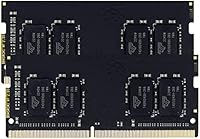
The black PCB and gold contacts look clean and professional, and the modules feel solid in hand. Gold-plated contacts are a small but meaningful detail that aids reliable seating and reduces the risk of oxidation over time, which matters for a component that is expected to last the life of the machine.
At this price tier, the modules are functional rather than premium — there is no heatspreader, and the PCB construction will not impress enthusiasts used to higher-end desktop memory. For a laptop stick that sits hidden inside a chassis, this is rarely a real complaint, but it is worth noting for context.
Brand Reputation
78%
22%
Timetec has built a credible reputation specifically in the value laptop memory segment, and buyers who have purchased from the brand before return with confidence. The BSR ranking of #144 in Computer Memory reflects sustained marketplace trust rather than a short-lived spike.
Timetec lacks the decades-long brand recognition of Crucial or Kingston, which means first-time buyers sometimes approach the purchase with hesitation. Some reviewers admit they only committed after reading through the volume of positive reviews, suggesting the brand still needs social proof to close skeptical buyers.
Packaging & Presentation
67%
33%
The modules arrive in clean, minimal anti-static packaging that does its primary job — protecting the sticks during shipping. Buyers report that both modules arrive intact and undamaged in the overwhelming majority of cases, which is the fundamental requirement for fragile electronics.
Several reviewers note that the retail packaging feels basic compared to more established brands, and the absence of any installation guide or even a simple quick-start card is a missed opportunity. For first-time upgraders, a single-page instruction sheet would have meaningfully improved the out-of-box experience.
Speed Tier Adequacy
73%
27%
For the target audience — students, home office workers, and owners of older laptops — DDR4 2133MHz covers everyday computing needs without compromise. Reviewers in this demographic rarely mention speed as a shortcoming because their workloads simply do not push into territory where faster memory would make a difference.
Tech-savvy buyers occasionally point out that 2133MHz is effectively the floor of the DDR4 specification, and that spending a little more for a 3200MHz kit would have future-proofed the upgrade on systems that support higher speeds. This is a legitimate observation for anyone whose laptop can run faster memory.
Long-Term Value
87%
The combination of a lifetime warranty and consistently reported stability over multi-year use periods makes this memory upgrade a strong long-term investment relative to its cost. Buyers who installed this kit on older laptops they plan to keep running for several more years express high satisfaction with the overall decision.
As DDR5 laptops become more mainstream, DDR4 2133MHz modules will increasingly be relevant only for older hardware. Buyers purchasing this kit for a machine they intend to use for five or more years are making a sound choice, but it is not a forward-looking upgrade for anyone considering a new laptop purchase soon.

Suitable for:

The Timetec 16GB DDR4 2133MHz Laptop RAM Kit is a smart buy for anyone whose laptop shipped with 8GB or less and is starting to feel the strain of modern workloads. Students running a dozen browser tabs alongside a word processor or video call app will notice a real difference after upgrading. Home office workers handling spreadsheets, light photo editing, or cloud-based productivity tools are squarely in the target audience here. Older DDR4 laptops that left the factory underspecced benefit the most, since this memory upgrade breathes new life into hardware that still has plenty of usable life left in it. The dual-channel 2x8GB configuration is a meaningful detail — running two matched sticks in tandem gives better memory bandwidth than a single 16GB module, which translates to snappier real-world responsiveness. Budget-conscious buyers who want a named brand with a lifetime warranty rather than a gamble on anonymous sticks will also find this kit easy to recommend.
Not suitable for:

The Timetec 16GB DDR4 2133MHz Laptop RAM Kit is not the right choice for every buyer, and it is worth being clear about where it falls short. If your laptop uses DDR3, DDR5, or soldered-in memory that is not user-replaceable, this kit simply will not work — compatibility research is non-negotiable before purchasing. Gamers or power users running memory-intensive applications like 3D rendering, large virtual machines, or video production pipelines may find that 2133MHz sits at the slower end of what their workflow can benefit from, and a higher-speed kit might be worth the extra cost. Desktop PC builders should also look elsewhere entirely, since the 260-pin SODIMM form factor is designed exclusively for laptops and compact devices. Users who need ECC memory for data-integrity-sensitive workloads — server tasks, financial applications — will not find that here either, as this is a standard non-ECC consumer module.
Specifications

  • Total Capacity: The kit provides 16GB of total memory, split across two 8GB modules for dual-channel operation.
  • Memory Type: Both modules use DDR4 SDRAM technology, the standard for modern consumer laptops released from roughly 2015 onward.
  • Speed: The modules operate at 2133MHz (PC4-17000), which is the base speed tier within the DDR4 specification.
  • Latency: CL15 (CAS Latency 15) governs how quickly the memory responds to a data request from the processor.
  • Voltage: Operating voltage is 1.2V, with an acceptable range of 1.14V to 1.26V, keeping power draw low compared to older DDR3 modules.
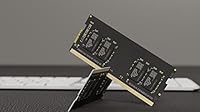
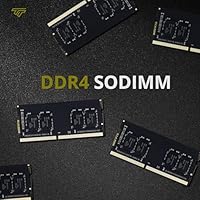
  • Form Factor: Both sticks use the 260-pin SODIMM form factor, which is designed exclusively for laptops, notebooks, mini PCs, and all-in-one systems.
  • Module Rank: Each stick is single-rank (1Rx8), based on a 1024x8 chip configuration, which is broadly compatible with mainstream consumer laptop motherboards.
  • ECC Support: These modules are Non-ECC, meaning they do not include error-correcting code functionality, which is standard for everyday consumer laptops.
  • Buffering: The kit is unbuffered, as expected for SODIMM laptop memory, and does not require a memory buffer between the controller and the modules.
  • Package Contents: The retail package includes two individual 8GB DDR4 SODIMM sticks intended to be installed together as a matched pair.
  • Module Weight: The full kit weighs approximately 1.13 ounces, reflecting the compact and lightweight nature of SODIMM laptop memory modules.
  • Package Dimensions: The retail packaging measures approximately 3.7 x 3.54 x 0.35 inches, making it easy to store or ship.
  • Color: The modules feature a black PCB with gold-colored contacts, a standard aesthetic for this product category.
  • Warranty: Timetec covers this kit with a lifetime warranty from the original purchase date, applicable to the original buyer.
  • Technical Support: Free technical support is provided by Timetec and is based in the United States, reachable for installation or compatibility assistance.
  • Compatibility: Designed for DDR4-compatible laptops, notebooks, mini PCs, and all-in-one devices; not compatible with desktop motherboards or DDR3 slots.
  • First Available: This product was first listed for sale in December 2017 and has not been discontinued by the manufacturer.
  • Market Rank: The kit holds a Best Sellers Rank of #144 in the Computer Memory category on Amazon, reflecting sustained buyer demand.

Related Reviews
Motoeagle 16GB DDR4 2133MHz RAM
86%
92%
Performance
96%
Ease of Installation
88%
Value for Money
91%
Power Efficiency
79%
Compatibility
More
Crucial 16GB DDR4-2400 RAM Kit
84%
92%
Value for Money
88%
System Performance Improvement
89%
Ease of Installation
86%
Compatibility with Desktop PCs
87%
Multitasking Efficiency
More
Transcend 16GB DDR4 3200MHz Laptop RAM
87%
92%
Performance Boost
88%
Compatibility
90%
Ease of Installation
85%
Energy Efficiency
89%
Build Quality
More
Timetec 16GB (2x8GB) DDR4 3200MHz Desktop RAM
85%
88%
Performance
91%
Ease of Installation
92%
Value for Money
85%
Compatibility
89%
Energy Efficiency
More
Adamanta 16GB DDR4 2400MHz SODIMM Laptop RAM
83%
85%
Performance
92%
Value for Money
89%
Ease of Installation
88%
Compatibility
80%
Power Efficiency
More
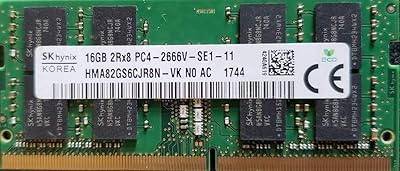
SK hynix 16GB DDR4-2666MHz Laptop RAM
87%
89%
Performance
92%
Ease of Installation
90%
System Responsiveness
85%
Compatibility
87%
Energy Efficiency
More
A-Tech 16GB DDR4 3200MHz SODIMM Laptop RAM
78%
83%
Compatibility
91%
Installation Ease
78%
Performance Uplift
86%
Value for Money
74%
Build Quality
More
Gigastone 16GB DDR4 2666MHz SODIMM RAM Kit
86%
88%
Performance
91%
Installation Ease
84%
Energy Efficiency
92%
Value for Money
90%
Compatibility
More
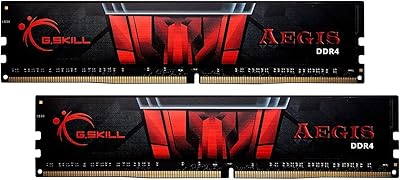
G.SKILL AEGIS 16GB DDR4 3200MHz Desktop RAM
78%
91%
Value for Money
88%
Installation Ease
83%
Gaming Performance
86%
System Stability
79%
Motherboard Compatibility
More
OWC 16GB DDR4 3200MHz Laptop Memory RAM Upgrade Module
85%
88%
Performance Boost for Multitasking
85%
Gaming Performance Improvement
92%
Energy Efficiency
90%
Installation Ease
75%
Compatibility with Laptop Models
More

FAQ

It depends on your laptop's memory specification. You need a machine that has an open or replaceable DDR4 SODIMM slot and supports 2133MHz or higher. The best approach is to check your laptop's manual or use a compatibility tool on your manufacturer's support page before ordering. Do not assume compatibility based on the laptop brand alone — the specific model number matters.

Technically yes, a single 8GB stick will work in most laptops, but you would be giving up the dual-channel performance benefit that makes this kit worthwhile. Running both sticks together in two matched slots gives your system better memory bandwidth. If your laptop only has one SODIMM slot, a single stick is your only option anyway — just keep that in mind before purchasing.

For most people, yes. Web browsing, email, video calls, office applications, and light media consumption all run comfortably on this speed tier. Where you might notice a ceiling is in memory-intensive tasks like video editing, large virtual machines, or high-end gaming — in those cases, a 3200MHz or faster kit could make a measurable difference. For the average user upgrading an older laptop, 2133MHz is a solid and practical choice.

Most laptop RAM installations are beginner-friendly. You typically remove a panel on the bottom of the laptop with a small Phillips screwdriver, gently insert the sticks at an angle into the slots until they click down, replace the panel, and power on. Your laptop should detect the new memory automatically. If you are nervous, a short search for your specific laptop model plus RAM installation will usually turn up a step-by-step video guide.

No, this kit is not compatible with MacBooks. Modern Apple laptops use memory that is soldered directly to the logic board and cannot be upgraded by the user. Older Intel-based MacBooks from around 2012 to 2015 used DDR3, not DDR4, so they are also incompatible. This memory upgrade is strictly for Windows-based laptops and compatible mini PCs that use removable DDR4 SODIMM slots.

Single-rank simply refers to how the memory chips are arranged on the module — in this case, one set of chips is active at a time rather than two. For the vast majority of consumer laptops, single-rank modules work without issue. It is mainly relevant if you are mixing different rank types across slots, which is generally not recommended. As long as you install both sticks from this matched kit together, rank configuration should not be a concern.

In most cases, yes. DDR4 memory is backward compatible, so a 2133MHz module will typically run in a 2400MHz-capable slot — it will just operate at the lower 2133MHz speed. Whether that difference is noticeable in daily use is unlikely for most workloads. If you want to run at your laptop's rated speed, look for a 2400MHz kit instead.

Because this memory upgrade carries a lifetime warranty, you can contact Timetec directly for a replacement. Keep your proof of purchase handy, as warranties are typically tied to the original buyer. US-based technical support is available to help you work through the process, which is a meaningful benefit compared to unbranded modules that offer no recourse if something goes wrong.

That depends on your laptop manufacturer and the terms of your warranty. In many cases, RAM is considered a user-serviceable part, and upgrading it does not void coverage. However, some manufacturers — particularly in budget laptop lines — take a stricter stance. It is worth checking your laptop's warranty documentation or contacting the manufacturer's support line before opening the panel, just to be sure.

If your laptop has only one slot, you can still install one of the 8GB sticks and get 8GB of usable RAM, but you would be paying for a two-stick kit and leaving one module unused. In that situation, it may make more sense to shop for a single 16GB SODIMM instead. Check how many slots your laptop has — either via the manual, a system information tool, or a quick search for your model — before committing to a dual-stick kit like this one.