Overview

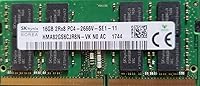
The SK hynix HMA82GS6CJR8N-VK 16GB Laptop RAM is one of those rare upgrades where you know exactly what you are getting: a genuine, factory-grade module from one of the world's top three DRAM manufacturers — not a rebadged clone. It follows the standard DDR4-2666MHz SO-DIMM form factor, slotting directly into most modern laptops without any adapter or configuration fuss. Coming as a single stick, it also leaves your second memory slot open if you ever decide to add another module for dual-channel expansion later. For the price, choosing Tier-1 branded memory over a no-name alternative is a pretty straightforward call.
Features & Benefits

Running at DDR4-2666MHz with a CL19 latency, this 16GB DDR4 upgrade hits a comfortable sweet spot for everyday computing — fast enough for multitasking, heavy browser tabs, and light creative work, without the premium cost of higher-speed kits. The 1.2V operating voltage runs cooler and draws less power than older DDR3 modules, which contributes to better thermal behavior and marginally improved battery endurance on portable systems. Because it is non-ECC and unbuffered, it is broadly compatible with consumer laptops using a standard 260-pin SO-DIMM slot. The clearly printed part number also makes authenticity verification simple — a detail that genuinely matters when buying memory online.

Best For

This SK hynix SO-DIMM makes the most sense for laptop owners still running 8GB from the factory who want a meaningful capacity bump without the gamble of mixing unknown brands. IT techs and repair professionals will appreciate ordering by exact part number and receiving a module that matches what originally shipped in the machine. It is also a practical pick for replacing a failed OEM stick with a like-for-like swap. One honest caveat: always verify your laptop supports DDR4-2666 and has an open SO-DIMM slot — some ultrabooks have soldered memory with no upgrade path at all, so checking your manufacturer's memory support list first is non-negotiable.

User Feedback

With a 4.6-star average across over 200 ratings, this OEM memory stick earns its reputation quietly. Buyers most often highlight how it installs without issues — no BIOS changes, no compatibility surprises, just seat the module and boot up. The legible part number printed directly on the chip also builds confidence that the received module is authentic, which is more reassuring than it sounds given how many counterfeit memory sticks circulate online. On the downside, a handful of buyers were caught off guard by the bare-bones presentation: no retail box, no heat spreader, no extras. That is completely standard for an OEM component, but worth knowing before you order if polished consumer packaging matters to you.

Pros

  • Sourced from SK hynix, a Tier-1 DRAM manufacturer, so module quality and consistency are reliable.
  • The printed part number makes it straightforward to verify authenticity before and after purchase.
  • Plug-and-play installation — most users report booting successfully with zero BIOS adjustments needed.
  • Single-stick configuration keeps a second slot free for a future dual-channel upgrade.
  • 1.2V low-voltage operation runs cooler and is gentler on laptop battery life than older DDR3 modules.
  • This 16GB DDR4 upgrade hits a practical sweet spot for everyday multitasking, web use, and productivity apps.
  • Non-ECC unbuffered design ensures broad compatibility across the wide range of consumer laptops on the market.
  • The 260-pin SO-DIMM form factor fits virtually every laptop with an upgradeable memory slot made in the last decade.
  • Strong user satisfaction rating across a meaningful number of real-world buyers.
  • Priced accessibly for genuine branded laptop memory, avoiding the risk that comes with no-name alternatives.

Cons

  • DDR4-2666 CL19 is a mid-tier spec — gamers or creative professionals needing top memory throughput will want faster kits.
  • Ships without retail packaging, a heat spreader, or any accessories, which catches some buyers off guard.
  • Sold as a single stick only, so building a dual-channel setup requires sourcing and purchasing a second module separately.
  • No warranty card or documentation is included, making it harder for non-technical users to pursue a claim if something goes wrong.
  • Compatibility is not universal — ultrabooks with soldered RAM make this OEM memory stick completely unusable.
  • Buyers whose laptops top out at DDR4-2400 may see the module downclock automatically, meaning they pay for 2666MHz speed they cannot fully use.
  • Limited real-world availability means pricing can fluctuate, and counterfeit listings using the same part number do exist on some platforms.
  • No RGB or visual customization — a non-issue for most, but worth noting for builders who care about aesthetics under a glass panel.

Ratings

The scores below reflect AI-driven analysis of verified global buyer reviews for the SK hynix HMA82GS6CJR8N-VK 16GB Laptop RAM, with spam, bot-generated, and incentivized submissions actively filtered out before scoring. Each category is evaluated against real-world usage patterns reported by actual buyers, not manufacturer claims. Both the strengths that earned this module its loyal following and the friction points that frustrated a minority of users are represented transparently.

Compatibility
88%
The overwhelming majority of buyers report zero compatibility issues — insert it, power on, and the system recognizes the full 16GB without touching BIOS settings. That kind of plug-and-play reliability is exactly what IT techs and first-time upgraders alike need when they cannot afford trial and error.
A smaller but vocal group ran into trouble because their specific laptop model required DDR4-2400 or had soldered RAM entirely. The module itself is not at fault, but the product listing does little to warn buyers who skip compatibility research before ordering.
Authenticity & Sourcing
91%
Buyers consistently praised being able to verify the printed part number against SK hynix's own documentation, confirming they received a genuine OEM module and not a counterfeit. For repair professionals sourcing memory for client machines, that traceability is genuinely reassuring and practically useful.
Because this part number circulates widely, counterfeit listings using the same code do appear on some reseller platforms. Buying from a reputable seller matters significantly here, and there is no tamper-evident seal or authentication sticker on the bare module itself.
Value for Money
84%
Getting Tier-1 DRAM from a manufacturer like SK hynix at this price bracket is a genuinely good deal compared to retail-boxed alternatives that charge a premium purely for packaging and branding. Users upgrading a budget or mid-range laptop tend to walk away feeling the money was well spent.
A handful of buyers felt the price crept higher than expected for a bare OEM module with no warranty card, no retail box, and no extras included. When third-party alternatives with similar specs are occasionally priced lower, the value case becomes slightly less clear-cut.
Installation Experience
86%
The standard 260-pin SO-DIMM form factor snaps in cleanly, and most buyers describe the physical installation as straightforward even without prior hardware experience. Watching a single teardown video for their specific laptop model was enough for most users to complete the swap confidently.
A few buyers were surprised to find their laptop required removing more than just a bottom panel to access the RAM slot, making the process more involved than anticipated. This is a laptop-design issue rather than a module flaw, but it does mean installation complexity varies significantly by device.
Everyday Performance
78%
22%
Users upgrading from 8GB reported an immediately noticeable improvement in how fluidly their laptop handled multiple open applications, heavy browser sessions, and background processes running simultaneously. For productivity-focused daily use, the jump to 16GB delivered exactly the breathing room they were looking for.
Buyers expecting a speed transformation were sometimes underwhelmed — DDR4-2666 CL19 is a mid-tier specification, and reviewers doing gaming, video editing, or compiling large codebases noted that memory bandwidth was not meaningfully better than slightly slower DDR4 kits.
Packaging & Presentation
52%
48%
For buyers who understood this was an OEM component going in, the bare presentation was a non-issue — the module arrives protected in an antistatic sleeve, which is exactly what it needs to ship safely without damage.
A recurring complaint from less experienced buyers was genuine surprise at receiving what looked like a loose chip in a plain sleeve with no documentation, no branding, and no retail box. It is entirely standard for OEM memory, but the listing does not set expectations clearly enough for newcomers.
Thermal Behavior
81%
19%
The 1.2V operating voltage keeps heat generation low during sustained use, and no buyer reported thermal throttling or stability issues related to the memory module running hot inside their laptop chassis.
There is no heat spreader on this bare module, which is completely normal for SO-DIMMs since laptop chassis manage airflow differently than desktops. In unusually thermally constrained ultrabooks with poor internal airflow, sustained heavy loads can push temperatures slightly higher than ideal.
Reliability & Stability
89%
SK hynix's manufacturing consistency means reported failure rates are very low among verified buyers, with the module running stably across extended periods of use ranging from light office work to prolonged multitasking sessions.
The small number of failure reports that do exist are difficult to attribute with certainty — it is unclear whether they stem from a defective module, improper installation, or an underlying issue with the buyer's laptop. Without a clearly communicated warranty process, resolution was frustrating for affected users.
Speed & Latency
69%
31%
DDR4-2666MHz is broadly supported and runs at rated spec without needing XMP profiles or manual BIOS tuning, which makes it genuinely hassle-free for buyers who just want their system to work correctly out of the box.
CL19 at 2666MHz is not a high-performance configuration by current standards — DDR4-3200 CL16 kits offer meaningfully better bandwidth and latency, and in workloads that are memory-sensitive, the difference is measurable. Buyers who care about peak throughput should look at faster alternatives.
Upgrade Flexibility
76%
24%
Buying a single 16GB stick deliberately leaves a second SO-DIMM slot open, giving users the option to add a matched module later for dual-channel operation without discarding their initial investment.
Running in single-channel mode until a second stick is added means users are not getting the full memory bandwidth their system is capable of delivering — dual-channel configurations are noticeably faster in bandwidth-sensitive applications, and some buyers only realized this after installation.
Brand Trust
92%
SK hynix is one of the three companies that manufacture virtually all the DRAM in the world, so the underlying engineering pedigree here is not in question. Reviewers who researched the brand before buying expressed high confidence, particularly IT professionals who recognized the name immediately.
Despite the brand's strong industry reputation, SK hynix is less recognizable to everyday consumers than names like Corsair or Kingston, which led some buyers to question authenticity even when the module was genuine — a perception gap that clearer marketing could close.
Power Efficiency
83%
At 1.2V, this 16GB DDR4 upgrade runs noticeably cooler and draws less power than DDR3 modules it commonly replaces, contributing to modestly better sustained performance and battery behavior in portable systems used away from a power outlet.
The efficiency benefit is real but incremental — buyers should not expect a dramatic improvement in battery life from the RAM upgrade alone, since memory power draw is only one factor among many in a laptop's overall energy consumption profile.
Documentation & Support
47%
53%
The part number printed directly on the module chip acts as its own reference point, allowing technically savvy buyers to independently verify specs, look up datasheets, and cross-reference compatibility lists without needing any paperwork.
First-time upgraders receive absolutely no setup guide, warranty information, or compatibility checklist in the package. The absence of documentation left several reviewers unsure of next steps when they encountered unexpected BIOS behavior, and reaching manufacturer support for an OEM component is not straightforward for consumers.
Physical Build
74%
26%
The PCB is clean and consistent with what you would expect from a Tier-1 manufacturer — chips are evenly placed, solder points are tidy, and the module seats firmly without any flex or looseness in a properly functioning SO-DIMM slot.
Without a heat spreader or any protective housing, the bare PCB looks less robust than retail-branded alternatives, even though functionally it is equivalent. Buyers who have not handled OEM memory before sometimes perceive the unadorned design as a sign of lower quality.

Suitable for:

The SK hynix HMA82GS6CJR8N-VK 16GB Laptop RAM is a strong fit for anyone who wants a capacity upgrade they can trust without spending hours second-guessing brand reliability. It is particularly well-suited to laptop owners still running a factory 8GB module who need more headroom for multitasking, browser-heavy workflows, or running multiple applications simultaneously. IT professionals and repair technicians will find real value here too — being able to order by an exact, verifiable part number and receive an authentic OEM module is a meaningful advantage when servicing client machines. Students and remote workers who rely on their laptops daily but do not need bleeding-edge memory speeds will also get everything they need from this 16GB DDR4 upgrade. And if you are replacing a failed stick and want to stay as close to the original factory specification as possible, this OEM memory stick is about as close to a like-for-like swap as you can get without pulling one from another machine.

Not suitable for:

Buyers chasing maximum memory performance for gaming, video editing, or heavy data processing should look elsewhere — DDR4-2666MHz with CL19 latency is a mid-range specification, not a high-performance one, and faster DDR4-3200 or DDR5 kits will deliver a noticeable edge in demanding workloads. This SK hynix SO-DIMM also ships as a bare OEM component, meaning there is no retail packaging, no heat spreader, and no accessories included, which may disappoint buyers expecting a consumer-grade unboxing experience. Anyone with a laptop that has soldered, non-removable RAM will find this purchase completely useless, so verifying your specific model has an accessible SO-DIMM slot before ordering is absolutely essential. Shoppers wanting a matched dual-channel kit out of the box will need to purchase a second module separately, as this is a single-stick configuration. Finally, users whose laptops officially support only DDR4-2133 or DDR4-2400 should check whether their system will accept or downclock a 2666MHz module, rather than assuming it will work automatically.

Specifications

  • Capacity: This module provides 16GB of memory in a single-stick configuration, leaving a second SO-DIMM slot free for future expansion.
  • Memory Type: DDR4 SDRAM, the current standard for consumer laptops, offering improved efficiency and speed over its DDR3 predecessor.
  • Speed: Rated at 2666MHz (PC4-21300), which is a widely supported mid-range DDR4 speed suitable for everyday computing workloads.
  • Latency: CL19 is the primary latency timing, which is standard and expected for DDR4-2666 modules in this class.
  • Voltage: Operates at 1.2V, which is the industry-standard low-voltage specification for DDR4, running cooler than older DDR3 modules at 1.35V–1.5V.
  • Form Factor: 260-pin SO-DIMM, the compact connector format used in laptops and small-form-factor PCs since approximately 2015.
  • ECC Support: Non-ECC (no Error-Correcting Code), which is the correct type for consumer laptops and ultrabooks — ECC is reserved for workstation and server systems.
  • Buffering: Unbuffered (UDIMM), meaning the memory controller communicates directly with the DRAM chips without an intermediate register, as required by consumer platforms.
  • Rank: Single rank, which is standard for most consumer SO-DIMM modules and broadly compatible with the widest range of laptop chipsets.
  • Brand: Manufactured by SK hynix, a South Korean company and one of the three largest DRAM producers in the world alongside Samsung and Micron.
  • Part Number: The official OEM part number is HMA82GS6CJR8N-VK, which can be used to verify authenticity and cross-reference compatibility with your laptop's memory support list.
  • Dimensions: The module measures 3.35 x 1.73 x 0.28 inches, consistent with the standard SO-DIMM physical footprint.
  • Weight: The module weighs 0.317 ounces, making it negligibly light for shipping and handling purposes.
  • Compatible Devices: Designed for laptops and small-form-factor PCs that accept a 260-pin DDR4 SO-DIMM; not compatible with desktops using full-size DIMM slots.
  • Packaging: Ships as a bare OEM component without retail consumer packaging, a heat spreader, or printed documentation.
  • Availability: This module was first listed in February 2019 and remains in active production with no discontinuation announced by the manufacturer.

Related Reviews
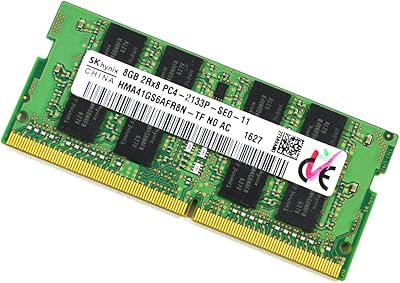
SK Hynix HMA41GS6AFR8N 8GB DDR4 Laptop RAM
83%
93%
Reliability & Stability
76%
Compatibility Range
91%
Installation Experience
88%
Value for Money
94%
Brand Trustworthiness
More
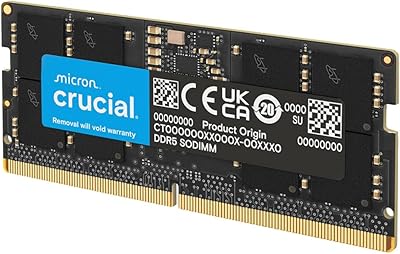
Crucial 16GB DDR5 4800MHz Laptop RAM
86%
89%
Performance Improvement
93%
Ease of Installation
88%
Multitasking Performance
91%
Compatibility with 12th Gen Intel & AMD Ryzen 7000
86%
Gaming Performance
More
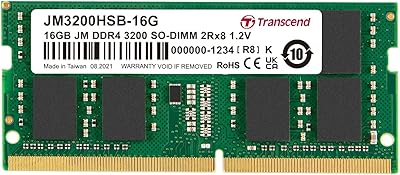
Transcend JM3200HSB-16G 16GB DDR4 Laptop RAM
83%
88%
Value for Money
84%
Compatibility
92%
Installation Ease
86%
Performance Improvement
91%
Stability & Reliability
More
A-Tech 16GB DDR4 3200MHz SODIMM Laptop RAM
78%
83%
Compatibility
91%
Installation Ease
78%
Performance Uplift
86%
Value for Money
74%
Build Quality
More
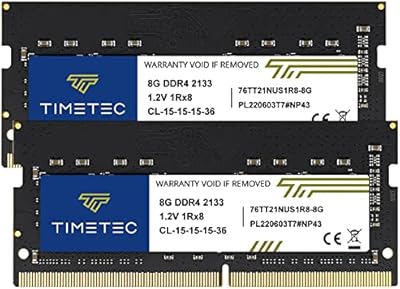
Timetec 16GB DDR4 2133MHz Laptop RAM Kit

80%
93%
Value for Money
71%
Compatibility
88%
Ease of Installation
79%
Performance Impact
86%
Stability & Reliability
More
Adamanta 16GB DDR4 2400MHz SODIMM Laptop RAM
75%
83%
Value for Money
89%
Installation Ease
62%
Compatibility
76%
Real-World Performance
74%
Stability & Reliability
More
Crucial 16GB DDR5 5600MHz SODIMM Laptop RAM
81%
93%
Installation Experience
81%
Speed & Real-World Performance
77%
Platform Compatibility
94%
Build & Component Quality
58%
Dual-Channel Value
More
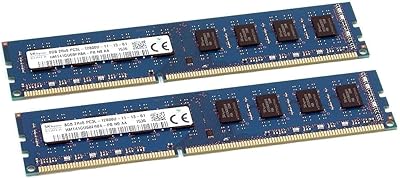
SK Hynix HMT41GU6BFR8A-PB 16GB DDR3 Desktop RAM
85%
88%
Compatibility
91%
Reliability & Stability
93%
Plug-and-Play Setup
84%
Value for Money
87%
Build & IC Quality
More
Lenovo V15 G2 IJL 15.6″ Laptop
67%
83%
Value for Money
47%
Processor Performance
81%
RAM & Multitasking
84%
Storage & Speed
58%
Display Quality
More
Blackview Acebook 6 Laptop, 16GB RAM, 512GB SSD
81%
91%
Value for Money
83%
Performance
88%
Battery Life
80%
Build Quality
85%
Portability
More

FAQ

The safest approach is to look up your exact laptop model on the manufacturer's support or memory compatibility page and confirm it accepts DDR4-2666MHz SO-DIMM modules. You should also check that your laptop has at least one accessible, non-soldered memory slot. Many ultrabooks and thin-and-light models have RAM soldered directly to the motherboard, which means no upgrade is possible regardless of which module you buy.

In most cases, yes — DDR4 memory is backward compatible, so a 2666MHz module will typically downclock to 2400MHz automatically if that is what your system supports. However, this is controlled by your laptop's BIOS and chipset, so there is no absolute guarantee. Check your laptop's memory support list to be certain.

Technically yes, but it is not ideal. Mixing sticks of different capacities or speeds can work, but it often prevents the system from running in dual-channel mode, which costs you some memory bandwidth. If performance matters to you, it is generally better to replace both sticks with a matched pair.

This is a genuine OEM module manufactured by SK hynix — the part number HMA82GS6CJR8N-VK is a real, traceable SK hynix product code that you can verify independently. The SK hynix HMA82GS6CJR8N-VK 16GB Laptop RAM ships without retail packaging precisely because it is an OEM component, not a clone or rebrand. If you are ever unsure, the chips on the module itself will be stamped with SK hynix branding.

If you are upgrading from 8GB, the difference in day-to-day use will be noticeable — especially with many browser tabs open, running multiple apps at once, or doing light creative work. If you are already at 16GB and just replacing a stick, performance will stay the same. This is not a high-speed performance kit, so do not expect dramatic gains in gaming or video rendering.

For most users, no changes are needed at all. The vast majority of buyers report that the laptop boots normally and recognizes the full 16GB without any manual BIOS configuration. Some systems may prompt you to enable XMP or DOCP on first boot, but this is rare for a standard 2666MHz module.

OEM modules like this one typically do not include a separate warranty card in the package. Coverage depends on the seller's stated return and warranty policy rather than a direct manufacturer warranty you would register yourself. It is worth checking the seller's terms before purchasing, especially if you are buying for a client or business machine.

No. This is a 260-pin SO-DIMM, which is a laptop-specific form factor. Desktop motherboards use full-size 288-pin DIMM slots, which are physically different and incompatible. If you need desktop memory, you will need to look for a standard DIMM module instead.

No, it does not. OEM SO-DIMM modules are bare by design — there is no aluminum heat spreader or shroud on top. That is completely normal for laptop memory, since SO-DIMMs operate within tight thermal envelopes inside a laptop chassis and do not need additional cooling hardware.

For most laptops with an accessible memory panel, yes — it is one of the simpler hardware upgrades you can do. You typically remove a few screws from the bottom panel, locate the SO-DIMM slot, angle the module in at roughly 30 degrees, then press it flat until the retention clips click into place. That said, every laptop is different, so it is worth watching a teardown video for your specific model before you start.

Where to Buy