

Overview

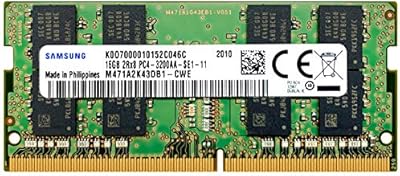
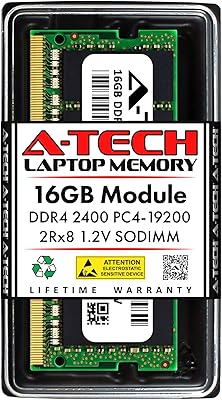
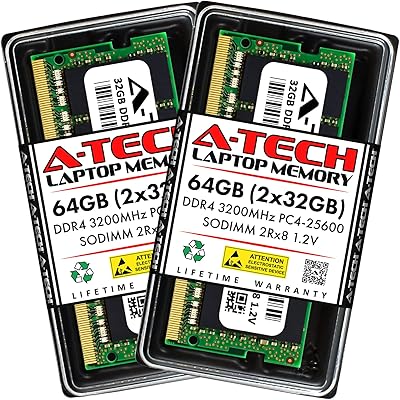
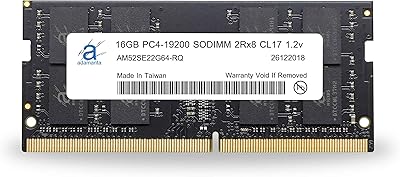
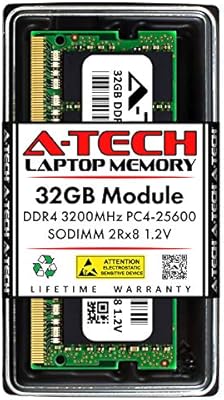
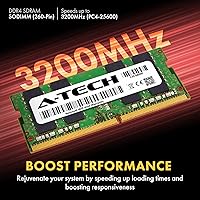
The A-Tech 16GB DDR4 3200MHz SODIMM Laptop RAM is a practical, no-frills memory upgrade aimed at laptop and mini PC owners who want more headroom without overspending. If your machine shipped with 8GB and now crawls under a dozen browser tabs or a video call alongside other apps, moving to 16GB makes a real difference in day-to-day responsiveness. In plain terms, 3200MHz means faster data movement between the CPU and memory compared to older DDR4 speeds — though gains are incremental, not dramatic. It runs at JEDEC-standard 1.2V and is non-ECC unbuffered, exactly what most consumer laptops expect. A lifetime warranty rounds out a compelling mid-range value proposition.

Features & Benefits

The 260-pin SODIMM form factor is the standard for modern laptops, mini PCs, and all-in-one systems, so fitting this memory upgrade into most current machines is rarely an issue. At 3200MHz (PC4-25600), it handles multitasking and light creative work capably — think photo editing, spreadsheets, and streaming running simultaneously without constant slowdowns. No BIOS tweaking is required; it initializes at stock DDR4 settings automatically. One honest caveat: the CL22 latency is typical for this speed grade, not exceptional. Enthusiast kits at the same speed often run tighter timings, but for everyday productivity, the real-world gap is minimal. Also worth knowing — the rank configuration, either 1Rx8 or 2Rx8, may vary between units shipped.

Best For

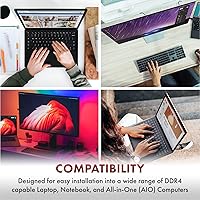
This SODIMM module suits anyone pulling an aging laptop back from the edge of obsolescence. If you bought a budget notebook a few years ago with 8GB and one open slot, this is the logical next step. Students and remote workers juggling browsers, video calls, and office apps simultaneously will feel the most immediate relief. It also fits mini PC and AIO builds that use standard DDR4 SODIMM slots — no need to hunt for proprietary memory. Installation is a genuine basic DIY upgrade: a screwdriver and a quick tutorial are all most people need. If bleeding-edge benchmark numbers matter more to you than value and long-term warranty coverage, look at premium alternatives instead.

User Feedback

With over a thousand ratings and a strong average score, this memory upgrade has earned consistent trust across a broad user base. Compatibility and easy installation appear repeatedly in positive reviews, with buyers noting it worked out of the box in a range of popular laptop brands. On the critical side, a recurring issue involves skipping compatibility checks — some older boards do not natively support 3200MHz, causing the module to downclock automatically, which reads as underperformance even though it is working correctly. A handful of reviewers tested the warranty process and found support response to be prompt and helpful. Overall, satisfaction closely mirrors how carefully buyers verified their system specs before purchasing.

Pros

  • Plug-and-play installation requires no BIOS changes or special configuration on compatible systems.
  • The 260-pin SODIMM form factor is broadly compatible with most modern laptops, mini PCs, and AIO systems.
  • Lifetime warranty provides genuine long-term protection and peace of mind.
  • Brand support has a solid track record of responsive service for warranty claims.
  • Moving from 8GB to 16GB delivers a noticeable reduction in everyday slowdowns and app-switching lag.
  • 3200MHz speed is the current mainstream sweet spot, future-proofing the upgrade for several years.
  • This SODIMM module works in a wide range of popular laptop brands without compatibility hunting.
  • Runs at the JEDEC-standard 1.2V, reducing heat and power draw compared to older DDR3 modules.
  • Competitive pricing for the capacity makes it one of the more cost-effective ways to extend a laptop's useful life.

Cons

  • Rank configuration — 1Rx8 or 2Rx8 — is not guaranteed, which matters to buyers with specific dual-rank preferences.
  • Speed will automatically downclock on older boards that do not support 3200MHz natively, wasting the spec premium.
  • CL22 latency trails behind premium enthusiast kits at the same speed, limiting appeal for performance-focused users.
  • A-Tech is not a household memory brand, which may unsettle buyers accustomed to Crucial or Kingston packaging and reputation.
  • Single-module purchase means buyers wanting dual-channel performance must source a matching second stick separately.
  • No XMP or equivalent performance profile is listed, so manual tuning options are limited on boards that support it.
  • Compatibility issues are entirely the buyer's responsibility — there is no pre-purchase compatibility checker or guaranteed fit list provided.
  • Some users have reported units arriving with no identifying label detail to confirm exact chip configuration before installation.

Ratings

The scores below reflect an AI-driven analysis of verified global buyer reviews for the A-Tech 16GB DDR4 3200MHz SODIMM Laptop RAM, with spam, bot-generated feedback, and incentivized reviews actively filtered out before scoring. Each category captures both what real users praised and what genuinely frustrated them, so you get an honest picture rather than a curated highlight reel. Strengths and pain points are weighted equally, giving you the clearest possible signal before you commit to this memory upgrade.

Compatibility
83%
The vast majority of buyers report that this SODIMM module seated and initialized correctly across a wide range of popular laptop brands, including HP, Dell, Lenovo, and Acer. For users who did their homework and confirmed DDR4 SODIMM support beforehand, the experience was essentially friction-free from the moment they powered on.
A meaningful subset of negative reviews traces back to buyers who skipped compatibility verification and found the module would not post or ran at a reduced speed on older chipsets. The lack of a guaranteed compatibility checker from A-Tech puts the research burden squarely on the buyer, which trips up less experienced upgraders.
Installation Ease
91%
Reviewers consistently describe the physical installation as one of the least intimidating hardware upgrades they have attempted, with most completing the job in under fifteen minutes using only a basic screwdriver. First-time upgraders upgrading family laptops or work machines specifically called out how straightforward the process felt compared to their expectations.
A small number of users encountered laptops where the bottom panel access required more disassembly than a simple screw removal, making the process less approachable than advertised. These cases are model-specific rather than a product flaw, but they serve as a reminder that not every laptop makes RAM access equally convenient.
Performance Uplift
78%
22%
Users coming from 8GB configurations report a satisfying and immediate reduction in everyday sluggishness — browsers with many tabs, video calls alongside office apps, and background syncing all become noticeably less disruptive after the upgrade. For the target audience of students and remote workers, this represents a meaningful day-to-day improvement.
Buyers expecting dramatic speed gains from the 3200MHz rating were occasionally disappointed to find real-world responsiveness improvements are incremental rather than transformative, particularly on systems where the bottleneck was the CPU or storage rather than RAM. The CL22 latency also drew occasional criticism from performance-minded users who had hoped for tighter timings at this speed.
Value for Money
86%
Given the capacity, speed tier, and lifetime warranty bundled into a single mid-range purchase, most buyers view this memory upgrade as one of the more cost-effective ways to extend the useful life of an aging laptop without replacing the whole machine. The warranty alone is frequently cited as tipping the value calculation in A-Tech's favor versus cheaper no-name alternatives.
At certain points in the market cycle, competing modules from Crucial or Kingston have been available at comparable or lower price points with stronger brand recognition, making the value case slightly less compelling for shoppers who specifically track memory pricing. Buyers who later discovered they received a 1Rx8 configuration when they had hoped for 2Rx8 also felt the value proposition was less clear than it should be.
Build Quality
74%
26%
The module arrives with clean PCB construction that appears consistent with JEDEC manufacturing standards, and the majority of users report no physical defects out of the box. Long-term users who have had the stick installed for a year or more generally report stable operation with no signs of degradation.
A-Tech does not command the same perception of premium build quality as first-tier brands, and some buyers noted the module felt lightweight and minimally packaged in a way that created initial uncertainty. The variable rank configuration — receiving either 1Rx8 or 2Rx8 without knowing in advance — also contributes to a sense that quality control transparency could be tighter.
Speed Consistency
71%
29%
On systems with chipsets that natively support DDR4 3200MHz, the module holds its rated speed reliably without needing XMP profiles or manual BIOS intervention, which most consumer laptop boards do not support anyway. Users on modern Ryzen and 11th-Gen-and-later Intel platforms specifically reported stable operation at the full rated frequency.
On older platforms, the automatic downclocking to 2666MHz or 2400MHz is technically correct behavior but leaves buyers feeling the 3200MHz spec was oversold for their specific use case. The absence of any clear guidance in the listing about which chipset generations will and will not hit the rated speed is a recurring frustration in lower-star reviews.
Warranty Experience
88%
Among buyers who actually needed to invoke the lifetime warranty, A-Tech's support team received more positive feedback than is typical for third-tier memory brands, with replacement units generally arriving promptly and without excessive documentation demands. This responsiveness meaningfully separates the brand from bargain-bin alternatives that offer similar paper warranties but poor follow-through.
A handful of users reported slower-than-expected initial response times during periods of high demand, and the warranty process does require buyers to retain proof of purchase, which creates a small administrative hurdle for those who did not save their order confirmation. International buyers also noted the process was less streamlined than for domestic US customers.
System Stability
82%
18%
Once seated correctly in a compatible system, this SODIMM module tends to run without crashes, BSODs, or memory errors across extended daily use, which is ultimately the baseline requirement for any RAM upgrade. Users running memory diagnostics post-installation reported clean results at a rate that reflects well on the module's reliability.
A subset of reviews described intermittent instability symptoms — random restarts or occasional blue screens — that disappeared after reseating the module or cleaning the slot contacts, suggesting the issue was contact-related rather than a defect in the memory itself. A small number of units did appear to arrive with genuine defects, though the lifetime warranty provides a clear remedy.
Packaging & Presentation
61%
39%
The module arrives adequately protected for transit in anti-static packaging, which is the functional minimum required to protect sensitive electronics during shipping. Most buyers reported the module arrived undamaged regardless of how minimal the outer presentation felt.
The packaging is notably spartan compared to established brands, and several buyers mentioned it arrived in bare anti-static wrap with minimal branding or documentation, which created a used-product impression for some. For buyers giving this as a gift or who associate perceived quality with presentation, the unboxing experience falls short of expectations at this price tier.
Thermal Performance
79%
21%
Operating at the JEDEC-standard 1.2V keeps heat generation in line with what laptop cooling systems are designed to handle, and no reviewers flagged thermal throttling or heat-related instability attributable to the RAM specifically. Users in thermally constrained thin-and-light laptops reported no additional heat concerns after installation.
The module ships without a heatspreader, which is expected for a SODIMM but means there is no visual indicator of operating temperature for users who monitor system thermals closely. In sustained heavy workloads on poorly ventilated laptops, the module itself is not the problem, but it also offers no active mitigation.
Documentation & Support Resources
63%
37%
A-Tech's customer support team is reachable and generally knowledgeable, with buyers reporting useful pre-purchase guidance when they reached out to confirm compatibility before ordering. This proactive support availability is a genuine differentiator for buyers who are unsure about their system specs.
The module ships with minimal printed documentation, and the product listing itself lacks a detailed compatibility database or model-specific fit guide, which forces buyers to do their own research or contact support directly. Users who prefer a self-serve compatibility lookup tool — common with brands like Crucial — will find the research process more manual here.
Multitasking Impact
84%
The upgrade to 16GB delivers a practical and noticeable improvement in multitasking scenarios that 8GB handles poorly — running a browser with multiple tabs, a video call, a cloud sync client, and a productivity app simultaneously becomes a much less frustrating experience. Remote workers and students cite this as the most tangible real-world benefit of the upgrade.
Users with already-capable systems who upgraded from 16GB to this stick as a swap rather than an addition reported no perceptible change, highlighting that the benefit is almost entirely concentrated in the 8GB-to-16GB transition. The module does not independently improve CPU-bound workloads, so users whose slowdowns stem from processor limitations will be disappointed.

Suitable for:

The A-Tech 16GB DDR4 3200MHz SODIMM Laptop RAM is a smart pick for anyone whose laptop or mini PC feels noticeably sluggish under modern workloads and has an accessible, upgradeable memory slot. It is particularly well-matched to students and remote workers who run browsers, productivity apps, and video conferencing tools simultaneously — the jump from 8GB to 16GB relieves that constant background pressure more than any software tweak will. Budget-conscious buyers who want a meaningful hardware improvement without committing to a full system replacement will find the value proposition here genuinely reasonable. Mini PC and all-in-one owners who need a standard DDR4 SODIMM without hunting for proprietary solutions are also well served. The lifetime warranty makes this a lower-risk choice for anyone who has been burned by no-name memory before.

Not suitable for:

Buyers chasing top-tier memory performance should look elsewhere before committing to the A-Tech 16GB DDR4 3200MHz SODIMM Laptop RAM. The CL22 latency is entirely standard for this speed class, which means enthusiasts who benchmark obsessively or run memory-sensitive workloads like competitive gaming or heavy video rendering will find tighter-latency kits from premium brands more rewarding. This memory upgrade is also the wrong purchase for anyone who has not first confirmed their specific laptop model accepts DDR4 SODIMM modules and has a free or replaceable slot — soldered RAM machines are simply incompatible. Older laptops that cap out at DDR4 2400MHz or 2666MHz will automatically run this module at a reduced speed, so the 3200MHz spec becomes irrelevant in those systems. Finally, buyers who want dual-channel performance from a single slot will need to pair this with a matching stick, which this listing does not include.

Specifications

  • Brand: Manufactured and sold by A-Tech, a memory-focused brand offering consumer and prosumer RAM modules with direct customer support.
  • Model Number: The official part number is AT16G1D4S3200NN12V, which can be used to verify compatibility or reference warranty claims.
  • Capacity: This module provides 16GB of DDR4 SDRAM in a single stick, suitable for replacing or supplementing existing system memory.
  • Form Factor: Uses the 260-pin SODIMM form factor, the standard interface found in most modern laptops, mini PCs, and all-in-one systems.
  • Memory Speed: Operates at 3200MHz with a PC4-25600 (PC4-3200AA) rating, representing the current mainstream DDR4 performance tier.
  • Latency: Rated at CL22, which is the standard latency specification for DDR4 modules at this speed grade.
  • Voltage: Runs at 1.2V in line with JEDEC DDR4 standards, keeping power consumption and heat output at typical consumer levels.
  • ECC Support: Non-ECC Unbuffered design, meaning it does not perform error-correction and is intended for standard consumer-grade laptop motherboards.
  • Rank Configuration: Ships as either 1Rx8 or 2Rx8 depending on the specific unit; the exact rank is not guaranteed and may vary between orders.
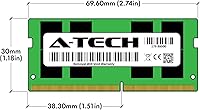
  • Dimensions: The module measures 2.74 x 1.18 x 0.15 inches, consistent with the standard SODIMM physical footprint.
  • Weight: Weighs 0.317 ounces, making it essentially negligible in terms of impact on overall laptop weight.
  • Compatible Platforms: Compatible with laptops, notebooks, mini PCs, and all-in-one systems that accept standard 260-pin DDR4 SODIMM modules.
  • Warranty: Backed by A-Tech's lifetime warranty, covering defects in materials and workmanship for the life of the original purchase.
  • Support: A-Tech provides direct customer and technical support both before and after purchase, accessible through their brand channels.
  • Release Date: First made available in October 2020, with ongoing production and active availability confirmed by the manufacturer.

Related Reviews
Samsung 16GB DDR4 3200MHz SODIMM RAM
87%
92%
Performance Improvement
94%
Ease of Installation
88%
Compatibility
90%
Multitasking Speed
85%
Build Quality
More
Transcend 16GB DDR4 3200MHz Laptop RAM
87%
92%
Performance Boost
88%
Compatibility
90%
Ease of Installation
85%
Energy Efficiency
89%
Build Quality
More
A-Tech 64GB DDR4 3200MHz SODIMM RAM Kit
88%
89%
Performance
94%
Ease of Installation
91%
Value for Money
85%
Compatibility
90%
Energy Efficiency
More
Adamanta 16GB DDR4 2400MHz SODIMM Laptop RAM
83%
85%
Performance
92%
Value for Money
89%
Ease of Installation
88%
Compatibility
80%
Power Efficiency
More
DATO 16GB DDR4 3200MHz SODIMM Laptop Memory
88%
94%
Performance
89%
Energy Efficiency
92%
Ease of Installation
85%
Compatibility
90%
Reliability
More
A-Tech 16GB DDR4 2400MHz SODIMM Laptop RAM
84%
74%
Compatibility
91%
Installation Ease
83%
Performance Improvement
88%
Value for Money
82%
Build & Component Quality
More
A-Tech 8GB DDR4 2666MHz SODIMM Laptop RAM
85%
88%
Performance Improvement
90%
Ease of Installation
85%
Energy Efficiency
81%
Compatibility with Laptops
87%
Stability and Reliability
More
KLEVV DDR4 8GB 3200MHz SODIMM Laptop RAM

87%
88%
Performance
90%
Compatibility
94%
Ease of Installation
92%
Value for Money
85%
Stability during Regular Use
More
A-Tech 8GB DDR4 3200 MHz SODIMM Laptop RAM
89%
91%
Performance Boost
95%
Ease of Installation
89%
Value for Money
88%
System Compatibility
90%
Speed and Responsiveness
More
A-Tech 32GB DDR4 3200MHz SODIMM Laptop RAM
80%
91%
Value for Money
74%
Compatibility Range
93%
Installation Ease
83%
Performance Improvement
86%
Build & Module Quality
More

FAQ

The most reliable approach is to check your laptop manufacturer's support page or download a tool like Crucial's System Scanner, which reads your hardware and confirms compatible memory specs. You need a machine that accepts DDR4 SODIMM modules and has at least one accessible, upgradeable slot — many budget laptops do, but some ultrabooks and thin-and-light models have RAM soldered directly to the board, which makes any upgrade impossible.

Not always. If your laptop's chipset only supports DDR4 up to 2666MHz or 2400MHz, the module will downclock automatically to the highest speed your board can handle — it will not damage anything, but you will not get the full 3200MHz benefit. Boards that do support 3200MHz will typically run it there by default without any manual adjustment needed.

For most laptops with a removable bottom panel, yes. You need a small Phillips-head screwdriver, about ten minutes, and a basic tutorial video specific to your laptop model. There is no soldering, no software configuration, and no special tools required. That said, some laptops make RAM access genuinely difficult or void the warranty if opened, so check your device's manual first.

This is a single 16GB stick. If you want dual-channel performance, you would need to pair it with a second matching module, which you would have to purchase separately. A single 16GB stick will still run in single-channel mode and deliver a substantial improvement over 8GB, just not the theoretical bandwidth peak that two matched sticks in dual-channel provide.

It refers to how the memory chips are arranged on the module — single rank versus dual rank. In practice, for everyday laptop use and multitasking, the difference is minimal. Dual-rank modules can offer a slight edge in multi-threaded workloads, but for the vast majority of users doing browsing, office work, and light media tasks, you are unlikely to notice a difference either way.

Generally, no. The A-Tech 16GB DDR4 3200MHz SODIMM Laptop RAM is designed to initialize automatically using JEDEC standard profiles, so your system should detect and configure it correctly on the first boot. On some systems you may see a one-time memory training screen, which is normal and resolves itself within a minute.

A-Tech backs this memory upgrade with a lifetime warranty, and based on buyer feedback, their support team is reasonably responsive. If you experience a failure, you would contact A-Tech directly with your order information to initiate a replacement. Keep your purchase receipt or order confirmation handy, as that will be your proof of purchase for any claim.

It depends on your laptop. If you have two RAM slots and one is empty, you can install this SODIMM module alongside your existing stick. If you only have one slot, you would replace what is there. Just be aware that mixing RAM sticks of different speeds or capacities can sometimes cause the system to default to the slower speed of the two, so matched pairs are generally preferable if you are expanding.

It can help if your system was previously RAM-limited, but do not expect dramatic frame rate improvements from the memory alone. Games are more dependent on the GPU and CPU than on RAM speed at this tier. Where you will notice a difference is in background app overhead — streaming, Discord, and browsers eating into available memory while gaming becomes less of an issue with 16GB versus 8GB.

Yes, DDR4 3200MHz is natively supported by most modern AMD Ryzen mobile processors and by Intel platforms from 10th Gen onward. Older Intel generations may cap at 2666MHz or 2933MHz depending on the specific chipset, in which case the module runs at that lower supported speed automatically. Either way, it operates correctly — just not necessarily at the full 3200MHz on older hardware.