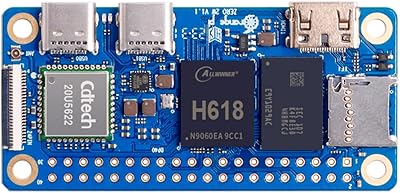
Orange Pi 3 LTS Single-Board Computer
Overview
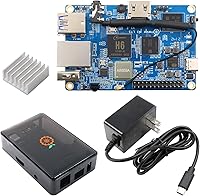
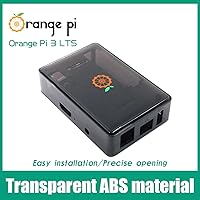
The Orange Pi 3 LTS Single-Board Computer sits in an interesting spot in Orange Pi's catalog — more capable than the budget-oriented Zero 2, yet easier on the wallet than the more powerful Pi 5. This particular bundle includes an ABS protective case and a Type-C power supply, which makes it a more practical starting point than buying a bare board. Build quality feels solid for the price tier; the port layout is logical, and the case snaps together without fuss. Expectations should stay realistic, though — the Allwinner H6 paired with 2 GB of RAM is well-suited for lightweight tasks, not demanding workloads.
Features & Benefits
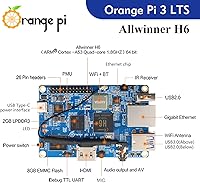
The 8 GB eMMC flash is one of this Orange Pi board's most practical advantages — booting from onboard storage is noticeably faster and more reliable than running off a microSD card, though 8 GB fills quickly under a full desktop environment, so a microSD card or USB drive for extra storage is worth planning for. The Gigabit Ethernet port handles local network tasks like a NAS or Pi-hole setup with real consistency, and the dual-band 802.11ac Wi-Fi adds flexibility where cables aren't practical. HDMI 2.0a covers 4K output for a media center build, while the 26-pin GPIO header supports I2C, SPI, and UART for most standard hardware projects.
Best For
The Pi 3 LTS kit makes the most sense for people running always-on lightweight services — think Home Assistant, Pi-hole, or a simple file server — where the eMMC storage reduces wear compared to SD cards. It's also a reasonable choice for someone making the jump from microcontroller projects to a full Linux environment for the first time. Retro emulation at modest resolutions works fine with the Mali T720 GPU, and developers who need a cheap Android 9.0 test device for embedded or kiosk use will find it functional, though that Android version is aging. The bundled case and power supply make it genuinely plug-and-play for newcomers who'd rather not source accessories separately.
User Feedback
Across over 160 ratings, this single-board mini PC holds a solid average, and consistent praise points to two things: eMMC boot reliability and the convenience of getting a case and power supply in the box. On the critical side, some users report that the H6 runs noticeably warm under sustained CPU load, and the enclosed ABS case has no active cooling cutouts — worth knowing if you plan to run it hard for extended periods. The bigger long-term concern is software: community support and OS image updates lag well behind the Raspberry Pi ecosystem, and Android 9.0 is functionally at end-of-life for most modern applications.
Pros
- Onboard eMMC storage delivers faster, more reliable boot times than microSD-based boards.
- Bundled case and power supply make this a genuinely complete starter kit right out of the box.
- Gigabit Ethernet holds up well for local network projects where consistent throughput matters.
- Dual-band 802.11ac Wi-Fi and Bluetooth 5.0 are strong wireless specs at this price tier.
- The 26-pin GPIO header covers I2C, SPI, and UART, handling most standard maker projects without adapters.
- HDMI 2.0a supports 4K output, useful for lightweight media center or digital signage builds.
- Runs Ubuntu and Debian reliably, giving Linux-focused users a familiar, practical environment.
- Built-in IR receiver is a small but handy addition for media remote control setups.
- Quad-core Cortex-A53 at 1.8 GHz handles Pi-hole, Home Assistant, and similar always-on services without breaking a sweat.
Cons
- Community support and documentation are noticeably thinner than the Raspberry Pi ecosystem, especially for troubleshooting.
- Android 9.0 is aging and unsupported for most modern app development use cases.
- The ABS case has no active cooling cutouts, raising thermal concerns under sustained CPU workloads.
- 8 GB of eMMC fills up fast under a full desktop OS install; external storage planning is essentially mandatory.
- 2 GB of RAM shared with the GPU creates real bottlenecks when multitasking or running memory-hungry applications.
- OS image availability is limited compared to Raspberry Pi OS, and update cadence can lag behind community needs.
- Only two USB 2.0 ports alongside one USB 3.0 leaves limited connectivity for peripheral-heavy setups.
- The Mali T720 GPU is insufficient for anything beyond light emulation or basic video playback.
- Allwinner H6 platform has weaker upstream Linux kernel support compared to Broadcom-based Raspberry Pi boards.
Ratings
Our AI-generated scores for the Orange Pi 3 LTS Single-Board Computer are derived from analyzing verified global buyer reviews, with spam, bot activity, and incentivized feedback actively filtered out to ensure accuracy. The ratings below reflect both the genuine strengths that keep buyers recommending this board and the recurring pain points that have frustrated real users in day-to-day use. Nothing has been softened — the scores transparently capture where this single-board mini PC earns its reputation and where it falls short.
Value for Money
eMMC Storage Performance
CPU Performance
Thermal Management
Networking & Connectivity
Software & OS Support
Community & Documentation
Build Quality
GPIO & Hardware Prototyping
Media Playback
Setup Experience
Android Support
USB & Peripheral Support
Long-term Reliability
Suitable for:
The Orange Pi 3 LTS Single-Board Computer is a strong fit for hobbyists and makers who want a capable, low-power board for always-on services like Pi-hole, Home Assistant, or a lightweight file server — the onboard eMMC storage makes it more durable for that kind of continuous use than a microSD-dependent setup. Beginners transitioning from Arduino-style projects to a full Linux environment will appreciate the bundled case and power supply, since it removes the friction of sourcing accessories before even getting started. Retro emulation enthusiasts running lighter titles at modest resolutions will find the hardware adequate, and the Gigabit Ethernet port makes it a genuinely practical choice for anyone building a small home network appliance. Developers who occasionally need an inexpensive physical Android test device for kiosk or embedded projects can also get real mileage out of this single-board mini PC, provided they go in knowing Android 9.0 is the ceiling.
Not suitable for:
Anyone expecting a smooth, well-documented experience on par with the Raspberry Pi ecosystem is likely to run into friction — the Orange Pi 3 LTS Single-Board Computer has a smaller community, thinner third-party documentation, and OS images that update less frequently, which can be genuinely frustrating when troubleshooting edge cases. The 2 GB RAM ceiling means it struggles with modern desktop browsing, multitasking, or any workload that pushes memory hard, so it is a poor substitute for a general-purpose Linux desktop. Users planning to run the board under sustained CPU load should also know the included ABS case has no active cooling cutouts, which raises real thermal concerns over long sessions. If your project depends on a modern Android version above 9.0, this board simply will not meet that requirement, and the 8 GB eMMC fills up surprisingly fast under a full OS install, so users who skip external storage planning will hit that wall quickly.
Specifications
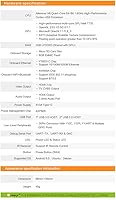
- CPU: Allwinner H6 quad-core 64-bit Cortex-A53 processor running at 1.8 GHz handles lightweight Linux server tasks and media playback comfortably.
- GPU: Mali T720 multi-core GPU supports OpenGL ES 3.1 and is suited for basic video output and light emulation workloads.
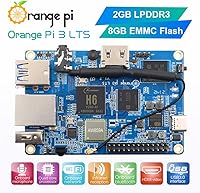
- RAM: 2 GB LPDDR3 memory is shared between the CPU and GPU, which is sufficient for headless server use but limiting for full desktop environments.
- Onboard Storage: 8 GB eMMC flash provides faster and more reliable OS storage than a microSD card, though it fills quickly under a full desktop installation.
- Expandable Storage: A dedicated microSD card slot allows storage expansion beyond the onboard 8 GB eMMC for larger workloads or media libraries.
- Ethernet: Gigabit Ethernet (10/100/1000M) via the YT8531C chip delivers consistent wired throughput for NAS builds and local network services.
- Wi-Fi: Dual-band 802.11 a/b/g/n/ac Wi-Fi via the AW859A chip supports both 2.4 GHz and 5 GHz networks for flexible wireless connectivity.
- Bluetooth: Bluetooth 5.0 is integrated via the same AW859A chip, supporting modern peripherals and IoT device communication.
- Video Output: HDMI 2.0a port supports display output up to 4K resolution, making it usable for lightweight media center or digital signage setups.
- Audio: Audio output is available through both the HDMI port and a dedicated 3.5 mm analog audio jack for flexible speaker or headphone connections.
- USB Ports: One USB 3.0 host port and two USB 2.0 host ports provide connectivity for drives, keyboards, mice, and other peripherals.
- GPIO Header: A 26-pin header exposes I2C, SPI, UART, and general-purpose GPIO lines for sensor integration and hardware prototyping projects.
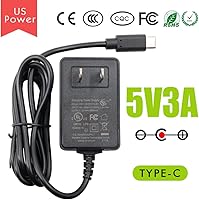
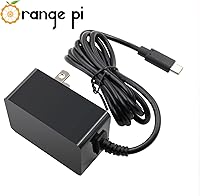
- Power Input: The board requires a 5V 3A supply delivered via USB Type-C, and a compatible power adapter is included in this bundle SKU.
- Infrared: An onboard infrared receiver supports remote control input, which is convenient for media center configurations using standard IR remotes.
- Supported OS: Official images are available for Android 9.0, Ubuntu, and Debian; Android 9.0 is functional but should be considered end-of-life for modern app development.
- Debugging: UART TX, UART RX, and GND debug serial pins are exposed on the board for low-level serial console access during development.
- Indicators: Onboard LED indicators display power status and system activity, providing a quick visual reference during headless operation.
- Package Contents: This SKU ships with the board, a 5V 3A Type-C power supply, and an ABS protective case, making it a self-contained starter bundle.
Related Reviews
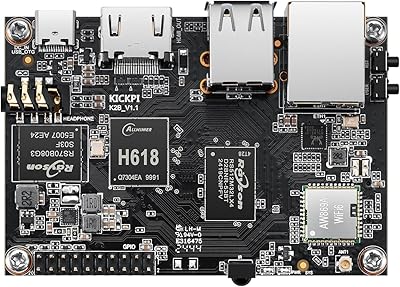
KICKPI K2B Single Board Computer
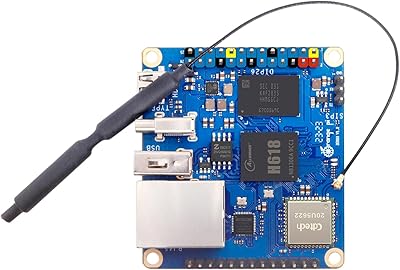
Orange Pi Zero 3 1.5GB Single Board Computer

KCEVE KC-303X Triple Monitor KVM Switch

Givenchy PI Eau De Toilette Spray 3.3 oz for Men
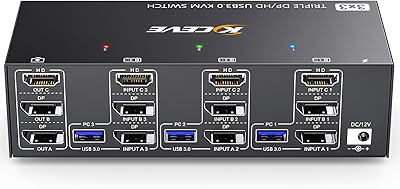
Camgeet KVM Switch 3 Monitors 3 Computers HDMI+2 DisplayPort
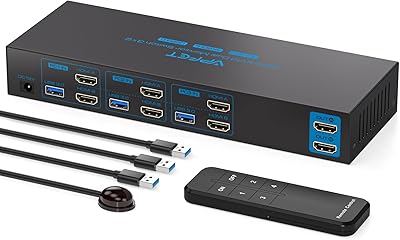
AILVLVNG SW330 Dual Monitor KVM Switch
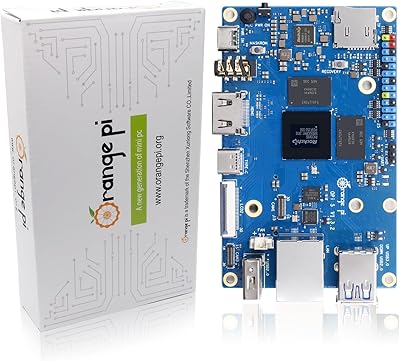
Orange Pi 5 8GB Single Board Computer
ASA CX-3 Electronic Flight Computer
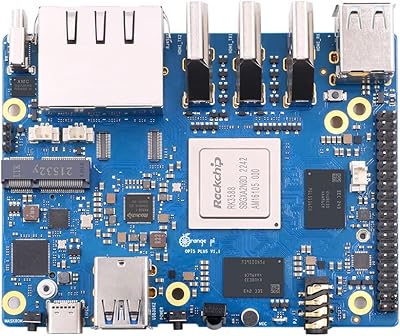
Orange Pi 5 Plus 16GB Single-Board Computer