Orange Pi Zero 3 1.5GB Single Board Computer

Overview
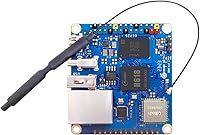
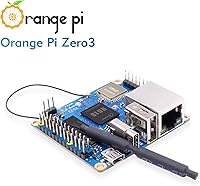
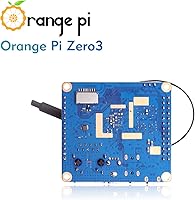
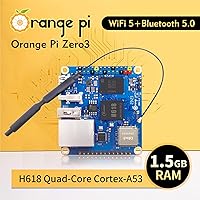
The Orange Pi Zero 3 1.5GB Single Board Computer is a palm-sized board from Shenzhen Xunlong that punches above its weight for budget-conscious makers. At just 50×55mm, it packs an Allwinner H618 quad-core Cortex-A53 processor running at 1.5GHz, backed by LPDDR4 RAM and a Mali-G31 MP2 GPU. What really stands out at this price point is the Micro-HDMI 4K output at 60fps — that's not something you typically find on boards this affordable. It runs Android 12, Debian, and Ubuntu, giving real flexibility depending on what you're building. Just know going in that you'll need to supply your own MicroSD card and Type-C power adapter; neither comes in the box.
Features & Benefits
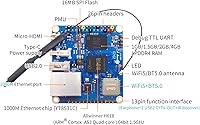
Connectivity is one of this Orange Pi board's stronger suits. You get Gigabit Ethernet alongside WiFi 5 and Bluetooth 5.0 — a combination that makes it genuinely useful for home network projects without needing extra dongles. The Mali-G31 MP2 GPU supports Vulkan 1.1 and OpenCL 2.0, opening the door to lightweight GPU-accelerated tasks, though don't expect it to handle anything demanding. The dual expansion headers — a 26-pin and a 13-pin — give hardware tinkerers real room to attach sensors and custom peripherals. There's also 16MB of onboard SPI Flash for bootloader storage, plus a TV-Out option via the 13-pin connector that most rivals at this price simply skip. All three USB ports are USB 2.0 only, which is a real ceiling if you need fast data transfers.
Best For
This compact SBC makes the most sense for people who already know what they want to build. It's a natural fit for lightweight home servers — think Pi-hole, a personal VPN, or a small file server — where its Gigabit port and low power draw do real work. Retro game emulation enthusiasts will find it capable for older console libraries, within reason. Students learning embedded Linux or dabbling in GPIO-based hardware projects get a lot of headroom for the price. It also works as a media center testbed for 4K content on modest workloads, or for developers wanting to evaluate Android 12 TV on ARM without buying dedicated hardware. It's not the board for intensive compute tasks, but for focused, modest projects it holds up well.
User Feedback
With a 4.2-star average across 110 ratings, the Zero 3 1.5GB earns its score without particularly exciting anyone. Buyers consistently praise the value for money and the surprisingly small footprint. The most common frustration is documentation — English-language resources are noticeably thinner than what you'd find in the Raspberry Pi ecosystem, and troubleshooting often means digging through Chinese-language forums. A handful of users have flagged thermal throttling under sustained workloads, pointing to the need for at least a small heatsink if you plan on running it hard. First-time buyers are sometimes caught off guard that expansion board accessories are sold separately. The Debian and Ubuntu images are reasonably stable; the Android build, less so — manage expectations there.
Pros
- Gigabit Ethernet, WiFi 5, and Bluetooth 5.0 together make this one of the best-connected boards at this price point.
- 4K output at 60fps via Micro-HDMI is a genuinely rare feature for a board this affordable.
- Dual expansion headers — 26-pin and 13-pin — give hardware tinkerers serious room to grow their projects.
- Runs Debian 11, Debian 12, Ubuntu 20.04, and Ubuntu 22.04 with reasonable stability out of the box.
- The 16MB onboard SPI Flash lets you store a bootloader independently of your SD card, a nice reliability touch.
- At just 50×55mm and 1.13 ounces, this compact SBC fits into enclosures and project builds where larger boards simply won't.
- TV-Out via the 13-pin connector adds legacy display support that most competing boards at this tier skip entirely.
- The Mali-G31 MP2 GPU supports Vulkan 1.1 and OpenCL 2.0, enabling light GPU-accelerated workloads beyond basic desktop use.
- Quad-core Cortex-A53 at 1.5GHz handles lightweight server tasks, emulation, and everyday Linux work without breaking a sweat.
Cons
- English-language documentation is thin — troubleshooting often means navigating Chinese-language forums or piecing together scattered community posts.
- All three USB ports are USB 2.0 only, which creates a real bottleneck for external storage and faster peripherals.
- Thermal throttling under sustained load has been reported by multiple users; a heatsink is practically a necessity, not an option.
- The Android 12 TV image is noticeably less stable than the Linux builds and not reliable enough for serious use.
- Expansion board accessories needed to unlock extra USB and audio ports are sold separately, adding hidden cost for new buyers.
- No storage or power supply is included, so first-timers will need to budget for a MicroSD card and a 5V 3A Type-C adapter.
- Community size is a fraction of the Raspberry Pi ecosystem, meaning fewer ready-made project guides and troubleshooting resources.
- The Mali-G31 MP2 GPU, while capable for basic tasks, cannot handle modern 3D workloads or demanding GPU compute jobs.
Ratings
Our AI rating system analyzed verified global user reviews for the Orange Pi Zero 3 1.5GB Single Board Computer, actively filtering out incentivized, bot-generated, and duplicate feedback to surface what real buyers actually experience. The scores below reflect both the genuine strengths that keep users coming back to this compact SBC and the recurring frustrations that temper its overall appeal. Nothing has been softened — the wins and the pain points are both represented honestly.
Value for Money
Connectivity
Performance
Thermal Management
OS & Software Support
Documentation & Community
Build Quality
Expandability
Setup Experience
Video Output
Wireless Performance
Size & Form Factor
Emulation Capability
Suitable for:
The Orange Pi Zero 3 1.5GB Single Board Computer is a strong pick for hobbyists, students, and budget-conscious developers who have a specific project in mind and don't mind a bit of a learning curve. If you're setting up a lightweight home server — a Pi-hole ad blocker, a personal VPN, or a small NAS — this compact SBC delivers real capability through its Gigabit Ethernet and solid Linux support without costing much. Students tackling embedded Linux coursework or experimenting with GPIO-based hardware will find the dual expansion headers and broad OS compatibility genuinely useful for coursework and side projects alike. IoT and robotics builders who need WiFi, Bluetooth, and GPIO in the smallest possible footprint will appreciate how much this board offers at its size and price. It also works well as a 4K media playback node for undemanding video tasks, or as a low-cost testbed for developers curious about Android 12 TV on ARM hardware.
Not suitable for:
The Orange Pi Zero 3 1.5GB Single Board Computer is not the right tool if you need a polished, well-documented platform backed by a large English-speaking community. Beginners who expect Raspberry Pi-level hand-holding — tutorials for every use case, active forums in English, and reliable third-party software support — will likely hit frustrating dead ends. The USB 2.0-only ports make it a poor fit for any workflow that depends on fast external storage or high-bandwidth peripherals. Anyone planning to run sustained, compute-intensive workloads should be aware that without active or passive cooling, thermal throttling is a real risk that will degrade performance. The Android 12 image, while interesting on paper, is rough enough in practice that you shouldn't buy this board primarily for Android use. And if you're expecting a ready-to-run system out of the box, note that you'll need to budget separately for a MicroSD card, a Type-C power supply, and potentially expansion board accessories.
Specifications
- CPU: The board runs an Allwinner H618 quad-core Cortex-A53 processor clocked at 1.5GHz, a 64-bit chip well-suited for lightweight Linux workloads and media tasks.
- GPU: An Arm Mali-G31 MP2 GPU handles graphics, with support for Vulkan 1.1, OpenCL 2.0, and OpenGL ES 1.0, 2.0, and 3.2.
- RAM: 1.5GB of LPDDR4 memory is soldered onboard, providing fast, low-power RAM for the operating system and running applications.
- Onboard Storage: 16MB of SPI Flash is included for bootloader storage, allowing the board to boot independently of the MicroSD card in supported configurations.
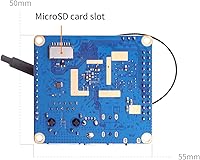
- Storage Expansion: A MicroSD card slot accepts standard cards for the operating system and user data; no card is included in the package.
- Video Output: A Micro-HDMI port supports 4K resolution at 60fps, making it capable of driving modern displays at full clarity.
- TV Output: A CVBS TV-Out signal is accessible via the 13-pin expansion connector, enabling connection to older composite displays.
- Wireless: Onboard WiFi 5 (802.11ac) and Bluetooth 5.0 are built in, covering both high-speed wireless networking and short-range device pairing.
- Ethernet: A full Gigabit Ethernet port (10/100/1000Mbps) provides wired network connectivity suitable for server and NAS applications.
- USB Ports: Three USB 2.0 ports are available in total — one directly on the board and two accessible via the optional expansion board.
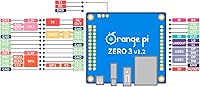
- GPIO Headers: A 26-pin GPIO header and a 13-pin expansion header are included, supporting sensor integration, peripheral add-ons, and custom hardware projects.
- Power Input: The board is powered via a USB Type-C port and requires a stable 5V 3A supply; no power adapter is included.
- Operating Systems: Officially supported operating systems include Android 12 TV, Debian 11, Debian 12, Ubuntu 20.04, and Ubuntu 22.04.
- Dimensions: The board measures 50mm × 55mm, making it one of the more compact single-board computers available in its performance class.
- Weight: The bare board weighs 1.13 ounces, light enough to mount inside small enclosures or integrate into mobile and embedded projects.
- Audio I/O: Audio input and output are routed through the 13-pin expansion connector, requiring an optional adapter board for headphone or line-level access.
- Debug Interface: A 3-pin UART debug port is present on the board, allowing serial console access for development and troubleshooting.
- Manufacturer: The board is designed and manufactured by Shenzhen Xunlong Software Co., Limited, the company behind the Orange Pi product line.
Related Reviews
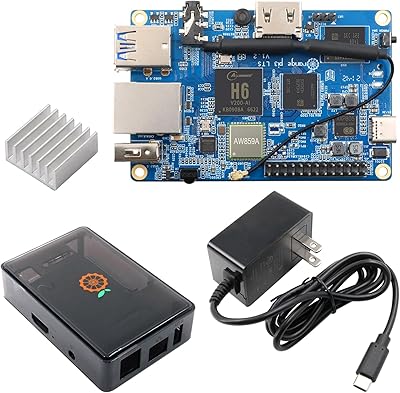
Orange Pi 3 LTS Single-Board Computer
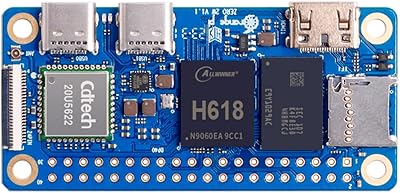
Orange Pi Zero 2W 4GB Single Board Computer
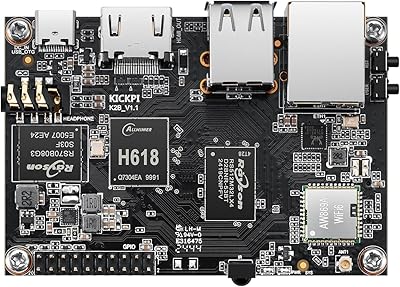
KICKPI K2B Single Board Computer
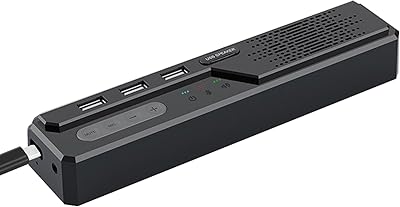
Cykvis 3-in-1 USB Computer Speaker

KCEVE KC-303X Triple Monitor KVM Switch

Too Faced Hangover 3-in-1 1oz Setting Spray
LG SC9S 3.1.3-Channel Soundbar

MyChelle 3-in-1 Super Serum 1 oz

Givenchy PI Eau De Toilette Spray 3.3 oz for Men