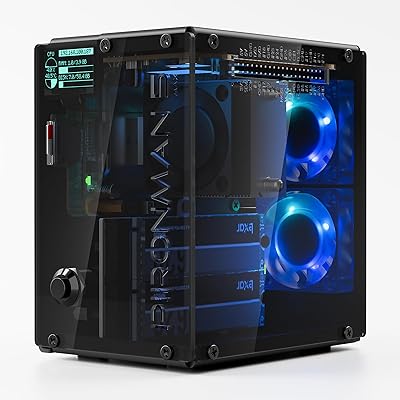
Orange Pi 5 8GB Single Board Computer

Overview
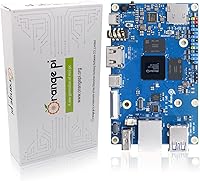
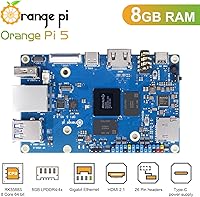
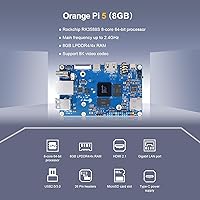
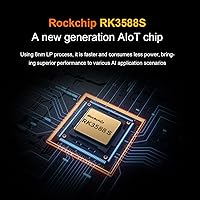
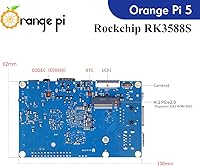
The Orange Pi 5 8GB Single Board Computer sits in an interesting spot in the SBC market — powerful enough to attract serious developers and edge computing builders, yet priced accessibly enough that hobbyists will take a chance on it. The heart of the board is Rockchip's RK3588S chip, a genuine step forward from the aging processors found in previous-generation boards. It's compact — the PCB fits comfortably in your hand — and feels reasonably well-built for the price. One thing worth knowing before you buy: no onboard Wi-Fi or Bluetooth. That's not a dealbreaker, but it's the kind of thing that catches people off guard. You'll need Linux familiarity to get the most out of it.
Features & Benefits
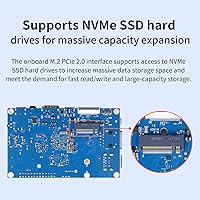
The 8-core processor in this Orange Pi 5 board is split between four high-performance A76 cores and four efficiency-focused A55 cores, which in practice means it handles both heavy compute tasks and lighter background work better than single-tier designs. Compile times, video transcoding, and running inference models all feel noticeably snappier than older SBCs. The built-in 6 TOPS NPU is genuinely useful for on-device AI tasks like object detection or running lightweight language models locally — without needing a separate accelerator. Plugging in an NVMe SSD via the M.2 slot transforms the storage experience entirely; boot times drop sharply compared to microSD. Video output via HDMI 2.1 supports up to 8K at 60Hz, and the USB-C port doubles as DisplayPort 1.4 for a second display.
Best For
This RK3588S-powered SBC finds its strongest audience among people who need real compute muscle in a small footprint. If you're building an edge AI pipeline, running computer vision models, or experimenting with local inference, the NPU is a genuine draw that dedicated microcontrollers simply can't match. Home lab enthusiasts who want a low-power Linux server with proper NVMe-backed storage will find it fits neatly into a rack shelf or small enclosure. It's also a logical next step for anyone who has outgrown the Raspberry Pi 4 and needs more CPU headroom. That said, if you've never touched a Linux terminal, you'll likely run into frustrations — the community is helpful, but ecosystem maturity isn't quite at Raspberry Pi levels yet.
User Feedback
Buyers overall rate this single board computer strongly, and the consistent theme in positive feedback is raw speed — people running NVMe setups report fast, reliable boots, and anyone doing 4K media playback notes it handles the task cleanly. Compile benchmarks frequently come up in comparisons against the Raspberry Pi 5, with this board generally leading on CPU-heavy workloads. The criticism that appears most often isn't about performance at all: the missing wireless connectivity frustrates buyers who assumed it was included, and a handful of users hit driver or kernel issues on certain community OS images. Thermal behavior under sustained load gets mentioned — a heatsink is advised. The Rock 5B comparison also surfaces regularly; the two boards trade blows depending on use case, with neither being a clear winner across the board.
Pros
- The RK3588S chip delivers CPU performance that clearly outpaces Raspberry Pi 4 on compile-heavy and multi-threaded workloads.
- An onboard 6 TOPS NPU makes edge AI and computer vision projects practical without any additional accelerator hardware.
- NVMe SSD support via the M.2 slot dramatically cuts boot times and transforms overall storage responsiveness.
- HDMI 2.1 output handles 4K playback smoothly, and the USB-C port adds a second display via DisplayPort 1.4.
- Gigabit Ethernet provides rock-solid, low-latency networking for server and home lab use cases.
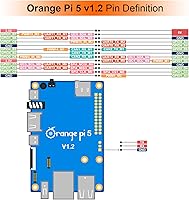
- The 26-pin GPIO header with CAN, SPI, I2C, and UART support keeps it fully capable for robotics and embedded work.
- At 62mm x 100mm and roughly 46g, the board is genuinely compact and easy to integrate into tight builds.
- Broad OS compatibility — Ubuntu, Debian, Android 12, Armbian — gives you real flexibility depending on the project.
- Users consistently praise fast, stable performance once the system is properly configured with NVMe storage.
- The M.2 slot also accepts PCIe Wi-Fi 6 modules, so wireless capability can be added without sacrificing a USB port.
Cons
- No onboard Wi-Fi or Bluetooth is a genuine omission that adds cost and complexity for wireless-dependent projects.
- Some community OS images have uneven kernel and driver maturity, meaning your chosen distro may need extra troubleshooting.
- The board runs warm under sustained load — skipping a heatsink or active cooling is asking for throttling issues.
- The software ecosystem is noticeably less mature than Raspberry Pi, with fewer ready-made tutorials and supported projects.
- PCIe on the M.2 slot is limited to PCIe 2.0, which caps NVMe throughput below what the drive hardware can deliver.
- No onboard eMMC storage means you are dependent on microSD or an M.2 module for the OS, adding setup steps for new users.
- Community support, while active, is spread across forums and GitHub threads rather than consolidated in one place.
- Android 12 image support exists but is not as polished or well-maintained as the Linux-based options.
- Sourcing a compatible power supply, heatsink, and case separately adds to the total cost beyond the board price.
- Buyers comparing this directly to the Rock 5B may find the PCIe and memory bandwidth trade-offs meaningful depending on workload.
Ratings
The scores below for the Orange Pi 5 8GB Single Board Computer were generated by our AI engine after systematically analyzing verified global buyer reviews, actively filtering out incentivized, bot-generated, and duplicate feedback to surface authentic user experiences. Both the genuine strengths and the recurring frustrations are reflected honestly — no category has been inflated to flatter the product. The result is a transparent, category-by-category breakdown that gives you a realistic picture of what living with this board actually looks like.
Raw CPU Performance
AI & NPU Capability
Storage & I/O Speed
Connectivity & Wireless
Thermal Management
Software Ecosystem
Media Playback
GPIO & Embedded Flexibility
Build Quality & Form Factor
Value for Money
Beginner Accessibility
Power Efficiency
Multi-Display Support
Community & Documentation
Audio Performance
Suitable for:
The Orange Pi 5 8GB Single Board Computer is a strong pick for developers and technically confident makers who want genuine compute power in a credit-card-sized form factor. If you are building an edge AI application — object detection, local inference, computer vision pipelines — the onboard 6 TOPS NPU means you can run those workloads without bolting on external hardware or paying for a GPU-class board. Home lab enthusiasts who want a compact, always-on Linux server with real NVMe-backed storage will find this board punches well above what older Pi-class hardware offered. It also makes a compelling upgrade path for anyone who has been running Raspberry Pi 4 projects and keeps hitting CPU or I/O ceilings on heavier tasks. Robotics builders and embedded developers will appreciate the full 26-pin GPIO header with I2C, SPI, CAN, and UART support, which keeps it competitive for physical-world interfacing projects as well.
Not suitable for:
If you are new to Linux or single-board computers and expecting a plug-and-play experience similar to a consumer mini PC, this RK3588S-powered SBC will likely frustrate you — the software ecosystem, while improving, still requires a meaningful tolerance for troubleshooting, community forums, and occasional driver quirks. Buyers who need wireless connectivity out of the box should look elsewhere or budget for a USB Wi-Fi adapter, because there is no onboard Wi-Fi or Bluetooth; that omission is real and affects everyday usability. Anyone building a project in a space-constrained enclosure should also note that sustained workloads generate meaningful heat, so proper thermal management is not optional. If your primary use case is casual media consumption or a simple desktop replacement, the maturity gap compared to the Raspberry Pi ecosystem — in terms of tutorials, pre-built images, and community troubleshooting resources — means you will spend more time solving setup problems than using the device productively.
Specifications
- Processor: Rockchip RK3588S 8-core 64-bit SoC with four Cortex-A76 performance cores and four Cortex-A55 efficiency cores, clocked up to 2.4 GHz.
- RAM: 8GB LPDDR4/LPDDR4X memory soldered directly to the board with no upgrade slots.
- GPU: Arm Mali-G610 MP4 graphics processor supporting OpenGL ES 3.2, OpenCL 2.2, and Vulkan 1.2.
- NPU: Integrated AI accelerator delivering up to 6 TOPS with support for INT4, INT8, and INT16 mixed-precision operations.
- Onboard Storage: 16MB QSPI NOR Flash for bootloader storage, plus a microSD card slot for OS images.
- Expansion Storage: M.2 M-Key socket supporting PCIe 2.0 NVMe SSDs and compatible PCIe Wi-Fi 6 and Bluetooth 5.0 modules.
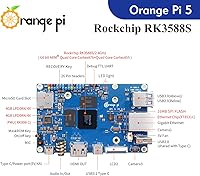
- Video Output: HDMI 2.1 port supporting up to 8K at 60Hz, plus DisplayPort 1.4 output multiplexed through the USB 3.1 Type-C port.
- Networking: 10/100/1000Mbps Gigabit Ethernet via RJ45; no onboard Wi-Fi or Bluetooth is included.
- USB Ports: One USB 3.0 Type-A, two USB 2.0 Type-A, and one USB 3.1 Type-C port providing both data and DisplayPort output.
- GPIO Header: 26-pin expansion header exposing UART, PWM, I2C, SPI, CAN, and general-purpose GPIO interfaces.
- Camera Interface: MIPI CSI 4-lane connector plus two MIPI D-PHY RX 4-lane interfaces for camera module attachment.
- Audio: ES8388 audio codec with a 3.5mm combo headphone and microphone jack, onboard microphone, and HDMI 2.1 eARC support.
- Power Input: 5V DC input; a stable power supply delivering at least 3A is recommended for reliable operation under load.
- Dimensions: Board measures 62mm x 100mm, consistent with the standard Raspberry Pi form factor footprint.
- Weight: Approximately 46g bare board weight, excluding any heatsink, case, or attached peripherals.
- Supported OS: Compatible with Ubuntu, Debian, Armbian, Android 12, OrangePi OS (Droid), and OrangePi OS (Arch).
- Indicators: Two onboard LEDs: a red power indicator and a green status indicator for activity monitoring.
- Debug Interface: Three-pin UART debug serial port for low-level troubleshooting and serial console access.
- Control Buttons: Three onboard buttons: MaskROM for recovery flashing, Recovery for OS recovery mode, and Power for on/off control.
- Wireless Add-on: No built-in wireless; Wi-Fi 6 and Bluetooth 5.0 can be added via a compatible M.2 PCIe module installed in the M-Key slot.
Related Reviews
Orange Pi 3 LTS Single-Board Computer
RasTech Raspberry Pi 5 8GB Kit
Orange Pi 5 Plus 16GB Single-Board Computer
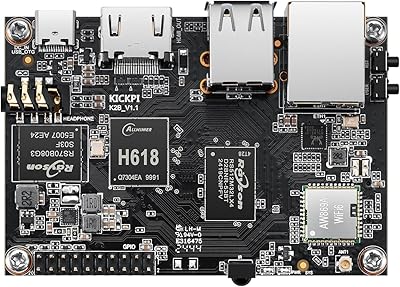
KICKPI K2B Single Board Computer
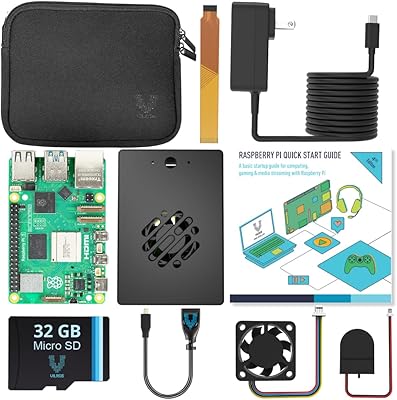
Vilros Raspberry Pi 5 8GB Starter Kit
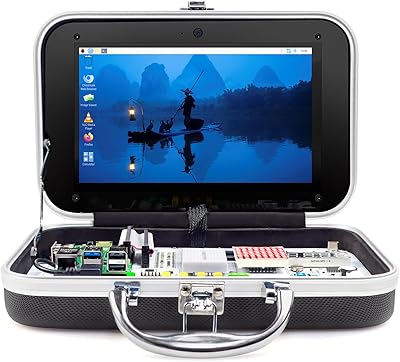
ELECROW CrowPi Pi 5 8GB Learning Kit
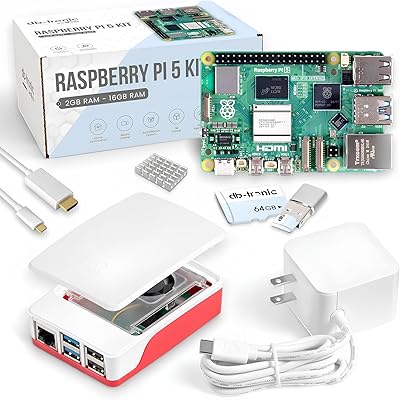
Raspberry Pi 5 8GB Starter Kit 64GB Edition
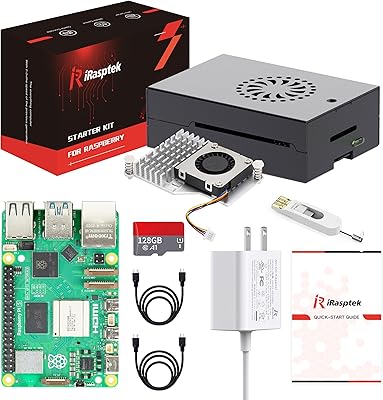
iRasptek Pi 5 8GB/128GB Starter Kit
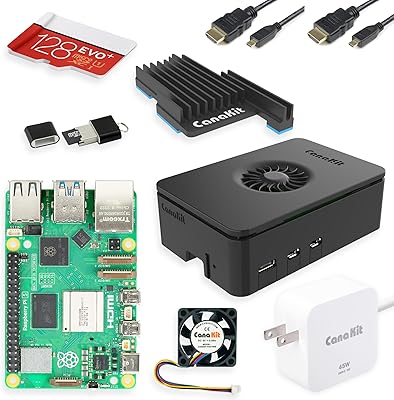
CanaKit Raspberry Pi 5 Starter Kit PRO (8GB RAM, 128GB)