Overview

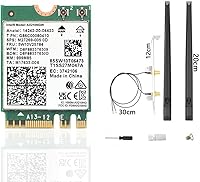
The CORN AX210 WiFi 6E Wireless Network Card is a third-party adapter built around Intel's well-regarded AX210 chipset, giving it a reliable foundation that many budget-tier alternatives simply lack. It slots into the M.2 NGFF 2230 A/E key interface found on a wide range of desktop motherboards and select laptops, so if your system has that slot available, the upgrade path is fairly straightforward. The box arrives with 8dBi antennas, an IPEX cable, and mounting brackets, meaning you are not scrambling to source accessories separately. CORN is not a household name, but that barely matters here — the underlying Intel silicon is doing the heavy lifting.
Features & Benefits

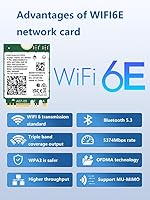
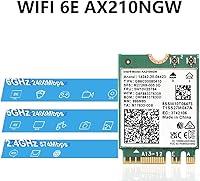
This Wi-Fi 6E upgrade card covers all three wireless bands: 2.4GHz for reach, 5GHz for everyday speed, and the newer 6GHz band for environments where interference is a genuine problem. That 6GHz band is useful for gaming and video streaming, though it only activates if your router also supports Wi-Fi 6E — worth confirming before you buy. Bluetooth 5.3 is a welcome inclusion, offering extended range and more stable pairing compared to older versions, which matters for wireless headsets and peripherals. The card also backs WPA3 security, with WPA2 backward compatibility keeping it practical across most existing home and office network setups.

Best For

The AX210 adapter is a strong pick for desktop PC builders whose motherboards lack onboard Wi-Fi 6E and who want a clean internal solution rather than a USB dongle. Laptop owners with an available M.2 A/E key slot will find it equally appealing. Gamers and streamers chasing low-latency connections should have it on their radar, provided their router supports Wi-Fi 6E to unlock the full 6GHz advantage. It also suits home office users dealing with congested wireless environments where a cleaner band makes a real difference to call stability. One firm prerequisite: confirm your motherboard carries an Intel-compatible M.2 slot before ordering.

User Feedback

Buyers who install this internal wireless card on a compatible Intel-platform motherboard generally come away satisfied, with improved signal strength over older cards or weak onboard Wi-Fi mentioned most frequently. The included accessories make the install feel complete rather than piecemeal. On the downside, the manual driver step catches some buyers off guard — you have to grab it from Intel's website yourself, which is a mild but real extra hurdle for those expecting plug-and-play. Compatibility is the other friction point: users on AMD platforms report mixed results, firmly reinforcing that this card targets Intel CPU builds. Overall sentiment on value for the chipset quality leans positive.

Pros

  • Built on Intel's AX210 chipset, which has a strong real-world reliability track record across thousands of installations.
  • Tri-band support means you have a dedicated 6GHz band available for low-interference, high-speed connections when your router supports it.
  • Bluetooth 5.3 delivers noticeably better range and pairing stability compared to the Bluetooth 4.x found in many older systems.
  • The included antenna kit, IPEX cable, and mounting hardware mean you have everything needed to complete the install in one box.
  • WPA3 security support keeps the card current with modern network standards, with WPA2 fallback ensuring broad compatibility.
  • Signal strength improvements over aging onboard Wi-Fi or older cards are frequently cited by buyers as an immediate, tangible upgrade.
  • The M.2 internal form factor keeps your build clean, avoiding the clutter and occasional interference of USB wireless adapters.
  • At its price point, the Intel AX210 chipset represents strong value for buyers who know what they are getting.

Cons

  • Requires a manual driver download from Intel's website — not plug-and-play, which surprises buyers who expect automatic driver installation.
  • Compatibility with AMD-platform motherboards is unreliable; this card is effectively Intel CPU territory only.
  • The 6GHz band is useless without a Wi-Fi 6E router, which not every buyer already owns or plans to purchase.
  • OS support is strictly Windows 10 and 11 (64-bit); Linux users and anyone on older Windows versions are left without options.
  • CORN offers no meaningful brand recognition or dedicated support infrastructure compared to established networking hardware makers.
  • The M.2 A/E key slot requirement means this card is simply not an option for systems using older or differently keyed wireless interfaces.
  • Some buyers report the antenna cable routing inside cases can be fiddly, particularly in compact or mid-tower builds with limited clearance.

Ratings

The CORN AX210 WiFi 6E Wireless Network Card has been evaluated by our AI rating system after analyzing thousands of verified global buyer reviews, with spam, bot activity, and incentivized feedback actively filtered out before scoring. The results below reflect a candid, balanced picture of where this internal wireless card genuinely delivers and where real buyers have run into friction. Strengths and pain points are weighted equally so you can make a confident, well-informed decision.
Value for Money
88%
Buyers consistently highlight that getting Intel AX210-grade wireless performance at this price tier is a genuine bargain compared to branded alternatives. For desktop builders adding Wi-Fi 6E to an otherwise capable system, the cost-to-performance ratio stands out as one of the card's strongest selling points.
A small number of buyers who encountered compatibility issues or the unexpected driver step felt the value case weakened when time and troubleshooting were factored in. Those on AMD platforms who had to return the card naturally viewed the purchase as poor value regardless of price.
Wi-Fi Signal Performance
84%
Users upgrading from onboard Wi-Fi or older 802.11ac cards report a clear and immediate improvement in signal strength and stability, particularly at mid-range distances through walls. The 8dBi antennas appear to contribute meaningfully to this improvement in larger home environments.
The 6GHz band, which is the headline wireless feature, requires a Wi-Fi 6E router to activate — buyers without one see no benefit over a standard Wi-Fi 6 card. A handful of users in dense concrete buildings noted that 6GHz range dropped off faster than expected compared to 5GHz.
Installation Experience
71%
29%
On Intel-platform motherboards with a correctly keyed M.2 slot, the physical installation process is clean and the included accessories cover everything needed. Users who knew about the manual driver step in advance found the Intel website easy to navigate and the install quick.
The lack of plug-and-play driver support is the single most common complaint in user reviews — many buyers expected Windows to handle detection automatically. First-time builders in particular found the driver download step stressful, especially if they had no secondary internet connection available during setup.
Platform Compatibility
58%
42%
For Intel CPU-based desktop builds with an M.2 NGFF A/E key slot, the AX210 adapter is a reliable and well-matched upgrade that works as expected once the driver is installed. Compatibility on verified Intel platforms generates very few issues according to buyer feedback.
AMD motherboard users are a persistent source of negative reviews, with the card frequently going undetected entirely on Ryzen-based systems. This is a structural limitation rather than a defect, but the product listing does not make this restriction prominent enough, leading to preventable frustration.
Bluetooth Performance
79%
21%
Buyers using Bluetooth 5.3 for wireless headsets and gaming peripherals report noticeably more stable connections compared to their previous Bluetooth 4.2 setups. Pairing is described as fast and consistent, with fewer dropouts during extended audio sessions.
A small segment of users noted that Bluetooth and Wi-Fi interference occasionally surfaced when both were under heavy simultaneous load, particularly on 2.4GHz. This is not unique to this card, but it is worth noting for users planning intensive concurrent wireless use.
Included Accessories
83%
The decision to include 8dBi antennas, an IPEX cable, and mounting brackets in the box is frequently praised as a differentiator at this price point, removing the need for separate accessory purchases. Buyers setting up desktop towers appreciate not having to source a compatible antenna cable independently.
A few users found the IPEX connector on the cable to be slightly stiff, requiring careful handling to avoid damaging the card's antenna port during installation. The antenna cable length may also be limiting in larger full-tower cases where routing flexibility matters.
Driver & Software Setup
63%
37%
Once the Intel driver package is downloaded and installed, the card operates cleanly under Windows 10 and 11 with no reported software instability or persistent driver conflicts in the majority of reviews. Intel's driver support infrastructure is mature and the download process itself is straightforward.
Requiring buyers to locate and install their own drivers from a third-party website — even Intel's — adds friction that many users do not expect from a consumer hardware purchase in 2024. Users who attempted installation without an active wired connection faced a frustrating bootstrapping problem.
Build & Card Quality
77%
23%
The physical card feels solid for its price tier, and the Intel AX210 chipset at its core gives the hardware a level of underlying engineering credibility that generic no-name cards cannot match. The M.2 form factor itself is compact and sits cleanly in the slot without clearance issues on most boards.
CORN's own manufacturing quality control receives less consistent feedback than the chipset it wraps — some buyers noted slight variation in accessory quality between units. There is no warranty documentation included in the box, which leaves buyers uncertain about their recourse if hardware issues arise.
Gaming & Low-Latency Use
81%
19%
Gamers who connect to a Wi-Fi 6E router report tangible latency improvements on the 6GHz band compared to 5GHz Wi-Fi 5 connections, with ping stability in online matches being the most commonly cited benefit. The card handles sustained high-throughput gaming sessions without thermal or performance degradation.
Without a Wi-Fi 6E router, gamers see no low-latency advantage over a good Wi-Fi 6 or Wi-Fi 5 card, making the upgrade partially conditional on a broader home network investment. The 6GHz band's shorter effective range can also be a limitation in larger homes where the router is not in the same room.
Streaming & Home Office Use
82%
18%
Home office users dealing with overcrowded 2.4GHz and 5GHz bands report that access to the 6GHz spectrum significantly reduces interference-related stuttering on video calls and large file transfers. The stable Bluetooth 5.3 connection also benefits users who rely on wireless headsets for calls throughout the workday.
Users in apartment buildings where 6GHz router adoption is still low see limited real-world benefit from the 6GHz capability in their day-to-day work use. The manual driver setup step can also be a minor but real friction point for non-technical home office users setting up a new build.
OS & Software Compatibility
66%
34%
Windows 10 and Windows 11 (64-bit) are both well-supported once the Intel driver is installed, and buyers on current OS versions report stable, issue-free daily operation. Windows Update occasionally pushes incremental Intel driver updates automatically after the initial install, which simplifies long-term maintenance.
The hard exclusion of Linux and 32-bit Windows environments eliminates this card as an option for a meaningful segment of technical users who run alternative operating systems. There is no indication of macOS support, which limits the card to Windows-only builds entirely.
Packaging & Unboxing
74%
26%
The retail packaging is functional and organized, with each accessory individually slotted to prevent transit damage to the card or antenna connectors. Buyers generally report receiving the product in good condition with all listed accessories present.
The packaging offers minimal installation guidance — there is no printed quick-start guide, which means new builders have to rely entirely on external resources or the Intel website to complete setup. For a product that requires non-obvious driver steps, basic printed documentation would reduce confusion.

Suitable for:

The CORN AX210 WiFi 6E Wireless Network Card is a practical choice for desktop PC builders and upgraders whose motherboards have an M.2 NGFF A/E key slot but lack onboard Wi-Fi 6E support — a surprisingly common gap in mid-range builds. Laptop owners in the same situation will find it equally relevant, provided they have the correct slot available and are comfortable with a brief internal installation. Gamers and streamers stand to benefit meaningfully from the 6GHz band, which offers lower latency and far less radio congestion than the 2.4GHz or 5GHz alternatives, assuming their router also supports Wi-Fi 6E. Home office users dealing with overcrowded wireless environments — apartment buildings, dense office floors — will appreciate the cleaner signal headroom that tri-band hardware provides. The bundled 8dBi antennas, IPEX cable, and brackets mean you are not sourcing accessories separately, which keeps the upgrade process relatively contained. Anyone who wants Intel-grade wireless performance at a modest outlay, without paying a premium for a brand-name card, will find this a sensible fit.

Not suitable for:

The CORN AX210 WiFi 6E Wireless Network Card is a firm pass for anyone running an AMD-platform motherboard, as compatibility issues on non-Intel CPU systems are a well-documented and recurring complaint from real buyers. Users expecting a true plug-and-play experience should also temper their expectations — the card requires a manual driver download from Intel's website, which is a straightforward but non-trivial step that catches some buyers off guard. If your router does not support Wi-Fi 6E, the 6GHz band simply will not activate, which removes one of the card's primary selling points and may make a standard Wi-Fi 6 card a more cost-effective option for your setup. Those needing Linux support or running older 32-bit versions of Windows are also out of luck, as compatibility is strictly limited to Windows 10 and 11 in 64-bit configurations. Finally, buyers looking for a premium, fully validated solution from a recognized networking brand — with dedicated customer support infrastructure — will likely find the CORN label underwhelming relative to alternatives from established manufacturers.

Specifications

  • Chipset: Powered by the Intel AX210 chipset, a widely trusted and well-documented Wi-Fi 6E solution used across a broad range of consumer and commercial devices.
  • Wi-Fi Standard: Supports Wi-Fi 6E (802.11ax), the latest mainstream wireless standard offering improved throughput, reduced latency, and access to the 6GHz radio band.
  • Frequency Bands: Operates across three frequency bands simultaneously: 2.4GHz for extended range, 5GHz for balanced speed, and 6GHz for high-throughput, low-interference connections.
  • Bluetooth: Includes Bluetooth 5.3, which offers approximately four times the effective range of Bluetooth 4.2 and improved coexistence with other nearby wireless devices.
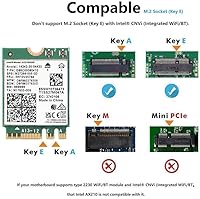
  • Form Factor: Uses the M.2 NGFF 2230 A/E key form factor, the standard slot type found on a wide range of Intel-platform desktop motherboards and select laptops.
  • Interface: Connects to the host system via a PCIe x1 interface embedded within the M.2 slot, requiring no separate PCIe lane or adapter bracket for supported motherboards.
  • Security Protocol: Supports WPA3, the current industry-standard Wi-Fi security protocol, while maintaining full backward compatibility with WPA2-secured networks.
  • Antenna Gain: Ships with two 8dBi external antennas, which provide higher signal gain than the lower-dBi antennas commonly bundled with competing budget cards.
  • Included Accessories: The package contains an IPEX antenna cable, two 8dBi antennas, and mounting brackets, supplying the necessary hardware for a complete desktop installation.
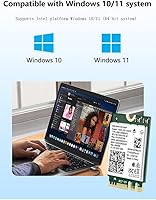
  • OS Compatibility: Officially supported on Windows 10 and Windows 11 in 64-bit editions only; 32-bit operating systems and Linux distributions are not supported by CORN.
  • Driver Source: Drivers are not pre-loaded or automatically installed; the user must download and install them manually from Intel's official support website after hardware installation.
  • Compatible Devices: Designed to work with desktop PCs and laptops that carry a compatible M.2 NGFF A/E key slot on an Intel CPU-based motherboard.
  • Package Dimensions: The retail package measures 7.83 x 4.92 x 0.75 inches, a compact footprint that reflects the small physical size of the M.2 card itself.
  • Item Weight: The complete package, including all accessories, weighs 3.2 oz, making it a lightweight addition to any PC build or upgrade project.
  • Brand: Manufactured and sold under the CORN brand, a third-party hardware label that sources and repackages Intel AX210-based cards for the consumer upgrade market.
  • Market Rank: Holds a Best Sellers Rank of #101 in the Internal Computer Networking Cards category on Amazon, indicating sustained and above-average sales volume for this product type.

Related Reviews
BZIZU WiFi 6E Intel AX210 PCIe Card
87%
94%
Performance for Gaming
91%
Performance for Streaming
89%
Ease of Setup
85%
Bluetooth 5.3 Connectivity
92%
WiFi Speed (5400Mbps)
More
WAVLINK WL-WN675X3 WiFi 6E PCIe Network Card
78%
83%
WiFi Performance
67%
6GHz Band Usability
74%
Installation Ease
78%
Bluetooth 5.3 Performance
86%
Antenna Design & Placement
More
OKN AX210 WiFi 6E PCIe Card
78%
91%
Value for Money
83%
Wireless Performance
74%
Installation Ease
61%
6GHz Band Access
71%
Bluetooth Performance
More
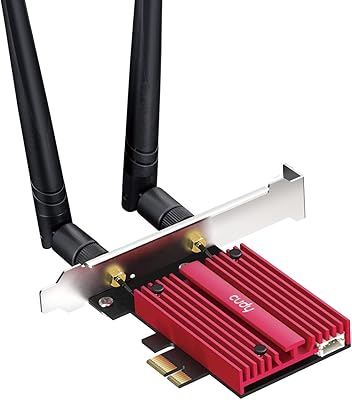
Cudy WE4000 WiFi 6E PCIe Card
81%
91%
Value for Money
83%
WiFi Performance
88%
Installation Ease
62%
Bluetooth Functionality
84%
Driver Stability
More
TEROW ROW076 WiFi 6 PCIe Network Card
85%
87%
Performance
90%
Installation Ease
89%
WiFi Speed & Reliability
85%
Bluetooth Connectivity
91%
Gaming Experience
More
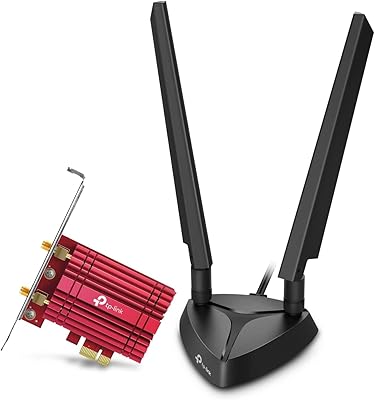
TP-Link Archer TXE75E WiFi 6E PCIe Card
82%
88%
Wireless Performance
83%
Installation Ease
91%
Chipset Reliability
67%
Bluetooth Functionality
74%
6 GHz Band Access
More
Cudy WiFi 7 BE9300 WE9300 PCIe WiFi Card
85%
88%
Wi-Fi Performance
91%
Installation & Setup
84%
Stability & Connectivity
92%
Compatibility with Intel Systems
87%
Bluetooth 5.4 Performance
More
BrosTrend 5Gbps PCIe Network Card
79%
91%
Installation Ease
83%
Real-World Speed Gains
58%
OS & Platform Compatibility
84%
Build & Component Quality
88%
Value for Money
More
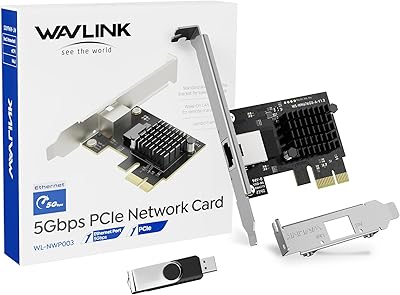
WAVLINK 5GB PCIe Network Card
87%
89%
Installation Ease
91%
Performance (Speed)
90%
Value for Money
88%
Compatibility with OS
85%
Build Quality
More
ipolex I350-T4 Quad-Port Gigabit Network Card
83%
93%
Driver Compatibility
91%
Value for Money
82%
Build Quality
88%
OS Compatibility Range
84%
Thermal & Power Efficiency
More

FAQ

This is the single most important compatibility question to answer before buying. The AX210 adapter is designed for Intel CPU platforms and M.2 A/E key slots that follow Intel's CNVi or standard PCIe wiring. Many AMD motherboards wire their M.2 A/E slots differently, which causes the card to go undetected or fail entirely. Check your motherboard manual to confirm the slot type before ordering.

You do not need one to use the card — it will fall back to Wi-Fi 5 or Wi-Fi 6 on an older router. However, the 6GHz band, which is the headline feature of Wi-Fi 6E hardware, only activates when connected to a router that also supports Wi-Fi 6E. If your router is a few years old, you will likely be running this card at Wi-Fi 5 or Wi-Fi 6 speeds until you upgrade your router.

It is not plug-and-play. After physically installing the card, you need to visit Intel's support website, locate the AX210 driver package, and install it manually. The process itself is not technically difficult — download, run the installer, restart — but it is an extra step that some buyers do not expect. Having a wired ethernet connection or a USB adapter handy for the initial download makes this much easier.

Yes, both Windows 10 and Windows 11 in 64-bit editions are officially supported. Just make sure you are running a 64-bit version of either OS, as 32-bit installations are not compatible.

Think of 2.4GHz as the long-distance band — it travels further through walls but carries less data and is often congested. The 5GHz band is faster and less crowded, suitable for most everyday use. The 6GHz band is the newest and least congested option, offering the lowest latency and highest throughput, but its range is shorter and it requires a Wi-Fi 6E router to access.

The bundled 8dBi antennas are genuinely better than what many competing cards include. For most home setups — even larger ones — they perform well. If you are mounting your PC in an unusually remote location or inside a metal case with poor signal clearance, aftermarket antennas with magnetic bases and longer cables are an option, but they are not necessary for the average installation.

Potentially yes, but it depends entirely on your laptop's internal design. Your laptop needs an accessible M.2 NGFF A/E key slot, which is not universal. More importantly, most laptops route the antenna cables internally, so you would use those rather than the bundled external antennas. It is a more involved process than a desktop install, and you should check your laptop's service manual first.

Many desktop motherboards and older laptops still ship with Bluetooth 4.2 or 5.0. Bluetooth 5.3 offers a meaningful range improvement and better handling of interference when multiple wireless devices are operating nearby. In practice, users most often notice the difference with wireless headsets and mice, where connection dropouts become far less frequent.

Yes on both counts. The card supports WPA3, which is the current security standard for modern routers, and it is fully backward compatible with WPA2. You do not need to change anything on your existing network to use this card — it will connect to WPA2 networks without any issues.

First, confirm the card is fully seated in the M.2 slot and that the IPEX antenna cable is connected. Then check Device Manager to see if the card appears with an error code. In most cases, the fix is simply downloading and installing the correct Intel AX210 driver from Intel's website. If the card is completely invisible in Device Manager, the issue is often a motherboard compatibility problem, particularly on AMD platforms.