OKIOLABS OKIOCAM T-4K








Overview
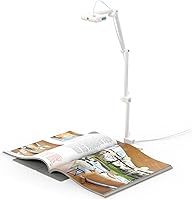
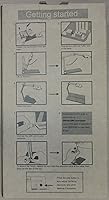
The OKIOLABS OKIOCAM T-4K is a compact, foldable USB document camera that has quietly built a loyal following among teachers, online tutors, and remote professionals since its launch in late 2019. What separates it from bulkier competitors is its ability to capture ledger-size materials — full open textbooks, architectural blueprints, detailed maps — without consuming much desk space. It works across Windows, Mac, iOS, Chrome OS, and interactive displays straight out of the box, no driver installation required. For buyers who want genuine 4K-level image quality without stepping into professional-grade pricing territory, this USB doc cam occupies a genuinely useful middle ground.
Features & Benefits
The 8MP CMOS sensor captures images at up to 3264 x 2448 pixels — in practice, that means text and fine detail that holds up clearly on a projected screen. Streaming runs at a lag-free 30fps in full HD, which matters when you're holding up a student's worksheet in real time. Four physical buttons on the body let you adjust focus, exposure, zoom, and flip the image without digging into software menus. The standout feature is OKIOPoint, an AI-assisted visual pointer that tracks and highlights document content during live presentations. Lossless sensor zoom keeps close-up shots crisp rather than pixelated, which cheaper cameras rarely manage.
Best For
This document camera is an obvious fit for K-12 and university teachers who regularly need to display physical materials — handwritten notes, textbook pages, lab diagrams — to students in person or over video. Online tutors and remote workers will appreciate how easily it slots in as a secondary camera without any setup friction. Its max viewing area handles large-format documents, making it useful for architects, illustrators, or anyone working with oversized reference materials. The foldable magnetic base and lightweight build mean it travels well — toss it in a bag and it is ready for the next room or location. Chromebook users, in particular, will value its driver-free operation.
User Feedback
With over 2,500 ratings and a 4.5-star average, the OKIOCAM T-4K has clearly resonated with buyers across the long haul. Recurring praise centers on image sharpness, minimal setup time, and how much smaller it is than older-style document cameras. The OKIOPoint feature consistently comes up as something educators did not expect to find genuinely useful. That said, the feedback is not uniformly glowing. The absence of a built-in microphone and integrated lighting means you will need external gear if your room is dim or if you are recording audio alongside video. A portion of less tech-savvy buyers also mention that the companion software takes some getting used to before it feels intuitive.
Pros
- Plug-and-play setup works immediately on Windows, Mac, Chrome OS, and iOS — no driver installation needed.
- 8MP sensor delivers sharp, detailed captures that hold up clearly on projected classroom screens.
- Ledger-size viewing area fits an entire open textbook or blueprint in a single, unobstructed frame.
- Lag-free 30fps full HD streaming keeps live document sharing smooth during video calls and lessons.
- OKIOPoint AI pointer lets presenters highlight document sections hands-free during live sessions.
- Lossless sensor zoom keeps close-up captures crisp without the pixelation digital zoom causes.
- Foldable magnetic base and lightweight build make this USB doc cam genuinely easy to pack and carry.
- Four physical hardware buttons allow quick focus, exposure, and zoom adjustments without opening any software.
- Bundled OKIOCAM Live software adds annotation, recording, and timelapse at no additional cost.
- Over 2,500 verified ratings averaging 4.5 stars reflects consistent satisfaction across a wide range of buyers.
Cons
- No built-in microphone means a separate audio solution is required for narrated recordings or video calls.
- No integrated lighting leaves image quality dependent on room conditions, which vary significantly in real classrooms.
- The companion software has a noticeable learning curve that less tech-savvy users will need time to navigate.
- Advanced OKIOCAM Live features are not fully available across all supported platforms, particularly on iOS.
- Maximum resolution streaming drops to 25fps, which feels slightly less fluid during fast-paced live demonstrations.
- The plastic build, while functional, shows wear more quickly than metal-bodied competitors when used daily.
- Camera arm can drift slightly at full extension, requiring occasional repositioning mid-session.
- Buyers in dim or unevenly lit spaces will likely need to budget for a supplementary lighting accessory.
- Third-party platform users on Zoom or Teams may not be able to access OKIOPoint without running the native app alongside.
- Edge sharpness at maximum viewing area coverage is slightly softer than center-frame quality, noticeable with highly detailed documents.
Ratings
The OKIOLABS OKIOCAM T-4K has been scored by our AI engine after analyzing thousands of verified global buyer reviews, with spam, bot-submitted, and incentivized feedback actively filtered out before any score was calculated. The ratings below reflect the full picture — where this USB doc cam genuinely delivers and where real buyers have run into frustrations. Both sides are represented honestly, so you can make a well-informed decision before purchasing.
Image Quality
Ease of Setup
Portability & Design
Viewing Area Coverage
OKIOPoint AI Pointer
Software & Companion App
Streaming Performance
Physical Controls
Lossless Zoom Quality
Built-in Microphone
Built-in Lighting
Build Quality & Durability
Cross-Platform Compatibility
Value for Money
Overall User Satisfaction
Suitable for:
The OKIOLABS OKIOCAM T-4K is built for people who regularly need to share physical documents in a digital environment — and who want that process to be as frictionless as possible. It is an especially strong fit for classroom teachers, whether they are running hybrid lessons, recording instructional videos, or projecting handwritten notes in real time to a room full of students. Online tutors who move between subjects and need to quickly display printed worksheets, textbook pages, or hand-drawn diagrams will get consistent, reliable results without fiddling with settings mid-session. Professionals like architects, illustrators, or technical consultants who occasionally need to digitize or present large-format reference materials will also find the ledger-size viewing area genuinely practical rather than just a spec on a page. Chromebook users and Mac users in particular benefit from the zero-configuration USB setup, which sidesteps the driver headaches that make some competing cameras a hassle to deploy in school or shared-device environments. If portability matters — moving between classrooms, working from a coffee shop, or packing a bag for a client meeting — the folding design and light build make this USB doc cam one of the more travel-ready options in its category.
Not suitable for:
The OKIOLABS OKIOCAM T-4K is not the right tool for buyers expecting a fully self-contained recording or broadcasting kit straight out of the box. There is no built-in microphone, so anyone planning to record narrated lessons or run video calls using just this camera will need to source a separate audio solution — an added expense and a setup step that catches some buyers off guard. Similarly, the lack of integrated lighting means that in dim classrooms, evening tutoring sessions, or rooms with inconsistent overhead lighting, image quality degrades in ways that a ring light or desk lamp could easily fix, but the camera cannot compensate on its own. Users who are not comfortable exploring companion software will likely find the OKIOCAM Live application requires more time investment than they anticipated before it becomes second nature. Buyers looking for a dedicated video conferencing webcam with wide-angle room coverage will also find this camera poorly suited to that use case — it is optimized for downward document capture, not for framing a person's face and background. And if your work involves extreme close-up macro photography of tiny objects, the zoom range, while clean and lossless, may fall short of what a specialized macro-capable camera can achieve.
Specifications
- Sensor: Equipped with an 8MP 1/3.2″ CMOS image sensor capable of capturing highly detailed, color-accurate images in real time.
- Max Resolution: Captures still images and video at up to 3264 x 2448 pixels, delivering ultra-high-definition output suitable for detailed document display.
- Frame Rate: Streams at up to 30fps in full HD and up to 25fps when operating at maximum resolution (3264 x 2448p).
- Viewing Area: Covers a maximum viewing area of 13.86″ x 18.11″, large enough to capture a full ledger-size sheet or both pages of an open book simultaneously.
- Connectivity: Connects via USB and operates as a plug-and-play device requiring no driver installation on supported operating systems.
- Compatibility: Compatible with Windows, macOS, iOS, Chrome OS, and interactive display systems without additional configuration.
- Physical Controls: Features four dedicated hardware buttons on the camera body for adjusting focus, exposure, zoom level, and flipping the image 180 degrees.
- Zoom Type: Uses lossless sensor-based zoom to maintain image clarity during close-up capture without the pixelation associated with digital zoom processing.
- Design: Foldable arm construction with a magnetic base that locks the camera in position during use and secures it flat during storage or transport.
- Dimensions: Measures 7.64 x 3.94 x 1.61 inches when folded, making it compact enough to fit in a standard laptop bag alongside other accessories.
- Weight: Weighs 12.8 oz (363g), keeping it light enough for daily commuting between classrooms or home and office environments.
- Built-in Microphone: Does not include an integrated microphone; external audio capture hardware is required for narrated recordings or voice-inclusive video calls.
- Built-in Light: Does not include integrated lighting; performance in dim or unevenly lit environments depends on available ambient light or external lighting accessories.
- Software: Bundled with OKIOCAM Live, a companion application supporting live annotation, digital zoom, image rotation, video recording, snapshots, stop-motion, and timelapse.
- AI Pointer: Includes OKIOPoint, an AI-assisted visual pointer that tracks document content and enables on-screen zoom and highlighting during live presentations.
- Model Number: Official manufacturer model number is OKL-T1, produced by OKIOLABS and first made available in December 2019.
- User Rating: Holds a 4.5-out-of-5-star rating based on more than 2,500 verified buyer reviews on Amazon as of the time of this analysis.
Related Reviews
OKIOLABS OKIOCAM T Plus Document Camera
OKIOCAM S-4K
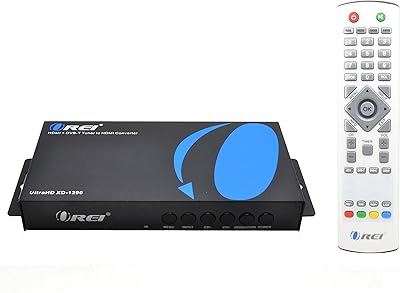
OREI XD-1290
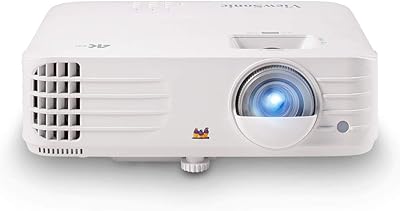
ViewSonic PX701-4K 4K Home Theater Projector
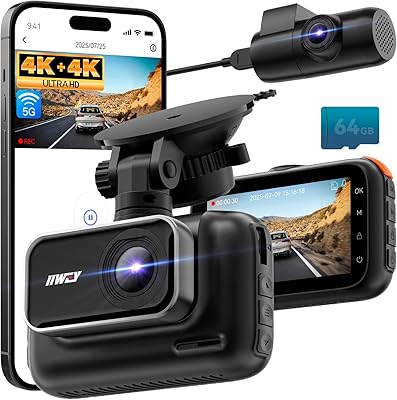
IIWEY Q5 4K+4K Dual Dash Cam
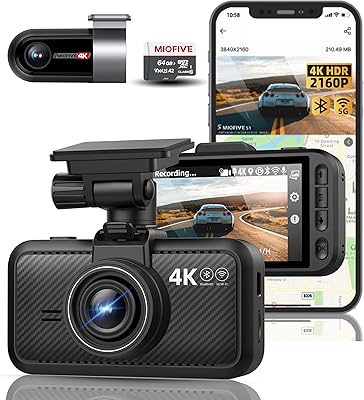
Miofive S1 Ultra 4K+4K Dual Dash Cam

ViewSonic VP2768a-4K 27-Inch 4K Monitor

ViewSonic VP3256-4K 32-inch 4K IPS Monitor
Vantrue S1 Pro Max 4K+4K
