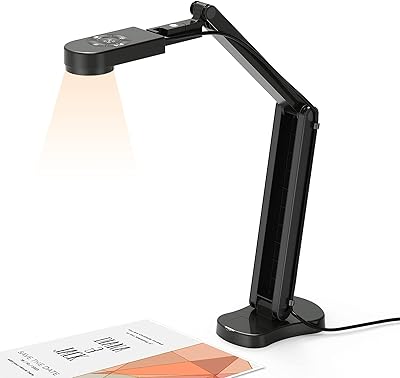
OKIOLABS OKIOCAM T Plus Document Camera


Overview
The OKIOLABS OKIOCAM T Plus Document Camera emerged from a very specific moment in education — when teachers suddenly needed to replicate the classroom experience from their kitchen tables. It combines a document camera, a front-facing webcam, and a dry-erase writing surface into one compact unit. At its mid-range price point, it sits in an interesting spot: more capable than a basic USB webcam, but more affordable than dedicated document camera systems. It connects via USB and works with Windows, Mac, and Chromebook without any driver installation. Worth noting upfront: this is a tool built for educators, not general video conferencing or photography.
Features & Benefits
The 5MP sensor delivers sharp, readable images — fine enough to capture handwritten notes, printed textbook text, and detailed diagrams without the blurry smearing you get from a basic webcam. With the included arm extender, the shooting area stretches to cover ledger-size 11-by-17-inch documents or a fully open textbook, which is genuinely useful for math teachers or tutors working through problem sets. The integrated dry-erase board at the base is a clever touch: you can sketch a quick diagram or write out a formula and it shows on camera instantly, with cleanup taking just a few seconds. Physical buttons handle zoom, exposure, flip, and auto-adjust, and they work across Zoom, Google Meet, Teams, and virtually any other app. The whole unit weighs under 13 ounces.
Best For
This teaching camera was made for a specific type of user, and it works best when deployed in that context. K-12 and university teachers running hybrid or remote lessons will find it covers most bases: document display, live annotation, and front-facing video in a single setup. Tutors explaining multi-step problems — whether in algebra, chemistry, or essay structure — will appreciate being able to flip between showing a printed page and sketching directly on the board. Homeschool educators with limited desk space will find the compact footprint practical. That said, if you are not in education or training, this document camera is probably overkill. General office workers or people looking for a standard webcam upgrade would be better served by a simpler solution.
User Feedback
With a 4.2 out of 5 rating across roughly 240 reviews, the OKIOCAM T Plus earns generally solid marks from its core audience. Teachers consistently highlight the dry-erase board as something that genuinely sets it apart — most competing document cameras simply do not offer that. Portability comes up often, with users noting how easy it is to pack up and carry between school and home. On the critical side, a few buyers have reported inconsistent image quality under dim or uneven lighting, and the physical buttons have a short learning curve that can feel awkward at first. There are also some durability concerns around the arm joint over prolonged daily use. Nothing deal-breaking, but worth knowing going in.
Pros
- The built-in dry-erase board is a genuine differentiator — no competing document camera at this price includes one.
- Covers ledger-size 11-by-17-inch documents and open textbooks with the included arm extender.
- 5MP resolution captures fine printed text and handwritten notes with enough clarity for students to read easily.
- Plug-and-play USB setup works immediately on Windows, Mac, and Chromebook without installing any drivers.
- One-touch buttons for zoom, flip, and auto-adjust work reliably across all major video conferencing apps.
- At under 13 ounces, this document camera is light enough to commute with daily without any hassle.
- Low-odor dry-erase marker and microfiber cleaning cloth are included out of the box.
- Auto-adjust button corrects focus, exposure, and white balance in a single press — useful mid-lesson.
Cons
- Image quality degrades noticeably under dim or uneven lighting, which is a real issue in many classrooms.
- The dry-erase board surface is small — do not expect it to replace a proper whiteboard for extended writing.
- Physical control buttons have a learning curve and can feel unintuitive during a live lesson.
- Some users have raised concerns about long-term arm joint stability with heavy daily use.
- Not designed for face-to-camera video quality, so it falls short as a general-purpose webcam.
- The arm extender adds bulk when fully deployed, making the setup feel less tidy on a small desk.
- No condenser microphone included at this tier, so audio still depends on a separate solution.
- Users outside education or online training are unlikely to get enough use out of the specialized feature set to justify the cost.
Ratings
The OKIOLABS OKIOCAM T Plus Document Camera has been evaluated by our AI rating system after analyzing verified buyer reviews from global markets, with spam, bot activity, and incentivized feedback actively filtered out to ensure the scores reflect genuine user experiences. The result is a transparent, balanced scorecard that captures both the areas where this teaching camera genuinely excels and the real-world friction points that educators and trainers have encountered. Strengths and limitations are weighted equally, so you can make a confident buying decision based on what actual users have lived with day to day.
Document Capture Quality
Whiteboard Integration
Coverage & Shooting Area
Ease of Setup
Portability
Button Controls & Usability
Video Conferencing Compatibility
Build Quality & Durability
Lighting Adaptability
Included Accessories
Value for Money
Platform & OS Compatibility
Marker & Surface Cleanup
Suitable for:
The OKIOLABS OKIOCAM T Plus Document Camera was built with one user in mind: the educator who needs to do more than just show their face on a video call. If you are a K-12 teacher, university instructor, or private tutor running lessons over Zoom, Google Meet, or Teams, this teaching camera covers a genuine gap — it lets you display physical documents, textbooks, and worksheets in clear detail, then pivot instantly to sketching out a formula or diagram on the built-in whiteboard base without switching tools or losing momentum. Homeschool parents who want a tidy, all-in-one setup rather than a cluttered collection of cameras, stands, and whiteboards will also find real value here. The plug-and-play USB connection means there is no software to fight with, which matters on a busy school morning, and the lightweight build makes it practical to carry between a classroom and home without adding noticeable weight to a bag.
Not suitable for:
If your primary goal is a high-quality webcam for business meetings, content creation, or streaming, the OKIOLABS OKIOCAM T Plus Document Camera is not the right fit — its design priorities are document capture and annotation, not flattering face-to-face video. The integrated whiteboard is compact and works well for quick formulas or sketches, but anyone expecting a meaningful writing surface for extended brainstorming or detailed diagrams will find it limiting compared to even a small standalone whiteboard. Buyers who work in dim offices or spaces with inconsistent overhead lighting should also be cautious, as image quality can become unreliable under those conditions. This teaching camera is a niche tool priced accordingly, and general office workers, photographers, or remote employees who simply want a webcam upgrade will find better-suited options at a similar or lower cost.
Specifications
- Model Number: The unit carries the official model designation OKL-T2, manufactured by OKIOLABS.
- Camera Resolution: The sensor captures still images at up to 5MP (2592x1944 pixels), suitable for reading fine printed text and handwritten notes on screen.
- Video Resolution: Video is recorded and streamed at up to 1944p, providing a sharp live feed for document presentation during online lessons.
- Max Shooting Area: With the arm extender attached, the camera covers a maximum shooting area of approximately 13.7″ x 18.9″, enough for ledger-size and open textbook pages.
- Document Support: The camera supports both standard letter or A4 documents and larger ledger-size (11″ x 17″) sheets when the included arm extender is in use.
- Weight: The unit weighs 12.8 oz (363g), keeping it light enough to carry between locations without adding meaningful bulk to a bag.
- Dimensions: When folded, the camera measures 13.35″ x 7.95″ x 11.93″; with the arm extender deployed, the height extends to 16.93″.
- Connection Type: The camera connects via USB and is fully plug-and-play, requiring no driver installation or companion software on any supported platform.
- Compatibility: The device works natively with Windows, Mac, and Chromebook operating systems, and functions across major video conferencing applications including Zoom, Google Meet, and Microsoft Teams.
- Control Buttons: Four physical one-touch buttons on the unit handle zoom, exposure adjustment, image flip, and full auto-adjust (focus, exposure, and white balance simultaneously).
- Whiteboard Base: An integrated dry-erase writing surface is built into the camera base, providing a compact area for writing formulas, sketches, or annotations directly on camera.
- Included Accessories: The package includes a low-odor dry-erase marker, a microfiber cleaning cloth, and the arm extender needed for wider document coverage.
- Macro Focus Range: The camera supports a macro focus range of 1 to 10 cm, allowing close-up capture of small text or fine detail when needed.
- Shooting Modes: Supported shooting modes include automatic, aperture, automatic program, macro, burst, sports, panorama, and night, though most teaching use cases rely on the automatic mode.
- Exposure Control: Exposure is managed automatically by default, with the option to make manual adjustments via the dedicated exposure button on the unit.
Related Reviews
OKIOLABS OKIOCAM T-4K
OKIOLABS OKIOCAM S Plus
OKIOCAM S-4K
OKIOCAM S2 Pro
PAKOTOO PA-800 USB Document Camera
Ideao DC400 4K USB Document Camera
IPEVO VZ-R
HUE HD Pro Document Camera
Reolink Go PT Plus Solar Security Camera