OKIOCAM S-4K



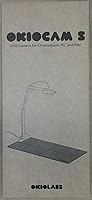



Overview
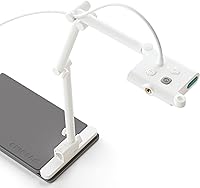
The OKIOCAM S-4K entered the classroom camera market in late 2019 as a practical middle ground between cheap fixed-lens webcams and expensive professional overhead systems. Built around an 8MP CMOS sensor, this document camera captures images at up to 3264x2448 — sharp enough to read fine print on a printed worksheet without squinting at the screen. It folds flat, weighs under ten ounces, and connects over USB without any driver installation. Whether your school runs Windows, Mac, Chrome OS, or iOS, it just works. That kind of plug-and-play reliability matters more than most spec-sheet numbers when you have thirty students waiting.
Features & Benefits
The standout feature here is OKIOPoint, an AI-assisted visual pointer that ships with the OKIOCAM Live software. Point at a paragraph on a worksheet and the camera automatically zooms in and follows your finger — genuinely useful when walking students through a math problem or annotating a map without touching the keyboard. Beyond that, four physical buttons on the body handle focus, exposure, zoom, and a 180-degree image flip, so adjustments take seconds mid-lesson. Streaming holds steady at 30fps in full HD, and the hinges have been stress-tested past 10,000 rotations, which suggests OKIOLABS designed this classroom cam to survive daily folding without loosening over time.
Best For
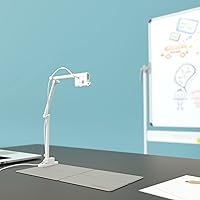
This document camera is an especially strong fit for teachers in hybrid classrooms who need to show physical materials — textbooks, handwritten notes, lab specimens — to both in-room and remote students simultaneously. Tutors working from home will appreciate how easily it tucks into a bag and sets up on any desk. Homeschool parents running tight on workspace will find the foldable magnetic base keeps things tidy between sessions. It also works well for office professionals who frequently share printed documents over Zoom or Teams and want something cleaner than holding pages up to a webcam. Basically, anyone juggling physical and digital workflows in a limited space.
User Feedback
Across more than 4,400 ratings, this classroom cam holds a 4.5-star average — a credible signal given the volume. Teachers frequently mention that the image quality exceeds expectations for the price tier, and the OKIOPoint pointer draws genuine enthusiasm from educators who found it actually changed how they present. That said, two recurring criticisms are worth taking seriously: the lack of a built-in microphone means you will need a separate audio solution, and there is no integrated light, so performance in dimly lit rooms can disappoint. A handful of reviewers also flagged occasional hiccups with the companion software on older operating systems. Not a perfect device, but a well-rounded choice for most classroom needs.
Pros
- Plug-and-play USB setup works instantly across Windows, Mac, Chrome OS, and iOS — no driver headaches.
- The OKIOPoint AI pointer automatically zooms and tracks your finger, keeping lessons moving without keyboard interruptions.
- Covers a full Letter or A4 page in landscape orientation from a genuinely compact body.
- Hinges are lab-tested to over 10,000 rotations, holding up well under daily classroom fold-and-unfold cycles.
- Streams at a smooth 30fps in full HD, keeping document presentations fluid on Zoom or Google Meet.
- The OKIOCAM Live software adds annotation, stop-motion, and timelapse tools at no extra cost.
- Four physical buttons let you adjust focus, exposure, and zoom mid-lesson without touching your computer.
- Weighing under ten ounces, this document camera fits easily into a standard laptop bag.
- A 4.5-star average across more than 4,400 ratings reflects broad, sustained buyer satisfaction.
- Image clarity consistently impresses users, especially given the mid-range price positioning.
Cons
- No built-in microphone means you must source a separate audio solution for recording or live virtual classes.
- No integrated light leaves image quality vulnerable in dim classrooms or evening tutoring sessions.
- UHD resolution is capped at 15fps, producing a noticeably choppy feed during any camera movement.
- The companion software has reported stability issues on older Windows machines and some Chromebook setups.
- The white plastic casing scuffs and smudges visibly with everyday school handling.
- No carrying case is included despite portability being a central selling point.
- The four control buttons are closely spaced, making accidental presses a real issue during hurried classroom transitions.
- OKIOPoint tracking can lose accuracy or lag under uneven or low ambient lighting conditions.
- Chrome OS users get a narrower software feature set compared to the full Windows and Mac experience.
Ratings
Our AI-generated scores for the OKIOCAM S-4K were produced by analyzing thousands of verified global buyer reviews, with spam, bot activity, and incentivized feedback actively filtered out before scoring. The ratings reflect both what this classroom cam genuinely does well and where real users ran into frustration — nothing is glossed over. Whether you are weighing image quality against missing hardware features or comparing portability against software reliability, the breakdown below gives you an honest, data-backed picture.
Image Quality
Portability & Design
Ease of Setup
OKIOPoint AI Pointer
Software & Companion App
Build Durability
Streaming Performance
Field of View & Coverage
Built-in Microphone
Built-in Lighting
Value for Money
Compatibility & Cross-Platform Support
Physical Controls
Unboxing & Accessories
Suitable for:
The OKIOCAM S-4K is built around the needs of educators, and that focus shows in nearly every design decision. K-12 and university teachers who move between classrooms will appreciate how quickly it folds flat, drops into a bag, and sets up on any desk without installing a single driver. It works equally well for remote tutors who need to show a student a textbook page or handwritten working over a video call — the 8MP sensor keeps text sharp enough that fine print is readable on the other end. Homeschool parents who share a desk between multiple uses will find the compact footprint and magnetic base genuinely practical rather than just a marketing claim. Professionals who regularly need to share printed reports, contracts, or physical reference materials over Zoom or Teams will also find this classroom cam a cleaner, more reliable solution than propping documents up against a laptop screen.
Not suitable for:
Buyers who need an all-in-one audio-visual solution should think carefully before purchasing the OKIOCAM S-4K, because there is no built-in microphone — a real omission for anyone planning to record lessons or run live virtual classes without a separate audio setup. Similarly, if your teaching or working environment is poorly lit, you will almost certainly need to budget for an external desk light, since this document camera has no integrated illumination and the sensor struggles noticeably in dim conditions. Content creators or professionals who need smooth, high-frame-rate 4K video will be let down — the maximum resolution tops out at 15fps, which is fine for static document display but visually choppy for anything involving movement. Users running older Windows machines or certain Chromebook configurations have also reported software instability with the companion app, so anyone dependent on advanced software features like timelapse or annotation in a mission-critical setting should verify compatibility before committing.
Specifications
- Sensor: The camera uses an 8-megapixel CMOS sensor designed for accurate color reproduction and improved performance in typical indoor lighting conditions.
- Max Resolution: Maximum capture resolution is 3264x2448 pixels (UHD), suitable for rendering fine text and detailed printed materials with clarity.
- Frame Rate: Streams at up to 30fps at 1080p full HD, dropping to a maximum of 15fps when operating at full UHD resolution.
- Viewing Area: Capable of capturing a full Letter or A4 page in landscape orientation without cropping from its standard mounting position.
- Connectivity: Connects via USB and operates as a plug-and-play device requiring no additional drivers on any supported operating system.
- Compatible OS: Fully compatible with Windows, macOS, iOS, and Chrome OS; works with standard video conferencing platforms including Zoom, Teams, and Google Meet.
- Dimensions: The camera body measures 7.32 x 3.15 x 1.61 inches when unfolded for use.
- Weight: The camera body weighs 9.5 oz, with the magnetic base bringing the total operating weight to approximately 12.8 oz (363g).
- Design: Features a foldable arm construction with a magnetic base that locks the camera flat for storage and travel.
- Onboard Controls: Four physical buttons on the camera body control focus adjustment, exposure level, optical zoom, and 180-degree image flip.
- Built-in Microphone: No built-in microphone is included; a separate external audio source is required for voice capture during recordings or live sessions.
- Built-in Light: No integrated illumination is provided; performance in low-light environments may require a supplemental external light source.
- Software: Compatible with the free OKIOCAM Live software suite, which includes live annotation, digital zoom, video recording, snapshots, stop-motion, and timelapse tools.
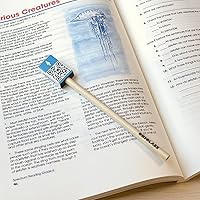
- AI Feature: Supports the OKIOPoint smart visual pointer accessory, which enables AI-tracked zoom-and-follow functionality within the OKIOCAM Live software.
- Hinge Durability: The hinge mechanism was lab-tested to withstand over 10,000 open-and-close rotations before showing signs of wear.
- Color: Available in white; the outer casing is plastic construction finished in a matte-to-semi-gloss white.
- Shooting Modes: Supports automatic shooting mode with an easy exposure control option for manual brightness adjustment in challenging lighting conditions.
- Manufacturer: Designed and sold by OKIOLABS, a company specializing in document camera hardware and companion software for educational environments.
Related Reviews
HyperX Vision S Webcam 4K
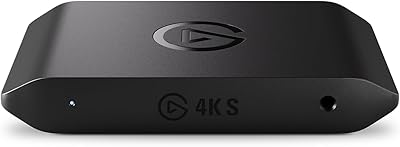
Elgato 4K S
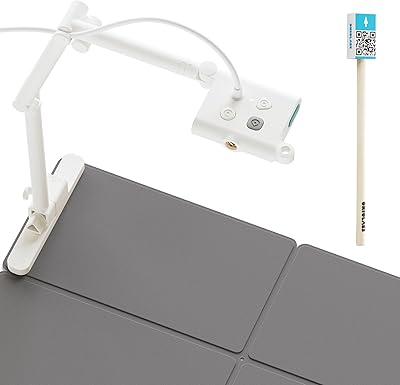
OKIOLABS OKIOCAM S Plus
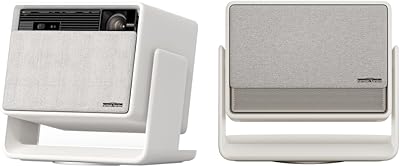
XGIMI Horizon S Max 4K Projector
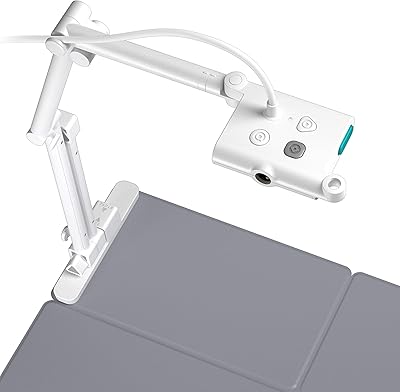
OKIOLABS OKIOCAM T-4K
Xiaomi TV Box S 3rd Gen
Xiaomi TV Box S 2nd Gen
G-STORY 14" Portable Monitor for Xbox Series S 4K
Anpviz IPC-D3083WD-S 8MP 4K PoE IP Camera