Overview

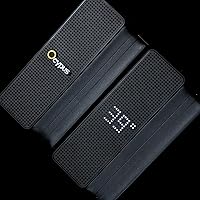
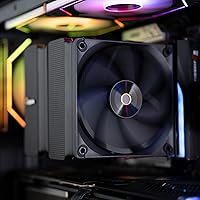
The Ocypus Iota A62 CPU Air Cooler enters a crowded mid-range market with one clear differentiator: a circular dot-matrix display on top that immediately sets it apart from the usual heatsink monotony. Ocypus isn't a household name yet — you're more likely to reach for a DeepCool AK620 or a be quiet! Pure Rock 2 at this price point — but this air cooler makes a genuine case for itself. It covers both AMD AM4/AM5 and Intel LGA 1700/1851 sockets, meaning it fits most modern builds without adapters or fuss. If you want solid thermal headroom and a bit of visual personality without committing to liquid cooling, this is worth a serious look.

Features & Benefits

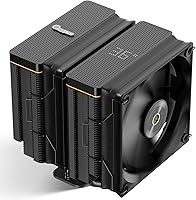
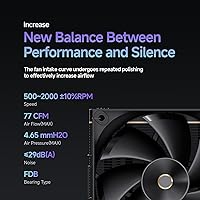
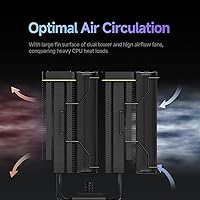
Six copper heat pipes run through an aluminum fin stack rated for up to 260W TDP — competitive territory for a cooler at this price tier, though real-world results will depend heavily on case airflow and ambient temps. The 120mm FDB fan spins between 500 and 2000 RPM, keeping noise at or below 29 dB(A) while pushing 77 CFM of air at 4.65 mmH2O static pressure. That's a reasonable balance for most gaming rigs. Fin edges are folded and clipped rather than plain-stamped, which adds structural rigidity and slightly reduces turbulence noise. The all-metal mounting kit supports AM4, AM5, LGA 1700, and 1851 out of the box — no hunting for separate brackets.

Best For

This tower cooler suits builders who want their rig to look intentional without going full custom loop. If you're running a Ryzen 7 or a mid-tier Intel Core chip under sustained gaming or creative workloads, the Iota A62 gives you enough thermal headroom to stay comfortable. Just check your RAM clearance first — at 158mm tall with a wide heatsink, it can crowd taller memory sticks in tighter cases. Compact ITX builds should look elsewhere. This air cooler also appeals to anyone who enjoys app-based customization but finds AIO maintenance or leak anxiety a dealbreaker. If you prefer air cooling and want something worth actually looking at, it checks both boxes.

User Feedback

With a 4.4 out of 5 star aggregate, the Iota A62 is clearly landing well with most buyers. The display and installation process draw consistent praise — people appreciate that mounting is straightforward and the dot-matrix top panel looks genuinely striking in a windowed build. Where things get more nuanced is the Ocypus software: a handful of users flag reliability issues on Windows, and if the app doesn't cooperate, the display loses much of its appeal. Thermal results under heavy loads get generally positive marks, though a few reviewers note that performance varies with case ventilation. Fan noise at full speed is occasionally flagged as louder than the spec suggests.

Pros

  • Six copper heat pipes deliver competitive thermal performance for mainstream gaming and creative workloads.
  • The dot-matrix circular display on top is a genuinely distinctive feature you rarely see at this price tier.
  • Broad socket support covers AM4, AM5, LGA 1700, and 1851 — useful if you plan to upgrade your platform soon.
  • Installation is straightforward thanks to all-metal mounting hardware that fits without improvisation.
  • The FDB fan bearing is a quality choice that tends to last longer and run quieter than sleeve-bearing alternatives.
  • At low to moderate loads, this tower cooler stays impressively quiet and mostly fades into the background.
  • PWM control keeps fan speed responsive to actual temperatures rather than running at a fixed noisy rate.
  • A 4.4 out of 5 star aggregate rating suggests most buyers come away satisfied with the overall package.
  • The folded-edge fin design adds structural rigidity and contributes to slightly smoother airflow through the stack.

Cons

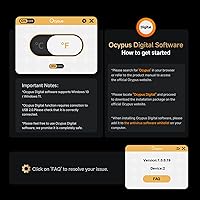
  • The Ocypus app is required to use the display properly, and software reliability has been inconsistent for some Windows users.
  • At peak fan speeds, noise levels can creep above what the official specification leads you to expect.
  • Tall memory modules may be blocked or require careful positioning depending on your motherboard layout.
  • The 260W TDP rating assumes good case ventilation — results in restricted airflow scenarios will be noticeably worse.
  • Ocypus is a newer brand with a shorter reliability track record compared to DeepCool or be quiet! at a similar price.
  • If the app stops being supported or updated, the display feature loses most of its long-term value.
  • The cooler is heavy enough at 1100g that cheaper or older motherboards with flexing PCB could be a concern during transport.
  • Single-fan configuration means it cannot match the raw cooling ceiling of dual-tower or dual-fan alternatives in the same bracket.

Ratings

The scores below reflect our AI-driven analysis of verified global buyer reviews for the Ocypus Iota A62 CPU Air Cooler, with spam, bot activity, and incentivized feedback actively filtered out before any scoring was applied. We've weighed both the enthusiasm from satisfied builders and the frustrations raised by critical users to give you a transparent, balanced picture. Every category — from thermal output to software reliability — is scored to reflect what real people actually experience, not what the spec sheet promises.

Thermal Performance
78%
22%
For a single-tower air cooler at this price point, the Iota A62 keeps mid-tier CPUs like the Ryzen 7 7700X and Core i5-13600K comfortably in check during extended gaming sessions. Users running sustained creative workloads report stable temperatures without thermal throttling under normal case airflow conditions.
Push it toward the upper end of its 260W claim with a power-hungry chip in a poorly ventilated case and temperatures creep up noticeably. Builders running high-TDP processors in compact enclosures consistently report that real-world headroom falls short of the rated ceiling.
Noise Level
74%
26%
At light to moderate CPU loads, this tower cooler is genuinely easy to forget about — the fan hums along quietly and doesn't compete with game audio or background music. The FDB bearing contributes to a smooth, consistent sound profile without the rattling or whine some cheaper bearings produce.
When the fan ramps up toward its 2000 RPM ceiling under heavy load, it gets noticeably louder than the sub-29 dB(A) spec implies for some users. Those building specifically for a quiet home theater or recording environment should expect occasional fan noise that breaks the silence during CPU-intensive bursts.
Display & Aesthetics
86%
The circular dot-matrix display on top is the most talked-about feature in positive reviews, and for good reason — it looks striking in a windowed mid-tower build and gives the rig a personality that plain heatsinks simply can't match. Buyers consistently describe it as looking premium and polished beyond what the price suggests.
The display is entirely passive without the Ocypus app running, which limits its appeal for users who prefer a set-and-forget setup. A small number of reviewers also note that the dot-matrix glyph style can look less impressive in brightly lit rooms compared to an RGB-heavy AIO pump head.
Software & App Reliability
58%
42%
When the Ocypus app cooperates, it gives users genuine control over display content and system readouts, which is more than most air coolers offer at any price. Initial setup on a clean Windows 11 install tends to go smoothly for the majority of first-time users.
App stability is the most recurring complaint in critical reviews — crashes, failure to detect the cooler after Windows updates, and inconsistent behavior across different motherboard vendors are all flagged regularly. The display's dependency on third-party software also raises a legitimate long-term support concern if Ocypus discontinues updates.
Ease of Installation
88%
The all-metal mounting hardware is a genuine highlight — it feels solid, includes everything needed for both AMD and Intel platforms, and the bracket system is logical enough that most builders complete the install without consulting a video tutorial. Users upgrading from an old stock cooler consistently describe the process as one of the cleaner installation experiences they've had.
A handful of users report that the instructions could be clearer for first-time builders unfamiliar with aftermarket cooler mounting, particularly when identifying which bracket corresponds to which platform. The cooler's weight also makes solo installation slightly awkward when trying to hold it level while securing the screws.
RAM Clearance
63%
37%
For builds running standard or low-profile DDR4 and DDR5 memory, clearance is rarely an issue, and the cooler sits comfortably without overhanging the DIMM slots on most ATX motherboards. Users with compact memory heatspreaders report zero problems whatsoever.
Tall DDR5 kits with aggressive heatspreaders — popular in enthusiast builds — regularly cause clearance headaches, with some users forced to either relocate the fan or populate only the outer DIMM slots. This is a real limitation worth checking against your specific memory and board combination before purchasing.
Build Quality
82%
18%
The fin stack feels dense and well-assembled out of the box, with no loose fins or sloppy soldering visible on inspection. The folded-edge fin design adds a level of structural rigidity that holds up well during transport and reseating, which matters for builders who move their systems frequently.
A small number of buyers report minor cosmetic blemishes on the fin stack or display surround upon arrival, suggesting quality control isn't perfectly consistent across production batches. The mounting backplate, while metal, feels slightly thinner than what competitors like DeepCool ship with comparable products.
Fan Quality
79%
21%
The FDB bearing fan is a step above what you typically get bundled with mid-range coolers, offering a lifespan and smoothness that budget sleeve-bearing fans can't match. Airflow at mid-range RPM is efficient relative to the noise produced, and the PWM curve response feels appropriately tuned for gaming workloads.
Only a single fan is included, which limits peak airflow potential compared to dual-fan tower coolers at similar prices like the DeepCool AK620. Some users also wish the fan controller offered more granular manual tuning beyond what standard motherboard PWM allows.
Platform Compatibility
91%
Coverage across AM4, AM5, LGA 1700, and LGA 1851 in a single box is practically everything a mainstream builder needs right now, and not having to source additional brackets is a real convenience. Reviewers upgrading from older Intel platforms specifically appreciate not needing to rebuy mounting hardware.
Support for older Intel platforms like LGA 2066 or AMD's Threadripper sockets is absent, which won't affect most buyers but does close the door on niche workstation builds. Documentation on bracket selection for LGA 115X could also be more explicit for users working with older boards.
Value for Money
76%
24%
The combination of six heat pipes, an FDB fan, and a functional digital display at this price tier is genuinely difficult to replicate with competing products. Buyers who prioritize visible features and solid mid-range cooling in one package consistently rate this as good value for what they paid.
If the app doesn't work reliably on your system, you're essentially paying a premium for a plain single-tower cooler that faces stiff competition from no-frills options that cool equally well for less. The value equation tilts unfavorably for buyers who don't care about aesthetics.
Cooling Headroom
72%
28%
For processors in the 95W to 150W TDP range — which covers the vast majority of gaming and productivity builds — this air cooler provides a comfortable buffer that keeps chips from ever approaching throttle limits during normal use. Users gaming for hours at a stretch report steady, predictable temperatures.
The gap between the 260W marketing claim and real-world sustained cooling capacity is noticeable once you stress-test with demanding chips in warm environments. Overclockers and users running prolonged rendering workloads on 12-core-plus processors will likely find the headroom tighter than they hoped.
Packaging & Unboxing
81%
19%
The cooler arrives well-protected with foam inserts that prevent fin damage in transit, and the accessory organization inside the box is clear enough that most users locate all hardware without digging. First impressions on unboxing tend to be positive based on how the cooler is presented.
Thermal paste application instructions are minimal for newcomers, and a few reviewers note that the included paste syringe is on the small side if you need to redo the application. Nothing catastrophic, but a slightly more complete accessory pack would feel more premium.
Long-term Reliability
67%
33%
The FDB fan bearing and copper-aluminum construction are both choices that favor longevity over the short term, and nothing in the physical build suggests the cooler will degrade quickly under normal use. Users who have run it for over six months report no changes in performance or noise characteristics.
The newer brand status of Ocypus means there is limited long-term reliability data compared to established names with years of field history. App continuity is also an open question — if Ocypus scales back software support, that display panel becomes a static ornament with no upgrade path.

Suitable for:

The Ocypus Iota A62 CPU Air Cooler is a strong pick for PC builders who want more than a plain heatsink but aren't ready to deal with AIO maintenance, leak risk, or the added cost of liquid cooling. If you're running a mid-tier AMD Ryzen or Intel Core processor under gaming or creative workloads, this air cooler gives you enough thermal headroom to stay out of trouble without babysitting fan curves all day. It's particularly well-suited to mid-tower cases with good ventilation, where the 158mm height fits without issue and case fans can assist the cooling stack. Builders who enjoy customizing their rig's appearance through software will appreciate the dot-matrix display on top — it's a genuinely unusual feature at this price point. Platform support is broad enough that the Iota A62 can follow you through a socket upgrade from LGA 1700 to 1851 or from AM4 to AM5 without buying new hardware.

Not suitable for:

The Ocypus Iota A62 CPU Air Cooler is not the right tool for every build, and it's worth being honest about where it falls short. If you're running a high-end desktop CPU with a sustained TDP pushing well past 200W — think flagship Ryzen 9 or Intel Core Ultra 9 chips under full creative load — this air cooler may struggle without ideal case airflow, and a larger dual-tower cooler or a 240mm AIO would serve you better. Compact ITX or mATX cases with tight clearances are also a poor match given the cooler's footprint and height. Buyers who want a truly silent build should also temper expectations: the fan can get audible when the system demands higher RPMs, and real-world noise may drift above what the spec sheet implies. Finally, if you have no interest in installing and maintaining third-party software, the display becomes a static decoration rather than the interactive feature it's designed to be — the Ocypus app is not optional for anyone who wants that functionality to actually work.

Specifications

  • TDP Rating: The cooler is rated to handle up to 260W of processor thermal output, making it suitable for mid-to-high-tier CPUs under sustained gaming or creative workloads.
  • Heat Pipes: Six copper heat pipes run through the fin stack, drawing heat away from the CPU contact base and distributing it across the aluminum radiator.
  • Fan Size: A single 120mm fan is mounted on the radiator and handles all airflow through the fin array.
  • Fan Speed: The fan operates across a range of 500 to 2000 RPM with a tolerance of plus or minus 10 percent, adjusting automatically via PWM signal.
  • Noise Level: At full load, noise output is rated at or below 29 dB(A), which sits at a reasonable threshold for most home office and gaming environments.
  • Airflow: The fan moves up to 77 CFM of air through the heatsink under optimal conditions.
  • Static Pressure: Static pressure is rated at 4.65 mmH2O, providing enough force to push air effectively through a dense fin stack.
  • Bearing Type: The fan uses a Fluid Dynamic Bearing (FDB), which is more durable and quieter over its lifespan than standard sleeve bearings.
  • Connector: Power is delivered through a standard 4-pin PWM header, compatible with any modern motherboard fan header.
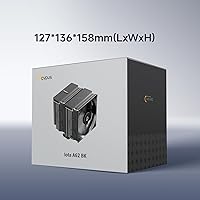
  • Dimensions: The radiator measures 127 × 136 × 158mm (approximately 5″ × 5.35″ × 6.22″), so case clearance should be confirmed before purchase.
  • Weight: The assembled cooler weighs approximately 1100g (just under 2.5 lbs), which is on the heavier side for a single-tower air cooler.
  • Materials: The fin stack is constructed from aluminum, while the heat pipes are made from copper for efficient thermal transfer between the two metals.
  • Voltage: The fan operates at 12V DC, standard for desktop PC cooling components.
  • Wattage: Total power draw is 2.4W, meaning it adds virtually nothing meaningful to your system's overall power consumption.
  • AMD Support: Compatible AMD sockets include AM4 and AM5, covering Ryzen processors from recent and current generations.
  • Intel Support: Compatible Intel sockets include LGA 115X, LGA 1200, LGA 1700, and LGA 1851, spanning from 10th-gen Core through Arrow Lake.
  • Display Type: The top of the cooler features a circular dot-matrix digital display that shows customizable glyphs and information via the Ocypus app.
  • App Requirement: Full use of the display requires installing the Ocypus companion app on Windows; without it, display functionality is limited.
  • Mounting Hardware: The included mounting kit is made entirely of metal and supports all listed AMD and Intel platforms without requiring separate bracket purchases.
  • Thermal Interface: Thermal paste is typically pre-applied or included in the box, though buyers should confirm contents at unboxing before installation.

Related Reviews
Ocypus Iota A40 CPU Air Cooler
85%
88%
Performance
94%
Noise Level
85%
Ease of Installation
90%
Compatibility
86%
Cooling Efficiency
More
Ocypus Iota L36 360mm AIO CPU Cooler
81%
83%
Thermal Performance
91%
Digital Temperature Display
87%
Noise Level
78%
Build Quality
81%
ARGB Lighting
More
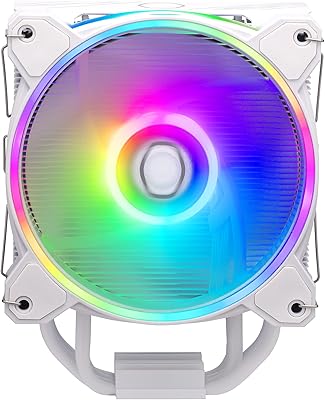
Cooler Master Hyper 212 Black CPU Cooler
79%
83%
Thermal Performance
79%
Noise Level
93%
Value for Money
76%
Installation Experience
81%
Build Quality
More
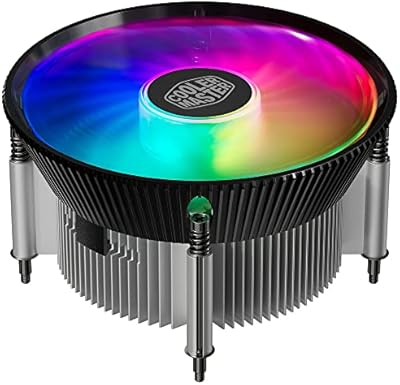
Cooler Master Hyper 212 Halo CPU Air Cooler
84%
88%
Cooling Performance
91%
Noise Level
85%
Ease of Installation
89%
Build Quality
80%
RGB Aesthetics
More
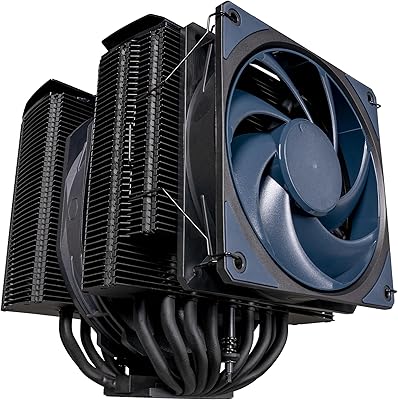
Cooler Master i70C Low-Profile CPU Cooler
78%
72%
Thermal Performance
88%
Noise Level
93%
Form Factor & Fit
86%
Installation Ease
78%
ARGB Lighting
More
Cooler Master i71C RGB Intel Low-Profile CPU Air Cooler
84%
88%
Cooling Performance
91%
Noise Level
85%
RGB Customization
89%
Build Quality
75%
Installation Ease
More
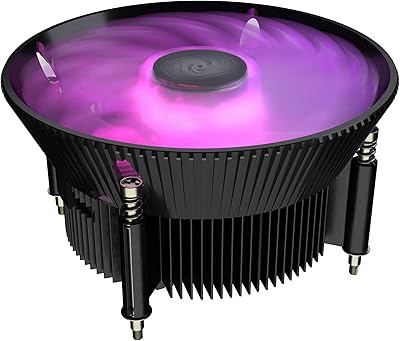
Cooler Master MasterAir MA824 Stealth CPU Cooler
81%
88%
Thermal Performance
91%
Noise Level
93%
RAM Clearance
72%
Installation Experience
89%
Build Quality & Materials
More
Cooler Master Hyper 622 Halo Dual Tower CPU Cooler
82%
83%
Thermal Performance
88%
Noise Level
89%
Ease of Installation
67%
RAM Clearance
86%
Build Quality
More
Ocypus Iota L24 AIO Cooler
87%
91%
Cooling Performance
94%
Noise Level
89%
RGB Lighting Customization
88%
Ease of Installation
93%
Compatibility with Intel and AMD Platforms
More
Vetroo V5 CPU Air Cooler
82%
73%
Thermal Performance
84%
Noise Level
91%
Value for Money
71%
Build Quality
88%
ARGB Lighting Quality
More

FAQ

Not really. The display itself will light up, but customizing what it shows — temperatures, patterns, or text — requires the Ocypus app on Windows. If you skip the software install, you lose most of what makes the display interesting in the first place.

Most standard mid-tower cases can accommodate it, but you should double-check your case's CPU cooler height clearance before buying. The Iota A62 stands 158mm tall, which is taller than some budget cases allow. Manufacturers usually list max CPU cooler height in their specs — just compare that number against 158mm.

It depends on the specific memory and motherboard layout. The cooler's width can overhang the first DIMM slot on some boards, which causes clearance problems with taller RAM heatspreaders. If you're running high-profile DDR5 sticks, check community build photos for your specific motherboard before committing.

On paper it tops out at 29 dB(A), which is fairly quiet. In practice, some users report it can get slightly louder than that when the fan spins up to its maximum under heavy CPU load. For most gaming sessions it stays unobtrusive, but if you're building a near-silent PC, keep that in mind.

The cooler ships with a single fan, and Ocypus doesn't officially advertise push-pull support or sell a matching fan separately. You could theoretically clip a compatible 120mm fan to the other side, but clip compatibility isn't guaranteed without additional hardware. Most users at this performance tier won't need push-pull anyway.

Yes, LGA 1851 is listed as a supported socket, and the included mounting hardware covers it without any adapter. That said, it's always worth confirming your specific motherboard's backplate situation before you start the install.

Most buyers report it's pretty straightforward. The all-metal mounting hardware is clearly labeled, and the bracket system is similar to what you'd find on DeepCool or Noctua coolers. Budget about 20 to 30 minutes if you're doing it for the first time, and follow the included instruction sheet step by step.

Thermal paste is generally included with coolers in this category, and the Iota A62 follows that convention — you should find a small tube or pre-applied paste in the box. That said, always inspect the package contents when you unbox it. If you already own a quality paste like Thermal Grizzly Kryonaut, using it instead won't hurt.

At this price tier, a 240mm AIO will typically edge out a single-tower air cooler on peak thermal performance, especially for chips that run hot under sustained load. However, this air cooler wins on long-term reliability — there are no pumps to fail and no coolant to degrade. If you're not pushing a top-end CPU to its limits, the air cooler is the lower-maintenance, lower-risk choice.

That's a fair concern with any newer brand. If the app goes unsupported, the display would likely revert to a default static state or stop functioning as intended. The cooler itself would still cool your CPU normally — the display is purely cosmetic. It's a real trade-off to consider if long-term software support matters to you.