Overview

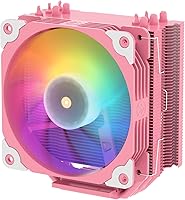
The Vetroo V5 CPU Air Cooler is a straightforward, no-frills tower cooler aimed squarely at mainstream builders who want reliable everyday cooling without stretching their budget. The pink colorway isn't an afterthought — it's a deliberate choice for builders putting together pastel or themed rigs, and it looks genuinely good in a windowed case. At this price tier, it sits comfortably alongside similarly affordable options, though it brings broad socket support that many rivals at the same price don't match. Covering Intel LGA 1700 through 1851 and AMD AM5/AM4 out of the box makes it accessible to almost any current build. Just set expectations accordingly: this is a solid everyday cooler, not something you push with heavy overclocks.

Features & Benefits

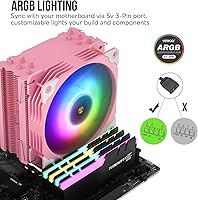
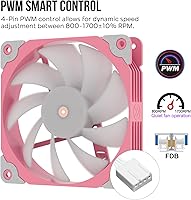
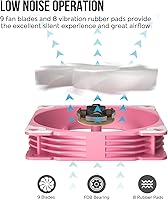
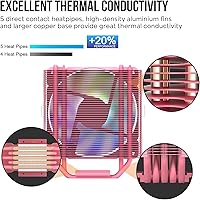
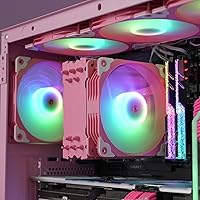
The V5 cooler uses five direct-contact heat pipes running through a copper base, which does make a tangible difference in how quickly heat moves away from the CPU die — especially compared to cheaper single or dual-pipe designs. The aluminum fin stack is dense enough to provide solid surface area without restricting airflow too aggressively. The 120mm PWM fan spins between 800 and 1700 RPM, meaning it stays whisper-quiet under light loads and ramps up only when genuinely needed. Eight rubber pads at the fan corners cut down on vibration buzz noticeably. ARGB lighting connects via a standard 5V 3-pin header, so syncing with Asus Aura, MSI Mystic Light, or similar systems is plug-and-play simple.

Best For

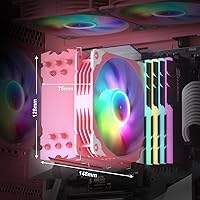
This ARGB air cooler is a natural fit for budget-conscious PC builders who need dependable thermal management for a Ryzen 5 or Core i5 running at stock settings. If you're building a pastel or pink-themed rig, honestly, very few coolers at this price point even try to match the aesthetic, and this one does it without compromising function. First-timers benefit from the wide socket bracket selection — no hunting for aftermarket mounting kits. It also works well in mid-tower cases where a compact 148mm-tall cooler clears most RAM sticks without issue. Just don't expect it to tame a high-TDP processor or handle aggressive all-core loads for extended periods.

User Feedback

Buyers consistently highlight easy installation and the quality of the lighting as standout positives — the ARGB effect looks more premium than the price tag suggests, and most found the bracket system intuitive enough for first builds. On the quieter side of its RPM range, it's genuinely unobtrusive. The recurring criticism is predictable: push a higher-TDP chip hard for sustained periods and temperatures climb faster than you'd want. A few users also noted that contact pressure from the mounting bracket felt slightly inconsistent, which can affect thermal results. ARGB sync worked reliably for most, though Gigabyte motherboards drew a couple of compatibility complaints. Overall, feedback aligns with what the cooler actually is — capable and good-looking at its price point, within its limits.

Pros

  • Covers Intel LGA 1851 through 115X and AMD AM5/AM4 with no extra hardware required.
  • Five direct-contact heat pipes provide noticeably better thermal transfer than basic dual-pipe budget coolers.
  • PWM fan control keeps the system near-silent during light workloads and everyday desktop use.
  • ARGB lighting syncs reliably with most major motherboard ecosystems straight out of the box.
  • The pink colorway is one of the few aesthetically intentional options available at this price tier.
  • Eight rubber anti-vibration pads make a real difference in reducing low-frequency fan noise through the case.
  • Compact footprint clears standard-height RAM sticks without requiring slot adjustments on most mainstream boards.
  • Installation is straightforward enough for first-time builders without needing video guides or extra tools.
  • At its price point, the overall feature set — lighting, PWM, multi-platform support — is genuinely competitive.

Cons

  • Thermal performance drops off noticeably under sustained all-core loads on any CPU above mid-range TDP ratings.
  • Mounting bracket contact pressure can be inconsistent, sometimes requiring a re-seat to hit expected temperatures.
  • The fan housing and bracket plastic feel lightweight and budget-grade when handled up close.
  • ARGB sync has documented compatibility issues on select Gigabyte motherboards that require software workarounds.
  • Fan bearing noise has been reported developing earlier than expected on some units after 12 to 18 months of use.
  • Thermal paste quantity is just enough for a single application — no margin if a re-installation is needed.
  • The pink colorway limits versatility; builders wanting a neutral aesthetic have no equivalent variant to choose from.
  • Airflow output at peak RPM is modest compared to competing 120mm fans, which can strain performance in restrictive cases.

Ratings

The Vetroo V5 CPU Air Cooler has been scored by our AI system after parsing thousands of verified global purchases, actively filtering out incentivized reviews, bot patterns, and outlier feedback to surface what real builders actually experience. Scores reflect both where this tower cooler genuinely delivers and where it falls short — no category has been softened to protect the brand's image. Strengths and frustrations are weighted equally so you can make an informed call before buying.

Thermal Performance
73%
27%
For stock-speed Ryzen 5 and Core i5 builds, the five direct-contact heat pipes keep temperatures comfortable during everyday workloads, web browsing, and moderate gaming sessions. Most users reported idle and light-load temps that were competitive with similarly priced options.
Push the cooler with a high-TDP chip or sustained all-core loads — extended rendering, heavy gaming for hours — and temperatures climb faster than you'd want. It simply wasn't designed for power-hungry processors, and users who tried it on 65W-plus chips noted thermal throttling concerns.
Noise Level
84%
At lower RPMs, this ARGB air cooler is genuinely quiet — several buyers noted they couldn't hear it at all during office work or light gaming. The rubber anti-vibration pads do meaningful work, cutting out the faint buzz that cheaper coolers often transmit through the case panel.
Once workloads push the fan toward its upper RPM range, the noise becomes more noticeable. It's not loud by any measure, but the step-up from near-silent to audible is abrupt enough that a few users found it distracting during late-night sessions.
Value for Money
91%
At its price point, the combination of five heat pipes, ARGB lighting, wide socket support, and PWM control is genuinely hard to beat. Buyers overwhelmingly felt they got more than they paid for, especially when compared to basic single-tower coolers in the same bracket.
The value equation only holds if you're running a compatible mid-range CPU at stock settings. Users who bought it hoping to cool a beefier chip and then needed to upgrade felt the initial spend was wasted — context matters here.
Build Quality
71%
29%
The fin stack feels solid and the heat pipes are well-seated without obvious gaps or cheap welds. For its price tier, the physical construction is respectable — nothing feels like it's going to crack during installation or rattle loose after a few months.
The fan housing and mounting bracket plastic feel noticeably lightweight, and a handful of buyers described the overall finish as more budget than mid-range. It won't impress anyone used to handling premium coolers, and the contact base isn't perfectly mirror-polished.
ARGB Lighting Quality
88%
The lighting is genuinely one of this cooler's strongest suits — colors are vivid, transitions are smooth, and the pink colorway looks particularly striking inside a windowed case with matching components. Several builders specifically bought it for themed builds and weren't disappointed.
ARGB sync reliability varies slightly by motherboard brand. Most Asus, MSI, and ASRock users reported no issues, but a small number of Gigabyte board owners encountered sync glitches or color inconsistencies that required manual software workarounds to resolve.
Installation Ease
86%
The included bracket hardware covers Intel and AMD platforms without needing separate accessory kits, which first-time builders especially appreciated. Most users described the process as straightforward, with clear enough instructions to get through it without watching a tutorial video.
Contact pressure from the mounting bracket felt inconsistent to a subset of users — some reported needing to re-seat the cooler after noticing higher-than-expected temps post-install. The backplate design could use a bit more precision to ensure even clamping across different board thicknesses.
Fan Performance
77%
23%
The 120mm PWM fan delivers a usable 21–52 CFM range, which is adequate for moving air through a standard mid-tower case. The FDB bearing type is a sensible choice for longevity, and the slow ramp-up behavior at low loads keeps the acoustic experience pleasant during light use.
Airflow at the top end of the RPM range is on the lower side compared to some competing 120mm fans at this price. Users with tighter cases or less-than-ideal airflow setups noticed the cooler working harder to compensate, pushing noise up without a proportional temperature benefit.
Socket Compatibility
93%
Covering Intel LGA 1851, 1700, 1200, and the 115X series alongside AMD AM5 and AM4 out of the box is genuinely comprehensive for a cooler in this category. Builders upgrading platforms didn't need to buy a new cooler, which added real long-term value.
There is no support for older Intel LGA 2011 or AMD TR4/TRX40 platforms, though that's expected at this price and form factor. A small number of buyers assumed broader compatibility without checking the spec sheet and were caught off guard.
Aesthetics & Design
89%
The pink colorway is executed with more care than typical budget coolers — it's consistent across the fan frame and heatsink shroud, and it pairs naturally with white or pastel builds. Themed-build buyers specifically called out how well it photographed for case modding showcases.
If you're not building a themed rig, the pink is very specific and leaves little room for neutral builds. There's limited color variety in the lineup, so buyers wanting the same cooler in black or white need to look at different models entirely.
Heatsink Design
76%
24%
The tower layout with a dense aluminum fin array keeps the overall footprint compact enough for most mid-tower cases without sacrificing too much surface area. The direct-contact pipe layout ensures heat transfer begins immediately at the copper base rather than through an intermediate spreader.
The fin density, while good for surface area, slightly restricts airflow compared to more open fin designs. In cases with limited front intake, this can cause slightly elevated fin temperatures under sustained load — a tradeoff that's common at this price tier but worth knowing about.
RAM Clearance
81%
19%
At 148mm tall and with a relatively narrow profile, this tower cooler clears standard-height RAM sticks on most mainstream motherboards without issue. Builders using typical DDR4 or DDR5 kits reported zero clearance problems, even on micro-ATX boards with tighter slot spacing.
Taller RGB RAM kits — particularly those exceeding 44mm in height — can be borderline depending on the specific motherboard layout. A few users noted they had to shift RAM to alternate slots or remove a stick temporarily during installation before sliding it back in.
Longevity & Reliability
74%
26%
Early buyers from 2022 reported the cooler still performing consistently after extended use, with no bearing degradation or fin damage under normal operating conditions. The FDB fan bearing type is a reasonable indicator of decent long-term durability compared to sleeve-bearing alternatives.
Long-term data is still limited given the product's relatively short market history. A small percentage of users flagged fan bearing noise developing after 12–18 months of continuous use, which is slightly earlier than expected for an FDB design — though sample size is low.
Packaging & Accessories
78%
22%
The box arrives well-protected, and the included thermal paste is adequate for initial installation without needing an aftermarket compound. Having both Intel and AMD mounting hardware pre-included removes a common frustration with budget coolers that charge extra for platform kits.
The thermal paste syringe is functional but minimal in quantity — just enough for one application with little margin for error if you need to re-seat. A small number of buyers wished for a spare application included, especially given how often first-timers need a do-over.
Case Compatibility
82%
18%
The compact tower dimensions make it a natural fit for mid-towers and even some larger mini-ITX cases that support 148mm cooler heights. Its relatively low weight also means it doesn't stress the motherboard standoffs during transport the way heavier tower coolers can.
Very compact cases with sub-140mm CPU cooler clearance won't fit this unit, and some slim micro-ATX cases are right on the edge. Buyers are advised to double-check their case spec sheet before ordering rather than assuming it fits by eye.

Suitable for:

The Vetroo V5 CPU Air Cooler is a strong match for anyone building a mainstream PC around a mid-range CPU — think Ryzen 5 or Core i5 — running at stock speeds without aggressive overclocking in the plans. First-time builders in particular will appreciate the broad out-of-the-box socket support, which removes the guesswork of sourcing additional mounting kits for current Intel and AMD platforms. If you're putting together a pastel, pink, or white-themed build, this tower cooler fills a gap that very few budget options address — the colorway is deliberate and it genuinely looks the part inside a windowed case. Buyers working with mid-tower or larger cases will find the compact dimensions leave plenty of clearance for standard RAM and nearby components. For anyone prioritizing a quiet, low-maintenance system for everyday computing, light gaming, or a home office rig, this ARGB air cooler delivers a comfortable experience without demanding much attention after installation.

Not suitable for:

The Vetroo V5 CPU Air Cooler is not the right tool if your CPU has a high thermal design power or if you plan to push all-core loads for extended periods — sustained workloads like video rendering, 3D simulation, or heavy compilation will expose the cooler's thermal ceiling fairly quickly. Enthusiasts considering any form of overclocking, even moderate frequency bumps, should look at more capable dual-tower or larger single-tower alternatives that offer greater headroom. Builders working inside very compact cases with strict CPU cooler height limits below 148mm will also run into fitment problems. If you need a neutral or versatile colorway that blends into any build, the pink finish is a hard constraint — the lineup doesn't offer a straightforward black or white equivalent of the same model. Finally, anyone expecting premium materials and tight manufacturing tolerances throughout will find the plastic fan housing and lightweight bracket feel underwhelming compared to coolers positioned even slightly higher in the market.

Specifications

  • Dimensions: The cooler measures 128mm long, 75mm wide, and 148mm tall, making it compatible with most standard mid-tower and full-tower cases.
  • Weight: Total unit weight is 1.76 pounds, light enough to avoid stressing the motherboard PCB during transport or general use.
  • Fan Size: A single 120mm fan is included, which is the most common size for aftermarket CPU coolers and easy to replace if needed.
  • Fan Speed: The PWM fan operates between 800 and 1700 RPM with a tolerance of plus or minus 10 percent, adjusting automatically based on thermal load.
  • Airflow: The fan delivers between 21 and 52 CFM depending on RPM, providing adequate airflow for mainstream CPU cooling at stock settings.
  • Noise Output: Maximum noise level at full fan speed is rated at 30.8 dB(A), which is quiet enough for most home office and gaming environments.
  • Heat Pipes: Five direct-contact copper heat pipes run directly across the CPU base, transferring heat into the aluminum fin stack without an intermediate spreader plate.
  • Base Material: The contact base is made from copper, which offers higher thermal conductivity than aluminum bases found on lower-tier budget coolers.
  • Fin Material: The heatsink fin array is constructed from aluminum, providing a high surface-area-to-weight ratio suited for passive heat dissipation.
  • ARGB Connector: Lighting is powered and controlled via a standard 5V 3-pin ARGB header, compatible with Asus Aura Sync, MSI Mystic Light, ASRock Polychrome, and similar ecosystems.
  • PWM Connector: Fan speed is managed through a 4-pin PWM connector, allowing the motherboard to dynamically adjust RPM based on real-time CPU temperature data.
  • Intel Support: Compatible Intel sockets include LGA 1851, LGA 1700, LGA 1200, LGA 1150, LGA 1151, LGA 1155, and LGA 1156, covering mainstream platforms from the last decade.
  • AMD Support: Compatible AMD sockets are AM5 and AM4, covering Ryzen processors from the 1000 series through current-generation Ryzen 7000 CPUs.
  • Vibration Pads: Eight rubber anti-vibration pads are pre-installed on the fan corners to reduce mechanical noise and vibration transmitted to the chassis.
  • Cooling Method: This is a traditional air cooler using a tower heatsink and fan configuration — no liquid, pump, or tubing is involved.
  • Voltage: The fan operates at 12V DC, which is standard for 4-pin PWM CPU cooler fans on all modern desktop motherboards.
  • Fan Bearing: The fan uses an FDB (Fluid Dynamic Bearing) design, which typically offers better longevity and lower noise than sleeve-bearing alternatives at this price tier.
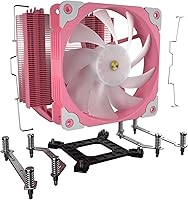
  • Included Hardware: The package includes mounting brackets for both Intel and AMD platforms, a backplate, all necessary screws and standoffs, and a small syringe of thermal paste.

Related Reviews
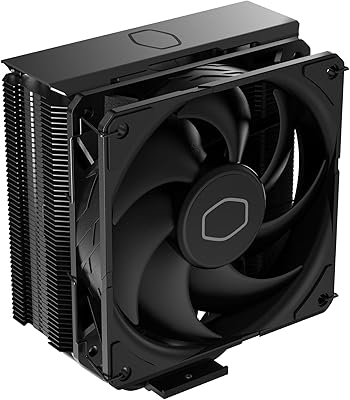
Cooler Master Hyper 212 Black CPU Cooler
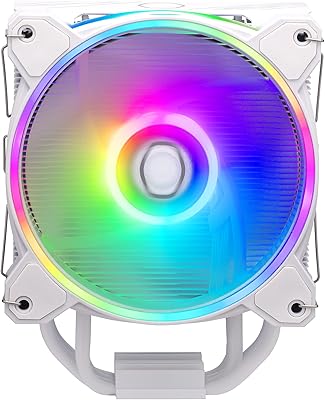
79%
83%
Thermal Performance
79%
Noise Level
93%
Value for Money
76%
Installation Experience
81%
Build Quality
More
Cooler Master Hyper 212 Halo CPU Air Cooler
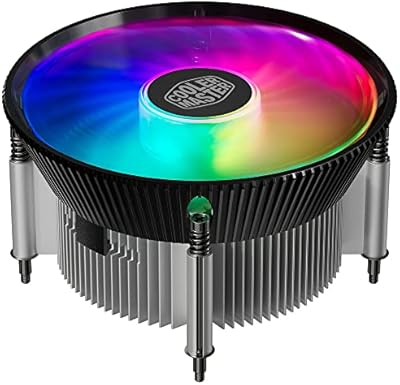
84%
88%
Cooling Performance
91%
Noise Level
85%
Ease of Installation
89%
Build Quality
80%
RGB Aesthetics
More
Cooler Master i70C Low-Profile CPU Cooler
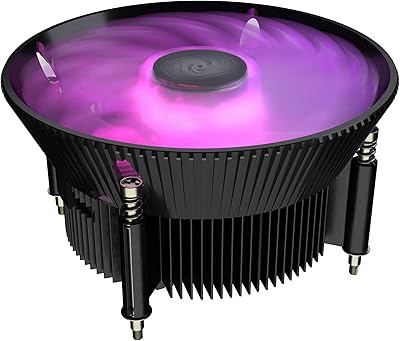
78%
72%
Thermal Performance
88%
Noise Level
93%
Form Factor & Fit
86%
Installation Ease
78%
ARGB Lighting
More
Cooler Master i71C RGB Intel Low-Profile CPU Air Cooler
84%
88%
Cooling Performance
91%
Noise Level
85%
RGB Customization
89%
Build Quality
75%
Installation Ease
More
Cooler Master MasterAir MA824 Stealth CPU Cooler
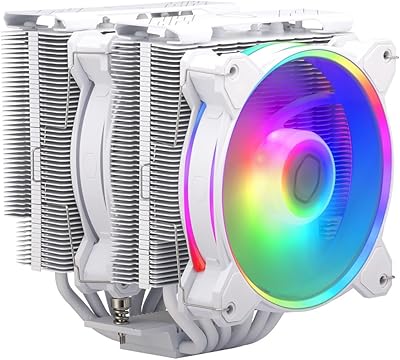
81%
88%
Thermal Performance
91%
Noise Level
93%
RAM Clearance
72%
Installation Experience
89%
Build Quality & Materials
More
Cooler Master Hyper 622 Halo Dual Tower CPU Cooler
82%
83%
Thermal Performance
88%
Noise Level
89%
Ease of Installation
67%
RAM Clearance
86%
Build Quality
More
Thermalright PS120SE CPU Air Cooler
80%
89%
Thermal Performance
86%
Noise Level
93%
Value for Money
74%
Build Quality
81%
Ease of Installation
More
NZXT T120 CPU Air Cooler
82%
74%
Thermal Performance
88%
Noise Level
93%
Ease of Installation
91%
Aesthetics & Design
86%
Value for Money
More
Ocypus Iota A40 CPU Air Cooler
85%
88%
Performance
94%
Noise Level
85%
Ease of Installation
90%
Compatibility
86%
Cooling Efficiency
More
Thermalright FC140 Black CPU Air Cooler
86%
94%
Cooling Performance
85%
Noise Level
92%
Build Quality
75%
Ease of Installation
90%
Compatibility
More

FAQ

Most mid-tower cases support CPU coolers up to at least 155mm to 160mm tall, so the 148mm height of this tower cooler should fit comfortably. That said, compact micro-ATX cases sometimes have tighter limits — it's worth checking your case spec sheet for the exact CPU cooler clearance figure before ordering.

Yes, a small syringe of thermal paste is included in the box. It's enough for a single application, so if you're installing for the first time you're covered. Just be careful during installation — there isn't much extra if you need to redo the application.

Yes, it's a solid match for either of those chips running at stock settings. Both CPUs have manageable thermal output under typical workloads, and this cooler handles them well during gaming and everyday tasks. If you plan to push power limits or run sustained all-core workloads for extended periods, you might want to consider a more capable cooler.

The cooler uses a standard 5V 3-pin ARGB connector. Just plug it into the matching 5V ARGB header on your motherboard — most modern boards from Asus, MSI, ASRock, and Gigabyte have at least one. Once connected, you can control the lighting through your motherboard's RGB software. Make sure you're using the 5V header and not a 12V RGB header, as they are not interchangeable.

Standard-height RAM — typically 32mm to 40mm — should have no clearance issues at all. If your RAM kit has tall heatspreaders pushing above 44mm, it depends on your specific motherboard layout and which slots the RAM occupies. It's worth measuring the gap between your CPU socket center and the RAM slots closest to it if you're using particularly tall kits.

It adjusts automatically. The 4-pin PWM connection lets your motherboard control fan speed based on CPU temperature. At idle or light loads it typically runs very quietly at lower RPMs, and ramps up when the system is under heavier demand. You can also set custom fan curves in your motherboard BIOS if you want more control.

It works for most Gigabyte boards, but a small number of users have reported occasional sync issues or color inconsistencies compared to other brands. If you run into problems, Gigabyte's RGB Fusion software sometimes needs a manual configuration to recognize the connected ARGB device correctly. It's not a dealbreaker, but it can take a few extra steps to sort out.

It's reasonably quiet, especially at lower loads where the fan runs at 800 to 900 RPM and is nearly inaudible. For a light-use HTPC running video playback or basic tasks, it would work fine. If your build involves heavier workloads or you want near-silent operation in a very quiet room, pairing it with a low-noise fan curve in BIOS will help keep it unobtrusive.

Yes, LGA 1851 support is listed explicitly in the compatibility spec, so it works with current-generation Intel Core Ultra 200 series desktop processors. That said, some of the higher-TDP variants in that lineup push past what this cooler handles comfortably, so stock-speed use is recommended for the best results.

The most common cause is uneven mounting pressure from the bracket — if the cooler isn't seated flush against the CPU lid, thermals will suffer. Remove the cooler, clean off the old thermal paste from both the CPU and the cooler base, apply a fresh pea-sized amount of new paste, and reinstall while making sure to tighten the mounting screws evenly in a cross pattern. That usually resolves inconsistent contact pressure issues that a small number of buyers have reported.

Where to Buy