Overview

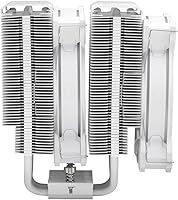
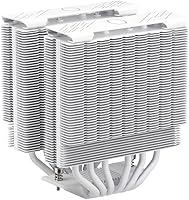
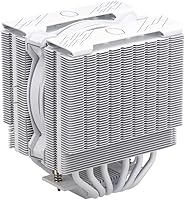
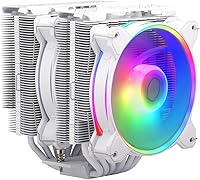
The Cooler Master Hyper 622 Halo Dual Tower CPU Cooler sits in an interesting spot — capable enough to outperform budget single-tower options, yet priced well below most AIO liquid coolers. Released in mid-2023, it arrived with redesigned mounting hardware specifically addressing the then-new AM5 and LGA 1851 platforms, which was a real practical win for builders upgrading to current-gen systems. At 154–157mm tall, it threads the needle between serious cooling performance and broad case compatibility, though you will want to confirm clearance in your chassis before ordering. The white colorway makes it a natural choice for aesthetic-driven builds where matching components matters as much as raw specs.
Features & Benefits

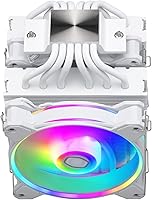
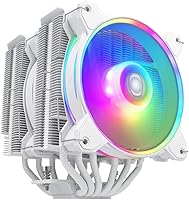
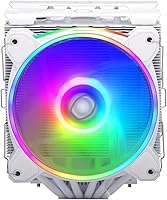
The Hyper 622 Halo runs six copper heat pipes with a nickel-plated finish, which helps pull heat away from the CPU quickly and resists corrosion over time. Between the towers sit two MF120 Halo² fans, each with PWM speed control ranging from 650 to 2050 RPM — meaning you can keep things whisper-quiet during light tasks and ramp up when workloads demand it. Peak noise tops out around 27 dB, which is reasonable for a cooler in this class. The dual-loop ARGB rings are noticeably larger than what earlier Hyper models offered, giving the lighting a more polished, even glow rather than the pinpoint LED look of cheaper fans.

Best For

This dual-tower air cooler is well-matched to mid-range chips — think Ryzen 7 or Core i7 — where it provides comfortable thermal headroom for moderate overclocking without breaking a sweat. It is also a strong pick for anyone building a white-themed system where the cooler needs to contribute to the overall look, not just the thermals. If you are moving up from a stock cooler or a budget single-tower, the performance jump is noticeable. One thing worth stressing: check your case CPU cooler clearance and, if you have tall DDR5 or DDR4 kits, RAM clearance as well. The second tower can crowd tall DIMMs on some boards.

User Feedback

With a 4.6-out-of-5 rating across well over 150 reviews, the Hyper 622 Halo earns consistently solid marks from a wide range of builders. The installation process draws frequent praise — the updated brackets in particular come up often, especially from builders on AM5 who remember the old Hyper series hardware. Thermal results are described as dependable for everyday Ryzen 7 and i7 workloads, though a handful of users with high-TDP processors note the cooler can run warmer under prolonged heavy loads. The ARGB rings get genuine compliments for aesthetics. On the downside, the size surprises some first-time buyers, making the earlier advice about RAM and case clearance more than just precautionary.

Pros

  • Six nickel-plated copper heat pipes handle Ryzen 7 and Core i7 workloads with clear thermal headroom to spare.
  • Redesigned AM5 and LGA 1851 brackets make installation noticeably smoother than older Hyper series hardware.
  • PWM fan range from 650 to 2050 RPM lets you dial in a quiet-to-capable balance through BIOS fan curves.
  • The dual-loop ARGB rings are larger and more visually refined than what most competing air coolers offer at this price.
  • Broad socket support covers AMD AM4, AM5, and Intel LGA 1200, 1700, and 1851 all in one box.
  • Peak noise of around 27 dB means the Hyper 622 Halo stays unobtrusive during everyday productivity and gaming.
  • The white finish is clean and consistent, making it one of the better-looking stock options for light-themed builds.
  • Solid 4.6-out-of-5-star rating across a meaningful review sample reflects dependable real-world satisfaction.
  • Choosing this cooler over an entry-level AIO eliminates pump failure risk and long-term liquid maintenance concerns.
  • For moderate overclocking on mainstream CPUs, this Cooler Master cooler provides a comfortable thermal buffer.

Cons

  • Tall DDR5 or high-profile DDR4 RAM kits can be blocked by the second tower on certain motherboard layouts.
  • Sustained all-core loads on high-TDP chips push this cooler close to its limits — it is not built for 200W CPUs.
  • At nearly 2.77 lbs, the weight on the motherboard PCIe slot area is something to consider for transported systems.
  • No ARGB controller is included, so older boards without addressable headers will need a separate hub.
  • Fan mounting clips feel noticeably cheaper than the heatsink itself and lack confidence during installation.
  • Case clearance margins can be razor-thin in many popular mid-towers — double-check specs before ordering.
  • The white aesthetic is a committed design choice that looks out of place in dark or black-themed builds.
  • Replacing the fans for higher airflow performance means sacrificing the integrated ARGB ring appearance entirely.
  • Some users find the dual-tower bulk awkward to manage when the motherboard is already seated inside the chassis.

Ratings

The Cooler Master Hyper 622 Halo Dual Tower CPU Cooler has been scored across 12 performance and usability categories by our AI system, which processed verified global buyer reviews while actively filtering out incentivized, bot-generated, and duplicate submissions. The results reflect a genuine cross-section of builder experiences — from first-time custom PC assemblers to seasoned enthusiasts — and both the standout strengths and the real frustrations are represented without softening either side.
Thermal Performance
83%
For mid-range CPUs like the Ryzen 7 7700X or Core i7-13700, the six nickel-plated heat pipes move heat efficiently enough to keep temperatures comfortably in check during gaming sessions and productivity workloads. Builders upgrading from stock or budget single-tower coolers consistently report a meaningful drop in peak temps.
Push this cooler onto a high-TDP chip — a Ryzen 9 or Core i9 running all-core loads for extended periods — and it starts to show its limits. It is not a flagship-class thermal performer, and buyers expecting AIO-level numbers on a 200W processor will likely be disappointed.
Noise Level
88%
At typical mid-load speeds, the dual MF120 Halo² fans run quietly enough to go unnoticed in a living room or home office setup. The wide PWM range — 650 to 2050 RPM — means the system can stay nearly silent during light tasks and only ramp up when the CPU genuinely needs it.
At full 2050 RPM, the fans are audible, though not unusually loud for a dual-tower air cooler. In open cases or quiet environments, the higher-speed operation is noticeable, and users sensitive to fan noise may want to set a conservative fan curve in BIOS.
Ease of Installation
89%
The redesigned mounting brackets are one of the most praised aspects across user reviews. Builders on AM5 in particular noted how much smoother the process felt compared to older Hyper series hardware, with fewer fiddly steps and clearer alignment during backplate and bracket attachment.
The cooler is physically large and the dual-tower configuration makes working in tight spaces tricky, especially when the motherboard is already seated in the case. A few users on mini-ATX or smaller mid-towers found it uncomfortable to mount, and the process is easier with the board outside the chassis.
RAM Clearance
67%
33%
In builds using standard-height DDR4 or DDR5 modules, clearance is generally fine and most users report no interference. The cooler works well alongside mainstream memory kits without requiring any fan repositioning or bracket adjustments.
Tall RAM heatspreaders — common on high-performance DDR5 kits — can be blocked by the inner fan or the second tower on certain motherboard layouts. This is a recurring complaint and a genuine consideration; buyers with premium memory should verify DIMM slot clearance against their specific board before purchasing.
Build Quality
86%
The aluminum fin stack feels solid and well-finished, and the nickel plating on the heat pipes gives the cooler a premium look that holds up after extended use. The white colorway is consistent and clean, with no visible bleed or uneven coating on reviewed units.
The fan mounting clips, while functional, feel slightly less refined than the heatsink itself. A handful of users noted minor flex when pressing the fans into place, and the plastic clip material does not inspire the same confidence as the metal components it attaches to.
ARGB Lighting Quality
84%
The dual-loop ARGB rings are noticeably more impactful than the small LEDs found on budget coolers. The larger ring diameter distributes light evenly across both fans, producing a consistent glow that photographs well and integrates naturally into white or neutral-toned builds.
ARGB synchronization depends entirely on the motherboard ecosystem — no standalone controller is included. Builders on older boards without addressable RGB headers will need a separate hub, and color accuracy can vary slightly between ARGB software platforms.
Socket Compatibility
91%
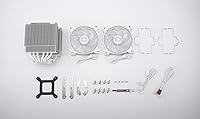
Out of the box support for AMD AM4, AM5, and Intel LGA 1200, 1700, and 1851 covers virtually every current mainstream desktop platform. For builders upgrading to AM5 or Intel 14th-gen systems, having all required hardware in the box without needing a separate bracket kit is a practical advantage.
Older Intel sockets like LGA 1151 or AMD AM3+ are not supported, which is a non-issue for anyone building new but worth noting for those retrofitting an older system. The included documentation could be clearer about which bracket hardware corresponds to which platform.
Value for Money
82%
18%
At its price point, the Hyper 622 Halo delivers dual-tower cooling, ARGB fans, and broad socket support in a single package — a combination that would cost noticeably more to assemble from separate components. For Ryzen 7 and Core i7 builds, it punches solidly at its tier.
It sits in a competitive segment where several strong alternatives exist, and buyers willing to forgo ARGB lighting can find comparable thermal performance for less. The value proposition holds, but it is not a runaway bargain — you are partly paying for the aesthetic package.
Case Compatibility
74%
26%
At 154–157mm tall, the Hyper 622 Halo fits comfortably in most mid-tower and full-tower cases that list 160mm or more of CPU cooler clearance, which covers the majority of popular ATX enclosures on the market today.
Compact mid-towers and mATX cases with tighter clearance specs are a real risk. Some users discovered the hard way that listed case clearance figures leave almost no margin, and a few reported needing to reseat or return the cooler after it did not fit their chosen chassis.
Fan Performance & Airflow
81%
19%
The MF120 Halo² fans move air efficiently across the heatsink fin stack, and the optimized blade geometry keeps static pressure reasonable through the dense dual-tower arrangement. Users on sustained gaming rigs report stable temperatures without the fans needing to run at high speed constantly.
The fans are not exceptional performers on their own merits — they are good, not class-leading. Enthusiasts who want maximum airflow per decibel will find better standalone 120mm options, though replacing them would also sacrifice the integrated ARGB aesthetic.
Overclocking Headroom
76%
24%
For moderate overclocks on Ryzen 7 or Core i7 chips — the kind most air-cooling builds realistically target — the Hyper 622 Halo provides adequate thermal buffer. Builders pushing a 5 to 10 percent frequency bump report stable temperatures without thermal throttling under gaming loads.
Aggressive overclocking on power-hungry chips is where headroom starts to shrink noticeably. Users running sustained all-core overclocks on 65W-plus chips at elevated voltages reported the cooler working harder than expected, and temperatures crept up during prolonged stress testing.
Aesthetics & Design Cohesion
87%
The white finish, enlarged ARGB rings, and clean heatsink lines come together in a way that looks intentional rather than retrofitted. For white-and-black or all-white builds, it is one of the more visually coherent air coolers at this price tier without requiring aftermarket fan swaps.
The aesthetic is specifically designed for light-colored builds, and in a dark or black-themed case it can look slightly out of place. The ARGB does help, but the white heatsink body is not a neutral element — it is a design commitment that not every build will accommodate.

Suitable for:

The Cooler Master Hyper 622 Halo Dual Tower CPU Cooler is a strong match for builders putting together mid-range to upper-mid desktop systems around a Ryzen 7 or Core i7 processor, where it provides reliable thermal headroom without the complexity or failure risk of a liquid cooler. If you are moving up from a stock cooler or a cheap budget single-tower, the performance difference will be immediately tangible — especially during longer gaming sessions or multi-threaded workloads. Builders working on white-themed systems will appreciate that the aesthetic is genuinely cohesive out of the box, with no need for aftermarket fan swaps to match a color scheme. It also makes particular sense for anyone on a current-gen platform — AM5, LGA 1700, or LGA 1851 — since the updated mounting hardware supports all three without hunting for separate bracket kits. If you want the peace of mind of air cooling with zero maintenance and a solid warranty track record, this dual-tower air cooler covers that ground well.
Not suitable for:

The Cooler Master Hyper 622 Halo Dual Tower CPU Cooler is not the right tool if your build centers on a high-TDP processor — a Ryzen 9, Core i9, or any chip you plan to push hard with aggressive all-core overclocking. Under sustained heavy loads on those chips, temperatures climb in ways that would have you wishing for a 240mm or 360mm AIO instead. Physical size is another real consideration: if your case offers less than 155–160mm of CPU cooler clearance, you are taking a risk, and compact mid-towers are a known source of frustrating returns for this cooler. RAM clearance is equally worth stressing — tall DDR5 heatspreaders can conflict with the inner fan or second tower on certain board layouts, so verify your DIMM heights before committing. Finally, if ARGB synchronization matters to you but your motherboard lacks addressable RGB headers, be prepared to budget for a separate hub, as none is included.
Specifications

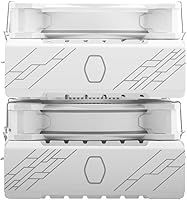
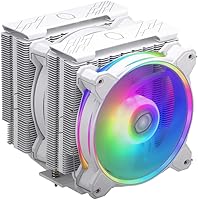
  • Cooler Type: Dual-tower air cooler with a split heatsink fin stack designed to maximize surface area for heat dissipation.
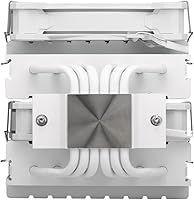
  • Heat Pipes: Six copper heat pipes with nickel plating run through the fin stack to pull heat away from the CPU contact base efficiently.
  • Fan Model: Two MF120 Halo² 120mm PWM fans are included, mounted between and on the outer face of the dual towers.
  • Fan Speed: Each fan operates across a PWM-controlled range of 650 to 2050 RPM, adjustable via the motherboard fan header.
  • Noise Level: Maximum rated acoustic output is 27 dB, measured at full fan speed under standardized test conditions.
  • ARGB Lighting: Dual-loop ARGB rings on each fan are approximately 50% larger in diameter than those found on the previous Hyper Halo generation.
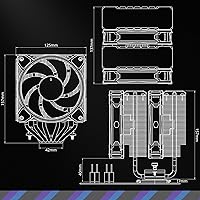
  • Dimensions: The cooler measures 125mm wide by 137mm deep by 157mm tall, with the fans adding to the overall footprint.
  • Clearance Height: Installed height ranges from 154 to 157mm depending on mounting configuration, requiring at least 160mm of case CPU cooler clearance for a safe fit.
  • Weight: Assembled unit weighs approximately 2.77 lbs (1.26 kg), including both fans and mounting hardware.
  • Socket Support: Compatible with AMD AM4 and AM5, and Intel LGA 1200, LGA 1700, and LGA 1851 platforms using included bracket hardware.
  • Power Connector: Fans connect via a standard 4-pin PWM header, compatible with all modern consumer motherboards.
  • Voltage: Each fan operates at 12V DC, consistent with standard desktop system power delivery.
  • Wattage: Each fan draws 3.36W at maximum speed, for a combined draw of approximately 6.72W under full load.
  • Materials: Fin stack is constructed from aluminum, with copper heat pipes and a nickel-plated copper cold plate base.
  • Color: Available in White, with a uniformly finished heatsink and matching white fan frames designed for light-themed builds.
  • Thermal Paste: Cooler Master includes a pre-applied or bundled thermal compound sufficient for initial installation without a separate purchase.
  • Fan Control: Fan speed is managed dynamically through the motherboard BIOS or compatible software using the 4-pin PWM signal.
  • ARGB Compatibility: ARGB lighting is controlled via a 3-pin 5V addressable RGB header and is compatible with major motherboard RGB ecosystems including ASUS Aura Sync, MSI Mystic Light, and Gigabyte RGB Fusion.

Related Reviews
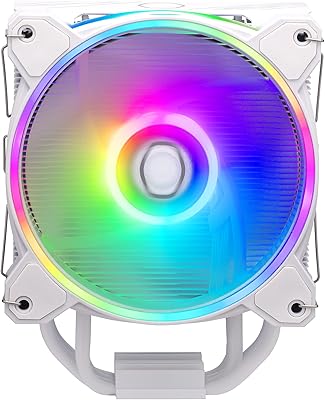
Cooler Master Hyper 212 Halo CPU Air Cooler
84%
88%
Cooling Performance
91%
Noise Level
85%
Ease of Installation
89%
Build Quality
80%
RGB Aesthetics
More
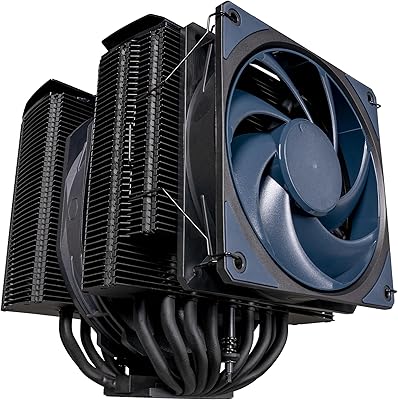
Cooler Master MasterAir MA824 Stealth CPU Cooler
81%
88%
Thermal Performance
91%
Noise Level
93%
RAM Clearance
72%
Installation Experience
89%
Build Quality & Materials
More
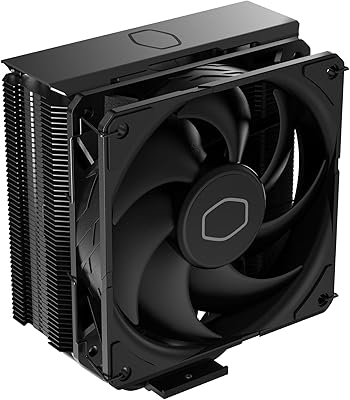
Cooler Master Hyper 212 Black CPU Cooler
79%
83%
Thermal Performance
79%
Noise Level
93%
Value for Money
76%
Installation Experience
81%
Build Quality
More
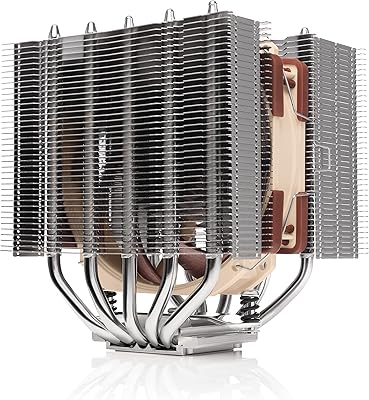
Noctua NH-D12L Low-Height Dual-Tower CPU Cooler
87%
88%
Cooling Performance
92%
Noise Level
94%
RAM Compatibility
91%
Ease of Installation
89%
Build Quality
More
Cooler Master V8 GTS High Performance CPU Cooler
84%
90%
Cooling Performance
88%
Ease of Installation
65%
Fan Noise
92%
Build Quality
85%
Aesthetic Appeal (LED Lighting)
More
Cooler Master i70C Low-Profile CPU Cooler
78%
72%
Thermal Performance
88%
Noise Level
93%
Form Factor & Fit
86%
Installation Ease
78%
ARGB Lighting
More
Cooler Master 240 Elite Liquid White CPU Liquid Cooler
85%
91%
Cooling Performance
84%
Noise Levels
92%
Ease of Installation
89%
Build Quality
88%
aRGB Lighting Effect
More
Cooler Master MasterLiquid Atmos 240 Liquid Cooler
82%
76%
Thermal Performance
88%
Noise Level
82%
Build Quality
84%
Pump Performance
91%
RGB & Lighting
More
Cooler Master MasterLiquid Atmos 360 AIO Cooler
83%
88%
Thermal Performance
91%
Noise Level
83%
Build Quality
87%
Installation Experience
84%
RGB & Lighting Quality
More
Cooler Master MasterLiquid ML240L V2 AIO Cooler
77%
78%
Thermal Performance
91%
Installation Experience
63%
Pump Noise & Vibration
82%
Fan Performance
88%
ARGB Lighting
More

FAQ

It depends on your case. The Hyper 622 Halo stands 154 to 157mm tall, so you need at least 160mm of listed CPU cooler clearance to be safe. Many popular mid-towers like the Fractal Design Meshify C or Lian Li Lancool 205 clear this easily, but compact cases like the Cooler Master Q300L or similar mATX enclosures may not. Always check your case spec sheet before ordering.

Potentially, yes. This is one of the most common concerns real buyers raise, and it is worth taking seriously. The inner fan and the second tower can overhang the first DIMM slot on some motherboard layouts, which becomes an issue with heatspreaders over around 40mm tall. If you are running standard-height DDR4 or low-profile DDR5, you are almost certainly fine. For tall premium DDR5 kits, check your specific board's DIMM slot position relative to the CPU socket before buying.

Yes — all required hardware for LGA 1851 is included in the box, which is a genuine advantage over older cooler models that needed a separate bracket upgrade. The mounting system was redesigned specifically to accommodate both AM5 and LGA 1851 at launch.

Technically yes, but with caveats. For light to moderate workloads on those chips it will manage. Under sustained all-core loads — long rendering jobs, heavy compilation, or stress testing — temperatures will climb more than they would on a Ryzen 7 or Core i7, and you may see thermal throttling on the most power-hungry configurations. If your workflow regularly hammers all cores for extended periods, a 240mm or 360mm AIO would be a more appropriate match.

No. Cooler Master bundles thermal compound with this cooler, so you can complete the installation straight out of the box. The included paste is adequate for normal use; enthusiasts who want to squeeze out every last degree can substitute a premium third-party compound, but it is not necessary for most users.

At everyday gaming and productivity speeds, most users describe it as quiet or nearly inaudible from a normal seating distance. The 27 dB maximum rating applies at full 2050 RPM, which the fans only reach under heavy sustained load. If you set a sensible fan curve in your BIOS, you can keep noise well below that ceiling for the majority of typical use.

You can, but you will need a separate ARGB hub or controller to drive the lighting. Without a 3-pin 5V addressable header on your board, the fans will either not light up or operate in a static default mode depending on how they are connected. An inexpensive standalone ARGB controller solves this, but it is an extra cost worth factoring in if your board lacks native support.

Most users manage it solo without much difficulty, especially with the board outside the case. The updated bracket design is one of the most praised aspects of this cooler compared to older Hyper series hardware, and the alignment process is straightforward. If you are installing with the motherboard already seated in a small or mid-tower case, an extra hand can help hold things in place, but it is not strictly required.

For mid-range CPUs like a Ryzen 7 or Core i7, the thermal performance is comparable to many entry-level 240mm AIOs under typical gaming and productivity workloads. The air cooler wins on long-term reliability since there are no pumps or liquid to worry about, while a quality AIO has a slight edge on peak thermal capacity for high-TDP chips. If you are not overclocking aggressively and want zero maintenance, air cooling is a very defensible choice at this tier.

Yes, and this is actually a common workaround. Removing the inner fan frees up significant space around the DIMM slots and is a reasonable trade-off if tall RAM is your only issue. Thermal performance drops slightly without the push-pull configuration, but the single outer fan still moves enough air through the fin stack to handle mainstream CPU workloads without a problem.

Where to Buy