



Overview

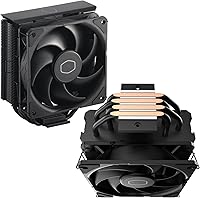
The Cooler Master Hyper 212 Black CPU Cooler has been a reliable fixture in mid-range PC builds since 2018, and it hasn't lost its relevance. Updated bracket support for AMD AM5 and Intel LGA 1851/1700 keeps this tower cooler current without reinventing the wheel. It consistently ranks among the top-selling CPU coolers on Amazon — that kind of sustained popularity across tens of thousands of buyers isn't accidental. To be clear, this isn't competing with high-end 240mm AIOs or dual-tower monsters. But for Ryzen 5/7 and non-K Intel i5/i7 builds, it delivers solid thermal performance at a price that leaves room in the budget for better RAM or storage.

Features & Benefits

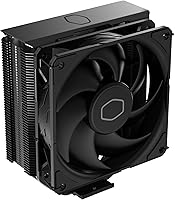
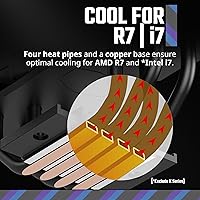
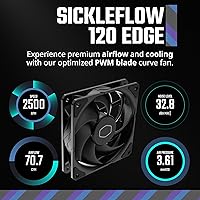
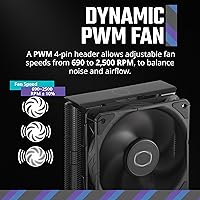
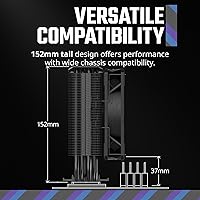
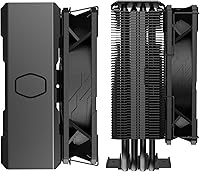
The Hyper 212 Black uses four copper heat pipes with a direct-contact copper base to pull heat away from the CPU efficiently — a design that punches well above its price class. The SickleFlow 120 Edge fan is the real workhorse here: its blade profile balances airflow and static pressure better than generic 120mm fans typically do. Thanks to 4-pin PWM control, the fan runs near-silent at idle and ramps up only when the processor actually needs it, topping out at 2,500 RPM under sustained load. The aluminum fin stack looks clean, and the brushed aluminum top cover is a tasteful touch — nothing flashy, but tidy enough for a windowed side panel. At 152mm tall, it clears most mid-tower cases without issues.

Best For

This budget air cooler is a natural fit for anyone building around a mid-range processor — think Ryzen 5 or Ryzen 7, or a non-K Intel Core i5 or i7 — where you want a real step up from the stock cooler without the complexity or cost of liquid cooling. It also works well for first-time builders; the installation is manageable, especially on AM5 and LGA 1700, where the updated bracket clicks into place more intuitively than older versions. Just keep it out of extreme overclocking scenarios or high-TDP chip builds — it isn't designed for that headroom. If your case accepts coolers up to 155mm tall, this one fits comfortably and performs exactly as you'd expect it to.

User Feedback

With over 18,000 ratings averaging 4.7 out of 5, the Hyper 212 Black has earned a level of trust that few budget coolers manage to sustain over several years. Buyers consistently highlight noticeably lower temperatures than stock coolers, quieter operation at typical desktop workloads, and an installation process that doesn't require a tech degree. On the flip side, some users note that the included thermal paste is minimal — worth supplementing if you have a quality compound on hand. A small number of reviewers mention minor bracket fitment quirks on newer Intel boards, though most work through it without issue. Long-term owners report no degradation in performance after years of continuous use, which says something meaningful about build quality at this price tier.

Pros

  • Delivers a genuine temperature improvement over stock coolers on Ryzen and non-K Intel processors.
  • The PWM fan runs quietly at low loads, making daily desktop use noticeably more pleasant.
  • Updated brackets support AM5 and LGA 1851/1700, keeping this tower cooler relevant for current platforms.
  • Four copper heat pipes with a direct-contact copper base provide efficient heat transfer for the price.
  • At 152mm tall, it fits comfortably in most standard mid-tower cases without case-specific research.
  • Over 18,000 buyer reviews averaging 4.7 out of 5 reflect sustained real-world satisfaction across years.
  • Long-term owners report no meaningful performance drop or hardware issues after years of continuous use.
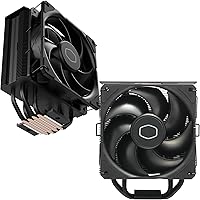
  • The all-black finish with aluminum top cover looks clean and unobtrusive in windowed side-panel builds.
  • Wide fan speed range of 690 to 2,500 RPM allows the system to balance noise and cooling automatically.

Cons

  • Included thermal paste is minimal and insufficient for remounting — budget for a quality third-party compound.
  • Fan noise at maximum RPM is audible and can stand out in quiet rooms during sustained CPU loads.
  • A minority of users report bracket alignment frustrations on newer Intel LGA 1700 and LGA 1851 boards.
  • Tall high-profile RAM heatspreaders can conflict with the lower fin rows on certain motherboard layouts.
  • No RGB lighting option, which limits appeal for builders working around illuminated component themes.
  • Thermal headroom runs out quickly on high-TDP or overclocked chips — not a cooler that scales with ambition.
  • The aluminum top cover feels slightly decorative and flexes under direct pressure, which feels cheap up close.
  • Older sockets like LGA 1151 are unsupported, which trips up buyers with legacy hardware they planned to reuse.

Ratings

The scores below were generated by AI after analyzing thousands of verified global buyer reviews for the Cooler Master Hyper 212 Black CPU Cooler, with automated filtering applied to remove incentivized, duplicate, and bot-suspected submissions. The result is an honest picture of where this tower cooler genuinely delivers and where real users have run into friction — no padding, no spin.

Thermal Performance
83%
For non-overclocked Ryzen 5, Ryzen 7, and Intel Core i5/i7 builds, the Hyper 212 Black keeps temperatures comfortably in check during both everyday desktop use and sustained workloads like video encoding or light rendering. Most users report meaningful idle and load temperature drops compared to their previous stock coolers.
Push it toward a high-TDP chip or an unlocked K-series processor under heavy overclock, and the limits become obvious — temperatures climb faster than on beefier coolers. It was never designed for that workload, but buyers who discover this after purchase tend to feel the product description undersells the constraint.
Noise Level
79%
21%
At idle and during light tasks, the fan runs at low RPM and most users describe the system as noticeably quieter than their previous stock cooler setup. The PWM curve is well-tuned for typical desktop use, meaning the fan rarely needs to ramp hard during normal work or media consumption.
When the fan hits the upper end of its RPM range under sustained load, the noise becomes audible enough to stand out in a quiet room. A handful of users who run CPU-intensive tasks for extended periods find this more bothersome than expected for a cooler at this price tier.
Value for Money
93%
Few air coolers at this price point match what the Hyper 212 Black offers in terms of build materials, fan quality, and platform compatibility. Buyers consistently describe it as one of the most sensible upgrades they made to a budget or mid-range build, especially when coming from a stock cooler.
The value calculation shifts if you need to separately purchase quality thermal paste, which not all buyers realize upfront. For those who also need an AM5 or LGA 1851 adapter kit, the total out-of-pocket cost inches slightly higher than the listed price suggests.
Installation Experience
76%
24%
The redesigned bracket for AM5 and LGA 1700/1851 is a genuine improvement over older versions — most experienced builders report a clean, straightforward mount without needing extra hardware. The included instructions are clear enough that first-time builders generally get through it without major frustration.
A recurring minority of users on newer Intel boards note that bracket alignment requires patience and occasionally a second attempt before the cooler seats firmly. On some AM5 motherboards with dense VRM heatsink layouts, the tower's footprint can feel tight, and clearance to nearby components needs checking beforehand.
Build Quality
81%
19%
The copper heat pipes feel solid and well-finished, and the aluminum fin stack shows no sharp edges or flimsy construction. Long-term owners who have had this cooler running for two or three years report no rattles, no fan degradation, and no visible corrosion on the heat pipe contact area.
The aluminum top cover, while clean-looking, is decorative rather than structural — it flexes slightly under direct pressure, which is cosmetically fine but feels a touch cheap when handling the unit. The fan retention clips are functional but not the smoothest to work with during installation.
Fan Quality
77%
23%
The SickleFlow 120 Edge fan moves a respectable amount of air for its size and speed range, and the PWM response feels smooth rather than stepping abruptly between speeds. Users replacing generic case fans with this unit often notice the difference in airflow consistency.
At maximum RPM, the fan produces a slightly coarse tonal quality that some users find less pleasant than competing fans in the same category. It is a functional fan, but audiophiles or users in very quiet environments may want to swap it for a premium aftermarket 120mm option.
Compatibility Range
88%
Supporting AMD AM5 and AM4 alongside Intel LGA 1851, 1700, and 1200 means this cooler covers the vast majority of consumer desktop platforms in active use today. Buyers upgrading platforms do not need to replace the cooler, which adds long-term utility beyond a single build.
Older Intel sockets like LGA 1151 or AMD AM3 are not supported, which catches some users with legacy platforms off guard. The compatibility list is well-documented, but buyers who skim listings before purchasing occasionally run into this issue after unboxing.
Case Clearance & Fitment
84%
At 152mm tall, the Hyper 212 Black fits comfortably inside most standard mid-tower cases without requiring clearance research beyond a quick spec check. Users in popular cases from NZXT, Fractal, Lian Li, and Cooler Master itself consistently report no fitment issues.
Slim or compact mid-tower cases with cooler height limits closer to 150mm leave almost no margin, and users occasionally find the fan clips push the effective height just past the rated spec. Small form factor and mini-ITX cases are effectively ruled out entirely.
RAM Clearance
68%
32%
On most standard-height DDR4 and DDR5 modules, the cooler mounts without touching the RAM slots closest to the CPU socket. Buyers using low-profile memory kits have no clearance concerns whatsoever.
Tall RGB RAM with high-profile heatspreaders — popular in enthusiast builds — can conflict with the cooler's bottom fin rows on certain motherboard layouts. This is a known limitation with single-tower designs of this height and is worth verifying against your specific memory kit before purchasing.
Thermal Paste Inclusion
58%
42%
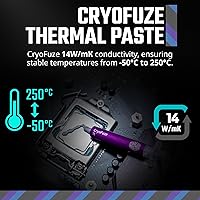
Thermal paste is included in the box, which is convenient for builders who do not keep a dedicated compound on hand. For a first-time builder doing a straightforward non-overclocked install, the included paste is adequate to get the system running within normal temperature ranges.
The quantity provided is minimal, and users who need to remount the cooler during troubleshooting will find themselves out of compound quickly. Several experienced builders report that swapping in a quality third-party paste yields measurably better temperatures, suggesting the included compound is not the cooler's strong suit.
Aesthetics
72%
28%
The all-black finish with the brushed aluminum top cover gives the Hyper 212 Black a cleaner look than its older silver predecessors, and it sits inoffensively in windowed builds without drawing attention away from other components. For builders not chasing a RGB-heavy aesthetic, it looks appropriately understated.
There is no lighting option, which matters to a portion of buyers building around an RGB theme. The top cover, while nice, does not elevate the overall look to premium territory — it reads more as a practical update than a design statement.
Long-Term Reliability
89%
Users who have run the Hyper 212 Black continuously for two or more years consistently report no performance degradation, no bearing noise developing over time, and no physical issues with the fin stack or heat pipes. It has a reputation for simply continuing to work without needing attention.
Fan bearings on any cooler in this price tier are not rated to the same lifespan as premium sleeve or FDB bearings found on higher-end units. Sustained maximum-RPM operation over years is where longevity questions are most reasonable, though few users in this use case report early failures.
Packaging & Unboxing
74%
26%
The cooler arrives well-protected, and the accessory organization inside the box makes it easy to identify the correct brackets and hardware without much cross-referencing. Most buyers note that nothing arrived damaged and all required components were present.
The instruction booklet, while functional, lacks the kind of detailed step-by-step visual clarity that a true beginner might want for a first install. A few users report that small hardware pieces like screws and standoffs are easy to misplace during assembly if the work area is not organized.

Suitable for:

The Cooler Master Hyper 212 Black CPU Cooler is a natural fit for budget-conscious and mid-range PC builders who want a meaningful upgrade over their stock cooler without committing to the cost or complexity of liquid cooling. If your build centers around a Ryzen 5, Ryzen 7, or a non-K Intel Core i5 or i7 processor, this tower cooler covers your thermal needs comfortably during everyday tasks, productivity workloads, and even extended gaming sessions. First-time builders will appreciate that the installation process, while requiring some patience, is well-documented and manageable without prior experience. Anyone working within a standard mid-tower case will find the 152mm height fits without case compatibility headaches. It also makes strong sense for builders upgrading an aging system who want lower temperatures and noticeably quieter operation without rebuilding around a new cooling solution.

Not suitable for:

The Cooler Master Hyper 212 Black CPU Cooler is not the right tool if your build revolves around high-TDP processors, overclocked K-series Intel chips, or any CPU that regularly pushes thermal limits under sustained workloads — this cooler simply lacks the headroom for that kind of heat dissipation. Enthusiasts chasing maximum overclocks or running workstation-class chips will hit temperature ceilings faster than they expect and should be looking at dual-tower air coolers or 240mm-plus AIO liquid coolers instead. Builders working inside compact ITX cases or enclosures with cooler height limits below 150mm should also rule it out — fitment will be too tight or outright impossible. If tall RGB memory is already part of your build, clearance conflicts are a real possibility that requires careful verification before purchasing. Finally, buyers who prioritize a premium, visually striking aesthetic or want integrated RGB lighting will find this budget air cooler too plain for their taste.

Specifications

  • Brand & Model: Manufactured by Cooler Master under model number RR-S4KK-25SN-R1, sold as the Hyper 212 Black.
  • Cooler Type: Single-tower air cooler with a vertical aluminum fin stack and direct-contact copper heat pipe base.
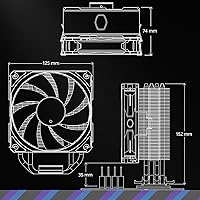
  • Dimensions: The cooler measures 124mm long by 73mm wide by 154mm tall with the fan attached.
  • Weight: Total assembled weight is approximately 1.54 lbs, which is typical for a single-tower cooler in this class.
  • Heat Pipes: Four copper heat pipes make direct contact with the CPU integrated heat spreader to maximize heat transfer efficiency.
  • Fin Material: Cooling fins are constructed from aluminum, with a brushed aluminum decorative cover plate on the top of the tower.
  • Fan Model: Ships with a single Cooler Master SickleFlow 120 Edge PWM fan featuring an optimized blade profile for balanced airflow and static pressure.
  • Fan Size: The included fan is a standard 120mm unit, compatible with any 120mm fan mounting position if a replacement is ever needed.
  • Fan Speed Range: PWM-controlled fan speed adjusts automatically between 690 and 2,500 RPM based on CPU thermal demand.
  • Noise Level: Maximum rated noise output is 26 dB at full fan speed; at lower RPM settings during idle, perceived noise is considerably less.
  • Power Connector: Uses a standard 4-pin PWM connector, compatible with any motherboard header that supports PWM fan control.
  • Power Draw: Fan wattage is rated at 2.4W, drawing 12V from the motherboard fan header with negligible impact on total system power.
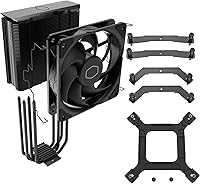
  • Compatible Sockets: Officially supports AMD AM5 and AM4, as well as Intel LGA 1851, LGA 1700, and LGA 1200 with included brackets.
  • Cooler Height: The tower stands 152mm tall without the fan and 154mm with the fan mounted, which determines case compatibility requirements.
  • Thermal Paste: A small quantity of thermal compound is included in the box for initial installation; quantity is limited and not suited for reapplication.
  • RGB Lighting: This cooler ships with no RGB or LED lighting of any kind; the aesthetic is entirely defined by the black finish and aluminum cover.
  • Warranty: Cooler Master provides a 2-year limited warranty covering manufacturing defects under normal use conditions.

Related Reviews
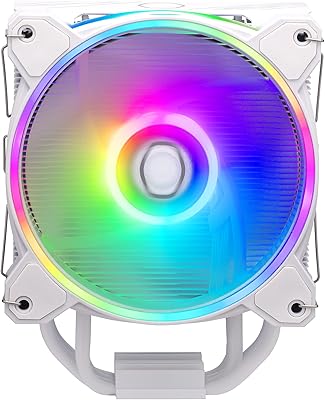
Cooler Master Hyper 212 Halo CPU Air Cooler
84%
88%
Cooling Performance
91%
Noise Level
85%
Ease of Installation
89%
Build Quality
80%
RGB Aesthetics
More
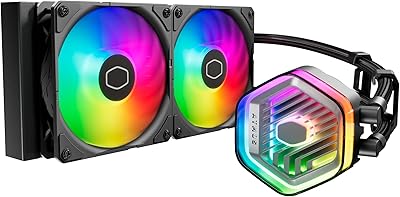
Cooler Master MasterLiquid Atmos 360 AIO Cooler
83%
88%
Thermal Performance
91%
Noise Level
83%
Build Quality
87%
Installation Experience
84%
RGB & Lighting Quality
More
Cooler Master MasterLiquid Atmos 240 Liquid Cooler
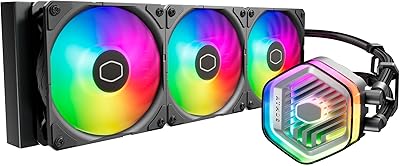
82%
76%
Thermal Performance
88%
Noise Level
82%
Build Quality
84%
Pump Performance
91%
RGB & Lighting
More
Cooler Master Hyper 622 Halo Dual Tower CPU Cooler
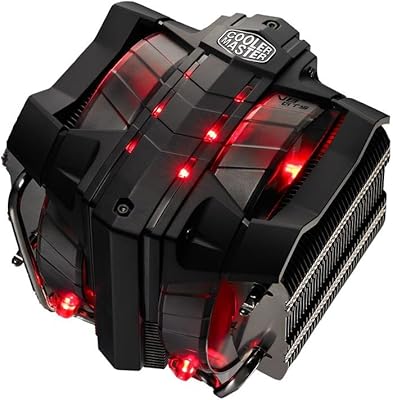
82%
83%
Thermal Performance
88%
Noise Level
89%
Ease of Installation
67%
RAM Clearance
86%
Build Quality
More
Cooler Master V8 GTS High Performance CPU Cooler
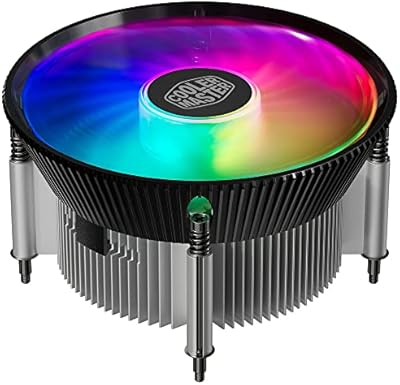
84%
90%
Cooling Performance
88%
Ease of Installation
65%
Fan Noise
92%
Build Quality
85%
Aesthetic Appeal (LED Lighting)
More
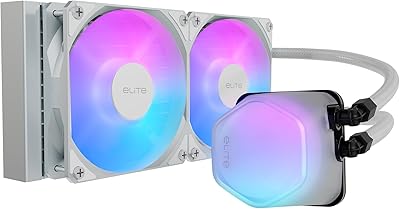
Cooler Master 240 Elite Liquid White CPU Liquid Cooler
85%
91%
Cooling Performance
84%
Noise Levels
92%
Ease of Installation
89%
Build Quality
88%
aRGB Lighting Effect
More
Cooler Master i70C Low-Profile CPU Cooler
78%
72%
Thermal Performance
88%
Noise Level
93%
Form Factor & Fit
86%
Installation Ease
78%
ARGB Lighting
More
Cooler Master MasterLiquid ML240L V2 AIO Cooler
77%
78%
Thermal Performance
91%
Installation Experience
63%
Pump Noise & Vibration
82%
Fan Performance
88%
ARGB Lighting
More
Cooler Master MasterAir MA824 Stealth CPU Cooler
81%
88%
Thermal Performance
91%
Noise Level
93%
RAM Clearance
72%
Installation Experience
89%
Build Quality & Materials
More
Cooler Master i71C RGB Intel Low-Profile CPU Air Cooler
84%
88%
Cooling Performance
91%
Noise Level
85%
RGB Customization
89%
Build Quality
75%
Installation Ease
More

FAQ

For the most common current platforms — AMD AM5/AM4 and Intel LGA 1700/1851/1200 — everything you need is in the box, including the appropriate brackets, screws, and a small amount of thermal paste. You should not need to purchase any additional mounting hardware for those sockets.

Yes, for a stock-clocked or lightly tuned Ryzen 7 it handles thermal load well under everyday workloads, gaming, and moderate content creation tasks. Where it starts to struggle is sustained all-core stress or aggressive overclocking on higher-TDP variants — in those scenarios a more capable cooler is worth the extra investment.

Check your case specifications for CPU cooler height clearance — if it supports 155mm or more, this tower cooler will fit with room to spare. Most standard mid-tower cases from popular brands allow between 160mm and 175mm, so fitment issues are uncommon. If your case is on the tighter end, verify the exact limit before ordering.

Potentially, yes. The lower portion of the fin stack can sit close to the first DIMM slot on some motherboard layouts, and high-profile memory heatspreaders taller than roughly 40mm may conflict depending on your board. Low-profile or standard-height RAM kits will have no issue at all.

During light desktop tasks, the fan runs at low RPM and is quiet enough that most people would not notice it over normal ambient room noise. It only becomes audible when the CPU is under sustained load and the fan ramps toward its upper speed range — at that point it is noticeable but not disruptive.

Absolutely, and many experienced builders recommend it. The included paste is functional for a first install, but applying a quality third-party compound like Thermal Grizzly Kryonaut or Arctic MX-6 typically results in a few degrees lower temperatures. Just clean the CPU heat spreader and cooler base thoroughly before applying the new paste.

It is manageable, though it does require some patience. The included instructions cover the main steps, and there are numerous video guides online specific to this cooler and common motherboards. The updated AM5 and LGA 1700 bracket design is more straightforward than older versions, which helps. Just take your time, do not overtighten the mounting screws, and you should be fine.

Yes, the fin stack is designed to accept a standard 120mm fan on the opposite side of the included fan, turning it into a push-pull configuration. You would need to source a compatible 120mm fan and appropriate wire clips or fan brackets separately, but it is a viable way to squeeze extra cooling performance out of the tower.

Most users report a meaningful improvement — typically lower peak temperatures under load and noticeably quieter operation during everyday tasks. Stock coolers, especially AMD Wraith Stealth units, tend to run warmer and spin louder to compensate. This budget air cooler is a well-recognized step up in both thermal performance and acoustics for its price.

As of the latest available information, the product is not discontinued and remains in active production. Cooler Master has continued to update its bracket compatibility with new socket generations, which reflects ongoing support. Its sustained bestseller ranking also suggests consistent inventory availability through major retailers.

Where to Buy