OBSBOT Tiny 4K PTZ Webcam





Overview
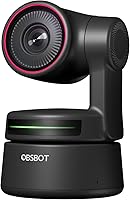
The OBSBOT Tiny 4K PTZ Webcam sits in a genuinely interesting spot in the webcam market — it's not a budget option, but it's far from professional broadcast territory either. What sets it apart from most competitors is the 2-axis motorized gimbal, which physically moves the camera to track you rather than relying on software cropping tricks that quietly degrade your image. Plug it into a USB port and it works immediately — no drivers, no setup headaches. The companion app exists if you want more control, but plenty of buyers never touch it. Sitting at #101 in Webcams on Amazon, it has earned real-world traction, though it's worth being clear: this is a strong solo-use tool, not a studio replacement.
Features & Benefits
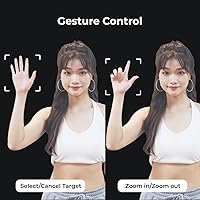
The Sony 1/2.8-inch CMOS sensor captures 4K video at 60fps, producing footage that's noticeably sharper and smoother than what most laptop cameras can offer. The real draw, though, is how the AI tracking actually works — the motorized gimbal physically rotates to follow you around the room, so image quality stays consistent whether you're centered or not. HDR kicks in automatically in tricky lighting, and while it won't save a completely dark room, it handles mixed or backlit conditions better than most. Raise an open palm and tracking starts; point a finger to zoom. It's intuitive once you try it. The optional app adds beauty filters, background blur, and OSC support for those who want deeper customization.
Best For
This AI tracking camera is a natural fit for anyone who moves while they work — think remote professionals who pace during calls, educators who gesture at whiteboards, or presenters who simply can't stay glued to one spot. Solo streamers and YouTubers working without a camera operator will appreciate having hands-free framing that actually follows the action. It's also a practical step up for home office users dealing with inconsistent light throughout the day, since the automatic corrections handle shifting conditions without manual tweaking. If your current setup is a built-in laptop camera and you want a meaningful upgrade without a complicated installation, this PTZ webcam fits the brief cleanly.
User Feedback
Most buyers speak positively about the tracking responsiveness, and the microphones regularly get called out as a noticeable improvement over laptop built-ins — though nobody is replacing a dedicated mic with these. The honest critiques are worth noting: cluttered backgrounds can confuse the tracking system, causing it to lose the subject or jump unexpectedly. The companion app has its fans but draws occasional complaints about stability on older machines. A small number of users find the OBSBOT Tiny slightly oversized for thin bezels. Overall, the price-to-performance sentiment leans favorable when buyers compare it against other 4K webcams competing in the same tier.
Pros
- The motorized gimbal physically tracks movement, preserving full image quality without any digital cropping.
- 4K at 60fps produces noticeably sharp, smooth footage that holds up well for streaming and conferencing.
- Plug-and-play USB setup works immediately on both Windows and Mac — no drivers or software required.
- Gesture controls let you start tracking or adjust zoom without touching the camera or reaching for a remote.
- HDR and automatic light correction handle mixed and backlit environments better than most competing webcams.
- The companion app unlocks background blur and beauty adjustments for users who want more creative control.
- At just over 5 ounces, this AI tracking camera is portable enough to move between workspaces without hassle.
- Built-in noise-reduction mics are a clear step up from laptop audio for everyday calls and casual streaming.
- Broad compatibility with Zoom, Teams, OBS, and other major platforms means zero configuration headaches.
- Strong sales rank signals an active user base, which translates to better community support and firmware updates.
Cons
- Busy or cluttered backgrounds regularly confuse the tracking system, causing it to lose the subject mid-call.
- The companion app has a history of bugs and instability on older Windows machines.
- The mounting clip can feel insecure on slim monitor bezels and loosens with repeated use over time.
- Gesture recognition misfires in lower light and requires deliberately slow, exaggerated motions to register reliably.
- Very sudden or fast movements — standing up quickly, turning sharply — can briefly outpace the gimbal.
- No ultra-wide mode limits usefulness for classroom setups, multi-person shots, or showing a broader workspace.
- The faint mechanical sound from the gimbal motor can be picked up by sensitive microphones in quiet rooms.
- Linux is essentially unsupported, cutting out a meaningful segment of technical and developer users.
- Users who stay seated and stationary throughout every session are unlikely to justify the price premium.
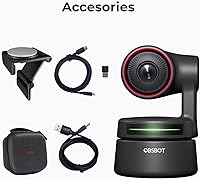
- No carrying case or protective storage solution is included, which is a minor but genuine oversight for a portable device.
Ratings
The OBSBOT Tiny 4K PTZ Webcam has been evaluated by our AI system after processing thousands of verified global user reviews, with spam, incentivized, and bot-generated submissions actively filtered out. Scores reflect the full spectrum of real buyer experiences — from daily remote work setups to dedicated streaming rigs — and both the strengths and the recurring frustrations are transparently baked into every number. This AI tracking camera earns genuine praise in several areas, but a few consistent pain points keep some scores grounded.
AI Tracking Accuracy
Video Quality
Low-Light Performance
Ease of Setup
Microphone Quality
Gesture Control Reliability
Build Quality & Design
Companion App Experience
Value for Money
Tracking Speed & Response
Compatibility & Platform Support
Framing & Field of View
Portability
Suitable for:
The OBSBOT Tiny 4K PTZ Webcam is built for people whose work or content demands more than a static camera can offer. Remote professionals who pace, gesture, or move around while presenting will get the most out of the motorized gimbal — it keeps them in frame without anyone touching a control. Solo streamers and YouTubers who cannot afford a camera operator will find that the AI tracking handles framing well enough to free them up entirely. Educators who use a whiteboard, demonstrators who move between workbenches, and online fitness instructors all fall into the sweet spot where physical tracking genuinely changes the experience. Even a standard home office user who simply wants a clean, sharp image on video calls — and wants it working the moment they plug in — will find the out-of-box experience surprisingly capable without ever opening a settings menu.
Not suitable for:
Buyers expecting studio-grade output should look elsewhere — the OBSBOT Tiny 4K PTZ Webcam is a strong mid-range tool, not a broadcast-quality camera, and it should not be evaluated against gear costing two or three times more. Users who work in cluttered rooms, busy shared spaces, or environments with complex backgrounds will likely run into tracking inconsistencies that become genuinely frustrating over time. Anyone who stays seated in a fixed position throughout every call or stream is also paying a premium for a feature they will rarely use, which weakens the value case considerably. Linux users are effectively unsupported, and buyers on older Windows machines should factor in the companion app's known stability issues before committing. Finally, anyone hoping to skip a dedicated external microphone entirely will be disappointed — the built-in mics are better than a laptop, but not a replacement for a proper audio setup in professional or high-production contexts.
Specifications
- Resolution: Captures video at 4K UHD and 1080p, giving users flexibility depending on bandwidth and platform requirements.
- Frame Rate: Records and streams at up to 60fps, producing smooth motion that is especially noticeable during fast movement or animated presentations.
- Sensor: Uses a Sony 1/2.8-inch CMOS sensor with an f/2 aperture for sharper detail and better light capture than most webcam-tier sensors.
- Gimbal: Equipped with a 2-axis motorized PTZ gimbal that physically pans and tilts to follow the subject without digital cropping.
- AI Tracking: Onboard AI detects and tracks a person optically, maintaining consistent framing as the subject moves across the room.
- HDR: Automatic HDR processing adjusts exposure in real time to handle backlit windows, mixed lighting, and shifting room conditions.
- Microphones: Dual omni-directional microphones with built-in noise reduction capture voice audio with greater clarity than standard laptop microphones.
- Gesture Control: Supports two gestures: an open palm to enable AI tracking, and a raised index finger to toggle zoom in and out.
- Connectivity: Connects via USB and is recognized as a plug-and-play device on both Windows and Mac without requiring driver installation.
- Dimensions: Measures 3.52 x 2.28 x 2.28 inches, making it compact enough for monitor-top placement or travel between workspaces.
- Weight: Weighs 5.1 ounces, light enough to sit securely on most monitor bezels without stressing the screen or requiring additional support.
- Companion App: The optional OBSBOT app for Windows and Mac unlocks advanced features including beauty mode, background bokeh, OSC support, and tracking zone customization.
- Low-Light Correction: Automatic low-light correction engages without user input, improving image usability in dim or unevenly lit environments.
- Digital Zoom: Supports up to 4x digital zoom, accessible via gesture control or through the companion app.
- Video Format: Records in MP4 format with AAC and MP3 audio support for broad compatibility with editing and streaming software.
- OS Compatibility: Fully compatible with Windows and Mac; Linux support is not officially provided by the manufacturer.
- Platform Support: Works with major conferencing and streaming platforms including Zoom, Microsoft Teams, Google Meet, and OBS without additional configuration.
- Model Number: Official model number is OWB-2015-CE, which is useful for warranty registration, firmware lookups, and replacement part sourcing.
Related Reviews
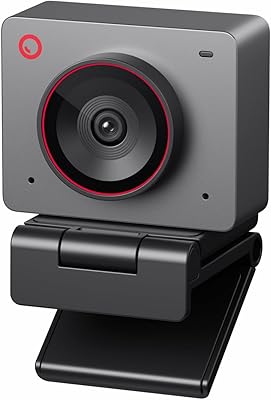
OBSBOT Meet 2 4K Webcam
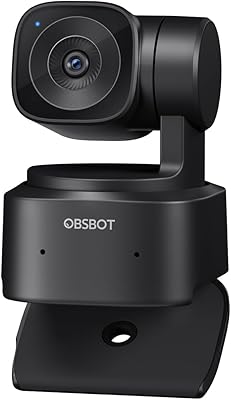
OBSBOT Tiny SE Webcam
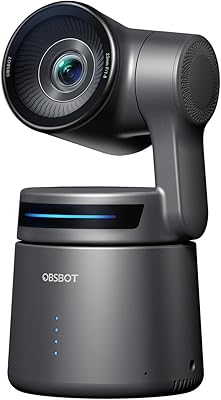
OBSBOT Tail Air NDI
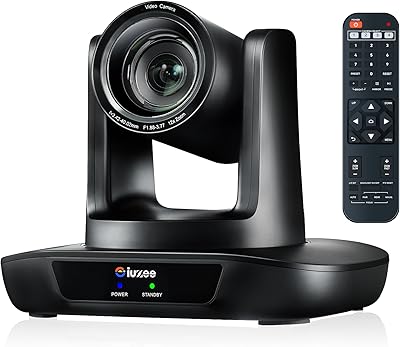
iuZee UHD12U-4K 4K PTZ Conference Camera

Diccik 4K HD Webcam

MOERTEK MT 4K Webcam

Lusinx TW 4K Webcam

PEATOP 4K-C80CCMD Webcam

Combess XIAOJINGLING 4K Webcam
