Overview

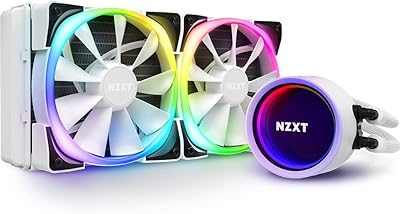
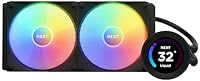
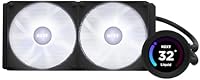
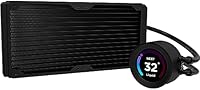
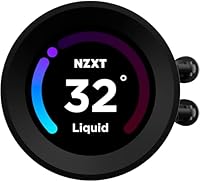
The NZXT Kraken Elite 280 Liquid CPU Cooler sits firmly in the premium AIO category, built for enthusiasts who want both strong thermal performance and meaningful personalization. What separates it from competing units is the 2.36-inch LCD panel on the pump head — a sharp, bright screen capable of displaying system stats, animated images, and more. The Asetek pump partnership signals a commitment to build quality you can actually trust. That said, honest expectations matter here: this is a feature-rich cooler designed for builders who value a complete package, not just whoever wants the absolute coldest CPU at this radiator size.

Features & Benefits

The LCD display earns its place as the centerpiece of this cooler’s identity — the 640x640 resolution panel is sharp and bright enough to remain readable across most lighting conditions. Through NZXT CAM, you can push animated graphics, live CPU stats, or web content directly to the screen, a level of customization most AIO makers simply don’t offer. The Asetek pump handles coolant circulation quietly during light loads; under sustained pressure, you may pick up a slight hum at higher RPM, which is typical for a unit operating in this performance range. Cable management benefits from a single breakout cable to the motherboard, and the nylon-reinforced hoses feel robust during installation. Both Intel and AMD sockets ship with the necessary hardware included.

Best For

This NZXT AIO cooler makes the most sense in a build where the inside of the case is meant to be seen. If you have a windowed panel and want the pump head to anchor the aesthetic, this liquid cooler delivers that in a way few competitors can match at this size. It fits well in mid-to-high-end gaming and content creation rigs where demanding CPUs need real thermal headroom. Before you buy, check that your case actually supports a 280mm radiator — not every mid-tower does. Users already invested in the NZXT CAM ecosystem will find everything plays well together. If you want to run your system completely software-free, or you’re working with a tight budget, this probably isn’t the right pick.

User Feedback

Among buyers, the display quality and the surprisingly painless installation process come up repeatedly as highlights. The single-cable setup in particular draws consistent praise from people who’ve wrestled with more complicated AIOs before. On the performance side, this Kraken Elite 280 holds its own comfortably with mainstream Intel and AMD chips, though users running very high-TDP processors sometimes note it trails purpose-built 360mm alternatives. The sticking point for many is NZXT CAM — software dependency is a real concern, with some users reporting stability issues or frustration at needing it active to unlock the display. Long-term reliability feedback skews positive, but given the investment involved, potential buyers should weigh that software relationship carefully before committing.

Pros

  • The LCD pump head display is bright, sharp, and customizable in ways most competing AIOs simply cannot match.
  • Single-cable breakout to the motherboard keeps installation clean and cuts down on cable management headaches inside the case.
  • Asetek pump internals provide a reliable engineering foundation backed by years of proven AIO development.
  • RGB Core fans strike a practical balance between solid airflow, decent static pressure, and vibrant lighting without sacrificing either.
  • Nylon-mesh reinforced hoses feel genuinely durable and handle the physical demands of installation without excessive stiffness.
  • Broad Intel and AMD socket compatibility means this NZXT AIO cooler fits a wide range of current mainstream platforms out of the box.
  • Thermal performance is consistent and capable for mainstream CPUs across sustained gaming and demanding productivity workloads.
  • The pump head screen displays live system stats, animated graphics, or custom images without requiring any extra hardware investment.

Cons

  • NZXT CAM must be actively running for the LCD to work at full capability, which is an ongoing software commitment many builders resent.
  • CAM has a documented track record of stability complaints and update-related issues that prospective buyers should independently verify.
  • Linux users and those committed to a software-free setup will find the display feature essentially inaccessible in practice.
  • Very high-TDP processors can push this liquid cooler toward its thermal ceiling; a 360mm unit is a meaningfully safer choice for those chips.
  • Not every mid-tower case accommodates a 280mm radiator, making physical compatibility a non-negotiable pre-purchase check.
  • Audible noise increases noticeably at higher fan and pump speeds, which matters in quieter workstation or bedroom setups.
  • The premium price makes the value proposition conditional on genuinely using the display and customization features regularly.
  • Builders focused purely on cooling efficiency with no interest in RGB or a pump-head screen are paying a significant premium for hardware they will ignore.

Ratings

The NZXT Kraken Elite 280 Liquid CPU Cooler has been scored by our AI system after processing thousands of verified purchase reviews from buyers worldwide, with spam, bot-generated submissions, and incentivized feedback actively filtered before analysis. Scores reflect both what this cooler does genuinely well and where it falls short, giving you an accurate, unvarnished picture across every dimension that matters to real buyers. Whether the premium feature set justifies the investment depends heavily on your specific use case, and the ratings below are designed to help you answer that question clearly.

Display Quality
91%
The pump head LCD stands out in a crowded AIO market — the screen is sharp enough that animated displays and live system metrics look polished rather than gimmicky, and the high brightness ensures visibility even in a brightly lit room. Builders focused on interior aesthetics consistently rate this as the cooler's single most impressive feature.
A vocal group of users notes that the display is only as good as CAM software enables, and any buggy update can temporarily break or distort the screen output. The square aspect ratio also limits certain image types, which those expecting a more traditional widescreen format may find slightly restrictive.
Installation Ease
88%
The single breakout cable design is the headline installation win — instead of routing multiple individual cables from pump to motherboard, everything consolidates into one clean run, which builders with windowed cases particularly appreciate. Most users report completing the full installation process in under an hour, even those approaching their second or third AIO build.
A consistent minority of users — particularly first-time AIO builders — find the pump head mounting bracket slightly fiddly to align correctly, especially on AMD AM5 platforms where the stock backplate must first be removed. The included instructions are functional but could benefit from clearer step-by-step diagrams, a gap that sends some users searching for video guides instead.
Cable Management
87%
The single breakout cable from pump to motherboard is one of the most practical design decisions on this cooler — experienced builders who have wrestled with AIOs requiring four or five separate connections immediately notice the difference. For windowed builds where cable tidiness is part of the aesthetic, this design choice pays visible dividends.
The breakout cable itself is non-removable from the pump head, which makes full cable replacement difficult if the cable is damaged, and the cable length may feel restrictive in very large full-tower cases with deep radiator mounting positions. Some users also note the cables are not sleeved along their full run, leaving an inconsistency in the overall premium finish impression.
Build Quality
86%
The Asetek pump partnership is a meaningful signal of build confidence — Asetek's 3-phase motor design has a long track record across premium AIO products, and it translates to a pump that feels engineered rather than spec-padded. The nylon-mesh hose sleeves and solid pump head construction leave most users feeling like they received a product built to last.
A minority of users report that the plastic components around the pump head feel slightly less premium than the overall price point might lead you to expect, particularly when compared directly against metal-accented competitors. Pump head contact plate alignment during installation has also drawn occasional criticism, with some users needing to re-seat it to achieve optimal thermal results.
Platform Compatibility
84%
Mounting hardware for both Intel and AMD platforms ships in the box, covering LGA1700, AM4, and AM5 sockets without any separate accessory purchases. Users across both ecosystems report clean fitment with no reports of compatibility-related thermal issues beyond what standard mounting torque guidance addresses.
While Intel and AMD desktop platforms are well covered, HEDT socket users will find no native support, and the CAM software is Windows-only, leaving Linux users unable to access display or lighting controls. Some AM5 users also report needing to remove the stock AMD backplate — a step the included instructions could make clearer.
Pump Reliability
83%
Asetek's 3-phase motor design has an established reputation in the AIO market, and users of this liquid cooler bear that out — the overwhelming majority report quiet, consistent pump operation over months of daily use without signs of degradation. Long-term users particularly appreciate that the pump remains unobtrusive even after the initial warranty period passes.
A notable subset of users report an audible pump whine or rattling at higher RPM settings, a pattern that becomes more pronounced in open-bench or quiet case configurations where there is less acoustic dampening. While not universal, the frequency of these reports is enough to warrant attention from buyers who run their systems under sustained heavy loads regularly.
Fan Performance
81%
19%
The RGB Core fans manage the balancing act between static pressure and airflow better than many bundled AIO fans, which often sacrifice one for the other. Builders running the fans at mid-range speeds report noticeably effective heat dissipation from the radiator without the aggressive noise ramp-up that plagues some competing 140mm fan designs.
At maximum speeds, the fans are noticeably louder than the marginal performance gains justify — most builders recommend capping fan curves well below full throttle for a better noise-to-cooling ratio. A small number of users have also flagged early bearing noise after several months of use, worth watching on any plain bearing design.
Thermal Performance
78%
22%
For mainstream gaming rigs running mid-to-high-end Intel and AMD processors, the 280mm radiator delivers solid, sustained cooling that holds up through long gaming sessions and demanding multi-threaded workloads. Users running Ryzen 7 or Core i7 class chips consistently report stable temperatures without aggressive fan intervention.
Where the ceiling becomes visible is on very high-TDP processors — flagship chips with sustained 200W-plus power budgets regularly push this cooler close to its limits, and some users report thermal throttling during extended all-core stress tests. Those running workstation-grade CPUs at full tilt would be better served by a 360mm alternative.
Long-term Durability
79%
21%
The combination of Asetek pump engineering and nylon-mesh reinforced hoses provides a durability foundation that holds up well in the real-world feedback timeline available. Most users past the one-year mark report no coolant issues, no hose degradation, and stable pump performance, which aligns with the general reliability reputation the Asetek platform carries across the industry.
The long-term story is complicated by CAM dependency — if NZXT ever discontinues or significantly changes the software, the display becomes permanently limited, a realistic concern at this price tier. A minor recurring theme in older reviews also points to cosmetic wear on the pump head plastic around the mounting contact points over time.
Noise Level
74%
26%
During typical desktop workloads and moderate gaming sessions, the pump and fans operate at a level that most users describe as unobtrusive — audible if you are listening for it but rarely distracting in an open room. At mid-range fan speeds the hydrodynamic bearings contribute to a smooth, consistent noise profile without the erratic buzzing sometimes found in cheaper fan designs.
Under heavy all-core CPU loads or stress testing, the ramp-up in both fan and pump noise is significant enough that users in quieter setups — home offices or bedroom gaming rigs — have flagged it as a meaningful downside. Some users running the pump at its upper RPM range also report a slight high-frequency whine that becomes more noticeable during late-night sessions.
Value for Money
71%
29%
For builders who actively use the LCD display and RGB features, this NZXT AIO cooler delivers feature density that would otherwise require separate purchases to replicate. The Asetek pump, reinforced hoses, and broad platform support ensure the premium price reflects real engineering decisions rather than pure brand markup.
Pure-performance buyers who have no interest in the display or RGB features face a harder value calculation — comparably priced or cheaper 280mm and 360mm alternatives deliver equal or better thermal results without the software overhead. The ongoing CAM dependency also means the long-term value proposition is partially tied to NZXT's commitment to maintaining and updating their software.
Software Experience
63%
37%
When CAM cooperates, it delivers a centralized control hub that lets builders manage fan curves, lighting, and the LCD display from a single interface — a real convenience for those running a full NZXT ecosystem. The display customization options in particular stand out as meaningfully deeper than what most competing AIO software offers.
CAM has accumulated a significant backlog of stability complaints over the years — crash-on-launch issues, update-related regressions, and high background CPU usage are recurring themes in community forums and verified reviews. For users who depend on the display functionality, a bad CAM update can render the screen inert until a patch arrives, which is a frustrating vulnerability for a premium product.
RGB & Aesthetics
89%
Few 280mm AIOs make the interior of a windowed build look as considered as this one — the RGB fans, lit pump head, and LCD combine into a cohesive visual package that most competing AIOs cannot match at this level of integration. Builders creating showcase systems consistently highlight the aesthetic package as a core reason they chose this cooler.
Full RGB control requires CAM to be active, so the lighting experience is inextricably tied to software stability. A small group of users also reports that the RGB fans produce slightly cooler color tones than expected when matched alongside non-NZXT components, which can require additional tuning to achieve a cohesive look across a mixed build.

Suitable for:

The NZXT Kraken Elite 280 Liquid CPU Cooler is purpose-built for PC builders who treat the inside of their case as part of the overall design, not an afterthought. If you are running a mid-to-high-end gaming rig or a content creation workstation and want the cooling loop to double as a visual centerpiece, the customizable LCD pump head delivers that in a way very few competitors manage at this radiator size. It is a strong match for enthusiasts already using NZXT’s CAM software to manage other components, since unified control over lighting, fan curves, and the display all live in one place. Builders running mainstream Intel or AMD processors will find thermal performance more than adequate for sustained gaming sessions and heavy productivity workloads. If your case supports a 280mm radiator and you want something that looks as deliberate as it performs, this cooler rewards the investment.

Not suitable for:

The NZXT Kraken Elite 280 Liquid CPU Cooler is not the right call if you are building on a tight budget or simply want a cooler that installs quietly and never needs software attention again. Builders pushing very high-TDP processors — the kind that tax even capable 280mm solutions — will find that a 360mm AIO provides meaningfully more thermal headroom under prolonged heavy loads. The LCD display is one of this cooler’s strongest attributes, but it depends entirely on NZXT CAM to reach full functionality, and that ongoing software requirement has been a documented frustration for a real share of buyers. Those running Linux, or anyone who has had past run-ins with CAM’s stability, should factor that dependency into the decision carefully. It is also worth verifying your case specifications before purchasing, since 280mm radiator support is far from universal across mid-tower cases, and discovering a sizing mismatch after the fact is an avoidable headache.

Specifications

  • Radiator Size: The cooler uses a 280mm radiator, accommodating two 140mm fans for a practical balance between thermal capacity and case compatibility.
  • Display Size: The pump head features a 2.36″ LCD screen designed to serve as a customizable visual centerpiece on the pump block.
  • Display Resolution: The LCD panel renders at 640x640 pixels, delivering sharp, clear output for both static images and animated content.
  • Display Brightness: At 690 nits of peak brightness, the screen remains legible in well-lit environments with significant ambient light.
  • Refresh Rate: The display refreshes at 60Hz, producing smooth motion for animated GIFs and dynamic performance monitoring readouts.
  • Pump Type: Coolant circulation is handled by an Asetek-engineered 3-phase motor pump, a design with a strong industry track record for reliability and low acoustic output at moderate loads.
  • Pump Speed: The pump scales up to 2,800 RPM under thermal demand while remaining relatively quiet during lighter everyday workloads.
  • Noise Level: The unit is rated at 34.48 dB under typical conditions, though audible noise increases noticeably when the pump and fans ramp toward their upper speed range.
  • Fan Bearing: The included RGB Core fans use hydrodynamic plain bearings, offering a solid balance between operational longevity, low friction, and reduced running noise.
  • Hose Material: Coolant hoses are constructed from rubber and wrapped in a nylon mesh sleeve, adding durability and resistance to kinking or surface cracking over time.
  • Power Connector: The cooler connects to the motherboard via a standard 4-pin connector, compatible with the overwhelming majority of modern desktop motherboards.
  • Voltage: The unit operates at 12V DC, consistent with standard desktop PC power delivery through standard motherboard headers.
  • Wattage: Total power draw is rated at 2.76W, making the cooler efficient in terms of electrical consumption relative to the cooling and display output it provides.
  • Platform Support: Mounting hardware for both Intel and AMD CPU sockets is included in the box, covering the major current-generation desktop platforms.
  • Software: Full display and RGB customization requires NZXT CAM, a Windows-based application that also handles fan curve control and system monitoring.
  • Item Weight: The complete unit weighs approximately 4.41 pounds, which is typical for a 280mm AIO cooler with a reinforced pump head assembly.

Related Reviews
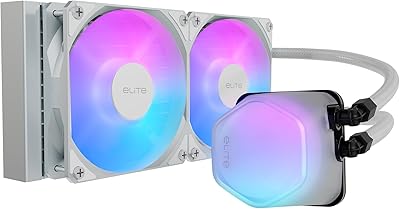
Cooler Master 240 Elite Liquid CPU Cooler
81%
78%
Thermal Performance
82%
Noise Level
91%
Ease of Installation
76%
Build Quality
88%
RGB & Aesthetics
More
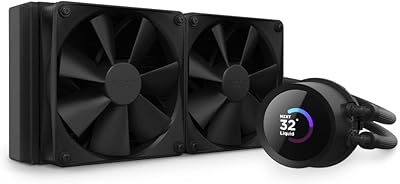
NZXT Kraken 240 AIO CPU Liquid Cooler
81%
78%
Thermal Performance
81%
Noise Level
83%
LCD Display
52%
Software Experience
91%
Installation Ease
More
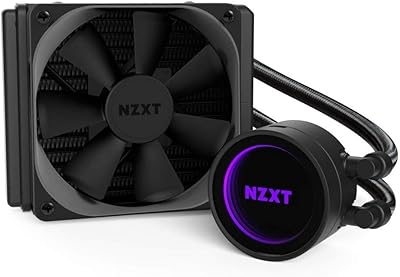
NZXT Kraken M22 120mm Liquid CPU Cooler
72%
67%
Thermal Performance
79%
Noise Level
91%
RGB & Aesthetics
52%
Software (CAM)
83%
Build Quality
More
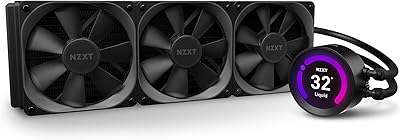
NZXT Kraken Z73 360mm AIO RGB CPU Liquid Cooler
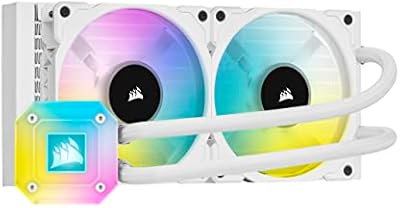
84%
92%
Cooling Performance
87%
Noise Level
72%
Installation Ease
80%
Software Control (CAM V4)
90%
Aesthetic Customization (LCD Display)
More
Corsair iCUE H100i Elite Capellix Liquid CPU Cooler
87%
94%
Cooling Performance
88%
Noise Level
90%
RGB Customization
82%
Ease of Installation
87%
Software Integration (iCUE)
More
NZXT Kraken X53 RGB 240mm AIO Liquid Cooler
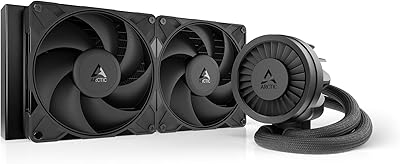
85%
88%
Performance Under Load
92%
Cooling Efficiency
85%
RGB Aesthetic & Design
87%
Noise Level
80%
Installation Process
More
ARCTIC Liquid Freezer III Pro 280 Cooler
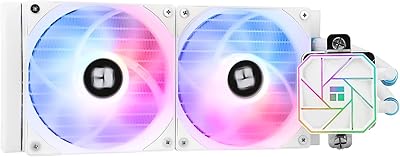
82%
91%
Thermal Performance
88%
Noise Level
74%
Installation Experience
89%
Fan Quality
93%
VRM Cooling
More
Thermalright Aqua Elite 240 V3 CPU Cooler
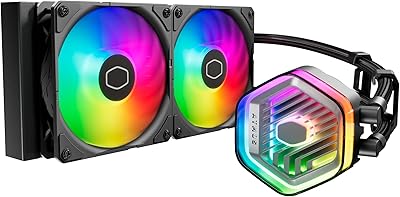
80%
83%
Thermal Performance
76%
Noise Level
92%
Value for Money
88%
Installation Experience
79%
Build Quality
More
Cooler Master MasterLiquid Atmos 240 Liquid Cooler
82%
76%
Thermal Performance
88%
Noise Level
82%
Build Quality
84%
Pump Performance
91%
RGB & Lighting
More
Cooler Master MasterLiquid Atmos 360 AIO Cooler
83%
88%
Thermal Performance
91%
Noise Level
83%
Build Quality
87%
Installation Experience
84%
RGB & Lighting Quality
More

FAQ

This NZXT AIO cooler ships with mounting hardware covering both Intel and AMD platforms, including the major current-generation sockets. It is still worth cross-referencing your specific CPU socket against NZXT’s official compatibility list before ordering, just to be sure.

The cooler itself will function without CAM — the pump runs, the fans spin, and your CPU gets cooled regardless. The catch is that the LCD display and RGB lighting customization are tied to CAM, so if you want the screen to show anything useful or your lighting preferences to persist across reboots, the software needs to be active. Some builders are fine with that; others find it an unwanted dependency.

At idle or during light tasks, it fades comfortably into the background. When the pump and fans ramp up under a demanding workload — think extended rendering jobs or a GPU-and-CPU-intensive game session — you will notice the noise pick up. It stays within an acceptable range for a high-performance liquid cooler, but it is not silent at full speed.

You need to check your case’s specifications directly — not all mid-towers that support 360mm radiators also support 280mm, since the fan spacing is different. Look up the supported radiator sizes in your case manual or on the manufacturer’s product page, and confirm both the mounting position and available clearance before purchasing.

Yes, through NZXT CAM you can upload static images or animated GIFs to the display. The screen is 640x640 pixels and refreshes at 60Hz, so animations play back smoothly. You can also configure it to display live system data like CPU temperature, load percentage, or clock speed instead.

For most real-world workloads — gaming, content creation, multitasking — it handles those chips well. Where it reaches its ceiling is under prolonged, sustained all-core stress loads on very high-TDP processors. If you regularly push those CPUs to their absolute limits for extended periods, a 360mm AIO would give you a more comfortable thermal buffer.

Most builders find it more approachable than expected, mainly because of the single breakout cable design that connects everything to the motherboard in one run rather than juggling multiple individual cables. The mounting hardware is clearly separated by platform. Budget around 30 to 45 minutes and follow the included guide step by step — if you have assembled a PC before, you should be in good shape.

CAM is a Windows-only application, so Linux users will not have access to display customization or software-driven lighting control. The cooler will still pump and cool, but the screen will either sit blank or fall back to a default state. If you run Linux as your primary OS, this is a significant limitation worth factoring into your decision.

In the vast majority of standard mid-tower and full-tower builds, the hose length is sufficient for both top and front radiator mounting positions. The nylon-mesh sleeve also keeps them flexible enough to route without fighting the hoses into awkward bends. Unusually deep or wide full-tower cases with non-standard layouts might be tighter, but standard configurations are well covered.

The nylon-mesh reinforced hoses are designed to resist cracking and kinking, and the Asetek pump platform has a solid reliability record across many AIO products over the years. Long-term user feedback leans positive on durability, with leaks being a rare exception rather than a recurring complaint. The main thing to watch during installation is avoiding any tight, sharp bends in the hoses, which applies to any liquid cooler.

Where to Buy