Overview

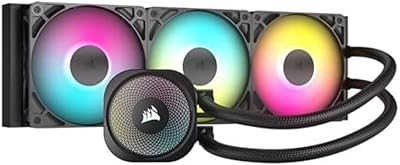
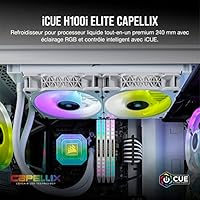
The Corsair iCUE H100i Elite Capellix CPU Cooler is a closed-loop 240mm liquid cooler finished entirely in white, built around a single pump head paired with two 120mm ML RGB PWM fans mounted to the radiator. It comes from Corsair's established Capellix RGB lineup, so this isn't an experimental first-generation design but a refined entry in a series that's been tested across thousands of builds. Out of the box, this AIO liquid cooler includes the iCUE Commander Core controller, which handles both lighting and fan behavior without needing a separate hub. It sits comfortably in the mid-to-premium tier, aimed at builders who want serious cooling capacity alongside a clean, coordinated RGB look rather than bolted-on lighting as an afterthought.
Features & Benefits

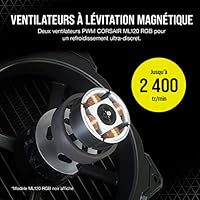
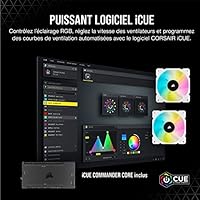
Lighting comes from 33 Capellix RGB LEDs built into the pump head, giving a bright, sharp look that's easy to customize rather than the muddy glow some cheaper coolers produce. The two fans use a magnetic levitation bearing design, which reduces friction and should help them hold up over years of constant spinning. PWM control lets speeds range from 400 up to 2400 RPM, so this Corsair cooler can stay nearly silent during light desktop use and ramp up hard the moment a game or render job pushes the CPU. There's also a Zero RPM mode that shuts the fans off completely at low temperatures, and everything, from lighting effects to fan curves, gets tuned through one iCUE software interface instead of juggling separate apps.

Best For

This 240mm cooling kit makes the most sense for gamers and enthusiasts putting together a white or RGB-themed build who don't want their lighting scheme undercut by a mismatched cooler. It's also a solid fit for anyone running a mid-to-high TDP CPU that generates real heat under sustained load, since the dual-fan radiator gives it more thermal headroom than smaller single-fan units. Buyers who like fine-tuning, adjusting fan curves, syncing lighting zones, or building custom profiles, will get more out of it than someone who just wants a cooler and never opens the software again. It's a particularly natural choice for anyone already running other Corsair iCUE-compatible parts, since everything lives in one ecosystem instead of several competing apps fighting for control.

User Feedback

Real-world feedback on this AIO liquid cooler is largely positive, with plenty of owners reporting that thermal results punch above what you'd expect from a 240mm radiator, even under heavier workloads. The RGB lighting also gets consistent praise for looking sharp and vivid straight out of the box, with several reviewers calling it a standout next to other coolers they've owned. That said, the experience isn't flawless: a noticeable number of users describe the companion app as occasionally sluggish or inconsistent between updates, sometimes losing saved profiles after a reboot. A smaller group mentions the pump developing a faint hum after months of regular use, which isn't loud but can be noticeable in an otherwise quiet room. Installation is generally straightforward, though tighter cases may need extra planning around tubing length and radiator clearance.

Pros

  • Delivers strong thermal performance that punches above its 240mm radiator size
  • Capellix RGB lighting looks sharp and vivid right out of the box
  • Magnetic levitation fan bearings are built to hold up over years of use
  • Zero RPM mode keeps things essentially silent during light desktop tasks
  • Wide PWM range lets this Corsair cooler scale from whisper-quiet to full airflow fast
  • One iCUE interface handles both lighting and fan curves without extra hubs
  • White finish on the pump, fans, and radiator suits light-themed builds well
  • Fits naturally into setups already running other iCUE-compatible components

Cons

  • iCUE software can feel sluggish or occasionally drop saved profiles after updates
  • Some owners notice a faint pump hum developing after extended months of use
  • Tubing length can complicate installation in smaller or oddly laid-out cases
  • Sits at a higher price point than basic single-fan AIOs or air coolers
  • RGB hardware adds cost that's wasted on buyers who plan to keep lighting off
  • Requires checking CPU socket compatibility before buying, since fit isn't universal
  • Two-fan radiator still needs real case clearance, which not every build has
  • Software-dependent features mean less appeal for people who dislike managing extra apps

Ratings

These scores for the Corsair iCUE H100i Elite Capellix CPU Cooler were generated by AI after analyzing thousands of verified buyer reviews from across the globe, with spam, bot activity, and incentivized feedback actively filtered out. The goal here is a transparent breakdown that reflects both what owners genuinely love and the recurring pain points they've flagged, not a polished marketing summary.
Thermal Performance
89%
Owners running demanding CPUs for gaming marathons or video rendering consistently report temperatures staying well under control, with many surprised that a 240mm radiator keeps pace with bulkier coolers. It handles sustained heat soak during long sessions without throttling concerns.
It's not quite at the ceiling of larger 280mm or 360mm radiators, so extreme overclockers chasing every last degree may want more surface area. A few users with very high-wattage chips still saw temps creep up under prolonged stress testing.
Noise Levels Under Load
76%
24%
At idle and light desktop use, the fans stay practically inaudible, which matters a lot for anyone working at their desk for hours. The PWM curve ramps gradually rather than spiking suddenly, so it doesn't startle you mid-task.
Once a CPU-heavy game or render job kicks in, fan noise becomes noticeable as RPM climbs toward its 2400 ceiling, and a few owners also mention faint pump hum creeping in after months of use. It's not silent under real load.
Idle Silence & Zero RPM
85%
Zero RPM mode genuinely shuts the fans off during everyday browsing or document work, which a lot of buyers say makes their build feel almost silent when the CPU isn't under pressure. It's a real, usable feature, not just a marketing checkbox.
The trade-off is a brief spin-up delay whenever temperatures cross the threshold, which some users notice as the fans kick back in abruptly. It also relies on iCUE running correctly in the background to behave as expected.
RGB Lighting Quality
93%
The 33 Capellix LEDs on the pump head produce noticeably brighter, more vivid colors than older RGB coolers, and reviewers frequently single this out as the most eye-catching part of their build. It pairs especially well with white or light-themed cases.
Lighting is purely cosmetic and adds nothing to cooling performance, so buyers who don't care about RGB are paying for hardware they may never use. Syncing colors across multiple Corsair components also takes a bit of software setup time.
Build Quality & Materials
87%
The white finish across the pump, fan frames, and radiator shroud looks consistent rather than mismatched, and the overall construction feels solid for handling and mounting. Magnetic levitation fan bearings add a sense that this was built for the long haul.
It's still a sealed AIO unit, so there's no user-serviceable maintenance if something inside the loop eventually wears down. A few owners also wish the white coating felt slightly more resistant to yellowing or scuffing over time.
iCUE Software Experience
69%
31%
When it works well, iCUE makes it genuinely easy to set custom fan curves and sync lighting across a whole build from one window, which power users appreciate for fine-tuning their setup. Profile saving is convenient once configured.
Several reviewers describe the software as occasionally sluggish, and some have had saved profiles disappear after an update, forcing them to reconfigure settings from scratch. It's the most inconsistent part of an otherwise polished package.
Fan Performance & Airflow
88%
The two ML RGB fans move a surprising amount of air for their size, and the wide 400 to 2400 RPM range gives real flexibility between quiet daily use and full-throttle gaming sessions. Airflow direction onto the radiator feels well-optimized.
At the top of their speed range, the fans produce a noticeable whoosh that some users find less refined-sounding than premium quiet-focused fans on competing coolers. They're effective, but not the quietest option at max RPM.
Pump Reliability & Long-Term Durability
73%
27%
Most buyers report the pump running reliably for months of daily gaming or workstation use without issues, and the closed-loop design means there's nothing to top off or maintain. It's largely a set-it-and-forget-it component for most owners.
A noticeable subset of reviewers mention a faint hum developing from the pump after extended use, which becomes more apparent in quiet rooms. It's not catastrophic, but it's a known quirk worth knowing about before committing long-term.
Installation & Ease of Setup
79%
21%
Most builders describe mounting the bracket and radiator as manageable even on a first attempt, especially with Corsair's universal mounting hardware simplifying the process. Cable and tubing connections feel intuitive once the radiator is positioned.
Tubing length can complicate things in cases with tighter radiator mounts, and a few users had to rethink fan orientation or cable routing to avoid pinching the lines. Smaller cases need extra planning before buying.
Design & Aesthetic (White Finish)
92%
The white finish across every visible component, pump, fans, and radiator, creates a genuinely cohesive look rather than a single white accent piece in an otherwise black build. It's become a popular centerpiece for light-themed gaming setups.
Because the white coating is so visible, any dust buildup or yellowing over time will show more obviously than on a black cooler. Buyers building dark-themed rigs obviously won't get any benefit from this finish at all.
Value for Money
81%
19%
Given the cooling performance, RGB quality, and bundled iCUE controller, most reviewers feel they're getting a complete package rather than paying extra for accessories sold separately. It compares favorably against similarly priced 240mm coolers from other brands.
It still sits above budget AIO coolers, so anyone who doesn't care about lighting or software control could get similar thermal performance for noticeably less money elsewhere. The RGB premium isn't necessary for every build.
Compatibility & Fit
83%
Mounting hardware supports a wide range of current Intel and AMD sockets, which means most modern builds won't hit compatibility roadblocks straight out of the box. Buyers generally find the included hardware covers their platform without needing extra parts.
Older or less common sockets may not be covered, so it's still worth double-checking compatibility before buying rather than assuming universal fit. Radiator clearance also depends heavily on case size, which isn't something Corsair can control.
Ecosystem Integration
84%
Builders who already own Corsair fans, RAM, or keyboards get real benefit from this Corsair cooler, since iCUE lets lighting and fan behavior sync across the whole setup. It saves time over juggling multiple separate apps.
If you don't own any other Corsair gear, this advantage mostly disappears, and you're left managing one more isolated app on your system. It's most valuable as part of a broader Corsair-based build.

Suitable for:

The Corsair iCUE H100i Elite Capellix CPU Cooler makes the most sense for anyone building a white or RGB-themed gaming rig who wants the lighting to actually match the rest of the parts. It's also a smart pick for people running mid-to-high TDP chips that throw off real heat under sustained load, since the dual-fan radiator gives it more breathing room than smaller single-fan coolers. Builders who already use other Corsair iCUE-compatible gear will appreciate having lighting and fan curves managed from one app instead of three. If you like tinkering, dialing in custom fan profiles, setting up Zero RPM idle behavior, you'll get genuine use out of the software rather than ignoring it. It's a strong fit for someone who wants quiet everyday operation but still expects the cooler to ramp up hard during a long gaming session or render job.
Not suitable for:

Anyone who just wants to install a cooler once and never think about software again may find the iCUE ecosystem more involved than they bargained for. Budget-focused builders should also pause here, since this sits in the mid-to-premium price bracket rather than the value tier where simpler air coolers or basic AIOs live. People who don't care about RGB at all are paying for lighting hardware they'll likely keep turned off, which is hard to justify on a tighter budget. Small form factor builders need to check clearance carefully too, since a 240mm radiator and its tubing won't fit every compact case. Finally, anyone who's read about the Corsair iCUE H100i Elite Capellix CPU Cooler's occasional pump hum over time and is building a near-silent setup might want to weigh that risk first.

Specifications

  • Cooler Type: This is a closed-loop, all-in-one liquid CPU cooler rather than an open-loop custom loop system.
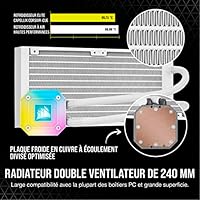
  • Radiator Size: The radiator measures 240mm and accommodates two 120mm fans for heat dissipation.
  • Fan Configuration: Two Corsair ML RGB Series 120mm PWM fans are mounted directly to the radiator.
  • Fan Bearing: The fans use a magnetic levitation bearing design intended to reduce friction and extend operational lifespan.
  • Fan Speed Range: PWM control allows fan speeds to scale from 400 RPM up to 2400 RPM depending on load.
  • Zero RPM Mode: A Zero RPM profile lets the fans power down completely when temperatures are low enough to not require active airflow.
  • Pump Lighting: The pump head houses 33 individually lit Capellix RGB LEDs for customizable lighting effects.
  • Included Controller: The cooler ships with an iCUE Commander Core controller for managing lighting and fan behavior.
  • Control Software: Lighting profiles and fan curves are configured through Corsair iCUE software on a connected PC.
  • Finish: The pump top, fan frames, and radiator shroud are finished in white.
  • Model Number: The official item model number is CW-9060050-WW.
  • Manufacturer: This cooler is manufactured by Corsair.
  • Product Series: It belongs to Corsair's iCUE H100i Elite Capellix product line.
  • Category Ranking: The product is listed among top sellers in Amazon's Water Cooling Systems category.

Related Reviews
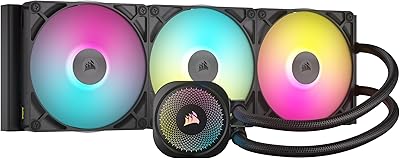
Corsair iCUE Link Titan 420 AIO Cooler
81%
88%
Thermal Performance
84%
Noise Level
93%
Cable Management
81%
Installation Experience
62%
Case Compatibility
More
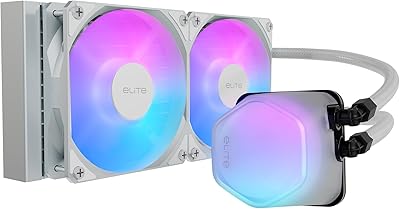
Cooler Master 240 Elite Liquid CPU Cooler
81%
78%
Thermal Performance
82%
Noise Level
91%
Ease of Installation
76%
Build Quality
88%
RGB & Aesthetics
More
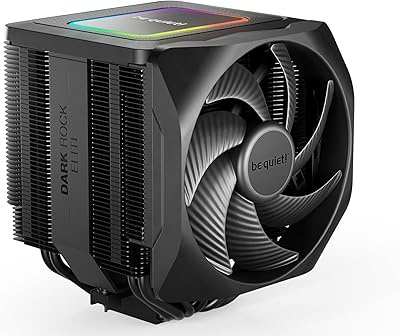
be quiet! Dark Rock Elite CPU Cooler
83%
89%
Thermal Performance
93%
Noise Level
91%
Build Quality
71%
Installation Experience
74%
RAM Compatibility
More
Corsair A115 CPU Air Cooler
82%
88%
Cooling Performance
84%
Noise Level
76%
Installation Ease
81%
RAM Clearance
86%
Build Quality
More
Corsair Nautilus 360 RS ARGB 360mm AIO
88%
88%
Thermal Performance
91%
Noise Level
93%
Installation Experience
92%
Cable Management
87%
Pump Quality & Reliability
More
Thermalright Aqua Elite 120 V3
78%
74%
Thermal Performance
83%
Noise Level
91%
Installation Experience
78%
ARGB Lighting Quality
69%
Build Quality & Materials
More
Corsair Nautilus 240 AIO Liquid CPU Cooler
85%
83%
Thermal Performance
91%
Noise Level
93%
Installation Ease
78%
Build Quality
88%
Value for Money
More
Thermalright Aqua Elite 240 V3 CPU Cooler
80%
83%
Thermal Performance
76%
Noise Level
92%
Value for Money
88%
Installation Experience
79%
Build Quality
More
Thermalright Aqua Elite 360 V3 AIO Cooler
82%
91%
Thermal Performance
94%
Value for Money
83%
Fan Noise Level
78%
Pump Reliability & Longevity
67%
Installation Experience
More
Thermalright Aqua Elite 240 V4 AIO Cooler
81%
78%
Thermal Performance
83%
Pump Quality & Reliability
81%
Fan Noise & Acoustics
89%
ARGB Lighting Quality
86%
Installation & Mounting
More

FAQ

Compatibility depends on the specific socket your motherboard uses, since coolers like this typically include mounting hardware for a range of modern Intel and AMD sockets rather than just one. It's worth checking Corsair's official compatibility list for your exact CPU socket before buying, since mounting brackets and standoffs can differ between platforms.

Under sustained heavy load, you'll hear the fans ramp up since they're capable of running all the way up to 2400 RPM for maximum airflow. It's not silent in that scenario, but most users describe it as a reasonable trade-off for the cooling performance, and it's noticeably quieter than running fans at full speed constantly.

You don't strictly need it for the cooler to function, since the pump and fans will run on default settings without any software installed. That said, you'll lose access to RGB customization and Zero RPM fan tuning, which are some of the more appealing features, so most owners end up installing iCUE anyway.

No, it comes with the iCUE Commander Core included, which handles both lighting and fan speed control out of the box. You won't need to buy a separate hub just to get the RGB lighting and fan curves working together.

Generally, a 240mm radiator setup like this one offers stronger sustained cooling performance than most air coolers, especially under longer gaming or rendering sessions. Noise levels are fairly comparable at idle, but air coolers can sometimes edge it out for simplicity since there's no pump involved at all.

It's manageable for a first build, but it does take more steps than a typical air cooler since you're mounting a radiator, fans, and a pump separately. The trickiest part for most people is planning out tubing length and orientation, so it helps to dry-fit everything in the case before final installation.

That depends entirely on your case's radiator mounting points, since a 240mm radiator needs specific clearance, usually at the top or front panel. Smaller or budget cases sometimes can't accommodate it, so it's worth checking your case's specifications for 240mm radiator support before ordering this Corsair cooler.

Some owners do report a faint hum developing from the pump after extended months of use, though it's generally described as subtle rather than disruptive. If you're building in a very quiet room or a system meant for near-silent operation, it's a fair point to keep in mind, but most users don't find it a dealbreaker.

You can fully customize fan curves through iCUE, including setting specific RPM targets at different temperatures or enabling the Zero RPM profile for quiet idle periods. It gives you a decent amount of control if you want to fine-tune the balance between noise and cooling yourself.

If you care about both cooling performance and a coordinated RGB look, it's a solid value since you're getting strong thermal results, quality fans, and a capable lighting controller in one package. If you don't care about RGB at all, you might get similar cooling performance for less money from a simpler liquid cooler that skips the lighting hardware entirely.